

How to Create a Mobile App for Community Messaging & Groups
Learn how to plan, design, build, and launch a mobile app for community messaging and groups, from MVP features to moderation, safety, and growth.
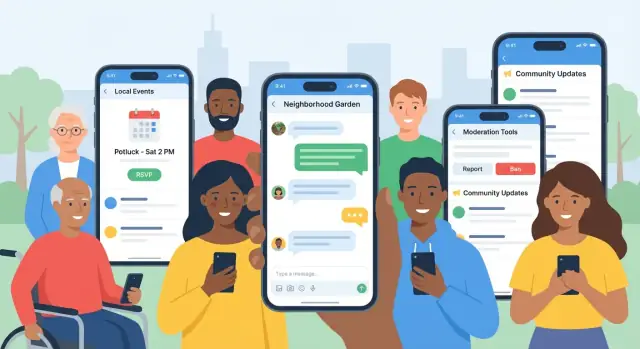
What You’re Building (and Why It Matters)
A community messaging and groups app is a mobile app where people can find (or create) groups and talk with others who share a place, purpose, or interest. Think neighbors coordinating safety updates, clubs organizing events, workplaces running project channels, or fan groups reacting in real time during a game.
What makes this different from a basic group chat app is the combination of:
- Conversation (messages that feel fast, familiar, and reliable)
- Structure (groups, channels, topics, roles)
- Discovery (how users find the right group without chaos)
The core goal
The goal is simple: safe group conversations that are easy to discover and manage. “Safe” isn’t just about encryption—it also means healthy norms, clear moderation, and tools that prevent spam, harassment, and unwanted contact. “Easy” means users can join the right groups quickly, understand what’s happening, and avoid notification overload.
Setting expectations
This guide targets ~3,000 words and is written for builders who want practical decisions, not theory. A typical timeline for an MVP ranges from 6–12 weeks depending on scope and team experience.
Common roles involved include a product owner, UX/UI designer, mobile developer(s), a backend developer, and optional support from QA and security/privacy review.
If you want to compress the build cycle without cutting critical safety features, consider a build workflow that reduces “plumbing” work (auth, CRUD, admin panels, deployment). For example, Koder.ai is a vibe-coding platform that can generate web, backend, and mobile foundations from a chat-driven spec—useful for accelerating an MVP while still keeping you in control via source-code export, planning mode, and rollback snapshots.
What you’ll have by the end
By the time you finish, you’ll have:
- A clear MVP feature checklist for messaging, groups, and onboarding
- Architecture basics (real-time messaging options, storage, and push notifications)
- A plan for moderation, privacy, and safety requirements
- A practical testing, launch, and post-launch growth plan
Choose Your Audience, Use Cases, and Success Metrics
Before you pick features or a tech stack, decide who the app is for and what “success” looks like. Community messaging fails most often when the product tries to serve everyone equally—members, organizers, and moderators all need different workflows.
Define your primary user groups
Most community messaging apps have four practical roles:
- Members: join groups, read/post messages, react, share media, report issues.
- Group admins: create/manage groups, pin announcements, approve members (optional), set rules.
- Moderators: enforce guidelines, review reports, remove content, mute/ban users, handle conflicts.
- Super admins (platform owners): manage global settings, role assignments, safety policies, and escalations.
Tip: write down what each role can do on day one. Clear permissions prevent confusion and reduce support tickets later.
Pick 3–5 core use cases (not 30)
Choose a small set of “jobs to be done” that match your community’s behavior:
- Announcements: one-to-many posts from admins with comments limited or enabled.
- Topic chats: ongoing conversations per interest (e.g., “Jobs,” “Parents,” “Beginners”).
- Events: RSVP, event reminders, last-minute updates, and post-event follow-ups.
- Help requests: members ask for recommendations or support; others reply and share resources.
- Local coordination: neighborhood updates, volunteering, ride-sharing, or lost-and-found.
Each use case should map to at least one screen and one measurable outcome.
Decide success metrics you’ll actually monitor
Avoid vanity metrics like total downloads. Better options:
- Weekly Active Users (WAU) and WAU/MAU ratio
- Retention (D7/D30) for new members and for new groups
- Message delivery time (p95), plus crash rate and send failure rate
- Reports resolved: volume, median time to resolution, repeat offenders
Set a baseline target per metric (even if it’s a guess) so you can iterate with purpose.
Capture constraints early
Write down your non-negotiables:
- Budget and timeline: what can you ship as an MVP in 6–10 weeks?
- Platforms: iOS, Android, or both at launch
- Compliance needs: COPPA (kids), GDPR/UK GDPR, data retention policies, or industry rules
These constraints will shape your MVP scope and keep your community messaging app focused.
Design the Community Model: Groups, Channels, and Discovery
Before you ship features, decide what “community” means in your app. Your group structure determines everything that follows: onboarding, moderation, notifications, and even what “success” looks like.
Open communities vs invite-only groups
Open communities work best when you want growth through discovery (e.g., local interest groups, public hobby communities, brand communities). They require stronger moderation, clearer rules, and good reporting.
Invite-only groups fit when privacy and trust matter most (e.g., school parent groups, patient support circles, workplace teams). They reduce spam and moderation load, but growth depends on invites and referrals.
A practical hybrid is a public “directory” for discovery, with private sub-groups for sensitive conversations.
Pick your building blocks: groups, channels, chats, threads
Decide which containers you support:
- Public / Private / Hidden groups: hidden groups don’t appear in search and can only be joined via an invite link.
- Channels vs chats: channels are topic-based spaces inside a community (e.g., #events, #help). Chats are usually smaller, conversational, and less structured.
- Threaded replies: threads keep busy channels readable. If you add threads, define where they’re allowed (everywhere vs. only channels) and how notifications behave.
Discovery that matches your promise
If you want people to find their “place,” discovery can be:
- Search (by group name, keywords, tags)
- Categories (Sports, Parenting, Neighborhood)
- Location-based groups (city, radius, “near me”)
- Invite links (with expiration, single-use, or approval-required options)
Ownership and creation rules
Decide who can create groups and at what scale. Common options include verified accounts only, limits for new users, or “create after joining X groups.” If you expect large public communities, consider verification (for brands/organizations) and role templates (owner, admin, moderator) to keep management consistent.
MVP Feature Set for Messaging and Groups
Your MVP should prove one thing: people can join the right group quickly and have a conversation that feels reliable. Everything else is optional until you see real usage.
Must-have MVP features (the “can’t launch without it” list)
Start with the smallest set that supports the full loop: sign up → discover or create a group → send messages → come back.
- Sign-up & login: email/phone, basic password/OTP flows, logout
- User profiles: name, photo, short bio (optional), basic settings
- Create/join groups: public/private groups, invite link or join request
- Group messaging: real-time text, read state kept simple (sent/delivered)
- Notifications: push for new messages + basic in-app badge counts
Community essentials (small features that do big work)
A few lightweight tools make groups feel organized and welcoming without adding major complexity:
- Pinned posts / pinned messages: highlight rules, FAQs, weekly threads
- Announcements: a dedicated “Admin post” type or admin-only channel
- Reactions: a small set (like 👍❤️😂) to reduce low-value replies
- Basic search: search within a group for keywords (even if limited)
What to postpone (so the MVP stays shippable)
Hold back features that multiply edge cases, costs, and moderation needs:
- Voice/video calling, live rooms, or streaming
- Advanced analytics dashboards (keep simple event tracking instead)
- Complex multi-admin workflows: role matrices, approval chains
Simple MVP scope table
| Must | Should | Later |
|---|---|---|
| Sign-up/login | Pinned messages | Voice/video |
| Profiles | Announcements | Advanced analytics |
| Create/join groups | Reactions | Multi-admin workflows |
| Real-time text messaging | Basic search | Monetization features |
| Push notifications | Invite links improvements | Integrations / bots |
If you’re unsure about any “Should,” ship it only if it directly reduces confusion (pins/announcements) or increases participation (reactions).
User Accounts, Profiles, and Onboarding Flows
If messaging is the heart of your app, onboarding is the front door. A smooth, safe account flow reduces spam, builds trust, and helps new members quickly understand where they belong.
Safe sign-up options (without friction)
Offer a few login choices, but keep the decision simple:
- Phone number for faster verification (useful for high-trust communities)
- Email with verification for broader access
- Magic links (email-based, no password) to reduce drop-off
- Social login (Apple/Google) for convenience—especially on mobile
Whichever you choose, protect the experience with rate limits, basic bot detection, and clear consent screens.
Profile essentials that support community
Profiles should be lightweight but meaningful:
- Display name (required) and avatar (optional but encouraged)
- Short bio (prompt with examples like “What are you here to learn?”)
- Privacy controls such as: who can DM me, who can see my profile, and whether my online status is visible
Keep “real name” optional unless your community truly needs it.
Membership flow: joining with clarity
Make joining a group feel intentional:
- Public join or join request (for gated communities)
- Approval tools for admins/mods (approve, deny, request more info)
- Rules acceptance before entry (checkbox + link to rules)
- A welcome message that orients users: key channels, how to ask for help, and what’s off-limits
Account recovery and switching devices
Plan for the moment someone loses a phone. Support:
- Email/phone-based account recovery
- Secure device change handling (confirm via verified channel)
- Optional “log out of other devices” for safety
Done well, accounts and onboarding quietly set the tone: safe, clear, and easy to participate in.
Messaging Experience: Text, Media, Threads, and Mentions
Messaging is where your community spends most of its time, so small interaction details have outsized impact. Aim for an experience that feels immediate, clear, and forgiving—especially on mobile where attention and screen space are limited.
Core chat signals (without clutter)
Users rely on lightweight cues to understand what’s happening.
Include message status states (sent → delivered → seen) and make them consistent across 1:1 and group chats. Add typing indicators, but keep them subtle and time-bound so they don’t flicker or distract.
Read receipts are useful, but consider making them optional at the user or group level to reduce social pressure in communities.
Media sharing that feels safe and fast
Support photos and short videos with clear upload progress and failure recovery (retry, resume where possible). Add file limits (size and type) and communicate them upfront in the picker to prevent “try-and-fail” frustration.
Link previews should be fast and privacy-conscious: generate previews server-side, and let admins disable previews in sensitive groups.
Conversation quality: replies, threads, and mentions
Replies/threads keep busy channels readable. A simple rule: a reply should always show a small snippet of the parent message and jump-to-context on tap.
Mentions (@name, @mods) help direct attention, but they can also create noise. Offer mention suggestions, support muted mentions, and define clear message editing/deleting rules:
- Editing: allowed within a time window, with an “edited” label
- Deleting: allow “delete for me” vs. “delete for everyone” (with limits), and keep a tombstone when needed for moderation
Accessibility basics you shouldn’t skip
Respect system font scaling, maintain readable contrast (including for message status icons), and ensure screen reader support for key elements like sender, timestamp, and attachments. Also make tap targets generous—especially for thread/reply actions and reaction menus.
Moderation and Admin Tools for Healthy Communities
Moderation isn’t “nice to have.” It’s part of the core product experience: it protects users, sets expectations, and reduces churn caused by spam, harassment, and off-topic noise. If you wait until problems appear, you’ll end up patching trust issues instead of building a community people feel safe joining.
Must-have moderation tools (user-facing)
Your MVP should include a small set of actions users understand instantly:
- Report: report a message, profile, or group with a short reason (spam, harassment, misinformation, etc.).
- Block: stops direct contact and hides content from that user.
- Mute: hides a user or channel temporarily without escalation.
- Keyword filters: let users (and admins) auto-hide specific words or phrases.
On the admin side, add enforcement tools that scale:
- Ban / timeout (temporary restriction) for repeat offenders.
- Slow mode to limit posting frequency during heated moments or raids.
Admin controls that prevent chaos
Healthy communities need clear authority and predictable rules. Build:
- Roles and permissions (owner, admin, moderator, member), scoped per group/channel.
- Member management (approve/remove members, view join history, restrict invites).
- Post approval for high-risk groups or announcements.
- Pinning to keep rules, FAQs, and key updates visible.
A practical moderation workflow
Design a workflow that supports fast decisions and accountability:
- Triage: queue reports by severity and volume.
- Evidence: capture the reported content, nearby context, user IDs, timestamps, and previous actions.
- Outcomes: warn, remove content, timeout, ban, or “no action,” with notes.
- User feedback: confirm receipt to the reporter and provide a simple outcome message where appropriate.
Good tooling reduces moderator burnout—and makes your community feel consistently managed, not randomly policed.
Privacy, Security, and Safety Requirements
Privacy and safety aren’t “nice to have” in a community messaging app—they’re the foundation that keeps people willing to participate. If users don’t feel in control of their data (and protected from abuse), growth stalls fast.
Privacy choices users can understand
Start by deciding what’s visible by default and giving users clear controls.
- Public profile fields: make non-sensitive fields (display name, avatar) optional, and keep contact details (email/phone) private by default.
- Group visibility: support at least public vs. private groups. Consider “discoverable but invite-only” as a middle option.
- Message retention options: define how long messages are stored. Some communities want full history; others prefer auto-delete after 7/30/90 days. Give admins a setting, and be transparent with members.
Write these rules in plain language in your /privacy and surface key points during onboarding (not buried in a footer).
Security basics that prevent common incidents
You don’t need to invent advanced crypto to be safer than most early apps—just implement the essentials consistently.
- Encryption in transit: use TLS for all API and media traffic.
- Secure storage: encrypt sensitive data at rest, store passwords with a modern hashing algorithm, and keep secrets out of the app binary.
- Rate limiting + abuse prevention: throttle sign-ups, logins, message sends, and invites. Add basic protections like device/IP limits and bot detection on risky endpoints.
Also plan for account recovery (email change, lost phone) without opening the door to takeover.
Safety features that reduce spam and harm
Safety is product design plus tooling:
- Anti-spam controls: limits for new accounts, slow mode in busy channels, and “first-time poster” review in certain groups.
- Link safety: warn on suspicious domains, block known malicious URLs, and consider a safe link preview service.
- Suspicious activity alerts: notify admins about unusual spikes (mass invites, repeated reports, high-volume posting).
Legal considerations to research early
Requirements vary by region, but you should explicitly research:
- Age requirements and parental consent (especially if minors can join)
- Data requests and deletion rights (access/export/delete)
- Reporting obligations for certain content types and how quickly you must respond
If you’re unsure, get advice before launch—changing these fundamentals later is expensive.
Tech Stack and Architecture (Simple, Practical Options)
The “right” stack is the one that ships a reliable MVP quickly and won’t box you in later. For community messaging, prioritize real-time delivery, predictable costs, and straightforward moderation support.
Client options: native vs cross-platform
Native (Swift for iOS, Kotlin for Android) is ideal if you want the best performance, tight OS integration (background tasks, audio/video, notifications), and long-term platform polish. Tradeoff: two codebases.
Cross-platform (Flutter or React Native) is often the fastest path to an MVP for a community messaging app. You get one codebase for iOS and Android, consistent UI, and faster iteration. Tradeoff: some advanced features may need native “bridges,” especially around background syncing and notification customization.
Backend choices: managed real-time vs custom
Managed real-time services (e.g., Firebase/Firestore, Supabase Realtime, Stream) reduce time-to-market: auth, real-time updates, storage, and sometimes moderation primitives are included. This is usually the simplest practical option for a first release.
Custom APIs + WebSockets (Node.js/Go + PostgreSQL + Redis) provide maximum control over data, scaling, and costs—useful if you expect complex permissions, enterprise needs, or heavy analytics. It’s more engineering effort, so it’s best when you have clear requirements.
If you want a “custom stack” outcome while still moving fast, Koder.ai can be a practical middle ground: you can describe your group model, roles, and screens in chat, and generate an app foundation using common production technologies (React for web, Go + PostgreSQL for backend, Flutter for mobile). It also supports planning mode, deployment/hosting, custom domains, and snapshots/rollback—useful when you’re iterating quickly and don’t want releases to feel risky.
Data model overview (keep it boring)
At minimum you’ll want: users, profiles, groups, memberships (role + status), messages (type, timestamps), attachments (URLs + metadata), and reports (who reported what, reason, state).
Performance targets to aim for
Design for sub-second message delivery in normal conditions, basic offline mode (queue sends, show cached history), and low battery impact (batch network calls, avoid constant polling). These choices affect user trust more than fancy features.
Notifications That Help Without Annoying Users
Notifications are a promise: “something here is worth your attention.” If you break that promise with noise, people mute you—or uninstall. A good community messaging app treats notifications as a product feature, not a default setting.
Build a clear push strategy
Start with event types that map to real user intent:
- Mentions (@you): high priority, usually immediate.
- Replies to your message or thread: high priority, but can respect quiet hours.
- Announcements (from admins/mods): important, but should be used sparingly and clearly labeled.
- Digests: a daily/weekly summary for everything else (new posts, active groups, trending threads).
A simple rule helps: if the user didn’t directly participate (post, react, follow a thread), don’t send an immediate push—put it in the digest or in-app inbox.
Give users real control (without a settings maze)
Offer controls at two levels:
- Per-group settings: All activity / Mentions & replies only / Mute.
- Global settings: quiet hours, digest frequency, and categories (Mentions, Replies, Announcements, Digests).
Make these controls accessible from the group header and from a central Notifications screen, not buried in a profile menu.
Get in-app notifications right
Push notifications are only half the experience. Add an in-app notification inbox that mirrors pushes, supports “mark as read,” and deep-links into the exact message.
Badges and unread counts must stay accurate across devices. Track read state per conversation (and per thread if you support threads), and reconcile on app open. A common approach is storing the user’s “last read message id” per channel and deriving unreads from that.
Deliverability and anti-spam basics
Reliability matters as much as UX:
- Token management: handle APNs/FCM token refresh, remove invalid tokens, and link tokens to a user + device.
- Retries: use exponential backoff for transient failures, and a dead-letter queue for investigation.
- Deduping: avoid sending multiple pushes for the same event when a message is edited or reprocessed.
Finally, rate-limit noisy patterns (like rapid-fire reactions) and provide an escape hatch: “Mute this thread” and “Turn off reactions.” If users feel in control, they’ll keep notifications on.
Analytics, Feedback, and Iteration
Shipping a community messaging app is only the start. What turns an MVP into a product people return to is a tight loop: measure what users do, listen to what they say, then make small, confident improvements.
Plan the right analytics events (and keep them minimal)
Track a handful of events that map to your core journey:
- Sign-up / login success (and failures)
- Create group and join group
- Send message (by type: text, image, video)
- First meaningful action (e.g., first message within 10 minutes of joining)
- Return visits (D1/D7 retention)
- Churn signals like “left group” or “muted notifications”
Add basic properties (platform, app version, group size) so you can spot patterns without collecting sensitive content.
Quality metrics that protect the community
Messaging apps need “health” metrics, not just growth:
- Spam rate (e.g., % of messages reported as spam)
- Report rate by group and by user cohort
- Moderation response time (time from report to action)
- Repeat offender rate (users reported multiple times)
These numbers help you decide whether to tighten onboarding, rate limits, or moderation staffing.
Ethical A/B testing (especially for onboarding + notifications)
A/B test only what you can explain to users and stakeholders. Keep experiments small: onboarding steps, copy, or notification timing. Avoid manipulative patterns (dark nudges) and don’t test safety-critical features like reporting access.
Build feedback loops into the app
Add lightweight ways to hear users:
- In-app surveys after key moments (first week, after joining a group)
- A clear Contact support path
- Simple issue reporting (“Something broken?” + screenshot upload)
Then review feedback weekly, ship a small change, and measure again.
Testing, Launch, and Post-Launch Growth Plan
Shipping a community messaging app isn’t just “publish and pray.” The difference between a smooth launch and a messy one is usually preparation: testing for real-world chat behavior, rolling out in stages, and staffing moderation from day one.
A practical testing checklist
Focus on the paths that break most often in messaging:
- Unit tests: message formatting, link parsing, mention detection, permission checks (who can post, delete, pin).
- Integration tests: send/receive flow, retry logic, offline queueing, media upload + thumbnail generation, notification delivery.
- Device testing: low-end Android devices, older iPhones, poor networks (3G/edge simulation), background/foreground transitions.
- Load testing for message spikes: simulate peak events (e.g., a live game thread) with bursts of messages, media uploads, and concurrent joins.
Tip: test not only sending, but also history loading, search, and joining large groups—these often fail under pressure.
Beta rollout that reduces risk
Use a staged approach:
- Internal testers: your team and trusted moderators; validate onboarding, permissions, and admin tools.
- Closed beta: a few real communities with clear feedback channels; track retention and moderation workload.
- Staged release: gradually increase the percentage of users, watching server health and app stability.
- Crash monitoring: set alerts for crash rate, ANRs (Android), login failures, and message-send error spikes.
App Store and Play Store basics
Plan time for compliance:
- Request only necessary permissions (contacts, photos, microphone) and explain why.
- Complete privacy labels/data safety accurately, including analytics and messaging metadata.
- Ensure you meet content guidelines: reporting flow, block/mute, and how you handle harmful content.
Launch and first-week growth plan
Seed success before launch by recruiting starter communities and giving them templates (rules, welcome posts, pinned FAQs). Staff moderation shifts for the first week—new apps attract testing behavior and edge cases.
During week one, prioritize fixes that unblock conversation: crashes, notification failures, spam waves, and onboarding drop-offs. Publish a short “what we improved” update quickly to build trust and momentum.
FAQ
What should I decide before choosing features or a tech stack?
Start by defining 3–5 core use cases (e.g., announcements, topic chats, events, help requests, local coordination) and the primary roles you’ll support (member, admin, moderator, super admin). Then set measurable success metrics like D7/D30 retention, WAU/MAU, p95 message delivery time, and report resolution time so you can scope the MVP around outcomes—not features.
What’s the minimum viable feature set for a community messaging and groups app?
A practical MVP is the shortest loop that proves: sign up → join/create a group → send messages → come back. Minimum features usually include:
- Sign-up/login (email/phone/OTP)
- Lightweight profiles (display name, avatar)
- Create/join groups (public/private, join request or invite link)
- Real-time text messaging (simple sent/delivered state)
- Push notifications + basic in-app unread badges
Add small “high leverage” extras only if they reduce confusion (pins/announcements) or increase participation (reactions).
Should my groups be open, private, or invite-only?
If you want organic growth via discovery, choose open/discoverable communities—but budget time for stronger moderation and anti-spam controls.
If you need privacy and trust, choose invite-only or approval-based groups.
A common hybrid is:
- A public directory for discovery
- Private sub-groups for sensitive topics
Decide this early because it affects onboarding, search, and moderation workload.
How do I choose between groups, channels, chats, and threads?
Keep the structure simple and consistent:
- Groups are the top-level communities (with visibility: public/private/hidden).
- Channels are topic spaces inside a group (e.g., #events, #help).
- Threads/replies are optional—add them only if channels will be busy.
If you add threads, define notification behavior up front (e.g., notify for @mentions and replies in followed threads) to avoid unread/notification chaos.
What are practical ways to handle group discovery without creating chaos?
Use discovery methods that match your promise:
- Search by name/keywords/tags
- Categories (e.g., Parenting, Sports)
- Location-based discovery (“near me” with radius)
- Invite links (expiring, single-use, or approval-required)
Also add creation limits for new accounts (e.g., “create after joining X groups” or verification for orgs) to reduce spam group creation.
What moderation tools are “must-have” at launch?
Start with a small, obvious set that users understand immediately:
- Report message/profile/group (with reason)
- Block and mute (including channel mute)
- Admin actions: delete content, timeout/ban users
- Slow mode for raids or heated threads
Operationally, build a workflow that captures evidence + context, logs actions, and provides basic feedback to reporters. Good tools reduce moderator burnout and inconsistent enforcement.
What privacy and security basics should I implement for a community messaging app?
Focus on clear defaults and simple controls:
- Keep email/phone private by default; expose only what’s needed (display name/avatar).
- Support public vs private group visibility (optionally “discoverable but invite-only”).
- Define message retention (keep forever vs auto-delete after 7/30/90 days) and be transparent.
- Implement basics consistently: TLS, encryption at rest for sensitive data, strong password hashing, and rate limiting on sign-ups/logins/sends/invites.
Plan account recovery carefully to avoid takeover risks.
How do I design notifications that help without annoying users?
Treat notifications as a product feature with a clear hierarchy:
- Immediate: @mentions, replies to you/your thread
- Important but controlled: admin announcements
- Everything else: daily/weekly digests and in-app inbox
Give users simple controls:
- Per-group: All / Mentions & replies / Mute
- Global: quiet hours, digest frequency
Track read state per conversation (often via “last read message id”) to keep badges accurate across devices.
Should I use a managed real-time backend or build my own messaging server?
For an MVP, managed real-time backends are usually fastest:
- Firebase/Firestore, Supabase Realtime, or a messaging SDK can cover auth, realtime updates, and storage quickly.
Go custom (e.g., Node/Go + PostgreSQL + Redis + WebSockets) when you need tighter control over:
- Complex permissions/roles
- Data residency/compliance constraints
- Predictable scaling costs at high volume
Regardless of stack, keep the data model “boring”: users, groups, memberships (role/status), messages, attachments, reports.
What should I test and monitor before and after launch?
Test the failure modes common to messaging:
- Offline/poor network: queued sends, retries, history loading
- Media: upload progress, resume/retry, limits communicated in the picker
- Notifications: token refresh, deduping, deep links to the exact message
- Permissions: who can post/delete/pin, join approval flows
- Load spikes: busy live threads + concurrent joins
Launch with a staged rollout (internal → closed beta → staged release) and monitor crash rate, login failures, message-send errors, and report volume from day one.