

How to Create Contextual Reminders in a Mobile App Without Overload
Learn how to build a contextual reminder app that helps users at the right moment without notification fatigue—signals, UX patterns, privacy, and testing.
Start With Outcomes and a Clear Definition of “Context”
Before you design contextual reminders, define the user outcome in plain language: the right reminder, at the right time, with minimal interruptions. If that sentence isn’t true in real life, “smart notifications” quickly turn into notification fatigue.
Define the user problem (not the feature)
A useful starting prompt is: “What did the user forget, and what would have helped them remember without breaking their focus?” This keeps contextual reminders grounded in real moments, not clever automation.
What “contextual” should mean in your app
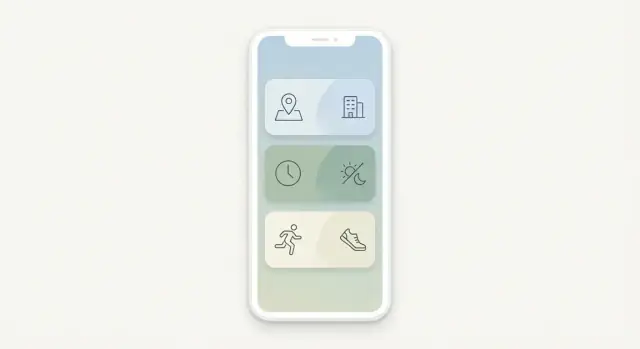
In mobile app design, “context” is simply the signals that help you choose when and how to remind. Common context signals include:
- Time: specific time, day patterns, quiet hours
- Location: arriving/leaving a place, distance-based prompts
- Activity: walking, driving, stationary (when available and appropriate)
- Calendar: upcoming meetings, travel time buffers
- Device state: battery level, Do Not Disturb, connectivity, screen on/off
Be explicit about which signals you support and why. A reminder app UX can be “contextual” with just time + calendar + device state—no need to start with everything.
Set success metrics you’ll actually use
Choose a few metrics that reflect “helpful, not noisy”:
- Task completion rate after a reminder
- Snooze and dismiss rates (separately)
- Notification opt-outs and channel mutes
- Uninstall/churn after enabling reminders
Identify constraints early
Contextual reminders are shaped by constraints: OS notification limits, background execution rules, battery impact, and permissions. Also define your privacy by design stance up front: collect the minimum context signals needed, process as much as possible on-device, and avoid “surprise” personalization that users can’t explain.
User Research: Moments, Jobs, and Failure Modes
Contextual reminders only feel “smart” when they match real life. Start your research by focusing on moments (when a reminder could help), jobs (what people are trying to get done), and failure modes (how reminders go wrong).
2–4 primary personas (keep them concrete)
Pick a small set you can design for end-to-end:
- Busy parent juggling school pickups, groceries, and household routines.
- Field worker moving between sites with gloves on, limited connectivity, and safety constraints.
- Student balancing classes, deadlines, and irregular sleep schedules.
- Caregiver managing medications, appointments, and emotionally sensitive tasks.
Write each persona with a daily rhythm, constraints (hands-free, quiet hours, shared devices), and what “success” means (less stress, fewer missed tasks, more predictability).
Top jobs-to-be-done (what they actually need)
Aim for repeatable, high-value jobs such as:
- Remember meds (time-sensitive, high consequence).
- Bring items (keys, forms, equipment, lunch, chargers).
- Follow routines (hydration, stretches, study blocks, check-ins).
Phrase jobs in plain language: “Help me remember X when Y happens,” not feature requests.
Map the moments that matter
Identify the handful of moments where timing is everything:
- Before leaving home (packing, locking up, meds).
- Arriving somewhere (work, campus, store).
- During commute (hands-busy, attention-limited).
Capture where the phone is (pocket, bag, mounted), and whether sound/vibration is acceptable.
Failure modes to design against
Document what users hate, then design guardrails:
- Too many pings → users mute everything.
- Wrong timing → interruption at meetings or while driving.
- Unclear action → notification doesn’t tell them what to do next.
These failures should directly inform your prioritization rules, quiet hours, and notification copy later.
Choose Context Signals Without Overreaching
Context can make reminders feel magically well-timed—or uncomfortably “watched.” A good rule is to start with signals that are both high-value and low-friction, then expand only when users clearly benefit.
Rank signals by usefulness vs. invasiveness
A practical order for most reminder apps is:
- Time: schedules, “in 2 hours,” recurring patterns. High value, minimal privacy impact.
- Calendar: meetings, busy blocks, travel time. Valuable, but requires permission and careful explanations.
- Location: “when I arrive at the grocery store.” Powerful, but sensitive—especially if it feels continuous.
- Motion / activity: walking, driving, stationary. Helpful for safety (“don’t ping while driving”), but can feel opaque.
If a signal doesn’t noticeably improve timing or reduce effort, it’s not worth the permission cost.
Decide what’s core vs. optional
Define a “no-permissions” baseline that still works well (typically time-based reminders). Treat richer context as opt-in upgrades:
- Core: time, manual shortcuts (e.g., “later today”).
- Optional: calendar, location, motion—enabled only when a user chooses a feature that needs it.
Plan for graceful degradation
Signals fail: GPS is off, calendars aren’t connected, background restrictions apply. Each reminder should have a fallback:
- Location reminder → fallback to time window (“remind me this evening”).
- Calendar-aware reminder → fallback to fixed time if events can’t be read.
Document what you will not use
Write down boundaries early and keep them consistent: no microphone access, no continuous tracking, no selling or sharing of raw context data. These decisions simplify product scope and make trust easier to earn.
Privacy, Permissions, and User Trust by Design
Contextual reminders feel “smart” only if they also feel safe. People will forgive a missed reminder; they won’t forgive a reminder that implies you’re tracking them without permission.
Ask for consent like a product designer
Permission prompts shouldn’t be vague or scary. Be explicit about what you want, why you need it, and the benefit the user gets right now.
For example:
- “Allow location while using the app so we can remind you to buy groceries when you’re near your usual store.”
- “Allow calendar access so we can avoid reminding you during meetings.”
If you can provide value without a permission, do that first and ask later—when the user understands the feature.
Collect less, process closer to the device
Default to minimal data collection. If a reminder can be triggered on-device (time windows, geofences, motion states), prefer that over sending raw context data to a server.
Practical guardrails:
- Store only what you need (e.g., “near saved place,” not a location history).
- Keep sensitive signals optional (location, contacts, calendar).
- Make “precise” vs “approximate” location a clear choice where supported.
Give fast, humane controls
Trust is built when users can change their mind without hunting through settings.
Include quick controls such as:
- Pause reminders (15 minutes / 1 hour / today)
- Quiet hours (sleep, work)
- Location off (feature degrades gracefully)
- Delete data (reminders, saved places, learned patterns)
Explain privacy in plain language
Add an in-app privacy explanation written like a help article, not a contract: what you store, what you don’t, how long you keep it, and how to turn it off. Transparent apps get more permissions—and fewer uninstalls.
Model Reminders: Triggers, Rules, Priority, and Expiry
A contextual reminder feels “smart” mostly because the model is clear. Before UI, define a reminder as a small set of building blocks that can be evaluated consistently.
Core entities (what a reminder is)
At minimum, model each reminder with:
- Trigger: the event that wakes evaluation (arrive at a place, connect to Wi‑Fi, 6pm, calendar ends).
- Conditions: extra checks (only on weekdays, only if not already done, only during quiet hours).
- Message: the text shown to the user.
- Action: what happens when tapped (open note, start timer, mark complete, snooze options).
- Priority: used when multiple reminders compete.
- Expiry: when it stops being eligible.
A simple representation can look like:
{
  "trigger": "arrive:home",
  "conditions": ["weekday", "not_completed"],
  "message": "Ask Alex about the keys",
  "action": "open:reminder_detail",
  "priority": "normal",
  "expiry": "2026-01-10T20:00:00Z",
  "no_repeat": true
}
Templates without overfitting
Support reusable templates users understand instantly, such as “When I arrive at…”, “When I leave…”, “At a time…”, and “After a call with…”. Templates should map cleanly to the same underlying fields, so editing stays predictable.
Expiration and “no-repeat” to prevent stale nudges
Default every reminder to an expiry (even a generous one). Add no-repeat (fire once) and cooldowns (don’t fire again for X hours) so the system can’t nag.
Make post-fire editing effortless
After a reminder fires, offer fast controls: Done, Snooze, Mute this context, Edit, Delete. This is where users teach your model what “helpful” means.
Anti-Overload Strategy: Prioritization, Caps, and Bundles
A contextual reminder system fails the moment it starts “spraying” notifications. Your default should be restraint: fewer, higher-confidence reminders beat many low-confidence guesses. Treat every push as a scarce resource.
Prioritize by impact, not by urgency vibes
Create a small set of priority tiers that map to clear user value. For example:
- Must-not-miss: time-critical, high cost of forgetting (medication, boarding pass)
- Helpful: useful but recoverable (buy milk when near a store)
- FYI: informational (weekly summary)
Only the top tier should be eligible for disruptive alerts. Everything else should “earn” interruption through strong context signals.
Use a tiered delivery ladder
Instead of deciding “notify or not,” use a progression:
- Silent card / inbox item (no interruption)
- Gentle nudge (single push, no sound, no vibration by default)
- Urgent alert (sound/vibration, lock screen prominence)
This gives you room to be helpful without being noisy.
Add caps and cooldowns as guardrails
Implement frequency caps (per hour/day) per category and overall. Then add cooldown windows after key interactions—if the user snoozes, completes, or dismisses a reminder, don’t re-ping immediately. Cooldowns should be longer after a dismissal than after a completion.
Bundle related reminders
When multiple reminders cluster (same place, same time window, same project), bundle them into one notification with a short summary. Let the tap open a clean list so users can act in one go, instead of being interrupted repeatedly.
Design the Notification and Action UX
A contextual reminder succeeds or fails on the notification itself: the wording, the timing cue, and what the user can do in one tap. Treat the notification as a tiny decision screen, not a mini essay.
Write copy that answers three questions
Keep the message concise and scannable:
- What: the task in plain language
- Why now: the context trigger (time, place, calendar gap) stated simply
- One clear action: what you want the user to do next
Example structure: “Pick up prescription — you’re near City Pharmacy — Open list.” If the “why now” could feel creepy (exact location), soften it: “You’re nearby” or “On your way out.”
Limit actions to reduce decision load
Offer 2–3 actions max:
- Done (or “Mark done”)
- Snooze
- Open (to details)
Avoid adding extra buttons like “Edit,” “Share,” or “Reschedule” inside the notification—those belong in the app.
Make snooze feel smart, not generic
Snooze presets should match real situations:
- 10 minutes (quick delay)
- Tonight (end-of-day catch-up)
- Next location (re-trigger when relevant)
If you can’t reliably support a preset (e.g., “next location”), don’t show it.
Use a neutral, helpful tone
Skip guilt, urgency, or pressure (“Don’t forget!” “You must…”). Prefer calm phrasing: “Reminder: water plants” and “Snoozed until 7pm.” A respectful tone lowers stress and makes users more willing to keep notifications enabled.
Build User Controls and a Transparent “Why This” View
Contextual reminders feel “smart” only when users feel in control. The fastest way to build that trust is to make every reminder understandable and adjustable in a tap or two—without sending people on a settings scavenger hunt.
Add an in-app Reminders inbox (a safety net)
Notifications are easy to miss, especially during meetings or quiet hours. An in-app Reminders inbox lets people catch up at their own pace without extra pings.
Keep it simple: a chronological list with clear labels (e.g., “Due now”, “Later today”), lightweight actions (Done, Snooze), and a way to search or filter. This reduces pressure to “act instantly” and lowers notification fatigue.
Make “Why you’re seeing this” explicit
Every contextual reminder should include a short explanation panel:
- Signal: what the app detected (e.g., location, time window, calendar state)
- Rule: the user’s preference that caused it (e.g., “Remind me when I arrive at Grocery Store”)
Write it in plain language: “You’re near Home, and you asked to be reminded about Laundry when you get here.” Avoid technical phrasing like “geofence triggered.”
Offer quick tuning right where the reminder appears
When a reminder feels wrong, users shouldn’t have to dig into settings. Add one-tap controls such as:
- Less like this (reduces frequency or deprioritizes similar triggers)
- Only at this place (tightens the rule)
- Mute for today (temporary relief without turning everything off)
Make settings discoverable and human
Use simple language (“Quiet hours”, “Places”, “How often”) instead of dense toggles. Surface these controls from the inbox and the “Why this” view so users learn they exist exactly when they need them.
Technical Architecture for Reliable, Battery-Friendly Triggers
A contextual reminder is only “smart” if it fires at the right time without draining the phone. The goal is to lean on the operating system’s scheduling tools instead of running your own constant background checks.
Pick a core approach: local-first or server-driven
Local-first with sync is usually the safest default for reminders. Rules are evaluated on-device, so triggers work offline and can respect device settings like Focus/Do Not Disturb.
Server-driven rules can work when context signals are primarily server-side (e.g., calendar from your backend), but you’ll still need an on-device layer to schedule actual notifications reliably.
A practical hybrid is: define rules in the cloud (for consistency across devices), but compile them into on-device schedules.
If you’re prototyping this kind of hybrid quickly, a vibe-coding workflow (for example, using Koder.ai to generate a React-based admin console plus a Go/PostgreSQL backend) can speed up the iteration loop—especially for rule modeling, event logging, and an internal “why this fired” debug view.
Work with OS constraints (not against them)
Mobile platforms tightly limit background execution:
- Background tasks may be delayed or skipped under battery saving modes
- Geofencing has caps (number of regions, accuracy tradeoffs)
- “Doze”/low power modes throttle network and timers
Design triggers around OS primitives: scheduled notifications, geofence entry/exit, significant location change, and system task schedulers.
Battery-friendly strategies
Avoid polling. Instead:
- Coalesce checks (evaluate multiple rules in one wake-up)
- Use OS triggers as wake signals, then do quick local evaluation
- Cache context inputs and only recompute when something changes
Reliability plan: retries, dedupe, and offline behavior
Make reminders dependable without spamming:
- Retries: if a send fails, retry with backoff and a cutoff window
- Dedupe: assign stable IDs per reminder event; don’t show the same notification twice
- Offline: queue schedule updates locally and sync later; never block firing on network availability
Treat every trigger as “best effort,” and build safeguards so “late” becomes “next best time,” not “multiple pings.”
Onboarding That Prevents Notification Fatigue
A reminder app earns attention before it asks for access. Treat onboarding as a short “proof of usefulness” flow, not a permissions checklist.
Show value first, then request permissions
Start with a simple, time-based reminder that works without any special access. Let the user create one reminder in under a minute and experience the payoff (a well-timed notification) before you ask for notification permission.
When you do ask, be specific: “Allow notifications so we can remind you at 6:00 PM.” This feels purposeful, not pushy.
Progressive disclosure for context
Introduce context signals gradually:
- Step 1: Time-based reminders (default) with a gentle suggestion: “Want this to trigger when you arrive?”
- Step 2: Location-based reminders only after the user opts in, with clear benefits (“Never forget groceries when you reach the store”).
If a feature requires background location, explain the tradeoff in plain language and offer “Only while using the app” as a stepping stone when possible.
One-tap examples that set the tone
Offer a small set of templates users can adopt instantly:
- “Leave in 10 minutes: bring keys + wallet”
- “When I get to the pharmacy: pick up prescription”
- “Every weekday at 9:30: stand up and stretch”
Templates teach what “good reminders” look like—short, actionable, and not too frequent.
Set expectations early: caps, quiet hours, pause
During onboarding, ask for a preferred quiet window (for example, evenings or sleep hours) and state your default limits: “We’ll never send more than X reminders per day unless you choose otherwise.”
Include an obvious Pause reminders option right in the first-run experience. Giving users an escape hatch reduces anxiety—and makes them more willing to enable notifications in the first place.
Measure, Test, and Tune for “Helpful, Not Noisy”
Contextual reminders feel magical only when they stay relevant. The fastest way to drift into noise is to “set and forget” your logic. Treat reminders as a living system you continuously measure and refine.
Instrument the full reminder lifecycle
Start with a small, consistent event schema so you can compare changes over time. At minimum, track:
- Delivered (including whether it was suppressed by quiet hours or caps)
- Opened
- Snoozed (and for how long)
- Dismissed
- Muted (temporary) or disabled (permanently)
Pair these with context metadata (e.g., trigger type, time window, bundle vs single) to understand what works—not just what was sent.
Watch for overload signals early
Overload often shows up indirectly. Monitor trends like high dismiss rates, rapid “mute all” actions, permission revokes, decreasing opens after week one, and app uninstalls following a spike in notifications. These are your smoke alarms; don’t wait for support tickets.
Run targeted A/B tests
Test one variable at a time and define “helpful” metrics upfront (not only opens). Practical experiments include timing windows, copy tone and length, bundling rules, and daily/weekly caps. A good reminder can have a lower open rate but still reduce snoozes and repeated dismissals.
Add lightweight qualitative feedback
After key interactions—like a dismissal streak or a mute action—ask a one-tap question: “Not relevant,” “Bad timing,” “Too frequent,” or “Other.” Keep it optional, and use responses to tune rules, priority, and expiry rather than adding more notifications.
Edge Cases: Accessibility, Localization, and Safety
Contextual reminders feel “smart” only when they work for everyone, everywhere, and in situations where interruptions can be harmful. Designing these edge cases early prevents painful rework later.
Accessibility: make reminders perceivable and usable
Start by testing the full reminder flow with screen readers (VoiceOver/TalkBack): the notification text, any action buttons, and the destination screen after tapping. Ensure actions are reachable without precise gestures.
Support large text and dynamic type so reminder titles don’t truncate into something ambiguous. Keep language scannable: a short title plus a clear next step.
Also check color contrast and state indicators. If you use color to convey urgency or category, add a secondary cue (icon, label, or text) so meaning isn’t lost for color-blind users.
Localization: clarity beats literal translation
Localize time and date formats automatically (12/24-hour clock, week start day, relative time phrasing). Avoid idioms and slang in reminder copy—phrases that sound friendly in one region can read as rude or confusing in another.
Make room for longer text in languages like German, and verify that plurals and gendered language render correctly.
Real-world edge cases
Shift workers may sleep at unconventional times—quiet hours should be customizable and not assume nights. Travel and time zones can break “at 9 AM” reminders; decide whether reminders follow the device’s current time zone or stay pinned to the original one, and communicate that choice.
Shared devices add risk: notifications can expose private content. Offer discreet notification content (e.g., “You have a reminder”) and require unlock to reveal details.
Safety considerations
Respect “driving” or “do not disturb” states where possible, and avoid interactive prompts that encourage phone use while moving. For medical or urgent reminders, add an optional escalation path (repeat after X minutes, louder channel) but keep it opt-in with clear warnings—false urgency erodes trust fast.
MVP Scope and a Sustainable Roadmap
A contextual reminder system can grow into a monster fast: more signals, more settings, more edge cases. The easiest way to avoid overload is to start narrow, ship something reliable, then expand only when user behavior proves it’s worth it.
Start with a narrow MVP
Pick one high-frequency scenario where “timing + context” clearly beats a basic alarm. For example: “Remind me to buy detergent when I’m near my usual store,” or “Nudge me to stretch after 60 minutes of inactivity.”
Define the MVP boundaries upfront:
- One context type (location or time or activity), not all three
- One reminder format (single notification + one primary action)
- Minimal personalization (quiet hours + snooze)
Success criteria should be measurable (e.g., completion rate, dismiss rate, user opt-outs), not “users like it.”
If you want to validate scope fast, building the MVP in a platform like Koder.ai can be practical: you can prototype the reminder flows via chat, iterate on a React UI, and evolve a Go/PostgreSQL model for triggers and audit events—then export source code when you’re ready to move to a standard engineering pipeline.
Roadmap: expand by evidence
Once the MVP is stable, grow in small, testable steps:
- Templates: “Pick up,” “Call,” “Buy,” “Pay,” each with default timing rules
- Smart suggestions: propose reminders based on repeated behavior, with explicit user approval
- Calendar integration: avoid conflicts and respect busy blocks
- Wearables: quick actions, glanceable nudges, and tighter “right moment” delivery
Each addition should earn its place by reducing taps, improving completion, or lowering notification volume.
Operational practices that keep quality high
Treat reminders like a core reliability feature:
- Structured logging for trigger decisions (without storing sensitive content)
- Crash monitoring and alerting for missed triggers and delivery failures
- A predictable release cadence with rollback readiness
Finally, make support simple: an in-app “Report a bad reminder” path and a lightweight feedback loop that feeds directly into triage, experiments, and roadmap decisions.
FAQ
What’s the first step to designing contextual reminders that don’t annoy users?
Start with a plain-language outcome: the right reminder, at the right time, with minimal interruptions. Then write 2–3 measurable success metrics (e.g., completion after reminder, snooze vs. dismiss, opt-outs) and treat every added context signal as something that must improve those metrics—not just add “smartness.”
What does “context” mean in a reminder app, in practical terms?
“Context” is the set of signals you use to decide when and how to remind—most commonly:
- Time (schedules, patterns, quiet hours)
- Location (arrive/leave, proximity)
- Activity (walking/driving/still)
- Calendar (meetings, travel buffers)
- Device state (battery, Focus/DND, connectivity)
Pick a small, explicit set you can explain and reliably support.
Which context signals should I prioritize first (time, location, calendar, activity)?
Start with high-value, low-friction signals and expand only when users clearly benefit:
- Time: usually core, minimal privacy cost
- Calendar: valuable for avoiding bad timing, requires clear permission rationale
- Location: powerful but sensitive; make it opt-in and avoid “surprise” behavior
- Motion/activity: great for safety (e.g., don’t interrupt while driving), but can feel opaque
If a signal doesn’t materially improve timing or reduce effort, skip it.
How should I handle permissions and consent without killing onboarding?
Ask for permissions at the moment of need, with a concrete benefit:
- “Allow notifications so we can remind you at 6:00 PM.”
- “Allow location while using the app so we can remind you when you’re near your store.”
Provide a useful baseline without permissions (time-based reminders), then offer context as an opt-in upgrade. Also include fast controls to pause, mute, or revoke a feature without digging through settings.
What’s a clean data model for contextual reminders?
Model each reminder with consistent building blocks:
- Trigger (e.g., 6pm, arrive:store)
- Conditions (weekdays, not completed, outside quiet hours)
- Message (plain task text)
- Action (open, mark done, snooze)
- Priority (must-not-miss vs. helpful)
- Expiry + no-repeat/cooldowns
This prevents “mystery logic” and makes behavior predictable across templates and UI.
What are the best ways to prevent notification overload?
Use guardrails that assume restraint:
- Priority tiers (must-not-miss / helpful / FYI)
- A delivery ladder (inbox item → gentle push → urgent alert)
- Frequency caps per hour/day plus cooldowns after snooze/dismiss
- Bundling when reminders cluster by place/time/project
Aim for fewer, higher-confidence reminders rather than many low-confidence ones.
How do I write effective reminder notifications and actions?
Make each notification a tiny decision screen that answers:
- What: the task
- Why now: a simple context cue (“You’re nearby”, “Between meetings”)
- Action: one clear next step
Keep actions to 2–3 (Done, Snooze, Open). Use neutral tone, avoid guilt, and be careful with “creepy” specificity (e.g., soften exact location phrasing when appropriate).
How can I make contextual reminders feel transparent and controllable?
Build an in-app “Why you’re seeing this” panel that shows:
- Signal detected (time window, location, calendar state)
- The user rule that caused it (“Remind me when I arrive at Grocery Store”)
Pair it with quick tuning (Mute for today, Less like this, Only at this place). If users can understand and adjust a reminder in 1–2 taps, they’ll tolerate—and trust—more context.
What should I do when context signals fail (GPS off, calendar missing, OS restrictions)?
Design for failure by adding fallbacks and graceful degradation:
- Location trigger fails → fallback to a time window (“this evening”)
- Calendar unavailable → fallback to a fixed schedule
- Background restrictions → rely on OS schedulers/geofences, not polling
Also implement dedupe IDs, backoff retries with cutoffs, and offline-first scheduling so you don’t compensate for unreliability by sending multiple pings.
How do I measure whether reminders are helpful instead of noisy?
Track the full lifecycle and treat “overload” as a measurable risk:
- Delivered (including suppressed by caps/quiet hours)
- Opened
- Snoozed (duration)
- Dismissed
- Muted/disabled permissions
Watch for rising dismiss rates, permission revokes, and post-enable churn. Run focused A/B tests (timing windows, copy, bundling, caps) and add lightweight one-tap feedback (“Bad timing”, “Too frequent”, “Not relevant”).