

How to Create a Mobile App for Personal Insight Accumulation
A practical guide to planning, designing, and building a mobile app that helps users capture notes, track moods, and turn daily moments into actionable insights.
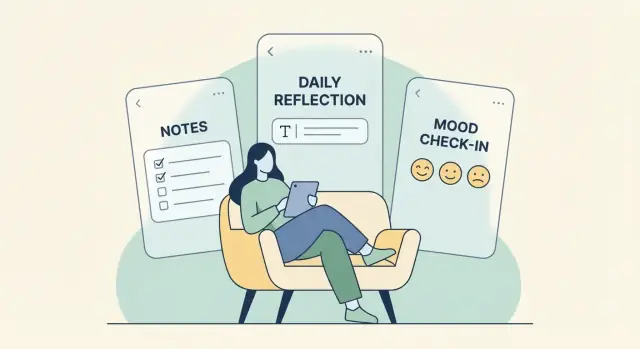
What “Personal Insight Accumulation” Means (and Who It’s For)
“Personal insight accumulation” is the practice of steadily collecting small observations about your life and turning them into useful understanding over time. The value compounds: the more consistently you capture, the easier it becomes to spot patterns and make better decisions.
At its simplest, it’s a loop:
Capture → Reflect → Connect → Act
Capture: Quickly record what happened (a moment, feeling, thought, decision, or outcome) while it’s still fresh.
Reflect: Add meaning—why it mattered, what you learned, what you wish you’d done differently.
Connect: Link today’s entry to earlier ones (similar situations, repeating triggers, recurring goals). This is where insight starts to compound.
Act: Turn the insight into a small next step: a decision, an experiment, a habit tweak, or a boundary.
Who are you building for?
A crucial early decision is choosing a primary user, because “insight” means different things to different people:
- Busy professionals want faster decisions, better energy management, and fewer repeated mistakes.
- Students want to understand study patterns, stress triggers, and what improves performance.
- Creators want to notice what sparks ideas, what blocks output, and how routines affect quality.
- Therapy or coaching clients want structured reflection between sessions and clearer themes to discuss.
A strong v1 picks one primary audience and makes their core loop feel effortless.
What outcomes do users actually want?
Most people aren’t motivated by “journaling” as a goal. They want results like:
- Clarity (untangling thoughts)
- Pattern recognition (what keeps happening and why)
- Better decisions (less second-guessing)
- Behavior change (small shifts that stick)
Define success metrics early
Before building features, decide what “working” means. Useful starter metrics include retention, entries per week, and insights saved (when a user marks something as “learned”). Streaks can help some users, but should be optional—insight accumulation should feel supportive, not punishing.
Set Your App Goal, Audience, and v1 Scope
Before you sketch features, decide what your app is for and who it serves. “Personal insight accumulation” can range from a lightweight reflection journal to a structured habit-and-mood tracker. A clear goal keeps the product simple and makes early testing meaningful.
Define the audience in one sentence
Pick a primary user you can picture and design around:
- Busy professionals who want quick reflection without long writing
- Students tracking study habits and stress patterns
- People in therapy/coaching who want searchable notes and weekly reviews
Once you choose one, it becomes much easier to say “no” to features that don’t help that person.
Core user stories (3–5)
Write a short set you can build and test:
- Capture a thought in under 10 seconds (text, quick mood, optional tag).
- Find and revisit past entries by search, tag, or time range.
- Review patterns weekly (e.g., moods vs. sleep, recurring topics).
- Get prompts when stuck (“What made today better than yesterday?”).
- Save an insight as a highlight or takeaway for future reference.
Decide the “one-minute value”
What should happen in the first 60 seconds?
Example: the user writes one entry, selects a mood, and immediately sees a simple “Today” card that feels saved, private, and easy to return to.
Pick a platform strategy
- iOS first if your audience skews iPhone and you want faster polish.
- Android first if you need broader device reach early.
- Cross-platform if you’re optimizing for one shared codebase and consistent features.
Scope boundaries: v1 vs. later
For v1, commit to “capture + retrieve + one basic review.” Push these to later: social features, advanced AI summaries, complex dashboards, integrations, and multi-device edge cases.
A tight v1 lets you learn what insights users actually want—before you build everything.
Core Features: Capture, Organize, Reflect, Review
A personal insight app succeeds when it reduces friction at the moment of capture, then makes it easy to turn messy life notes into patterns you can use. Think of the feature set as a loop: capture → organize → reflect → review.
1) Capture: get thoughts in fast
People log insights in real life—walking, commuting, half-asleep, mid-conversation. Offer multiple capture paths so users can choose what fits the moment:
- Quick text note (one-tap entry)
- Voice note (with optional transcription later)
- Photo-based entry (for meals, whiteboards, environments)
- Widget-based entry or lock-screen shortcut for instant logging
Keep the first screen simple: content first, details later.
2) Organize: lightweight structure that scales
Organization should feel optional, not like filing paperwork. Add small pieces of metadata that users can apply in seconds and that unlock meaningful filtering later:
- Tags (free-form + suggested/recent)
- Mood and energy (simple scales)
- Context (place, activity, or “with people/alone”)
- Privacy level per entry (private, sensitive, shareable)
A good default is “save now, enrich later.” Let users add metadata during or after capture.
3) Reflect: help users make sense of it
Reflection features should guide thinking without forcing it. Offer:
- Prompts that match the entry type (e.g., after a stressful moment)
- Templates for common scenarios (work win, conflict, habit check-in)
- Checklists for recurring reviews
- A “What happened / Why / Next” structure for turning events into lessons
The goal is to shorten the distance between an experience and an actionable takeaway.
4) Review: turn entries into a habit loop
Build a gentle review rhythm: daily and weekly check-ins, highlights, and a “Saved Insights” collection. Users should be able to:
- See a few resurfaced entries (“On this week last month…”)
- Promote key notes into reusable insights
- Add a next step so insights don’t stay theoretical
When capture is effortless and review feels rewarding, people return without being pushed.
Information Architecture: Entries, Tags, and Connections
A personal insight app lives or dies on how quickly someone can capture a thought and find it later. The best structure is simple enough to use daily, but flexible enough to reveal patterns over time.
A simple entry model
Start with an “entry” as the core object. Keep required fields minimal: text and an automatic timestamp.
Then add optional fields that help reflection without slowing capture:
- Mood/energy (quick picker)
- Context (work, family, health)
- Rating (1–5 for “day quality” or “stress”)
- Attachments (photo, voice note, or a single file)
- Location (off by default)
This lets users write a plain note, or enrich it when they have time.
Taxonomy: tags, folders, and topics
Avoid heavy hierarchies early. Folders tend to force a “one right place,” which doesn’t match real life.
A lightweight approach:
- Use tags for quick labeling (“sleep,” “meetings,” “anxiety,” “wins”).
- Optionally add topics as curated tag bundles (e.g., “Career” includes #interviews, #feedback, #burnout).
Encourage reuse (autosuggest existing tags) to prevent messy duplicates.
Connections: related notes and recurring themes
Insights often appear when entries connect. Support:
- Manual links between entries (“this reminds me of…”)
- Automatic related notes (similar tags, keywords, or time proximity)
- A simple way to mark themes (pin a tag, highlight recurring triggers)
Search that feels effortless
Plan search from day one:
- Full-text search across entry text
- Filters by tag, mood, date range, attachment type
- Saved searches (e.g., “#sleep + low mood last 30 days”)
When users can retrieve a moment in seconds, they keep adding more—and the archive becomes genuinely valuable.
UX Patterns That Make Reflection Easy (Not a Chore)
A reflection app succeeds or fails on one thing: whether people can use it when they’re tired, busy, or emotional. Good UX removes decision-making and turns “I should reflect” into “I already did, in 20 seconds.”
Make capture frictionless
Start with a default screen that’s ready to record something immediately—no menu, no mode selection, no empty-state confusion. A single input field (plus an obvious “Save”) beats a beautiful dashboard that takes multiple taps before anything is recorded.
One-tap actions are your best friend: quick mood, quick highlight, quick win, quick worry. Keep them optional, not mandatory.
Offline-first matters more than most teams expect. People reflect on trains, in waiting rooms, or late at night with poor connectivity. If capture works reliably offline and syncs later, users learn to trust the app and stop postponing entries.
Use progressive disclosure (don’t overload v1)
Reflection can be simple, but the UI often makes it complicated: tags, templates, scores, attachments, privacy toggles, and formatting—all on one screen.
Instead, show only the essentials during capture:
- text (or voice) input
- an optional “how do you feel?” control
- a minimal save interaction
Then reveal advanced options only when needed: add tags after saving, attach photos from an “Add more” drawer, or expose custom fields on the second session once the user is engaged.
Create “reflection moments” that feel natural
Prompts work best when they align with real routines. Build a few predictable moments rather than constant nudges:
- End-of-day prompt: a single question like “What stood out today?”
- Weekly recap: show 3–5 highlights and ask one gentle follow-up
- Lightweight check-ins: optional midday “How’s it going?” with two taps
Keep prompts short, skippable, and easy to answer. If a prompt requires a long response to be “valid,” users will ignore it.
Accessibility basics that increase retention
Readable typography (sensible font sizes, strong contrast, good line spacing) directly affects whether people want to write.
Voice input can remove friction for users who think faster than they type, and it helps when writing feels like work. Haptics can add reassurance for key actions (saved, logged), but make them optional and respectful—reflection is a quiet activity for many people.
The goal is simple: the app should feel like a comfortable notebook, not a productivity system that judges you.
Onboarding and Habit Formation Without Nagging
Onboarding sets the emotional tone: “this helps me” versus “this wants my data.” For a personal insight app, the best onboarding feels like a quick handshake, not a questionnaire.
Guided or “Skip for Now” (both are valid)
Offer two clear paths:
- Guided setup for people who want structure and examples.
- Skip for now for people who just want to start writing.
In the guided path, ask only what you truly need to deliver value on day one—typically a name (optional), a reminder preference (optional), and whether they want local-only storage or sync. Everything else can wait until the moment it’s useful.
Starter templates that reduce blank-page friction
Templates should feel like invitations, not rules. Include a small set that matches real reflection styles:
- Gratitude (3 quick lines)
- Decision log (choice, reasoning, outcome later)
- Therapy notes (session topic, feelings, next steps)
- Learning log (what I learned, what confused me, next action)
Let users mix templates and freeform entries. The goal is to help them start in under 30 seconds.
Plain-language privacy, early and honest
Explain privacy with concrete choices:
- Local-only: data stays on this device.
- Cloud sync (if offered): data is stored to sync across devices.
Use short sentences, avoid legal tone, and confirm the chosen setting in plain text (e.g., “You picked: Local-only”).
First-week retention: gentle reminders, optional streaks, quick wins
Your first week plan should be about small rewards:
- Gentle reminders that default to off or “ask me later.”
- Streaks optional (some users find them motivating; others feel judged).
- Quick wins: after 3–5 entries, show a tiny payoff like “You’ve logged 3 decisions—want to review outcomes next week?”
If the app respects attention and privacy, users return because it feels supportive—not because it shouts.
Turning Data Into Insights: From Simple Trends to Smart Summaries
Your app becomes valuable when it does more than store notes—it helps users notice patterns they’d miss on their own. The key is to choose a clear “insight engine” for v1 and keep it understandable.
Pick the insight engine (what the app does with data)
Start by deciding which outputs you want to generate consistently:
- Summaries: weekly or monthly recaps of what mattered.
- Pattern detection: correlations like “better mood on workout days.”
- Recommendations: gentle prompts such as “schedule a walk on afternoons that trend low.”
Don’t try to ship all three at once. One reliable insight type beats a dozen half-working ones.
Start with simple rules before advanced AI
You can deliver meaningful insights with lightweight logic:
- Top tags/topics this week
- Mood trends over time (by day of week, time of day)
- Streaks and drop-offs (reflection frequency)
- Common co-occurrences (tag A often appears with tag B)
These are fast to compute, easy to test, and easier to trust. Once users engage with basic insights, you can add smarter summarization (including AI) without making the app feel unpredictable.
Make insights explainable
An insight should show its receipts. Instead of “You’re more productive on Tuesdays,” say:
“On 4 of the last 5 Tuesdays you tagged entries with ‘deep work’ and rated focus 4–5. On other days, it was 2–3.”
Explainability reduces the “creepy” factor and helps users correct the app when it’s wrong.
Create an “insight card” users can keep
Treat each insight as a first-class object: an insight card the user can save, edit, and revisit.
An insight card might include a title, the supporting data range, the tags involved, and a space for the user to add their own interpretation. This turns insights into a personal library of learnings—not just fleeting notifications.
Privacy, Security, and Trust for Personal Data
A personal insight app can hold intimate material: moods, health notes, relationship reflections, even location hints. If users don’t feel safe, they won’t write honestly—and the app fails at its core purpose.
A sensitive-data security checklist
Start with a simple baseline that’s easy to explain and verify:
- Encryption in transit: protect data while it moves between the device and your servers (or sync provider).
- Encryption at rest: protect stored data on servers and, where possible, on-device.
- Device lock awareness: avoid showing sensitive content in notifications, app switcher previews, or widgets unless explicitly enabled.
Also plan for the boring-but-critical realities: secure password resets, rate limiting on login attempts, and a clear incident response plan.
Give users strong, simple controls
People trust apps that let them stay in charge:
- Export: allow users to download entries in a readable format (and ideally a structured one).
- Delete: support deleting individual entries and a full account wipe, with clear timelines for removal from backups.
- Passcode/biometric lock: an in-app lock prevents shoulder-surfing and protects shared devices.
- Private mode: hide sensitive items from search, suggestions, and notifications.
Data minimization by default
Collect only what you truly need to deliver the experience. If you don’t need contacts, precise location, ad identifiers, or microphone access—don’t request them.
Consent and transparency (no surprises)
Use plain-language settings for:
- Backups and sync: what is synced, where it’s stored, and how to turn it off.
- Analytics: what events you track, whether they’re linked to identity, and how to opt out.
Trust is built when privacy isn’t a hidden policy—it’s a set of visible, user-friendly choices.
Technical Architecture: Storage, Sync, and Notifications
A personal insight app lives or dies by how dependable it feels. People will type sensitive notes, return weeks later, and expect everything to be there—searchable, fast, and private. Your architecture should prioritize reliability first, then add convenience features like sync and reminders.
Storage: on-device, cloud, or hybrid
On-device storage (for example SQLite or Realm) is the simplest way to get speed and offline access by default. It also helps privacy because data can stay local. The trade-off: users can lose data if they change phones unless you provide export/backup.
Cloud storage (a hosted database + auth) makes multi-device access easy and reduces “I lost my journal” support issues. The trade-off: more security responsibility, higher ongoing costs, and you must earn trust.
Hybrid is often best for reflection apps: keep a local database as the source for performance and offline use, then optionally sync encrypted copies to the cloud.
Sync strategy: offline edits, conflicts, and backups
If you offer sync, assume users will edit offline and across devices.
A practical v1 approach:
- Local-first writes: every edit is saved locally immediately.
- Background sync: upload changes when connectivity returns.
- Conflict handling: start with clear rules (for example, last edit wins) and keep older versions for recovery.
Even if you don’t build advanced merging in v1, backups and restore matter: automatic periodic backups plus a user-triggered export can prevent catastrophic loss.
Notifications: helpful check-ins, not pressure
Reminders should feel like an invitation, not a scolding:
- Scheduled check-ins: a daily or weekly prompt (“Any highlights from today?”).
- Smart reminders: only nudge when the user’s pattern suggests it, and stop after repeated dismissals.
- User-controlled frequency: days, times, quiet hours, plus a one-tap “pause for a week.”
Integrations: small connectors that add real value
A few well-chosen integrations reduce friction:
- Calendar: attach entries to events or auto-suggest context (“meeting day”).
- Health/mood sources: optionally import sleep, steps, or mood data to enrich reflections.
- Widgets: quick capture and “today’s prompt” on the home screen.
- Share sheet: save text from other apps into the journal with tags pre-filled.
Build an MVP: Tech Stack, Prototypes, and Iteration
An MVP for a personal knowledge app should prove one thing: people can capture thoughts quickly and come back later to find meaning. Everything else is secondary. Keep the first release small, reliable, and easy to test with real users.
Pick a stack that matches your constraints
Native (Swift for iOS, Kotlin for Android) is a good fit if you need the smoothest performance, deep OS integration, or you already have platform-specific expertise. The tradeoff is building everything twice.
Cross-platform (Flutter or React Native) is often faster for early iterations because you ship one codebase. It can also be easier to keep UI and features consistent. The tradeoff is occasional platform edge cases and plugin dependencies.
Choose based on team skills and speed to learning—not theory.
If you want to move even faster than a traditional build, a vibe-coding platform like Koder.ai can help you prototype the core loop (capture → timeline → search → basic insights) from a chat interface, then iterate in “planning mode” before you commit to implementation details. Koder.ai supports building web apps (React), backends (Go + PostgreSQL), and mobile apps (Flutter), with source code export if you later want to take the codebase in-house.
Define MVP screens (and cut aggressively)
Start with a tight set of screens:
- Capture: fast entry with optional mood, tags, and quick prompts
- Timeline: browse recent entries, filter by tag or mood
- Search: keyword search plus simple filters
- Insights: basic trends (e.g., moods over time, most-used tags)
- Settings: privacy controls, export, notifications, passcode/biometric toggle
If a screen doesn’t help someone capture or reflect, postpone it.
Prototype first, then build a thin vertical slice
Begin with a clickable Figma prototype to validate flow: how many taps to add an entry, how reflection is encouraged, and whether insights feel understandable.
Then implement a thin vertical slice: capture → save locally → appear in timeline → searchable → show one simple insight. This reveals real technical and UX constraints early.
If you’re testing quickly with real users, features like snapshots and rollback (available in platforms like Koder.ai) can be valuable: you can ship an experiment, observe behavior, and revert cleanly if it hurts retention.
Ship with quality basics
Even in v1, include crash reporting, measure startup and typing lag on low-end devices, and run offline tests (airplane mode, poor connectivity, low storage). An insight journal app earns trust through stability.
Measure What Matters: Analytics, Feedback, and Experiments
If your app is meant to help people learn about themselves, your metrics should reflect that—without turning users into “data points.” Measure progress toward meaningful behavior (capturing, reflecting, returning), not vanity numbers.
Privacy-respecting analytics
Start with the smallest set of events that can answer product questions. Prefer aggregated reporting and avoid collecting raw content.
Track behaviors like:
- Creating an entry (not the text)
- Adding a tag or mood (the label ID, not free-form text)
- Completing a review session
- Using search or filters
Make analytics opt-in where expectations are high (journaling often implies privacy). Be explicit about what’s collected, and provide a simple toggle to disable tracking.
Key funnels to watch
A useful funnel shows where people get stuck—and what to fix next. Focus on:
- Install → first entry (does onboarding get them to action?)
- First entry → first review (do they discover reflection value?)
- First week → returning in week 2 (does the habit stick?)
For each step, pair the conversion rate with “time to complete.” A fast first entry is often better than a perfect first entry.
Feedback loops that don’t interrupt reflection
Numbers tell you what happened; feedback tells you why.
Use lightweight methods:
- In-app feedback (“Something confusing?”) with category buttons
- Micro-surveys after a meaningful moment (after first review, after 7 days)
- Usability testing on prototypes to catch navigation and wording issues early
Keep prompts short and skippable. Ask one question at a time.
Experiments worth running
A/B testing works best on specific moments, not the whole experience. Try experiments on:
- Prompt style (open-ended vs guided)
- Reminder timing (morning vs evening, weekday vs weekend)
- Insight formats (weekly summary cards vs simple trend lines)
Define success before you run the test (for example: more second-week returns without increasing opt-outs).
Launch, Monetization, and a Realistic Roadmap
Shipping your insight journal app is less about a “big bang” and more about a clean first impression, clear pricing, and a plan for steady improvements.
Launch checklist (don’t skip the boring parts)
Before you submit, treat the store listing as part of the product. It sets expectations and reduces refund requests.
- Store assets: name, icon, short description, keyword-friendly long description, and a preview video only if it truly shows the value.
- Screenshots: 5–8 screens that tell a story (Capture → Organize → Reflect → Review) with captions that match real user goals.
- Privacy copy: plain-language explanation of what you collect, what stays on-device, what syncs, and how to delete everything.
- Support basics: a help email, a short FAQ, and a “report a bug” flow inside the app.
- Final QA: offline mode, sign-in/sign-out, restore purchases, notification permissions, and data export/import (even if basic).
Monetization options that fit reflection apps
Choose a model that rewards long-term use without locking people out of core journaling:
- Free tier + subscription: free capture and basic tags; paid for advanced search, smart summaries, templates, and exports.
- One-time purchase: appealing for privacy-minded users; fund updates with paid add-ons.
- Add-ons: template packs, premium themes, or “insight reports” that generate a monthly summary.
If you’re benchmarking, Koder.ai’s own tiering model (free, pro, business, enterprise) is a useful reminder that pricing can map to real user segments: solo users who just want capture, power users who need export and workflow depth, and teams/organizations that require governance and reliability.
A realistic retention roadmap
Plan upgrades that deepen value rather than adding noise:
- More templates (daily check-in, decision log, gratitude, conflict debrief).
- Better search (filters by tag, mood, time range; saved searches).
- Deeper insights (streaks, correlations, “top recurring themes,” weekly review prompts).
- Exports (PDF/Markdown/CSV; selective export by tag).
Content strategy
Publish short guides that teach reflection skills, not just app features: “How to do a weekly review,” “Tagging that doesn’t get messy,” and “Turning notes into next actions.” This builds trust and gives users reasons to return.
If you decide to document your build-in-public journey, consider adding a simple incentive: platforms like Koder.ai offer ways to earn credits by creating content about the platform (and via referrals). Even if you don’t use Koder.ai for development, the underlying tactic applies—reward community-driven education that helps new users succeed.
FAQ
What does “personal insight accumulation” mean in practice?
It’s a steady loop of Capture → Reflect → Connect → Act:
- Capture quick moments while they’re fresh
- Reflect to add meaning
- Connect entries to find patterns
- Act on a small next step so insights change behavior
Who is a personal insight app usually for, and why does picking one audience matter?
Choose one primary user early so v1 stays simple and tests are meaningful. Common fits include:
- Busy professionals (fast decisions, fewer repeated mistakes)
- Students (study/stress patterns)
- Creators (idea triggers and blocks)
- Therapy/coaching clients (structured between-session reflection)
A focused audience makes your capture and review loop feel effortless.
What success metrics should I set for a personal insight app v1?
Define a clear “working” definition before adding features. Practical starter metrics:
- Retention (do they come back?)
- Entries per week (is capture friction low?)
- Insights saved/highlighted (did they learn something?)
Keep streaks optional—they motivate some users but can feel punishing to others.
What should be in the MVP scope versus saved for later?
A strong v1 proves people can capture quickly and get value back. Prioritize:
- Capture (fast note + timestamp)
- Retrieve (timeline + search)
- One basic review (weekly recap, highlights, or a simple trend)
Defer social features, complex dashboards, heavy integrations, and advanced AI until you learn what users actually use.
What is “one-minute value,” and what should it look like in this kind of app?
Aim for a “one-minute value” moment: the user creates a first entry and feels it’s safely stored and easy to revisit.
Example flow:
- Write a short note
- Choose an optional mood/energy
- Tap save
- Immediately see it in a “Today” card or timeline
What are the best ways to make capture fast and frictionless?
Offer multiple capture paths so logging works in real life:
- One-tap text note
- Voice note (transcribe later)
- Photo entry (meals, whiteboards, environments)
- Widget/lock-screen shortcut
Design the first screen as content first, details later.
How should I structure entries, tags, and metadata so it scales over time?
Use an entry as the core object with minimal required fields:
- Text
- Automatic timestamp
Then add optional metadata that’s quick to apply:
- Tags
- Mood/energy
- Context (work, family, health)
- Attachments
- Location (off by default)
A good default is “save now, enrich later.”
What search and retrieval features matter most in a personal insight app?
Treat search as a core feature, not a nice-to-have. Include:
- Full-text search across entries
- Filters by tag, mood, date range, attachment type
- Optional saved searches (e.g., “#sleep + low mood last 30 days”)
Fast retrieval is what turns the journal into a valuable personal archive.
How can I turn entries into insights without jumping straight to complex AI?
Start with simple, explainable outputs that users can verify:
- Top tags/topics this week
- Mood/energy trends over time
- Co-occurring tags (A often appears with B)
When you present an insight, show evidence (the entries/time range). Let users save an insight card and add a next step so it becomes actionable.
What privacy and security basics do users expect from a reflection or journaling app?
Trust is the product. Prioritize:
- Encryption in transit and at rest
- Device-lock awareness (hide content in notifications/widgets unless enabled)
- Clear controls: export, delete/account wipe, passcode/biometric lock, private mode
- Data minimization (don’t request what you don’t need)
Explain choices in plain language: local-only vs cloud sync, and what analytics (if any) are collected.