

Create a Mobile App for Group Habit Challenges: Step-by-Step
Plan, design, and build a mobile app for group habit challenges with clear rules, social features, streaks, notifications, and a scalable backend.
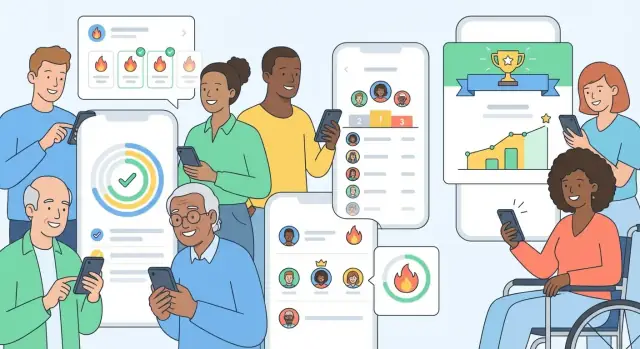
Define the App Goal and Target Users
A group habit challenges app succeeds or fails based on one thing: clarity. If you’re vague about who it’s for and what “winning” means, you’ll end up building features that don’t fit together—and users won’t know what to do on day one.
Define the main user (be specific)
Start by picking one primary group type, even if you eventually support many:
- Friends who want a fun, low-pressure challenge (e.g., “30 days of walking”).
- Coworkers running wellness initiatives where participation matters as much as performance.
- Classrooms where a teacher needs simple setup and lightweight oversight.
- Fitness groups that care about metrics, fairness, and proof.
Each audience changes your product decisions. Coworkers may need privacy by default; classrooms may need moderation tools; friends may want playful reactions and quick check-ins.
Pick 1–2 core use cases (avoid feature sprawl)
Most habit tracker app development goes sideways when you try to support every habit style from the start. Pick a narrow center:
- Daily check-ins: users tap “Done” (or log a small value) once per day.
- Weekly challenges: a short sprint with a clear end date and recap.
You can optionally add one competitive format early—like streak races—but only if your audience actually wants competition. Many groups prefer cooperative goals (“as a team, hit 100 check-ins this week”).
Decide what “success” means (and what it rewards)
Define success in one sentence, because it determines scoring, leaderboards and challenges, and how social habit tracking feels:
- Consistency: reward showing up, even if results are small.
- Points: reward frequency or difficulty (but keep rules simple).
- Streak length: motivating, but can feel punishing after a miss.
- Completion rate: great for weekly challenges and team goals.
Pick one primary metric and one secondary metric—otherwise users won’t understand how to “win,” and accountability becomes noise.
List constraints upfront (so your MVP stays realistic)
Before you sketch screens, write down the constraints that will shape your mobile app MVP for habits:
- Privacy needs: real names vs nicknames, public vs invite-only groups, what gets shared.
- Moderation level: can anyone create a challenge, remove members, report issues?
- Budget and timeline: how much you can build now versus later iterations.
A clear goal, a defined audience, and a tight set of use cases will keep everything else—UX, notifications, backend, and monetization—focused and easier to build.
Research and Requirements (Without Overbuilding)
Before you design screens or pick a tech stack, spend a little time studying what people already use—and why they quit. The goal isn’t to copy a habit tracker; it’s to learn which patterns reliably create accountability in group habit challenges and which patterns add clutter.
What to review (and what to steal)
Look at popular apps and note how they implement:
- Streaks and calendars: Do they motivate, or do they create guilt after one miss?
- Reminders: When do they fire, and how easy is it to adjust timing?
- Group challenges: How do users join (link, code, invite), and how visible is progress?
- Scoring and leaderboards: Are points understandable, or do they feel arbitrary?
Capture screenshots and write quick notes. You’re building a “pattern library” for your own group habit challenges app.
Find the gaps users complain about
Pay special attention to reviews and Reddit threads about:
- Onboarding friction (too many steps before joining a challenge)
- Unclear rules (what counts as a check-in, time zones, grace periods)
- Spammy notifications (people disabling push and never returning)
These issues often matter more than adding new features.
Turn research into a small requirements list
Keep requirements intentionally tight:
- 3–5 must-haves (the minimum for a working habit tracker app development MVP)
- 3–5 nice-to-haves (features that can wait)
Example must-haves: create/join a challenge by code, daily check-in, simple streaks, basic leaderboard, reminder settings.
Write simple user stories
User stories make scope concrete. For example:
- “Join a challenge with a code.”
- “Check in once per day and see my streak.”
- “See the group’s progress without sharing sensitive details.”
If a feature doesn’t support a user story tied to accountability, it’s probably overbuilding.
Design the Challenge Rules and Scoring
Clear rules are what separate a fun challenge from a confusing argument in group chat. Before you design UI or build the backend, write the rulebook in plain language. If you can’t explain it in a few sentences, users won’t trust it.
Pick a challenge type (and why it matters)
Most group habit challenges fit into a few patterns:
- Fixed duration: “14 days of daily walking.” Everyone starts and ends on the same dates—best for teams and friend groups.
- Rolling weekly: progress resets every week (e.g., “3 check-ins per week”). Great for long-running groups because a bad week doesn’t ruin motivation.
- First to X days: “First to 30 successful days.” This introduces a race dynamic and can increase engagement, but make sure slower participants still feel included.
Choose one primary mode for your MVP; multiple modes can create edge cases fast.
Define check-in rules that feel fair
Check-ins should be strict enough to prevent gaming, but forgiving enough for real life:
- Once per day vs. multiple per day: daily habits usually work best with one check-in.
- Time windows: decide whether a “day” is midnight-to-midnight, a custom cutoff (like 3am), or user-defined.
- Grace days: allow a small number of misses without breaking the streak, or let users “spend” 1 grace day per week.
Build a scoring model people can understand
Simple scoring tends to win:
- Points per check-in (e.g., 10 points)
- Streak multipliers (e.g., +1 point per consecutive day, capped)
- Team totals (sum or average per member so big teams aren’t automatically advantaged)
- Badges for milestones (first week, 10 check-ins, perfect week)
Make the rules visible from the challenge screen so users don’t have to guess.
Prevent confusion: missed days, time zones, and edits
Document edge cases upfront:
- Missed days: does the streak reset to 0, drop to 1, or consume a grace day?
- Time zones: lock the challenge to a single “challenge time zone,” or convert to each user’s local day—but be consistent.
- Edits: allow limited backdating (e.g., within 24 hours) and show an “edited” label to reduce disputes.
If you want inspiration for how to present these rules in-app, link users to a short “How scoring works” page like /help/scoring.
User Experience and Core Screens
A group habit challenge succeeds or fails on friction. If it takes more than a few seconds to understand the challenge and log a check-in, people will “do it later” and your retention drops. Aim for clarity first, visual polish second.
Map the key screens (and keep them predictable)
Start with a small set of core screens that cover the entire loop from joining a challenge to finishing it.
- Onboarding: choose a goal (or skip), pick notification preferences, and join/create the first challenge. Keep account creation lightweight (email/Apple/Google) and explain what data is shared with groups.
- Home: a simple “today” view. Show active challenges, what’s due, and a big check-in button. Avoid turning Home into a feed.
- Challenge page: the challenge rules, current standings, and the next action (“Check in”). This page should answer: What am I committing to? How am I doing? How is the group doing?
- Check-in flow: the fastest possible path from intention to completion.
Make check-in fast (one tap, with optional details)
The default check-in should be a single tap: Done. Then offer optional add-ons that don’t block completion:
- Optional note (e.g., “ran 3 km”) for personal reflection.
- Optional photo only if the challenge benefits from proof (and be explicit about who can see it).
- Undo/edit window for a short time (e.g., 10 minutes) to reduce anxiety about mis-taps.
If your challenge supports more than “done/not done” (like “drink 8 glasses”), still keep it fast: a small stepper with a clear completion state.
Design progress views people actually understand
Progress should feel motivating, not confusing.
- Personal streak: show current streak and best streak, plus “days missed” without shame.
- Team progress: a simple bar or ring chart for group completion rate, and who has checked in today.
- Countdown to end: highlight time left in the challenge so people feel urgency (“5 days left”).
Keep leaderboards readable. If you show ranks, also show why someone is ahead (total check-ins, streak, or points)—no mystery scoring.
Plan accessibility from the start
Accessibility improves usability for everyone.
- Large tap targets for check-in actions (especially on the Home screen).
- Color-safe charts: don’t rely on red/green alone; add labels and patterns.
- Offline hints: if someone checks in without connection, clearly show “Saved—will sync when online” instead of failing silently.
A good rule: every core action should be doable with one hand, in under 10 seconds, with minimal reading.
Social and Group Features that Drive Accountability
Group habit challenges work when people feel seen (in a good way) and supported, not pressured. Your social layer should make it effortless to join, check in, and encourage others—while giving users control over noise and privacy.
Group creation and joining (make it frictionless)
Aim for “one tap to start” and “two taps to join.” Support multiple entry points so groups can form naturally:
- Invite links that open the app (or an install screen) and land directly on the group preview.
- Join codes for sharing in chats and on posters.
- Contacts-based invites (optional) for users who want fast setup.
- QR codes for offline moments (gym class, office challenge, events).
Before joining, show a lightweight group preview: challenge name, start/end dates, rules summary, and member count—so users know what they’re signing up for.
Social feedback that feels motivating (not spammy)
Avoid turning the feed into a noisy social network. Focus on small, high-signal interactions tied to progress.
Add comments and reactions on check-ins (e.g., “Nice streak!”) and include encouragement prompts like “Send a quick boost” when someone misses a day or hits a milestone. Keep prompts opt-in and context-aware so they feel thoughtful, not automated.
Leaderboards with clear rules and tie-breakers
Leaderboards can motivate, but only if they’re perceived as fair. Offer views for daily, weekly, and all-time, and define tie-breakers clearly (e.g., 1) highest completion rate, 2) longest current streak, 3) earliest check-in time). Display the rule in a small “How ranking works” tooltip to prevent arguments.
Moderation basics (safety and control)
Even friendly groups need guardrails. Include:
- Report content or users
- Mute a group or member
- Block a user
- Remove member permissions for an admin role (plus the ability to transfer admin)
These features protect the community and keep accountability positive—so people stay engaged long enough for habits to stick.
Data Model and Backend Basics
A group habit challenges app lives or dies by whether it can answer simple questions reliably: “Did I check in today?”, “Who’s leading?”, and “What counts as a day?” That reliability starts with a clear data model and a backend that enforces the same rules for everyone.
Core entities (the minimum you need)
Start by defining a small set of “things” your app stores. A practical baseline looks like:
- User: profile, settings (including time zone), privacy choices.
- Habit: what someone is tracking (e.g., “walk 20 minutes”).
- Group: the social container (friends, team, workplace cohort).
- Challenge: a time-boxed competition linked to a group and one or more habits.
- Check-in: the user’s proof of completion for a specific habit on a specific day.
- Score: derived data (points, streaks, leaderboard position) tied to a challenge.
A key principle: store check-ins as the source of truth, and compute scores from them. That prevents “mystery points” and makes disputes easier to resolve.
Time zones and day boundaries
“Today” is the most common bug in habit apps. Decide the rule once, then apply it everywhere:
- Store timestamps in UTC.
- Store each user’s time zone and compute their “day” consistently.
- Define a clear cutoff (e.g., day runs from 00:00–23:59 in the user’s time zone, or a custom boundary like 3 a.m. for night owls).
When a challenge is group-based, choose whether the challenge uses each member’s local day or a single shared time zone—and explain it in the challenge details.
Live leaderboard vs periodic refresh
Real-time leaderboards feel exciting, but they add complexity and cost. For an MVP, periodic sync (refresh on open, pull-to-refresh, or every few minutes) is usually enough. Reserve real-time updates for moments that matter (e.g., when a check-in is submitted successfully).
Data retention and deletion
Plan early for what you store and for how long: check-ins, group history, challenge results, and analytics events. Offer a straightforward “delete account” flow that removes or anonymizes personal data while keeping aggregated, non-identifying stats if needed for reporting.
Reminders and Push Notifications People Won’t Disable
Push notifications can either save a challenge—or get your app muted forever. The goal isn’t “more pings,” it’s timely, respectful nudges that feel helpful in a group setting.
Pick a small set of notification types
Start with a few high-signal moments and make each one clearly actionable:
- Daily reminder to do today’s habit (ideally tied to the user’s preferred time)
- Missed check-in when the day is running out (a gentle “last call,” not guilt)
- Challenge milestones like “Day 7 streak” or “Team hit 50 check-ins”
If you add more types later, treat them as opt-in upgrades—not defaults.
Give users real control (not fake control)
People disable notifications when they feel trapped. In your settings, let users manage:
- Frequency (every day, weekdays only, or custom days)
- Quiet hours (e.g., 9pm–8am) and “don’t notify me during meetings” style windows
- Per-challenge reminders, because a 6am running challenge and a lunchtime hydration challenge shouldn’t share the same schedule
Make these controls easy to find from the challenge screen (e.g., a bell icon), not buried three menus deep. A simple /settings shortcut helps.
Use smart prompts carefully
Group accountability is powerful, but it can feel invasive. Offer optional smart prompts like:
“Your team is 2 check-ins behind today.”
Keep wording neutral, avoid calling out individuals, and don’t send this more than once per day.
Don’t get time zones wrong
Travelers are the fastest way to create “bug-like” frustration. Store habits with the user’s local day, support time zone changes, and allow a manual calendar/time setting so reminders don’t fire on the wrong day. When in doubt, show a preview: “We’ll remind you at 7:30pm, local time.”
Integrity, Privacy, and Safety
Group challenges only work if people trust the results and feel safe participating. A few clear rules and product defaults can prevent most issues without turning your app into a courtroom.
Protect the challenge from “easy wins”
Start with lightweight anti-abuse measures that keep scoring credible:
- Limit backdating: allow logging only for “today” (or a short grace window like 12 hours) so streaks and leaderboards feel fair.
- Track log edits: keep an edit history (what changed, when) and show an “edited” badge in group views.
- Reduce incentives to cheat: avoid huge rewards for a single check-in; use consistent streak scoring and participation points.
- Evidence only if needed: photos, screenshots, or location can be optional and group-controlled. Most habits don’t need proof—adding it by default increases friction and privacy risk.
Make privacy a first-class setting
Different groups have different comfort levels. Offer choices that are easy to understand:
- Public vs private groups (invite link, approval required, or open join).
- Hidden profiles (use a nickname, hide avatar, or “friends only” identity).
- Anonymized leaderboards (rankings without exposing full names, or show only top N).
Security basics that prevent real harm
Keep the fundamentals tight:
- Secure authentication (email magic link/OTP or OAuth) with rate limiting.
- Encrypted transport (HTTPS everywhere) and secure session handling.
- Minimal data collection: don’t request contacts, precise location, or photo access unless a feature truly needs it.
Compliance planning (before launch)
Define age limits, handle consent for accounts, and draft a clear privacy policy that matches what you actually store. If you support minors or sensitive health habits, plan moderation and reporting flows early (even if they’re simple in your MVP).
Choose a Tech Stack that Fits Your Team
Your tech stack should match your team’s skills and your MVP goals—not the “coolest” tools. A group habit challenges app succeeds when it ships quickly, stays stable, and is easy to iterate.
App platform: native vs cross-platform
If you already have strong iOS and Android developers, native (Swift/Kotlin) can deliver the best polish and platform-specific UI patterns.
If your team is small or you want one codebase, a cross-platform approach is usually the fastest path:
- Flutter: consistent UI across devices, strong performance, great for custom designs.
- React Native: large ecosystem, strong hiring pool, great if your team knows JavaScript/TypeScript.
A practical rule: pick the option your team can maintain for 18–24 months, not just build once.
Backend: managed services vs custom API
For most MVPs, managed backends reduce time-to-launch:
- Managed services (Firebase, Supabase, Amplify): authentication, databases, file storage, and push messaging with less server work. Great for speed and smaller budgets.
- Custom API (Node.js, Django, Rails, .NET, etc.): more flexibility for complex rules, custom admin tools, and long-term control—but higher setup and maintenance cost.
If your challenge rules are simple at first (streaks, check-ins, leaderboards), managed services are often enough.
Database: relational vs NoSQL
- Relational (Postgres/MySQL) fits well when you need consistency (e.g., one daily check-in per user, accurate scoring, clean leaderboards).
- NoSQL (Firestore/DynamoDB) can be quicker to iterate on early data structures, but requires care to avoid messy queries later.
Plan key integrations early
Decide up front what you’ll plug in, so you don’t redo core screens later:
- Auth: Apple/Google sign-in (plus email)
- Analytics: event tracking for onboarding and retention
- Crash reporting: catch issues before reviews do
If you’re planning an MVP, align this section with your /pricing and hosting budget assumptions.
A faster path to a working prototype
If your goal is to validate the loop quickly (join → check in → see group progress), a vibe-coding platform like Koder.ai can help you stand up a functional MVP from a chat-based spec—without committing to a full build pipeline on day one. It’s especially useful when you want to iterate on rules and UX (check-in flow, streak logic, leaderboards) and then export the source code once the product direction is proven.
Koder.ai commonly maps well to this kind of app because it supports React for web, Go + PostgreSQL for backend data consistency, and Flutter for cross-platform mobile—plus planning mode, snapshots, and rollback to keep experiments safe.
MVP Scope and Development Roadmap
An MVP for a group habit challenges app should feel complete even if it’s small. Your goal is to ship a “smallest lovable loop” that makes people return tomorrow, not a feature catalog.
The smallest lovable loop (what must work on day one)
Start with one clear flow:
Create or join a challenge → do a daily check-in → instantly see personal + group progress.
If any step feels confusing or slow, retention drops. Prioritize clarity over customization: a simple challenge template (name, duration, daily goal, start date) beats a dozen settings.
Pick 2–3 retention drivers (and build them well)
Choose a few mechanisms that naturally create streaks and accountability:
- Streaks: show “current streak” and “best streak” right after check-in.
- Group nudges: lightweight prompts like “3 people checked in—want to join them?” (no private messaging required).
- Weekly recap: a short summary every week (“You checked in 5/7 days; your group average was 4/7”).
These should be reliable and polished before you add anything else.
Define MVP exclusions (so you don’t overbuild)
Write a clear “not now” list and protect it. Common exclusions at launch: DMs, complex badges, deep analytics, multiple challenge types, custom emojis/reactions, integrations (Apple Health/Google Fit).
A practical sprint plan (with demo-ready milestones)
Plan 3–4 short sprints with a demo each time:
- Sprint 1: onboarding + create/join challenge
- Sprint 2: daily check-in + progress view
- Sprint 3: streaks + basic leaderboard + weekly recap
- Sprint 4: polish, bug fixes, app store readiness
Create a checklist for each demo: new user can join in under 60 seconds, check-in works offline/weak network, progress updates immediately, and notifications can be turned on/off without frustration. For pricing decisions later, keep notes for the /pricing page even if monetization isn’t in the MVP.
Analytics, Testing, and Iteration
Shipping your first version is only the start. Habit apps improve fastest when you can clearly answer: Are people forming a routine, and where do they drop off? A lightweight analytics plan plus quick testing cycles will get you there without slowing development.
Metrics that actually matter
Focus on a few signals tied to behavior:
- Activation rate: % of new users who join a challenge and complete their first check-in.
- Day-7 retention: who returns a week later (a strong indicator of habit formation).
- Check-in frequency: average check-ins per user per week (overall and by challenge).
- Reminder engagement: opens and follow-through after a reminder.
Pair these with simple breakdowns like “solo vs group,” “small vs large groups,” or “daily vs 3x/week challenges.”
Instrument the right events (and name them well)
Add events early so you don’t guess later. At minimum:
join_challengecheck_in_completedreminder_openedchallenge_completed
Include properties that explain context: challenge type, group size, day number, and whether the check-in was on time.
Run small experiments
You don’t need complex A/B testing on day one. Start with controlled changes such as:
- Reminder timing (morning vs evening, or user-chosen vs smart default)
- Leaderboard layout (ranked list vs “people near you”)
- Streak messaging (celebrating consistency vs encouraging recovery after a miss)
Make one change at a time, watch the metrics above, and roll back quickly if results worsen.
If you’re using a rapid build approach (for example, generating and iterating screens with Koder.ai), treat experiments as first-class work: keep each hypothesis small, ship it behind a setting or limited rollout, and use snapshots/rollback so you can revert instantly when metrics dip.
Collect feedback without annoying people
Use short in-app prompts at moments when users have context:
- After week 1: “What made check-ins easy or hard?”
- After challenge end: “What should we improve before your next challenge?”
Keep it optional, 1–2 questions max, and link to a longer form only if they want to share more.
Launch, Monetization, and Growth Plan
A group habit challenge app succeeds when the first groups have a smooth start and feel safe inviting others. Treat launch as a product phase: validate retention, fix friction, then scale what works.
A practical launch checklist
Start with a small beta cohort (friends-of-friends, a few communities, or 5–10 groups) to confirm the core loop: create/join challenge → daily check-in → see progress → encouragement.
Polish the basics before you chase downloads:
- Onboarding: explain the challenge format in under a minute and get users into a group fast.
- App store assets: clear screenshots that show group progress, check-ins, and streaks; a short value-driven description.
- Support email + FAQs: make it easy to report issues, appeal moderation decisions, and ask billing questions.
If you’re unsure what to fix first, prioritize anything that blocks “join a group” and “submit today’s check-in.”
Monetization that doesn’t break the social loop
For social products, the biggest mistake is paywalling participation. Keep joining groups and basic daily check-ins free, otherwise users can’t invite friends confidently.
Monetization options that fit habit challenges:
- Freemium limits: e.g., limited active challenges, limited history, or basic analytics.
- Premium groups: enhanced moderation tools, group insights, custom rules, and larger group sizes.
- Templates: prebuilt challenge formats (30-day no-sugar, 10k steps, meditation) as paid packs.
- Subscriptions: best for ongoing value like deeper insights, advanced reminders, or coach/admin features.
Aim for pricing that rewards committed users and group organizers—without punishing newcomers.
If you’re building with a platform like Koder.ai, it can be helpful to mirror a simple tiering model early (free for participation, paid for organizer/admin features) and keep implementation modular—so you can adjust packaging without rewriting core check-in and scoring logic.
Post-launch: retention-first growth
Set a simple cadence: daily bug triage, weekly shipping, and a monthly improvement cycle focused on retention metrics (day-7 and day-30 activity).
Add lightweight feature voting inside the app so users feel heard, but keep your roadmap grounded in behavior: build what increases consistent check-ins, positive interactions, and group completion rates.
As you grow, consider structured referral loops for group products (invite links, team challenges, organizer perks). Some teams also run “earn credits” style programs—rewarding users who create tutorials or templates—so your most engaged users help drive distribution without turning your app into an ad machine.
FAQ
What’s the first step when building a group habit challenges app?
Start by choosing one primary audience (friends, coworkers, classrooms, or fitness groups) and define “success” in one sentence.
A solid MVP goal looks like: “Help small friend groups complete a 14-day daily check-in challenge with minimal friction and clear scoring.”
How do I avoid feature sprawl in a habit tracker MVP?
Pick 1–2 core use cases and build the smallest loop:
- Create/join a challenge
- Do a daily check-in
- See personal + group progress immediately
Avoid adding multiple challenge modes, deep analytics, or complex proof features in v1.
How should I define “winning” and success metrics for challenges?
Choose one primary metric and one secondary metric.
Examples:
- Primary: completion rate (best for weekly/team goals)
- Secondary: streak length (optional motivation)
If users can’t predict how they “win,” leaderboards and accountability feel random.
Which challenge type is best for an MVP?
Start with modes that are easy to explain and enforce:
- Fixed duration (e.g., 14 or 30 days)
- Or rolling weekly (resets weekly to reduce shame after a bad week)
Ship one mode first to avoid edge cases around scoring, start dates, and resets.
What check-in rules prevent disputes in group challenges?
Decide and document these rules before building UI:
- Whether check-ins are once per day
- The day boundary (midnight or a custom cutoff like 3am)
- Whether you allow grace days
- Whether users can edit/backdate and for how long
Make the rules visible in-app (for example via /help/scoring).
What core screens should a group habit challenge app include?
Design around speed and clarity:
- Home screen: “what’s due today” + a big Check in button
- Challenge screen: rules summary + standings + next action
- Check-in: one tap by default, with optional note/photo after
If users can’t check in in under ~10 seconds, retention suffers.
Which social features actually increase accountability (without spam)?
Keep social interactions high-signal and tied to progress:
- Reactions/comments on check-ins
- Contextual “send encouragement” prompts (opt-in)
- Leaderboards with a visible “how ranking works” tooltip
Avoid turning the product into a general feed or a chat app in the MVP.
What data model do I need for reliable streaks and leaderboards?
Use check-ins as the source of truth, then compute derived data:
- User, Group, Challenge, Habit
- Check-in (authoritative record)
- Score/Leaderboard (derived)
This reduces “mystery points” and makes recalculation and dispute resolution easier.
How do I design reminders people won’t disable?
Make notification types few and configurable:
- Daily reminder (user-chosen time)
- Gentle “day is ending” missed check-in
- Milestones/recaps
Add real controls:
- Quiet hours
- Weekdays-only/custom days
- Per-challenge reminder settings (link from the challenge screen, e.g., /settings)
If users feel trapped, they’ll mute everything.
How do I handle privacy, safety, and cheating in group challenges?
Use lightweight integrity and privacy defaults:
- Limit backdating and show an edited badge when logs change
- Offer public vs invite-only groups and nickname/hidden profile options
- Include basic moderation: report, mute, block, admin removal/transfer
Collect minimal data and be explicit about what group members can see.