

How to Create a Mobile App for Medical Follow-Ups & Reminders
Learn the key steps to plan, design, build, and launch a mobile app for medical follow-ups and reminders—features, privacy, UX, and testing tips.
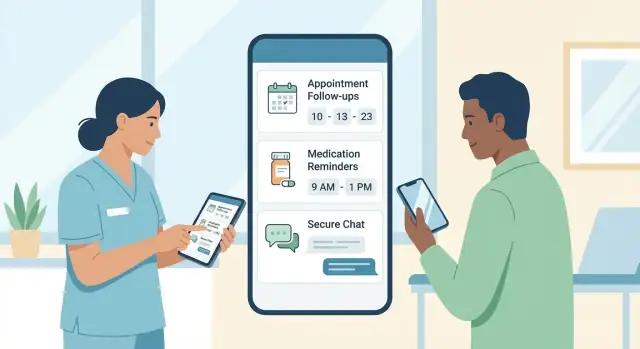
Clarify the Use Case and Who the App Is For
Before you design screens or debate features, get specific about the problem you’re solving. “Follow-ups and reminders” can mean many things—medication adherence, post-op check-ins, lab result follow-ups, physical therapy homework, or simply getting people to show up.
Define the problem you’re targeting
Start with a plain-language statement you can validate:
- Missed appointments (no-shows, late cancellations)
- Missed medications (wrong time, skipped doses, confusion about changes)
- Incomplete follow-ups (patients don’t schedule the next step, don’t complete labs, don’t answer a questionnaire)
A useful shortcut is to pick one primary failure point first. For example: “Patients forget to book their 2-week follow-up after discharge,” or “Reminders are sent, but patients ignore them because they’re too frequent and not actionable.”
Identify the target users (and their needs)
Most medical reminder apps have more than one audience. Define each group and what they actually do inside the app:
- Patients: want simple, reassuring guidance and one-tap actions (confirm, reschedule, call clinic).
- Caregivers: need shared visibility (what’s due, what’s completed) and permission-based management.
- Clinicians: want minimal extra work and confidence the outreach aligns with the care plan.
- Admins/front desk: care about schedules, no-show reduction, and consistent messaging.
Be honest about who must use the app versus who can stay in existing tools. If clinicians have to log into yet another system daily, adoption may stall.
Decide what “success” means
Pick 2–4 measurable outcomes tied to real operations. Examples:
- Fewer no-shows and late cancellations
- Higher medication adherence (or fewer reported missed doses)
- Faster follow-up completion (e.g., lab done within 7 days)
- Better patient engagement (confirmation rates, questionnaire completion)
Define how you’ll measure this early—otherwise you can’t tell whether the app is helping or just generating more notifications.
List constraints that shape the plan
Constraints aren’t obstacles—they’re design inputs. Write them down now:
- Budget and timeline: what can you build in 8–12 weeks vs. 6 months?
- Internal approvals: legal, compliance, clinical leadership, brand review.
- Clinical workflow: who creates the follow-up plan, when it changes, and where the “source of truth” lives.
Once the use case, users, success metrics, and constraints are clear, feature decisions (and tradeoffs) become much easier—and you’ll avoid building a medical reminder app that’s polished but irrelevant.
Map Follow-Up Workflows and Patient Journeys
Before choosing features, map what actually happens between a visit and the next touchpoint. A patient follow-up app succeeds when it matches real care routines—especially the messy parts like reschedules and changing instructions.
Start with 3–4 common workflows
Pick a handful of high-value paths and document them end-to-end:
- Discharge follow-up: discharge instructions → home monitoring → “book follow-up” → questions → escalation if symptoms worsen.
- Chronic care check-ins: recurring surveys (e.g., BP, glucose) → trend review → coaching nudges → periodic clinician review.
- Post-op monitoring: day-by-day recovery checklist → photo or symptom logging → wound care reminders → urgent flags.
For each workflow, write down the trigger (what starts it), the steps, who owns each step, and what “done” looks like.
Identify the moments that need prompts
Prompts aren’t just “take your meds.” Look for moments where people forget or feel uncertain:
- Scheduling: a follow-up is recommended, but not booked.
- Pre-visit prep: fasting instructions, forms, lab work, device pairing.
- After-visit tasks: medication changes, exercises, wound care, referral appointments, follow-up questions.
Treat each prompt as a decision: what action is expected, by when, and what happens if it’s missed?
Map roles, permissions, and handoffs
Define roles early:
- Patient: receives tasks, logs completion, can message/ask for help.
- Caregiver: can view reminders, confirm tasks, and manage schedules (with consent).
- Clinician/team: assigns care-plan tasks, reviews alerts, sends updates.
Clarify who can edit a care plan, who can see sensitive notes, and how consent is granted and revoked.
Capture edge cases (where apps often fail)
Write rules for:
- Reschedules/cancellations (what happens to prep reminders?)
- Missed doses or missed check-ins (repeat, escalate, or pause?)
- Unread messages (gentle re-ping, alternate channel, or call prompt)
- Changing care plans (versioning: old tasks retire, new ones replace)
A simple journey map per workflow—steps, prompts, roles, and edge cases—gives you a blueprint for your medical reminder app without guessing.
Decide the MVP: Features That Matter on Day One
An MVP for a medical reminder app should do a few things exceptionally well: help patients remember what to do next, reduce no-shows, and give care teams visibility when follow-ups slip. Keep the first release focused so you can launch, learn, and iterate safely.
Pick 3–5 features that solve the core problem
A practical day-one MVP usually includes:
- Simple patient onboarding (invite link or code from the clinic; minimal data entry)
- Care plan timeline that shows upcoming tasks in plain language (what, when, why it matters)
- Reminders + confirmation (patients can mark “done,” “reschedule,” or “I need help”)
- Basic messaging for clarifications (structured prompts beat open-ended chat at first)
- Clinic dashboard view (at least a lightweight list of overdue items)
If you’re tempted to add wearables, AI, or complex analytics, park them for later—an MVP wins by reliability and clarity.
Define reminder types up front
Make your reminder engine support the most common follow-up tasks:
- Appointment reminders (including preparation instructions)
- Medication reminders (dose/time, plus “taken/not taken”)
- Labs/diagnostics (test date, fasting guidance, location)
- Symptom check-ins (quick questions with predefined answers)
- Forms (intake, consent updates, post-visit questionnaires)
Decide how you’ll communicate
Use channels patients already respond to:
- Push notifications for app users
- SMS for high reliability (and for people who don’t keep push enabled)
- Email for summaries and receipts
- In-app messages for context and history
Set escalation rules (and ownership)
Define what happens when reminders are ignored: after X hours/days, send a second nudge; after Y misses, notify a care coordinator or caregiver (if authorized); for urgent pathways, prompt the patient to call the clinic or go to urgent care.
Clear escalation rules prevent silent drop-offs without overwhelming staff.
UX and Accessibility for Patients and Caregivers
A follow-up and reminder app succeeds or fails on usability. People open it when they’re tired, anxious, in pain, or in a hurry. Good UX isn’t about fancy screens—it’s about making the next right action obvious, with as little effort as possible.
Start with a “Today” home screen
Design the first screen around what most patients actually need in the moment:
- Today’s tasks (e.g., “Take 1 tablet at 8pm,” “Check blood pressure,” “Fill in symptom check-in”) with clear completion buttons
- Next appointment with date, time, location or telehealth link, and a single “Directions/Join” action
- Current meds (or the current plan) shown in plain language, with dosage and timing
If you only get one screen perfect, make it this one. It reduces searching, forgetting, and accidental missed steps.
Reduce cognitive load with simpler choices
Healthcare instructions can be complex, but the interface shouldn’t be. Aim for short, scannable phrases (think one sentence, not a paragraph). Use:
- Large tap targets and generous spacing (helpful for tremor, low vision, or just one-handed use)
- Consistent wording across the app (“Appointment,” not “Visit” in one place and “Check-up” in another)
- Plain language prompts like “How are you feeling today?” rather than clinical terms
When something needs explanation, hide it behind a “Learn more” link instead of putting it in the main path.
Accessibility basics you can bake in early
Accessibility is much easier when it’s built into designs from day one:
- High contrast for text and buttons, and don’t rely on color alone to communicate status
- Font scaling (support device text size settings) without breaking layouts
- Voice support with screen reader-friendly labels and logical reading order
- One-handed use: keep primary actions within thumb reach and avoid tiny top-corner controls
Also consider real-world conditions: dim rooms, glare outdoors, and shaky connectivity.
Support caregivers without compromising privacy
Many patients rely on partners, adult children, or professional caregivers. Your app can support them with permissioned access, for example:
- A caregiver can view reminders and mark tasks as done, but can’t see sensitive notes
- Separate profiles for a household (useful for couples or parents managing multiple kids)
- A clear “Who is this for?” switch to prevent logging data under the wrong person
Design this carefully with consent in mind: the UX should make it obvious who can see what—and how to change it.
Build a Reminder Engine Without Alert Fatigue
A reminder feature is only helpful if patients keep it turned on. The goal is to support follow-through without creating constant noise.
Design your reminder engine as a flexible system that can adapt to different care plans, routines, and tolerance for notifications.
Personalize schedules (without making setup painful)
Different follow-ups have different “acceptable” timing. Let patients (or caregivers) choose:
- Time windows (e.g., “morning: 7–10am” instead of a single strict time)
- Snooze options with clear choices (10 min, 30 min, 2 hours) and a “remind me later today” option
- Dosing rules for medication reminders (with/without food, every X hours, taper schedules, weekends vs weekdays)
Defaults matter: start with clinician-approved templates, then allow light personalization rather than forcing a full custom schedule.
Capture adherence with context, not judgment
A reminder engine should record what happened, not just what was sent. After a reminder, provide quick actions:
- Taken / Skipped / Not now
- Optional notes (e.g., “ran out,” “felt nauseous,” “asleep,” “couldn’t get to pharmacy”)
- Side effects and symptoms check-ins when relevant, including “none”
This turns reminders into a usable history for care plan tracking, not a nag.
Reduce noise: batching, quiet hours, and priority
Prevent alert fatigue by combining low-urgency tasks into a single summary and respecting quiet hours. Use priority levels so critical items (e.g., post-op warning signs, time-sensitive meds) can be louder than routine check-ins.
Make clinician-friendly summaries
On the clinician side, summarize trends: adherence rates, common reasons for misses, and flagged symptoms. Keep it scannable so teams can act quickly during follow-ups rather than digging through logs.
Privacy, Consent, and Healthcare Compliance Basics
Privacy and compliance aren’t “extras” for a medical reminder app—they shape what you can build, what you can store, and how you communicate with patients. Getting the basics right early prevents rework later and helps you earn trust.
Identify regulations and the right stakeholders
Start by mapping where you operate and what kind of data you handle. Common examples include HIPAA (US), GDPR (EU/UK), and local health privacy rules (often state/province-specific). Whether you’re a healthcare provider, a vendor, or both can change your obligations.
Bring in the right people before you finalize features:
- Legal/compliance to define what’s allowed (and what documentation you need)
- Privacy officer or equivalent to review data handling and consent
- Security lead to validate how data is accessed and shared (high-level here; details belong in your security plan)
- Clinical/operations to confirm what staff need versus what’s “nice to have”
A practical output to aim for: a short data flow diagram (what data you collect, where it’s stored, who can see it) and a policy checklist signed off by stakeholders.
Data minimization: collect only what you need
For follow-ups and reminders, you often don’t need full medical history. Minimization reduces risk and simplifies compliance.
Ask, feature by feature:
- Do we need date/time and channel (push/SMS/email) to send the reminder?
- Do we need patient identifiers, or can we use an internal ID?
- Can the reminder content avoid sensitive details (e.g., “You have an appointment tomorrow” rather than naming a condition)?
Define retention rules early: what gets deleted, when, and how patients can request deletion where applicable.
Consent flows: make permissions clear and specific
Consent isn’t a single checkbox. Users should understand what they’re agreeing to, in plain language:
- Notifications consent (push alerts, lock-screen previews)
- Messaging consent (SMS/email, and the risks of those channels)
- Data sharing consent (sharing with clinicians, caregivers, labs, or telehealth partners)
Offer meaningful controls: notification preferences, quiet hours, and caregiver access options. Link to your /privacy policy from consent screens and settings.
Audit readiness: keep the right logs
Compliance often requires proving “who did what, and when.” Plan for audit-friendly logging from day one:
- Access to patient records (view/export)
- Changes to care plans, reminder schedules, and contact details
- Consent changes (granted/withdrawn) and communication preferences
- Admin actions (role changes, account disables)
Logs should be tamper-resistant and retained per policy. The goal is accountability—not collecting extra patient data.
Security Foundations: Protect Patient Data End-to-End
Security isn’t a single feature you “add later.” For a medical reminder app or patient follow-up app, it’s a set of defaults that protect patient information at every step—on the phone, in your servers, and across any integrations.
Encrypt data in transit and at rest
Use encryption whenever data moves (app to server, server to lab/EHR, etc.) and when it’s stored.
- In transit: HTTPS/TLS for every API call, with modern cipher suites and strict certificate validation.
- At rest: Encrypt databases and file storage, including backups.
Just as important: protect API keys and secrets. Store them in a dedicated secrets manager (not in source code, app builds, or shared documents). Rotate keys on a schedule and immediately after any suspected exposure.
Strong authentication that fits healthcare workflows
Patients, caregivers, and clinicians have different needs. Start with secure basics:
- MFA options for staff/admin accounts (and for patients when appropriate), including authenticator apps or SMS as a fallback.
- Session timeouts and re-authentication for sensitive actions (like changing contact details or exporting data).
- Device security checks (e.g., block access on jailbroken/rooted devices, enable biometrics, require passcodes where feasible).
Avoid “one shared login” patterns in clinics—those are hard to audit and easy to abuse.
Role-based access control (RBAC) and least privilege
Give each user only the access they need to do their job.
For example, a scheduler may need appointment status but not clinical notes; a care manager may view follow-up tasks but not billing details. RBAC also makes it easier to prove who accessed what during incident reviews.
Secure notification content
Notifications are convenient—and risky—because they can appear on lock screens.
Use minimal, non-sensitive wording by default (e.g., “You have a reminder”) and let patients opt in to more detail. Keep protected data inside the app after authentication, especially for medication reminders or lab-related follow-ups.
Integrations: EHR, Scheduling, Telehealth, and Labs
Integrations are what turn a reminder app into a reliable follow-up tool. Without them, staff end up re-entering data, and patients get messages that don’t match what the clinic actually scheduled.
What to integrate first (and why)
Start by listing systems that already “own” the truth:
- EHR/EMR: diagnoses, care plans, discharge instructions, orders, problem lists.
- Scheduling: appointments, cancellations, provider changes, locations.
- Telehealth: visit links, device checks, pre-visit instructions.
- Labs/imaging: test orders, results status (ordered/in progress/final), and patient-friendly next steps.
- Pharmacy (optional early win): refill status and medication changes that affect reminders.
A practical rule: integrate the system that creates the event you’re reminding about (appointment, lab draw, follow-up visit) before you integrate “nice-to-have” data.
Use standards where possible (HL7/FHIR concepts)
You don’t need to become an expert in healthcare standards, but it helps to design around common concepts:
- Patient, Appointment, Encounter, CarePlan, MedicationRequest, Observation (labs)
Many vendors expose these via FHIR APIs; others provide HL7 feeds or proprietary APIs. Even when the connection is custom, mapping to these concepts keeps your app flexible if the clinic changes vendors later.
Identity matching: prevent wrong-patient errors
Decide how you’ll match app users to EHR records. Avoid “best guess” matching (name + DOB) alone.
Prefer a verified identifier (MRN plus an additional factor, or an invite link generated by the clinic). Also plan for merges: the EHR may later combine duplicates—your app must follow that change.
Sync behavior and conflict rules
Define how quickly updates must appear:
- Near-real-time for appointments and telehealth links.
- Scheduled sync (e.g., every few hours) can be fine for lab status updates.
Finally, set conflict rules. For example: if a patient edits a reminder time in the app, does it override the clinic schedule, or create a personal reminder while keeping the official appointment unchanged?
Choose a Tech Approach and Architecture (Non-Technical View)
Your tech approach should follow your users and your budget—not the other way around. A clear, simple architecture also makes compliance and support much easier later.
Picking platforms: iOS, Android, or cross-platform
Start by asking where your patients actually are. If your clinic population is mostly iPhone users (common in some regions and age groups), iOS-first can speed up delivery. If you serve a broad community, you’ll likely need both iOS and Android.
Cross-platform (one codebase for both) is often a practical choice for a medical reminder app because the core experience—care plan tracking, appointment reminders, and medication reminders—doesn’t usually require heavy device-specific features.
The tradeoff is that some “native” polish or very advanced device integrations may take extra work.
What your backend needs to do (in plain terms)
Even if the app looks simple, the backend is where the reliability lives. At minimum, plan for:
- User accounts and roles: patients, caregivers, staff.
- Care plans: tasks, schedules, instructions, and start/end dates.
- Reminder scheduler: timing rules, snooze, escalation paths, and timezone handling.
- Messaging and notifications: in-app messages and push/SMS/email depending on your model.
- Analytics: delivery success, completion rates, drop-offs, and outcomes you care about.
Think of the backend as the “source of truth” that keeps reminders accurate across devices.
Offline-friendly behavior for real life
Patients often have poor connectivity—inside hospitals, on public transit, or in rural areas. Design for “graceful offline” behavior:
- Cache the next few days of schedules and tasks on the device.
- Let patients mark tasks complete offline, then sync later.
- Show clear status (e.g., “Saved—will sync when you’re online”).
Admin console basics (don’t skip this)
A patient follow-up app needs a staff-facing admin console to stay manageable:
- Care plan templates and editable reminder rules
- Patient lookup and support tools (reset access, update contact info)
- Audit-friendly activity history (what was scheduled, sent, and completed)
If you build the admin console early, you avoid turning “simple changes” into expensive engineering requests.
Prototyping faster (without committing to a full build)
If you need to validate workflows quickly—especially the admin console + reminder rules—tools like Koder.ai can help teams prototype a patient follow-up app via chat, iterate in a planning mode, and use snapshots/rollback as requirements change. It’s a practical way to pressure-test your MVP scope (React front end, Go + PostgreSQL back end, and Flutter for mobile when needed) before you invest in a longer development cycle.
Content, Notifications, and Patient-Friendly Messaging
Good content is what turns a reminder system into a supportive experience. Patients don’t just need pings—they need clarity, context, and control.
Write notification copy that’s action-first
Start with the next step, then add only the details needed to act.
Examples:
- “Take your evening dose now (Metformin 500 mg).”
- “Confirm your follow-up appointment for Tue, 9:30 AM.”
- “Please complete your wound photo check-in today.”
Keep it short, respectful, and free of medical jargon. Avoid guilt (“You missed…”) and use neutral language (“It’s time to…”). If the notification might be seen by others, avoid sensitive details unless the patient has opted in.
Design for trust and transparency
Patients are more likely to follow through when they understand why they’re being contacted.
In the reminder screen, include a simple “Why am I seeing this?” line, such as:
- “Based on your care plan created on Oct 12.”
- “Scheduled by your clinic after your last visit.”
Always provide a clear path to adjust preferences: snooze options, quiet hours, channel choice (push/SMS/email), and frequency changes.
Support multilingual and local formats
If your audience is diverse, plan early for multilingual content. Localize:
- Time and date formats (12/24-hour, day/month order)
- Units and common phrasing
- Tone and reading level
Even in one language, consider plain-language rewrites for low health literacy.
Add a help path (and safety disclaimers)
Every message flow should include a quick escape hatch: a short FAQ, a “Contact clinic” option, and clear emergency guidance like: “If this is urgent, call your local emergency number.”
You can link to /help for FAQs and /contact for support.
Testing, Safety Checks, and Pilot Rollout
Testing a medical reminder app isn’t just about finding bugs—it’s about proving that the app behaves safely when real patients rely on it. Plan testing around the moments where people could miss care, misunderstand instructions, or get overwhelmed.
Test the core patient flows (end to end)
Start with the journeys that must work every time, even for first-time users. Run them on real devices (not only simulators) and include caregivers if your app supports shared care.
Key flows to validate:
- Onboarding and consent: account setup, permissions, choosing reminder channels
- Scheduling: adding appointments, follow-ups, lab dates, and recurring tasks
- Reminders: delivery timing, snooze behavior, “mark as done,” reschedule
- Adherence logging: recording doses/symptoms, editing mistakes, viewing history
- Messaging: patient-to-clinic messages, attachments (if allowed), response expectations
Clinical safety checks (make “wrong” hard)
Build a checklist with clinical stakeholders to review scenarios that could cause harm. You’re looking for confusing wording, unsafe defaults, and missing escalation paths.
Examples to test:
- Wrong dosage times (e.g., “twice daily” interpreted incorrectly)
- Conflicting instructions (two care plans with overlapping schedules)
- Escalation logic (what happens after repeated missed doses or severe symptoms)
- Guardrails for edits (prevent accidental deletion of critical follow-ups)
Device and OS coverage (notifications are tricky)
Notification reliability varies by OS version and manufacturer settings. Test:
- Delivery under low-power modes and background restrictions
- Time zone changes, daylight savings shifts, and travel scenarios
- Battery impact when reminders and logs run for days
Pilot rollout with a small cohort
Before a full launch, pilot with a small set of patients and staff. Track missed reminders, drop-offs, support tickets, and qualitative feedback (“What confused you?”). Use the pilot to refine wording, reminder cadence, and escalation thresholds before expanding access.
Launch, Measure Outcomes, and Improve Over Time
Launching a medical reminder app isn’t a finish line—it’s the start of learning what actually helps patients follow through. A good launch pairs clear logistics (so people can use the app) with measurement (so you can prove it’s working).
Plan a clean launch
Prepare your app store assets early: screenshots that show the reminder flow, a plain-language description, and a short privacy summary.
On the operational side, define support workflows (who answers tickets, expected response times, escalation rules) and create training materials for staff who will introduce the app to patients.
If you’re onboarding clinics, include a one-page “how to prescribe the app” guide: when to recommend it, what to say, and how to troubleshoot common issues like notification permissions.
Define outcomes and product metrics
Choose a small set of metrics tied to real follow-up success:
- Activation: % of invited users who complete setup (permissions, first care plan, first reminder)
- Reminder delivery rate: % of scheduled notifications actually delivered
- Completion rate: % of reminders marked completed (or confirmed via workflow)
- No-show rate: appointment no-shows before vs. after adoption
- Retention: patients still active after 7/30/90 days
Monitor what can break
Set up monitoring for crashes, notification failures, API errors, and support ticket trends.
Treat “silent failures” (reminders scheduled but not delivered) as top priority, because they erode trust quickly.
Build an iteration roadmap
Use early data to plan improvements: new reminder types (labs, post-op check-ins), deeper integrations, and clinician dashboards that highlight overdue follow-ups and at-risk patients.
Keep a lightweight public changelog on /blog to show progress and reinforce credibility.
FAQ
What’s the best first step before building a medical follow-up and reminder app?
Start by choosing one primary failure point to solve first (e.g., missed post-discharge follow-up booking, missed meds, incomplete labs). Write it as a plain-language statement you can validate with real patients and staff, then expand to secondary problems later.
A tight first problem makes workflows, features, and metrics much easier to decide.
How do I decide what “success” looks like for the app?
Define 2–4 measurable outcomes tied to operations, such as:
- No-show and late-cancellation rate
- Follow-up completion time (e.g., labs done within 7 days)
- Reminder confirmation/completion rate
- Activation and retention (7/30/90 days)
Also decide how you’ll measure them (EHR reports, scheduling system, in-app events) before shipping, so you can tell if the app helps or just sends more notifications.
Which follow-up workflows should I map first?
Map 3–4 high-value workflows end-to-end (trigger → steps → owner → “done”), such as discharge follow-up, chronic check-ins, or post-op monitoring.
Then add rules for edge cases:
- Reschedules/cancellations
- Missed tasks (repeat vs escalate vs pause)
- Changing care plans (versioning and retirement of old tasks)
This prevents “perfect-path” designs that break in real clinics.
How should I handle caregivers without violating patient privacy?
At minimum, define:
- Roles: patient, caregiver, clinician/team, admin/front desk
- Permissions per role (view vs edit vs message vs confirm)
- Consent flow: how access is granted, verified, and revoked
A practical pattern is permissioned caregiver access (shared visibility for tasks and schedules) while restricting sensitive notes unless explicitly allowed.
How do I build reminders that don’t cause alert fatigue?
Design the reminder engine to be flexible and respectful:
- Use time windows (e.g., 7–10am) instead of strict times when appropriate
- Offer simple snoozes (10/30/120 minutes, “later today”)
- Add quiet hours and batching for low-priority items
- Use priority levels so critical items stand out
Defaults should come from clinician-approved templates, with light personalization rather than complex setup.
Which notification channels should the app support on day one?
Support the channels patients actually respond to, typically:
- Push notifications (best for app users)
- SMS (high reliability; good when push is off)
- Email (summaries and receipts)
- In-app messages (context and history)
Keep notification text action-first and, by default, non-sensitive for lock screens. Let patients opt into more detail if they want it.
How can the app track adherence without sounding judgmental?
Use quick, neutral actions right after a reminder:
- Taken / Skipped / Not now (or Done / Reschedule / Need help)
- Optional reason notes (e.g., “ran out,” “felt nauseous,” “couldn’t get to pharmacy”)
This produces a usable history for care teams without shaming patients—and helps you spot system issues like refill gaps or confusing instructions.
What are the compliance and consent basics I should plan for?
Start by identifying the regulations and stakeholders that apply to where you operate (e.g., HIPAA, GDPR, local rules). Then implement:
- Data minimization: collect only what you need for reminders and follow-up tracking
- Clear, specific consent flows (notifications, SMS/email, data sharing, caregiver access)
- Audit-ready logs of access and changes
Link to your policy from settings and consent screens (e.g., /privacy-policy) and define retention/deletion rules early.
What security measures are essential for a patient reminder app?
Security fundamentals that matter most early:
- Encrypt data in transit (TLS) and at rest (including backups)
- Protect secrets with a secrets manager and rotate keys
- Use strong auth for staff (MFA) and session timeouts for sensitive actions
- Enforce RBAC and least privilege (scheduler ≠ clinician)
- Keep notification content minimal on lock screens by default
These defaults reduce risk and make later compliance reviews much easier.
What should I integrate first: EHR, scheduling, telehealth, or labs?
Integrate the systems that “own the truth” for what you’re reminding about:
- Scheduling (appointments, cancellations, locations, telehealth links)
- EHR/EMR (care plans, discharge instructions, orders)
- Labs/imaging status (ordered/in progress/final)
Plan identity matching carefully (avoid name+DOB alone; use clinic-generated invites or verified identifiers), and define sync/conflict rules (what’s official vs personal reminders).