

How to Create a Mobile App for Online Learning & Courses
Plan, design, and build a mobile learning app: course structure, video, quizzes, payments, analytics, and launch steps for iOS and Android.
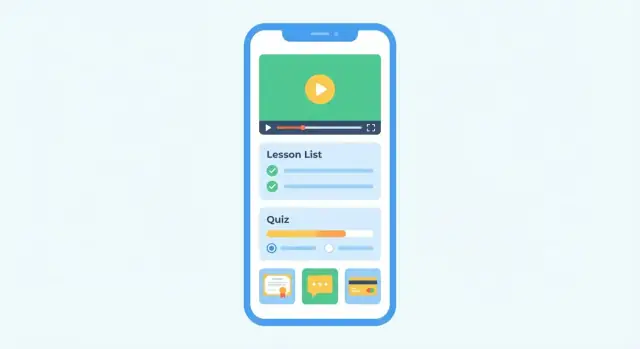
Define Goals, Audience, and Success Metrics
A learning app can’t be “for everyone” and still feel great. Before you think about screens and features, get crisp on who you’re building for, what pain you’re removing, and how you’ll know it’s working.
1) Name your primary audience (and the runner-up)
Pick one main group and design decisions will get easier:
- Students/individual learners: need convenience, motivation, and clear progress.
- Employees (corporate training): need fast access, compliance tracking, and manager visibility.
- Tutors/coaches: need scheduling, assignments, and communication tools.
- Course creators: need simple publishing, pricing, and analytics.
Write it as a sentence: “This app is for busy working adults who learn in short sessions on their commute.”
2) List the top 3 problems you’ll solve
Keep it outcome-focused (not features). Examples:
- Learn on the go: short lessons that fit into 5–10 minutes.
- Stay consistent: reminders, streaks, and clear next steps.
- Track progress: visible milestones and “what’s left” per course.
If a feature doesn’t help solve one of these, it’s probably not MVP.
3) Choose one primary success metric
Pick a single “north star” metric that matches your goal:
- Completion rate (great for education outcomes)
- Paid conversions (great for consumer sales)
- Retention (e.g., week-4 retention) (great for subscriptions)
Define it precisely (e.g., “% of new users who finish Lesson 1 within 48 hours”).
4) Clarify the business model early
Decide what you’re optimizing for:
- Sell courses (one-time purchases)
- Subscriptions (ongoing access)
- Corporate seats (per employee or per team)
- Free + upsell (trial content, premium modules)
Your model influences onboarding, pricing screens, and what you measure from day one.
Choose the Learning Experience and Course Structure
Before you pick features or screens, decide what “learning” should feel like in your app. A clear learning experience helps you design the right course structure—and prevents you from building a random collection of videos with no path.
Map the core user journey
Most online learning apps follow a predictable flow. Sketch it early so each step has a purpose:
Discover course → enroll → learn → test → earn certificate.
For each stage, note what the learner needs to see and do on mobile. For example, “discover” may require search, filters, and previews, while “learn” needs reliable playback and a clear “next lesson” action.
Choose your learning format (and stick to it)
Pick the primary format first, then add secondary formats only if they support the goal.
- Video-first: best for demonstrations and instructor-led content; requires strong playback, buffering, and captions.
- Audio-first: great for on-the-go learning; needs background playback and downloads.
- Text + interactive: works for reference-style learning; needs readable typography and quick navigation.
- Live sessions: adds accountability; requires scheduling, reminders, and time zone handling.
- Blended learning: mixes formats; keep the structure simple and consistent.
Define content hierarchy: from catalog to lesson
A clean hierarchy helps learners understand “where they are” and helps you organize content at scale. A common model is:
Categories → courses → modules → lessons.
Keep naming consistent (don’t mix “chapters,” “units,” and “modules” unless they mean different things). On mobile, learners should always be able to:
- see progress at the course and module level
- return to the last lesson quickly
- understand what’s required to finish
Set requirements for accessibility and mobile playback
Even a great course can feel frustrating if the delivery isn’t mobile-friendly. Decide up front whether you need:
- Offline learning (downloads per lesson or per module, storage limits, expiry rules)
- Captions/subtitles (multiple languages, editable transcripts)
- Playback speed controls (0.75× to 2× is common)
These choices influence your course structure. For example, offline mode is easier when lessons are discrete units with clear download boundaries, rather than long streams.
List Core Features (Student, Instructor, and Admin)
A great mobile learning app isn’t defined by how many features it has—it’s defined by whether each role can reliably complete their job: learn, teach, or run the business. Below is a practical feature checklist you can use for your online course app or LMS mobile app.
Student features (learners)
Start with a smooth onboarding flow: sign up (email, Apple/Google), pick interests, and get a quick “how it works.” After that, the essentials are about discovery and momentum.
- Course catalog & search with filters (topic, level, duration, language)
- Course and lesson pages with clear outcomes, prerequisites, and instructor info
- Lesson player (video learning app basics): speed control, captions, picture-in-picture, and resume playback
- Downloads/offline mode for commuting and low-connectivity situations
- Progress tracking: percent complete, next lesson, and a simple weekly goal
Engagement features (keep people learning)
Engagement isn’t a gimmick—it’s reducing friction.
- Reminders (smart notifications tied to goals), plus optional streaks
- Bookmarks and “save for later”
- Notes per lesson, ideally exportable
- Discussion/Q&A at the lesson or course level (with reporting tools)
Instructor and admin features (creators and operators)
For a course creator app, the creator workflow matters as much as the learner experience.
- Course builder: sections/lessons, drip scheduling, previews
- Content upload (video, PDFs, links) with basic processing status
- Announcements to enrolled students
- Quizzes and assessments: question bank, passing rules, retakes, explanations
- Grading & feedback for assignments (even a lightweight version)
Trust and support features (reduce purchase anxiety)
Trust features directly impact conversion and retention.
- Instructor profiles (bio, credentials, social proof)
- Reviews/ratings with moderation
- Refund/contact flow and clear help entry points
If you’re planning eLearning app development for an MVP, prioritize: catalog → purchase/enroll → lesson player → progress → basic instructor uploads. Everything else can layer on without breaking the core.
UX/UI Basics for Learning on Mobile
Mobile learning succeeds when the app feels effortless: learners can resume quickly, find the next lesson in seconds, and never wonder “where am I?” A clean structure and a few consistent patterns beat fancy screens every time.
Keep navigation simple (and predictable)
Aim for a bottom navigation with four core areas: Home, Search, My Learning, and Profile. This keeps common actions one tap away and reduces “back button” fatigue.
Within My Learning, show active courses first and make “Continue” the primary action. Learners often open an online course app for a 3–5 minute session—optimize for fast re-entry.
Design the key screens first
Before polishing visuals, wireframe the screens that drive learning outcomes:
- Course page: clear title, instructor, rating/reviews (if you have them), what’s included, and a prominent Enroll/Continue button.
- Lesson player: distraction-free video learning app layout, with readable captions, playback speed, and a clear Next lesson action.
- Quiz: one question per screen, obvious progress (e.g., 3/10), and immediate feedback when appropriate.
- Progress: show percent complete, lessons finished, and what’s next.
- Certificate: easy to access, share, and download when earned.
These screens set the tone for your LMS mobile app and prevent feature creep.
Make accessibility a requirement
Accessibility isn’t a “nice to have,” especially for long reading and video content.
Use readable typography (avoid tiny text), strong contrast, and large tap targets. Support Dynamic Type (iOS) and font scaling (Android). Ensure buttons and form fields work well with screen readers, and don’t rely on color alone to indicate correct/incorrect quiz answers.
Plan for real devices and real contexts
Design for small phones first, then scale to tablets. Test orientation changes, especially in the lesson player and quizzes. Account for one-handed use, commuting glare, and intermittent attention by keeping controls reachable and progress always visible.
If you want a deeper UX checklist for your mobile app MVP, keep a running set of rules in your product doc and validate them during every design review.
Content Delivery: Video, Offline Mode, Quizzes, Certificates
Great learning apps feel “instant”: the next lesson loads quickly, the app remembers where you stopped, and practice happens right after the concept. This section covers the delivery building blocks that make that experience.
Video lessons (the default for most courses)
Plan for adaptive streaming (HLS/DASH) so the app automatically adjusts quality to the learner’s connection. Add resume playback (continue from the last timestamp across devices) and consider picture-in-picture only if your lessons benefit from multitasking (e.g., following along in another app).
A small but important detail: show clear loading states and a “next lesson” action so learners don’t bounce after finishing a video.
Offline mode and downloads
Offline access is often the difference between “I’ll learn later” and “I learned on the train.” Define rules early:
- Content encryption for downloaded files (to reduce casual sharing)
- Expiry rules (e.g., downloads expire after 30 days or when a subscription ends)
- Storage limits per device and easy “manage downloads” controls
- A Wi‑Fi-only toggle to prevent accidental data usage
Quizzes and assessments
Quizzes drive retention, but only if they’re quick to take and easy to understand. Support a few common question types (multiple choice, multi-select, true/false, short answer). For credibility, add timers, randomization, and attempt limits where needed.
Make feedback intentional: instant explanations for practice quizzes, or delayed results for graded tests.
Certificates (proof that’s shareable)
Certificates should be tied to clear completion rules (e.g., watch 90% of videos + pass final quiz). Offer download/share options and a verification link that anyone can open to confirm authenticity.
Live classes (optional)
If you include live sessions, keep it simple: scheduling, reminders, basic attendance, and automatic access to recordings after the class ends.
Monetization and Payments
Monetization isn’t only “how you charge.” It’s also how you package access so learners feel confident buying, and so support requests don’t explode later.
Enrollment and access rules
Start by defining what a learner gets immediately after paying—and what they can try before paying.
A few patterns that work well for an online course app:
- Free preview lessons: let users watch 1–3 lessons per course to reduce purchase anxiety.
- Bundles: sell a set of courses (e.g., “Beginner + Intermediate”) with a clear savings message.
- Prerequisites: if Course B requires Course A, enforce it in the UI (and on the backend) so access rules stay consistent across devices.
Be explicit about access duration: lifetime access, 12 months, or “while subscribed.” Avoid surprises.
Pricing options that fit learning products
Most mobile learning apps use one (or a mix) of:
- One-time purchase per course
- Subscription (monthly/annual) for a catalog
- Tiered plans (e.g., Basic: videos; Pro: quizzes, certificates, mentoring)
- Coupons for launches, partner promos, and win-back campaigns
If you plan to offer corporate or group access later, keep your pricing model flexible enough to add “seats” without rewriting everything.
Payments on mobile: in-app vs external checkout
You generally have two implementation paths:
- In-app purchases for a native, low-friction checkout inside iOS/Android
- External checkout (web-based) when you need more control over pricing experiments, invoicing, or bundles
Decide based on your audience and operational needs, then design your account system so purchases reliably unlock content on every device.
Receipts, invoices, and taxes (high-level)
Plan early for:
- Receipts sent to the learner (and a way to re-download them)
- Invoices if you sell to businesses
- Tax/VAT/GST handling depending on where you sell and what you sell
Even a simple MVP benefits from a clear “Billing” screen with purchase history and renewal status.
For packaging and pricing guidance, see /pricing. If you need help choosing a checkout approach, reach out via /contact.
Accounts, Roles, and Data You Need to Store
Your learning app lives or dies on the “boring” foundation: who the user is, what they’re allowed to do, and what the app remembers about them. If you get this right early, everything else—courses, quizzes, certificates, payments—gets easier to ship and maintain.
Authentication options (start simple, expand when needed)
Most apps begin with email + password and add convenience logins later.
- Email/password: fastest to implement and easiest to support.
- Social login (Apple/Google): reduces drop-off on mobile, especially iOS where “Sign in with Apple” is often expected.
- SSO for enterprise (optional): only add if you sell to companies/schools that require it (SAML/OIDC). Treat it as a separate scope item.
Tip: design your account system so a user can link multiple login methods to one profile, avoiding duplicate accounts.
Profiles, roles, and permissions
Define roles early and keep them crisp:
- Student: enrolls, learns, takes quizzes, earns certificates.
- Instructor: creates/updates course content, manages their own learners (if allowed), views performance.
- Admin: manages everything—users, courses, reporting, moderation, and settings.
Instead of hard-coding behavior everywhere, map actions to permissions (e.g., “create course,” “publish lesson,” “issue certificate”). This prevents messy “if role == …” logic as the app grows.
Your core data model (what you must store)
At minimum, plan for these entities:
- Courses → modules/sections → lessons
- Assets: video files, PDFs, links, captions, thumbnails
- Enrollments: who has access to what (and why)
- Progress: lesson completion, time watched, last position
- Quiz results: attempts, scores, answers (if you need review)
- Certificates: issuance date, unique ID, status (active/revoked)
Keep progress data event-based (e.g., “completed lesson X at time Y”) so you can rebuild summaries later.
Notifications and privacy basics
Use push notifications for reminders and course updates; add in-app announcements for messages users can revisit. Email is optional, but helpful for receipts and account recovery.
For privacy, collect only what you need, explain why, and get clear consent for marketing. Also make it easy to manage notification preferences and delete an account when required.
Tech Stack Choices (Without Overthinking It)
Tech decisions can stall a project. For a mobile learning app, keep it simple by choosing options that fit your timeline, budget, and the learning experience you’re building (video-heavy? offline? enterprise users?).
Platform: Native vs Cross‑Platform vs PWA
Native (Swift iOS, Kotlin Android) is best when you need top performance, deep device features, or very polished offline playback. The tradeoff is higher cost because you’re maintaining two codebases.
Cross‑platform (Flutter or React Native) is a strong default for most online course apps: one shared codebase, fast iteration, and good performance for video, quizzes, and downloads.
PWA (Progressive Web App) is the quickest way to validate demand. It’s great for lightweight learning and content browsing, but has limitations around app store distribution and some background/offline behaviors.
If you’re trying to move fast on a prototype, a vibe-coding workflow can help you validate flows before committing to a long build. For example, Koder.ai lets teams describe screens and backend needs in chat, generate a React web app or Flutter mobile app with a Go + PostgreSQL backend, and export the source code when you’re ready to take it further.
Backend: Build Your Own vs Extend an LMS
If you want a fully custom product and monetization model, building your own backend (API + database) gives you flexibility: user accounts, enrollments, progress tracking, certificates, and admin tools.
If speed matters more, consider integrating an LMS and extending it. You keep course management, roles, and reporting “out of the box,” then build a mobile front end and add only what’s missing (custom UI, payments, community features). This can reduce risk for your first release.
Media Stack: Video, CDN, and Assets
For a video learning app, avoid serving video from your main server. Use video hosting/streaming (adaptive bitrate), put content behind a CDN, and optimize images (multiple sizes, modern formats). Plan early for offline mode: downloaded lessons should be encrypted or access-controlled, not just saved as open files.
Search and Recommendations (Start Small)
You don’t need “AI recommendations” on day one. Start with categories, tags, and filters, plus basic search across course titles and lesson names. Add “popular” and “continue learning” sections to make the app feel smart without heavy engineering.
Security Essentials You Shouldn’t Skip
Use HTTPS everywhere, token-based authentication (short-lived access tokens, refresh tokens), and secure file access (signed URLs or authenticated streaming). Also log key events (logins, purchases, downloads) so you can investigate issues without guessing.
Build an MVP Scope and Roadmap
A great mobile learning app doesn’t start with every feature you can imagine—it starts with a complete, reliable “learning loop” users can finish. Your MVP should let someone discover a course, enroll, learn, and see progress without friction.
Define the MVP: the smallest complete learning loop
Ask: “What’s the minimum set of screens and flows needed for a learner to get value on day one?” If the app can’t deliver a full experience end-to-end, you’ll struggle to learn what’s working.
A practical MVP scope for an online course app often includes:
- Course catalog (search/filter can be basic)
- Course page with clear outcomes and lesson list
- Purchase/enroll flow (or free enroll)
- Video lessons (simple player + resume where you left off)
- Basic quizzes/assessments (single-choice, instant results)
- Progress tracking (lesson completion + overall course %)
This is enough to validate demand, pricing, retention, and content quality—key for eLearning app development.
Defer nice-to-haves (on purpose)
Many features sound essential but don’t help you validate the core loop early. Consider postponing:
- Gamification (badges, streaks, leaderboards)
- Community feeds, forums, messaging
- Advanced analytics dashboards
- AI tutoring, recommendations, auto-generated quizzes
You can still design your UX to “leave room” for them later.
Turn scope into a roadmap and backlog
Create a backlog that’s easy to execute:
- Priorities: Must-have / Should-have / Could-have
- Acceptance criteria: concrete checks for “done” (e.g., “User can resume video from last timestamp across app restarts”; “Quiz score is saved and shown on course page”)
- Milestones: MVP build → beta with real learners → v1 launch → next iteration
A clear roadmap keeps your mobile app MVP focused, helps stakeholders align, and prevents scope creep from slowing down your first release.
Analytics, Progress Tracking, and Feedback
Analytics and progress tracking answer two different questions: Are learners succeeding? and Is the app succeeding as a business? If you define both early, you’ll avoid collecting random data that never gets used.
What to track (start with a small, consistent event set)
Treat analytics as a “minimum viable language” your product speaks. A good starter set of analytics events for a mobile learning app includes:
- Sign-up (and sign-up method: Apple, Google, email)
- Enroll (which course, free vs paid)
- Lesson started / lesson completed
- Quiz passed (and score band, attempts)
- Purchase (SKU, price, currency, promo)
Keep event names stable, and add properties like course_id, lesson_id, and device/OS version so you can segment issues later.
Learning metrics that reveal course quality
Raw event counts don’t tell you whether the learning experience works. Focus on learning metrics that are easy to explain to non-technical stakeholders:
- Completion rate per course (and per cohort, e.g., “week 1 sign-ups”)
- Time to complete (median is usually better than average)
- Drop-off by lesson to identify where learners get stuck or lose interest
If you see a sharp drop at one lesson, review that specific content first (video length, clarity, prerequisites) before assuming the whole course is the problem.
Business metrics to monitor sustainability
To understand revenue health, track:
- Conversion rate (visitor → sign-up → enrolled → paid)
- ARPU (average revenue per user)
- Churn (especially for subscriptions)
- Refund rate (if applicable) and the reasons behind refunds
Feedback loops that improve content fast
Numbers tell you what happened; feedback helps explain why. Add lightweight channels:
- In-app surveys after key moments (finish lesson 1, finish course)
- Lesson ratings (simple 1–5 plus optional comment)
- Support tickets with tags like “billing,” “content issue,” “bug”
Make sure every feedback item is tied to course/lesson IDs so it’s actionable.
A/B tests: wait until you have enough signal
Plan A/B tests carefully and only when you have enough users. Start with high-impact, low-risk tests (e.g., onboarding copy), run one test at a time, and define success metrics upfront so you don’t “fish” for a positive result.
Testing and Quality Assurance
Testing is where a learning app earns trust. If lessons don’t load, progress resets, or quizzes mark correct answers as wrong, learners won’t come back—no matter how good the content is.
A practical quality checklist
Start with the flows that happen every day:
- Playback reliability: videos start quickly, resume where the learner left off, support seeking, and don’t lose audio when switching apps.
- Poor network handling: clear loading states, retries, and helpful messages (not blank screens). Test airplane mode, switching Wi‑Fi to cellular, and spotty connections.
- Offline edge cases: downloaded lessons open without a connection, progress syncs later without duplicates, and expired/offline content is explained.
- Content QA: broken links, missing captions/subtitles, incorrect quiz answers, wrong scoring, and mismatched certificate names.
Device, OS, and accessibility coverage
Test on a mix of devices (small/large screens, older phones, tablets) and major OS versions for both iOS and Android. Include accessibility checks: scalable text, screen reader labels on buttons, sufficient contrast, and usable tap targets. A course app should be comfortable for long sessions, not just “works on my phone.”
Performance targets that matter
Set measurable targets and fail builds that miss them:
- App size: keep it reasonable, especially if learners download on mobile data.
- Startup time: quick launch to the last lesson or home screen.
- Smooth scrolling: course lists, lessons, and comments should not stutter.
Security and privacy before release
Do a final review of permissions and data handling: what you collect, where it’s stored, and how it’s protected. Verify auth flows, session timeouts, and that private course content isn’t accidentally exposed via share links or cached files.
A good rule: if you’re tired of testing, learners are about to start using it.
Launch, App Store Readiness, and Ongoing Operations
A great learning app can still fail at launch if users don’t understand what it does, can’t sign up smoothly, or run into issues on day one. Treat launch as a planned project: store readiness, onboarding, and a sustainable ops routine.
App Store readiness: make the first impression do the work
Before you submit, prepare your store assets like you would a mini landing page.
- Screenshots: show the core journey in 5–8 frames (browse → lesson → quiz → certificate), not every screen.
- Preview video (optional but helpful): a 15–30 second walkthrough of “start a lesson and track progress.”
- Clear value proposition: one sentence that matches your audience (“Learn X in 10 minutes a day” beats “All-in-one learning platform”).
Also plan for the practical constraints: app review timelines, age rating, privacy disclosures, and the wording of any subscription or trial. A common mistake is launching with store text that doesn’t match what the user sees after installing.
Plan launch phases: ship in controlled steps
A staged rollout reduces risk and gives you real feedback before marketing spend.
Closed beta → public release → first content expansion is a simple, effective sequence.
- Closed beta: invite a small group (e.g., 50–200 users). Track where they drop off during signup and the first lesson.
- Public release: keep marketing modest for the first week while you watch crash reports and support tickets.
- First content expansion: add the next set of lessons/modules quickly after launch so early users see momentum.
Onboarding that gets learners to the first win
Your onboarding should guide users into a first lesson within minutes.
Make it feel like a coach, not a form:
- Offer a guided first lesson (auto-selected or based on one simple question).
- Ask for notification permissions only when you can explain the benefit (e.g., progress reminder settings like “remind me at 7pm”).
- Show a small payoff early: completion checkmark, streak, or “You’re 10% done.”
Ongoing operations: content, moderation, and support
After launch, the real work is consistency.
Set up an internal workflow for:
- Content publishing: who uploads, who reviews, and when it goes live.
- Moderation (if you have comments/community): what gets removed, how appeals work, and response times.
- Support SLA goals: define targets like “reply within 24 hours on weekdays,” plus a template library for common issues (login, payments, video playback).
Finally, schedule a weekly app health review: top complaints, top drop-off step, and the next improvement to ship. Operations is how your launch turns into retention.
FAQ
What’s the first step to creating a mobile app for online learning?
Start by writing a one-sentence audience statement (e.g., “busy working adults who learn in 5–10 minute sessions”). Then pick the top 3 outcomes you’ll deliver and one north-star metric (like “% of new users who finish Lesson 1 within 48 hours”).
If a feature doesn’t clearly support those outcomes, it’s likely not MVP.
Can an online learning app be built “for everyone”?
You can, but it usually feels generic. Choose one primary audience and a clear “runner-up” so product decisions stay consistent.
For example:
- Primary: individual learners (convenience + motivation)
- Runner-up: corporate learners (compliance + manager visibility)
Design the core flow for the primary group, then add role-specific features later.
What problems should a mobile learning app MVP solve?
A practical, outcome-focused set is:
- Learn in small time windows (5–10 minute lessons)
- Stay consistent (reminders, clear next step)
- See progress (milestones and “what’s left”)
Keep these phrased as learner outcomes, not features, so scope stays tight.
What’s a good “north star” metric for a learning app?
Pick one primary metric that matches your business goal and define it precisely.
Common options:
- Completion rate (education outcomes)
- Paid conversion rate (consumer course sales)
- Week-4 retention (subscriptions)
Example definition: “Percent of new users who complete Lesson 1 within 48 hours of signup.”
How should I structure courses in a mobile learning app?
A clean hierarchy makes navigation, progress, and scaling easier. A common structure is:
- Categories → Courses → Modules → Lessons
On mobile, ensure learners can always:
- return to the last lesson quickly
- see progress at course/module level
- understand completion requirements
Which learning formats work best for a mobile course app?
Choose one primary format first, then add secondary formats only if they support the learning goal.
Typical picks:
- Video-first: needs strong playback, buffering, captions
- Audio-first: needs background playback and downloads
- Text + interactive: needs readable typography and fast navigation
- Live sessions: needs scheduling, reminders, time zones
“Blended” works best when the structure stays consistent lesson to lesson.
Do I need offline mode in a mobile learning app, and how should it work?
Make a decision early because it affects content structure, storage, and DRM/security.
Practical rules to define:
- what can be downloaded (lesson vs module)
- storage limits and “manage downloads” UI
- expiry rules (e.g., 30 days or until subscription ends)
- optional Wi‑Fi-only downloads
Offline is easiest when lessons are discrete, well-bounded units.
What core features should an online course app MVP include?
A solid MVP usually includes:
- catalog + basic search/browse
- course page with outcomes and lesson list
- enroll/purchase flow (or free enroll)
- reliable lesson player (resume playback, speed, captions)
- basic quizzes (single-choice, instant results)
- progress tracking (lesson completion + course %)
Add streaks, community, and advanced analytics later without breaking the core loop.
What analytics should I track in a mobile learning app?
Use a small, consistent event set and tie it to course/lesson IDs.
Track events like:
- sign-up (method)
- enroll (course, free vs paid)
- lesson started/completed
- quiz passed (score band, attempts)
- purchase (SKU, price, promo)
Then analyze learning quality with completion rate, time-to-complete (median), and drop-off by lesson.
Should I build a native app, cross-platform app, or PWA for eLearning?
It depends on your timeline, budget, and requirements.
- Native (Swift/Kotlin): best performance and deep device features; higher cost (two codebases)
- Cross-platform (Flutter/React Native): strong default for most course apps; faster iteration
- PWA: fastest to validate; limitations around app store distribution and some offline/background behaviors
Choose based on the learning experience you’re shipping (video-heavy, offline, enterprise SSO, etc.).