

Create a Mobile App for Personal End‑of‑Day Reviews
Learn how to design, build, and launch an end-of-day review app: key features, UX, data storage, reminders, privacy, and iteration tips.
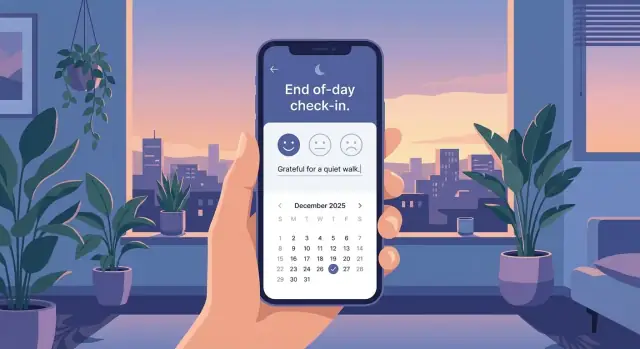
Clarify the Goal and Audience
Before you sketch screens or write prompts, get specific about what “end-of-day review” means in your app. People use nightly check-ins for different reasons, and trying to handle every use case in one flow is the fastest way to make it feel heavy.
Define the job your app does
An end-of-day review can be:
- Reflection: “What went well? What was hard? What did I learn?”
- Planning: “What are my top priorities tomorrow?”
- Mood check: “How do I feel right now, and why?”
- Habits: “Did I do the things I said I’d do?”
Pick a clear center of gravity. You can still support the other pieces later, but one should lead the MVP.
Choose a primary goal (and what it’s not)
Decide what success looks like for the user:
- Self-awareness: spotting patterns over time
- Consistency: building a simple nightly routine
- Stress reduction: closing open loops and calming down
- Productivity: aligning tomorrow with bigger priorities
Be explicit about tradeoffs. A productivity-first daily reflection app can feel too “work-like” for stress reduction. A mood tracking flow that’s too detailed can hurt consistency.
Name your audience in plain terms
Choose one primary audience to design around (you can expand later): students, busy professionals, parents, or shift workers. Their schedules, energy levels, and privacy needs differ—shift workers may review at 2 a.m.; parents may need a 60‑second mode.
Set success metrics early
Pick a few measurable signals to guide decisions:
- Weekly active users and retention (do people return?)
- Completion rate (how often a review is finished)
- Time-to-complete (is it easy enough at night?)
- Streaks (optional) and feature adoption (what’s actually used)
These metrics keep the MVP honest and prevent “nice-to-have” features from becoming the product.
Choose Your MVP Features
An end-of-day review app succeeds when it feels effortless. Before you add charts, streaks, or a template library, anchor the MVP around the core jobs users hire a nightly check-in to do.
Core jobs-to-be-done
Most users want a simple loop:
- Capture highlights (what went well)
- Rate the day (quick mood tracking + overall score)
- Note lessons (what to repeat or avoid)
- Plan tomorrow (one priority and one small first step)
Keep each session tiny
Aim for 3–5 actions per session. A solid default:
-
Choose a mood + 1–10 rating
-
Write one “win”
-
Write one “lesson”
-
Pick tomorrow’s top task
Optional fifth: a short gratitude line or “anything else.” If users regularly take longer than two minutes, the experience starts to feel like homework.
Must-have vs. nice-to-have
For a mobile app MVP, keep the must-haves tight.
Must-have: save entries, simple prompts, basic calendar/history view, edit/delete, local search.
Nice-to-have (later): templates, tags, analytics trends, export/PDF, habit tracking features, attachments, advanced filters, streaks.
A good rule: if a feature doesn’t improve the nightly loop, it probably belongs in version two.
A few guiding user stories
- “As a tired user at 10pm, I can finish my review in under 2 minutes, so I’ll keep the habit.”
- “As someone working on self-improvement, I can see past entries by date, so I can spot patterns.”
- “As a privacy-conscious user, I can lock the app, so I feel safe writing honestly.”
Design the Daily Review Flow
A daily review succeeds or fails in the first few seconds. At night, people are tired, distracted, and often using one hand in low light. Your flow should feel like a single calm action—not a mini project.
The core loop: open → prompt → input → save
Keep the happy path short:
- Open the app and immediately see today’s review (no menus).
- Prompt the user with one screen’s worth of questions.
- Input should be fast: taps first, typing second.
- Save automatically, then show an optional summary (one line, not a report).
Auto-save matters: if someone closes the app mid-entry, they shouldn’t lose anything.
Pick prompt types that match nighttime behavior
Mix structured and flexible inputs so users can finish quickly:
- Mood scale (e.g., 1–5) with an optional label like “calm / stressed”
- Quick questions (one-tap or short answers): “What went well?” “What was hard?”
- Checklist for common wins: workout, family time, deep work, journaling
- Free text for anything unexpected
- Voice note for low-effort capture (when typing feels annoying)
Avoid stacking too many prompts. Three to five elements total is usually enough for an MVP.
Defaults and shortcuts: reduce typing to near zero
Typing at night is friction. Build small accelerators:
- One-tap answers (chips like “Good / Okay / Rough”)
- Recent tags (last used categories appear first)
- Smart defaults (preselect yesterday’s common items, but allow quick changes)
- Skip options (every prompt can be skipped without guilt)
The goal is to make “doing something small” feel successful.
Design for a 1–3 minute session
Treat time as a feature requirement. Use a single scrollable screen or a very short stepper (2–3 screens max). Keep text readable, buttons large, and the tone gentle. If users want more depth, let them expand sections—don’t force it by default.
End with a lightweight finish state: “Saved for today” plus an optional one-sentence reflection summary they can edit or ignore.
Create Prompts That People Will Actually Use
Prompts are the heart of an end-of-day review app. If they feel vague, repetitive, or too long, people will skip them. If they feel personal and lightweight, users build a habit without needing “motivation.”
Start with a small, useful prompt library
Begin with a focused set that covers common reasons people reflect:
- Gratitude: “What’s one small thing you appreciated today?”
- Wins: “What did you do well today, even if it felt minor?”
- Challenges: “What was the hardest moment, and what triggered it?”
- Improve: “What would you do differently next time?”
- Tomorrow’s focus: “What’s the one thing that would make tomorrow a good day?”
These work because they produce clear answers without requiring an essay.
Let users shape the experience
Prompt preferences vary a lot. Some people love gratitude; others find it forced. Give users control:
- Turn prompts on/off
- Reorder prompts to match their flow
- Add custom prompts (“Did I exercise?”, “Did I stay within my budget?”, “How was my mood?”)
Customization makes the app feel like a personal tool, not a generic journaling app.
Keep it light: fewer questions, smarter rotation
A common failure mode is asking too many questions every night. Aim for a “complete in a few minutes” default. If you have more prompts than you want to show at once, rotate them:
- Show a consistent core (e.g., “wins” + “tomorrow’s focus”)
- Rotate optional prompts (gratitude, challenge, mood tracking) a few times per week
This keeps the experience fresh without adding cognitive load.
Add gentle guidance without being bossy
Users often get stuck staring at an empty box. Provide optional help:
- A short example under the prompt (tap to reveal)
- A soft word-range hint (e.g., “1–2 sentences is enough”)
- Optional limits for people who want structure (not required)
The best prompts feel like a friendly nudge: specific enough to answer quickly, flexible enough to fit any day.
Plan the Information Architecture and Screens
Good information architecture makes a reflection app feel calming instead of complicated. The goal is to reduce decisions at the end of the day: users should instantly know where to go, what to do next, and how to look back.
Define the key screens
Most end-of-day review apps work best with four core areas:
- Today: the main entry point for the current day’s review. Show completion status, a clear “Start/Continue Review” button, and a quick preview once saved.
- History / Calendar: revisit past entries. A calendar view is intuitive for daily habits; a list view can help users scroll and search.
- Insights: lightweight summaries (streaks, mood trends, most-used tags, “best days” patterns). Keep it secondary—people open the app to reflect, not to study charts.
- Settings: reminders, privacy options, export/delete data, and personalization (prompts, tone, time window).
Choose navigation that stays out of the way
Use bottom tabs for clarity: Today, History, Insights, Settings. Add a prominent Review action that’s easy to reach with one thumb—either a centered tab or a primary button on the Today screen.
A good rule: the user should be able to start tonight’s review in one tap from the moment the app opens.
Design empty states that feel encouraging
Empty states are where many wellness apps either feel cold or pushy. Plan them intentionally:
- First day / no data: explain what an end-of-day review is in one sentence, then invite them to begin.
- Missed days: avoid guilt. Offer “Write for today” and a secondary action like “Backfill yesterday.”
- No insights yet: set expectations (e.g., “After 7 days, you’ll start seeing patterns.”).
Accessibility and comfort
End-of-day use often happens in low light and when users are tired, so optimize for readability:
- Readable type (good line spacing, avoid tiny text)
- Dark mode as a first-class experience
- Large tap targets and clear focus states
- High contrast for key actions, with calm colors for supporting UI
Done well, these screens create a predictable “home” for reflection—so users can spend their energy on the review, not on navigating the app.
Model the Data and Storage Approach
A calm daily reflection experience depends on boring things done well: how you store entries, how they sync, and how users keep their data. Good data design also makes your MVP easier to build and less error-prone.
Start with a simple data model
Most end-of-day review apps can be modeled with a few core objects:
- Entry: one “day” of reflection (id, date, created_at, updated_at)
- Responses: question_id + answer (text, number, or choice)
- Tags: user-defined labels (e.g., “work”, “family”)
- Mood score: optional numeric or emoji scale stored as a value
- Timestamps: capture when the entry was written, not just which day it represents
A lightweight schema sketch:
Entry: {id, entry_date, created_at, updated_at, timezone, mood, note}
Response: {id, entry_id, question_id, value_text, value_number}
Tag: {id, name}
EntryTag: {entry_id, tag_id}
Offline-first vs. online sync
Offline-first is usually the right default: people write at night, on planes, or with spotty reception. Store everything locally and (optionally) sync when connected.
If you add sync, define conflict rules. “Latest edit wins” is simple; “merge answers by question” can feel safer. Keep it consistent and explain it plainly in settings.
Editing past entries and time zones
Decide whether users can edit older entries freely, for a limited window (e.g., 7 days), or with an “edited” label. Whatever you choose, store both entry_date and the timezone used, so travel doesn’t shuffle entries into the wrong day.
Backups and export build trust
Plan exports early: plain text for readability, CSV for analysis, and PDF for sharing/printing. If you support accounts, offer a simple backup/restore path and make it obvious where the data lives (device, cloud, or both).
Privacy, Security, and Trust Basics
A daily reflection app can feel intimate even if it never asks for “medical” details. Trust isn’t a feature you add later—it’s a set of choices you make from day one: what you collect, where you store it, and how clearly you explain it.
Collect only what you need
Start with the smallest set of inputs that still makes the end‑of‑day review useful. If a question isn’t essential to the core experience, don’t store it. Avoid sensitive categories by default (health conditions, precise location, contacts, kids’ info). If you add optional fields like mood tracking or journaling, make them truly optional and easy to delete.
Be explicit about storage: on-device vs. cloud
Users should know exactly where their reflections live:
- On-device storage: simpler and more private by default; data stays on the phone unless the user exports it.
- Cloud sync/backup: convenient, but requires stronger security and clearer explanations.
In the app, summarize this in plain language: “Your entries are stored on your phone” or “Your entries sync to your account so you can use multiple devices.” Avoid vague phrasing.
Security basics that don’t complicate the experience
Add lightweight protections that match how personal the content feels:
- App lock with passcode and/or biometrics
- Automatic lock after a short idle time
- Encryption at rest where the platform supports it (device encryption, secure storage APIs)
- Secure session handling if you use accounts (timeouts, protected tokens)
Privacy policy + in-app privacy summary
Prepare a formal privacy policy, but also include a short in‑app “Privacy Summary” that answers: what you collect, why, where it’s stored, whether you sell/share data (ideally no), how deletion works, and how to contact you. Make account deletion and data export easy to find.
Reminders and Habit Support Without Annoying Users
Reminders can make or break an end-of-day review app. The goal isn’t “compliance”—it’s gentle support that feels personal, optional, and easy to ignore without consequences.
Offer reminder styles, including “none”
Different people close their day differently, so give options rather than one default:
- Fixed time (e.g., 9:30 PM)
- “After dinner” or “before bed” (a user-friendly label, even if your app maps it to an approximate time)
- Smart nudges (only when the user is likely free, based on past completion times)
- No reminders (explicitly supported, not hidden)
Respect quiet hours and notification limits
Default to gentle settings: one reminder per day, with quiet hours enabled out of the box. Let people set a window like “Don’t notify me after 10 PM” or “Not during work hours.”
If you support multiple nudges, make them opt-in and transparent: “Up to 2 reminders on days you haven’t checked in.” This keeps push notifications from feeling spammy.
Use wording that supports self-improvement without guilt
Avoid guilt-based streak pressure. Use encouraging, non-judgmental copy.
Examples:
- “Want to wrap up the day with a quick check-in?”
- “Two minutes to note what went well?”
- “No pressure—log today when you’re ready.”
Build recovery patterns for missed days
Even the best habit tracking app can’t prevent busy weeks. Design for lapses:
- Restart without shaming (“Start fresh today”)
- Offer a weekly alternative (“Missed a few days? Summarize the week instead.”)
This supports long-term use without making the app feel needy.
Pick Your Tech Stack and Build Plan
A good tech stack is the one that lets you ship a calm, reliable daily review experience quickly—and keep improving it without rewrites. Start by choosing a platform strategy, then pick the simplest tools that support your MVP.
Platform strategy: where to start
If your audience is mostly iPhone users (common for paid wellness apps), go iOS first. If your users skew global or you expect a wide device mix, Android first can make sense. If you need both early (or your team is small), choose cross-platform to avoid building everything twice.
Native vs. cross-platform (plain terms)
- Native (Swift for iOS, Kotlin for Android): best performance and “feels like the phone” UI. Downside: two codebases.
- Flutter: one codebase with consistent UI. Fast to iterate, strong for polished screens. Some platform-specific work still happens at the edges (notifications, widgets).
- React Native: one codebase using JavaScript/TypeScript. Great iteration speed and a big ecosystem. You may spend extra time managing third‑party dependencies and native modules.
For an end-of-day review app, cross-platform is often enough—your complexity is usually in UX and habit loops.
Backend needs (keep it optional)
You may not need a backend for an MVP if entries stay on-device. Add a backend when you need accounts, sync across devices, encrypted backups, or analytics. Even then, start small: authentication, a simple entries API, and event tracking.
If you want to move faster without rebuilding your whole pipeline, a vibe-coding platform like Koder.ai can help you prototype the full product (web admin, backend, and mobile client) from a chat-driven spec. It’s especially useful for generating a clean baseline quickly—React on the web, Go + PostgreSQL on the backend, and Flutter for mobile—then exporting the source code when you’re ready to take over. Features like Planning Mode, snapshots, and rollback can also reduce risk while you iterate.
A simple build roadmap
Prototype → MVP (core flow + local storage) → beta (notifications, cloud sync if needed, crash reporting) → public release (subscription/paywall if applicable, onboarding polish) → ongoing iterations (new prompts, themes, exports).
Prototype and Validate With Real Users
A daily review app lives or dies on friction. Before you write much code, get something people can try, then watch where they hesitate. The goal isn’t to “prove” your idea—it’s to find what makes the review feel quick, safe, and worth repeating.
Start low‑fidelity, then go clickable
Begin with rough sketches of the core flow: open app → answer prompts → review summary → done. Paper sketches or simple wireframes are enough to reveal unnecessary steps.
Once the flow makes sense, build a clickable prototype (Figma or similar). Keep it narrow: one daily review session plus a basic history view. Avoid polishing colors and animations too early; you’re testing clarity and effort, not aesthetics.
If you prefer to validate with a working build (not just a prototype), tools like Koder.ai can be useful for spinning up a testable app quickly, then iterating on copy and flow based on what users actually do.
Run small, focused tests (5–10 people)
Recruit 5–10 people who match your intended audience. Ask them to complete a review while thinking out loud. Measure:
- Time-to-complete (aim for a few minutes, not ten)
- Where they pause (confusing wording, unclear next step)
- Typing load (too much free text often leads to quitting)
- Comfort level (do they worry about privacy or being judged?)
Keep sessions short. One realistic scenario—“It’s 10 pm, you’re tired, do a quick check-in”—tells you more than abstract opinions.
Audit the writing, not just the UI
In wellness apps, words are UI. Review your prompts, button labels, and error messages for warmth and clarity. “Save” vs. “Finish review” changes how confident people feel. Prompts should be specific enough to answer, but not so personal they feel invasive.
Iterate on friction points
Use what you observed to simplify: reduce steps, offer optional prompts, add quick-select answers, and make the history view easy to scan. Then re-test the updated prototype to confirm the improvements actually reduce effort and confusion.
Analytics and Feedback Loops (Respectfully)
Analytics should help you improve the experience, not peek into someone’s private life. For an end-of-day review app, the best metrics focus on whether the flow is working—not what people wrote.
Decide what to measure (and why)
Pick a small set of signals tied to clear questions:
- Activation: do people finish onboarding and complete their first review?
- Completion rate: how often does a started review get finished?
- Retention: do people come back after 1 day, 7 days, 30 days?
- Prompt usage: which prompts get answered, skipped, or edited?
These numbers tell you where users get stuck: onboarding, the review flow, or specific prompts.
Track events without collecting private entries
Instrument “behavior events” rather than content. Examples:
review_started,review_completedprompt_shown,prompt_skipped,prompt_answeredreminder_sent,reminder_opened,reminder_snoozed
Avoid sending journal text, mood notes, or free-form reflections into analytics. If you need sentiment trends, keep them on-device or store only user-approved summaries. Minimize identifiers and retain analytics data for the shortest useful period.
Add lightweight qualitative feedback
Numbers explain what happened; feedback explains why.
Add a simple end screen question like: “Was this helpful?” with Yes/No. If the user taps “No,” offer an optional comment box. Keep it clearly optional, with a note like “Don’t include private details.”
Use insights to iterate carefully
Use what you learn to refine:
- confusing prompts (rewrite, reorder, or reduce)
- reminders (timing, frequency, tone)
- onboarding (set expectations, show a 30-second example)
Treat each change as a small experiment, and watch for improvements in completion and retention without increasing annoyance or data collection.
Launch, Iterate, and Maintain
Launching your end-of-day review app is less about a “big reveal” and more about starting a reliable cycle: ship a clear version, listen carefully, and keep improving without breaking trust.
App Store readiness (without the chaos)
Treat your store page like part of the product. A confusing listing attracts the wrong people and increases refunds.
- Prepare screenshots that show the actual daily flow: check-in, prompts, summary, streaks (if you use them).
- Write a plain-language description: who it’s for, what it helps with, and what it does not do.
- Include quick onboarding tips in the first run: how long a review takes, how reminders work, and how to change prompts.
Lightweight content plan
People open reflection apps when they don’t know what to write. Ship with enough variety that day 3 doesn’t feel repetitive.
Create a small set of starter prompt packs (e.g., Gratitude, Stress reset, Work wins, Relationships) and a few weekly recap templates (e.g., “Best moment,” “Hardest moment,” “One thing to try next week”). Keep language friendly and specific so users can answer quickly.
Support and updates that won’t drain you
Maintenance is the quiet work that keeps ratings stable.
Prioritize:
- Bug fixes that block completing a review or saving entries
- OS updates that affect notifications, widgets, backups, or permissions
- A simple triage system for feature requests: “now / later / never (and why)”
Publish short release notes in human language so users see progress.
Monetization that feels fair
Set expectations early. Offer a strong free core (daily review flow and basic history), then add optional upgrades:
- Premium prompt packs or guided recaps
- Export (PDF/CSV) for personal archives
- Sync across devices and backups
Avoid overpromising timelines. It’s better to under-sell and deliver than to sell “coming soon” features that slip.
Iterate with intention
After launch, focus on one improvement at a time: completion rate of a daily review, reminder opt-in, and returning users after week one. Small changes—clearer prompts, faster load times, fewer taps—often beat flashy features.
FAQ
What should be the primary goal of an end-of-day review app?
Start by choosing a clear “center of gravity” for the nightly flow:
- Reflection (wins, lessons)
- Planning (tomorrow’s priority)
- Mood check (how you feel and why)
- Habits (did you do what you intended?)
Design everything else as optional so the experience stays light at night.
How do I choose the right audience for my daily review app?
Pick one primary audience (for now) and design around their constraints:
- Busy professionals: fast inputs, minimal typing
- Parents: a 60-second mode and flexible reminders
- Students: prompts tied to learning and stress
- Shift workers: time-zone-aware entries and late-night reminders
You can expand later, but one audience keeps the MVP coherent.
What are the must-have MVP features for a nightly check-in app?
Keep each session to 3–5 actions so it never feels like homework. A strong default loop is:
- Mood + quick rating
- One “win”
- One “lesson”
- Tomorrow’s top task (plus a first step)
Everything beyond that (templates, analytics, streaks) can wait until you confirm retention.
How long should the daily review flow take, and how do I keep it quick?
Aim for 1–3 minutes by designing a short “happy path”:
- Open the app → land directly on today’s review
- Use taps first, typing second
- Auto-save continuously
- End with a simple “Saved for today” state and an optional summary
If users routinely need more than a couple minutes, completion rates usually drop.
What prompt types work best for tired users at night?
Use a mix of structured and flexible inputs:
- Mood scale (1–5 or 1–10)
- One-tap chips (Good / Okay / Rough)
- Short answers for “What went well?” and “What was hard?”
- Optional free text (“Anything else?”)
- Voice note (helpful when typing is high-friction)
Limit prompts shown per day and rotate optional ones to avoid fatigue.
How can I reduce friction and make the app feel effortless?
Make skipping normal and reduce typing with defaults:
- Skip on every prompt (no guilt)
- Pre-fill with recent tags and common selections
- Show yesterday’s pattern as a starting point (easy to change)
- Keep a single scroll screen or a 2–3 step flow max
The goal is “small success,” not perfect journaling.
What screens and navigation should an end-of-day review app include?
A simple, calming structure is usually enough:
- Today: start/continue review in one tap
- History/Calendar: revisit entries by date + basic search
- Insights: lightweight trends (secondary to journaling)
- Settings: reminders, privacy, export, prompt customization
Bottom tabs work well because users can predict where things are without thinking.
How should I model and store daily review entries (including time zones)?
Start with a simple, flexible schema:
- Entry (date, created/updated timestamps, timezone, optional mood)
- Responses (question_id + value)
- Tags (many-to-many with entries)
Store both entry_date and timezone so travel doesn’t shift entries into the wrong day. If you add sync later, define conflict rules (e.g., latest edit wins, or merge by question).
What privacy and security basics should a reflection app include?
Build trust from day one with clear, lightweight protections:
- Collect only what you need; keep sensitive fields optional
- Explain storage plainly: on-device vs cloud sync
- Add app lock (passcode/biometrics) and idle auto-lock
- Support export and deletion in obvious places
Also add a short in-app privacy summary that mirrors your formal policy.
What analytics should I track without compromising user trust?
Measure flow health without collecting private content:
- Activation (first review completed)
- Completion rate (started → finished)
- Retention (day 1/7/30)
- Prompt usage (answered/skipped/edited)
Track events like review_started and prompt_skipped, but avoid sending journal text to analytics. Add a simple optional feedback prompt like “Was this helpful?” at the end.