

How to Build a Mobile App for Personal Process Checklists
Learn how to plan, design, and build a mobile app for personal process checklists—features, UX tips, tech choices, and a step-by-step launch plan.
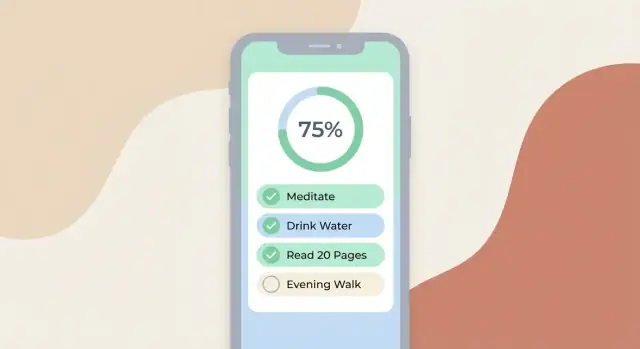
What a Personal Process Checklist App Should Do
Personal process checklists are step-by-step routines you repeat and want to run the same way each time. Think of them as lightweight SOPs for your own life and work: recurring routines, habit sequences, or “don’t-forget-anything” flows that you can start, complete, and reuse.
Who it’s for
This kind of app is primarily for individuals who want consistency without extra overhead—freelancers, solo operators, and small teams where people use the app personally (even if the checklist is “for work”). It should feel like a personal tool first: quick to open, quick to check off, and easy to trust.
What it should handle well (with examples)
A good personal workflow app supports both everyday routines and occasional processes:
- Morning routine: stretch, meds, review calendar, quick inbox sweep
- Travel packing: passport, chargers, toiletries, “last look” before leaving
- Closing tasks: end-of-day shutdown, timesheets, device backups
- Client onboarding: contract sent, invoice created, kickoff scheduled, assets requested
The common thread is simple: users want a predictable sequence that reduces mental load.
What success looks like
You’ll know the app is doing its job when users:
- Finish faster because they aren’t re-planning each time
- Miss fewer steps thanks to clear ordering and completion state
- Stay consistent across days and projects, even when distracted
If the app helps someone start a routine in seconds, keep their place mid-flow, and confidently complete it, it’s valuable—even before adding advanced features.
Start With One Strong Use Case
A checklist app can support hundreds of scenarios, but your first version should nail one repeatable routine you (or a clear target user) actually does every week. Pick a process with enough steps to matter and enough consequences that you’ll feel the improvement.
3–5 real checklists worth building around
Here are examples that are “personal” (not corporate) but still structured:
- Weekly grocery restock: pantry scan → meal plan → list by aisle → budget check → store run → put-away
- Trip packing (2–4 days): weather check → outfits → chargers → toiletries → documents → “leave house” checklist
- Sunday reset: laundry → tidy rooms → empty trash → refill essentials → plan calendar → set reminders
- Workout routine: warm-up → main set → cooldown → log weight/reps → protein/water
- Monthly bills/admin: review bank balance → pay bills → file receipts → update budget → backup documents
The pain points you’re solving
Most people don’t “forget how” to do these processes—they get tripped up by predictable friction:
- Forgetting steps when interrupted (or doing them in the wrong order)
- Losing notes (sizes, brands, last time’s tweaks) across apps and paper
- Inconsistent sequence that makes the process slower and more error-prone
Define the core job
Write a single sentence your app must fulfill:
“Guide me through my process reliably—step by step—so I finish it the same way every time, even when I’m distracted.”
If a feature doesn’t make that sentence truer, it’s probably not MVP.
Set a clear goal (and non-goals)
App goal: help a user run one recurring checklist end-to-end quickly, with optional notes per step.
Non-goals (to avoid scope creep): team sharing, complex automations, calendar integrations, AI suggestions, and a massive template library. You can add those later—after the first use case feels effortless.
Core Features for a First Version (MVP)
An MVP for a mobile checklist app should make one thing feel effortless: creating a repeatable process checklist, then running it quickly when you actually need it. If users can’t trust the app to capture steps and support fast check-offs, nothing else matters.
1) Checklist creation and editing
Start with a clean editor that supports the way real processes are written:
- Steps with optional sub-steps (simple nesting, not infinite levels)
- A short note field per step (tips, links, warnings)
- Reordering (drag-and-drop) and quick insert (add step below)
Keep the editing experience lightweight. Most people build checklists in small bursts, not long writing sessions.
2) Run mode that’s faster than paper
Your “run mode” is the heart of a personal workflow app. Make it feel like a focused, single-task screen:
- One-tap check-offs with big touch targets
- Clear progress (e.g., 7/12 done)
- “Next step” focus so users don’t scroll and lose their place
This is where checklist app design pays off: fewer controls, more momentum.
3) Templates vs. instances (the reusable model)
Separate:
- Template: the reusable checklist (e.g., “Weekly review”)
- Instance / Run: each time you perform it (with its own completion state and timestamps)
This prevents progress from being overwritten and keeps the door open for history without redesigning your model.
4) Organization: search, tags, folders
Even a small library gets messy. Add basic organization from day one:
- Search by checklist name and step text
- Tags (e.g., “home”, “work”)
- Optional folders for broader grouping
5) Set expectations for backup/sync
Users expect their data not to vanish. Even if full sync ships later, include at least one of:
- Account-based backup toggle (“Sync coming soon”)
- Export/import (simple file-based backup)
Be explicit in onboarding so trust is built early.
Nice-to-Have Features Users Actually Value
Once the MVP works reliably, the next wins usually come from features that reduce friction—not from piling on complexity. The best “nice-to-haves” help people finish checklists faster, remember them at the right time, and adapt them to real life.
Optional fields per step (without making steps feel heavy)
Many users want more context than a checkbox, but only sometimes. The trick is to make extra fields optional and tucked away behind an “Add details” affordance.
Useful optional fields include:
- Due time (e.g., “by 9:30 AM”)
- Expected duration (helpful for planning: “takes ~10 minutes”)
- Links (open a recipe, a doc, a map, or a reference page)
- Attachments (photos of a setup, a screenshot of settings, a PDF)
Keep the default step UI minimal; details should expand only when needed.
Repeat schedules + run history (so people can trust the routine)
Repeating checklists are where personal process apps become daily drivers. Offer simple schedules first (daily/weekly), then a custom option (every 3 days, weekdays only, first Monday of the month).
Add run history so users can answer: “Did I do this yesterday?” and “How long does it usually take?” A lightweight history can be as simple as completed timestamps per run, plus an optional note.
Reminders and notifications (timely, not spammy)
Reminders are valuable when they’re precise and configurable:
- Per checklist reminders: “Run my evening shutdown at 6:30 PM.”
- Per step reminders: only for critical steps (“Move laundry to dryer in 45 minutes”).
Let users choose the tone: one notification, repeated nudges, or none. Also make “snooze” and “mark done” available directly from the notification when the platform allows.
Collaboration (usually not MVP)
Sharing and assigning steps can be powerful—roommate chores, family travel prep, a small team’s opening checklist—but it adds complexity (accounts, permissions, conflict handling). If you build it later, start with share a checklist (read-only or editable), then add assign steps.
Accessibility that improves usability for everyone
Accessibility features often become retention features:
- Larger text support and good contrast
- Voice input for hands-busy situations (cooking, cleaning)
- Haptics for satisfying, clear confirmation when a step is checked
Treat accessibility as part of “fast to use,” not an afterthought.
UX and Screen Flow: Make It Fast to Use
A checklist app succeeds when it disappears in the moment of use. Your UX should optimize for “I need to do this now” rather than “I want to organize things.” That starts with a simple, predictable screen flow.
A simple navigation model that stays out of the way
Keep your primary navigation to three places:
- Home (Lists): shows checklist templates and quick access to recent items
- Checklist detail: lets users edit steps, rename, and start a run
- Run screen: the focused, no-distraction execution view
Add History as a secondary destination (tab or button). Users love seeing what they completed, but they shouldn’t have to look at history to get work done.
Design the Run screen for speed
The Run screen is where UX matters most. Use big tap targets, clear step titles, and minimal chrome. Avoid multiple “confirm” dialogs.
Support different step types without making the UI complex:
- Checkbox steps for most actions
- Timer steps with a prominent start/pause and a visible countdown
- Text input steps for notes, measurements, or short answers
- Photo steps for proof, reference, or “before/after”
Handle interruptions gracefully
People will get calls, switch apps, or lock their phone. A run should always resume exactly where it left off, including timer state. Make “Resume run” obvious from Home, and consider a subtle “Running” indicator.
Empty states that guide (not scold)
Empty screens are part of onboarding. Design them intentionally:
- First checklist: offer one-tap templates and a “Create from scratch”
- First run: a short hint (“Tap a step to mark done”) and then get out of the way
- First reminder: explain the benefit and ask permission only when needed
Data Model, Offline Support, and Sync Basics
A checklist app lives or dies by trust: users expect their checklists to be there in the grocery store, on a plane, or in a basement with no signal. That means your data model and offline behavior aren’t “later” work—they shape your whole product.
Offline-first vs. cloud-first
Offline-first means the app works fully without internet: create checklists, start a run, mark steps complete, and search—everything. When connectivity returns, the app syncs in the background.
Cloud-first can be simpler at first, but it creates sharp edges: a slow network can block opening a checklist or saving progress. If you go cloud-first, at least cache the last-used checklists and allow step completion offline, then upload later.
A simple data model you can ship
You can cover most personal workflows with five core objects:
- User: id, email/Apple/Google auth id, preferences
- Checklist: id, title, notes, sort order, optional template tags
- Step: id, checklistId, text, position, optional timer/reminder metadata
- Run: id, checklistId, startedAt, finishedAt, context (e.g., “Sunday reset”)
- StepCompletion: runId, stepId, completedAt, value (for optional inputs)
This split lets users reuse a checklist many times while keeping a clean history of each run.
Sync strategy and conflict rules
If you add sync, decide your conflict rules early:
- Last-write-wins: easiest. Good for personal apps with one main device
- Merge: better when users edit the same checklist on two devices. Merge step lists by stable ids; treat reordering as a separate “positions” update
Keep a “dirty changes” queue locally, sync in order, and make sync failures visible but non-scary.
Privacy, backups, and restore
Be explicit about what you store and where: local-only, cloud account, or both. Avoid uploading sensitive notes by default.
For resilience, support at least one restore path: device backups plus a simple export/import (CSV/JSON) in Settings. That one feature saves support time—and user trust.
Choosing Your Tech Stack (Without Overthinking)
A personal checklist app doesn’t need an exotic stack to be successful. The best choice is usually the one that lets you ship a solid MVP quickly, learn from real users, and evolve without rewrites.
One codebase vs. fully native
If you want to support iOS and Android from day one, cross-platform frameworks are often the fastest path.
- Flutter: Great UI consistency, strong performance, and a cohesive toolkit
- React Native: Leverages JavaScript/TypeScript skills, huge ecosystem, and plenty of ready-made libraries
If you’re optimizing for platform-specific polish (or your team already has deep platform expertise), go native:
- Swift (iOS): Best access to Apple APIs and the newest iOS capabilities
- Kotlin (Android): First-class Android support with modern language features
Do you need a backend?
Many checklist apps can start offline-first and add accounts/sync later. If you do need sync early (multiple devices, backups, sharing), keep backend choices simple:
- Firebase: Fast auth + database + push notifications
- Supabase: Postgres-based, SQL-friendly, good for structured data
- Custom API: Only when you have special requirements (complex permissions, integrations, compliance)
Local storage: pick boring and reliable
For offline checklist data, common options include:
- SQLite (structured data)
- Realm (simpler object storage, good developer experience)
- Key-Value storage + files (settings, small preferences, attachments)
A practical way to decide
Choose based on speed of development, team skills, and future features (sync, reminders and notifications, templates, sharing). If two options feel close, pick the one with better hiring/support and ship sooner—you can refine later, but you can’t improve what isn’t released.
Prototype and Validate Before You Code
A personal process checklist app succeeds when it feels effortless in the moment you need it—packing for a trip, closing out work, or running a weekly routine. The fastest way to get there is to prototype early and let real people break your assumptions.
Wireframe the 3 most important flows
Before pixels, sketch simple wireframes for the top three flows:
- Create checklist: add steps, reorder, add notes, set optional reminders
- Run checklist: tap to complete, see progress, handle “skip” or “not applicable”
- View history: confirm what was done, when, and what was skipped
Keep each flow to the minimum number of screens. If a screen can’t explain itself in 3 seconds, it’s doing too much.
Build a clickable prototype and test it
Create a clickable prototype in Figma (or similar) and run quick sessions with 3–5 people who actually use checklists. Give them realistic tasks (“Create a ‘Morning shutdown’ checklist and run it once”) and ask them to think out loud.
What you’re listening for:
- Where they hesitate or tap the wrong thing
- Whether “run checklist” feels fast enough
- Which labels confuse them (e.g., “template” vs “checklist”)
Lock the MVP scope with acceptance criteria
Write down your MVP scope and add acceptance criteria for each screen. Example: “Run checklist screen: user can complete steps with one tap; progress is visible; exiting preserves state.” This prevents scope creep and makes testing later much clearer.
Turn insights into a simple backlog
Convert findings into a small product backlog with three buckets: must-have, should-have, and later. Your goal is a version you can confidently build—not a list of wishes.
Build the App: Key Implementation Decisions
Once your prototype is validated, a few implementation choices will either keep the build smooth—or create rework later. Here are the decisions that matter most for a personal process checklist app.
Authentication: guest mode vs. sign-in
Start with a clear plan:
- Guest mode first is great for lowering friction. Store data locally and offer “Create an account to sync” later
- Sign-in from day one simplifies multi-device sync and backups, but increases onboarding drop-off
A common compromise: guest by default, then optional sign-in via Apple/Google/email when users try premium features, new device sync, or template sharing.
Notifications: prompts, scheduling, and time zones
Reminders are a core value driver, but they can annoy users if handled poorly.
Ask for notification permission only after the user has created a checklist and turned on a reminder (“Allow notifications to remind you at 7:30 AM?”).
Implementation notes:
- Support recurring schedules (daily/weekly) and one-off reminders per checklist run
- Store reminder times with time zone awareness so travel doesn’t shift everything unexpectedly
- Be battery-friendly: schedule OS-level notifications (don’t keep background timers running)
Analytics: track a few high-signal events
You don’t need dozens of events. Track what helps you improve retention:
checklist_created(including whether it used a template)run_startedstep_completedrun_completedreminder_enabled/reminder_fired
Keep analytics privacy-friendly (no step text content; just counts and IDs).
Quality checks: edge cases you must handle
Small edge cases create big support costs:
- Empty checklists (block save or allow but clearly warn)
- Duplicate step names (allow, but ensure IDs are unique)
- Undo/redo for step completion (especially during a run)
- Deleting a step that’s referenced by an in-progress run
Performance: speed is a feature
Optimize for “instant” interactions:
- Fast cold start (show cached lists immediately)
- Smooth tapping on steps (avoid re-rendering the whole screen)
- Efficient local storage reads/writes, especially during rapid step completion
Testing and App Store Launch Checklist
Launching a checklist app is less about a perfect first release and more about avoiding the mistakes that break trust: lost data, confusing “run” flows, and crashes. A simple launch checklist keeps you focused on the issues users feel immediately.
Testing that matches how people use the app
Start by testing the parts that can silently fail:
- Unit tests for data logic: creating/editing checklists, reordering steps, saving completion state, versioning/migrations, and edge cases like empty titles or long notes
- UI tests for the “run” flow: start a run, complete steps, pause/resume, switch apps, rotate the screen, and ensure progress is preserved
Also test real-life interruptions: low battery mode, no network, spotty network, and opening a notification that deep-links into a specific checklist.
Beta testing: get reality checks early
Use platform-native beta channels so you can iterate fast:
- iOS: TestFlight with a small group first (friends, colleagues, target users), then expand
- Android: Closed testing on Google Play with staged rollouts
Give testers a short script (3–5 tasks) and one open question: “Where did you hesitate?” That feedback often reveals unclear labels and missing shortcuts.
Crash reporting and feedback collection
Ship the beta (and production) with crash reporting so you’re not guessing. Add lightweight in-app feedback (a link to email or a short form) that includes app version, device, and an optional screenshot. Make it easy to report “My progress disappeared” with the exact checklist name.
App Store assets and listing basics
Prepare before you hit “submit”:
- Clear screenshots that show: templates, running a checklist, reminders, and offline use
- A short description that explains the single best outcome
- App Store keywords (iOS) and an optimized title/description (Android) aligned with terms like “process checklist” and “checklist templates”
Soft launch plan
Release to a limited audience first, watch crash rates and reviews, then fix the top 2–3 issues before widening availability. Treat v1 as your learning loop, not your final statement.
Monetization, Onboarding, and Long-Term Growth
A checklist app succeeds when users feel it reliably saves time and reduces mistakes. Your monetization, onboarding, and growth plan should reinforce that promise—not distract from it.
Monetization: pick one primary model
Start simple and align pricing with clear, ongoing value.
- Free + premium (freemium): Great if you can offer a solid core for free, then charge for power features like sync across devices, advanced reminders, template packs, and completion history exports
- One-time purchase: Works when your app’s value is mostly “buy once, use forever,” often paired with paid major upgrades later
- Subscription: Best when you’re delivering continuous value (cloud sync, cross-platform access, recurring template releases). If you go this route, keep tiers minimal and explain what users get every month
Whatever you choose, be explicit about your value: offline access, sync, templates, reminders, and history are benefits people understand instantly.
Onboarding: remove the blank-page problem
Most users quit when they see an empty screen and don’t know where to start. Ship sample checklist templates during onboarding (e.g., “Weekly Review,” “Packing List,” “Workout Routine,” “Apartment Cleaning”). Let users:
- duplicate a template in one tap
- edit it later (no pressure to perfect it upfront)
If you have a paywall, show value first—then offer an upgrade when a premium feature is actually needed.
Long-term growth: retain without gimmicks
Retention can be as simple as a completion history that helps users trust the app (“I did this last Tuesday”). Be cautious with streaks: they motivate some users but can punish others when life interrupts.
Plan updates that compound value:
- expanding your template library
- lightweight integrations (calendar, reminders)
- home screen widgets for quick starts
Keep the growth loop centered on speed and reliability—the reasons people adopt a personal workflow app in the first place.
Building Faster With Koder.ai (Optional, But Practical)
If you want to validate a checklist MVP quickly—without committing to a long build cycle—Koder.ai can help you move from spec to working app through a chat-driven workflow.
Because Koder.ai is a vibe-coding platform, you can describe screens like Templates → Run → History, your offline checklist data model, and reminder rules in plain language. Under the hood, Koder.ai can generate a modern stack (React for web, Go + PostgreSQL for backend services when you need sync, and Flutter for mobile), while still letting you export the source code and deploy on your own timeline. Features like planning mode, snapshots, and rollback are especially useful when you’re iterating on “run mode” UX and don’t want experiments to destabilize your build.
If you later add accounts, sync, or sharing, you can also host with custom domains and keep environments consistent across devices—useful for a personal workflow app where trust and reliability are the product.
Sample Timeline and Common Mistakes to Avoid
A personal process checklist app can reach “useful” faster than most people expect—if you keep the first release focused on running checklists smoothly.
A simple 4–6 week MVP timeline
Week 1: Define + design
Pick one primary use case (e.g., “morning routine” or “packing list”) and map the minimum screens: Templates → Run → History. Create a clickable prototype and write 10–15 real checklist items to test the flow.
Weeks 2–3: Build the core
Implement template creation (simple list editor), run mode (check items, notes if needed), and local storage. Add basic settings and lightweight onboarding.
Week 4: Beta + fixes
Ship to a small test group. Watch where they hesitate: starting a run, finding templates, and finishing a run. Fix friction, not styling.
Weeks 5–6 (optional): Launch polish
Add analytics events, crash reporting, app store assets, and a small set of “quality” upgrades (search, basic reminders, export).
Common mistakes that slow teams down
Too many features too early. Reminders, sharing, and automation are great—after the run experience is solid.
A complicated editor. Drag-and-drop, deep nesting, and rich formatting often create more bugs than value in v1.
Weak run mode. If starting, checking off, and finishing a checklist isn’t instant, users won’t return.
Next-step checklist (for you)
- Choose one MVP use case and 3 success metrics (e.g., “run completed,” “template reused”)
- Sketch the 3-screen flow: Templates → Run → History
- Prototype and test with 5 people doing a real checklist
- Build the MVP in 4–6 weeks, then iterate from beta feedback
If you want more practical build guides, browse /blog.
FAQ
What is a personal process checklist app, and how is it different from a normal to-do list?
A personal process checklist app helps you run repeatable routines the same way each time—quickly and reliably. Think “lightweight SOPs” for your own work and life: start a run, check off steps, keep your place, and reuse the same template without re-planning.
What’s the best first use case to build an MVP around?
Start with one routine you (or your target user) actually does every week and that has enough steps to create real friction when forgotten. Good first picks include packing, a Sunday reset, monthly bills/admin, a weekly grocery restock, or an end-of-day shutdown—anything where order and consistency matter.
What core features should a first-version (MVP) checklist app include?
An MVP should nail the basics:
- A lightweight editor (add steps, reorder, optional sub-steps)
- Notes per step (optional, quick to access)
- A fast “run mode” with one-tap check-offs and clear progress
- A reusable model: templates vs. runs (instances)
- Basic organization (search, tags, optional folders)
- A clear backup story (export/import or an explicit “sync coming soon”)
Why should the app separate checklist templates from runs (instances)?
A template is the reusable checklist (e.g., “Weekly Review”). A run/instance is each time you perform it, with its own completion state and timestamps.
This prevents overwriting progress and makes history possible later without redesigning your data model.
What makes a great “run mode” UX for personal checklists?
Optimize the run screen for speed and focus:
- Big tap targets and minimal UI chrome
- Visible progress (e.g., 7/12 complete)
- “Next step” focus so users don’t scroll and lose context
- No unnecessary confirmation dialogs
If “start → check off → finish” isn’t instant, users won’t come back.
How should the app handle interruptions while running a checklist?
People get interrupted—calls, app switching, phone locks—so a run should resume exactly where it left off.
Practical expectations:
- Preserve current step position and completion state
- Preserve timer state (running/paused/remaining)
- Make “Resume run” obvious from Home
- Avoid losing data if the app is backgrounded or killed
Should a personal checklist app be offline-first or cloud-first?
Build offline-first if you can: users expect checklists to work in a grocery store, on a plane, or with spotty signal.
If you start cloud-first, at minimum:
- Cache recently used checklists locally
- Allow completing steps offline
- Sync changes later in the background
Trust is the product—lost progress kills retention.
What’s a simple data model for templates, steps, and run history?
A simple, shippable model often includes:
- Checklist (template): title, notes, tags, sort order
- Step: checklistId, text, position, optional metadata (timer/reminder)
- Run: checklistId, startedAt, finishedAt, context
- StepCompletion: runId + stepId, completedAt, optional value (text/number)
This supports reuse, history, and optional per-step inputs without bloating the UI.
How should reminders and notifications be implemented without annoying users?
Ask for notification permission only after a user has created a checklist and intentionally turns on a reminder (when the value is obvious).
To keep reminders helpful:
- Support simple recurring schedules first (daily/weekly)
- Add custom schedules later (weekdays, every N days)
- Make notifications actionable (snooze, mark done) where possible
- Store reminder times with time zone awareness to avoid travel surprises
What are the most common mistakes when launching a checklist app?
Avoid the problems that break trust:
- Data loss (backup/export, crash handling, migrations)
- A slow or confusing run flow
- Poor interruption handling (progress/timers not preserved)
- Over-scoping v1 (sharing, complex automation, heavy integrations)
Test like real life: no network, low battery mode, app switching, long notes, and rapid step tapping.