

How to Create a Mobile App for Personalized Learning Paths
Learn how to plan, design, and build a mobile app that creates personalized learning paths using learner profiles, assessments, recommendations, and progress tracking.
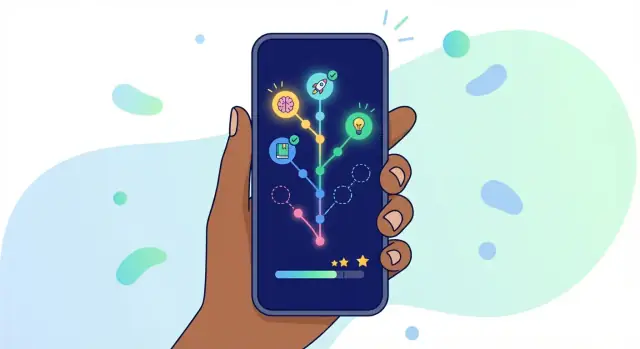
Clarify goals and what personalization means
Before you sketch screens or pick an algorithm, get crisp about the learning job your app is doing. “Personalized learning paths” can mean many things—and without a clear goal you’ll build features that feel smart but don’t reliably move learners toward outcomes.
Start with the learner problem
Define the primary use case in plain language:
- Skill building (e.g., “learn conversational Spanish for travel”)
- Exam prep (e.g., “raise math score from 60% to 80% in 6 weeks”)
- Onboarding/training (e.g., “new hires complete product certification”)
A mobile learning app succeeds when it removes friction between “I want to learn X” and “I can do X.” Write a one-sentence promise and use it to filter every feature request.
Pick your audience and context
Your audience changes the entire learning path design. K–12 learners may need shorter sessions, more guidance, and parent/teacher visibility. Adult learners often want autonomy and quick relevance. Corporate learners may need compliance tracking and clear proof of mastery.
Also decide the context of use: commuting, low bandwidth, offline-first, shared devices, or strict privacy requirements. These constraints shape content format, session length, and even assessment style.
Choose success metrics early
Define what “working” looks like. Useful metrics for adaptive learning include:
- Completion rate of a path or module
- Time-to-skill (how quickly learners reach a defined mastery level)
- Retention (day 7/day 30 return rate)
- Assessment lift (pre-test vs. post-test)
Tie metrics to real outcomes, not just engagement.
Decide what “personalized” means in your app
Be specific about which levers you’ll personalize:
- Pace (faster/slower progression based on progress tracking)
- Content (content recommendations by goals or skill gaps)
- Goals (different destinations: fundamentals vs. advanced)
Write this down as a product rule: “We personalize ___ based on ___ so learners achieve ___.” This keeps your education app development focused and measurable.
Understand users and learner profiles
Personalized learning paths only work when you’re clear about who is learning, why they’re learning, and what gets in their way. Start by defining a small set of learner profiles you can realistically support in the first version of the app.
Create a few primary personas
Aim for 2–4 personas that reflect real motivations and contexts (not demographics alone). For example:
- Career switcher: wants job-ready skills quickly; values clear milestones and proof of progress.
- Busy professional: learns in short bursts; needs reminders, offline access, and “resume where I left off.”
- Student preparing for an exam: cares about practice, weak-spot detection, and confidence building.
- Hobby learner: explores for fun; wants variety, low pressure, and easy discovery.
For each persona, capture: primary goal, success metric (e.g., pass an exam, complete a project), typical session length, and what makes them quit.
Decide what data you can collect ethically
Personalization requires inputs, but you should collect the minimum needed to deliver value. Common, user-friendly data points include:
- Interests and topics (self-selected tags)
- Current level (self-rating plus a short placement quiz)
- Goals (deadline, target skill, exam date, project outcome)
- Preferred pace (minutes per day, days per week)
- Language and content format preferences (video, reading, flashcards)
Be explicit about why each item is requested, and let users skip non-essential questions.
Map learner constraints early
Constraints shape the path as much as goals do. Document what you need to design for:
- Time constraints: commuting, weekends-only study, unpredictable schedules
- Device realities: low-end phones, limited storage, inconsistent connectivity
- Accessibility needs: captions, larger text, screen reader support, reduced motion
These factors influence everything from lesson length to download size and notification strategy.
Identify teacher/coach roles (if any)
If your product includes instructors, managers, or parents, define permissions upfront:
- What can they see (progress, quiz results, time spent)?
- What can they do (assign modules, set deadlines, message learners)?
- Where does learner control remain (hiding sensitive data, opting out of comparisons)?
Clear roles prevent privacy issues and help you design the right screens and dashboards later.
Design the content and skill map
Personalized learning paths only work when your content is organized around what learners should be able to do—not just what they should read. Start by defining clear outcomes (e.g., “hold a basic conversation,” “solve linear equations,” “write a SQL query”) and then break each outcome into skills and sub-skills.
Break learning into outcomes, skills, and prerequisites
Create a skill map that shows how concepts connect. For each skill, note prerequisites (“must understand fractions before ratios”) so your mobile learning app can safely skip ahead or remediate without guessing.
A simple structure that works well for learning path design:
- Outcome → measurable goal
- Skill → capability required to reach the outcome
- Prerequisite → what must be mastered first
- Evidence → how you’ll know the learner can do it (often a quiz or practice task)
This map becomes the backbone for adaptive learning: it’s what your app uses to decide what to recommend next.
Choose a content format mix
Avoid building everything as “lessons.” A practical mix supports different moments in the learner journey:
- Short lessons for explanations and examples
- Videos for demonstrations and motivation
- Quizzes for quick checks and placement
- Practice (problems, speaking prompts, coding exercises) for mastery
The best personalized learning paths typically lean heavily on practice, with explanations available when learners struggle.
Tag each item so recommendations make sense
To enable content recommendations, tag every piece of content consistently:
- Difficulty (or level)
- Topic / skill (linked to your skill map)
- Estimated duration (helps UX and scheduling)
- Objective (what the learner will achieve)
These tags also improve search, filtering, and progress tracking later.
Plan for updates and versioning
Education app development is never “done.” Content will change as you fix mistakes, align to standards, or improve clarity. Plan versioning early:
- Keep stable content IDs even if text changes
- Track which version a learner completed
- Decide how updates affect completion and mastery
This prevents confusing progress resets and keeps analytics meaningful as your library grows.
Choose assessment methods that guide the path
Assessments are the steering wheel of a personalized learning path: they decide where a learner starts, what they practice next, and when they can move on. The goal isn’t to test for testing’s sake—it’s to collect just enough signal to make better next-step decisions.
Start with a short onboarding placement
Use a brief onboarding assessment to place learners into the right entry point. Keep it focused on the skills that truly branch the experience (prerequisites and core concepts), not everything you plan to teach.
A practical pattern is 6–10 questions (or 2–3 short tasks) that cover multiple difficulty levels. If a learner answers early items correctly, you can skip ahead; if they struggle, you can stop early and suggest a gentler starting module. This “adaptive placement” reduces frustration and time-to-value.
Add ongoing checks that feel lightweight
After onboarding, rely on quick, frequent checks instead of big exams:
- Micro-quizzes after a lesson or practice set (1–3 items)
- Confidence prompts (“How sure are you?”) to spot lucky guesses and tailor review
- Error-based branching that offers hints, examples, or an easier exercise when needed
These checks help your app update the path continuously—without interrupting the learner’s flow.
Avoid over-testing (and give learners control)
Too many quizzes can make the app feel punitive. Keep assessments brief, and make some optional where possible:
- Offer a “Skip quiz” option with a clear trade-off (“We’ll recommend practice to be safe”)
- Use practice performance (time, attempts, hint usage) as additional signals
- Save longer assessments for meaningful milestones (end of a unit, certification prep)
Plan remediation and re-assessment
When a learner misses a concept, the path should respond predictably:
-
Send them to a short remediation step (a simpler explanation, example, or targeted practice)
-
Re-check with a small re-assessment (often just 1–2 questions)
-
If they still struggle, offer an alternate route (more practice, different explanation style, or a review module)
This loop keeps the experience supportive while ensuring progress is earned, not assumed.
Pick a personalization approach (rules vs. recommendations)
Personalization can mean anything from “show beginners the basics first” to fully adaptive lesson sequences. For a mobile learning app, the key decision is how you’ll choose the next step for a learner: with clear rules, with recommendations, or a mix.
Start simple: rules-based personalization for an MVP
Rules-based personalization uses straightforward if/then logic. It’s fast to build, easy to QA, and simple to explain to learners and stakeholders.
Examples you can ship early:
- If a learner scores below 70% on a quiz, suggest a short review lesson and a retake.
- If a learner selects a goal (“pass the exam in 30 days”), unlock a pre-set sequence and weekly targets.
- If a learner skips two lessons in a row, offer an easier alternative or a “catch-up” plan.
Rules are especially useful when you want predictability: the same inputs always produce the same outputs. That makes it ideal for an MVP while you collect real usage data.
Add recommendations: “next best lesson” based on behavior
Once you have enough signals (assessment results, time-on-task, completion rates, confidence ratings, topics revisited), you can add a recommendation layer that suggests a “next best lesson.”
A practical middle ground is to keep rules as guardrails (e.g., prerequisites, required practice after low scores), then let recommendations rank the best next items within those boundaries. This avoids sending learners forward before they’re ready, while still feeling personalized.
Handle edge cases early
Personalization breaks down when data is thin or messy. Plan for:
- New users (cold start): use onboarding goals + a short placement quiz.
- Missing data: fall back to popular paths or teacher-curated sequences.
- Unusual progress: if someone aces assessments but skips content, offer an accelerated track and optional practice.
Explain recommendations in plain language
Trust grows when learners understand why something is suggested. Add small, friendly explanations like:
- “Recommended because you missed questions on past tense.”
- “Next step to reach your ‘Job interview’ goal by Friday.”
Also include simple controls (e.g., “Not relevant” / “Choose a different topic”) so learners can steer their path without feeling pushed.
Plan the core user experience and screens
A personalized learning app only feels “smart” when the experience is effortless. Before building features, sketch the screens learners will touch every day and decide what the app should do in a 30-second session versus a 10-minute session.
The minimum set of core screens
Start with a simple flow and expand later:
- Onboarding: ask a few high-value questions (goal, current level, time available) and explain how the path will adapt. Keep it skippable so returning learners aren’t forced through it.
- Dashboard: show “what’s next” as the primary action, plus a quick view of progress and any pending reviews.
- Learning path view: a map of modules/skills with clear prerequisites and estimated time. This is where learners understand why they’re doing the next step.
- Lesson: clean reading/watch/listen experience with one main action at a time.
- Quiz/checkpoint: short assessments that feel like part of learning, not a test.
- Review: spaced practice and corrections, with the option to revisit the exact moment they got stuck.
Make progress visible and motivating
Progress should be easy to scan, not hidden in menus. Use milestones, streaks (gently—avoid guilt), and simple mastery levels like “New → Practicing → Confident.” Tie each indicator to meaning: what changed, what’s next, and how to improve.
Design for “quick resume”
Mobile sessions are often interrupted. Add a prominent Continue button, remember the last screen and playback position, and offer “1-minute recap” or “Next micro-step” options.
Accessibility from day one
Support dynamic font sizes, high contrast, clear focus states, captions/transcripts for audio and video, and tappable targets sized for thumbs. Accessibility improvements usually raise overall usability for everyone.
Build progress tracking and mastery logic
Progress tracking is the other steering wheel of personalized learning paths: it tells learners where they are, and it tells your app what to suggest next. The key is to track progress at more than one level so the experience feels both motivating and accurate.
Track progress at multiple levels
Design a simple hierarchy and make it visible in the UI:
- Lesson level: completed, in progress, time spent, last activity.
- Skill level: confidence/mastery per skill (e.g., “Present tense: 3/5”).
- Goal level: larger outcomes (e.g., “Finish Unit 2” or “Prepare for interview basics”).
A learner might finish lessons but still struggle with a skill. Separating these levels helps your app avoid false “100% complete” moments.
Define mastery in plain, measurable terms
Mastery should be something your system can compute consistently. Common options include:
- Score thresholds: e.g., 80%+ on a skill quiz.
- Spaced success: require repeated correct answers over time (e.g., pass today and again in 3 days) to reduce “cram-and-forget.”
- Mixed evidence: combine quiz results with practice accuracy and hint usage.
Keep the rule understandable: learners should know why the app says they’ve mastered something.
Add lightweight reflection tools
Personalization improves when learners can signal intent:
- Notes and bookmarks to save tricky items.
- An “I’m stuck” button that triggers extra explanations, easier practice, or a suggested review.
Support optional goals and gentle reminders
Let learners set optional weekly goals and receive reminders that are easy to control (frequency, quiet hours, and pause). Reminders should feel like support, not pressure—and they should link to a clear next step (e.g., “Review 5 minutes” rather than “Come back”).
Handle offline use, privacy, and account needs
Personalized learning apps feel “smart” only if they’re dependable. That means working on spotty connections, protecting sensitive data, and making it easy for people to log in (and get back in) without friction.
Offline use: decide what must work without internet
Start by listing the moments that should never fail: opening the app, viewing today’s plan, completing a lesson, and saving progress. Then decide what offline support looks like for your product—full downloads of courses, lightweight caching of recently used content, or “offline-first” lessons only.
A practical pattern is to let learners download a module (videos, readings, quizzes) and queue up actions (quiz answers, lesson completions) to sync later. Be explicit in the UI: show what’s downloaded, what’s pending sync, and how much storage it uses.
Privacy and security: collect less, explain more
Learning data can include minors’ information, performance history, and behavioral signals—treat it as sensitive by default. Collect only what you need to personalize the path, and explain why you need it in plain language at the moment you ask.
Store data safely: use encryption in transit (HTTPS) and at rest where possible, and keep secrets out of the app binary. If you’re using analytics or crash reporting, configure them to avoid capturing personal content.
Roles, permissions, and accounts that don’t break trust
Most education apps need role-based access: learner, parent, teacher, and admin. Define what each role can see and do (for example, parents can view progress but not message other learners).
Finally, cover the basics people expect: password reset, email/phone verification where appropriate, and device switching. Sync progress across devices, and provide a clear “sign out” and “delete account” path so learners stay in control.
Plan the tech stack and backend basics
Your tech choices should match the MVP you want to ship—not the app you might build one day. The goal is to support personalized learning paths reliably, keep iteration fast, and avoid expensive rewrites later.
Choose a first platform strategy
Start by deciding how you’ll deliver the mobile experience:
- iOS first if your audience is concentrated in iPhones/iPads (common in corporate learning and some regions).
- Android first if you expect a wider device range or emerging-market reach.
- Cross-platform (one codebase) if you need iOS + Android quickly and your UI/UX is relatively standard.
If personalization depends on push notifications, background sync, or offline downloads, confirm early that your chosen approach supports them well.
List required integrations
Even a simple learning app usually needs a few “building blocks”:
- Analytics (funnels, retention, learning outcomes)
- Push notifications (reminders, streaks, “next lesson” nudges)
- Content hosting (video, audio, PDFs, interactive modules)
- Optional: payments, CRM/LMS export, customer support chat
Keep the first version lean, but choose providers you can grow with.
Define a simple backend (minimum set)
For personalized paths, your backend typically needs:
- Users & identities: account, device, preferences, and consent flags
- Content catalog: lessons, prerequisites, tags/skills, difficulty
- Results: quiz attempts, completion events, time spent, mastery signals
- Recommendations: the next lesson (even if it’s rule-based at first)
A basic database plus a small service layer is often enough to start.
If you want to accelerate the first build (especially for an MVP), a vibe-coding platform like Koder.ai can help you generate a working web admin dashboard (content + tagging), a backend service (Go + PostgreSQL), and a simple learner-facing web experience from a chat-driven spec. Teams often use this to validate data models and API shapes early, then export the source code and iterate with full control.
Plan APIs that won’t paint you into a corner
Design APIs around stable “objects” (User, Lesson, Attempt, Recommendation) rather than screens. Useful endpoints often include:
GET /meandPATCH /me/preferencesGET /content?skill=…andGET /lessons/{id}POST /attempts(submit answers/results)GET /recommendations/next
This keeps your app flexible as you add features like skill mastery, new assessments, or alternative recommendation logic later.
Prototype, test, and iterate the MVP
A personalized learning app gets better through feedback loops, not big launches. Your MVP should prove one thing: that learners can start quickly and consistently get a “next best lesson” that feels sensible.
Define a small MVP scope
Start with a tight content set (for example, 20–40 lessons) and just 1–2 learner personas. Keep the promise clear: one skill area, one learning goal, one path logic. This makes it easier to spot whether personalization is working—or just adding confusion.
A good MVP personalization rule set might be as simple as:
- If a learner struggles on a topic, offer a shorter refresher lesson next.
- If they pass quickly, skip ahead to the next skill.
Prototype the onboarding and “next lesson” flow
Before you code everything, prototype the two moments that matter most:
-
onboarding (goal + level + time available)
-
the “next lesson” screen (why this lesson, what’s after)
Run quick usability tests with 5–8 people per persona. Watch for drop-offs, hesitation, and “What does this mean?” moments. If learners don’t understand why a lesson is recommended, trust drops fast.
If you’re moving fast, you can also use tools like Koder.ai to spin up clickable prototypes and a lightweight backend that records placement results and “next lesson” decisions. That way, usability testing can happen on something close to production behavior (not just static screens).
Measure learning signals early
Instrument the MVP so you can see learning signals like completion rate, retry rate, time-on-task, and assessment outcomes. Use these to adjust rules before adding complexity. If simple rules don’t outperform a linear path, recommendations won’t magically fix it.
Iterate on tagging (it powers personalization)
Personalization quality depends on tagging. After each test cycle, refine tags like skill, difficulty, prerequisites, format (video/quiz), and typical time. Track where tags are missing or inconsistent—then fix the content metadata before building more features.
If you need a structure for experiments and release cadence, add a lightweight plan in /blog/mvp-testing-playbook.
Ensure fairness, transparency, and learner control
Personalization can help learners move faster, but it also risks pushing people into the wrong path—or keeping them there. Treat fairness and transparency as product features, not legal afterthoughts.
Set clear ethical boundaries
Start with a simple rule: don’t infer sensitive traits unless you truly need them for learning. Avoid guessing things like health status, income level, or family situation from behavior. If age is relevant (for child protections), collect it explicitly and explain why.
Be cautious with “soft signals” too. For example, late-night study sessions shouldn’t automatically imply a learner is “unmotivated” or “at risk.” Use learning signals (accuracy, time-on-task, review frequency) and keep interpretations minimal.
Reduce bias in recommendations
Recommendation systems can amplify patterns in your content or data. Build a review habit:
- Compare suggested lessons across groups (new vs. advanced learners, different regions/languages, different devices, accessibility settings).
- Check for “tracking” problems, where one low placement result keeps someone stuck on easy material.
- Audit your content library: if some topics have better-quality lessons, the app will over-recommend them.
If you use human-created rules, test them the same way—rules can be biased too.
Make the system explain itself
Whenever the app changes a path, show a short reason: “Recommended because you missed questions on fractions” or “Next step to reach your goal: ‘Conversational basics’.” Keep it plain-language and consistent.
Give learners real control
Learners should be able to change goals, redo placement, reset progress for a unit, and opt out of nudges. Include an “Adjust my plan” screen with these options, plus a simple way to report “This recommendation isn’t right.”
Add safeguards for younger learners
If children may use the app, default to stricter privacy, limit social features, avoid persuasive streak pressure, and provide parent/guardian controls where appropriate.
Launch, measure outcomes, and improve over time
A personalized learning app is never “done.” The first release should prove that learners can start quickly, stay engaged, and actually make progress on a path that feels right for them. After launch, your job shifts from building features to building feedback loops.
Track the funnel that matters
Set up analytics around a simple learner journey: onboarding → first lesson → week 1 retention. If you only track downloads, you’ll miss the real story.
Look for patterns like:
- Where users abandon onboarding (too many questions? unclear value?)
- How long it takes to reach the first meaningful win (a completed lesson or mastered skill)
- Whether reminders drive helpful returns or just churn
Monitor “path health,” not just engagement
Personalized learning paths can fail quietly: users keep tapping, but they’re confused or stuck.
Monitor path health signals such as drop-off points, lesson difficulty mismatches, and repeated retries on the same concept. Combine quantitative metrics with lightweight qualitative input (one-question check-ins like “Was this too easy/too hard?”).
Improve with small, safe experiments
A/B test small changes before rebuilding major systems: copy on onboarding screens, placement quiz length, or the timing of reminders. Treat experiments as learning—ship, measure, keep what helps.
Build a roadmap that earns trust
Plan improvements that deepen value without overwhelming users:
- Add new content types (short drills, audio, projects)
- Gradually introduce smarter recommendations as your data grows
- Offer coaching features (tips, goal check-ins) that keep learners in control
The best outcome is a path that feels personal and predictable: learners understand why they’re seeing something, and they can see themselves improving week by week.
FAQ
What does “personalized learning paths” actually mean in a mobile app?
Personalization is only useful when it clearly improves outcomes. A practical product rule is:
- We personalize: pace, content, and/or goals
- Based on: placement results, ongoing performance, and learner preferences
- So learners achieve: a measurable outcome (e.g., “pass the exam,” “reach conversational basics”)
Write this down early and use it to reject features that feel “smart” but don’t reduce time-to-skill.
Which success metrics should I define before building personalization?
Use metrics tied to learning outcomes, not just engagement. Common ones include:
- Completion rate (module/path)
- Time-to-skill (time to reach defined mastery)
- Retention (day 7/day 30 return)
- Assessment lift (pre-test vs. post-test)
Pick 1–2 primary metrics for the MVP and ensure every event you track supports improving those metrics.
How do I create learner profiles that actually help path design?
Start with 2–4 personas based on motivations and constraints, not demographics. For each, capture:
- Primary goal and deadline (if any)
- Typical session length (e.g., 3 minutes vs. 20 minutes)
- What makes them quit (confusion, pace, boredom, anxiety)
- Preferred formats (video, reading, drills)
This keeps your first learning paths realistic instead of trying to serve everyone at once.
What data should I collect for personalization without overstepping privacy?
Collect the minimum needed to deliver value and explain why at the moment you ask. High-signal, user-friendly inputs:
- Goal (and deadline/exam date)
- Current level (self-rating + short placement)
- Time budget (minutes/day, days/week)
- Content preferences (language, format)
Make non-essential questions skippable and avoid inferring sensitive traits from behavior unless you truly need them for learning.
How do I structure content so the app can personalize it reliably?
Build a skill map: outcomes → skills → prerequisites → evidence. For each skill, define:
- What the learner should be able to do
- Prerequisites (what must be mastered first)
- Evidence (quiz/task that proves competence)
This map becomes your personalization backbone: it prevents unsafe skipping and makes “next lesson” decisions explainable.
How long should an onboarding placement quiz be, and what should it test?
A good placement flow is short, adaptive, and focused on branching points:
- Aim for 6–10 questions or 2–3 short tasks
- Include multiple difficulty levels
- Stop early if results are clear (skip ahead or remediate)
The goal is fast correct placement, not a comprehensive exam.
Should I start with rules-based personalization or machine-learning recommendations?
Yes—ship rules first to get predictability and clean feedback. Useful MVP rules:
- If quiz score < threshold → assign review + quick retest
- If goal chosen → unlock a pre-set sequence + weekly targets
- If repeated skips/struggles → offer easier alternative or catch-up plan
Later, add recommendations inside guardrails (prerequisites and mastery rules) once you have enough reliable signals.
How do I handle the “cold start” problem for new users with no data?
Design for thin or messy data from day one:
- Cold start: onboarding goal + short placement
- Missing data: fall back to curated paths or popular sequences
- Unusual progress: offer an accelerated track with optional practice
Always include a safe default “Next step” so learners never hit a dead end.
How can I explain recommendations so learners trust the system?
Make it understandable and controllable:
- Show a short reason: “Recommended because you missed questions on fractions.”
- Offer controls: “Not relevant,” “Choose a different topic,” or “Adjust my plan.”
- Allow key resets: redo placement, change goal, reset a unit
When learners can steer, personalization feels supportive instead of manipulative.
What should I plan for offline use, accounts, and privacy in a personalized learning app?
Define what must work offline and how progress syncs:
- Allow downloading a module and completing lessons offline
- Queue events (attempts/completions) and sync later
- Show download status, pending sync, and storage use
For privacy, treat learning data as sensitive by default: minimize collection, use encryption in transit, avoid capturing personal content in analytics, and provide clear sign-out and delete-account paths.