

How to Create a Mobile App for Temporary Project Notes
Learn how to build a mobile app for temporary project notes: define the MVP, design fast capture, add tags and search, sync safely, and auto-archive.
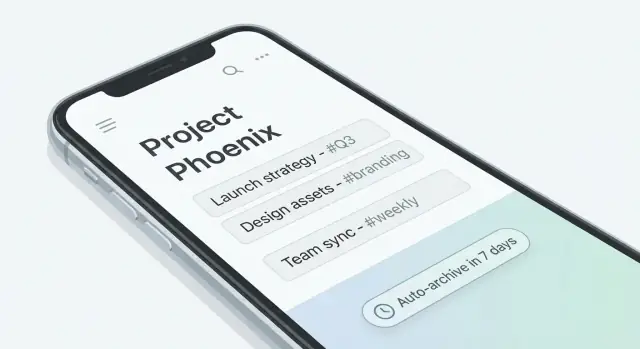
What “Temporary Project Notes” Means (and Why It Matters)
“Temporary project notes” are the kind of notes you write to keep work moving—then want gone once the project changes or ends. Think: a client call summary, a list of action items for this sprint, a quick Wi‑Fi password for a site visit, or a rough outline you’ll turn into a deliverable later.
Unlike a traditional mobile notes app that becomes a long-term knowledge base, temporary notes are intentionally short-lived. Their value is immediate: they reduce context switching and help you remember details while you’re in motion. Their risk is also immediate: if they accumulate forever, they become clutter, a search nightmare, and sometimes a privacy liability.
The real problem: speed without permanent mess
People often capture project details in chat threads, screenshots, or random docs because it’s fast. The downside is that those places are hard to organize and even harder to clean up.
A temporary notes app aims to make the “fast path” also the “clean path”: capture quickly, keep enough structure to retrieve later, and retire notes predictably.
Who needs this most
This pattern shows up across teams and roles:
- Freelancers and consultants juggling multiple clients, each with small but important details.
- Internal project teams tracking decisions, blockers, and handoffs that age quickly.
- Anyone on the go who needs to capture something in seconds and move on.
The core idea: capture fast, organize lightly, clean up automatically
A practical definition is: notes tied to a project, meant for near-term use, with built-in expiration or auto-archive. That implies lightweight organization (project assignment, minimal structure) and a deliberate end-of-life for content.
Success criteria
If this concept matters, it will show up in product requirements:
- Speed: open → type → save in a couple of taps.
- Low friction: minimal fields, optional tagging, sensible defaults.
- Easy cleanup: auto-archive or delete, with transparent rules.
- Trustworthy sync: notes appear where expected, without duplicates or surprises.
User Scenarios and Requirements to Capture Up Front
Before you sketch screens or pick a tech stack, get clear on how people will actually use temporary project notes. “Temporary” changes expectations: users want speed, low ceremony, and confidence that notes won’t linger forever.
Start with real situations (not features)
Collect a handful of everyday moments where someone reaches for the app:
- Quick meeting decisions (“We agreed to ship v1 without SSO.”)
- Action items (“Sam to draft the email by Thu.”)
- Links and references (ticket URLs, docs, Figma frames)
- Call notes (who said what, next step)
- Status updates (what’s blocked, what moved)
- Brain dumps (unstructured thoughts to sort later)
- Risks and open questions
- Snippets (copy/paste of error text, quote, or checklist)
For each scenario, identify what must be captured in under 10 seconds: usually text, a project, and (optionally) a due date, a checkbox, or a quick label.
Define “temporary”: lifespan and retention
Decide how expiration works early, because it affects the UI, data model, and trust:
- Manual: user archives/deletes whenever they want.
- Per-project: every note in a project expires after X days from last edit.
- Per-note expiry: user sets an expiry (e.g., 1 day, 1 week, custom date).
Also define what happens at the end of the lifespan. Common “done” outcomes are:
- Archive (hidden from default view, still searchable)
- Export (share to email/Docs/Markdown, then archive/delete)
- Permanent delete (with or without a short “undo” window)
Minimum day-one screens
Keep the first release focused. Most apps can launch with:
- Notes list (filtered by project, with search)
- Quick add (fast capture, default project)
- Note detail/edit (edit text, assign project, optional expiry)
- Projects (create/rename, set project-level expiry)
If you can’t explain these flows in one minute, you’re still gathering requirements.
Define Your MVP Feature Set
An MVP for temporary project notes should feel effortless: open the app, capture a thought, and know you can find it later—even if you only keep it for a short time. The goal is not to ship every notes feature ever; it’s to ship the smallest set that proves people will use it daily.
Must-have features (ship these first)
At minimum, your mobile notes app should support:
- Create a note in one or two taps (with a clean, distraction-free editor).
- Assign the note to a project at creation time (or immediately after). Project assignment is the backbone of “temporary project notes.”
- Quick edit from the list view (rename, add a line, move to another project) so updates don’t feel like work.
- Search across titles and body text. Fast note search is the difference between “useful” and “ignored.”
Add lightweight organization:
- Labels/tags (optional; freeform or from a short preset list).
- Basic filtering by project, label, and date (e.g., “this week”). Keep filters obvious and one level deep.
Optional-but-valuable: reminders and follow-ups
A simple follow-up flow can increase retention without adding much UI:
- “Remind me” on a note (time-based reminder only).
- A small “Due” section that surfaces notes needing attention.
If reminders feel heavy for v1, start with a “Pin for today” or “Add to follow-ups” toggle.
Nice-to-haves (park these for later)
Attachments, voice notes, templates, and sharing can be great—but they multiply screens, permissions, and edge cases. Treat them as experiments after you’ve validated the core capture-and-retrieve loop.
What you will not build in v1
To keep MVP app development on track, explicitly defer:
- Team collaboration, real-time editing, comments
- Complex formatting, Markdown editing, rich media
- Advanced automation (rules, AI summaries), deep integrations
- Multiple workspaces, granular roles/permissions
A tight MVP is easier to test, easier to explain, and easier to improve once real usage data arrives.
Information Architecture and Simple UX for Fast Note Capture
Temporary project notes live or die by how quickly someone can jot something down while they’re in motion. The goal is a UI that stays out of the way, with just enough structure to make notes retrievable later.
A simple, predictable navigation model
A clean hierarchy works best for most teams:
- Projects list → Notes list → Note details
Projects act as the “bucket” that gives notes context. Inside a project, the notes list should default to most recent first, with a sticky search field and quick filters (e.g., Expiring soon, Archived).
Quick capture should be one tap
Make “New note” the primary action on the Projects and Notes screens (floating button or bottom bar). Creating a note should feel instant:
- Open directly into the body field (keyboard up)
- Save automatically as the user types
- Keep creation lightweight: title optional, body first, labels second
If you support attachments later, don’t let them slow down the MVP flow. A fast text note is the baseline.
Lightweight structure that still supports retrieval
A good default is:
- Body (required)
- Title (optional; can be derived from the first line)
- Labels/tags (optional; quick chips)
- Expiry (optional)
Labels should be selectable from recent items to reduce typing. Don’t force categorization before the user can capture the thought.
Expiry control: visible, not annoying
Because these are temporary project notes, users need an expiry option they can trust. Put an Expiry row in the note details (e.g., “Expires: Never”) that opens a simple picker (1 day, 1 week, custom). Avoid pop-ups during capture; let users add expiry after the note is saved.
Empty states that guide the first minute
Plan for:
- First project: explain projects in one line and offer a single “Create project” action.
- First note: show where notes will appear and a “New note” button.
- No search results: suggest trying fewer words or searching labels, and offer “Clear search.”
Data Model and Offline-First Decisions
Your temporary-notes app will feel either effortless or frustrating based on two early choices: where data lives by default (on-device vs. in the cloud) and how you structure it (your data model). Get these right and features like expiration, search, and sync become much easier later.
Offline-first vs. cloud-first
Offline-first means the app works fully without a connection: create, edit, and search notes on the device, then sync when possible. This is usually best for on-site work, travel, spotty Wi‑Fi, or quick capture where delays are unacceptable.
Cloud-first means the app depends on the server as the “source of truth.” This can simplify multi-device access and admin controls, but it risks slower capture, more error states, and a worse experience when connectivity drops.
A practical middle ground is offline-first with sync: treat the device as the primary workspace and the cloud as backup + cross-device delivery.
A simple, flexible data model
Start with a model that matches how people think about project notes. A good MVP set:
- Project: container for notes (name, optional color/icon)
- Note: the core item (text, status, optional pin)
- Label/Tag: lightweight grouping across projects (e.g., “client,” “todo”)
- Reminder: optional alert tied to a note (time-based)
- Attachment (optional): only if your audience truly needs photos/files; attachments increase storage and sync complexity
For every Note (and often Project), store metadata that supports “temporary” behavior:
created_atandupdated_attimestampslast_edited_at(if you want to distinguish edits from metadata changes)expires_at(explicit expiry date/time)archived_atordeleted_at(for soft-delete and recovery windows)
This metadata powers expiration rules, sorting, conflict resolution, and audit-like history without making the UI complicated.
Plan for safe schema changes (migrations)
Your schema will change—new fields (like expires_at), new relationships (labels), or a new indexing approach for search.
Plan migrations early:
- Version your database and write migration steps that transform old data to the new format.
- Make migrations reversible when possible, or at least safe (no data loss).
- Test upgrades from older app versions with real-looking data, not empty databases.
Even in an MVP, this prevents the painful choice between breaking old installs or shipping without improvements.
Tech Stack Options for iOS and Android
Choosing a tech stack for temporary project notes is mostly about speed of delivery, offline reliability, and long-term maintenance. You can build a great mobile notes app with either native or cross-platform tools—what changes is how quickly you can ship v1 and how much platform-specific polish you need.
Native: Swift (iOS) + Kotlin (Android)
Native apps usually feel the most “at home” on each platform, and you’ll have first-class access to features like system search, secure storage APIs, background tasks, and widgets.
The trade-off is two separate codebases. If your note capture UX needs deep integration (share sheet, quick actions, lock screen widgets), native can reduce friction and surprises.
Cross-platform: Flutter or React Native
Cross-platform is attractive for MVP app development: one UI codebase, faster iteration, and easier consistency across iOS and Android.
Flutter tends to provide a very consistent UI and performance; React Native benefits from the broader JavaScript ecosystem. The risk is that some platform-specific features (background syncing behavior, OS-level search integration) can take extra effort or require native modules.
A faster path to validate the product
If your main risk is product fit (not engineering feasibility), a vibe-coding platform like Koder.ai can help you validate the flows quickly before committing to months of custom build work. You can describe the core screens (Projects, Notes list, Quick add, Archive) and key behaviors (offline-first, expiry rules) in chat, iterate on UX faster, and then export source code when you’re ready to take over development.
Koder.ai is especially useful when you want to move from requirements → working prototype with a modern stack (React on web, Go + PostgreSQL on the backend, Flutter for mobile), while keeping options open for deployment, hosting, custom domains, and snapshots/rollback.
Local storage and encryption options
Temporary notes should work without a network connection, so plan local storage early:
- SQLite: mature, fast, great for structured data and filtering (labels, timestamps, expiration).
- Realm: developer-friendly and quick to prototype, with solid offline support.
- Platform storage + encryption: useful for small datasets, but you may outgrow it once you add search, labeling, or expiration rules.
If “secure notes” is part of your promise, prefer encryption at rest (database-level or file-level) and store keys in iOS Keychain / Android Keystore.
Search and sync: start simple
For v1, implement basic text search (title/body) and add improvements later (tokenization, ranking, highlighting) once you see real usage.
Sync can also be staged:
- Device-only in v1: simplest; fewer privacy and conflict issues.
- Account-based sync: valuable for multi-device use, but you’ll need conflict handling and a backend plan.
Keep dependencies minimal
Notes apps live and die by reliability. Fewer third-party libraries means fewer breaking changes, smaller app size, and easier security reviews—especially important when you’re handling temporary project notes with retention rules.
Privacy, Security, and Data Retention Rules
Temporary project notes often contain sensitive scraps: client names, meeting takeaways, access instructions, or half-finished ideas. If you want users to trust a mobile notes app, privacy and retention can’t be “later” features—they shape what you build from day one.
Say what you store (and why) in plain language
Use onboarding to explain data handling without legal jargon:
- What the app stores (note text, attachments, timestamps, project assignment)
- Why it stores it (search, sorting, sync across devices)
- Where it’s stored (on-device by default, optional cloud sync)
Link to a short policy page such as /privacy, but keep the in-app explanation self-contained.
Secure storage basics on the device
Start with protections users already expect:
- Rely on device encryption (iOS/Android encryption at rest)
- Store app data in protected app storage (not public folders)
- Offer an app lock (PIN) and optional biometric unlock (Face ID/Touch ID)
Also plan for “quick-hide” behaviors: when the app goes to the background, blur the app switcher preview so note contents aren’t visible.
Sync safety: protect accounts and avoid embedded secrets
If you support sync, treat it like a private messaging feature:
- Use authenticated APIs (per-user tokens, short-lived sessions)
- Use TLS for all network traffic
- Never ship API keys, admin tokens, or database credentials inside the app
Retention rules that match “temporary”
Be explicit about deletion:
- What expires (e.g., notes in a project after X days)
- When cleanup runs (daily, on next app open, or both)
- How users can override it (pin a note, extend expiration, disable auto-delete per project)
Export before deletion
Before anything is permanently removed, provide export controls: copy text, share, or export to a file. Consider a short “grace period” trash folder so accidental loss is recoverable.
Auto-Archive, Expiration, and Cleanup Workflows
Temporary notes only stay “temporary” if your app has clear, predictable cleanup rules. The goal is to reduce clutter without surprising users or deleting something they still need.
Define expiration behavior (and make it visible)
Start by deciding how expiration is set: a default (for example, 7 days) plus per-note overrides, or a required expiry on every note.
Before a note expires, warn the user in a way that fits the urgency:
- A subtle in-app badge (e.g., “Expires in 24h”)
- A push notification (optional)
- A “Review soon” queue for notes nearing expiration
When the warning appears, offer quick actions: Snooze (e.g., +1 day, +1 week) or Extend (custom date). Keep the action count small so it stays fast.
Auto-archive vs. auto-delete (don’t blur them)
Auto-archive means the note is removed from the main workspace but still recoverable. Auto-delete means it’s gone (ideally after a short grace period).
Make the difference explicit in copy and settings. A good default is:
- On expiry: Move to Archive
- After a grace period (e.g., 30 days in Archive): Delete
Build a simple Archive with bulk actions
The Archive should be boring and efficient: a list with search, filters (by project/label), and two bulk actions: Restore and Delete. Users should also be able to select all notes from a project and clear them in one go.
Retention settings for legal or organizational needs
Some teams need longer retention; others require deletion. Provide user-controlled (or admin-controlled) retention options such as “Never delete automatically,” “Archive after X days,” and “Delete after Y days.” If your app supports organizations, consider locking these via policy.
Analytics that respect privacy
Track workflow health without touching note content: counts of created notes, snoozes, restores, archive searches, and manual deletions. Avoid logging titles or bodies; focus on feature usage so you can iterate safely.
Sync, Conflicts, and Performance Considerations
Temporary project notes feel “lightweight,” but the moment you support multiple devices, you’re running a distributed system. The goal is simple: notes should appear quickly, stay consistent, and never block capture.
Sync conflict strategy
Conflicts happen when the same note is edited on two devices before either can sync.
Last-write-wins (LWW) is the easiest approach: whichever edit has the newest timestamp overwrites the other. It’s fast to implement, but can silently discard changes.
Field-level merge reduces data loss by merging non-overlapping edits (for example, title vs. body vs. labels). It’s more complex and still needs a rule when the same field changes in two places.
A practical middle ground for an MVP: LWW plus a lightweight “conflict copy” when both edits touched the body. Keep the newest as primary and save the other as “Recovered text,” so nothing disappears.
Background sync rules
Sync should never interrupt writing. Treat local storage as the source of truth and push updates opportunistically:
- Sync on app open, app resume, and after a short idle period (e.g., 3–10 seconds after typing stops).
- Maintain an offline queue of changes; retry with exponential backoff when the network fails.
- If note expiration is supported, sync deletions/archives as first-class events so all devices converge.
Multi-device expectations
Users expect the same projects, labels, and expiration rules on every device. That means IDs must be stable across devices, and “now” must be interpreted consistently (store an absolute expiry timestamp rather than “expire in 7 days”).
Performance targets
Make speed a feature:
- Cold launch to usable screen in ~1–2 seconds.
- Note list scrolling should feel instant; paginate and cache.
- Search should return results quickly (often by indexing locally).
Backup expectations
When a device is lost, users typically expect their synced notes to reappear after signing in on a new phone. Be explicit: if a note never synced before the device was lost (because it stayed offline), it can’t be recovered. A clear “Last synced” indicator helps set expectations.
Testing Checklist for Notes Apps (Including Edge Cases)
Temporary project notes apps feel “simple” until you test real usage: spotty connectivity, fast capture, expiration timers, and people switching devices. A good checklist keeps you from shipping a notes app that loses trust the first time something unexpected happens.
Core flows to verify (happy paths)
Test these end-to-end on both iOS and Android, with fresh installs and with existing data:
- Create and edit: new note, quick-save, long notes, multi-line, undo/redo behavior (if supported).
- Search: keyword search, empty results, partial matches, recent searches.
- Projects and labels: assign/unassign a project, change a note’s project, add/remove labels, rename a label, filter by project/label.
- Expiration lifecycle: set default retention, override per note, verify countdown/expiry triggers.
- Restore and delete: restore from archive, permanent delete confirmation, bulk actions.
Edge cases that break “temporary” rules
Expiration and auto-archive features are sensitive to time and device state:
- Timezone changes: create a note in one timezone, travel, confirm the expiry moment stays correct.
- Device clock changes: user sets the clock forward/back; ensure you don’t accidentally expire everything or keep notes forever.
- Offline for days: create/edit notes offline, let some “expire” while offline, then reconnect—confirm the app reconciles state predictably.
- Background limits: expiration jobs should still behave when the app is force-quit or backgrounded.
Accessibility and usability basics
- Dynamic font scaling (no clipped buttons, no hidden timestamps).
- Color contrast for labels, archived states, and warning banners.
- Screen reader labels for: new note, label picker, retention/expiration settings, archive/restore.
Crash resilience and error handling
- Clear messages for sync failures, storage full, or permission issues.
- Safe retry actions (no duplicate notes, no lost edits).
- Recovery after a crash mid-edit: verify autosave and draft restoration.
Beta readiness checks
Before a wider release, confirm onboarding is understandable and that retention/expiration settings are readable and hard to misconfigure (especially defaults).
Launch, Metrics, and Iteration Plan
A temporary-notes app lives or dies on how quickly people can capture and later find (or safely forget) information. Treat launch as a learning loop: ship a small, usable core, measure real behavior, then tune speed, organization, and expiry rules.
Soft launch: keep the audience small and specific
Start with a limited release to one or two groups that resemble your target users (e.g., contractors juggling multiple client sites, students managing short-term research, or a product team running sprints). Give them a simple onboarding path and a way to report friction the moment it happens.
Focus early feedback on:
- Where capture feels slow (too many taps, wrong default project, keyboard issues)
- Moments of uncertainty (“Did this note save?” “When will it expire?”)
- Search and filtering pain (“I can’t find the thing I just wrote”)
Measure what matters (and only what you can act on)
Pick a handful of metrics that map directly to usability:
- Time-to-first-note: from install/open to saving the first note
- Notes per project: are users actually organizing by project assignment?
- Search usage and success: searches per day and whether users tap a result soon after
- Archive/expiry outcomes: how many notes expire, get restored, or are manually archived
If you’re collecting analytics, keep it privacy-conscious and aggregated. Avoid logging raw note content.
Iterate: optimize for faster capture and safer cleanup
Use feedback to prioritize improvements that reduce friction:
- Faster capture (better defaults, fewer screens, quick actions)
- Better filters (project, date, status: active/archived/expired)
- Smarter expiry (clear previews, “snooze,” and easy restore)
Roadmap: earn the right to add power features
Once the MVP is stable, consider reminders, attachments, lightweight collaboration, and integrations (calendar, task managers). For planning help or implementation support, see /pricing or browse related build guides on /blog.
FAQ
What are “temporary project notes,” and how are they different from regular notes?
Temporary project notes are short-lived notes tied to a project and meant for near-term use—like call summaries, sprint action items, site passwords, or rough outlines. The key difference is intent: they’re designed to be captured fast and then archived or deleted predictably so they don’t become permanent clutter.
Why do people need a dedicated app for temporary notes instead of using chat or a normal notes app?
Because speed usually wins in the moment: people dump details into chat threads, screenshots, or random docs. That creates long-term mess—hard to search, harder to clean up, and sometimes risky for privacy. A temporary notes app makes the fast path (capture) also the clean path (expiration/archive).
How should I define “temporary” in the product—expiry, archive, or delete?
Start by choosing a clear lifespan model:
- Manual: users archive/delete whenever they want.
- Per-project: notes expire after X days since last edit.
- Per-note: users set an expiry like 1 day, 1 week, or a custom date.
Then define what happens at the end (archive, export, delete) and make the rule visible so users trust it.
What’s the minimum set of screens a v1 needs?
A strong v1 can ship with four flows:
- Notes list (per project, recent-first, search)
- Quick add (fast capture with sensible defaults)
- Note detail/edit (project tag, optional expiry)
- Projects (create/rename, project-level expiry)
If you can’t explain these in a minute, narrow scope until you can.
What features are must-haves for an MVP of a temporary project notes app?
Focus on the core capture-and-retrieve loop:
- Create a note in 1–2 taps (autosave)
- Assign to a project (at creation or immediately after)
- Fast edit from the list
- Search across title/body
Optional early add-ons that don’t bloat UX: lightweight tags, simple filters (project/tag/date), and a basic “pin for today” instead of a full reminder system.
What UX patterns make temporary note capture genuinely fast?
Use a predictable hierarchy: Projects → Notes → Note details. For capture speed:
- Open directly into the body field (keyboard up)
- Keep title optional (derive from first line)
- Make tagging/expiry optional and post-save
This preserves “under 10 seconds” capture while still supporting retrieval later.
What data model fields do I need to support expiration, archive, and sync?
A simple MVP model often includes:
- Project (container)
- Note (text + status/pin)
- Tag (lightweight labels)
- Reminder (optional time alert)
Store metadata to power expiration and sync:
created_at,updated_atexpires_atarchived_at/deleted_at
That metadata enables cleanup rules, sorting, and safer conflict handling without adding UI complexity.
Should the app be offline-first or cloud-first?
Offline-first is usually best for quick capture and unreliable connectivity: the app can create/edit/search locally, then sync later. A practical approach is offline-first with sync:
- Device is the primary workspace
- Cloud provides backup and cross-device delivery
This avoids blocking capture while still supporting multi-device expectations.
Should I build this natively or with Flutter/React Native?
Native (Swift/Kotlin) is ideal when you need deep OS integration (system search, widgets, background tasks) and maximum platform polish—but it’s two codebases. Cross-platform (Flutter/React Native) can ship v1 faster with one UI codebase, but some platform-specific features may require extra native work.
Choose based on what matters most in v1:
- If capture speed + OS integration is critical, lean native.
- If time-to-market matters most, lean cross-platform.
How do I handle sync conflicts without losing notes?
Pick a simple, explicit conflict strategy:
- Last-write-wins (LWW) is fastest but can overwrite changes.
- A practical MVP compromise: LWW plus a “conflict copy” when both edits changed the body (save the overwritten text as recovered).
Also ensure sync never interrupts writing:
- Save locally first
- Sync on resume and after short idle
- Queue offline changes with retries
- Sync archive/delete events so devices converge