

How to Create a Mobile App to Track Learning Progress
A step-by-step guide to plan, design, and build a mobile app that tracks learning goals, lessons, and progress—features, UX tips, data, and launch checklist.
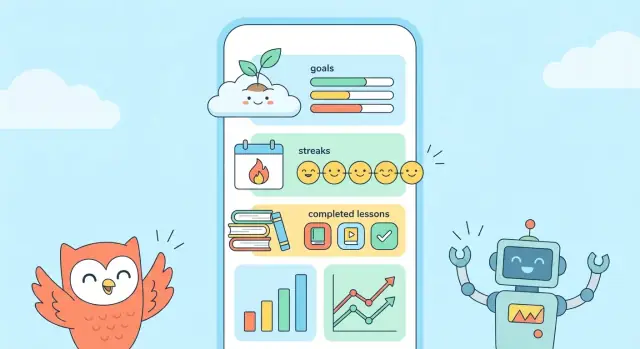
What a Learning Progress App Should Do
A learning progress app helps someone answer two simple questions: “Am I getting better?” and “What should I do next?” To answer those well, your app needs (1) a clear definition of “progress” and (2) a way to make that progress obvious at a glance.
What “learning progress” can mean
Progress isn’t only finishing lessons. Depending on the subject and the learner, it can include:
- Goals: “Finish 10 chapters,” “Reach B1 Spanish,” or “Pass the exam in 6 weeks.”
- Practice time: minutes studied, sessions completed, or consistency across days.
- Mastery: quiz scores, spaced-repetition accuracy, skill levels, or “can do” checklists.
- Course completion: modules finished, assignments submitted, certificates earned.
The best apps pick one or two primary signals and treat everything else as supporting context. If everything is “progress,” nothing is.
Who is it for?
A learning progress app feels very different depending on the main user:
- Students / self-learners: want quick logging, streaks, and “next step” suggestions.
- Parents: want reassurance, summaries, and gentle visibility (not micromanagement).
- Teachers / tutors: want class views, evidence of practice, and simple reporting.
Trying to serve all of them from day one usually makes the app confusing. Choose one primary user and design around their daily routine.
Start simple, then improve
Set expectations early: your first version should track a small set of behaviors reliably (for example: goal + daily practice + a weekly check-in). Once you see real usage, you can add richer learning analytics and more advanced views.
Outcomes you’re building for
A good learning progress app should lead to:
- Better motivation (small wins, visible momentum)
- Clear visibility (what’s done, what’s stuck, what matters)
- More consistent study habits (reminders, streaks, and planned sessions that feel achievable)
Define Your Target User and the Core Use Case
A learning progress app can serve many audiences—students, parents, teachers, self-learners, tutors—but trying to satisfy all of them in v1 usually creates a cluttered product. Start by choosing one primary user group and one main use case that you can deliver exceptionally well.
Pick a primary user group (be specific)
Instead of “students,” pick something like: “busy college students who study independently and want proof they’re improving.” Or: “language learners preparing for an exam in 8–12 weeks.” The tighter the group, the easier it is to make decisions about onboarding, features, and messaging.
Choose one core use case
Define the single job your learning progress app must do. Examples:
- Track daily study sessions and show weekly progress
- Track goals (e.g., chapters, lessons, practice tests) and completion
- Track skill practice (e.g., flashcards, exercises) and consistency
Write a one-sentence promise: “This app helps [user] achieve [outcome] by [tracking method].”
Write 3–5 user stories
Keep them concrete and measurable:
- “I want to log a study session in under 10 seconds.”
- “I want to see my weekly progress at a glance.”
- “I want to set a goal for the next 7 days and know if I’m on track.”
- “I want reminders that match my schedule, not random notifications.”
- “I want to review what I studied last week before planning the next.”
Define success metrics (before building)
Pick a few signals that show real value:
- Retention (e.g., % of users returning in week 2)
- Weekly active users (WAU)
- Goals completed per user (or sessions logged per week)
Decide what you will not build in version 1
List “not now” items to protect your mobile app MVP: social feeds, complex gamification, teacher dashboards, multi-device syncing, or advanced learning analytics. You can revisit these after you validate the core loop:
log → see progress → feel motivated → return.
Choose a Simple Progress Model (What You Track and Why)
A learning progress app feels “smart” when its tracking model is simple, predictable, and hard to misinterpret. Before you design charts or streaks, decide what the unit of learning is and how a learner moves through it. This is the foundation for trustworthy student progress tracking and useful learning analytics.
1) Pick one primary learning unit
Choose the unit that best matches the real behavior you’re supporting:
- Lesson (best for structured courses)
- Quiz (best for measurable outcomes)
- Flashcard set (best for spaced repetition)
- Video (best when completion matters)
- Study session (best for self-directed learning)
For a mobile app MVP, pick one primary unit and optionally map others to it later. For example, a “study session” can be the umbrella that contains videos watched and quizzes taken.
2) Define clear progress states
Keep states few and unambiguous. A common set is:
- Not started
- In progress
- Completed
- Mastered
“Mastered” should mean something specific (not just “done”). If you can’t define it yet, leave it out until your education app development has real data.
3) Decide what counts as evidence
Evidence should match your learning unit:
- Time spent (good for sessions, weak for mastery)
- Quiz score (strong signal for knowledge checks)
- Repetition count (great for flashcards)
Be careful mixing signals. If “completed” sometimes means “watched 90% of a video” and other times means “scored 80% on a quiz,” your goal tracking app reports will feel inconsistent.
4) Keep it consistent so reporting stays credible
Once you define rules, apply them everywhere: onboarding, progress bars, streak logic, and exports. Consistency is what makes a learning progress app feel fair—and what keeps your charts believable over time.
Key Features to Include in an MVP
An MVP for a learning progress app should prove one thing: people can set a goal, log learning, and see progress in a way that makes them want to return tomorrow. Everything else can wait.
1) Simple goal setting + gentle reminders
Start with daily and weekly targets that are easy to understand: “20 minutes/day,” “3 sessions/week,” or “Finish 2 lessons.” Let users pick one primary goal during onboarding and adjust it later.
Reminders should be opt-in and specific (“Ready for a 10‑minute review?”). Avoid spammy frequency. A good MVP includes: reminder time selection, a snooze option, and the ability to pause reminders during busy weeks.
2) Logging: manual first, with smart shortcuts
Manual logging is enough for version one—as long as it’s fast.
Support a single-tap “Log session” with fields like duration, topic, and activity type (reading, practice, class). Add shortcuts such as “Repeat last session” and recent topics to reduce typing.
Automatic tracking (from calendars, video platforms, or LMS tools) can be a later upgrade. It’s harder to build, harder to trust, and often creates messy data early on.
3) Progress dashboard that’s instantly readable
The dashboard is your retention engine. Keep it focused:
- Streaks for consistency (days learned)
- A simple chart (minutes or sessions per week)
- Milestones (e.g., “10 sessions completed,” “5 hours this month”)
Use clear labels and avoid overly detailed analytics in the MVP.
4) Lightweight assessments (optional, but powerful)
Add quick check-ins that take under a minute: a 3-question quiz, a confidence rating, or “Can you explain this without notes?” This gives users a sense of mastery—not just activity.
5) Notes and reflections
A short “What did you learn?” note box helps users remember and improve. Include prompts like “What worked?” and “What to try next time.” Keep it private by default and easy to skip.
UX and UI: Make Progress Visible and Motivating
A learning progress app succeeds or fails on one thing: can a user tell what to do next, and do they feel rewarded when they do it?
Onboarding that gets to value fast
Keep onboarding short and practical. In a couple of screens, let people:
- Set a goal (e.g., “Finish Algebra basics in 4 weeks”)
- Pick subjects (Math, Spanish, Coding)
- Choose reminder times (weekday evenings, weekends)
Use plain language and defaults that work. If someone skips, don’t punish them—offer “Set this later” and start with a simple, editable plan.
A dashboard that prioritizes the next action
Design the home screen like a to-do list, not a report. Put the next recommended action at the top (the next lesson, a 10‑minute review, or today’s session).
Stats should be secondary and supportive: a small weekly summary, streak status, and goal progress. This reduces decision fatigue and keeps the app feeling light.
Make progress instantly understandable
Progress should answer: “How far am I?” and “What changed since last time?” Use clear labels (“Lessons completed,” “Minutes this week,” “Goal: 3 sessions/week”) and simple charts.
A good rule: prefer one clean bar chart over three confusing widgets. If you show percentages, also show the raw number (e.g., “6/10 lessons”).
Accessibility basics that help everyone
Readable text sizes, strong contrast, and generous tap targets (especially for the primary action button) are not optional. They also reduce mis-taps when users log sessions quickly.
Reduce friction in daily logging
Logging a session should take seconds: one tap to start, one tap to finish, optional notes. If users need multiple screens to record progress, they’ll stop using it.
Consider offering quick actions on the dashboard (e.g., “Log 15 min,” “Mark lesson complete”) so progress always feels close and achievable.
Pick Your App Approach and Tech Stack (Without Overthinking)
Your tech stack should support the first version of your learning progress app—not your dream roadmap. The goal is to ship an MVP that tracks progress reliably, feels fast, and is easy to iterate on.
Choose the app type: native, cross-platform, or web
Native apps (iOS with Swift, Android with Kotlin) usually feel the smoothest and integrate best with platform features (notifications, widgets, offline storage). The tradeoff is cost: you’re effectively building two apps if you want both platforms.
Cross-platform apps (Flutter or React Native) let you build one codebase for iOS and Android. For most progress-tracking features—lists, charts, reminders—performance is excellent, and development is typically faster than two separate native apps. You may hit edge cases with advanced platform-specific UI or newer OS features.
Web apps (responsive web / PWA) are the quickest to launch and easiest to update. They’re great for validating the idea, but they can feel less “app-like,” and background reminders, offline use, and deep OS integration are more limited depending on the device.
Time, cost, and performance in plain terms
- Fastest to ship: Web app or cross-platform.
- Best “it just feels right” experience: Native.
- Lowest ongoing complexity: One platform first (even native) or cross-platform.
If your budget is tight, a practical approach is: pick one platform (often iOS or Android based on your audience), ship the MVP, then expand once retention proves the app is valuable.
A typical, sensible stack for an MVP
- App: Swift (iOS), Kotlin (Android), Flutter, or React Native.
- Backend (optional at first): Node.js/Express, Django, or Firebase/Supabase if you want to move quickly.
- Database: Postgres (common with Supabase), Firestore, or SQLite locally for offline-first tracking.
- Analytics: Firebase Analytics, Amplitude, or PostHog to learn what features actually drive consistent usage.
Keep your first stack boring and well-supported. You’ll improve the product faster by simplifying decisions now than by chasing “perfect” technology up front.
A practical “ship faster” option: vibe-coding the MVP
If your main goal is to validate the core loop quickly, a vibe-coding platform like Koder.ai can help you go from specs to a working product via chat—useful for rapid iterations on onboarding, logging flows, dashboards, and reminder settings.
Koder.ai supports building web apps (React) and backends (Go + PostgreSQL), and it can also generate Flutter mobile apps. It’s a straightforward way to prototype, test with users, and export source code when you’re ready to take the project into a more traditional pipeline.
Accounts, Profiles, and Personalization
Accounts are not a requirement on day one—but they can unlock the parts of a learning progress app that users care about most: syncing across devices, saving history, and getting a personalized plan.
Start fast: guest mode first, account later
Consider letting users begin as guests so they can log their first learning session within seconds. This reduces drop-off during onboarding and proves the app’s value early.
Once they have something worth saving (a goal, a streak, a week of progress), prompt them to create an account to:
- back up data
- sync across phone/tablet
- keep progress if they reinstall
A simple “Save my progress” moment works better than a forced sign-up screen.
Choose sign-in options based on your audience
For an MVP, pick 1–2 sign-in methods that match your users:
- Apple Sign in: a strong default for iOS-heavy audiences and privacy-focused users
- Google Sign in: common for students and education workflows
- Email sign-in: universal, but adds friction (verification, password resets)
It’s better to support fewer options reliably than to offer every method and struggle with edge cases.
Keep profiles minimal (and mostly optional)
A profile should only ask for information that directly improves the experience. Good “minimal-but-useful” fields include:
- Display name (optional)
- Time zone (auto-detect; helps reminders)
- Learning goal (e.g., “Spanish vocabulary”) and weekly target
- Preferred reminder window (morning/evening)
Avoid collecting age, school, or detailed demographics unless you truly need them for the core use case.
Roles: only if you need them
If your app is designed for family or classroom use, roles can be helpful:
- Learner: tracks their own goals and sessions
- Parent: views progress, adds encouragement, manages a child account
- Teacher: monitors groups/classes and assigns learning activities
If roles aren’t central to your MVP, skip them. You can still design your data model so roles can be added later without rewriting everything.
Personalization that feels helpful (not creepy)
Personalization should improve motivation and clarity: suggested weekly targets, a default goal template, or a “continue where you left off” view. Keep it transparent—users should understand why the app is recommending something and be able to change it easily.
Data Design: Activities, Goals, and Progress Over Time
A learning progress app lives or dies by how well it remembers what the learner did—and how confidently it can turn that history into a clear “you’re improving” story. Good data design doesn’t have to be complex, but it does need to be consistent.
Core data objects (keep them boring and clear)
Start with a small set of objects you can build on:
- User: identity + preferences (name, role, time zone, notification settings).
- Goal: what the learner is working toward (e.g., “Finish A2 Spanish,” “Study 20 minutes/day”).
- Activity: a single logged event (study session, completed exercise, watched lesson).
- Lesson: the content unit being learned (optional in an MVP if you don’t own content).
- Assessment: quizzes, tests, check-ins (score, rubric, pass/fail).
- Achievement: milestones and badges (streaks, “10 lessons completed,” personal best).
Design Activity to be flexible: it should work for “I studied for 12 minutes” and also “I finished Lesson 3.”
Rules that prevent messy progress later
Progress data gets confusing fast unless you define rules early:
- Timestamps + time zones: store timestamps in UTC, but display and group by the user’s local day.
- Duplicates: decide what “same activity” means (same user, same lesson, similar time window) and how you merge or ignore repeats.
- Edits/deletions: let users correct mistakes, but keep a simple audit trail (e.g., updated_at, deleted_at) so charts don’t “jump” unexpectedly.
Offline use: plan the “no connection” moment
Assume learners will log progress on a subway or in a classroom with poor Wi‑Fi.
Cache the essentials locally (recent goals, today’s activities). Queue new activities offline, mark them as “pending sync,” and resolve conflicts with a clear rule (often “latest edit wins,” with a warning if two edits collide).
Exports and backups (trust builder)
If progress matters, users will ask: “What if I switch phones?” Offer at least one:
- Account-based sync
- Manual export (CSV/JSON) for activities and assessments
- Simple backup/restore
Even a basic export makes your app feel more trustworthy—and reduces support headaches later.
Notifications, Reminders, and Streaks Done Right
Notifications can either feel like a helpful coach or an annoying alarm. The difference is simple: make every alert clearly connected to something the user said they care about (a goal, a schedule, or a deadline), and give them control.
Make reminders specific and goal-based
Instead of “Time to study!”, tie nudges to what the user is tracking:
- “You planned 20 minutes of Spanish today. Want to start now?”
- “You’re 1 session away from your weekly goal.”
- “You missed yesterday—do you want to reschedule today’s session?”
A good rule: if you can’t explain why the app is sending the notification in one sentence, don’t send it.
Give users control (frequency, quiet hours, channels)
Let people decide how the app communicates. In onboarding (and anytime in settings), offer:
- Frequency (daily, weekdays only, custom days, or “only when I’m behind”)
- Quiet hours (e.g., no notifications after 9pm)
- Channels (push, email, in-app only)
This keeps reminders supportive for students with different routines—early birds, night learners, or parents squeezing learning into small windows.
Avoid spam by reacting to behavior
Smart notifications feel personal because they respond to recent activity. Examples:
- If the user logged progress today, don’t send a generic reminder tonight.
- If they’ve been inactive for a week, switch from daily pings to a single “restart” prompt with an easy action.
- If they’re consistently hitting goals, celebrate milestones occasionally rather than constantly.
Milestone celebrations work best when they’re meaningful (“10 sessions completed” or “5-day streak”) and not too frequent.
Build “snooze” and “skip today” into the experience
People drop apps when they feel judged for missing a day. Add gentle escape hatches:
- Snooze (e.g., “Remind me in 1 hour” or “Tomorrow morning”)
- Skip today (with an optional reason like “busy,” “sick,” “travel”)
This keeps streaks motivating without being brittle. Consider a “streak freeze” or “make-up session” concept so one missed day doesn’t erase progress—especially important for long-term learning goals.
If you want to go deeper on user control, connect these settings to your onboarding flow in the next section (see /blog/app-onboarding-basics).
Privacy, Security, and Trust
A learning progress app can feel personal: it reflects someone’s goals, routines, and sometimes their struggles. Trust is a feature, and it starts with being clear about what you collect, why you collect it, and how users can control it.
What data to collect (and why)
Keep your data model understandable in plain language. For an MVP, you usually only need:
- Progress entries (e.g., “20 minutes of Spanish,” “Lesson 3 completed”) so the app can show trends and milestones.
- Goals and schedules (e.g., “study 4 days/week”) to calculate progress and send reminders.
- App settings (time zone, notification preferences) to make reminders and charts accurate.
If you want analytics, prefer aggregated events like “completed a session” rather than storing detailed notes.
Minimize sensitive data
Avoid collecting anything you don’t need to deliver the core experience. In most cases, you can skip real names, birthdays, school names, precise location, contacts, and free-form “journal” text (which often turns into sensitive data). If you don’t store it, you can’t leak it.
Basic security steps that matter
- Encrypt data in transit (HTTPS/TLS) and encrypt sensitive data at rest.
- Use secure sign-in (OAuth/Apple/Google or email magic links). If you use passwords, store them with strong hashing (bcrypt/Argon2) and never log them.
- Protect sessions with short-lived tokens, rate limits, and lockout rules for repeated login attempts.
Privacy controls and consent
Add a simple Privacy screen in settings: what you collect, what you share (ideally nothing by default), and toggles for analytics and reminders. If you’re working with minors or schools, plan for explicit consent and age-appropriate flows.
Deletion and account removal
Make “Delete my data” easy to find. Include both delete account and export data options, explain what’s removed, and how long deletion takes. A clear removal flow prevents support headaches and builds credibility.
Analytics and Feedback to Improve the App
Analytics isn’t about spying on users—it’s about learning whether your app is actually helping people keep momentum. The trick is to measure a few meaningful signals, then use lightweight feedback loops to understand the “why” behind the numbers.
Define what to measure (and what “success” means)
Start with metrics that connect directly to learning progress and habit formation:
- Onboarding completion: Do people finish setup (choose a goal, pick a schedule, log the first session)? If not, your app may be too demanding too early.
- Weekly progress logs: How many users log at least one learning session per week? This tells you whether tracking fits into real life.
- Retention: Check Day 1, Day 7, and Day 30 retention. A learning progress app usually needs repeat use—if people don’t come back, “progress” never becomes visible.
Avoid vanity metrics (like downloads) as your main KPI. For a learning progress app, the most useful early measure is: “Did they log learning this week?”
Plan event tracking (keep it simple)
You don’t need hundreds of events. A small, consistent event set gives you clarity without noise. Good starter events include:
- Goal created (type, frequency target)
- Session logged (duration, topic, optional mood/effort)
- Lesson completed (if you include structured lessons)
- Reminder enabled/disabled (so you can see if notifications help or annoy)
- Streak achieved/broken (paired with whether they return the next day)
Add basic properties that help you interpret behavior (e.g., goal category, beginner/intermediate, manual vs. timer-based session logging). Keep all tracking aligned with your privacy approach (see the privacy section), and prefer aggregated insights.
Use feedback loops that don’t interrupt learning
Numbers tell you what happened; feedback tells you why. Two reliable options:
- Short in-app surveys: After a few sessions (not on day one), ask one question at a time: “What’s the main thing you’re trying to improve?” or “What stopped you from logging this week?”
- Issue reporting: A simple “Report a problem / Suggest an idea” link inside Settings helps you catch confusing screens and missing features fast.
Keep surveys optional and infrequent. The goal is to collect patterns, not paragraphs.
Run small usability tests before building more features
Before you invest in bigger functionality, run quick tests with 5–8 people from your target audience. Give them tasks like: create a goal, log a session, find last week’s progress, and change reminders. Watch where they hesitate.
Usability tests often reveal high-impact fixes—like unclear labels or a hidden progress screen—that improve retention more than adding new features. Use what you learn to refine onboarding and the progress view first, then expand.
Launch Plan, Testing, and What to Build Next
Launching a learning progress app isn’t a single moment—it’s a small, practical sequence: prepare, test, release, then learn from real use. If you keep the first launch lightweight, you’ll improve faster (and avoid building features nobody wants).
Pre-launch checklist (one afternoon, not one month)
Before you hit “Submit,” make sure you have the basics ready:
- App store assets: app name, short description, keywords, and a clear value statement (“Track lessons, streaks, and goals”).
- Screenshots: show the core flow—onboarding, adding a goal, logging progress, viewing a weekly chart.
- Support pages: a simple FAQ and contact method. Even a small site with /blog and a support page builds confidence.
- Privacy notes: a plain-language summary of what you collect and why (especially important for student progress tracking).
Beta test with a small group
Run a beta with 10–30 people who match your target users. Give them one mission (“Set a goal and log progress for 3 days”), then watch for blockers:
- Confusing onboarding
- Progress not updating as expected
- Notifications that feel annoying or unclear
Fix the biggest friction first, even if it means delaying new features.
Build the next roadmap from usage
After launch, use real behavior to decide what’s next: where users drop off, which goal types stick, and whether habit streaks actually motivate. Keep a short roadmap (3–5 items) and revisit it monthly.
If you’re iterating quickly, tools that support rapid rebuilds and rollback can help. For example, Koder.ai includes snapshots and rollback (useful when a new logging flow hurts retention), plus deployment/hosting and source code export when you’re ready to scale beyond an MVP.
Pricing: later, with evidence
Start with a free MVP to validate the core. Once you see consistent retention, add optional upgrades (advanced learning analytics, extra goal templates, export). If you have a pricing page, keep it simple and transparent: /pricing.
FAQ
What does “learning progress” actually mean in a learning progress app?
Define it in terms of signals your app can measure consistently. Common options are:
- Goals (e.g., “Finish 10 lessons”)
- Practice (minutes/sessions, consistency)
- Mastery (quiz scores, spaced-repetition accuracy)
Pick one primary signal for the MVP and treat the rest as supporting context so users don’t feel like progress is “random.”
Who should a learning progress app be built for first?
Start with one primary user because students, parents, and teachers want different things.
- Students/self-learners: fast logging + “what next”
- Parents: reassurance + summaries
- Teachers/tutors: evidence + reporting
Choosing one audience makes onboarding, dashboards, and reminders dramatically simpler to design and test.
What’s a good “core use case” for an MVP learning progress app?
A strong core use case is a single job the app does exceptionally well, such as:
- Track daily study sessions and show a weekly summary
- Track goal completion (lessons/chapters)
- Track skill practice (flashcards/quizzes) and consistency
Write a one-sentence promise: “This app helps [user] achieve [outcome] by [tracking method].”
What should the app track first: lessons, time, quizzes, or sessions?
Choose the learning “unit” that matches real behavior:
- Study session (best for self-directed learning)
- Lesson/module (best for structured courses)
- Quiz/assessment (best for measurable outcomes)
- Flashcard set (best for spaced repetition)
For an MVP, one unit is enough. You can map other activities into it later (e.g., quizzes inside a session).
Which progress states should I use (not started / in progress / completed / mastered)?
Use a small, unambiguous set such as:
- Not started
- In progress
- Completed
Only add Mastered if you can define it with evidence (e.g., “80%+ on 2 quizzes a week apart”). Too many states make progress feel inconsistent.
What are the must-have features in a learning progress app MVP?
A practical MVP feature set is:
- Goal setting (daily/weekly target)
- Reminders (opt-in, snooze, pause)
- Fast manual logging (single-tap + shortcuts)
- Simple dashboard (streak + weekly chart + milestones)
- Optional: quick check-ins (confidence rating or 3-question quiz)
Everything else (social, advanced analytics, integrations) can wait until retention is proven.
How do I design a progress dashboard that’s motivating (not overwhelming)?
Make the home screen answer “What should I do next?” first, and “How am I doing?” second.
Good patterns:
- Put the next action at the top (today’s session, next lesson, quick review)
- Show one clear chart (sessions/minutes per week)
- Always pair percentages with raw numbers (e.g., 6/10 lessons)
The dashboard should feel like a lightweight plan, not a complex report.
Should I build automatic tracking or manual logging first?
Start with manual logging and make it extremely fast:
- Single-tap “Log session”
- Defaults + “Repeat last session”
- Recent topics/activities
Auto-tracking (calendar/LMS/video) is harder to build and often creates untrusted, messy data early. Add it only after you’ve validated the core loop: log → see progress → return.
Do I need accounts and profiles in the first version?
Often, no—at least not on day one. A strong approach is:
- Let users start in guest mode
- After they’ve built value (a goal, a streak, a week of logs), prompt “Save my progress”
Accounts are most useful for backup and sync, but forced sign-up can increase onboarding drop-off in an MVP.
How do I use reminders and streaks without annoying users?
Make reminders clearly tied to the user’s goal and give control:
- Use goal-based copy (e.g., “You’re 1 session away from your weekly goal”)
- Offer quiet hours, frequency choices, and snooze/skip
- React to behavior (don’t remind users who already logged today)
If you use streaks, avoid punishment: consider “skip today,” “make-up session,” or a limited “streak freeze” so one missed day doesn’t wipe motivation.