

Create a Partner Portal Web App with Secure Access Control
Learn how to plan, build, and launch a partner portal web app with secure authentication, role-based access control, onboarding flows, and audit logs.
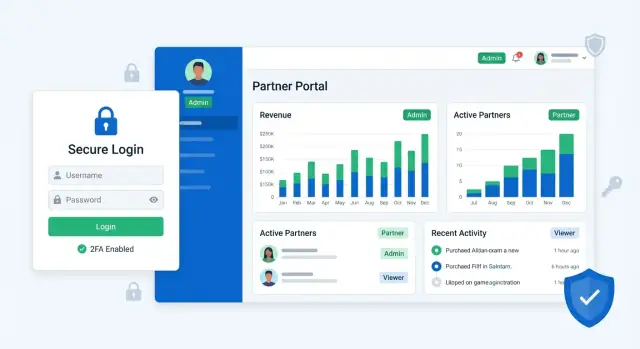
Define Goals, Users, and Scope
A partner portal web app only stays secure and easy to use when it has a clear purpose. Before you pick tools or start designing screens, align on what the portal is actually for—and who it’s for. This upfront work prevents permission sprawl, confusing menus, and a portal that your partners avoid.
Start with the portal’s purpose
Write a one-sentence mission for the portal. Common goals include:
- Sharing resources (pricing sheets, brand assets, training)
- Managing deals (leads, opportunities, MDF requests)
- Handling support tickets (status updates, attachments, escalation)
- Exchanging files (contracts, compliance docs, invoices)
Be specific about what partners can do without emailing your team. For example: “Partners can register deals and download approved collateral” is clearer than “Partners can collaborate with us.”
Identify partner types and real users
“Partner” isn’t one audience. List the partner types you support (resellers, distributors, agencies, customers, vendors), then list the roles inside each partner organization (owner, sales rep, finance, support).
This step matters for access control for web apps because different partner types often need different data boundaries. A distributor may manage multiple downstream resellers; a vendor may only see purchase orders; a customer might only see their own tickets.
Define success metrics you can track
Pick a few measurable outcomes so scope decisions stay grounded:
- Time to onboard a new partner organization
- Number of access issues (locked-out users, wrong permissions) per month
- Share of requests resolved via self-service (vs. internal support)
If your goal is “faster self-service,” plan the workflows that make that possible (invites, password resets, ticket creation, downloads).
Decide what is self-serve vs. internal-only
Draw a line between what partners can do in the portal and what your internal team controls in the admin console. For example, partners might invite teammates, but your team approves access to sensitive programs.
Document constraints early
Capture your timeline, budget, compliance needs, and existing tech stack (IdP for SSO and MFA, CRM, ticketing). These constraints will shape everything that follows: data model, multi-tenant partner management, RBAC authorization complexity, and integration options.
Design Roles and Permission Requirements
Before you pick an auth provider or start building screens, get clear on who needs access and what they must be able to do. A simple, well-documented permission plan prevents “just give them admin” decisions later.
Start by mapping your core roles
Most partner portals work with a small set of roles that repeat across organizations:
- Internal admins: your employees who configure partners, troubleshoot access, and run reports.
- Partner admins: the partner’s trusted users who manage their own team and settings.
- Partner users: day-to-day users who work on records, requests, or tasks.
- Read-only viewers: executives, auditors, or occasional users who should see data but not change it.
Keep the first version limited to these roles. You can expand later (e.g., “Billing Manager”) once you’ve validated real needs.
List actions in plain language (then map to permissions)
Write down common actions as verbs that match the UI and API:
- View partner data (dashboards, records, files)
- Create/edit records
- Export data
- Approve/deny requests
- Manage users (invite, disable, reset MFA)
- Update organization settings
This list becomes your permission inventory. Every button and API endpoint should align with one of these actions.
Choose a permission model: roles first, fine-grained later
For most teams, Role-Based Access Control (RBAC) is the best starting point: assign each user a role, and each role grants a bundle of permissions.
If you expect exceptions (e.g., “Alice can export but only for Project X”), plan a second phase with fine-grained permissions (often called ABAC or custom overrides). The key is to avoid building complex rules before you’ve seen where flexibility is actually required.
Default to least privilege (and safe escalation)
Make the safest option the default:
- New users should start with Partner user or Read-only.
- Limit “Manage users” and “Export” to trusted roles.
- Require explicit approval or an internal workflow for role upgrades (even if it’s initially manual).
Example permission matrices (typical scenarios)
Below is a lightweight matrix you can adapt during requirements review:
| Scenario | View Data | Edit Records | Export | Approve Requests | Manage Users |
|---|---|---|---|---|---|
| Internal admin (support) | Yes | Limited | Yes | Yes | Yes |
| Partner admin (ops lead) | Yes | Yes | Yes | Yes | Yes |
| Partner user (agent) | Yes | Yes | No | No | No |
| Read-only viewer (exec) | Yes | No | No | No | No |
| External auditor (temporary) | Yes (scoped) | No | Limited | No | No |
Document these decisions in one page and keep it versioned. It will guide implementation and reduce confusion during onboarding and access reviews.
Model Partners, Tenancy, and Data Boundaries
Before you design screens or permission matrices, decide what a “partner” is in your data model. This choice affects everything: onboarding flows, reporting, integrations, and how safely you isolate data.
Choose your partner container
Most partner portals map cleanly to one of these containers:
- Organization (Partner Org): best when partners have many users, shared resources, and a clear legal entity.
- Workspace/Account: best when partners collaborate across multiple projects or environments.
- Tenant: best when you need strict separation by default (common in B2B SaaS).
Pick one primary container and stick to it in naming and APIs. You can still support sub-accounts later, but one true parent keeps access rules understandable.
Define isolation rules upfront
Write down what is:
- Strictly separated (e.g., partner documents, tickets, invoices)
- Shared (e.g., product templates, public knowledge base articles)
- Conditionally shared (e.g., benchmark reports visible only to certain partner tiers)
Then enforce separation at the data layer (tenant/org IDs on records, scoped queries), not only in the UI.
Core entities you’ll almost always need
A practical starting set:
- User (a person who logs in)
- PartnerOrg/Tenant (the container)
- Membership (joins User ↔ PartnerOrg, holds role and status)
- Role (partner admin, billing, read-only, etc.)
- Resource (projects, cases, files—whatever partners access)
Storing permissions on Membership (not on User) is what enables one user to belong to multiple partner orgs safely.
Handle real-world edge cases
Plan for:
- One user in multiple partner orgs: require explicit org switching and show the active org clearly.
- Mergers or re-orgs: support moving resources between orgs with an audit trail.
- Offboarding: deactivate memberships, transfer ownership, and decide retention rules for data.
Naming conventions and stable IDs
Use stable, opaque IDs (UUIDs or similar) for orgs, users, and memberships. Keep human-readable slugs optional and changeable. Stable IDs make integrations reliable and audit logs unambiguous, even when names, emails, or domains change.
Choose Authentication: Password, SSO, and MFA
Authentication is where convenience and security meet. In a partner portal, you’ll often support multiple sign-in methods because your partners vary from small vendors to enterprises with strict IT policies.
Compare sign-in options
Email + password is the most universal option. It’s familiar, works for every partner, and is easy to implement—but it requires good password hygiene and a solid recovery flow.
Magic links (email-only sign-in) reduce password issues and support tickets. They’re great for occasional users, but can frustrate teams that need shared devices or strict session controls.
OAuth (Sign in with Google/Microsoft) is a good middle ground for SMB partners. It improves security versus weak passwords and lowers friction, but not every company allows consumer OAuth.
SAML SSO is the enterprise requirement. If you sell to larger partners, plan for SAML early—even if you launch without it—because retrofitting SSO can ripple through user identity, roles, and onboarding.
Decide where MFA fits
A common policy is:
- Required MFA for internal admins (highest impact accounts)
- Optional MFA for partner users (with prompts for sensitive actions)
- Step-up authentication for risky events: changing bank details, exporting data, viewing invoices, adding users, or modifying access
Password policies and recovery without support overload
Keep password rules simple (length + breach checks), avoid frequent forced resets, and prioritize a smooth self-serve reset. If you support SSO, ensure users can still recover access when an IdP is misconfigured (often via an admin-assisted fallback).
Sessions: expiration, devices, and “remember me”
Define clear session rules: idle timeout, absolute max session age, and what “remember me” really means. Consider a device list where users can revoke sessions—especially for admins.
User lifecycle basics
Plan for activation (email verification), deactivation (immediate access removal), lockout (rate limits), and reactivation (audited, controlled). These states should be visible to admins in your portal settings and /admin console.
Implement Authorization (RBAC/ABAC) the Right Way
Authorization answers: “What is this signed-in user allowed to do, and to which partner data?” Getting it right early prevents accidental data leaks, broken partner trust, and endless one-off exceptions.
Choose RBAC vs ABAC (or combine them)
A practical rule: start with RBAC (Role-Based Access Control) for clarity, then add ABAC (Attribute-Based Access Control) where you truly need flexibility.
- RBAC: simple roles like Partner Admin, Partner Member, Read-only, Internal Support. Easy to explain and audit.
- ABAC: rules based on attributes such as partner_id, region, team, contract tier, resource owner. Great for “can view only their accounts in EMEA” type rules.
Many portals use a hybrid: roles define broad capabilities, attributes narrow the data scope.
Centralize authorization checks
Avoid sprinkling permission checks across controllers, pages, and database queries. Centralize them in one place—policy classes, middleware, or a dedicated authorization service—so every request is evaluated consistently.
This helps prevent missed checks when a new API endpoint is added, or when a UI hides a button but the API still allows the action.
Define ownership and data boundaries
Be explicit about ownership rules:
- Users belong to a partner org, and can only access resources with the same org boundary.
- Decide what happens with shared objects (e.g., a deal or ticket involving multiple partners).
- Define who can manage users, billing, and integrations within the partner org.
Add extra protection for high-risk actions
Sensitive actions deserve step-up controls: re-authentication, step-up MFA, or approvals. Examples include changing SSO settings, exporting data, modifying bank details, or granting admin roles.
Document permissions for API + UI
Maintain a simple matrix that maps:
- Roles/attributes → API endpoints (what’s allowed)
- Roles/attributes → UI elements (what’s visible)
This becomes the shared source of truth for engineering, QA, and compliance—and makes access reviews far easier later.
Build Partner Onboarding, Invites, and Offboarding
Onboarding is where partner relationships either start smoothly or become a support burden. A good flow balances speed (partners can get working quickly) with safety (only the right people gain the right access).
Invitation and join flows
Support a few invitation paths so different partner orgs can adopt your portal without special handling:
- Invite by email: an admin enters an email, selects the partner org, and assigns a starter role.
- Domain-based auto-join: if a partner owns a verified domain (e.g., @partner.com), users who sign up with that domain can request access to the matching org.
- Admin-created users: for regulated partners, internal admins can pre-create accounts and require a first-login password reset or SSO.
Make every invite scoped to an organization and include an explicit expiry date.
Approval steps for higher-risk access
Not all access should be instant. Add optional approvals for sensitive permissions—think finance pages, data exports, or API key creation.
A practical pattern is: user joins with a low-risk default role, then requests elevated access, triggering an approval task for a partner admin (and optionally your internal team). Keep a record of who approved what and when for later reviews.
Onboarding checklists that reduce support
After first login, show a simple checklist: complete profile details, set up the team (invite colleagues), and visit key resources like documentation or the support page (e.g., /help).
Clear, actionable error states
Be explicit when something fails:
- Invite expired (offer “request a new invite”)
- Wrong organization (show the org name the invite targets)
- Missing permission (explain what role is required and how to request it)
Offboarding without losing history
Offboarding should be fast and final: revoke active sessions, remove org memberships, and disable tokens/keys. Keep audit history intact so actions taken during access remain traceable even after the user is removed.
Create a Partner-Friendly Portal UX
A partner portal succeeds when partners can finish their common tasks quickly and confidently. Start by listing the top 5–10 partner actions (e.g., registering deals, downloading assets, checking ticket status, updating billing contacts). Design the home page around those actions and keep each one reachable in 1–2 clicks.
Navigation that matches how partners think
Use clear, predictable navigation by domain rather than by internal team names. A simple structure like Deals, Assets, Tickets, Billing, and Users helps partners self-orient, especially if they only log in occasionally.
When in doubt, choose clarity over cleverness:
- Keep labels literal (e.g., “Tickets” instead of “Support Center”)
- Show counts where it helps (open tickets, pending approvals)
- Make search available where lists can get long (deals, assets, contacts)
Make access visible (and actionable)
Partners get frustrated when a page fails silently due to missing permissions. Make access status visible:
- Show the user’s current role and key permissions in the profile menu
- If a page or action is restricted, explain why and what’s available instead
- Offer a clear Request access path (even if it’s just a form that notifies an admin)
This reduces support tickets and prevents users from trying everything until something works.
Consistency builds trust
Treat UI states as first-class features:
- Helpful empty states that explain what to do next
- Loading states that keep layouts stable (avoid jumpy pages)
- Clear error messages with a next step
- Confirmations for destructive actions (remove user, revoke invite)
A small style guide (buttons, tables, forms, alerts) keeps the portal coherent as it grows.
Accessibility basics that pay off immediately
Cover the fundamentals early: full keyboard navigation, sufficient color contrast, readable form labels, and clear focus states. These improvements also benefit mobile users and anyone moving quickly.
If you have an internal admin area, keep its UI patterns aligned with the partner portal so support teams can guide partners without translating the interface.
Add an Internal Admin Console
A partner portal is only as manageable as the tools your internal team has behind it. An internal admin console should make day-to-day support fast, while still enforcing strict boundaries so admins can’t accidentally (or silently) overreach.
Core admin features to include
Start with a searchable partner directory: partner name, tenant ID, status, plan/tier, and key contacts. From the partner profile, admins should be able to view users, roles assigned, last login, and any pending invitations.
User management typically needs: deactivate/reactivate users, resend invites, rotate recovery codes, and unlock accounts after repeated failed logins. Keep these actions explicit (confirmation dialogs, reason required) and designed to be reversible where possible.
Impersonation—with safeguards
Impersonation can be a powerful support tool, but it must be tightly controlled. Require elevated permissions, step-up authentication (for example, MFA re-check), and a time-limited session.
Make impersonation obvious: a persistent banner (“You are viewing as…”) and restricted capabilities (e.g., block billing changes or role grants). Also record “impersonator” and “impersonated user” in every audit entry.
Configuration pages that reduce manual work
Add configuration pages for role templates, permission bundles, and partner-level settings (allowed SSO methods, MFA requirements, IP allowlists, feature flags). Templates help you standardize access while still supporting exceptions.
Operational visibility and hard boundaries
Include views for failed logins, unusual activity flags (new country/device, rapid role changes), and links to system status pages (/status) and incident runbooks (/docs/support).
Finally, set clear boundaries: which admin actions are allowed, who can perform them, and ensure every admin action is logged, searchable, and exportable for reviews.
Audit Logs, Reporting, and Access Reviews
Audit logs are your black box recorder. When a partner says “I didn’t download that file” or an internal admin asks “who changed this setting?”, a clear, searchable trail turns guesswork into a fast answer.
What to log (and what to avoid)
Start with security-relevant events that explain who did what, when, and from where. Typical must-haves include:
- Logins and failed login attempts (including SSO events)
- Permission, role, and group changes
- User lifecycle actions (invites, accepts, deactivations)
- Sensitive data actions (exports, bulk downloads, delete operations)
- API key events (creation, rotation, usage, revocation)
- Admin console actions and configuration changes
Keep logs useful but privacy-aware. Avoid recording secrets (passwords, API tokens) or full data payloads. Instead, store identifiers (user ID, partner org ID, object ID) plus minimal metadata (timestamp, IP, user agent) needed for investigations.
Audit trails by partner org and by user
In a multi-tenant partner portal, audit trails should be easy to filter:
- Per partner organization: so support teams can investigate incidents without seeing other tenants
- Per user: so you can quickly review a person’s activity across the portal
Make the “why” visible by including the actor (who initiated the action) and the target (what was changed). For example: “Admin A granted ‘Billing Admin’ to User B in Partner Org C.”
Access reviews (permissions don’t manage themselves)
Plan periodic access reviews—especially for elevated roles. A lightweight approach is a quarterly checklist: who has admin privileges, who hasn’t logged in for 60–90 days, and which accounts belong to former employees.
If you can, automate reminders and provide an approval flow: managers confirm access, and anything unconfirmed expires.
Reporting and exports without creating new risks
Partners often need reports (usage, invoices, activity), commonly as CSV. Treat exporting as a privileged action:
- Add role-based controls for who can export
- Apply rate limits and export size limits
- Record each export in the audit log (who, what, scope, timestamp)
Retention, redaction, and privacy rules
Define how long you retain logs and reports, and what gets redacted. Align retention to your business and regulatory needs, then implement deletion schedules. When personal data appears in logs, consider storing hashed identifiers or redacting fields while keeping records still searchable for security investigations.
Security Hardening and Privacy Basics
Security hardening is the set of small, consistent decisions that keep a partner portal safe even when mistakes happen elsewhere (a misconfigured role, a buggy integration, a leaked token). Privacy basics are about ensuring every partner only sees what they’re entitled to—no surprises, no accidental exports.
Secure your APIs by default
Treat every endpoint as public-facing.
Validate and normalize input (types, length, allowed values) and return safe errors that don’t expose internals. Add rate limiting per user, IP, and token to slow down credential stuffing and abusive automation. Use CSRF protection where applicable (mainly cookie-based sessions); if you use bearer tokens, focus more on token storage and CORS.
Prevent cross-tenant data leaks
Multi-tenant portals fail most often at the query layer.
Enforce tenant-scoped queries everywhere—ideally as a mandatory query filter that’s hard to bypass. Add object-level checks for actions like “download invoice” or “view contract,” not just “can access invoices.” For files, avoid direct object storage URLs unless they’re short-lived and tied to tenant + object permissions.
Protect secrets and service access
Keep secrets out of code and out of CI logs. Use a managed secrets store or vault, rotate keys, and prefer short-lived credentials. Give service accounts least privilege (separate accounts per environment and per integration) and audit their usage.
Browser and transport safety
Enable security headers (CSP, HSTS, X-Content-Type-Options) and secure cookies (HttpOnly, Secure, SameSite). Keep CORS strict: allow only the origins you control, and avoid wildcarding credentials.
Incident basics (before you need them)
Document where monitoring lives, what triggers alerts (auth spikes, permission failures, export volume), and how you roll back safely (feature flags, deployment rollback, credential revocation). A simple runbook beats panic every time.
Plan Integrations and Data Sync
A partner portal web app rarely stands alone. The portal becomes far more useful when it reflects what your teams already manage in systems like a CRM, ticketing tool, file storage, analytics, and billing.
Start with must-have workflows
List the partner actions that matter most, then map each one to a system:
- Deal registration or account status → CRM
- Support requests, SLAs, and case history → ticketing
- Enablement content, contracts, and price lists → file storage
- Usage metrics and partner performance → analytics
- Invoices, subscriptions, and entitlements → billing
This keeps integrations focused on outcomes rather than “integrate everything.”
Pick an integration pattern that matches the data
Different data needs different plumbing:
- Direct API calls for real-time lookups (e.g., current ticket status)
- Webhooks to react instantly to changes (e.g., CRM opportunity stage updated)
- Scheduled sync for bulk updates (e.g., nightly product catalog refresh)
- Event streaming when you expect high volume or many downstream consumers
Whatever you choose, design for retries, rate limits, idempotency, and clear error reporting so the portal doesn’t silently drift out of sync.
Handle identity and access sync
If you support SSO and MFA, decide how users are provisioned. For larger partners, consider SCIM so their IT team can automatically create, deactivate, and group users. Keep partner roles in sync with your RBAC authorization model so access control for web apps stays consistent.
Define the source of truth
For each field (company name, tier, entitlement, region), define:
- The authoritative system (source of truth)
- Field mapping and allowed values
- Conflict resolution (what wins when systems disagree)
Document it for partners
Publish a lightweight help center explaining common workflows, data refresh timing, and what partners can do when something looks wrong (e.g., a “request access” flow). Link it from the portal navigation, for example /help/integrations.
Testing, Deployment, and Ongoing Maintenance
A partner portal is only as secure as its edge cases. Most incidents aren’t caused by missing features—they happen when a user gets more access than intended after a role change, an invite is reused, or tenant boundaries aren’t enforced consistently.
Test authorization like a product feature
Don’t rely on a few happy-path checks. Create a role-permission matrix and turn it into automated tests.
- Role matrix tests: for each role, verify allowed actions and expected UI visibility.
- Negative tests: ensure forbidden actions fail (correct HTTP status, no data leakage in error messages).
- Tenant isolation tests: verify a user from Partner A cannot list, view, export, or update Partner B’s data—even with guessed IDs.
Include API-level tests, not just UI tests. UI can hide buttons; APIs must enforce policy.
QA scenarios for real partner workflows
Add end-to-end scenarios that mirror how access changes over time:
- Invite sent → accepted → user gains baseline role.
- Invite expired or revoked → cannot be used again.
- User role changed → access updates immediately (and cached permissions don’t linger).
- Offboarding (deactivate/delete) → sessions revoked; API tokens invalidated.
- Permission changes during active sessions → confirm what happens (forced re-login vs. re-evaluated on each request).
Deployment plan: make changes reversible
Treat deployment as part of security. Define environments (dev/stage/prod) and keep configuration separated (especially SSO, MFA, and email settings).
Use:
- Database migrations with forward/backward strategy.
- Feature flags for high-risk changes (new permission models, onboarding flow updates).
- Rollback steps documented and rehearsed (including how to roll back schema changes safely).
If you want to accelerate delivery while keeping these controls explicit, a vibe-coding platform like Koder.ai can help teams scaffold a React-based portal and a Go + PostgreSQL backend quickly, then iterate on RBAC, onboarding flows, audit logging, and admin-console features through a chat-driven workflow. The key is still the same: treat access control as a product requirement and validate it with tests, reviews, and clear operational safeguards.
Operational checks that catch issues early
Set baseline operational monitoring before launch:
- Uptime and synthetic checks for login, invite acceptance, and a key portal page.
- Error tracking with alerts for auth failures, permission denials spikes, and unexpected 5xx.
- Performance baselines (p95 latency for key endpoints; slow query alerts).
Maintenance cadence (non-negotiable)
Schedule recurring tasks:
- Patch dependencies and frameworks on a cadence (and fast-track security updates).
- Review audit logs for unusual access patterns.
- Run periodic access reviews with partners (validate active users, roles, and least-privilege).
If you already have an internal admin console, keep maintenance actions (disable user, revoke sessions, rotate keys) available there so support isn’t blocked during an incident.
FAQ
What should I define before building a partner portal web app?
Start with a one-sentence mission like “Partners can register deals and download approved collateral.” Then define:
- Partner types (resellers, distributors, agencies, customers, vendors)
- The real roles inside each org (sales, finance, support, owner)
- A short list of measurable success metrics (onboarding time, access issues/month, self-service resolution rate)
This prevents scope creep and “permission sprawl.”
Why isn’t “partner” a single user type for access control?
Treat “partner” as multiple audiences:
- Partner types often require different data boundaries (e.g., distributors managing downstream resellers)
- Roles inside a partner org need different capabilities (finance vs. support)
If you skip this, you’ll either over-permission users or ship a portal that’s confusing and underpowered.
What core roles should a partner portal start with?
A practical first version is:
- Internal admins
- Partner admins
- Partner users
- Read-only viewers
Keep it small at launch, then add specialized roles (e.g., Billing Manager) only after you see real recurring needs.
How do I turn portal features into a permissions plan?
Write actions as plain-language verbs that match your UI and API, such as:
- View data
- Create/edit records
- Export data
- Approve/deny requests
- Manage users (invite/disable/reset MFA)
- Update organization settings
Then map each button and API endpoint to one of these actions so permissions stay consistent across UI and backend.
Should I use RBAC or ABAC for authorization?
Start with RBAC:
- Roles bundle permissions and are easy to explain and audit
- You can ship faster with fewer edge cases
Add ABAC (attributes like partner_id, region, tier, owner) when you truly need exceptions, such as “can export only for EMEA” or “can view only assigned accounts.” Many portals use both: roles grant capability; attributes restrict scope.
How should I model partners, tenancy, and memberships?
Use a primary container and be consistent in naming and APIs:
- Organization/Partner Org: best for legal entities with multiple users and shared resources
- Workspace/Account: best for collaboration across projects
- Tenant: best for strict default isolation
Model a Membership entity (User ↔ PartnerOrg) and store role/status there so one person can belong to multiple partner orgs safely.
How do I prevent cross-tenant data leaks in a multi-tenant portal?
Don’t rely on the UI to hide data. Enforce boundaries at the data layer:
- Require a tenant/org ID on every record
- Scope every query by the active org
- Add object-level checks for actions like downloading files or viewing invoices
For files, avoid permanent public storage URLs; use short-lived, permission-checked links tied to tenant + object access.
What authentication options should a partner portal support (SSO/MFA)?
Most portals support multiple sign-in methods:
- Email + password: universal, but needs good reset flows and breach checks
- Magic links: fewer password tickets, but can be awkward for strict session control
- OAuth (Google/Microsoft): good for SMBs, not always allowed by enterprise IT
- SAML SSO: often required for enterprise partners; plan early even if you launch later
A common MFA policy is required for internal admins, optional for partner users, plus step-up MFA for sensitive actions like exports or role changes.
What are best practices for invites, approvals, and partner onboarding?
Make onboarding self-serve but controlled:
- Invite-by-email with an explicit expiry
- Optional domain-based auto-join for verified partner domains
- Admin-created users for regulated partners
For higher-risk permissions, use an approval step: users join with a low-risk default role, then request elevated access. Log who approved what and when.
What should I include in audit logs and access reviews for a partner portal?
Log security-relevant events with clear actor/target context:
- Logins (and failures), SSO events
- Role/permission changes
- Invites, accepts, deactivations
- Exports and bulk downloads
- API key creation/rotation/revocation
- Admin console actions
Avoid secrets and full payloads. Use identifiers (user ID, org ID, object ID) plus minimal metadata (timestamp, IP, user agent). Then run periodic access reviews (e.g., quarterly) to remove stale elevated access.