

Build a Restaurant Web App for Reservations, Orders & Tables
Step-by-step plan to create a restaurant web app for reservations, online orders, and table turnover, covering MVP scope, UX, integrations, and launch.
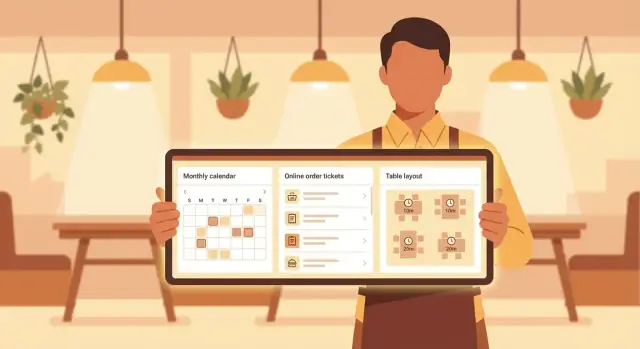
Define Goals, Users, and Key Workflows
Before you pick features or screens, decide what the app is truly meant to improve. Restaurant software fails most often when it tries to “do everything,” but doesn’t measurably help the team on a busy Friday night.
Start with a single, concrete goal
Write down the primary outcome in plain words. Examples:
- Fewer missed reservations and no-shows
- Faster service from seating to payment
- Higher table utilization without making guests feel rushed
A good rule: if you can’t explain the goal in one sentence, you’re still describing a wish list.
Identify the real users (and their pressures)
Restaurant apps have multiple “customers,” each with different needs:
- Guests: want quick booking, clear confirmations, easy ordering, and minimal friction.
- Hosts: need a live view of availability, upcoming reservations, and a clean way to manage walk-ins.
- Servers: need accurate table status, order entry (or QR ordering visibility), and notes for allergies or specials.
- Kitchen: needs clear tickets, timing, and a way to mark items as ready.
- Managers/owners: need reporting, configuration, and the ability to spot bottlenecks.
Design decisions get easier when you know whose problem you’re solving in each flow.
Map the end-to-end workflows you must support
List workflows from start to finish, not just “features.” For example:
- Reservation flow: guest books → confirmation sent → host seats → table status updates → no-show/late handling → table reset.
- Walk-in flow: party arrives → waitlist estimate → SMS update → seating → turnover.
- Ordering flow (online or QR): menu browse → customization/allergens → pay (or open tab) → kitchen ticket → fulfillment → close out.
When you map these, include edge cases you see every week: late parties, table merges, item 86’d, split payments, and comps.
Define success metrics you can track
Pick a small set of numbers that prove the app is working to reduce friction and increase revenue:
- No-show rate (and how deposits/confirmations affect it)
- Average wait time for walk-ins
- Average table turn time by section or party size
- Order error rate (voids, remakes, mismatched mods)
These metrics will guide what you build first and what you improve after launch.
Choose the Feature Set: Reservations, Orders, and Table Turnover
Before you design screens or pick tools, decide what your app will do on day one. Restaurants don’t need “everything”—they need the few workflows that remove the most friction for guests and staff.
Reservations: what “good” looks like
A usable reservation module isn’t just a booking form. At minimum, include:
- Availability search by date/time and party size (with clear alternatives when a slot is full)
- Create, modify, and cancel bookings without calling the restaurant
- Confirmations via email/SMS and optional reminders
Also decide early whether you support special requests (high chair, patio, allergy note) and deposit/no-show policies. These choices affect both the guest UI and the staff workflow.
Online orders: menu → modifiers → payment
Online ordering succeeds when the menu is easy to browse and the cart is hard to break.
Key capabilities to prioritize:
- Menu browsing that matches how people decide (categories, popular items, search)
- Modifiers and upsells (size, add-ons, doneness, substitutions) with sensible defaults
- A cart that handles quantities, notes, taxes/fees, and tip (if applicable)
- Payment (card, Apple/Google Pay if possible) and order confirmation
- Pickup vs delivery selection, including time slots or “ASAP” rules
If you plan QR code ordering, treat it as the same flow with a different entry point.
Table turnover: the operational heart
Table management is where reservations and walk-ins meet reality. Your first version should cover:
- A simple floor plan (even a list view works initially)
- Seating and status changes: available → reserved → seated → ordering → served → check dropped → cleaning
- Pacing tools: quoted wait times, table holds, and “next up” guidance
- Waitlist handling with party size, notes, and SMS “table ready” messages
Admin essentials (keep it lean)
Give managers control over the basics:
- Menu editing, prices, item availability (86), and modifier groups
- Hours, closed dates, and reservation rules by service
- Staffing notes (e.g., “one server called out”) to help hosts pace seating
This feature set keeps scope focused while still supporting real service.
Plan an MVP and Roadmap
An MVP is not “a smaller version of everything.” It’s the smallest release that reliably handles your core restaurant operations without creating more work for staff.
Pick the first flows (and be strict)
For most restaurants, a strong MVP focuses on a few repeatable paths:
- 1–2 guest flows: (1) make a reservation, (2) place an online order (pickup or delivery)
- 1–2 staff flows: (1) host seats/updates table status, (2) kitchen accepts and completes orders
If your goal is table turnover, prioritize reservation + table status first. If revenue from takeout is the priority, choose ordering + payment first.
If you want to move faster than a traditional dev cycle, consider building the MVP on a vibe-coding platform like Koder.ai. You can describe the flows in chat, iterate on UI quickly, and generate a React-based app with a Go + PostgreSQL backend—then export the source code when you’re ready to take full control.
Decide what to exclude (so you can ship)
Write down what you will not build in the first release. Common exclusions that save months:
- Loyalty programs and points
- Advanced marketing (campaigns, segmentation, referrals)
- Multi-location management and shared menus
- Deep analytics beyond basics (daily totals, simple table utilization)
- Complex modifier rules and “build your own” meal configurators
You can still design your data model to allow these later—just don’t build the UI and rules now.
Timeline and budget: tie it to scope
A realistic range for a first version depends on integrations and complexity:
- Lean MVP (no POS integration, basic payments/notifications): ~4–8 weeks
- MVP with POS integration + reliable staff dashboard: ~8–14 weeks
Budget typically follows the same curve: more systems to connect and more edge cases to handle means higher cost. Lock the scope before you lock the number.
A simple release plan: MVP → v1 → v2
- MVP: core flows, basic admin settings, essential notifications
- v1: better reporting, menu management improvements, refunds/voids, smoother table changes
- v2: loyalty/marketing, multi-location, advanced availability rules, deeper POS sync
Keep a running “later” list, but only commit to the next release after you see real usage patterns.
Design the Guest Experience (Reservations and Ordering)
A restaurant web app succeeds or fails at the guest’s first two moments: booking a table and placing an order. The goal is simple—make these steps feel obvious, fast, and trustworthy on a phone.
Reservations: a form that feels effortless
Keep the reservation form focused on what the host actually needs. Start with party size and date/time, then show only the relevant time slots (not an open-ended “pick any time” input). Add fields for name, phone/email, and an optional special requests box (allergies, high chair, accessibility needs).
Reduce friction with small details:
- Use autofill-friendly fields (e.g., proper
telandemailinputs) - Provide clear, specific errors (“Phone number is required to confirm your booking”)
- Confirm actions immediately (“Reservation requested—check your SMS to confirm”) and show a clear summary
Mobile-first layout matters: one column, large tap targets, and a sticky “Reserve” button that’s always reachable.
Ordering: clarity beats cleverness
Whether guests order ahead or via QR code ordering, design the flow around confidence.
Show item photos sparingly, but always show price, key modifiers, and timing cues (e.g., “Ready in ~25–35 min” for pickup). Make the cart easy to edit, and avoid surprise fees—display taxes, tips, and service charges before checkout.
If you support dietary notes, keep it structured where possible (checkboxes for “no nuts,” “gluten-free bun”) and reserve free-text notes for edge cases.
Changes, cancellations, and policies (no assumptions)
Guests should be able to reschedule or cancel from the confirmation page without calling. Explain policies plainly: deposit, late arrival grace period, cancellation window, and no-show fees. Don’t hide these in fine print—place them near the final confirmation button.
Accessibility basics that help everyone
Use readable type, strong contrast, and labels that screen readers can understand. Ensure every step works with keyboard navigation, and don’t rely on color alone to indicate errors or availability. These basics reduce drop-offs and increase completed reservations and orders.
Design the Staff Dashboard (Host, Kitchen, Manager)
A restaurant app only works if the team can run service without fighting the screen. The staff dashboard should feel like three focused tools—host, kitchen, and manager—built on the same data, but tailored to different decisions and time pressure.
Host view: control the floor in real time
The host needs a “live book” that answers: who’s arriving, who’s waiting, and which table can take them now.
Key elements:
- A timeline (or grid) of upcoming reservations with quick actions: seat, delay, cancel, mark arrived
- A waitlist with party size, quoted time, and SMS-ready status updates
- No-show flags and notes (e.g., “often late”, “needs highchair”) to help the team plan
- One-tap table assignment that suggests the best fit based on table size, current status, and expected turnover
Design tip: minimize typing during peak hours—use large buttons, defaults, and a fast search for name/phone.
Kitchen view: keep tickets clear and pacing under control
For the kitchen, clarity beats feature depth. Show incoming orders in the right sequence and make it easy to update prep status without losing track.
Include:
- A ticket feed grouped by order type (dine-in vs. pickup/delivery) and promised times
- Simple statuses like Received → In Prep → Ready
- Item modifiers and allergy flags highlighted consistently
- Throttling controls during peak times (e.g., temporarily extend pickup times, pause certain items, or cap QR code ordering) so the line doesn’t get overwhelmed
The goal is fewer verbal interruptions: the screen should communicate what’s next and what’s blocked.
Manager view: visibility, overrides, and guardrails
Managers need tools to protect the experience and revenue when reality deviates from the plan.
Provide:
- Override actions: seat parties manually, adjust quoted waits, reopen/close tables, comp/void with reason
- Notes and incident logging (guest complaints, no-show disputes, VIP handling)
- Ability to block times (private events, staffing shortages) and apply service rules for the night
Role-based access (so everyone sees only what they need)
Make permissions explicit: hosts don’t need payment controls, and kitchen staff shouldn’t see customer contact details unless required. Role-based access reduces mistakes and keeps the dashboard fast, focused, and safer by default.
Model the Dining Room and Table Turnover Logic
A restaurant web app feels “smart” when it mirrors the real floor: how tables are arranged, how parties move, and where bottlenecks form. Start by modeling the dining room in a way that’s easy to maintain, not just accurate on day one.
Represent tables, sections, and seats
Create a floor model with sections (Patio, Bar, Main), and tables that have attributes like table number, seat count, accessibility notes, and proximity tags (near window, quiet corner). If you support combining/splitting, treat that as a first-class concept:
- A join table (e.g., “T12+T13”) should inherit a combined seat count and block both originals
- Splitting should return each table to its prior state only when it’s safe (e.g., after payment/cleaning)
This prevents accidental double-booking when staff are busy.
Define clear table states
Use a small, consistent set of states that staff can change in one tap:
available → reserved → seated → ordered → dessert → paid → cleaning → available
Each transition should capture timestamps. Those timestamps power useful features like “time seated” and “average meal duration,” without asking staff to do extra work.
Estimate turnover and flag risk early
Turnover is a prediction problem. Start simple: estimate duration by party size + service style, then adjust using recent history (weekday vs weekend, lunch vs dinner). Highlight tables at risk when:
- A party is seated longer than expected
- A reservation is approaching and the table isn’t in paid/cleaning yet
Surface this as a subtle warning on the staff dashboard, not an alarm.
Walk-ins and waitlist flow
For walk-ins, capture party size, preferences (booth, high-top), and a quoted wait. When the estimate changes, send optional SMS/email notifications (“Table ready” and “Running 10 minutes behind”). Keep messaging templates short, and always allow staff to override quotes based on judgment.
Reservation Engine and Availability Rules
A good reservation engine does more than show open times—it enforces the same logic your host uses in real life. Clear availability rules prevent overbooking, reduce no-shows, and keep the kitchen from getting slammed.
How to calculate availability
Start by defining what “capacity” means for your restaurant. Some teams model it by tables only; others add pacing controls so the room fills gradually.
Common inputs include:
- Party size and table combinations (e.g., two 2-tops can become a 4-top)
- Seating duration by party size and daypart (e.g., lunch 60–75 min, dinner 90–120 min)
- Pacing rules like “max 6 covers per 15 minutes” to protect service and kitchen flow
When a guest requests a time, the engine should check both table fit and pacing capacity before offering slots.
Prevent double-bookings
Availability needs strong conflict protection, especially under high traffic.
Use a two-step approach:
- Soft hold the selected slot (a short-lived lock, e.g., 2–5 minutes)
- Confirm on completion (deposit/payment or final submit), re-checking conflicts
If two users select the same table/time window, the system must resolve it deterministically: the first confirmed reservation wins, and the other user is prompted to pick another time.
Cutoffs, buffers, and operational limits
Add practical boundaries:
- Last reservation time (e.g., 30–60 minutes before kitchen close)
- Buffers between seatings on specific tables or zones (reset/cleaning time)
- Advance booking window (e.g., open reservations 14–30 days ahead)
These settings should be editable without code changes.
Special days and exceptions
Real restaurants run exceptions constantly. Support:
- Holidays and events with different durations, deposits, or prix-fixe rules
- Private rooms with separate capacity and minimum spend
- Full buyouts that automatically block all public inventory
Store exceptions as dated overrides so your default rules stay clean and predictable.
Online Ordering and Payment Flow
Online ordering is where a restaurant web app either reduces chaos—or creates it. The goal is simple: guests place accurate orders quickly, staff can fulfill them predictably, and payments reconcile cleanly.
Start with a menu that stays “orderable”
Your online ordering system should mirror how the kitchen thinks, not just how the menu looks. Model the menu as categories → items → modifiers, and treat key details as data, not text: allergens, dietary tags, and portion/size options.
Include operational toggles that staff can change without developer help:
- Sold-out switches (item-level and modifier-level)
- Time-based availability (e.g., lunch-only items)
- Notes rules (limit length, block certain items from “special requests”)
Control demand with throttling (so the kitchen doesn’t drown)
Peak times are where ordering breaks. Add guardrails that align with prep capacity:
- Pause items (86 a dish instantly)
- Cap orders per time slot (especially for pickup)
- Prep-time estimates that adjust based on queue size
For dine-in, connect throttling to table management: if the kitchen is overloaded, QR code ordering can still work—but the app should communicate longer lead times clearly.
Support the right order types
Most restaurant operations software needs at least two flows, often three:
- Dine-in via QR code ordering (tied to a table)
- Pickup (scheduled or ASAP)
- Delivery only if you truly support it (zones, fees, handoff, driver timing)
Each type should generate a clear ticket for the restaurant dashboard and, if applicable, for restaurant POS integration.
Payments that match real-world scenarios
Payment features should follow what your payment provider supports:
- Tips (percent + custom)
- Receipts (email/SMS)
- Refunds/voids (and partial refunds if available)
Decide early whether dine-in uses pay-at-table, pay-at-counter, or a hybrid. Clear rules here prevent mismatched totals and reconciliation headaches in reservation and ordering reports.
Integrations: POS, Notifications, and Third-Party Services
Integrations are where a restaurant web app stops being “another tool” and becomes part of daily service. The goal is simple: reduce double entry, keep guests informed, and give staff timely signals without adding new screens to watch.
POS: direct integration, middleware, or manual fallback
Your POS is often the system of record for sales, menus, taxes, and receipts. You typically have three options:
- Direct integration: Best when the POS offers a stable API. You can sync menu items and push paid orders straight into the POS so the kitchen and receipts follow existing workflows.
- Middleware (aggregators/connectors): Useful if you support multiple POS systems or want faster setup. These services translate between your app and the POS, but add cost and another dependency.
- Manual export/print tickets: A practical starting point for an MVP. Orders can print to a kitchen printer or generate a “ticket” view for staff, and sales can be exported for later entry.
Plan for a graceful “POS down” mode: queue orders, allow manual acceptance, and reconcile later.
Notifications that actually help
Reservations and orders need clear, timely messages:
- Email/SMS confirmations, reminders, and cancellation links for reservations
- Order status updates (received, accepted, ready)
- Staff alerts for VIP notes, late arrivals, large-party changes, and allergy flags
Keep templates editable and log every send (success/failure) for support.
Maps, delivery, and address validation
If you offer delivery, validate addresses at checkout to reduce failed deliveries and refund requests. Even for pickup, map links in confirmation messages can lower “where are you?” calls.
Analytics and logging
Track where people drop off (reservation form, payment step), plus operational signals like no-show rate, prep time, and peak-hour load. Centralized logs and basic dashboards help you spot issues before staff complains. For deeper planning, connect metrics to your /blog/testing-launch-and-improvement playbook.
Architecture and Tech Stack (Simple and Scalable)
A restaurant web app succeeds when it’s easy to run day-to-day, fast at peak hours, and simple to extend. You don’t need an exotic stack—choose proven tools with a clear path to real-time updates and integrations.
A typical stack that works
- Frontend: React with Next.js for fast pages (SEO-friendly reservation pages) and a smooth, app-like staff dashboard.
- Backend: A pragmatic web framework you can ship with and maintain—common choices include Node.js (Nest/Express), Django, Rails, or Go if you want a smaller, fast server.
- Database: PostgreSQL for reliable transactions (payments, reservations) and flexible querying for reporting.
If your team prefers an accelerated build path, Koder.ai standardizes this kind of stack (React on the frontend, Go + PostgreSQL on the backend) and supports planning mode, snapshots, rollback, and source code export—useful when you need to iterate quickly without locking yourself into a black box.
Real-time updates: floor plan and orders
Hosts and kitchen teams need the same truth at the same time. For real-time updates (new orders, table status changes, reservation check-ins), use:
- WebSockets for instant pushes (best experience for staff dashboards)
- Polling as a simpler fallback (e.g., refresh every 5–10 seconds)
A common approach is to start with polling for the MVP, then add WebSockets when volume grows.
Data model basics (keep it clean)
Plan your core objects early so features don’t fight each other later:
- Users (roles: host, server, kitchen, manager)
- Restaurants (so multi-location support is possible later)
- Tables (capacity, section, position for floor plan)
- Reservations (party size, time, status, notes)
- Orders (items, modifiers, status, payment state)
- Menu items (pricing, availability, upsells)
Admin tooling without developer help
Restaurants change menus and hours constantly. Add an admin dashboard where managers can update menus, blackout dates, reservation rules, and table layouts—without waiting for a deploy.
If you want to move faster, use a lightweight CMS (or build a simple internal admin) so content changes stay safe, auditable, and quick.
Security, Privacy, and Compliance Basics
Restaurant apps handle sensitive details: staff accounts, guest contact info, and payments. Getting the basics right early prevents expensive fixes later—and builds trust with guests and your team.
Account security (staff and admins)
Protect accounts with secure authentication, strong passwords, and sensible permissions. Hosts don’t need the same access as managers.
- Require strong passwords (length + common-password checks) and rate-limit login attempts.
- Use secure sessions (HTTP-only cookies, short idle timeouts for staff tablets).
- Offer optional 2FA for admins and managers, especially if refunds and overrides are available.
- Keep roles simple (Host, Kitchen, Manager) and expand only when needed.
Payments and compliance (do less yourself)
Follow payment best practices by using a compliant payment provider (e.g., Stripe, Adyen, Square) instead of storing card data. This keeps your app out of the most complex parts of PCI compliance.
Practical rules:
- Never store raw card numbers or CVV.
- Use provider-hosted checkout or tokenization.
- Log payment status changes (authorized, captured, refunded) without saving sensitive details.
Audit logs you can actually use
When something goes wrong, you need a clear trail. Add audit logs for critical actions:
- Reservation overrides, manual table moves, cancellations/no-shows
- Discounts and comps, refunds and voids
- Menu price changes and staff permission changes
Include who did it, when, and what changed. Keep logs searchable in the manager view.
Privacy basics and retention
Collect only what you need (often: name, phone/email, party size, dietary notes). Provide a clear retention and deletion process:
- Auto-delete old reservations/order data after a set period (e.g., 12–24 months) unless required for accounting.
- Let managers delete guest profiles on request.
- Store notes carefully—avoid sensitive categories unless truly required.
If you operate in regulated regions, map your flows to GDPR/CCPA expectations early (consent where needed, access/deletion requests, and clear notices).
Testing, Launch, and Continuous Improvement
A restaurant app succeeds or fails during the busiest 90 minutes of the night. Treat testing and rollout as part of the product—not an afterthought.
Stress-test peak-time reality
Beyond “happy path” demos, run scenarios that mimic service pressure:
- Double bookings and edge cases: two parties booked for the same table, walk-ins that must be squeezed in, or guests arriving early.
- Delayed tables: a large party lingers; verify the app updates downstream availability and doesn’t keep offering impossible time slots.
- Rush of orders: dozens of QR orders within minutes; confirm tickets route correctly, modifiers don’t drop, and the kitchen display remains usable.
Include both “system” failures (slow network, printer offline, POS timeout) and “human” failures (host forgets to seat a party, server voids the wrong item). Your goal is graceful recovery.
Pilot with one location first
Start with a single restaurant (or even a single shift) and gather feedback from:
- Hosts: speed of seating, clarity of table status, ability to handle walk-ins.
- Kitchen staff: ticket readability, timing, and whether order throttling is needed.
- Managers: override controls, reporting, and end-of-night reconciliation.
Make it easy to report issues: one button for “something went wrong” plus a short note.
Rollout plan: training and fallbacks
Create lightweight training plus printed SOPs:
- What to do when a table is marked incorrectly
- How to handle refunds or comped items
- Fallback procedures if Wi‑Fi/POS goes down (paper tickets, manual holds, later sync)
Post-launch tracking (and what to improve)
Track a small set of operational metrics weekly:
- Reservation no-show rate (and effectiveness of reminders)
- Average turn time by daypart/table size
- Order error rate (missing modifiers, wrong items)
Use insights to prioritize iterations, pricing changes (/pricing), or improvements to your ordering UX (see /blog/restaurant-online-ordering).
FAQ
What should the very first goal of a restaurant web app be?
Start by writing one measurable outcome (e.g., “reduce no-shows” or “cut average wait time”). Then pick 1–2 guest flows and 1–2 staff flows that directly move that number.
A practical MVP set is often:
- Guest: reservation booking (and manage/cancel)
- Staff: host table status + kitchen ticket status
- Admin: hours, basic reservation rules, and menu availability (86)
Who are the key users you should design for (beyond guests)?
List your users by role and pressure level during service:
- Guests: booking/ordering with minimal friction
- Hosts: live availability, walk-ins, seating, no-show handling
- Servers: table status + allergy/special notes visibility
- Kitchen: clear tickets + simple prep statuses
- Managers: overrides, reporting, configuration
Design each screen around a single role’s “busy Friday night” decisions so the UI stays fast and focused.
How do you map the “must support” workflows before building screens?
Map workflows end-to-end (not feature-by-feature). A good starting set:
- Reservation: book → confirm → arrive/seat → update table status → late/no-show → reset table
- Walk-in: add to waitlist → quote time → notify → seat → turnover
- Ordering: browse → modifiers/allergens → pay/open tab → ticket → fulfill → close out
Include weekly edge cases like table merges, 86’d items, split payments, and comps so the MVP won’t break in real service.
Which success metrics are most useful to track from day one?
Pick a few numbers that reflect both guest experience and staff load:
- No-show rate
- Average walk-in wait time
- Average table turn time (by section/party size)
- Order error rate (voids/remakes/missed modifiers)
Make sure each metric is tied to an in-app event you can log (status changes, cancellations, payment states) so you can improve after launch.
What features make a reservation system actually usable for restaurants?
At minimum, your reservation module should support:
- Availability search by party size + date/time (with alternatives when full)
- Create/modify/cancel without calling
- Email/SMS confirmations and reminders
- Optional special requests (high chair, allergies, patio)
Decide early on deposits/no-show policies, because they change both the guest UI and staff workflows (holds, disputes, and refunds).
How should availability and double-booking prevention work?
Use simple, explicit rules and edit them without code:
- Seating durations by party size/daypart
- Pacing limits (e.g., max covers per 15 minutes)
- Last reservation cutoff, buffers between seatings, and advance booking window
- Dated overrides for holidays/events and buyouts
To prevent double-booking, combine a short soft hold (2–5 minutes) with a final confirm step that re-checks conflicts before saving.
What table states should a table management system include?
Start with a small set of one-tap states and capture timestamps:
available → reserved → seated → ordered → paid → cleaning → available
Timestamps let you calculate “time seated,” spot tables at risk of running long, and improve turn-time estimates without asking staff to do extra data entry.
What are the must-have pieces of an online ordering flow?
Prioritize “hard to break” ordering:
- Categories/search that match how guests choose
- Modifiers with sensible defaults (sizes, add-ons, doneness, substitutions)
- A cart that clearly shows quantities, fees/taxes, and tip before checkout
- Clear order type rules: QR dine-in (table-linked) vs pickup (ASAP/scheduled) vs delivery (only if you truly support it)
Add kitchen guardrails like pausing items (86) and capping orders per time slot to prevent overload.
How should payments be handled to avoid compliance and reconciliation issues?
Use a payment provider (Stripe/Adyen/Square) and avoid storing card data.
Common decisions to make early:
- Dine-in: pay-at-table vs pay-at-counter vs hybrid
- Tips: preset percentages + custom
- Refund/void support (ideally partial refunds)
- Receipts via email/SMS
Log payment state changes (authorized/captured/refunded) so end-of-night reconciliation is straightforward.
How do you test and launch a restaurant app without disrupting service?
Treat testing like a service simulation, not a demo:
- Double-booking attempts and conflict resolution
- Late tables that should reduce future availability
- Bursts of QR/online orders and ticket readability under load
- Failures: Wi‑Fi issues, printer offline, POS timeouts, staff mistakes
Roll out as a pilot (one location/shift), add simple SOPs for fallbacks, and track weekly metrics to drive iteration (see also /blog/testing-launch-and-improvement).