

How to Create a Web App for Meeting Notes and Action Tracking
Learn how to plan, build, and launch a web app that centralizes meeting notes and tracks action items with owners, due dates, reminders, and searchable history.
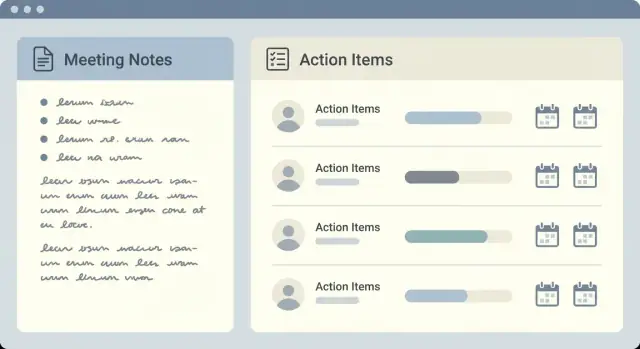
Define the Problem and Success Metrics
Before you design screens or pick a tech stack, get specific about the pain you’re solving. Meeting apps fail most often not because note-taking is hard, but because teams don’t agree on what “good” looks like—so the tool becomes another place where information goes to disappear.
The common problems you’re actually fixing
Most teams feel the pain in predictable ways: notes live in personal docs, action items get assigned verbally, and nobody is sure which version is current. The result is missed deadlines, unclear owners, and the same discussions repeating every week because decisions can’t be found (or were never captured clearly).
What “centralized” should mean in your app
“Centralized meeting notes” isn’t a storage feature—it’s a workflow promise:
- One source of truth for notes, decisions, and action items tied to a specific meeting.
- Shared visibility so the team sees the same outcomes, not fragmented summaries.
- Traceability so a decision has context: when it was made, by whom, and what actions came out of it.
Centralization also implies consistency: templates, structured fields (owner, due date), and a searchable archive.
Who benefits (and how they measure value)
Managers want fewer follow-ups and clearer accountability. Project teams care about task ownership and due dates. Operations teams need repeatable processes and easy handoffs. Client-facing teams need reliable meeting minutes and a clean audit trail for decisions.
Define success metrics you can track
Pick a handful of metrics that reflect outcomes, not usage:
- Action completion rate (e.g., % of action items completed by due date)
- Time to find decisions (e.g., median seconds from search to opening the right note)
- Reduction in follow-ups (e.g., fewer “what did we decide?” messages after meetings)
Write these down now—your MVP scope and feature decisions should map back to them directly.
Identify Users, Roles, and the MVP Scope
Before you move into UX and implementation, get clear on who the app is for and what “done” looks like in the first release. A meeting minutes web app fails most often when it tries to satisfy every team workflow at once.
Core user roles (keep them simple)
Most teams can be covered with four roles:
- Meeting organizer: creates the meeting, sets the agenda, and ensures outcomes are recorded.
- Participant: contributes to collaborative notes, raises decisions, and accepts action items.
- Admin: manages workspace settings, templates, and access (role-based access control).
- Viewer: reads the searchable meeting archive without editing (useful for stakeholders or auditors).
Jobs-to-be-done by role
Define the few critical “jobs” each role must complete quickly:
- Organizer: capture centralized meeting notes, finalize meeting minutes, assign task ownership and due dates, and publish outcomes.
- Participant: add/clarify notes, take ownership of action item tracking, and update progress after the meeting.
- Admin: invite users, set permissions, manage meeting templates, and maintain an audit trail for decisions.
- Viewer: find past decisions fast, export/share notes, and reference commitments without changing them.
MVP scope: notes + actions first
Your MVP should focus on two outcomes: a clean record of what was said/decided and a reliable list of who does what by when.
MVP features to prioritize:
- Meeting creation (title, date, attendees) and collaborative notes
- Decisions section with lightweight history (audit trail basics)
- Action items with owner, due date, status, and comments
- A simple searchable archive (even basic search is enough at first)
Nice-to-have (park for later): advanced reporting, deep integrations for meetings, full-text indexing across attachments, complex workflows, custom fields everywhere.
Non-goals: don’t build a project management suite
Avoid turning action items into a full task system (dependencies, sprints, epics, time tracking). If teams need that, integrate later rather than rebuilding it. A clear MVP boundary also makes onboarding easier—your app should be where decisions and commitments live, not where every project is managed.
To set expectations early, add a short “What this app is/isn’t” note in onboarding (for example, /help/getting-started).
Design the Data Model: Meetings, Notes, Decisions, Actions
A clean data model is what makes centralized meeting notes and action item tracking feel effortless later. Before you build screens, decide what “things” your app stores and how they connect.
Core entities (what you store)
Meeting is the container for everything discussed. Keep fields that help people find and group meetings later:
- Title, date/time (with timezone), duration
- Attendees (people and optional roles like organizer/notetaker)
- Agenda (structured list works well)
- Tags and a link to a project/client
Notes are the narrative record. Support rich text or Markdown so teams can write quickly and consistently. Notes often need:
- Sections (e.g., “Updates”, “Risks”, “Next steps”)
- Attachments (files or links)
- Comments (threaded feedback without rewriting the minutes)
Decision deserves its own record, not just a sentence in notes. This is how you build an audit trail for decisions:
- Decision statement
- Date, who approved, and optional context (“why”)
- Status (proposed/accepted/reversed) and links to related items
Action item is a task with clear ownership and deadlines:
- Description, owner, due date, status, priority
- Link back to the meeting where it was created
Relationships (how they connect)
Model meetings as one-to-many with notes, decisions, and actions. Add support for:
- Recurring series: a “meeting series” entity that groups weekly/monthly meetings
- Cross-linking: actions linked to multiple meetings, or decisions referenced by later meetings
- History: store who changed what (and when) on decisions and action statuses to keep accountability without manual policing
Plan the Key Workflows and Screens
Good workflows make a meeting minutes web app feel “invisible”: people can capture decisions and action item tracking without breaking the conversation. Start by mapping the most common paths users take, then design screens that support those paths with minimal clicks.
Core screens (and what they’re for)
Meeting list is the home base. It should show upcoming and recent meetings, plus quick context (title, team/project, date, and open actions). Add one obvious CTA: “New meeting.”
Meeting detail is where collaborative notes happen. Keep the structure predictable: agenda at the top, notes per agenda item, then decisions and action items. Include a simple attendance list and a “share/export” option.
Action list is the operational view. This is where task ownership and due dates matter most: show owner, status, due date, and the meeting that created it.
User profile should be lightweight: name, time zone, notification preferences, and a personal “My actions” view.
Fast capture during the meeting
Speed wins adoption. Use an agenda-first template (including meeting templates for recurring formats), and make “Add action” possible anywhere in the notes. Keyboard shortcuts (e.g., A to add an action, / to search) help power users, while one-click quick actions help everyone.
Search and filters that match real questions
Design filters around how people look for a centralized meeting notes archive: tag, owner, status, date range, and team/project. Search should cover meeting titles, notes, and action text, returning results with clear snippets.
Mobile considerations
Decide early whether mobile is read-only (safe, simple) or supports full editing (harder, but useful). If you support offline notes, keep it optional and clearly indicate sync status to avoid conflicting edits.
Build Note-Taking and Action Tracking Features
This is where a meeting minutes web app stops being a document store and becomes a tool teams rely on. Focus on making writing fast, and turning outcomes into action item tracking with clear ownership.
Notes editor that feels effortless
Start with a clean editor for collaborative notes. Autosave is non-negotiable: users should never think about pressing “Save,” and they should be able to refresh without losing work.
Add lightweight versioning so people can view what changed (and by whom) without cluttering the UI. You don’t need a full “git for docs”—a simple history panel with timestamps is enough.
Mentions (e.g., @Alex) help route attention. When someone is mentioned, store it as metadata so you can later support notifications and filters.
Finally, support decision callouts. A decision should be visually distinct from normal text and stored as a structured entry—this creates an audit trail for decisions and makes your searchable meeting archive more valuable.
Action tracking that actually gets used
Every action item should capture: title, owner, due date, status, and a link back to context. Teams care about task ownership and due dates; if either is missing, follow-up fails.
Make status changes frictionless (checkbox or dropdown) and add bulk updates for busy meetings (“mark these 5 items as Done” or “push due dates by one week”). If you include comments on an action, keep them short and inline.
Meeting templates for repeatable structure
Offer a few meeting templates out of the box: standup, retro, 1:1, and client check-in. Templates should pre-fill headings and prompts so notes stay consistent—this is key for centralized meeting notes that scale across teams.
Linking and context
Let users convert a highlighted sentence into an action or decision, automatically creating a backlink. This ensures every task has context (“why are we doing this?”) and makes later reporting and search far more accurate.
Set Up Auth, Permissions, and Privacy
Authentication and permissions shape how safe (and how usable) your meeting minutes web app feels. Make these choices early so features like collaborative notes and action item tracking don’t turn into access-control bugs later.
Authentication: start simple, leave room for SSO
For an MVP, email/password is usually enough—especially if teams are small and you need fast onboarding.
If you want a smoother first experience, consider magic links as an optional sign-in method. They reduce password resets, but require solid email deliverability and clear session-expiration rules.
Plan for SSO (Google/Microsoft/Okta) later by keeping your auth layer modular. You don’t need to build SSO now, but you should avoid coupling user identity too tightly to “email + password” assumptions.
Authorization: workspace model + role-based access control
Use a team/workspace model: users belong to a workspace, and data (meetings, notes, decisions, actions) belongs to that workspace.
Add role-based access control (RBAC) with a small set of roles:
- Owner/Admin: manage workspace settings, members, and integrations
- Member: create/edit meetings and notes, manage action items
- Viewer: read-only access to the searchable meeting archive
Make permissions explicit at the object level: a private meeting should not be visible just because someone is a workspace member.
Privacy basics: least privilege, private meetings, guests
Default to least-privilege access: people should only see meetings they’re invited to (or that are explicitly shared with their team).
If you support guest access, enforce clear rules: guests can only access specific meetings, cannot browse the workspace, and lose access when the meeting is unshared.
Compliance-ready logs: audit trails that answer “who did what?”
Add lightweight logs for viewing and editing: who viewed notes, who edited decisions, who changed task ownership and due dates, and when. This helps with accountability and supports compliance reviews without making the UI complicated.
Handle Reminders, Recurring Meetings, and Edge Cases
These “small” details decide whether teams trust your app. If reminders are noisy, recurring meetings drift, or actions lose owners, people go back to spreadsheets.
Create/update flows that don’t lose work
Design every form (meeting, note, decision, action) with a safe save path.
- Validate required fields early (e.g., meeting title/date, action owner, due date when your process requires it).
- Prevent accidental data loss: warn on unsaved changes, autosave drafts, and confirm destructive actions (delete meeting, remove participant, close action).
- Keep history-friendly updates: if you allow editing decisions/actions, log who changed what and when, so teams can explain outcomes later.
Notifications that help instead of spam
Focus on events users truly care about:
- Due-date reminders: a digest (morning) plus a final reminder close to due time tends to work well.
- Mentions in notes and comments: notify only mentioned users, with a deep link to the exact line.
- Action assigned/updated: notify the new owner, and optionally watchers (meeting participants, action followers).
Let users control frequency (instant vs digest) and quiet hours.
Recurring meetings without busywork
For recurring meetings, auto-create the next instance using a template:
- Copy agenda structure and standard prompts.
- Carry forward open actions (optionally grouped as “Carryover”).
- Pre-fill attendees, conferencing link, and any standing decisions.
Edge cases you should handle upfront
Plan rules for tricky realities:
- Deleted/deactivated users: reassign ownership to a placeholder (e.g., “Unassigned”) and notify admins.
- Changed owners: record transfer history and send a single clear notification.
- Overdue actions: highlight in meeting view and include in reminders; avoid creating duplicates.
- Duplicate meetings/actions: warn on similar titles + times, and provide a merge option for admins.
Add Search, Filters, and Simple Reporting
Once teams trust your app as the home for centralized meeting notes, the next question is always: “Can I find that decision from last month?” Search and lightweight reporting turn a note repository into a tool people rely on daily.
Define search requirements (before you build)
Start with two core capabilities:
- Full-text notes search: search across meeting titles, attendees, agenda items, note bodies, and captured decisions.
- Filters + saved views: narrow results by date range, project/team, meeting template, tags, attendees, and “has open actions.” Let users save common filter sets like “My weekly 1:1s” or “Decisions for Project X.”
A practical approach is “search first, then refine.” Users type a keyword, then apply filters without losing their query.
Keep results usable: sorting, highlighting, and context
Search results should show enough context to confirm it’s the right item—snippet previews, highlighted matches, quick metadata (meeting date, organizer, tags), and a clear path back to the source meeting.
Add sensible sorting: newest first, relevance, or “most actions.” If you have action item tracking, include an “Actions” tab in search results so people can find tasks by assignee, status, or due date without opening every meeting.
Simple reporting that answers common questions
You don’t need a full analytics suite. Provide a few “ready-to-use” reports that match real workflows:
- Open actions by owner (task ownership and due dates)
- Overdue actions list
- Recent decisions (with links back to the source meeting)
Each report should be filterable (team/project/date) and shareable via a relative link like /reports/overdue.
Export and sharing: make it frictionless
Support exports that teams can drop into email or docs:
- PDF/HTML export for a meeting or a date range
- Share link (respecting role-based access control)
- Optional: email summary after a meeting with notes, decisions, and action owners
Performance goals: fast search without surprises
Search is only “good” if it’s fast. Use pagination for large archives, cache common list views (e.g., “My open actions”), and set clear expectations: quick initial results, then refined filtering. If you later add an audit trail for decisions, ensure indexing keeps up as records grow.
Plan Integrations Without Overbuilding
Integrations can make a meeting notes app feel connected to the way teams already work—but they can also balloon scope fast. The goal in an MVP is to support the most common handoffs (creating a meeting, sharing outcomes, syncing tasks) without turning your product into an integration platform.
Start with the “handoff moments”
Ask where information leaves your app:
- Before the meeting: how the meeting gets created and how people find the agenda
- After the meeting: where the summary and action list gets posted
- During the week: where action items get tracked
Build integrations only for those moments, and keep everything else manual at first.
Calendar integration (high value, low complexity)
A lightweight calendar integration can:
- Create a meeting record when an event is scheduled
- Attach an agenda template
- Add a link back to the meeting page
Keep it simple: one-way import initially (calendar → your app). Two-way sync and complex attendee rules can wait.
Task tools: sync later, notify now
Full task synchronization is tricky (statuses, edits, deletions, mapping owners). An MVP-friendly alternative is:
- Export action items as a structured payload via webhooks
- Let teams choose whether to sync to a task tool or just send updates
This still supports action item tracking while avoiding fragile sync logic.
Chat/email: summaries where teams already read
Send meeting summaries and action lists to Slack/Teams channels or email distribution lists. Focus on configurable templates: decisions, action item tracking with task ownership and due dates, and a link to the searchable meeting archive.
Make integrations optional and configurable
Default to “no integrations required.” Add simple toggles per workspace and per meeting template, and document them in one place (for example, /settings/integrations). This keeps onboarding smooth and prevents your MVP from becoming integration-heavy.
Choose a Tech Stack and Architecture
Your tech stack should support fast note capture, reliable action item tracking, and a searchable archive—without making the first version hard to ship.
If you want to ship the first usable version faster, a vibe-coding platform like Koder.ai can help you stand up the core CRUD flows (meetings, notes, decisions, actions) via chat—then iterate safely with planning mode, snapshots, and rollback. When you need full control, you can export the source code and continue with your own pipeline.
Backend: API design and guardrails
A REST API is usually easiest for teams and tooling; GraphQL can be great for complex screens but adds setup and monitoring. Whichever you choose, define clear resources like meetings, notes, decisions, and actions, and keep requests small and predictable.
Add basics early:
- Validation (server-side) so empty owners, invalid due dates, and missing meeting IDs don’t slip in
- Consistent errors (e.g., machine-readable codes plus human messages) so the UI can respond cleanly
- Rate limits to prevent accidental floods from integrations or misbehaving clients
Database: relational vs. document, plus indexing
If you need strong relationships (meeting → agenda items → actions with ownership and due dates), a relational database is typically the safer default. A document database can be fine for flexible note blocks, but you’ll still need careful querying for filters.
Plan indexes around real usage:
- By team/workspace, meeting date, and action status
- By owner and due date for “My actions” views
- For search and filtering, consider a dedicated search engine later; start with database full-text if it’s good enough
Frontend: components, state, and optimistic updates
Pick a mature component library so you can move quickly and stay consistent. Use simple state management first, then grow if needed.
For a smooth feel, use optimistic updates when saving notes or checking off actions—while still handling failures (revert with a clear message).
If you’re building with Koder.ai, note that its default stack (React on the frontend and Go + PostgreSQL on the backend, with optional Flutter for mobile) aligns well with this type of app: relational data, fast list views, and clear API boundaries.
File storage: attachments and access control
Store attachments outside your database (object storage). Enforce per-workspace access, generate time-limited download links, and log downloads if you need an audit trail. Virus scanning is optional at first, but worth adding if you expect lots of external files.
Testing, Security, and Quality Gates
A meeting notes app quickly becomes a “system of record” for decisions and commitments. That means quality isn’t just about fewer bugs—it’s about trust. Put a few lightweight gates in place early so teams don’t lose confidence after the first rollout.
MVP checklist (happy paths)
Before you worry about every edge case, make sure the core flows work end-to-end:
- Create a meeting (title, date/time, attendees) and open it from the list
- Add notes during the meeting and save without conflicts or data loss
- Record decisions in a consistent format (who decided, when, summary)
- Create action items from notes with owner and due date
- Mark actions complete and show the status back on the meeting
- Verify permissions: the right people can view/edit, others can’t
If any of these happy paths are shaky, new users will assume the whole product is unreliable.
Testing strategy that pays off
Use a small test suite that matches how your app can break:
- Unit tests for business rules (e.g., “action must have an owner,” “due date can’t be in the past,” “only editors can change decisions”)
- Integration tests for APIs and database behavior (creating a meeting should also create default sections; deleting should respect retention rules)
- UI smoke tests for the main pages (open meeting, add note, assign action, complete action)
These catch broken builds and missing permissions fast.
Security basics (non-negotiable)
Meeting notes can contain sensitive details. Cover the fundamentals:
- Sanitize and validate inputs to reduce injection risks
- Protect against XSS (escape user content) and CSRF (tokens for state-changing requests)
- Use secure sessions (HTTPS-only cookies, short-lived tokens, logout on password change)
- Log access to key records when possible to support an audit trail
Quality gates + adoption analytics
Add simple release gates: no critical test failures, no high-severity security findings, and a quick manual checklist of the MVP flows.
Instrument a few events to measure adoption and catch friction early:
meeting_createdaction_assignedaction_completed
If those numbers don’t move, it’s a usability issue—not a marketing issue.
Launch, Onboard Teams, and Plan Iterations
A meeting notes app only “ships” when teams actually use it in real meetings. Plan your launch like a product rollout, not a one-time release.
Release plan: start small, learn fast
Begin with a private beta: 2–3 teams that run frequent meetings and feel the pain of scattered docs. Give them clear goals (e.g., “capture decisions and owners in every meeting for two weeks”) and set a weekly feedback loop.
After the beta, roll out in phases by team or department. Phased rollout keeps support manageable and prevents early rough edges from turning into company-wide skepticism.
Onboarding that gets teams to the first win
Aim for “first useful meeting in 10 minutes.” A lightweight first-meeting wizard can prompt:
- Meeting title, participants, and agenda
- A note template (standup, weekly sync, retro, 1:1)
- How to record decisions and action items
Include sample templates so users aren’t staring at a blank page. Import options can be optional (e.g., paste from a doc, upload a CSV of action items) but don’t block onboarding on complex migrations.
If you’re building on Koder.ai, use planning mode to define the wizard steps and workspace roles up front, then rely on snapshots/rollback during early pilots—this reduces risk while you iterate quickly with real teams.
Documentation that doesn’t feel like homework
Use in-app tips where users need them (e.g., “Press Enter to add an action item”). Back it up with short help pages—one screen, one topic—and a visible link to a status page for outages and incident updates.
Plan the next iterations (without guessing)
Turn feedback into a simple roadmap. Typical next upgrades include advanced reporting, SSO, approvals for decisions, and automation rules (e.g., “If due date passes, notify owner and manager”). Only prioritize what your beta users repeatedly ask for.
If you’re deciding packaging or team limits, add a clear path to evaluate plans at /pricing. For more practical rollout and adoption guides, publish related articles and link them from /blog.
FAQ
What problem should a meeting notes and action tracking app solve first?
Start by defining what “centralized” means for your team:
- One source of truth per meeting (notes, decisions, actions)
- Shared visibility (everyone sees the same outcomes)
- Traceability (who decided what, when, and why)
Then pick outcome metrics like action completion rate, time to find decisions, and reduction in follow-up questions.
Which success metrics matter most for an MVP of a meeting minutes web app?
Use a small set of outcome-focused metrics:
- Action completion rate: % completed by due date
- Time to find decisions: median time from search to the right record
- Reduction in follow-ups: fewer “what did we decide?” messages
Instrument events like meeting_created, action_assigned, and action_completed to connect product behavior to those outcomes.
What user roles should I support in the first version?
Keep roles simple so permissions and UI don’t explode:
- Organizer: creates the meeting, drives agenda, publishes outcomes
- Participant: contributes notes, accepts/updates actions
- Admin: workspace settings, templates, access control
- Viewer: read-only archive access for stakeholders/auditors
Design the MVP around the few jobs each role must do quickly.
What features belong in the MVP versus later releases?
A practical MVP centers on notes + decisions + action items:
- Meeting creation (title/date/attendees)
- Collaborative notes with autosave
- Structured decisions (not just text in notes)
- Action items with owner, due date, status
- Basic search across meetings/notes/actions
Defer advanced reporting, deep integrations, and complex workflow customization.
How should I model meetings, decisions, notes, and action items in the database?
Use structured core entities:
- Meeting: title, datetime/timezone, attendees, agenda, tags/project link
- Notes: rich text/Markdown, sections, comments, attachments/links
- Decision: statement, date, approver(s), status, context, history
- Action item: description, owner, due date, status, priority, meeting link
Model one-to-many relationships from meeting → notes/decisions/actions, and store lightweight edit history for accountability.
What are the must-have screens and workflows for usability?
Cover the primary paths with minimal screens:
- Meeting list: upcoming/recent + one clear “New meeting” action
- Meeting detail: agenda-first notes, then decisions and actions
- Action list: operational view by owner/status/due date
- User profile: timezone + notification prefs + “My actions”
Optimize for fast capture during the meeting (quick add action/decision, keyboard shortcuts, and predictable templates).
How do I make action item tracking actually get used by teams?
Make capture and updates near-zero friction:
- Require owner and (if your process needs it) due date
- One-click status changes (checkbox/dropdown)
- Bulk updates for busy meetings (mark done, shift due dates)
- Backlinks from actions to the exact meeting context
If an action can exist without clear ownership, follow-up will fail and adoption drops.
What’s the right approach to authentication, permissions, and privacy?
Start simple on auth, but design for growth:
- MVP: email/password (optionally magic links)
- Workspace-based authorization with RBAC (Admin/Member/Viewer)
- Object-level sharing (private meetings shouldn’t leak to all members)
- Least privilege by default; tight guest rules if supported
Add lightweight audit logs (who edited decisions, changed owners/due dates, etc.) to support accountability and compliance needs.
How should I handle reminders, recurring meetings, and common edge cases?
Make notifications valuable and configurable:
- Due-date reminders (digest + final reminder)
- Mentions notify only the mentioned user, linked to the exact context
- Assignment/ownership changes notify the new owner once
For recurring meetings, auto-create the next instance from a template and optionally carry forward open actions as “Carryover.” Add clear rules for deactivated users, overdue actions, and duplicates.
How do I build search and lightweight reporting that people will rely on?
Start with “search first, then refine”:
- Full-text search across titles, agenda, notes, decisions, and actions
- Filters by date range, project/team, tags, attendees, owner, status
- Snippets + highlighted matches + sensible sorting (newest/relevance)
Add simple reports like “Open actions by owner,” “Overdue actions,” and “Recent decisions,” each shareable via relative links (e.g., /reports/overdue).