

How to Create a Web App for Property Managers (Step-by-Step)
Learn how to plan, design, and build a property management web app to track rent, maintenance requests, and tenants—features, data model, and rollout tips.
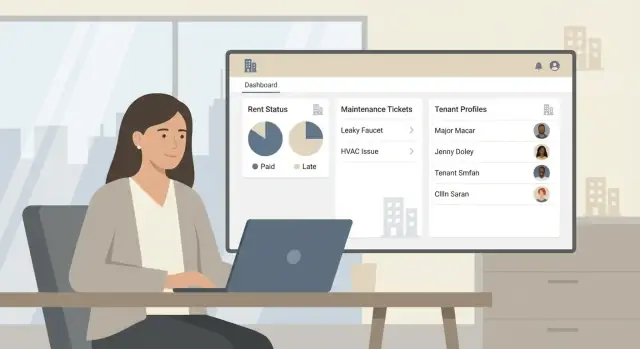
Define the app’s goals and primary users
A property management web app succeeds or fails based on who it serves and what it replaces. Before you sketch screens or choose tools, get specific about your primary users and the exact outcomes they want.
Clarify your primary user (and your “not right now” user)
Start by choosing one core audience:
- Independent property managers/landlords (1–50 units): want simple rent tracking software, fewer texts, and an easy rental payments dashboard.
- Small firms (50–500 units): need multi-property management, staff accountability, and work order tracking.
- Large portfolios (500+ units): often require deeper integrations and stricter controls—but this can be a later phase.
Write down who you won’t optimize for in version one (for example: HOA-only management, commercial-only leases, or portfolios with custom accounting).
List the core “jobs” the app must do
Focus on the everyday tasks that currently live in spreadsheets, email threads, and sticky notes:
- Collect and track rent (what’s due, what’s paid, what’s late, and why)
- Handle maintenance (a maintenance request system that goes from request → assignment → updates → completion)
- Manage tenants and leases (who lives where, lease dates, documents, and key notes)
These become the “must-have” foundation for a tenant management app and property manager portal.
Define success in measurable terms
Agree on 3–5 metrics that prove the app is working, such as:
- Fewer late payments (or fewer “unknown status” payments)
- Faster time-to-resolution for repairs
- Less time spent reconciling spreadsheets and messages
Decide web-first vs mobile-first (and whether you need a tenant portal)
If managers mostly work at a desk, prioritize web-first. If maintenance updates happen in the field, mobile-first matters.
A tenant portal is useful if you need tenants to submit requests, see statuses, and view balances. If not, you can start with manager-only tools and add the portal later without blocking your MVP.
Choose an MVP scope that covers rent, tenants, and maintenance
An MVP for a property management web app should solve the daily “must-do” work: collecting rent, tracking who lives where, and closing the loop on repairs. If your first release tries to also be full accounting, owner reporting, and a communications suite, you’ll ship late—and property managers will still be stuck in spreadsheets.
What your MVP must include
Start with three pillars that create a usable property manager portal from day one:
- Properties & units: add properties, unit numbers, status (occupied/vacant), and basic metadata (beds/baths, rent amount).
- Tenants & leases: tenant profiles, lease dates, rent amount, deposit, and who is responsible for payments.
- Rent ledger: a simple rental payments dashboard with charges, payments, balance due, and late status.
- Maintenance tickets: a maintenance request system with ticket creation, assignment, status, photos/notes, and completion date.
These features are enough to run multi-property management without forcing users into workarounds. They also generate clean data you can build automation on later.
Nice-to-have (valuable, but not required to launch)
If you’re ahead of schedule, pick one extra area that supports the workflow without adding a lot of rules:
- Messaging (basic tenant-to-manager thread)
- Document storage (lease PDFs, receipts)
- Inspections (checklists, photo attachments)
- Owner reporting (simple monthly summary)
Decide what to postpone (on purpose)
Some features sound essential but usually slow down a web app MVP because they involve edge cases, integrations, and complex permissions:
- Accounting exports and deep bookkeeping
- Advanced automation (rule builders, auto-assigning vendors, conditional notifications)
- Heavy analytics beyond basic totals
Postponing these doesn’t mean “never”—it means you’ll build them on top of reliable rent tracking software and work order tracking later.
A simple release plan (MVP → v1 → v2)
Define success criteria per release:
- MVP: core workflows working end-to-end (add lease → post rent charge → record payment; open ticket → assign → close).
- v1: quality improvements (bulk actions, better search, basic export, lightweight notifications).
- v2: integrations and automation (payment processors, accounting tools, advanced reporting) once real usage patterns are clear.
Keeping scope tight makes the first launch genuinely useful—and makes every next version easier to prioritize.
Map key workflows and user journeys
Before you design screens or choose features, document how work actually moves through a property manager’s day. A good workflow map prevents “nice-to-have” pages that don’t connect, and it makes your MVP feel coherent from the first click.
Start with the three core journeys
Focus on the paths that happen repeatedly across every property:
- Onboarding a property
- Collecting and reconciling rent
- Handling maintenance requests
For each journey, write the steps in plain language, then note who performs each step (manager, owner, tenant, vendor) and what “done” looks like.
Property onboarding: property → units → leases
A practical onboarding flow usually goes:
- Add property (address, ownership, bank/payment settings)
- Add units (unit number, beds/baths, status)
- Create lease(s) (tenant(s), dates, rent rules, deposits)
Key decision: do you allow “units without leases” (vacant) and “leases without tenants” (pre-leasing)? Supporting both reduces friction.
Rent workflow: schedule → payment → rules → reporting
Define rent as a repeatable schedule plus a ledger of transactions.
Include rules such as:
- Charge schedule (monthly/weekly), due date, grace period
- Partial payments and payment allocation (rent first vs fees first)
- Late fees (flat vs percentage, one-time vs recurring)
- Receipts and exportable reporting for owners/accounting
Make the reporting journey explicit: “manager views a rental payments dashboard → filters by property/unit → downloads or shares.”
Maintenance workflow: request → triage → assign → close
Write the end-to-end chain:
Tenant submits request → manager triages (priority, category) → assigns to vendor/maintenance staff → updates status and notes → closes with cost and completion details.
Decide where communication lives (thread per request) and what triggers status changes.
Edge cases you should sketch now
Add mini-journeys for common exceptions:
- Roommates: split payments, shared ledger, move-in/out mid-lease
- Mid-lease rent changes: effective date, proration, audit trail
- Unit transfers: tenant moves units, keep history without breaking reports
Capturing these journeys early helps your data model and screens support them naturally, instead of patching them later.
Design the data model and relationships
A clean data model is what keeps a property management web app easy to use as you add features. If you get the “core objects” and how they connect right, rent tracking, work order tracking, and a property manager portal all become straightforward.
Start with the core entities
Model the real-world things you manage, then add supporting records for history and proof.
- Properties and units: addresses, unit numbers, occupancy status
- Tenants and leases: lease dates, rent amount, deposit, contacts
- Rent ledger: charges, payments, adjustments, balances over time
- Maintenance: tickets, categories, priority, vendor assignment, timestamps
- Attachments: photos, invoices, signed documents, communication logs
Define relationships (the “one-to-many” rules)
Keep relationships predictable:
- A Property has many Units.
- A Unit can have many Leases over time, but typically only one active lease.
- A Lease can have multiple Tenants (roommates). Decide whether one tenant is the “primary” contact.
- A Lease has many Ledger Entries (charges, payments, credits). This is the backbone of rent tracking software.
- A Unit (or Lease) has many Maintenance Tickets, and a ticket can be assigned to one Vendor (optional).
- Attachments belong to a specific record (lease, ticket, ledger entry) so you can audit decisions later.
Design for history, not just current state
Avoid storing only “current balance” or “current rent” without a trail. With a ledger and timestamps, you can rebuild any past statement, explain discrepancies, and generate a reliable rental payments dashboard for multi-property management.
Plan the screens and navigation structure
A property management web app feels “easy” when people can answer daily questions in seconds: Who’s behind on rent? What needs attention today? Which lease is ending next?
Start by sketching navigation before visual design. Your goal is fewer clicks, clear labels, and a consistent place to find the same type of information across properties.
Pick a simple navigation pattern
For most teams, a left sidebar works best because property managers constantly switch between views. Keep top-level items limited (5–7). A practical set is:
- Dashboard
- Properties
- Tenants/Leases
- Maintenance
- Reports
- Settings
If you support multi-property management, add a property switcher at the top of the sidebar and keep the rest of the UI consistent.
Define the “home base” screens
Design each core screen to answer a specific set of questions without scrolling through unrelated details:
- Manager dashboard: overdue rent, upcoming lease ends, open maintenance
- Property/unit pages: rent status and ticket history in one place
- Tenant profile: lease details, payment history, contact info
- Maintenance board/list: filters by property, status, priority, assignee
Make drill-down predictable
Use a consistent hierarchy: Dashboard → Property → Unit → Tenant/Lease, and Maintenance → Ticket → Work log. Each detail page should include:
- A short summary at the top (status, key dates, amounts)
- Tabs for history (payments, tickets, notes)
- Clear primary actions (Record payment, Send reminder, Assign ticket)
Plan for “quick actions” and search
Add a global search (tenant name, unit number, ticket ID) and a “+ New” button for frequent tasks. These shortcuts reduce navigation friction and help the app feel faster—even before you optimize performance.
Set up roles, permissions, and account security
If your app gets roles and permissions wrong, everything else gets harder: tenants see numbers they shouldn’t, staff can’t do their jobs, and support tickets pile up. Start simple, but design it so you can tighten access later without rewriting the whole product.
Define roles that match real operations
A practical baseline for a property management web app is:
- Admin: owns billing, global settings, user management
- Property manager: manages properties, tenants, leases, and day-to-day work
- Maintenance staff: sees and updates assigned work orders
- Tenant: pays rent, submits maintenance requests, views their lease details
- Vendor (optional): receives assigned jobs, updates status, uploads invoices/photos
Keep roles stable, and use permissions for the fine print.
Choose clear permission boundaries
Decide early who can access sensitive areas:
- Financial data: rent amounts, payment history, late fees, owner statements
- Lease editing: start/end dates, rent changes, deposits, move-in/out status
- Ticket closure: who can mark a request “completed,” add charges, or reopen it
A good rule: tenants should only see their own unit and requests; maintenance should see jobs, not full tenant financials; property managers can see everything for their assigned properties.
Authentication: start easy, stay secure
For an MVP, support email/password or magic links (lower friction for tenants). Add SSO later if customers ask for it.
Also include basics: password reset, email verification, rate limiting, and optional 2FA for admins.
Audit trails prevent disputes
Add an audit log for critical actions: rent changes, lease date edits, payment adjustments, and ticket status updates. Store who changed what and when, plus the previous value. This helps with accountability and reduces “we never agreed to that” conflicts during renewals and maintenance billing.
Build rent tracking with clear rules and reporting
Rent tracking is the heart of a property manager portal. The goal isn’t fancy charts—it’s clarity: what’s owed, what’s paid, what’s late, and why.
Model recurring charges (and the odd exceptions)
Start by defining charges as line items tied to a lease and a due date. Most portfolios need recurring monthly rent plus add-ons like parking, utilities, storage, or pet rent. You’ll also want one-time fees (move-in, key replacement, lease renewal) without forcing users to “hack” them into rent.
A practical approach: generate a monthly charge schedule per lease, then allow edits for edge cases (prorations, credits, mid-month move-ins). Make the UI show a simple ledger per tenant and per unit.
Track payments in a way that matches real workflows
Some teams will enter payments manually (cash, checks, bank deposits). Others will want integrations later. Support both by letting users:
- Mark a charge as paid (full or partial)
- Record method, reference number, and paid date
- Upload or attach a receipt (scan/photo/PDF)
Even without integrations, consistent fields make future sync easier.
Late fees and reminders: configurable, not hardcoded
Late fees vary by market and lease terms. Provide rule options like a fixed fee after X days, a daily fee cap, or “no late fees.” Pair this with message templates for reminders (friendly notice, past-due notice, final notice), so staff don’t rewrite emails every month.
Reports that answer common questions quickly
Keep reporting focused:
- Rent roll: what should be billed per property/unit for the month
- Delinquency list: who is overdue, how much, and since when
- Payments received: totals by date range, property, and payment method
Make every report filterable by property for multi-property management, and exportable for accountants.
Create a maintenance request system end to end
A maintenance feature only works if it’s complete: tenants can submit issues easily, managers can triage quickly, and everyone can see progress without chasing updates. Design it as a simple ticket lifecycle with clear inputs, owners, and timestamps.
1) Ticket intake (tenant-facing)
Start with a tenant portal form that’s fast on mobile. Keep the required fields minimal, but structured:
- Category (plumbing, electrical, appliance, pest, other)
- Description (free text)
- Photos (optional but strongly encouraged)
Auto-fill context wherever possible (tenant, property, unit) so users don’t have to guess addresses. If you support multiple properties, make sure the form clearly shows which unit the ticket belongs to.
2) Triage fields (manager-facing)
Once submitted, managers need a consistent set of triage fields to make decisions and measure workload:
- Priority (low/normal/high/emergency)
- Due date (or “schedule by” date)
- Access notes (pets, lockbox code, preferred times)
- Property/unit selection (editable if the tenant picked the wrong one)
This turns messy messages into standardized work orders.
3) Assignment and status visibility
Tickets should be assignable to internal staff or an external vendor. Use a small, clear status set (e.g., New → Scheduled → In progress → Waiting on tenant → Completed). Tenants should see status updates and comments that matter (“scheduled for Tue 10–12”), without exposing internal-only notes.
4) Cost tracking (even if billing is out of scope)
Even if you’re not building invoicing yet, capture costs early:
- Estimates (amount + vendor)
- Invoices (file upload or reference number)
- Cost notes (parts, labor details)
This creates historical data for owners, budgets, and recurring issues.
5) SLA basics
Track two simple metrics per ticket: time to first response and time to close. Display them in the manager view to spot bottlenecks and ensure emergencies are handled quickly.
Support tenant and lease management without complexity
Tenant and lease records are the source of truth for rent and maintenance—but they shouldn’t feel like paperwork. Capture only what you need to run day-to-day operations, then make it easy to keep up to date.
Keep the lease lifecycle simple
Model leases with a clear status and a few key dates so property managers can trust what they see at a glance.
- Active / Upcoming / Expired: derived from start and end dates, with an override only for special cases
- Renewal reminders: a configurable window (e.g., 60/30/7 days before end date) so renewals don’t get missed
A small touch that helps: show a “What happens next?” line on the lease page (renew, move-out, or month-to-month), instead of a wall of fields.
Move-in and move-out, without the chaos
Move-ins and move-outs are where details matter, so guide the process with lightweight structure.
- Checklists: keys handed over, meter readings, inspection completed, forwarding address collected
- Document capture: upload photos, signed notices, or inspection PDFs directly to the tenant/lease record
- Final balances: automatically summarize unpaid rent, fees, credits, and deposit deductions in one place
Communication that’s easy to audit
Avoid scattered notes across email and text by adding a simple message log on the tenant timeline. Record key events like rent issues, repair coordination, and formal notices—date-stamped and searchable.
Guardrails for data quality
Even a minimal system needs basic checks:
- Flag missing phone/email for tenants
- Highlight incomplete lease fields (rent amount, due date, unit, term dates)
These nudges prevent downstream errors in your rent tracking and reporting, without turning setup into busywork.
Add notifications and integrations thoughtfully
Notifications and integrations can make your property manager portal feel “alive”—but only if they reduce work instead of creating noise. Decide what deserves an interruption, and what can wait on a dashboard.
Start with a small set of high-value notifications
Prioritize messages that prevent missed rent or stalled maintenance. A good MVP set is:
- Rent reminders: email + in-app reminder before due date, and a follow-up when rent becomes overdue.
- Ticket updates: confirmation when a maintenance request is received, and updates when it’s scheduled, in progress, or completed.
Keep notifications tied to clear rules (for example: “send overdue notice after 3 days”) so staff don’t have to guess what the system will do.
Use templates to keep wording consistent
Create editable templates for:
- Late rent notices (friendly reminder → firm follow-up)
- Maintenance confirmations (“we received your request,” “your visit is scheduled,” “issue resolved”)
Templates help your team communicate consistently across multiple properties, while still allowing small edits for special situations.
Choose integrations that match your workflows
The most common integrations to consider early are:
- Payment provider (so rent status updates automatically)
- Email service (for reliable delivery and tracking)
- File storage (for leases, invoices, photos, and contractor documents)
Integrate only when you have stable internal workflows—otherwise you’ll automate confusion.
Keep manual fallbacks
Real operations include exceptions. Make it easy for staff to:
- Log phone calls with tenants and vendors
- Record offline payments (cash/check) with notes and receipts
This ensures reporting stays accurate even when events happen outside the app.
Handle privacy, security, and data retention basics
Property managers handle highly sensitive information: names, addresses, lease terms, payment history, and sometimes ID documents. Getting the basics right early helps you avoid painful rework later.
Security fundamentals (what to implement from day one)
Use encryption in transit everywhere (HTTPS/TLS) so logins, rent records, and messages aren’t readable over public networks.
For passwords, enforce strong policies (length + block common passwords) and store them safely using modern hashing (never plain text). Add multi-factor authentication (MFA) for managers if possible, and protect sessions with timeouts and “log out of all devices” options.
Also plan for practical safeguards: rate limiting to reduce brute-force attempts, audit logs for key actions (rent edits, lease changes, user invites), and secure file uploads if you allow documents.
Privacy basics: least-privilege access + portfolio separation
Design role-based access so users only see what they need. A leasing agent shouldn’t automatically have access to owner statements or every property.
If you support multi-property management, separate tenant data by portfolio (or organization) so a manager can’t accidentally access another client’s tenants. This tenant data isolation should be enforced in database queries, not just hidden in the UI.
Backups, recovery, and data retention
Automate backups (database + file storage) and keep multiple restore points. Just as important: run a tested restore process on a schedule so you know recovery works.
Define a retention policy: how long you keep applications, closed work orders, and payment logs; who can export data; and how deletion requests are handled. Keeping data “forever” increases risk and costs.
Compliance to research
Requirements vary. Research local housing rules (record-keeping, notice timing), and privacy laws that may apply (e.g., GDPR/UK GDPR, CCPA/CPRA). If you’re unsure, document assumptions and confirm with counsel before launch.
Launch, validate, and iterate with real property managers
A property management web app only succeeds when it fits real routines: when people enter rent the way they actually think about it, and when a maintenance request system mirrors how work gets assigned and closed.
Pick a maintainable stack (not the fanciest)
Choose a simple, well-supported stack your team can run for years. The best choice is usually what your developers already know and what hiring markets support. Prioritize boring reliability: a mainstream web framework, a relational database, and a straightforward hosting setup with backups and logs.
If you want to get to a working prototype faster (especially for an MVP), a vibe-coding platform like Koder.ai can help you generate a web app from a structured chat workflow—then iterate in “planning mode” before committing to implementation details. Koder.ai is designed around common production choices (React on the web, Go + PostgreSQL on the backend), supports source code export, and includes snapshots/rollback—useful when you’re validating your rent ledger and maintenance ticket flows with real users.
Pilot with a small portfolio first
Roll out to a handful of units (or one building) before you invite every manager, tenant, and vendor. Keep the pilot group small enough that feedback can be acted on quickly.
Collect feedback weekly with a short script:
- What felt slower than spreadsheets?
- Where did you hesitate because you weren’t sure what would happen?
- Which screens did you avoid and why?
Quality checks that prevent expensive errors
Add automated tests around the high-stakes rules:
- Rent calculations (late fees, partial payments, credits)
- Ticket status transitions (open → assigned → scheduled → completed) so work order tracking doesn’t get stuck in limbo
Also do a “day in the life” check before each release: run through posting rent, sending a reminder, opening a work order, and closing it.
Track a few metrics that signal value
Focus on outcomes, not vanity numbers:
- Late payments rate
- Average days to close tickets
- Active users (weekly)
Iterate toward the roadmap
After the pilot, prioritize improvements that remove friction in the property manager portal. Common next steps: a vendor portal, inspections, and owner statements. Keep each release small, measurable, and easy to roll back.
FAQ
Who should I build a property management web app for first?
Start with one core audience for v1:
- Independent landlords (1–50 units)
- Small firms (50–500 units)
Write down your “not right now” users (e.g., commercial-only, HOA-only, custom accounting). This prevents scope creep and helps you design cleaner workflows and permissions.
What features must be in the MVP for a property manager portal?
A usable MVP needs three pillars that run end-to-end:
- Properties & units (occupied/vacant, rent amount, basic metadata)
- Tenants & leases (dates, rent, deposit, responsible payer)
- Rent ledger + maintenance tickets (charges/payments/balance; request → assign → close)
If you can complete “add lease → post charge → record payment” and “open ticket → assign → close,” you have a real foundation.
Which features should I intentionally postpone until after the MVP?
Because they add edge cases, integrations, and complex rules that slow shipping:
- Accounting exports and deep bookkeeping
- Advanced automation (rule builders, auto-assign)
- Heavy analytics
Ship reliable rent tracking and work order tracking first, then add integrations/automation once real usage patterns are clear.
How do I define success metrics for the first release?
Use measurable outcomes tied to daily pain:
- Fewer late payments (or fewer “unknown status” payments)
- Faster maintenance time-to-resolution
- Less time reconciling spreadsheets/messages
Pick 3–5 metrics and review them during a pilot so you know what to fix next.
Should the app be web-first or mobile-first, and do I need a tenant portal?
Choose based on where the work happens:
- Web-first if managers mostly work at a desk (data entry, reports, reconciliation).
- Mobile-first if updates happen in the field (maintenance staff, inspections).
You can start manager-only and add a tenant portal later if it would delay the MVP.
What workflows should I document before designing screens?
Map the three repeatable journeys:
- Property onboarding (property → units → leases)
- Rent collection and reconciliation (schedule → payment → reporting)
- Maintenance (request → triage → assign → close)
Write steps in plain language, note who does each step, and define what “done” means for each stage.
How should I model rent tracking so it stays accurate over time?
Keep it ledger-based and time-stamped:
- Generate recurring charges per lease (rent + add-ons)
- Allow one-time fees and adjustments (prorations, credits)
- Support full and partial payments with method/reference and paid date
Avoid storing only a “current balance” without history; a proper ledger lets you rebuild past statements and explain discrepancies.
What makes a maintenance request system actually work end to end?
Use a simple ticket lifecycle with clear fields:
- Tenant intake: category, description, optional photos
- Manager triage: priority, due date, access notes
- Assignment: internal staff or vendor
- Status: New → Scheduled → In progress → Waiting on tenant → Completed
Track time to first response and time to close so you can spot bottlenecks quickly.
How do I set up roles, permissions, and audit trails without overcomplicating v1?
Start with stable roles and simple boundaries:
- Admin, Property manager, Maintenance staff, Tenant, (optional) Vendor
Good defaults:
- Tenants only see their own unit and requests
- Maintenance staff see assigned jobs, not full tenant financials
- Managers see everything for assigned properties
Add audit logs for critical changes (rent edits, lease dates, payment adjustments, ticket status) to prevent disputes.
How should I launch and validate the app with real property managers?
Pilot with a small portfolio first (one building or a handful of units):
- Run weekly feedback sessions (what felt slower than spreadsheets, where users hesitated)
- Test high-stakes rules (late fees, partial payments, ticket transitions)
- Do a “day in the life” checklist before each release
Iterate with small, measurable improvements (search, bulk actions, basic exports, lightweight notifications) before building deeper integrations.