

How to Build a Web App to Manage Customer Success Playbooks
Learn how to design, build, and launch a web app that stores customer success playbooks, assigns tasks, tracks outcomes, and scales with your team.
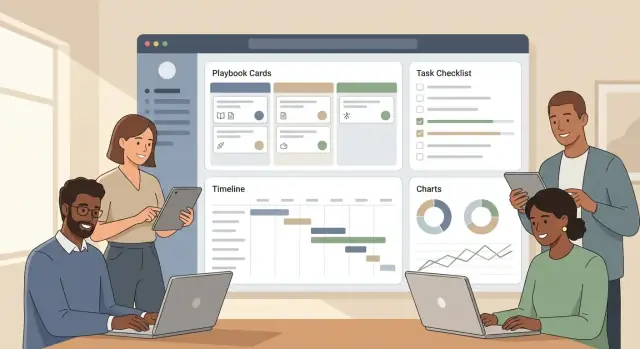
What a Customer Success Playbook App Should Do
A customer success playbook is a set of repeatable steps your team follows for a specific scenario—like onboarding a new customer, driving feature adoption, or rescuing an at-risk account. Think of it as the “best known way” to get a consistent outcome, even when different CSMs run it.
Common playbook scenarios
Most teams start with a few high-impact use cases:
- Onboarding: guide stakeholders, kickoff, training, first value, and rollout milestones.
- Adoption: increase usage of key features, track activation signals, and remove blockers.
- Renewal: timeline planning, value recap, champion alignment, and negotiation prep.
- Risk: early warning triggers, escalation steps, and recovery actions.
- Expansion: identify opportunities, validate fit, coordinate handoffs, and track progress.
Why a web app beats docs and spreadsheets
Docs are easy to write, but hard to run. Spreadsheets can track checkboxes, but they usually miss context, ownership, and accountability. A web app makes playbooks operational:
- Everyone follows the same steps and definitions
- Progress is visible across accounts and teammates
- Hand-offs are clearer (CSMs, support, sales, implementation)
- Changes roll out once—without copying new versions everywhere
What “managing playbooks” includes
A useful playbook management app does four things well:
- Authoring: create templates with steps, guidance, owners, and timing.
- Running: launch a playbook for a specific customer and assign work.
- Tracking: see status, overdue items, blockers, and outcomes in one place.
- Improving: learn what works (and what doesn’t) and update the template based on results.
Done right, playbooks become a shared system for delivering consistent customer outcomes—not just a document repository.
Identify Users, Jobs-to-Be-Done, and Success Metrics
Before you draw screens or pick a database, get specific about who will use the app and what “success” looks like. A playbook tool that isn’t anchored to real jobs and measurable outcomes quickly turns into a static document library.
Primary users (and what they’re trying to do)
CSMs need to run repeatable workflows across many accounts, stay on schedule, and avoid missing key steps.
Onboarding specialists focus on fast, consistent launches—checklists, handoffs, and clear customer milestones.
CS Ops needs to standardize playbooks, keep data clean, manage tooling rules, and report on what’s actually being used.
Managers care about coverage (are the right playbooks running?), exceptions (who is stuck?), and outcomes by segment.
Customer-level objects you’ll manage
Even in an MVP, you should treat a playbook run as something that attaches to real customer records:
- Accounts (the parent entity: company, segment, owner)
- Contacts (champion, admin, executive sponsor)
- Subscriptions (plan, renewal date, seats, expansion potential)
This ensures playbooks can be filtered, assigned, and measured by the same “unit of work” your CS team already uses.
Define outcomes per playbook
For each playbook, write down 1–3 outcomes that can be tracked, such as:
- Time-to-value (e.g., days from kickoff to first key action)
- Adoption (feature usage, active users, usage frequency)
- Renewal rate (on-time renewal, risk reduced, expansion readiness)
Make the outcome measurable and tied to a timeframe.
Must-have vs. nice-to-have (v1 reality check)
Must-have: assign owners, due dates, account linkage, basic statuses, simple reporting on completion and outcomes.
Nice-to-have: advanced automation, complex branching, deep analytics, custom dashboards, and multi-step approvals.
Design the Playbook Data Model (Templates vs. Runs)
A playbook app gets messy fast if you don’t separate what you intend to do from what is happening for a specific customer. The cleanest approach is to treat playbooks as templates in a library, and runs as the per-customer instances created from those templates.
Library: templates you can reuse
Your Playbook (template) is the canonical definition: the steps, defaults, and guidance your team wants to follow.
Typical core entities:
- Playbook: name, goal, audience (segment), tags, owner, current version
- Step: ordered items inside a playbook (e.g., “Kickoff call”, “Configure SSO”)
- Task: actionable items under a step (often what gets assigned)
- Evidence / Notes: what “done” looks like (links, files, call summary, screenshots)
Keep template content opinionated but not customer-specific. A template can include default owners (role-based like “CSM” or “Implementation”) and suggested due dates (e.g., “+7 days from start”).
Runs: instances per customer (or renewal)
A Playbook Run represents one execution of a template for a specific account—onboarding, renewal, expansion, or escalation.
At run time you’ll store:
- Run metadata: customer/account ID, start date, target end date, run owner
- Step Run / Task Run: status, assignee, due date, completion time
- Evidence/notes captured during execution
This lets you answer questions like: “How many onboarding runs are overdue?” without editing the underlying template.
Variations without chaos: optional, conditional, branching
Not every customer needs every step. You can support variations in increasing complexity:
- Optional steps (simple):
isOptional=trueand allow the run owner to skip with a reason. - Conditional steps (medium): show/activate steps based on attributes (plan tier, region, integration enabled).
- Branching (advanced): “if A then path X else path Y” with explicit dependencies.
If you’re building an MVP, start with optional + conditional. Branching can wait until you see repeated real-world needs.
Versioning: draft, published, archived (and active runs)
Treat templates as versioned documents:
- Draft: editable, not available to start new runs
- Published: can create new runs
- Archived: kept for history, not selectable
When a template changes, don’t silently rewrite active runs. Prefer a safe policy:
- Active runs stay on their original template version.
- Admins can migrate a run to a newer version (with a preview of added/removed steps).
That rule prevents “why did my checklist change overnight?” and keeps reporting trustworthy.
Plan the UI: Library, Editor, and Run Experience
Your UI should support three distinct moments: choosing a playbook, authoring it, and running it for a specific customer. Treat these as separate screens with clear navigation between them.
Playbook library: find the right playbook fast
The library is the “home base” for CSMs and CS Ops. Keep it scannable and filter-friendly.
Include:
- Search by name and step keywords
- Tags (e.g., Onboarding, Renewal, Expansion, Risk)
- Owner (who maintains it)
- Last updated date
- Usage count (how often it’s been run)
A table view works well, with a secondary card view for teams who prefer browsing. Add quick actions like Run, Duplicate, and Archive without forcing users into the editor.
Playbook editor: structure without friction
Authors need to create consistent playbooks quickly. Aim for an editor that feels like a checklist builder—not a form maze.
Core elements to support:
- Steps with short titles and clear descriptions
- Links to assets (docs, videos, internal SOPs)
- Checklists inside steps for repeatable sub-tasks
- Required fields (e.g., “Set kickoff date,” “Confirm success criteria”) so runs don’t miss essentials
Use sensible defaults: pre-filled due-date offsets, a standard status set, and a simple “step type” dropdown only if it changes behavior (like sending an email or creating a CRM task).
Run view (per customer): what’s next, by when
A “run” is where the playbook becomes day-to-day work. The run view should answer four questions instantly: what’s next, what’s due, what’s blocked, and what happened already.
Show:
- Next actionable step at the top
- Due dates and owners for upcoming steps
- Blockers (missing inputs, overdue dependencies, approval needed)
- A history/timeline of completed steps and notes
Keep UX simple: fewer clicks, clearer statuses
Keep primary actions consistent across screens (Run, Complete step, Add note). Use plain statuses like Not started, In progress, Blocked, Done. If you need more detail, add it in tooltips or a side panel—not in the main flow.
Add Workflow: Tasks, Triggers, Timelines, and Alerts
A playbook becomes useful when it can move work forward automatically. Workflow is the layer that turns a “checklist in a template” into a repeatable process your team can run consistently across accounts.
Tasks as first-class objects
Model tasks with a clear lifecycle so everyone interprets status the same way: created → assigned → in progress → done → verified.
A few practical fields go a long way: owner, due date, priority, related customer/account, and a short “definition of done.” The “verified” step matters when tasks affect reporting (e.g., onboarding complete) and when managers need a lightweight approval step.
Triggers that start (and adapt) the run
Triggers decide when a playbook run starts or when new steps become active. Common triggers include:
- start on signup date
- start on stage change (e.g., Trial → Paid)
- start on renewal date
- start on health drop (e.g., score falls below a threshold)
Keep trigger rules readable for non-technical users: “When renewal is in 90 days, start Renewal Playbook.”
Timelines and scheduling rules
Most customer success work is relative to a starting event. Support due dates like “Day 3” or “2 weeks before renewal,” plus business-day handling (skip weekends/holidays, shift to next business day).
Also consider dependencies: some tasks should unlock only after earlier tasks are completed or verified.
Alerts that people won’t ignore
Notifications should be configurable by channel (email/Slack), frequency (digest vs. immediate), and urgency. Add reminders for upcoming due dates and escalations for overdue items (e.g., notify manager after 3 business days).
Make alerts actionable: include the task, customer, due date, and a direct link to the run (e.g., /playbooks/runs/123).
Integrations and Data Inputs (CRM, Support, Product Usage)
A playbook app only works if it’s fed with the same signals your team already uses to make decisions. Integrations turn playbooks from “nice documentation” into workflows that update themselves.
Start with the essentials
Focus on the systems that define customer context and urgency:
- CRM (Salesforce/HubSpot): account ownership, lifecycle stage, renewal date, ARR, contacts, and key notes.
- Support (Zendesk/Intercom/Freshdesk): open ticket count, severity, time-to-first-response, CSAT, recent escalations.
- Billing (Stripe/Chargebee/Zuora): plan, invoice status, payment failures, expansion/downgrade events.
These inputs unlock obvious triggers like “Kick off onboarding when Deal = Closed Won” or “Alert CSM when invoice becomes past due.”
Product usage events: what you actually need
Usage data can get noisy. For playbooks, prioritize a small set of events tied to outcomes:
- Logins/active days (basic adoption)
- Feature usage for the 3–5 “sticky” features
- Milestones (project created, first report shared, integration connected)
Store both the latest value (e.g., last login date) and a time window summary (e.g., active days in last 7/30 days) to support health score tracking.
Sync strategy: pull vs. push
- Pull (scheduled sync) is easier to start: run every 15–60 minutes for CRM/support, daily for billing.
- Push (webhooks) is best for real-time triggers: ticket created, subscription failed, milestone reached.
Define rules for conflicts (which system is the source of truth), retries (exponential backoff), and error handling (dead-letter queue + visible sync status per account).
Keep a CSV fallback
Even with integrations, add CSV import/export for accounts, contacts, and playbook runs. It’s a reliable escape hatch for pilots, migrations, and troubleshooting when an API changes.
Permissions, Access Control, and Audit History
Permissions decide whether your playbook app feels trustworthy or risky. Customer Success teams often handle sensitive notes, renewal details, and escalation steps—so you need clear rules that match how teams actually work.
Role-based access (who can do what)
Start with a small set of roles and make them easy to understand:
- Admin: manages org settings, integrations, roles, and data retention policies.
- Manager: can create/edit templates, approve changes, reassign work, and see reporting for their team.
- CSM: can run playbooks on accounts they own, update tasks, change due dates (within limits), and add notes.
- Read-only: can view playbooks and progress, but can’t edit steps, assignments, or outcomes.
Keep permissions consistent across the app: the Library, Editor, and Run views should enforce the same rules so users don’t get surprised.
Account-level permissions (sensitive customers)
Role-based access isn’t enough when certain accounts require extra restrictions (enterprise customers, regulated industries, executive escalations). Add account-level controls such as:
- “Restricted account” flag that limits visibility to a named list (or specific team).
- Segment-based rules (e.g., only “Enterprise CSMs” can access Enterprise accounts).
- Field-level hiding for sensitive properties (e.g., contract value, legal notes) if needed.
Audit trail (proof of what happened)
Your audit history should answer “who changed what, and when?” Track events like:
- step edits (text, order, templates)
- due date changes
- assignment changes
- task completion/reopening
Show an Activity panel per playbook run, and store a tamper-resistant log for admins.
Retention and deletion basics
Define what happens when a customer or user is deleted:
- Soft-delete customers to preserve history for reporting while hiding them from day-to-day views.
- Deactivate users (don’t delete) so audit entries still map to a real identity.
- Set retention windows for logs and archived playbook runs, and document them in your admin settings.
Reporting, Health Views, and Outcome Tracking
Reporting is where a playbook app proves it’s more than a checklist. Your goal isn’t “more charts”—it’s fast answers to everyday questions: What’s next for this customer? Are we on track? Who needs help right now?
Operational metrics (is the workflow working?)
Start with a small set of operational metrics that show whether playbooks are being executed consistently:
- Tasks completed on time: % of tasks closed before due date (filterable by playbook, team, and CSM).
- Playbook cycle time: time from playbook start → completion (median is usually more useful than average).
- Step drop-off: where runs commonly stall (e.g., “Kickoff scheduled” never reached).
These metrics let CS Ops spot broken templates, unrealistic timelines, or missing prerequisites.
Customer-level views (is the customer progressing?)
Every account page should make it obvious what’s happening without opening multiple tabs:
- Current stage (e.g., Onboarding, Adoption, Renewal)
- Active playbooks and their status (On track / At risk / Blocked)
- Next milestone with an owner and a date
A simple “what should I do next?” panel reduces busywork and makes handoffs smoother.
Health indicators (track changes with context)
Health scoring should be easy to input and easy to explain. Use a lightweight score (for example 1–5 or Red/Yellow/Green) supported by a few structured inputs, plus reason codes whenever the health changes.
Reason codes matter because they turn a subjective score into trendable data: “Low usage,” “Executive sponsor left,” “Support escalations,” “Billing risk.” Require a short note for anything marked “At risk” so reports reflect reality.
Manager dashboards (make workload and risk visible)
Managers typically need the same four views, updated in real time:
- Workload by CSM (active runs, tasks due this week)
- Overdue items (by severity and age)
- At-risk accounts (with latest reason codes and last touch)
- Bottlenecks (templates with unusually long cycle times)
Keep drill-down consistent: every metric should link to the list of accounts/tasks behind it so leaders can act immediately.
Pick a Practical Tech Stack and Architecture
Your first version should optimize for learning speed and low operational overhead. Customer success teams will judge you on reliability and ease of use—not whether you picked the trendiest framework.
Authentication: start simple, keep it secure
Begin with email + password login, but bake in secure defaults:
- Use a proven auth library (avoid rolling your own).
- Store passwords with strong hashing (Argon2/bcrypt).
- Add MFA as an option early if your customers handle sensitive accounts.
Design your user model so you can add SSO later (SAML/OIDC) without reworking everything: organizations/workspaces, users, roles, and a “login method” abstraction.
Backend basics: API + database + background jobs
A clean, API-first backend keeps the product flexible (web today, maybe integrations or mobile later). A practical baseline:
- API: REST (or GraphQL if your team already knows it well).
- Database: Postgres (great for multi-tenant SaaS, reporting, and audit history).
- Background jobs: for reminders, scheduled tasks, and data syncs from CRM/support tools.
Common choices: Node.js (Express/NestJS), Python (Django/FastAPI), or Ruby on Rails—pick what your team can ship fastest.
If you want to move even faster on a first build, a vibe-coding platform like Koder.ai can help you prototype the core flows (Library → Editor → Run) from a chat interface, then export the source code when you’re ready to take it in-house. It’s a natural fit for this kind of product because the default stack (React on the front end, Go + PostgreSQL on the back end) maps well to a multi-tenant playbook app.
Frontend basics: reusable building blocks
Use a component-based UI where “playbook steps,” “tasks,” and “customer/run views” share the same primitives. React (often via Next.js) is a safe bet for building an editor-like experience while keeping performance decent.
Hosting: managed first
Start on a managed platform to reduce ops work:
- App hosting: Render/Fly.io/Heroku-like platforms
- Database: managed Postgres
- Jobs/queues: managed Redis where needed
You can always move to Kubernetes later, after product-market fit. For MVP planning, see /blog/build-the-mvp-step-by-step.
Build the MVP: A Step-by-Step Development Plan
An MVP for a customer success playbook app should prove one thing: teams can consistently run repeatable workflows without getting lost. Aim for a tight loop—pick a playbook, start a run, assign work, track completion, and see progress.
Step 1: Lock the MVP scope
Keep it simple:
- Create a playbook library (view + basic management)
- Start a “run” from a playbook
- Assign tasks to owners and due dates
- Mark tasks complete and capture notes
Anything beyond that (complex automation, advanced analytics, multi-step approvals) can wait.
Step 2: Build the foundation first (data model → CRUD)
Start with the data model and only then build screens. You’ll move faster and avoid UI rewrites.
-
Data model: Playbook templates, sections/steps, tasks, and runs.
-
CRUD screens: A simple Library view (list + search), and a basic Editor (add steps/tasks, reorder, save).
-
Run view: A clear checklist-style experience: status, owners, due dates, completion, and comments.
If you’re using Koder.ai for the MVP, “planning mode” is especially useful here: you can outline the entities (templates vs. runs), permissions, and screens before generating the first iteration—then use snapshots/rollback to safely iterate when requirements change.
Step 3: Add guardrails that prevent messy playbooks
MVP quality is mostly guardrails:
- Required fields (name, task title, owner, due date rules)
- Validation (no empty tasks; sensible date ranges)
- Clear empty states (what to do when there are no playbooks, no tasks, or no runs)
Step 4: Add reminders and lightweight reporting
Once runs work end-to-end, add the minimum workflow support:
- Reminders for overdue tasks (email/in-app)
- A simple progress summary: tasks done vs. remaining, overdue count, run status
Step 5: Seed with starter playbooks
Ship with 3–5 ready-to-use templates so users see value immediately:
- Customer onboarding playbook
- Adoption / feature rollout
- Renewal prep
- At-risk / recovery
This gives your MVP a “plug-and-play” feel and reveals what the editor must support next.
QA, Security, and Reliability Essentials
A playbook app quickly becomes a “source of truth” for onboarding, renewals, and escalations—so bugs and access mistakes are costly. Put a lightweight but disciplined quality bar in place before you ship the MVP.
QA: test the critical flows first
Focus on end-to-end scenarios that mirror real work, and automate them as early as possible.
- Create playbook: build a template, add steps, assign an owner, and publish.
- Start a run: pick an account, launch the run, and confirm tasks appear with due dates.
- Reassign tasks: change assignee mid-run (including out-of-office cases) and verify notifications.
- Close run: complete tasks, mark outcomes, and confirm reporting updates.
Keep a small set of “golden paths” in CI, plus smoke tests for every release.
Security: minimum access, safe secrets, encrypted traffic
Start with least-privilege roles (e.g., Admin, Manager, CSM, Read-only) and restrict who can edit templates vs. only run them. Use encryption in transit (HTTPS/TLS everywhere) and store secrets in a managed vault (never in code or logs). If you integrate with CRMs or support tools, scope OAuth tokens tightly and rotate credentials.
Privacy: treat playbooks as PII-adjacent
Playbooks often include notes, contact info, and renewal context. Define which fields are PII, add access logs for sensitive views/exports, and support data export for customers and compliance requests. Avoid copying full CRM records—store references when possible.
Reliability and performance checks
Measure the “everyday pages”: playbook library lists, run lists, and search. Test with large accounts (many runs and thousands of tasks) to catch slow queries early. Add basic monitoring (error tracking, uptime checks), safe retries for background jobs, and backups with a documented restore drill.
Launch, Onboard Users, and Improve Playbooks Over Time
Shipping the MVP is only the start. A playbook app succeeds when it becomes the default place your CS team plans work, tracks outcomes, and updates processes. Treat launch like a controlled experiment, then expand.
Start with a small pilot
Pilot with a small CS team and a limited set of customers. Pick one or two common motions (for example: onboarding and QBR prep) and define what “good” looks like before you roll out:
- Time to complete a playbook run
- % of tasks completed on time
- Fewer “where is this at?” pings in Slack
- Better outcomes (activation, renewal risk reduction)
Keep the pilot tight: fewer playbooks, fewer fields, and clear ownership for playbook edits. This makes it easier to tell whether the product is helping—or just adding clicks.
Onboarding that gets people to their first win
Onboarding should feel like guided setup, not documentation homework. Include:
- A short guided setup that creates the first workspace, roles, and a sample customer
- Sample playbooks (onboarding, renewal, adoption push) that users can copy and tweak
- Role-based tips (CSM vs. CS Ops vs. manager) that explain what each person should do next
Aim for a first completed “run” in the first session. That’s the moment users understand the value.
Build a feedback loop into the product
Set up a lightweight feedback loop that answers three questions: where users get stuck, what data they miss, and what to automate next. Combine in-app prompts (after completing a run), a single “Report an issue” entry point, and a monthly review with your pilot team.
As patterns emerge, improve playbooks like you would product features: version templates, note what changed, and retire outdated steps.
Make the next step clear
When teams are ready to expand beyond the pilot, offer a clear next step—see plans and rollout support on /pricing or talk through your use case on /contact.
If you’re building this product for your own team (or as a SaaS), you can also use Koder.ai to accelerate iteration: build the MVP on the free tier, then move to pro/business/enterprise as you add collaboration, deployment, and hosting needs. If you publish learnings about your build process, check whether the earn-credits program can offset usage as you scale.
FAQ
What problem does a customer success playbook app solve compared to docs and spreadsheets?
A playbook app makes playbooks operational instead of static. It provides:
- Consistent steps and definitions across the team
- Visibility into progress, blockers, and overdue work
- Clear handoffs between CSM, Support, Sales, and Implementation
- Centralized updates (no copying new doc versions around)
Docs are easy to create, but hard to run and measure at scale.
Which playbook scenarios should we build first?
Start with the motions that happen constantly and create the most risk if they’re inconsistent:
- Onboarding (fast time-to-value)
- Adoption (feature usage + activation milestones)
- Renewal (timeline + value recap + stakeholder alignment)
- Risk (health drop triggers + escalation + recovery steps)
- Expansion (opportunity identification + coordination)
Pick 1–2 for your MVP pilot so you can learn quickly without overbuilding.
What’s the difference between a playbook template and a playbook run?
Treat templates as the “source of truth” and runs as the per-customer execution:
- Template: reusable steps, default owners, due-date offsets, guidance
- Run: a real instance tied to an account with assignees, due dates, statuses, and notes
This separation keeps reporting accurate and prevents active customer work from changing when the template is edited.
What core customer data should a playbook run attach to?
Anchor the app to the objects your CS team already manages:
- Accounts (segment, owner, key attributes)
- Contacts (champion, admin, exec sponsor)
- Subscriptions (plan, renewal date, seats, ARR)
Linking runs and tasks to these objects enables filtering (e.g., “renewals in 90 days”) and outcome reporting by segment or owner.
How should we handle optional or conditional steps without making the system too complex?
Keep variation simple until you see repeated needs:
- Optional steps: allow skipping with a required reason
- Conditional steps: activate based on attributes (plan tier, region, integration enabled)
Full branching (“if A then path X else Y”) adds complexity quickly. In an MVP, optional + conditional usually covers most real-world variation.
How do we handle playbook versioning when templates change?
Use a clear versioning workflow:
- Draft (editable)
- Published (can start new runs)
- Archived (kept for history)
Best practice: don’t silently rewrite active runs. Keep runs pinned to the template version they started with, and offer an admin-controlled migration with a preview of changes.
What should the run experience show to help CSMs execute quickly?
A run view should answer four questions immediately: what’s next, what’s due, what’s blocked, and what happened already.
Include:
- Next actionable item at the top
- Owners + due dates for upcoming work
- Blockers and dependencies
- A timeline/history of completed steps and notes
Use a small, consistent status set (e.g., Not started / In progress / Blocked / Done).
How should tasks be modeled so statuses and reporting stay consistent?
Model tasks as first-class work items with a shared lifecycle, for example:
created → assigned → in progress → done → verified
Store practical fields:
- Owner, due date, priority
- Related account/run
- Definition of done
Verification is especially helpful when task completion drives reporting (e.g., “onboarding complete”).
Which integrations matter most for a playbook management MVP?
Start with the systems that already define customer context and urgency:
- CRM (owner, stage, renewal date, ARR, contacts)
- Support (ticket volume/severity, escalations, CSAT)
- Billing (plan, invoice status, payment failures)
For product usage, keep it focused: logins/active days, the 3–5 “sticky” features, and key milestones (integration connected, first report shared).
What metrics should we report on to prove the playbooks are working?
For a strong MVP, track execution quality and a small set of outcomes:
- Tasks completed on time (%)
- Playbook cycle time (median start → completion)
- Step drop-off (where runs commonly stall)
Then tie each playbook to 1–3 measurable outcomes (e.g., time-to-value, feature adoption, renewal readiness) with a timeframe so you can compare results across segments.