

How to Create a Web App That Replaces Operational Spreadsheets
Learn how to plan, design, and build a web app that replaces spreadsheets for operations—better data quality, approvals, reporting, and access control.
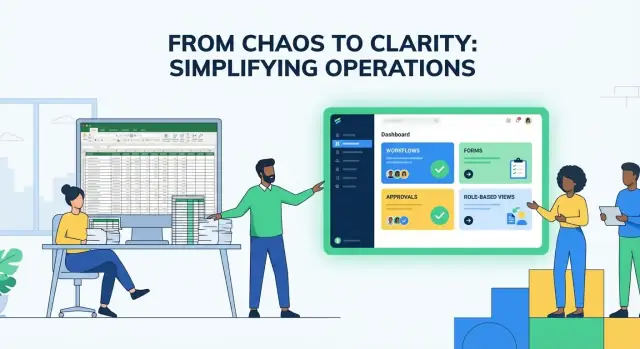
Why Businesses Outgrow Spreadsheets for Operations
Spreadsheets are excellent for analysis and one-off tracking. They struggle when a sheet becomes the system that runs daily operations—especially when multiple people are editing, approving, and reporting from the same data.
Where spreadsheets start to break
Operational work is repetitive, collaborative, and time-sensitive. Spreadsheets tend to fail in a few predictable ways:
- Errors multiply: copy/paste mistakes, overwritten formulas, hidden columns, and inconsistent data entry (e.g., “NY”, “New York”, “newyork”).
- Version chaos: “Final_v7_reallyfinal.xlsx” or multiple Google Sheets tabs that drift apart, making it unclear what’s current.
- Permissions are blunt: you can share a whole file or a whole tab, but it’s harder to say “you can submit requests, but not see payroll,” or “you can edit only your own rows.”
- No real audit trail: you might see that something changed, but not always why, who requested it, or what the previous approved value was.
When these problems show up, teams add workarounds: locked cells, extra “DO NOT EDIT” tabs, manual checks, and Slack messages to confirm what changed. That extra effort is often the true cost.
What “spreadsheet replacement” means in practice
A good spreadsheet replacement doesn’t just recreate a grid in a browser. It turns the sheet into a simple operational app with:
- Forms for clean input (required fields, dropdowns, validation)
- Workflows (statuses, handoffs, approvals, notifications)
- Reporting that’s always up to date (dashboards, filters, exports)
The goal is to keep the flexibility people like about spreadsheets, while removing the fragile parts.
Great first targets
Operations with clear steps and frequent handoffs are ideal starters, such as:
- Requests: purchase requests, IT tickets, time-off, expense approvals
- Inventory and assets: stock counts, equipment assignment, replenishment
- Onboarding/offboarding: tasks by role, due dates, checklists, sign-offs
- Approvals: discounts, content reviews, contract routing
What success looks like
You’ll know the shift is working when you see measurable outcomes: fewer manual follow-ups, shorter cycle times from request to completion, and cleaner data (less rework, fewer “what does this mean?” comments). Just as important: the team trusts the numbers because there’s one source of truth.
Choose the Right Process and Scope Your First App
The fastest way to get value from a spreadsheet replacement is to start with one operational process that hurts enough to justify change. If you try to rebuild “everything we do in Excel” in one go, you’ll end up debating edge cases instead of shipping.
Start small: pick a process with clear pain and ROI
Look for a workflow where spreadsheets are actively costing time or money—missed handoffs, duplicate entry, slow approvals, or inconsistent reporting. Good first candidates are processes that:
- Happen frequently (daily/weekly)
- Involve multiple people handing work off
- Need a record of “who changed what and when”
- Break when someone edits the wrong cell or uses the wrong template
Define what “better” means in numbers. Examples: reduce cycle time from 5 days to 2, cut rework by 30%, eliminate 2 hours/week of manual consolidation.
Define the primary users and their jobs-to-be-done
Be specific about who will use the app first and what they’re trying to accomplish. A simple way to do this is to write 3–5 user statements:
- “As a coordinator, I need to submit a request with required fields so it doesn’t bounce back.”
- “As a manager, I need to approve or reject with a comment in under a minute.”
- “As finance, I need a monthly export that matches our chart of accounts.”
Prioritize the people closest to the work. If the app makes their day easier, adoption follows.
List the key outputs (what the business actually needs)
Operational apps succeed when they produce reliable outputs. Capture the essentials up front:
- Reports and dashboards (e.g., backlog, SLA, status by owner)
- Exports (CSV for accounting, weekly summary for leadership)
- Notifications (email/Slack when status changes)
- Approvals and decision points (who signs off, in what order)
If an output isn’t needed to run the process, it’s probably not MVP.
Set a target scope and timeline
Timebox the first release. A practical target is 2–6 weeks for an MVP that replaces the highest-friction part of the spreadsheet. Include only what’s required to run the process end-to-end, then iterate.
This article walks through an end-to-end guide—from scoping and workflows to permissions, automation, reporting, and migration—so you can ship something useful quickly and improve it safely.
Translate Spreadsheet Work Into Clear Workflows
Spreadsheets hide your process inside cell ranges, informal “rules,” and side conversations. Before you build anything, make the work visible as a workflow: who does what, in what order, and what “done” means at each step.
Map the real spreadsheet flow (not the ideal one)
Start with a quick walkthrough of the current sheet as people actually use it. Capture:
- Inputs: where new requests start (email, form, sales handoff, copy/paste from another file).
- Edits: which columns get updated over time, and by whom.
- Handoffs: when the record changes owner (e.g., Sales → Ops → Finance).
- Approvals: what needs a sign-off, what evidence is required, and where that approval is recorded today (a checkbox, a note, or a Slack message).
Keep the map concrete. “Update status” is vague; “Ops sets Status = Scheduled and assigns a technician” is actionable.
Identify failure points you want the app to prevent
As you review the flow, tag the moments that create rework or confusion:
- Duplicate entry (same request created twice, or copied into multiple tabs)
- Unclear ownership (“Who is supposed to update this row?”)
- Missing fields that block downstream work (no due date, missing customer ID)
- Conflicting edits (two people changing the same values)
These pain points become your first set of guardrails and requirements.
Define the happy path—and the exceptions
Most teams only describe the “normal” route, but operations live on edge cases. Write down:
- Happy path: the simplest, most common way a request moves from created → completed.
- Exceptions: rework loops, cancellations, escalations, partial completions, or “needs clarification.”
If an exception happens more than occasionally, it deserves a real step in the workflow—not a comment in a cell.
Turn your map into user stories and acceptance criteria
Convert each step into a small set of user stories. Example:
- As an Ops coordinator, I can create a work order with required fields, so technicians always have enough information.
Add acceptance criteria that are testable:
- Required fields are enforced
- Ownership is always visible
- Status changes are limited to allowed next steps
- Approvals record who approved and when
This is the blueprint your web app will implement—clear enough to build, and clear enough to validate with the team before any development starts.
Design a Data Model That Stays Clean Over Time
A spreadsheet can hide messy structure because anything can live in any column. A web app can’t: it needs a clear data model (your “single source of truth”) so the same information isn’t duplicated, contradicted, or lost when people edit it.
Turn tabs into real entities
Start by converting each major sheet/tab into an entity (a table) with a single purpose. Common operational examples include:
- Orders (what you fulfill)
- Vendors (who you buy from)
- Requests/Tickets (work intake)
- Customers/Locations (who/where the work is for)
If a tab mixes multiple concepts (e.g., a “Master” sheet containing vendor info, order lines, and delivery dates), split it. This alone prevents the classic spreadsheet problem where one vendor update requires editing 20 rows.
Define relationships with simple rules
Most operational systems boil down to a few relationship types:
- One-to-many: One Vendor → many Purchase Orders. Each purchase order has a
vendor_id. - Many-to-many: Many Orders ↔ many Products. Model this with a join table like OrderItems (fields:
order_id,product_id,quantity,unit_price).
Write these as plain sentences first (“An order has many items”), then reflect them in the database.
Pick stable IDs and standard fields
Don’t use names as identifiers—names change. Use stable IDs:
- Internal numeric/UUID
id - Human-friendly
order_number(optional, can be formatted)
Add a consistent set of fields across tables:
status(e.g., Draft → Submitted → Approved → Completed)created_at,updated_atcreated_by,updated_by(or user IDs)
Plan for change without breaking history
Operational data evolves. Make it safe to adjust:
- Add columns safely: prefer new fields over repurposing old ones.
- Deprecate fields: keep the old field read-only and migrate gradually.
- Keep history: store important changes (like status changes or approvals) in an Activity/Audit table instead of overwriting the past.
A clean model now saves months of cleanup later—and makes reporting and automation much easier.
Build User-Friendly Data Entry With Guardrails
A good spreadsheet replacement shouldn’t feel slower than a grid—it should feel safer. The goal is to keep the speed people love while removing the “anything goes” inputs that create rework and confusion.
Replace free-form cells with guided forms
Instead of letting users type whatever they want into a cell, give them purpose-built inputs:
- Dropdowns for categories, teams, locations, and reasons (so spelling can’t fork your data)
- Required fields for anything needed to complete a request
- Date pickers, currency inputs, and masked fields for phone numbers or IDs
- Helpful defaults (e.g., “today” for a request date) to reduce clicks
If you still want a spreadsheet-like feel, use an “editable table” view—but keep each column typed and constrained.
Validation rules that prevent bad data early
Guardrails work best when they’re immediate and specific. Add validation for:
- Formats: emails, dates, ID patterns
- Ranges: quantities can’t be negative; budgets must be within limits
- Uniqueness: prevent duplicate order numbers, invoice IDs, or asset tags
- Dependencies: “If reason = Replacement, then previous asset ID is required”
Make errors actionable (“Quantity must be between 1 and 500”) and show them next to the field—not as a generic banner.
Status-driven screens (and editing rules)
Spreadsheets rarely reflect the reality that work moves through stages. In your app, let the current status decide what’s editable:
- Draft: everything editable
- Submitted: only comments and attachments
- Approved: editing locked except for fulfillment fields
This reduces accidental changes and makes the next step obvious.
Bulk actions that keep spreadsheet speed
Power users need to move fast. Offer safe bulk operations like:
- Multi-select rows to update status, assign an owner, or set a due date
- Import/copy-paste with a preview and validation summary before saving
- “Apply to all” for repetitive fields
The payoff is fewer corrections, cleaner reporting later, and less time spent reconciling versions of the truth.
Add Permissions, Ownership, and an Audit Trail
Spreadsheets tend to assume that anyone with the link can see (and often edit) everything. A web app should do the opposite: start with clear ownership and permissions, then open up access only where it’s needed.
Define roles people actually understand
Begin by naming a small set of roles and mapping them to real responsibilities. A common setup:
- Requester: creates a record (e.g., a purchase request), edits it while it’s in draft, and responds to comments.
- Approver: reviews, approves/rejects, and can request changes. Typically cannot edit core fields (to avoid “approving their own edits”).
- Admin: manages settings, users, and workflows; can correct mistakes with an audit reason.
- Viewer: read-only access for stakeholders who need visibility but shouldn’t change data.
Keep permissions aligned with business rules, not job titles. Job titles change; responsibilities are what matter.
Use row-level access to avoid “all-or-nothing” data sharing
Most operational apps need row-level access so people only see the items they own or are responsible for. Typical patterns include:
- Teams: users can access records assigned to their team.
- Regions or departments: a “scope” field limits visibility to a region/department.
- Ownership + shared access: a single owner plus optional collaborators.
Design this early so it’s consistent across lists, search, exports, and reports.
Build an audit trail you can trust
An audit trail answers: who changed what and when—and, ideally, why.
Capture at minimum:
- user, timestamp, action (create/update/delete)
- fields changed (old value → new value)
- record identifier
For sensitive edits (amounts, vendor, due dates, status), require a reason for change. This prevents silent fixes and makes reviews faster.
Basic security practices that prevent costly mistakes
Permissions only work if access is well-controlled:
- Least privilege by default (start with Viewer, grant more as needed)
- Strong authentication (SSO if available, MFA for admins)
- Session management (timeouts, secure cookies, device logout)
Done well, permissions and audit trails don’t just “secure the app”—they create accountability and reduce rework when questions inevitably come up.
Implement Workflow Automation and Approvals
Spreadsheets often “work” because people remember what to do next. A web app should remove that guesswork by making the process explicit and repeatable.
Model the lifecycle with clear states
Start by defining a simple state machine for each record (request, order, ticket, etc.). A common pattern is:
- Draft → Submitted → Approved (or Rejected)
Each state should answer two questions: who can change it and what happens next. Keep the number of states small at first; you can always add nuance later (for example, “Needs Info” or “On Hold”) once the team is comfortable.
Handle approvals and exceptions without hacks
Approvals are rarely a single “yes/no.” Plan for exceptions up front so people don’t fall back to side emails and shadow spreadsheets:
- Rejections with a required reason and optional suggested edits
- Reassignments when an approver is out (delegate or change owner)
- Escalations when something sits too long (route to a manager)
Make these paths intentional UI actions, not hidden admin fixes.
Notifications that respect SLAs
Automation should support timely action without spamming.
Use a mix of:
- In-app notifications for daily work
- Email notifications for “you must act” moments
- Reminders based on due dates and aging (SLA-friendly timing)
Tie reminders to states (e.g., “Submitted for 48 hours”) rather than arbitrary calendar rules.
Avoid hidden logic—make rules visible
If your app contains rules like “Over $5,000 needs finance approval,” show them where decisions happen:
- Display the rule near the Submit button (and explain what will happen)
- Show an approval path preview (who will approve, in what order)
- Keep a short “How approvals work” note in the UI and your internal docs
When people can see the rules, they trust the workflow—and stop building workarounds.
Create Reporting That Replaces Spreadsheet Pivot Tables
Spreadsheets often become “the reporting layer” because pivot tables are quick. A web app can do the same job—without copying data into new tabs, breaking formulas, or debating which file is the latest.
Dashboards for daily work
Start with dashboards that help people act, not just observe. Good operational dashboards answer: “What do I need to do right now?”
For most teams, that means:
- Queues: items assigned to me, unassigned work, or by team
- Overdue and at-risk items: due date breaches, stalled steps, missing information
- Throughput: completed today/this week, average cycle time, work-in-progress counts
Design these views to be filterable (by owner, status, customer, location) and clickable so a user can jump straight from a chart to the underlying records.
Operational reports that reveal patterns
Once daily work is covered, add reports that show trends and explain pain points:
- Bottlenecks: where work waits the longest, by step or team
- Error rates: how often items are sent back, fail validation, or require rework
- Volume trends: seasonality and spikes that affect staffing
Keep report definitions explicit. A “completed” item should mean the same thing everywhere, not “whatever the pivot table filtered last time.”
Exports without losing the single source of truth
Finance, partners, and auditors may still need CSV/XLSX. Provide controlled exports (with consistent column names, timestamps, and filters) so people can share data outward while your app remains the system of record. Consider saved export templates (e.g., “Month-end invoice feed”) to eliminate repeated manual formatting.
Define metrics early
Before building charts, write down the few metrics you’ll treat as canonical—cycle time, SLA compliance, reopen rate, backlog size. Deciding this early prevents the late-stage problem of “we can’t measure it,” and keeps everyone aligned as the app evolves.
Migrate from Excel/Google Sheets Without Breaking Work
Migration isn’t just “import the file.” It’s a controlled change to how people do their daily work—so the safest goal is continuity first, perfection second. A good migration keeps the business running while you steadily replace spreadsheet habits with reliable app workflows.
Start by importing what you already have (but clean it first)
Before you import, take one pass through the current spreadsheets to remove the things a web app shouldn’t inherit: duplicate rows, inconsistent naming, old columns nobody uses, and “magic” cells that depend on hidden formulas.
A practical approach is:
- Standardize key fields (dates, status values, IDs, email formats)
- De-dupe based on a clear rule (e.g., most recent updated row wins)
- Map columns to app fields explicitly (including what should be ignored)
If you can, keep a copy of the “cleaned source” as a reference snapshot so everyone can agree what data was migrated.
Build a migration plan you can repeat
Plan your migration like a small release:
- Dry runs: import a copy of the spreadsheet into a staging environment and time the process end-to-end.
- Reconciliation checks: compare totals and spot-check records (e.g., number of orders per month, total open tickets, sums by status). Create a short checklist so you can repeat it every run.
- Rollback plan: decide what “undo” means. Often it’s as simple as restoring a database backup and telling the team to keep using the spreadsheet for the day.
This prevents a messy “we think it imported” situation.
Parallel run vs. cutover (choose intentionally)
A parallel run (spreadsheet + app at the same time) is best when data accuracy is critical and processes are evolving. The tradeoff is double-entry fatigue—so keep the parallel window short and define which system is the source of truth for each field.
A cutover (switch on a specific date/time) works when the process is stable and the app covers the essentials. It’s easier on staff, but you must be confident in permissions, validations, and reporting before the switch.
Training that people actually use
Skip long manuals. Provide:
- Templates for common tasks (e.g., “new request,” “weekly update”)
- Short videos (60–120 seconds) for top workflows
- In-app help: tooltips, example values, and “what happens next” hints near buttons
Most adoption issues aren’t technical—they’re uncertainty. Make the new path feel obvious and safe.
Integrate With Other Tools and Keep Data in Sync
Operational spreadsheets rarely live alone. The moment you replace them with a web app, you’ll want the new system to “talk to” the tools your team already uses—so people don’t retype the same data in five places.
Start with the systems that create or consume the truth
Make a short list of what your process depends on:
- CRM (Salesforce, HubSpot): customers, deals, contacts
- Accounting (QuickBooks, Xero): invoices, payments, vendors
- Ticketing/support (Zendesk, Jira): issues, requests, SLAs
- Email/calendar (Gmail/Outlook): notifications, confirmations, scheduling
A good rule: integrate the tool that currently “wins” arguments. If finance trusts accounting, don’t try to overwrite it—sync from it.
API basics (without the jargon)
Most integrations boil down to:
- Triggers: “When something happens…” (e.g., a deal closes)
- Actions: “…do something else” (e.g., create a project record)
- Sync direction:
- One-way: system A → system B (simpler, safer)
- Two-way: A ↔ B (powerful, but needs clear rules)
If you’re new to automation concepts, a helpful primer is /blog/automation-basics.
Avoid the classic sync failures
Integrations break when the same event is processed twice, when requests time out, or when two systems disagree. Design for this early:
- Idempotency: processing the same update twice should not create duplicates
- Retries: temporary failures should automatically retry, with alerting after a limit
- Conflict resolution: decide what happens when values differ (e.g., “CRM wins for phone number; app wins for delivery date”)
Finally, plan where “integration settings” live (API keys, mappings, sync rules). If you offer tiers or managed setup, point readers to /pricing for what’s included.
Pick a Build Approach and Ship an MVP Quickly
Speed matters, but so does fit. The fastest way to replace an operational spreadsheet is to ship a small, working app that covers the “daily pain,” then expand.
Choose a build approach (and what it’s best for)
No-code tools are great when your process is fairly standard, you need something in weeks, and your team wants to own changes. Expect limits around complex logic, integrations, and very specific UI needs.
Low-code is a good middle ground when you want speed plus flexibility—custom screens, richer automation, and cleaner integrations—without building everything from scratch. For example, a vibe-coding platform like Koder.ai lets teams describe the workflow in chat and generate a full application (web, backend, database, and even mobile), while still keeping the result as real, exportable source code.
Custom development is the right call when you have strict security requirements, heavy integrations, complex permissions, high volume, or you need the app to feel exactly tailored. It costs more upfront, but can pay off if the process is core to the business.
A practical rule: if you’re still frequently changing the process, start no/low-code. If the process is stable and critical, consider custom earlier.
MVP checklist (what to build first)
Your MVP should replace the spreadsheet’s core loop, not every tab and formula.
- Core tables: the main records (e.g., Requests, Jobs, Vendors) plus the minimum reference lists (statuses, categories).
- Forms: one fast “create/update” screen per core record with data validation (required fields, ranges, duplicate checks).
- Workflow: a simple state model (Draft → Submitted → Approved/Rejected) with notifications.
- Permissions: role-based access, record ownership, and an audit trail for key changes.
- Reports: 2–5 must-have views that answer daily questions (work in queue, aging, approvals pending), replacing pivot-table gymnastics.
If you’re building with a platform like Koder.ai, look for MVP-friendly features such as planning mode, one-click deployments, and snapshots/rollback—so you can iterate quickly without risking the live process.
Testing and quality (before anyone depends on it)
Use a realistic sample dataset. Test edge cases: missing values, duplicates, unusual dates, canceled items, and permission boundaries (“Can a requester see another team’s records?”). Finish with quick user acceptance testing: have real users run a full week’s workflow in 30 minutes.
Launch and iterate (without chaos)
Start with one team, one workflow, and a clear cutover date. Track feedback as change requests, ship updates on a predictable cadence (weekly/biweekly), and keep a short “what changed” note so adoption stays smooth.
FAQ
When should a business stop running operations in spreadsheets?
Spreadsheets are great for analysis, but they break down when they become the operational system.
Common triggers include frequent handoffs, multiple editors, time-sensitive approvals, and the need for reliable reporting. If you’re spending time on “DO NOT EDIT” tabs, manual checks, or Slack confirmations, you’re already paying the spreadsheet tax.
What are the clearest warning signs that a spreadsheet is failing as an operational tool?
Look for:
- Recurring data errors (copy/paste mistakes, overwritten formulas, inconsistent values)
- Version sprawl (multiple “final” files or diverging tabs)
- Blunt permissions (can’t limit editing or row access cleanly)
- Weak accountability (no clear who/what/why for changes)
If these are happening weekly, an operational app will usually pay for itself quickly.
What does “spreadsheet replacement” actually mean?
It means turning the spreadsheet into a simple operational system with:
- Forms with validation (required fields, dropdowns, typed inputs)
- Workflow states (Draft → Submitted → Approved/Rejected)
- Notifications and handoffs
- Always-current reporting (filters, dashboards, controlled exports)
The goal is to keep flexibility while removing fragile editing and version issues.
Which operational processes are best to replace first?
Start with processes that are repetitive, collaborative, and have clear steps, such as:
- Request intake and approvals (purchase requests, time-off, expenses)
- Inventory/assets (assignment, replenishment, audits)
- Onboarding/offboarding checklists
- Contract/content routing
Pick one workflow where delays or rework are visible and measurable.
How do I choose the right first workflow and scope for an MVP?
Use a tight selection filter:
- Happens daily/weekly
- Has multiple roles and handoffs
- Breaks from small mistakes (wrong template, wrong cell)
- Needs “who changed what and when” history
Then define a numeric goal (e.g., cycle time 5 days → 2 days, cut rework 30%, eliminate 2 hours/week of consolidation).
How do I translate a messy spreadsheet process into a clear workflow?
Capture the real flow (not the ideal one):
- Where records start (email, copy/paste, form)
- Which fields change over time, and by whom
- Where ownership changes
- What approvals require (evidence, sign-off rules)
Then define the happy path and the frequent exceptions (needs info, cancel, escalation) so the app doesn’t force people back into side channels.
How should I design a clean data model when moving from tabs to a database?
Treat each major tab as an entity (table) with one purpose (e.g., Requests, Vendors, Orders).
Avoid duplication by:
- Using stable IDs (
id, optional human-friendly numbers likeorder_number) - Modeling relationships explicitly (one-to-many, many-to-many via join tables)
- Adding consistent fields (
status,created_at,updated_at, user references)
For history, store key changes (status/approvals) in an activity/audit log instead of overwriting the past.
How do I keep data entry fast while preventing bad data?
Replace free-form cells with typed inputs and validation:
- Dropdowns for categories/locations to prevent spelling forks
- Required fields for downstream needs (due dates, customer IDs)
- Range/format/uniqueness rules (non-negative quantities, unique invoice IDs)
- Dependency rules (if Reason = Replacement, require previous asset ID)
If you want grid speed, use an editable table view—but keep each column constrained.
What permissions and audit trail features should a spreadsheet replacement include?
Use role-based permissions plus row-level access:
- Roles like Requester, Approver, Admin, Viewer
- Row-level rules by team/region/ownership (so people only see what they should)
Add a trustworthy audit trail:
- Who did what, when
- Old value → new value
- Record identifier
For sensitive changes (amounts, vendors, due dates, status), require a reason for change.
How do I migrate from Excel/Google Sheets without disrupting daily work?
Treat migration as a controlled release:
- Clean first (standardize values, de-dupe, remove unused columns)
- Do dry runs in staging and reconcile counts/totals
- Choose parallel run vs. cutover intentionally
- Provide short training assets (task templates, 60–120s videos, in-app hints)
Aim for continuity first: keep the business running, then iterate once the app is the source of truth.