

How to Create a Web App for Commissions and Incentives
Learn how to plan, build, and launch a web app that tracks sales commissions and incentives with clear rules, approvals, integrations, and accurate payouts.
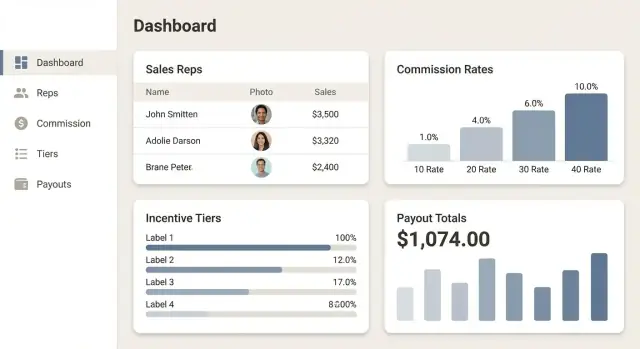
What a Commission & Incentive App Should Solve
A commission and incentive app isn’t “just a calculator.” It’s a shared source of truth for everyone who touches payouts—so reps trust the numbers, managers can coach with confidence, and finance can close periods without chasing spreadsheets.
Who the app is for
Most teams need to support four audiences from day one:
- Sales reps who want real-time visibility into what they’ve earned and why.
- Managers who need to review performance, handle exceptions, and approve adjustments.
- Finance/RevOps who own policy, compliance, period close, and payout files.
- Admins who manage users, permissions, integrations, and plan changes.
Each group has different goals. A rep wants clarity. Finance wants control and traceability. Your product decisions should reflect those different “jobs to be done.”
Problems worth solving (and why they matter)
The most common pain points are predictable:
- Disputes and mistrust when calculations happen in personal spreadsheets or unclear CRM reports.
- Manual work to gather data, apply rules, and reconcile exceptions.
- Slow payouts because approvals and adjustments live in email threads.
A good app reduces ambiguity by showing:
- Inputs (deals, dates, crediting)
- Rules applied (rates, tiers, accelerators)
- Outputs (earnings, holds, clawbacks)
Success metrics to aim for
Define measurable outcomes before you build. Practical metrics include:
- Payout accuracy (e.g., fewer post-payroll corrections).
- Time to close a commission period (days from period end to approved payout).
- Exception rate (how many deals require manual adjustments).
Scope of this guide
This article is a planning-to-MVP blueprint: enough detail to draft requirements, align stakeholders, and build a first version that calculates commissions, supports review/approval, and produces payout-ready exports. If you’re already evaluating vendors instead, see /blog/buy-vs-build-commission-software.
Clarify Your Commission Rules and Incentive Programs
Before you design screens or write a single line of code, write your compensation rules the way you’d explain them to a new sales rep. If the plan can’t be understood in plain language, it won’t calculate cleanly in software.
Document the commission types you actually use
Start by listing every commission method in scope and where it applies:
- Percentage of revenue (and define revenue: contracted value, invoiced amount, or cash collected)
- Margin-based commissions (and how margin is calculated—discounts, COGS, services, credits)
- Tiered rates (thresholds, measurement period, whether tiers reset)
- Split deals (by percent, by crediting rules, by role—AE/SE/CSM)
For each, capture examples with numbers. One worked example per plan is worth pages of policy text.
Capture incentives separately from base commissions
Incentives often have different rules than standard commission, so treat them as first-class programs:
- SPIFFs (one-time payouts for specific products or behaviors)
- Bonuses (quota attainment, team goals, manager overrides)
- Contests (ranking logic, eligibility, tie-breakers)
- Accelerators and multipliers (when they start, what they apply to, stacking rules)
Also define eligibility: start/end dates, new-hire ramps, territory changes, and leave of absence rules.
Clarify payout timing and the trigger event
Decide the schedule (monthly/quarterly) and, more importantly, when deals become payable: on invoice creation, on payment received, after implementation, or after a clawback window.
Identify edge cases upfront
Most payout errors come from exceptions. Explicitly write rules for refunds, chargebacks, renewals, cancellations, partial payments, amendments, and backdated invoices—plus what happens when data is missing or corrected.
When your rules are clear, your web app becomes a calculator—not a debate.
Design the Data Model (Reps, Deals, Rates, and Periods)
A commissions app succeeds or fails on its data model. If the underlying records can’t explain “who earned what, when, and why,” you’ll end up with manual fixes and disputes. Aim for a model that supports clear calculations, change history, and reporting.
Core entities to include
Start with a small set of first-class records:
- Reps (and optionally teams/territories) to represent payees and org structure
- Customers/accounts to tie revenue to a buyer
- Deals/opportunities (pipeline) and invoices/payments (actual revenue events)
- Products/SKUs if rates vary by product line
- Commission plans/rates and periods (monthly/quarterly payout cycles)
Required fields (what you’ll regret not capturing)
For each deal or revenue event, capture enough to calculate and explain payouts:
- A stable rep ID (don’t rely on names), plus hire/termination dates
- Deal value (and/or invoice amount), currency, and close date
- Stage/status (e.g., won, churned, refunded) and source system ID
- Key timestamps (created/updated), and the time zone used for “end of period” rules
Relationships and split credit
Commissions rarely map one deal to one person. Model:
- One deal → many reps via a junction table (e.g.,
deal_participants) with split % or role - One rep → many deals over time
This keeps overlays, SDR/AE splits, and manager overrides possible without hacks.
Plan for history (rates and territories change)
Never overwrite commission rules in place. Use effective-dated records:
- Rate versions with
valid_from/valid_to - Rep assignments (team/territory) with time ranges
That way you can recalculate past periods exactly as they were paid.
IDs and time zones: pick one approach
Use immutable internal IDs (UUIDs or numeric) and store external IDs for integrations. Standardize on UTC timestamps plus a clearly defined “business time zone” for period boundaries to avoid off-by-one-day payout errors.
Plan the MVP Features and User Roles
An MVP for a commissions and incentives app isn’t “a smaller version of everything.” It’s the smallest flow that prevents payout mistakes while giving every stakeholder confidence in the numbers.
The smallest usable end-to-end flow
Start with a single, repeatable path:
Import deals → calculate commissions → review results → approve → export payouts.
That flow should work for one plan, one team, and one pay period before you add exceptions. If users can’t get from data to a payout file without spreadsheets, the MVP isn’t complete.
User roles you should support from day one
Keep roles simple but real:
- Rep: read-only dashboard and statement view; can flag issues.
- Manager: review and approve deals/credits for their team; respond to disputes.
- Finance: final approval, lock a period, generate payout exports.
- Admin: configure plans, mappings, and access.
Role-based access should map to who can change results (manager/finance/admin) versus who can only see them (rep).
Add a lightweight dispute workflow
Disputes are inevitable; handle them inside the system so decisions are traceable:
- Comment thread per deal/line item
- Attachments (e.g., contract, email approval)
- Status (Open → In Review → Resolved)
- Resolution note and who approved it
Configurable vs. hard-coded (for MVP)
Make configurable:
- Pay periods
- Plan assignment per rep
- Rate tables
- Crediting rules
- Approval thresholds
Keep hard-coded initially:
- A limited set of calculation types (e.g., percent of revenue, tiered rates)
- One export format
- A single dispute status workflow
Scope control: must-have vs. nice-to-have
Must-have: data import, calculation run, audit-friendly review screen, approvals, period locking, payout export, basic dispute handling.
Nice-to-have: forecasting, what-if modeling, complex SPIFFs, multi-currency, advanced analytics, Slack notifications, custom statement templates.
If scope grows, add features only when they shorten the import-to-payout cycle or reduce errors.
Choose a Tech Stack That Fits a Business App
A commissions app is a business system first: it needs reliable data, clear permissions, repeatable calculations, and easy reporting. The best tech stack is usually the one your team can maintain confidently for years—not the trendiest option.
Pick a stack your team can ship with
Most commission apps are a standard web application plus a calculation service. Common, proven pairings include:
- React + Node.js (Express/NestJS) for teams already building JavaScript apps end-to-end.
- Django (Python) when you want fast admin tooling and strong data modeling out of the box.
- Ruby on Rails for rapid CRUD development and mature conventions.
- Laravel (PHP) if your company already supports PHP apps and wants quick delivery.
Whatever you choose, prioritize: strong authentication libraries, good ORM/database tooling, and a testing ecosystem.
If you want to move faster from requirements to a working internal tool, platforms like Koder.ai can help you prototype and iterate on business apps via a chat-driven workflow—useful when you’re validating the end-to-end flow (import → calculate → approve → export) before committing to a full bespoke build. Because Koder.ai generates and maintains real app code (commonly React on the frontend with Go + PostgreSQL on the backend), it can be a practical way to get an MVP into stakeholders’ hands early, then export the codebase later if you want to own the stack fully.
Hosting: managed platform vs. your own cloud
For most teams, a managed platform reduces operational work (deployments, scaling, patching). If you need tighter control (networking rules, private connectivity to internal systems), your own cloud setup (AWS/GCP/Azure) may fit better.
A practical approach is to start managed, then evolve once requirements like private VPN access or strict compliance push you toward more customization.
Database: Postgres is a safe default
Commission data is relational (reps, deals, products, rate tables, time periods), and reporting matters. PostgreSQL is often the best default because it handles:
- Relational integrity (fewer “mystery payouts” caused by messy joins)
- Aggregations for dashboards and statements
- Audit-friendly querying when finance asks “why did this change?”
Background jobs for imports and recalculations
Expect long-running work: syncing a CRM export, recalculating historical periods after a rule change, generating statements, or sending notifications. Add a background job system early (e.g., Sidekiq, Celery, BullMQ) so these tasks don’t slow down the UI.
Separate environments (and data) from day one
Set up dev, staging, and production with separate databases and credentials. Staging should mirror production so you can validate imports and payout outputs safely before release. This also supports approvals and sign-off workflows later without risking real payouts.
UX Design: Dashboards, Statements, and Approvals
A commissions app succeeds or fails on clarity. Most users aren’t trying to “use software”—they’re trying to answer simple questions: What did I earn? Why? What needs my approval? Design the UI so those answers are obvious within seconds.
The rep dashboard: “Where do I stand?”
Your rep dashboard should focus on a small set of high-signal numbers: estimated commission for the current period, paid-to-date, and any items on hold (e.g., pending invoice, missing close date).
Add straightforward filters that match how teams actually work: period, team, region, product, and deal status. Keep labels plain (“Closed Won”, “Paid”, “Pending approval”) and avoid internal finance terminology unless it’s already widely used.
The statement page: “Show your math”
A statement should read like a receipt. For each deal (or payout line), include:
- the source record (deal name/ID)
- the applied rate or rule name
- the commissionable amount
- the calculation result
- adjustments (splits, accelerators, caps, clawbacks) shown as separate lines
Add a “How this was calculated” panel that expands to show the exact steps in human language (e.g., “10% on $25,000 ARR = $2,500; 50/50 split = $1,250”). This reduces support tickets and builds trust.
The manager approval queue: “Fast, defensible decisions”
Approvals should be designed for speed and accountability: a queue with clear statuses, reason codes for holds, and a one-click path to the underlying deal details.
Include a visible audit trail on every item (“Created by”, “Edited by”, “Approved by”, timestamps, and notes). Managers shouldn’t need to guess what changed.
Export and readability
Finance and reps will ask for exports—plan for it early. Offer CSV and PDF statement exports with the same totals the UI shows, plus filter context (period, currency, run date) so files are self-explanatory.
Optimize for readability: consistent number formatting, clear date ranges, and specific error messages (“Missing close date on Deal 1042”) instead of technical codes.
Build the Commission Calculation Engine
The calculation engine is the “source of truth” for payouts. It should produce the same result every time for the same inputs, explain why a number was produced, and handle change safely when plans evolve.
Use a rules-engine approach (with versioning)
Model commissions as versioned rule sets per period (e.g., “FY25 Q1 Plan v3”). When a plan changes mid-quarter, you don’t overwrite history—you publish a new version and define when it becomes effective.
This keeps disputes manageable because you can always answer: Which rules were applied? and When?
Support the calculations your team actually uses
Start with a small set of common building blocks and compose them:
- Tiered rates (0–$50k at 5%, $50k–$100k at 7%, etc.)
- Splits (two reps share credit by percentage or role)
- Caps and floors (maximum payout, minimum guaranteed commission)
- Clawbacks (returns/cancellations reverse prior earnings)
Make each building block explicit in your data model so finance can reason about it and you can test it independently.
Make every run auditable
Add an audit trail for each calculation run:
- Input snapshot (deals/amounts, rep assignments, dates)
- Rule set version used
- Outputs (earnings lines, totals)
- Timestamps and who triggered it
This turns commission statements from “trust me” into “traceable.”
Safe recalculation: idempotent + finalized states
Recalculation is inevitable (late deals, corrections). Make runs idempotent: the same run key should not create duplicate payout lines. Add clear states such as Draft → Reviewed → Finalized, and prevent changes to finalized periods unless an authorized “reopen” action is recorded.
Test with your real history
Before going live, load examples from past commission periods and compare your app’s outputs to what was actually paid. Use the mismatches as test cases—those edge cases are usually where payout errors hide.
Connect to CRM, Billing, and Payroll Systems
Your commission app is only as accurate as the data it receives. Most teams need three inputs: CRM for deals and ownership, billing for invoice/payment status, and HR/payroll for who the reps are and where payouts should go.
Choose the right import method
- API sync is best for near-real-time visibility (e.g., “this deal closed today”).
- Scheduled jobs (nightly/hourly) reduce load and keep operations predictable.
- CSV upload is a practical fallback for smaller tools, legacy systems, or one-time backfills.
Many teams start with CSV for speed, then add APIs once the data model and rules settle.
Treat data quality as a product feature
Integrations fail in boring ways: missing close dates, changed pipeline stages, duplicates from multi-touch attribution, or mismatched rep IDs between HR and the CRM. Plan for:
- Required-field checks (and clear “can’t calculate” reasons)
- Deduplication rules (by external IDs, not just names)
- Mapping tools (stage → plan, product → rate, region → eligibility)
If you already struggle with messy CRM fields, a quick cleanup guide like /blog/crm-data-cleanup can save weeks of rework.
Make every import traceable
For finance and sales ops, transparency matters as much as the final number. Store:
- Source system, time range, and who/what triggered the run
- Run logs (counts in/out, warnings)
- Row-level errors that users can fix and reprocess
This audit-friendly approach helps you explain payouts, resolve disputes faster, and trust your numbers before they reach payroll.
Security, Permissions, and Auditability
Commission apps handle some of the most sensitive data in a company: pay, performance, and sometimes payroll identifiers. Security isn’t just a checkbox—one mistaken permission can expose compensation details or allow unauthorized payout changes.
Authentication: start with who can get in
If your company already uses an identity provider (Okta, Azure AD, Google Workspace), implement SSO first. It reduces password risk, makes offboarding safer, and simplifies login support.
If SSO isn’t available, use secure email/password with strong defaults: hashed passwords (e.g., bcrypt/argon2), MFA, rate-limiting, and secure session handling. Don’t build your own auth from scratch unless you have to.
Role-based access: define who can see what
Make access rules explicit and testable:
- Reps should only see their own deals, statements, and payout history.
- Managers should see their team’s data and approvals for their scope.
- Finance/Admin roles may need cross-team access, but keep it limited to what they actually do.
Apply “least privilege” everywhere: default users to the minimum permissions, and only grant expanded roles when there’s a clear business reason.
Protect pay data: encryption and careful handling
Use encryption in transit (HTTPS/TLS) and encryption at rest for databases and backups. Treat exports (CSV payouts, payroll files) as sensitive artifacts: store them securely, time-limit access, and avoid emailing them.
Approval controls: prevent accidental or malicious changes
Commissions often require a close-and-freeze workflow. Define who can:
- finalize a period,
- reopen a closed period,
- override a payout (and when).
Make overrides require a reason and, ideally, a second approval.
Auditability: logs that answer “who changed what?”
Log key actions for accountability: plan edits, deal edits that affect payouts, approvals, overrides, statement generation, and exports. Each log entry should include actor, timestamp, before/after values, and source (UI vs API). This audit trail is essential when disputes arise—and it’s a strong foundation for compliance as you scale.
Reporting, Statements, and Payout Exports
Reporting is where a commissions app either earns trust or creates support tickets. The goal isn’t “more charts”—it’s letting Sales, Finance, and leadership answer questions quickly, with the same numbers.
Standard reports people actually use
Start with a small set of reports that match real workflows:
- Payout summary: total commissions by rep, team, and period, with totals that tie out to Finance.
- Exceptions report: missing CRM fields, deals outside rules, manual overrides, negative adjustments, and anything “needs review.”
- Forecast vs. actual: expected payouts (based on current pipeline or booked deals) compared to finalized payouts.
Make filters consistent across reports (period, rep, team, plan, region, currency) so users don’t relearn the UI every time.
Drill-down that explains the “why”
Every total should be clickable. A manager should be able to go from a monthly number → the underlying deals → the exact calculation steps (rate applied, tier reached, accelerators, caps, and proration).
This drill-down is also your best dispute-reduction tool: when someone asks “why is my payout lower?”, the answer should be visible in the app, not buried in a spreadsheet.
Statements reps can trust
A good statement view reads like a receipt:
- Period covered and payout date
- Starting balance + adjustments
- Line items by deal (or by rule group)
- Clear notes for holds, clawbacks, and overrides
If you support multiple currencies, show both the deal currency and the payout currency, and document rounding rules (per line vs. at total). Tiny rounding differences are a common source of mistrust.
Exports Finance expects
Exports should be boring and predictable:
- CSV formatted to match payroll import templates (columns, codes, and employee identifiers).
- PDF statements for recordkeeping and rep communication.
Include an export version timestamp and a reference ID so Finance can reconcile later without guesswork.
Testing Strategy to Prevent Payout Errors
Commission mistakes are expensive: they trigger disputes, delay payroll, and erode trust. Treat testing as part of the product—not a final checkbox—especially when rules stack (tiers + caps + splits) and data arrives late.
Build a rule-by-rule test catalog
Start by listing every rule type your app supports (for example: flat rate, tiered rate, accelerators, draw recovery, caps/floors, quota-based bonuses, split credit, clawbacks, retroactive adjustments).
For each rule type, create test cases that include:
- “Happy path” examples with easy math
- Boundary values (exactly at tier thresholds, cap reached, last day of period)
- Edge cases (zero amount, negative adjustment, missing rep, currency rounding)
- Stacked rules (tiered + split + cap) so you catch interaction bugs
Keep expected results written down alongside the inputs so anyone can verify calculations without reading code.
Run a shadow mode against historical data
Before you pay real money from the system, run a “shadow mode” calculation for known historical periods.
Take past deal data and compare your app’s results to what was actually paid (or to a trusted spreadsheet). Investigate every mismatch and classify it:
- Data difference (e.g., CRM field changed after payout)
- Rule interpretation difference (your logic vs. the written plan)
- Defect (calculation, rounding, or date logic)
This is also where you validate proration, retro changes, and clawbacks—issues that rarely show up in small synthetic tests.
Automate the risky parts
Add automated tests at two levels:
- Calculation tests: deterministic inputs → exact expected payouts (including rounding rules)
- Permission and audit tests: role-based access boundaries (rep vs. manager vs. finance), plus “who changed what and when” coverage
If approvals exist, include tests that confirm a payout can’t be exported until required approvals are complete.
Performance checks and acceptance criteria
Commission recalculation must be fast enough for real operations. Test large deal volumes and measure recalculation time for a full period and for incremental updates.
Define clear acceptance criteria for sign-off, such as:
- 100% match (or an agreed tolerance) vs. historical payouts for selected periods
- Zero known critical mismatches before launch
- Documented approvals workflow and audit trail verified
- Export totals reconcile to finance expectations
Launch Plan, Change Management, and Ongoing Updates
A commissions app succeeds or fails at rollout. Even a correct calculator can create confusion if reps don’t trust the numbers or can’t see how a payout was produced.
Roll out in phases
Start with a pilot team (a mix of top performers, new reps, and a manager) and run the app in parallel with your current spreadsheet process for 1–2 pay periods.
Use the pilot to validate edge cases, refine statement wording, and confirm the “source of truth” for data (CRM vs billing vs manual adjustments). Once the pilot stabilizes, expand to a region or segment, then go company-wide.
Prepare onboarding assets
Keep onboarding lightweight so adoption is easy:
- A 1–2 page quick-start guide (login, dashboard, statement view, dispute process)
- A glossary (booking date vs invoice date, attainment, clawback, draw, true-up)
- Sample statements that explain common scenarios (accelerators, split deals, refunds)
Monitoring and feedback loops
Treat launch like an operations system, not a one-time project.
Track:
- Failed imports/syncs and missing required fields
- Calculation exceptions (e.g., no matching rate table)
- User feedback (confusing labels, missing filters, dispute volume)
Create a simple escalation path: who fixes data issues, who approves adjustments, and what the response time is.
Ongoing maintenance plan
Expect your sales compensation plan to change. Budget time each month for:
- New incentive programs and territory changes
- Rule updates (new tiers, SPIFFs, one-time contests)
- Integration maintenance (API changes, new payroll formats)
Final checklist + next steps
Before you switch off spreadsheets:
- Pilot results match expected payouts (within an agreed tolerance)
- Every payout is explainable (audit trail + inputs visible)
- Roles and approvals are tested (rep/manager/finance)
- Export format is accepted by payroll/finance
- Dispute workflow is documented
Next step: schedule a short “comp plan change” process and ownership. If you want help scoping rollout and support, see /contact or review options on /pricing.
If you’re trying to validate a commissions MVP quickly—especially the approval workflow, audit trail, and exports—consider building a first iteration in Koder.ai. You can iterate in planning mode with stakeholders, ship a working web app faster than a traditional sprint cycle, and export the source code when you’re ready to operationalize it in your own environment.
FAQ
What should a commission and incentive app solve beyond “calculating commissions”?
It should be a shared source of truth for payouts—showing inputs (deals/invoices, dates, credit splits), rules applied (rates, tiers, accelerators, caps), and outputs (earnings, holds, clawbacks) so reps trust the numbers and Finance can close without spreadsheets.
Who are the primary users of a commissions and incentives app?
Build for four audiences:
- Sales reps: real-time visibility into what they earned and why
- Managers: review performance, handle exceptions, approve adjustments
- Finance/RevOps: policy control, compliance, period close, payout exports
- Admins: users, permissions, integrations, plan changes
Design workflows and permissions around what each group needs to do (not just what they want to see).
What success metrics should we track when building an MVP?
Start with measurable outcomes like:
- Payout accuracy: fewer post-payroll corrections
- Time to close a period: days from period end to approved payouts
- Exception rate: how many deals require manual adjustments
Tie your MVP scope to metrics that reduce errors and shorten the import-to-payout cycle.
How do we clarify commission rules before writing code?
Write rules in plain language and include worked examples. At minimum, document:
- Commission types (percent of revenue, margin-based, tiered rates, split deals)
- What “revenue” means (contracted, invoiced, cash collected)
- Incentives vs. base commissions (SPIFFs, bonuses, contests, accelerators)
- Eligibility (ramps, territory changes, leave)
- Payout trigger (invoice, payment, implementation, post-clawback window)
If you can’t explain it clearly to a new rep, it won’t calculate cleanly in software.
What data model basics are most important for commissions software?
Include the core entities and the relationships that explain “who earned what, when, and why”:
- Reps (plus teams/territories)
- Customers/accounts
- Deals/opportunities and invoices/payments
- Products/SKUs (if rates vary)
- Commission plans/rates and payout periods
Model one deal → many reps (splits/roles) and use effective-dated plan and territory records so historical periods can be recalculated exactly as paid.
Why do IDs and time zones matter so much for commission periods?
Use immutable internal IDs and store external IDs for integrations. For time, standardize on:
- UTC timestamps for storage
- A clearly defined business time zone for period boundaries
This prevents off-by-one-day errors near month-end and makes audits and recalculations consistent.
What is the minimum end-to-end workflow a commissions MVP must support?
The smallest usable end-to-end flow is:
- Import deals/invoices
- Run a calculation
- Review results (audit-friendly)
- Approve
- Export payouts
If users still need spreadsheets to get from source data to a payroll-ready file, the MVP isn’t complete.
How should a lightweight dispute workflow work in a commissions app?
Handle disputes inside the system so decisions are traceable:
- Comment thread per deal/line item
- Attachments (contract, approvals)
- Status like Open → In Review → Resolved
- Resolution note, approver, and timestamps
This reduces email-driven ambiguity and speeds up period close.
What makes a commission calculation engine reliable and auditable?
Make calculations:
- Versioned: rule sets per period (e.g., “FY25 Q1 Plan v3”), never overwrite history
- Auditable: store input snapshots, rule version used, output lines, who ran it, when
- Deterministic: same inputs produce the same outputs
- Safe to rerun: idempotent runs + states like Draft → Reviewed → Finalized, with a controlled “reopen” action
This turns statements from “trust me” into “traceable.”
What’s the best way to integrate CRM, billing, and payroll data?
Treat data quality as a product feature:
- Support API sync, scheduled jobs, and CSV uploads
- Validate required fields with clear “can’t calculate” reasons
- Deduplicate by external IDs (not names)
- Provide mapping tools (stage → plan, product → rate, region → eligibility)
- Store import logs and row-level errors for reprocessing
When data is messy, you’ll get payout disputes—so visibility and fix paths matter as much as syncing.