

How to Create a Web App for Vendor and Contract Management
Learn how to plan and build a web app for vendor relationships and contract management, from data model and workflows to security, integrations, and launch.
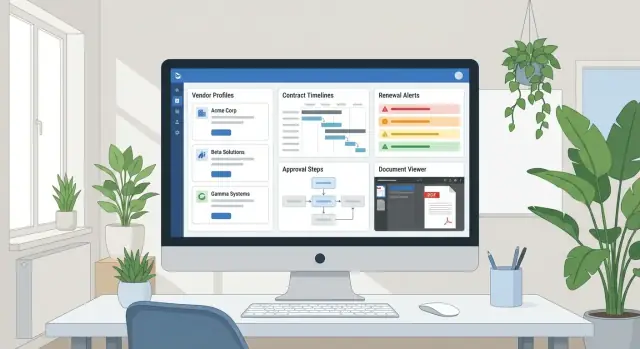
What the web app should solve
Before you sketch screens or pick a tech stack, get specific about the problem your vendor management web app must solve. A contract management system isn’t just a “place to store PDFs”—it should reduce risk, save time, and make vendor and contract status easy to understand at a glance.
Clarify the business goals
Start by writing down the outcomes you want, in business terms:
- Reduce risk: fewer expired contracts, clearer obligations, fewer non-compliant vendors.
- Save time: faster vendor onboarding workflow, fewer email threads, fewer manual reminders.
- Improve visibility: one source of truth for contract terms, owners, renewal dates, and approvals.
If your goals aren’t clear, you’ll end up building a tool that feels busy but doesn’t change day-to-day work.
Identify the pain points worth fixing
Most teams struggle with the same issues:
- Contract files spread across inboxes, shared drives, and chat
- Missed renewal dates because reminders live in personal calendars
- Unclear ownership (“Who approves this?” “Who manages this vendor?”)
- Slow procurement collaboration across departments and legal
- Weak audit trail and reporting when leadership asks, “Who signed what, and when?”
Capture real examples from recent projects—those stories will become your requirements.
Define who will use it (and how)
List user groups and their main jobs: procurement (sourcing and approvals), legal (review and clauses), finance (budget and payments), and department owners (day-to-day vendor relationship management). This is where role-based access control and approval workflows start to matter.
Set success metrics early
Pick a few measurable targets: time to onboard a vendor, renewal alert “hit rate,” percentage of contracts with a named owner, and audit readiness (e.g., “can we produce a signed agreement in under 2 minutes?”). These metrics keep the build focused when scope pressure shows up later.
Define roles and workflows
A vendor and contract app succeeds when it reflects how work actually moves across teams. Before building screens, align on who does what, when a record changes state, and where approvals are mandatory. This keeps the system predictable for everyone—procurement, legal, finance, and business owners.
Map the vendor lifecycle (intake → onboarding → active → review → offboarding)
Start with vendor intake: who can request a new vendor, what information is required (company details, service category, spend estimate), and who validates it. Onboarding often involves multiple checks—tax forms, banking details, security questionnaires, and policy acknowledgements—so define clear “ready” criteria to move a vendor to Active.
For ongoing work, decide how reviews happen: periodic performance check-ins, risk reassessments, and updates to contacts or insurance. Offboarding should be a first-class workflow too (terminate access, confirm final invoices, archive documents) so the app supports clean exits rather than abandoned records.
Map the contract lifecycle (request → draft → negotiate → approve → sign → renew)
Define the handoffs: a business owner requests a contract, procurement selects the vendor and commercial terms, legal reviews clauses, finance checks budget and payment terms, then an approver signs off. Each step should have an owner, a status, and required fields (e.g., renewal date must be set before “Signed”).
Define approvals and exceptions
Document where approvals are required (spend thresholds, non-standard payment terms, data processing, auto-renewal clauses). Also capture exceptions: urgent contracts with expedited review, one-time vendors with simplified onboarding, and non-standard terms that trigger additional legal review.
These rules later translate into permissioned actions and automated routing—without confusing users or creating bottlenecks.
Design the data model and core entities
A vendor and contract management app lives or dies by its data model. If the core entities are clear and consistently linked, everything else—search, reminders, approvals, reporting—gets easier.
Core objects you’ll likely need
Start with a small set of “first-class” records:
- Vendor: the company you buy from (legal name, tax info, billing details, owner, status).
- Contact: people at the vendor (plus internal stakeholders), tied to a vendor and optionally to contracts.
- Contract: the agreement itself (term, value, scope summary, renewal terms, status).
- Amendment: a change to a contract (pricing update, extension), linked to the parent contract.
- Document: files (MSA, SOW, NDA, certificates), linked to vendor/contract/amendment.
- Task: actionable items (review, sign, request insurance), assigned, due-dated.
Supporting objects that power workflows
Add supporting entities that make the system useful without bloating it:
- Category (software, logistics, facilities) to group vendors and drive routing.
- Risk rating (and reasons) to support reviews and approvals.
- SLA/KPI to track obligations you care about.
- Renewal event to schedule reminders independent of contract edits.
- Note for lightweight context and decisions.
Relationships, statuses, and identifiers
Model the key relationships explicitly: one vendor has many contracts, and each contract should have versions (or at least a version number and effective date) plus many linked documents.
Plan status fields and timestamps early: vendor onboarding status, contract lifecycle status (draft → under review → signed → active → expired), created/updated, signed date, effective date, termination date. These drive audit trails and reporting.
Finally, decide identifiers: internal vendor IDs, contract numbers, and external system IDs (ERP, CRM, ticketing). Keeping those stable avoids painful migrations later and makes integrations predictable.
UX that makes vendor and contract info easy to find
A vendor and contract management app fails when people can’t answer simple questions quickly: Who owns this vendor? When does the contract renew? Are we missing a document? Good UX makes those answers visible in seconds, not buried across tabs.
Vendor profile page: one place for the full story
Treat the vendor profile as the “home” for everything related to that company. Aim for a clean overview first, then details.
Include a summary header (vendor name, status, category, owner) followed by scannable blocks: key contacts, risk/compliance status, active contracts, and recent activity (uploads, approvals, comments).
Keep deep details available, but not dominant. For example, show the top 3 contacts with a “View all” link, and surface the most relevant risk flags (e.g., insurance expired) instead of a long questionnaire.
Contract workspace: key terms before documents
People usually need terms and dates more than a PDF. Make the contract workspace structured around:
- Key terms (value, term length, termination notice)
- Obligations (what must happen, by whom, and by when)
- Renewal date(s) and notice windows
- Linked documents (executed contract, amendments, insurance, DPAs)
Put the renewal timeline at the top, with clear labels like “Auto-renews in 45 days” or “Notice due in 10 days.”
Search, filters, and “at a glance” indicators
Global search should cover vendors, contracts, contacts, and documents. Pair it with practical filters: owner, status, date ranges, category, and risk level.
Use consistent visual indicators across lists and detail pages: renewal window, pending approvals, missing documents, and overdue obligations. The goal is a quick scan that tells users where to act next—without opening every record.
MVP features to build first
An MVP for a vendor management web app should focus on the smallest set of features that makes vendor onboarding, contract visibility, and accountability real—not perfect. The goal is to replace scattered spreadsheets and inbox searches with a dependable contract management system your team will actually use.
1) Vendor intake + a clean vendor record
Start with a guided vendor onboarding workflow that captures the same information every time.
- A vendor intake form with required fields and validation (legal name, tax ID, owner, category, contacts, risk flags)
- Basic deduplication (warn if a similar vendor already exists)
- A single vendor profile page that becomes the “source of truth” for vendor relationship management
2) Central contract repository (with just enough structure)
You don’t need advanced clause extraction on day one. You do need fast retrieval and clarity.
- Central contract repository with versioning and status tracking (Draft → In Review → Signed → Active → Expired)
- Attachments stored with simple naming rules and a clear “current version”
- Key fields surfaced: effective date, term, renewal type, notice period, value, owner
3) Approval workflows with clear next steps
Procurement collaboration improves quickly when nobody is guessing what to do next.
- Approval flow with assigned reviewers and clear next steps (e.g., Legal, Finance, Security)
- Minimal notifications: “Action required” and “Approved/Rejected”
4) Renewal alerts + traceability
Prevent surprise renewals and make decisions easy to audit.
- Renewal and expiration reminders with configurable lead times (30/60/90 days)
- Comments and activity log so decisions are traceable (supports audit trail and reporting)
If you build these four areas well, you’ll have a usable foundation for integrations and APIs, richer reporting, and deeper automation later.
Automation for renewals, obligations, and follow-ups
Automation is where a vendor management web app stops being a database and starts preventing real problems: missed renewals, lapsed insurance, unreviewed pricing, and forgotten obligations.
Build a reminders engine (not just calendar dates)
Start with a small set of reminder types that map to common contract and vendor obligations:
- Contract renewal and termination notice windows (e.g., “90 days before auto-renew”)
- Price or rate reviews (quarterly or annually)
- Insurance certificate expirations (COI) and compliance attestations
- SLA / QBR reviews for critical vendors
Each reminder should have an owner, due date, and a clear “what good looks like” outcome (e.g., “Upload updated COI” rather than “Check insurance”).
Use task templates for repeatable workflows
Create task templates for vendor onboarding and ongoing compliance. A basic onboarding template might include W-9, NDA, security review, banking info, and primary contact verification.
Templates keep teams consistent, but the real win is conditional steps. For example:
- If vendor type = “software/SaaS,” add security review and data processing terms
- If annual spend > threshold, add legal approval and finance sign-off
- If vendor handles sensitive data, require insurance + SOC 2 (or equivalent)
Escalation and accountability
Overdue tasks should trigger escalation rules, not silent failure. Send nudges to the owner first, then escalate to the manager or procurement lead if it stays overdue.
Finally, make reminders easy to close correctly: allow owners to acknowledge completion, attach evidence, and add notes (“Renewed for 12 months; negotiated 5% reduction”). Those notes become invaluable during audits and renewals.
Document management and signing workflow
Documents are the “source of truth” in a vendor and contract management app. If files are hard to find or the latest version is unclear, everything else (approvals, renewals, audits) becomes slower and riskier. A good workflow keeps documents organized, traceable, and easy to finalize.
File upload and organization
Start with a simple, predictable structure:
- Upload contracts, statements of work, NDAs, insurance certificates, and addenda directly on the vendor or contract record.
- Organize with folders and tags (e.g., “MSA”, “SOW”, “Security”, “Invoices”), plus a consistent naming rule like
VendorName_DocType_EffectiveDate_v1. - Store basic retention notes (e.g., “keep 7 years after termination”) so the team knows what should be archived vs. kept active.
Keep the UI focused on speed: drag-and-drop upload, bulk upload, and a “recently added” view for the procurement/legal team.
Versions, redlines, and history
Contracts rarely go from draft to signed in one step. Support versions as a first-class concept:
- Every upload creates a new version, not a replacement.
- Show a clear timeline (who uploaded, when, what changed, and a short comment like “legal redlines” or “pricing updated”).
- Make it obvious which version is “current draft” and which is “fully executed.”
Even without advanced diffing, a visible version history prevents teams from emailing “final_FINAL2.docx.”
Optional e-sign flow
If you add e-sign, keep it straightforward: prepare → send → signed copy stored automatically. The signed PDF should attach to the contract record and update status (e.g., “Signed”) without manual work.
Extract key terms into fields
Don’t rely on PDFs alone. Start with manual extraction into structured fields like effective date, renewal term, notice period, termination clause summary, and key obligations. Later, you can layer in OCR/AI to suggest values—while still letting users confirm before saving.
Security, permissions, and auditability
Security in a vendor and contract management system isn’t just about preventing breaches—it’s about ensuring the right people can take the right actions, and proving it later if questions arise.
Role-based permissions that match reality
Start with clear roles and keep them simple:
- Admin: manages users, global settings, and system-wide policies.
- Legal: reviews and approves contract terms, edits sensitive clauses.
- Procurement: manages vendor onboarding, negotiations, and renewals.
- Viewer: read-only access for stakeholders who need visibility.
- Vendor owner: accountable internal contact for a vendor record and its contracts.
Define what each role can view, edit, approve, export, and delete—then apply it consistently across vendors, contracts, documents, and comments.
Protect sensitive fields and documents
Not every contract needs the same exposure. Plan for restrictions at two levels:
- Document-level controls (e.g., “Only Legal and Admin can open the signed MSA”).
- Field-level controls (e.g., hide pricing, bank details, or security questionnaire responses from general viewers).
This matters when one contract contains information that can’t be broadly shared, even inside the company.
Audit trail: trust, verification, and accountability
An audit trail should record:
- Who viewed a contract or document
- Who edited key fields (values before/after)
- Who approved/rejected, with timestamps and optional notes
Make audit logs searchable and immutable for standard users. When something changes unexpectedly, the log should answer “what happened?” in seconds.
Security basics you shouldn’t skip
Cover fundamentals early:
- Encryption in transit (HTTPS/TLS)
- Secure storage for uploaded documents and backups
- Session timeouts and protection against shared-computer risk
Data access policies: exports and deletion
Decide upfront:
- Who can export data (and whether exports should be logged)
- Who can delete records vs. only archive them
For many teams, “soft delete + audit log” is safer than permanent removal.
Integrations that reduce duplicate work
Manual copy‑pasting between tools is where vendor and contract data gets out of sync. The right integrations keep one source of truth while letting teams stay in the apps they already use.
Email and calendar reminders
Connect your app to email and calendars so renewal dates, obligation follow‑ups, and approval nudges show up as actual events and notifications.
A practical approach is: create a “contract milestone” object in your app, then sync due dates to Google Calendar/Microsoft 365. Keep the system sending reminders (and logging them) so you can prove who was notified and when.
Procurement/ERP/finance syncing
Finance systems often hold the vendor ID, payment terms, and spend—data you don’t want to retype. Integrate with procurement/ERP/finance tools to:
- Pull vendor master data (IDs, legal names, tax info) into onboarding
- Link contracts to vendor records and cost centers
- Sync spend and invoice status for better renew/renegotiate decisions
Even a “read-only” sync at first can prevent duplicate records and mismatched vendor names.
SSO + automated user provisioning
Single sign-on (SAML/OIDC) reduces password resets and makes offboarding safer. Pair SSO with SCIM user provisioning so role-based access stays aligned with HR/IT changes—especially important for procurement collaboration across departments.
APIs, webhooks, and spreadsheet bridges
Offer REST APIs and webhooks for key events like vendor status changes, contract signature, and upcoming renewal windows. For early adoption, don’t underestimate import/export: a clean CSV template helps teams migrate quickly, then you can replace spreadsheets with structured records over time.
If you’re planning access control and audits, see /blog/security-permissions-auditability.
Tech stack and architecture options
Your tech choices should match how fast you need results, how much customization you expect, and who will maintain the app after launch. For vendor and contract management, the “right” stack is the one that keeps data searchable, documents safe, and renewals reliable.
Choose a build approach
Low-code / no-code tools can work for a first version if your vendor onboarding workflow and approval workflows are fairly standard. You’ll get forms, simple automations, and dashboards quickly, but advanced permissions, complex audit trail and reporting, and deep integrations and APIs may hit limits.
A monolith web app (one deployable system) is often the best default for an MVP: fewer moving parts, simpler debugging, and easier iteration. You can still design clean modules inside it.
Modular services (separate services for contracts, notifications, search, etc.) make sense when multiple teams are involved, you need independent scaling, or integrations are extensive. The tradeoff is more operational complexity.
If your priority is shipping quickly while keeping the option to export and own the codebase, a vibe-coding platform like Koder.ai can be a practical path for early builds: you describe the workflows (vendor intake, approvals, renewal alerts, RBAC), and iterate via chat. Teams often use it to get an MVP in front of stakeholders faster, then refine fields, roles, and automation rules in planning mode before scaling integrations.
Core components you’ll need
At minimum, plan for:
- A relational database for vendors, contracts, obligations, and approval workflows
- File storage for PDFs and attachments (with versioning and access control)
- Background jobs for contract renewal alerts, reminders, and scheduled checks
- Notifications (email/in-app) with templates and delivery tracking
Environments, backups, and performance
Set up dev/staging/production early so changes can be tested safely, and define automated backups (including file storage).
Make performance practical: add indexes for common searches and filters (vendor name, contract status, renewal date, owner, tags). This keeps procurement collaboration smooth as the dataset grows.
Logging and monitoring from day one
Implement centralized logging, error tracking, and basic metrics (failed jobs, notification delivery, slow queries). These signals prevent silent failures—especially around renewals and approvals.
Reporting and analytics that stakeholders need
Reporting is where a vendor management web app earns trust across procurement, legal, finance, and operations. Different stakeholders want different answers: “What’s expiring soon?”, “Where are we exposed to risk?”, and “Are we actually getting the service we pay for?” Build analytics that are action-oriented, not just charts.
Operational dashboards that drive daily work
Start with a home dashboard that turns your contract management system into a to-do list:
- Renewals due in the next 30/60/90 days (with owner, value, and renewal type)
- Approvals that are blocked (who is holding it, how long it’s been waiting)
- Missing documents (e.g., signed agreement, insurance cert, DPA, W-9)
Make each widget clickable so users can jump from summary to the exact contract or vendor record.
Vendor risk and performance views
Create a vendor relationship management view that combines risk signals and performance outcomes in one place. Track issues, SLA breaches, review outcomes, and open remediation tasks.
Even simple scoring (Low/Medium/High) is useful if it’s transparent: show what inputs changed the score and when.
Portfolio summaries for leadership
Leadership typically wants rollups, trends, and accountability. Provide contract portfolio summaries by category, owner, region, and status (draft, under review, active, terminated). Include spend, renewal exposure, and concentration (top vendors by spend) to support prioritization.
Audit-ready exports and data quality checks
Auditors and finance teams often need exportable reports (CSV/XLSX/PDF) with consistent filters and an “as of” date. Pair that with data quality checks that keep reporting credible:
- Incomplete vendors (missing tax/legal details)
- Contracts without owners or renewal dates
- Contracts missing required attachments
Good reporting doesn’t just inform—it prevents surprises by making gaps visible early.
Launch, migration, and iteration plan
A smooth launch matters as much as the features. Vendor and contract data tends to be messy, and people’s trust is fragile—so aim for a controlled rollout, clear migration rules, and fast iteration.
Start with a pilot, not a big-bang rollout
Pick a pilot group (for example: Procurement + Legal, or one business unit) and a small set of active vendors and contracts. This keeps scope manageable and lets you verify workflows—like approvals and renewals—without disrupting everyone at once.
Plan migration like a project
Decide what “good data” looks like before importing anything.
- Spreadsheet import: standardize columns (vendor name, contract type, effective/expiry dates, owner). Create a template everyone must follow.
- Document upload rules: define naming conventions and required metadata (e.g., Contract Type, Region, Renewal Date).
- Validation steps: run a dry import, flag missing dates/owners, and confirm duplicates before the final load.
If you have many legacy files, consider a staged migration: “active contracts first,” then archive material.
Onboarding and role-based training
Create short guides tailored to roles (requester, approver, contract owner, admin). Keep them task-based: “Submit a new vendor,” “Find the latest signed agreement,” “Approve a renewal.” A short internal page like /help/vendor-contracts is often enough.
Feedback loops and iteration
In the first weeks, collect feedback on forms, fields, notifications, and approval steps. Track requests, prioritize the top friction points, and ship small improvements frequently—users will notice.
Phase 2 roadmap
Once adoption is stable, plan upgrades such as a vendor portal, advanced analytics, and AI-assisted document data extraction.
If you’re exploring faster iteration cycles for Phase 2, consider tooling that supports snapshots and rollback (to test workflow changes safely), plus easy source-code export (to avoid lock-in as the system matures)—both of which can be useful when your approval rules and audit requirements evolve.
FAQ
What problem should a vendor and contract management web app solve first?
Start by defining outcomes and measurable targets:
- Reduce risk (fewer expired/auto-renewed contracts, fewer non-compliant vendors)
- Save time (faster onboarding, fewer email threads)
- Improve visibility (one source of truth for owners, dates, terms)
Then map current pain points (missed renewals, unclear ownership, scattered files) into requirements and success metrics (e.g., “produce a signed agreement in under 2 minutes”).
Who are the main users, and how should roles be defined?
A practical starting point is four groups:
- Procurement: intake, onboarding, negotiation, renewals
- Legal: clause review, approvals, exceptions
- Finance: budget checks, payment terms, spend visibility
- Department/vendor owners: day-to-day relationship management
Define role-based access and “who approves what” early so workflows don’t stall later.
How do you map vendor and contract workflows without overcomplicating them?
Use a clear state machine for each lifecycle.
Vendor lifecycle example:
- Intake → Onboarding → Active → Review → Offboarding
Contract lifecycle example:
- Request → Draft → Negotiate → Approve → Sign → Renew/Expire
For each status, assign an owner, required fields, and “ready to move forward” criteria (e.g., renewal date must be set before “Signed”).
What core data model objects should the app include?
Start with a small set of core entities:
- Vendor, Contact, Contract, Amendment, Document, Task
Add supporting entities only if they power real workflows:
- Category, Risk rating, SLA/KPI, Renewal event, Note
Model relationships explicitly (one vendor → many contracts) and plan identifiers (vendor ID, contract number, external system IDs) to avoid painful migrations later.
What should be on the vendor profile page to make it actually useful?
Make the vendor profile the “home” for everything related to a company:
- Summary header: name, status, category, owner
- Scannable blocks: key contacts, risk/compliance flags, active contracts, recent activity
Keep deep details accessible but secondary (e.g., top 3 contacts + “View all”) so users can answer common questions in seconds.
How should the contract workspace be structured for day-to-day use?
Optimize for terms and timelines first, documents second:
- Key terms: value, term, renewal type, notice period
- Renewal timeline: “Auto-renews in 45 days” / “Notice due in 10 days”
- Obligations: what, who owns it, due date
- Linked documents: executed agreement, amendments, DPAs, insurance
This reduces the need to open PDFs just to find basic dates and responsibilities.
What MVP features should you build first for vendor and contract management?
A strong MVP usually includes:
- Vendor intake + clean vendor record (validation and dedup warnings)
- Central repository with versioning + contract status tracking
- Approval workflow with assigned reviewers and minimal notifications
- Renewal/expiration alerts with configurable lead times and an activity log
These features replace spreadsheets and inbox searches while creating accountability and auditability.
How can you automate renewals, obligations, and follow-ups reliably?
Build a reminders engine that creates owned tasks—not just calendar entries.
Useful reminder types include:
- Renewal and termination notice windows
- Insurance/COI expirations and compliance attestations
- Rate reviews and periodic vendor reviews (QBRs)
Add task templates with conditional steps (e.g., if vendor is SaaS, require security review and DPA) and escalation rules for overdue items.
What’s the best way to handle documents, versioning, and e-sign?
Use a consistent document workflow:
- Upload directly on vendor/contract records with tags and naming rules
- Treat versions as first-class: new upload = new version, not overwrite
- Maintain a timeline (who uploaded what and why) and clearly mark “current draft” vs “fully executed”
If you add e-sign, keep it simple: send → signed copy stored automatically → contract status updates to “Signed.”
What security and audit trail features are essential from the start?
Implement permissions and auditability together:
- Role-based access (Admin, Legal, Procurement, Viewer, Vendor owner)
- Document-level controls (who can open sensitive signed agreements)
- Field-level controls (pricing, bank details, security responses)
Maintain an immutable audit trail of views, edits (before/after), and approvals with timestamps. Also decide export and deletion policies (often “soft delete + audit log” is safest).