

How to Create a Website That Powers a B2B Buying Guide
Learn how to plan, design, and launch a website for a B2B buying guide with the right structure, SEO, trust signals, and lead capture for sales teams.
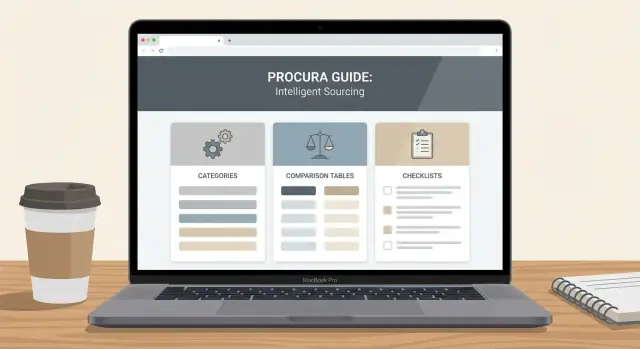
Clarify the Goal and Scope of the Buying Guide
Before you design pages or write copy, define what a “buying guide website” means in your context. Some companies launch a standalone microsite with its own navigation and URL structure. Others build a dedicated section inside the main site (for example, under /resources/buying-guides). Both can work—the right choice depends on ownership, publishing speed, analytics, and how closely the guide ties to your product pages.
Decide where the guide lives
A standalone site can feel neutral and educational, which may help early-stage buyers. A section of your main site is usually easier to maintain, benefits from your existing domain authority, and keeps conversion paths (like /pricing or /demo) close.
Ask one question: do you want the guide to function as a content hub that introduces your company later, or as a sales-adjacent resource that naturally routes people to product information?
Pick one primary goal (and don’t hide it)
Buying guides often try to do everything—teach, capture leads, and close deals. Choose the primary job for the site:
- Educate prospects so they can define requirements
- Qualify leads by guiding them toward the right fit
- Support sales calls with shareable, structured pages
- Reduce support questions by setting expectations upfront
Your primary goal shapes everything from page layout to call-to-action wording. If you’re supporting sales calls, you might prioritize printable comparison checklists. If you’re reducing support, you might emphasize “what to expect after purchase” content.
Set a clear scope you can finish
Start with one category (e.g., “ERP selection”) rather than multiple categories and sub-guides. A smaller, complete guide beats a broad, half-finished library. You can expand later once you learn what resonates.
Define success metrics you can actually measure
Pick a few outcomes tied to the goal:
- Traffic to the guide (sessions, search landings)
- Engagement (time on page, scroll depth)
- Progression (clicks to
/pricing,/demo, or key comparison pages) - Conversions (newsletter signups, demo requests)
With goal, scope, and metrics locked, you’ll make faster decisions in every step that follows.
Map Your Audience and the B2B Buying Journey
A B2B buying guide works when it mirrors how real committees decide—not how your org chart looks. Start by naming the people who influence the purchase and what “success” means to each of them.
Define the 2–4 roles you’re writing for
Most guides can be mapped to a small set of recurring roles:
- End user / operator: wants the product to be easy, reliable, and fit daily workflows.
- Team lead or manager: cares about outcomes, adoption, reporting, and time saved.
- Procurement / finance: focuses on pricing model, contract terms, risk, and vendor viability.
- Security / IT: evaluates compliance, data handling, integrations, and administration.
Capture their questions by stage
Organize your site content around buying stages, then list the questions and objections each role brings:
- Problem stage: “Do we really need to change?” “What’s the cost of doing nothing?”
- Options stage: “What categories of solutions exist?” “Build vs buy?” “What integrations are typical?”
- Shortlist stage: “How does Product A vs Product B compare?” “What will implementation take?” “Can you meet our compliance requirements?”
- Purchase stage: “What’s the total cost (licenses + services)?” “What does the SLA cover?” “How do we de-risk rollout?”
Decide what lives on the site vs. a PDF or sales deck
Put evergreen, search-friendly answers on the site: definitions, buying checklists, comparison pages, integration notes, and security basics.
Reserve deal-specific or version-sensitive material for a PDF or sales deck: custom pricing scenarios, tailored ROI, implementation plans for a specific account, and negotiated terms.
Lock in the decision criteria you must address
Your guide should make evaluation easier by explicitly covering core criteria like budget, compliance, integrations, and time to value—not as marketing claims, but as clear explanations of how buyers can assess each item.
Design the Site Structure and Navigation
A buying guide works when readers can tell where they are, what’s next, and how to compare options without getting lost. Before you write more pages, decide on a simple structure you can keep consistent as the guide grows.
Create a simple taxonomy (so content stays findable)
Start with a small set of organizing labels you’ll use everywhere—navigation, breadcrumbs, and internal links.
A practical taxonomy for a B2B buying guide site usually includes:
- Categories (the major solution areas you cover)
- Subcategories (important segments within each category)
- Use cases (what buyers are trying to do)
- Industries (where requirements differ meaningfully)
- Roles (who’s evaluating: IT, Finance, Ops, RevOps, etc.)
Keep it simple: aim for one primary home for each page (category/subcategory), and treat use cases, industries, and roles as filters or cross-links—not separate silos that create duplicates.
Plan core page types (so readers always know what to expect)
Most successful guides rely on a repeatable set of page templates:
- Guide overview: the front door of the guide, explaining what’s included and who it’s for.
- Category pages: hub pages that summarize the category, define key terms, and link to all related topics.
- Individual topic pages: deep dives that answer one buying question (requirements, pitfalls, pricing models, integrations, security, etc.).
- Comparison pages: structured comparisons (e.g., approach A vs approach B, or vendor-type comparisons) that help shortlist options.
- Glossary: quick definitions you can link to from anywhere.
This mix supports different reading styles: skimmers start on hubs; evaluators jump into comparisons.
Add a consistent navigation model
Use a top navigation entry for the guide (e.g., “Buying Guide”) so it’s always reachable.
Inside the guide section, add a side navigation that reflects the taxonomy (categories → subcategories → key topics). Keep it stable; changing it frequently breaks the reader’s mental map.
Also include breadcrumbs (e.g., Buying Guide → Category → Topic) to make backtracking effortless.
Include a “Start here” page
First-time readers shouldn’t have to guess where to begin. Add a simple Start here page that:
- explains who the guide is for
- suggests 2–3 common paths (e.g., “I’m researching,” “I’m building a shortlist,” “I’m preparing a business case”)
- links to the guide overview and the most important category pages
If you already have a resources area, make this page easy to find from /blog or /resources so the guide feels like a destination, not a random set of articles.
Plan Content That Answers Real Buying Questions
A buying guide works when it removes uncertainty for a specific decision. Your content plan should start with the questions buyers actually ask internally: “What options exist?”, “How do we compare them?”, “What could go wrong?”, and “What will this cost us over time?”
Start with a minimum “useful” set of pages
Avoid launching a hub that feels unfinished. A lean but complete starting set usually includes:
- Category overview (what the solution is, typical use cases, who it’s not for)
- Comparison pages (approaches, vendors, or alternatives—aligned to how buyers evaluate)
- Key criteria pages (security, integrations, implementation, support, pricing model)
- Implementation and rollout (timeline expectations, stakeholders, common blockers)
- Pricing and budgeting explainer (cost drivers, what to request in a quote)
If you can’t cover a crucial topic yet, be explicit: note what’s missing and when it will be added, rather than implying the guide is comprehensive.
Use a repeatable template per topic
Consistency builds confidence and makes the guide easy to scan. For each topic page, use the same structure:
- Summary (the “what” and “why it matters” in plain language)
- Who it’s for (company size, team, constraints)
- Key criteria (how to evaluate—include example questions to ask)
- Common pitfalls (where projects fail, and how to avoid it)
- Next steps (what to do next: shortlist, requirements doc, stakeholder review)
Plan supporting content that reduces friction
Supporting pages make the main guide more actionable:
- Checklists for evaluation calls, security reviews, and pilots
- FAQs that answer objections without salesy claims
- Definitions for jargon (helpful for cross-functional teams)
- Examples like sample RFP questions or scoring matrices
Build a maintenance plan from day one
Assign an owner per topic, add a visible last reviewed date, and schedule reviews (e.g., quarterly for pricing, biannually for criteria pages). Define update triggers: new regulations, product changes, competitor shifts, or repeated questions from sales/support. This prevents your guide from becoming stale—and losing trust.
Create a Guide-Friendly Page Layout and UX
A B2B buying guide succeeds when it’s easy to scan, easy to compare, and easy to revisit. Your layout should help a busy reader answer one question per visit—without forcing them to read everything.
Make it scannable by default
Write in short sections with clear, descriptive headings (the kind that still make sense when skimmed). Use callout boxes to separate “key takeaways,” “watch-outs,” and “who this is for,” so readers can pull meaning in seconds.
A simple pattern works well:
- What this page helps you decide (one sentence)
- Key criteria (3–7 bullets)
- Examples and edge cases (brief paragraphs)
- Next steps (links to comparisons or vendor questions)
Use comparison tables and decision grids (with instructions)
Comparison pages for B2B are where layout really pays off. A table is helpful only if it’s readable and tells the reader how to interpret it.
For example, add a short note above the table:
Use this grid to shortlist 2–3 options. Start with the “Must-have” column, then use “Best for” to confirm fit.
Then structure the table around buying criteria people actually debate:
- Best for (team size, use case)
- Time to implement (days/weeks)
- Integrations (common systems)
- Security / compliance (only what you can support)
- Trade-offs (what you give up)
Add page-level reading aids
Include a table of contents near the top, plus “jump to” links for long sections. If the page is lengthy, a subtle progress indicator (or “X min read”) helps readers commit and return later.
Cover accessibility basics
Ensure readable contrast, comfortable font sizing, and clear focus states for keyboard navigation. Tables should be navigable with a keyboard and readable on mobile (consider stacked rows). If you use icons or diagrams, include alt text and avoid using color alone to communicate meaning.
Build Trust Signals Without Overclaiming
A buying guide is only useful if readers believe it. The goal isn’t to sound “best-in-class”; it’s to make your claims checkable and your point of view clear.
Add clear editorial notes
Treat each guide page like a mini-publication.
Include an author line, a last-updated date, and (where relevant) a short “How we evaluated” note. If you reference stats, standards, or market definitions, link to primary sources (or clearly name them if you can’t link). This helps readers understand what’s fact, what’s opinion, and how current the information is.
A simple pattern:
- Written by: name + role (e.g., Solutions Consultant)
- Reviewed by: name + role (optional but powerful)
- Last updated: date
- Sources: links to reports, documentation, standards, public datasets
Be transparent about when you’re a fit (and when you aren’t)
Buyers trust vendors who can say “no.” Add a short section like “Best for” and “Not ideal for” on comparison pages and product-related explainers.
Examples that build credibility:
- “Best for teams with a dedicated admin and formal approval workflows.”
- “Not ideal if you need on-prem only deployment or a sub-10 user plan.”
This also reduces bad leads and shortens sales cycles because expectations are set early.
Use proof people can verify
Trust signals work when they’re specific and permitted.
- Customer logos: only show logos you’re explicitly allowed to use.
- Public reviews: link to profiles on platforms buyers already check.
- Certifications and compliance: name the exact certification (and the scope, if applicable).
If you share case studies, make them concrete: industry, starting problem, what changed, and measurable outcomes—without implying everyone will get the same result.
Offer clear contact paths for different needs
Don’t force every reader into “Book a demo.” Add distinct routes:
- Sales: pricing, fit questions, evaluation support (
/contact/sales) - Support: help docs and customer support (
/support) - Partnerships: integrations, resellers, alliances (
/partners)
When contact options match intent, your guide feels helpful—not pushy.
Set Up SEO for Buying-Intent Searches
SEO for a B2B buying guide isn’t about chasing high-volume keywords—it’s about showing up when someone is actively evaluating options and needs help deciding.
1) Choose keywords that signal evaluation
Start with a simple cluster approach:
- Category hubs (the “what exists” level): e.g., “data integration software,” “vendor management platform.”
- How-to-choose queries (the “help me decide” level): e.g., “how to choose a vendor management platform,” “data integration tool selection criteria.”
- Comparison and alternatives (the “shortlist” level): e.g., “Tool A vs Tool B,” “Tool A alternatives,” “best X for Y industry.”
Build a small set of clusters tied to your core categories, then publish supporting pages that answer the next logical question. This creates a B2B content hub that can rank for buyer journey content without forcing every page to sell.
2) Define URL and internal linking rules
Consistent URLs make it easier for search engines (and people) to understand your site.
A common convention for a B2B buying guide website:
- Guides:
/guides/vendor-management-platform - Comparisons:
/compare/tool-a-vs-tool-b - Alternatives:
/alternatives/tool-a - Product pages:
/product/tool-a
Then set a linking rule: guides link to relevant comparisons and alternatives; comparisons link back to the guide and forward to the appropriate product pages. Keep anchors descriptive (“see our vendor management selection checklist”) rather than generic (“click here”).
3) Plan the on-page SEO basics (every time)
For each page, write:
- A clear title tag that matches intent (“How to Choose…”, “Tool A vs Tool B…”)
- One H1 that mirrors the page goal
- Scannable H2s that reflect real buying questions (pricing, security, implementation, support)
- A specific meta description that previews what the reader will get
- Accurate image alt text (especially for comparison tables and diagrams)
4) Use structured data carefully
FAQ schema can help when you have a true FAQ section. Only mark up statements you can support, and avoid adding schema for claims, awards, or guarantees you can’t substantiate. This keeps your SEO for buying guides credible and sustainable.
Add Lead Capture That Fits the Reader’s Stage
A buying guide works best when readers can take a next step that matches where they are in the decision process. The goal isn’t to gate everything—it’s to offer helpful actions that feel natural as someone moves from exploring to comparing to shortlisting.
Place CTAs where the intent is highest
Use a few consistent CTA patterns so readers don’t have to hunt:
- End of sections: After a key explanation (e.g., pricing factors, evaluation criteria), add a single, relevant CTA.
- Sticky sidebar (desktop) / sticky bar (mobile): Keep one lightweight option visible, such as “Get the checklist.” Avoid multiple competing buttons.
- Comparison pages: These are high-intent pages. Pair the comparison content with “Talk to an expert” or “Request a demo,” plus a secondary, lower-commitment option.
Offer low-friction options first
Early-stage readers often want to learn, not be sold to. Give them an easy way to stay connected:
- Newsletter signup with a clear promise (e.g., “Monthly buyer tips and new comparisons”).
- A short download like an evaluation checklist or RFP template.
- “Request a call” for readers who are already evaluating vendors.
A good rule: the earlier the page in the journey, the less you should ask for.
Match form length to intent
Keep forms proportional to the action:
- Early stage: name + email (or email only) for a checklist or newsletter.
- Mid stage: add company and role if you’re offering a comparison worksheet.
- Demo-ready: longer forms are acceptable when the value is clear (demo, pricing consult, tailored recommendation).
Route leads clearly after submission
Don’t leave people wondering what happens next.
- Send to a confirmation page with next-step links (e.g.,
/pricing,/blog/vendor-comparisons). - Trigger an email follow-up that delivers the promised asset immediately.
- Define the handoff to sales/CRM: tagging by page type (guide, comparison, demo) helps sales respond with context instead of a generic pitch.
Pick a CMS and Templates for Scalable Publishing
A buying guide isn’t a single page—it’s a small publishing system. The CMS and templates you pick determine whether your team can add new vendor comparisons, update pricing assumptions, and expand the glossary without breaking design consistency.
Choose a consistent home for the guide
Decide where the guide will live and stick to it. A clean, predictable URL structure helps both readers and editors.
For example:
/resources/buying-guides/as the index/resources/buying-guides/<category>/for guide hubs/resources/buying-guides/<category>/<page-slug>/for individual pages
Once you pick a convention, use it everywhere: navigation, internal links, breadcrumbs, and your CMS collections.
Select a CMS approach that supports “page families”
Most teams move faster when the guide is built from a few reusable content types rather than fully custom pages. Aim to create templates for:
- Guide pages (overview, steps, evaluation criteria)
- Comparison pages (A vs B, vendor shortlists, feature matrices)
- Glossary entries (terms referenced across the guide)
The key is separating content from layout. In your CMS, define structured fields you’ll reuse (intro, key takeaways, “best for,” pricing notes, assumptions, sources, last reviewed date). Then let the template render those fields in a consistent format.
If you’re deciding between a traditional CMS and a headless CMS, the practical question is: Who publishes? If marketing needs to ship updates weekly, prioritize a workflow they can run without developer support.
If you need to prototype this system quickly, a vibe-coding platform like Koder.ai can help you generate consistent page templates and a guide-ready information architecture from a chat-based spec—then export source code (commonly React on the web, with Go + PostgreSQL on the backend) so your team can own and extend it.
Plan an editorial workflow that prevents slowdowns
Buying guides often touch on claims, competitors, pricing, and regulated language. Build a lightweight workflow upfront:
Draft → subject matter review → legal/compliance check (if needed) → final edit → publish.
Make “last reviewed” part of the publishing checklist so older pages don’t quietly become outdated.
Don’t skip performance basics
Guide readers click around. Fast navigation keeps them engaged and makes the guide feel trustworthy.
Prioritize:
- Image optimization (proper sizing, modern formats)
- Caching and page speed monitoring
- Quick transitions between related pages (e.g., glossary tooltips or “next page” modules)
A scalable CMS setup isn’t glamorous, but it’s what turns a one-time project into a content engine.
Measure, Learn, and Improve the Guide Over Time
A B2B buying guide isn’t a “publish and forget” asset. The best guides get better each month because they’re treated like a product: measured, reviewed with stakeholders, and iterated based on evidence.
What to track (and why it matters)
Start with content performance metrics that tell you whether readers are actually using the guide—not just landing on it.
Track:
- Top entry pages: Which guide pages bring first-time visitors in? These pages deserve extra clarity, stronger internal links, and the cleanest CTAs.
- Scroll depth: If people stop halfway, your structure or early content may not match intent.
- CTA clicks: Measure which CTAs get attention (and which are ignored).
- Assisted conversions: Many readers won’t convert on the first visit. Track when the guide influences later demo requests, contact forms, or sales conversations.
Set up event tracking for key actions
Pageviews alone won’t tell you what’s working. Add event tracking for interactions that show buying intent and engagement, such as:
- Table interactions (sorting, filtering, expanding rows)
- Downloads (PDF checklists, templates)
- Outbound link clicks (partner listings, review sites, integrations)
If you’re using GA4, pair it with a tag manager so marketing can adjust tracking without engineering support.
Make reporting easy for marketing and sales
Create a simple monthly dashboard that both teams can understand at a glance. Keep it focused on a few questions:
- What pages are driving qualified visits?
- Where do readers drop off?
- Which CTAs and offers perform best by page type?
- Which topics show up in sales calls but underperform on-site?
Turn learnings into updates
Use the data to guide specific improvements: add missing comparisons, clarify confusing sections (often revealed by low scroll depth or high exits), and refine CTAs to better match the reader’s stage. Over time, your guide becomes more helpful—and more effective—without needing a full redesign.
Launch Checklist and Next Steps
A B2B buying guide site can look “done” while still hiding issues that reduce trust and conversions. Before you announce anything, run a tight launch pass focused on clarity, usability, and discoverability.
Quality and consistency checks
Start with a full sweep of the buying guide section, not just the homepage.
- Review content accuracy (facts, product claims, pricing assumptions), grammar, and consistency of terms (e.g., “platform” vs “solution”).
- Click every link in the guide: category pages, comparison pages, and any footnotes. Fix broken links and remove outdated references.
- Validate CTAs and form copy so it matches the page intent (e.g., a comparison page CTA can be “Talk to sales,” while an early-stage explainer can be “Get the checklist”).
Real-device testing (not just browser resizing)
Test mobile layouts, forms, and navigation on real devices. Pay special attention to:
- Sticky headers that cover headings or filters
- Table/comparison page scrolling and readability
- Form field spacing, autofill behavior, and error messages
- Tap targets in menus and in-page navigation
If possible, have someone unfamiliar with the site try to find one answer (“Which option fits companies our size?”) and watch where they get stuck.
Internal linking and launch hygiene
Prepare internal links that help readers take the next step without feeling pushed. Common destinations:
/pricingfor buyers ready to evaluate cost/contactfor specific questions or demos- Related context like
/blog/content-hub-strategy
Create a launch checklist that includes:
- Redirects (if you’re migrating content or changing URLs)
- Sitemap submission in your search tools
- An announcement plan (email, social, sales enablement, and a short internal note so teams link to the new guide)
Next steps after launch
In week one, monitor form submissions, top entry pages, and the most-exited pages. Make small fixes quickly (broken links, unclear headings, missing FAQs), then schedule a monthly refresh to keep the guide current and credible.
FAQ
Should a B2B buying guide be a standalone site or a section of the main website?
It depends on neutrality, speed, and how close you want conversions to be.
- Standalone microsite: can feel more educational/neutral, but adds overhead (new nav, tracking, authority-building).
- Section on your main site (e.g.,
/resources/buying-guides/): easier to maintain, benefits from existing domain authority, and keeps/pricingand/demonearby.
Pick the option that best matches who owns updates and how tightly the guide should connect to product pages.
What’s the best primary goal for a B2B buying guide website?
Choose one primary job, then design everything around it.
Common primary goals:
- Educate buyers so they can define requirements
- Qualify leads toward the right fit
- Support sales calls with shareable pages
- Reduce support questions by setting expectations
Once you pick one, align CTAs, page templates, and success metrics to that goal so the guide doesn’t feel confused or overly salesy.
How do I keep the guide’s scope realistic and actually launchable?
Start with a scope you can finish, not a library you can’t.
A practical approach:
- Launch one category (one “complete” guide)
- Publish the minimum useful set: overview, key criteria pages, comparisons, pricing/budgeting explainer, implementation/rollout
- Expand based on what gets traffic, scroll depth, and progression clicks
A smaller, complete guide builds trust faster than a broad, incomplete hub.
Who should I write the buying guide for in a B2B buying journey?
Write for the buying committee, not a single persona.
Most B2B guides map well to 2–4 roles:
- End user/operator (workflow fit, ease of use)
- Manager/team lead (outcomes, adoption, reporting)
- Procurement/finance (pricing model, terms, risk)
- Security/IT (compliance, data handling, integrations)
For each role, list questions by stage (problem → options → shortlist → purchase) and build pages to answer them directly.
How should I structure navigation and taxonomy for a buying guide site?
Use a simple taxonomy that keeps content findable and prevents duplication.
A common structure:
- Categories → subcategories (primary “home” for each page)
- Use cases, industries, and roles as filters/cross-links (not separate silos)
Then enforce consistency with stable side navigation and breadcrumbs so readers always know where they are.
What page types should a buying guide website include?
Use a small set of repeatable page templates so readers know what to expect.
Core templates that work well:
- Guide overview (front door)
- Category hub pages (definitions + links)
- Topic pages (one decision question per page)
- Comparison pages (structured evaluation)
- Glossary (definitions you can link anywhere)
Keep a consistent topic-page outline (summary → who it’s for → criteria → pitfalls → next steps) to improve scanning and trust.
What UX patterns make B2B buying guide content easier to use?
Make pages easy to scan, compare, and revisit.
Practical UX elements:
- A short “what this helps you decide” sentence near the top
- Table of contents and jump links for long pages
- Comparison tables with a brief instruction line (how to use the grid)
- Mobile-friendly tables (stacked rows or horizontal scroll with clear labels)
- Accessibility basics: contrast, keyboard navigation, clear focus states
Design for busy readers who want one answer per visit.
How do I add trust signals without sounding overly promotional?
Add verifiable context, not hype.
High-trust elements:
- Author/reviewer line + last updated date
- “How we evaluated” note (when relevant)
- Sources that readers can check (standards, docs, public datasets)
- Clear “Best for” and “Not ideal for” sections to set expectations
Trust increases when you make claims checkable and admit fit boundaries.
What SEO setup works best for a B2B buying guide website?
Focus on evaluation intent and make linking rules predictable.
Key steps:
- Target queries like “how to choose…”, “A vs B”, and “alternatives”
- Use consistent URL patterns (example):
- Guides:
/guides/<category> - Comparisons:
/compare/<a>-vs-<b> - Alternatives:
/alternatives/<tool>
- Guides:
- Link hubs → comparisons/alternatives → relevant product pages with descriptive anchors
- Use FAQ structured data only for real FAQs you can support (avoid marking up unverified claims)
This helps search engines and readers understand relationships between pages.
How should lead capture and CTAs work on a buying guide site?
Offer next steps that match the reader’s stage and keep friction proportional.
Good patterns:
- Place CTAs after high-intent sections (pricing factors, criteria, comparison conclusions)
- Provide low-friction options first (newsletter, checklist/RFP template)
- Match form length to intent:
- Early stage: email (or name + email)
- Mid stage: add company + role
- Demo-ready: longer is OK if value is clear
- Route submissions to a confirmation page with relevant links (e.g.,
/pricing, related comparisons) and deliver assets immediately via email
This converts without gating the entire guide.