

How to Create a City-Specific Services Directory Website
Learn how to plan, build, and launch a city-specific services directory: niche, listings, SEO, pages, moderation, monetization, and promotion.
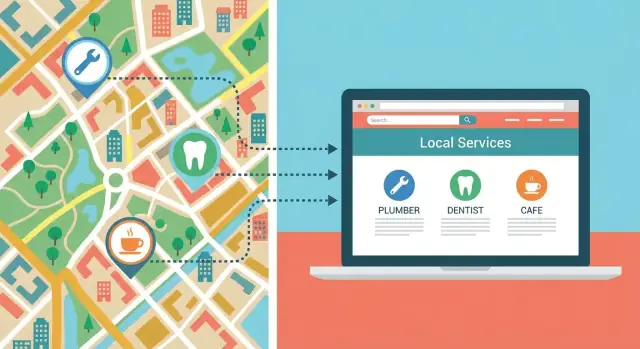
Define Your Niche and City Coverage
A city services directory website works best when it’s clear who it serves, where it serves them, and what “good” looks like. Before you think about features or design, lock in the niche so your local business directory doesn’t turn into an unfocused list of everything.
Pick your geography: city, metro, or neighborhoods
Start by defining your coverage area in plain language. “Austin” can mean the city limits, the metro area, or a handful of neighborhoods people actually search.
Decide:
- Primary city (your core pages and service listings focus here)
- Secondary areas (nearby suburbs or districts you’ll include later)
- Neighborhood rules (only well-known neighborhoods, or every micro-area?)
This boundary will shape your directory website structure and your city-specific SEO strategy. It also helps you avoid thin pages for places you can’t meaningfully cover yet.
Choose your main audience and directory angle
A lead generation directory aimed at residents will look different than one built for visitors or for businesses.
Define one primary audience:
- Residents: recurring needs (plumbers, dentists, cleaners, childcare)
- Visitors: short-term needs (taxis, tours, urgent care, locksmiths)
- Businesses: B2B services (IT support, accounting, commercial cleaning)
Then pick a clear angle that makes your local citations and listings feel curated, not copied:
- Verified pros only (background checks, licenses, insurance)
- Budget-friendly picks (transparent pricing ranges, discounts)
- Emergency-first (24/7 availability, fastest response)
- Accessibility-focused (wheelchair access, multilingual support)
Set success metrics (and what you won’t include)
Choose 3–5 metrics you’ll track from day one, such as:
- Organic traffic to city/service pages
- Calls, form submissions, and “request a quote” clicks
- Number of listings claimed by businesses
- Paid listings or sponsorship conversions (if relevant)
Finally, write down exclusions to stay focused—for example: no national chains, no online-only services, no categories without minimum coverage, or no unverified providers. Clear boundaries make your service listings easier to trust and easier to grow.
Plan Categories, Filters, and the Directory Taxonomy
A city services directory succeeds or fails on how quickly people can find what they need. Before you add a single listing, decide how you’ll organize information so it stays clean as the site grows.
Start with your core listing types
Pick the “things” your directory will contain and keep the set small at first. Common options include:
- Services (plumber, dog grooming, home cleaning)
- Venues (coworking spaces, event halls)
- Professionals (therapists, personal trainers)
- Agencies (marketing, staffing)
Mixing types is fine, but each type may need different fields and filters—so clarify this early.
Draft a taxonomy people can predict
Your taxonomy is the shared language of your directory. Aim for:
- Categories → subcategories (e.g., Home Services → Electricians)
- Tags for cross-cutting traits (e.g., “Eco-friendly,” “Emergency”)
- Attributes that power filters (e.g., price range, neighborhood, availability)
A useful rule: categories should answer “What is it?” while tags answer “What’s special about it?”
Plan the filters users expect
City visitors and locals typically filter by practical constraints first. Prioritize:
- Area/neighborhood (and optionally distance)
- Open now / hours
- Price range
- Rating
- Availability (taking new clients, same-day service, weekend hours)
Keep filters consistent across similar categories, so users don’t “relearn” the interface.
Set sorting rules (and defaults)
Sorting changes outcomes, so be explicit. Common sorts include distance, popularity, newest, and highest rated. Choose a sensible default per category (e.g., distance for urgent services, rating for elective services) and document it for later.
Prevent duplicates with a category map
Create a simple category map that defines each category in one sentence and lists “do not create” duplicates (e.g., “Therapist” vs “Counselor” vs “Psychotherapist”). This avoids messy naming, improves city-specific SEO, and makes browsing feel consistent.
Design Listing Data and Quality Standards
Your directory’s usefulness depends on consistent, comparable listings. Before importing data or accepting submissions, define a “listing schema” (the exact fields you store) and the quality bar for each field.
Start with minimum viable fields
Keep the required fields tight so you don’t discourage legitimate businesses, but make sure every listing can answer the basics:
- Business name (no slogans or keyword stuffing)
- Primary category (one required)
- Address (or “serves customers at their location” if applicable)
- Phone number (formatted consistently; enable click-to-call on mobile)
- Hours (including “by appointment” when needed)
- Website URL (or “no website”)
These fields allow users to quickly decide: “Is this the right provider, and how do I contact them?”
Add helpful fields that improve matching
Optional (but strongly encouraged) fields help users filter and help you rank pages for specific intents:
- Service areas (neighborhoods, ZIP codes, surrounding towns)
- Specialties (e.g., “emergency plumbing,” “eco-friendly cleaning”)
- Pricing notes (ranges, minimum call-out fees, “free estimates”)
- Licenses/insurance (license number, issuing authority, expiration date)
- Languages spoken
Decide what’s required vs. optional based on category. For example, license details might be required for electricians but optional for house painters. Category-specific rules reduce low-quality submissions without burdening everyone.
Set content and media standards
Write simple rules that you can enforce consistently:
- Descriptions: 50–300 words, plain-language, no all-caps, no excessive keywords, no unverifiable claims (“best in the city”).
- Photos: at least 1 clear image (logo or storefront), no watermarked ads, no stock images unless clearly labeled.
- Acceptable content: no hate, adult services (if not allowed), misleading addresses, or call tracking numbers presented as primary numbers.
Standardize how contact options appear
Make contacting a business frictionless while keeping the experience consistent:
- Click-to-call button (primary)
- Get a quote form (routes to email or internal messaging)
- Map + directions link for physical locations
A clear schema plus enforceable standards keeps your directory trustworthy, easier to search, and easier to maintain as it grows.
Create the Site Structure and Key Pages
A city-specific directory succeeds when visitors can get from “I need help” to “here are the best options near me” in just a few clicks. Before you add listings, map the pages your site needs and how they connect.
Core directory pages (the ones users expect)
Start with a clear set of page types and keep them consistent across every category.
- Home page: explain what the directory covers (city + service types), highlight popular categories, and offer a prominent search bar.
- Category page: “Plumbers in Austin” with a short intro, filter options, and a scannable list of listings.
- Subcategory page: helpful when a category is broad (e.g., “Emergency Plumbers” under “Plumbers”).
- Listing page: one business per page with contact info, service area, hours, pricing notes, photos (optional), and a “Request a quote” or “Call” action.
- Search results page: keyword + filters + sorting, with clear empty-state messaging when results are limited.
Supporting pages that reduce friction
These pages make the directory easier to use and easier to grow:
- About and Contact for credibility and support.
- Submit a business to capture new listings without manual outreach.
- Advertise to explain sponsored placements and lead options.
- FAQs to answer common questions like “How do you rank listings?” or “Can I edit my profile?”
Local guide pages that strengthen city relevance
Add neighborhood pages and city guide pages that connect naturally to your categories: “Best electricians in South Congress” or “Home maintenance checklist for [City] winters.” These pages should link into related category pages and highlight local context without stuffing keywords.
Trust pages that protect your reputation
Publish lightweight, readable policies: an Editorial Policy, a Corrections page, and a clear Privacy Overview. If you accept paid placements, explain what’s sponsored and what isn’t.
Keep navigation simple
Use a top navigation with 4–6 items max (e.g., Categories, Neighborhoods, Submit, Advertise, About). Make “Search” visible on every page so non-technical visitors never feel lost.
Source Listings and Set a Verification Workflow
A directory is only as useful as its listings. Before you collect anything, decide how businesses will get into the site—and how you’ll keep details accurate as they change.
Choose your listing intake model
You typically have three options:
- Manual (curated): you add listings yourself for maximum consistency.
- Owner-submitted: businesses claim and submit their info (faster growth, more moderation needed).
- Mixed: you seed the directory with initial listings, then let owners claim and maintain them.
A mixed approach works well for most city directories: it helps you launch with real inventory while encouraging businesses to keep their own profiles current.
Find reliable sources (and record them)
Start with sources that are likely to be current and verifiable:
- Official business websites and contact pages
- Business associations and chamber of commerce member lists
- Licensing registries or city/region public records (where available)
- Existing directories as starting points (verify independently before publishing)
For each listing, keep a “source note” (URL, date checked, and any screenshots or PDFs if needed). This makes later updates and disputes much easier.
Consider Google Business Profile integration (carefully)
If your niche benefits from fresher hours, categories, or location data, Google Business Profile integration can be a practical workflow accelerator—especially as you scale beyond a few dozen listings.
A safe approach:
- Treat GBP as one input source, not the final authority.
- Import core fields (name, address/service area, hours) and still verify critical details.
- Log when data was last synced so you can handle disputes and edits consistently.
Build a simple verification workflow
Verification doesn’t have to be complicated, but it should be consistent. Common methods include:
- Phone check: confirm name, address/service area, and hours
- Email confirmation: require a reply from a domain email (or documented alternative)
- Documentation: business registration, insurance, or license numbers for sensitive categories
Set a clear review process for new submissions and edits. For example: (1) automated checks (required fields, formatting), (2) human review, (3) verification, (4) publish.
Schedule ongoing updates
Information drifts. Define a cadence you can maintain:
- Re-verify hours and phone every 60–90 days
- Run a quarterly sweep for closures and relocations
- Fast-track updates for seasonal businesses and urgent changes
Even a lightweight workflow—tracked in a spreadsheet or a simple ticket system—keeps your city directory trustworthy and useful.
Optimize for City-Specific SEO
City-specific SEO is what turns your directory from “a list of businesses” into a local discovery engine. The goal is to rank for searches like “plumber in Austin,” “wedding photographer South Congress,” or “best dog groomer near Zilker.”
Map keywords to pages (and keep them intentional)
Start by claiming a clear set of primary terms for your main city pages, then add supporting terms per category and neighborhood. For example:
- City + category: “Chicago roof repair,” “Chicago accountants”
- Neighborhood + category: “Wicker Park dog walking”
- Service modifiers: “24/7,” “emergency,” “affordable,” “family-owned” (only when you can support it with real listings)
Avoid making multiple pages that target the same query. If two pages compete for “Denver movers,” neither may rank well.
Create repeatable title tag and H1 patterns
Directories scale when your on-page SEO is consistent. Define patterns early:
- Category page title tag: “{Service} in {City} | {Brand}”
- Listing page title tag: “{Business Name} in {Neighborhood}, {City} | {Primary Service}”
- H1 should match intent: “Plumbers in Austin” or “ABC Plumbing (East Austin)”
Keep the copy human—use templates as a base, then add a short unique intro per page.
Internal linking that mirrors how people search
Link between:
- Neighborhood hubs → top categories in that area
- Category pages → related guides (e.g., “How to choose a roofer in {City}”)
- Listings → their category + neighborhood pages
This helps search engines understand relationships and helps users explore. Add a “Related neighborhoods” section and “Nearby services” modules where relevant.
Use schema markup (selectively)
Add structured data where it matches the content:
- LocalBusiness for listings (hours, address, phone)
- Service when a listing clearly offers defined services
- FAQ on category pages that include real Q&A
Validate markup to avoid errors, and don’t mark up content you don’t actually show.
Avoid thin pages by adding unique value
City SEO fails when pages look identical. Give each category and neighborhood page a reason to exist: curated “top picks,” pricing notes for the city, permit/seasonal tips, typical response times, or a short local checklist. If you can’t add meaningful content yet, don’t publish the page.
Add Reviews, Rankings, and Lead Capture
Reviews and rankings can turn a simple list of providers into a directory people trust—and they can also help businesses see real value from being listed. The key is to choose sources and rules that keep your directory credible.
Decide where reviews come from
Start by choosing whether you’ll show reviews at all, and what “counts” as a review.
If you collect reviews on your site, you control quality and context (great for city-specific services). If you display third‑party ratings (for example, aggregated scores from public profiles), be clear about what you’re showing and how often it updates. Avoid mixing sources without labels—users should instantly understand whether a rating is from your community or elsewhere.
Create clear rules for user-submitted reviews
User reviews need guardrails so they don’t become a spam magnet.
Set minimum requirements (verified email, service date, required comment length), and publish simple guidelines on what’s allowed. Add an abuse-reporting link on every review, and use moderation rules such as:
- Hold first-time reviewers for approval
- Auto-flag patterns like repeated text, suspicious links, or competitor mentions
- Allow businesses to respond, but don’t let them edit customer text
Make the process visible: “Pending review” labels and moderation notes build trust.
Use rankings carefully (or skip them)
If you plan to rank providers (“Top Plumbers in Austin”), explain the criteria in plain language: review quality, responsiveness, verified license, photos, or years in business. If you can’t defend rankings, consider safer alternatives like:
- Featured providers (paid or editorial)
- Badges (e.g., “Verified,” “Fast response,” “Great value”)
- Editorial picks with disclosed methodology
Add CTAs that capture leads
Every listing should make the next step obvious. Use consistent calls to action such as Call, Request a quote, Book, Email, and Visit website. Place the primary CTA above the fold, then repeat it near reviews and photos for long pages.
To understand what’s working, track conversions as events: phone clicks, form submissions, bookings, and outbound website clicks. Even basic tracking helps you improve layouts and prove value to providers when you pitch upgrades or sponsorships.
Build a User-Friendly Search and Browsing Experience
A city services directory succeeds when people can find the right provider in seconds—without learning your site. Your job is to reduce decision fatigue with predictable patterns, fast pages, and clear next steps.
Make listings easy to scan
Treat every listing card like a “label” someone can read while scrolling. Use a consistent visual layout: business name, primary category, neighborhood, rating/review count (if you have it), and one primary call-to-action.
Keep the primary CTA consistent across the site (e.g., Call, Get quote, Book, Visit website). If you show multiple actions, don’t compete for attention—one strong button plus one secondary link is usually enough.
Search that helps, not just filters
People rarely know your exact category names. Reduce friction with:
- Autocomplete search that suggests businesses, services, and neighborhoods as they type
- Suggested categories on the homepage and at the top of category pages (e.g., “Plumber”, “House cleaning”, “Electrician”)
- “Did you mean” corrections for common misspellings
When results are empty, don’t dead-end the user. Offer nearby neighborhoods, broader categories, or alternative keywords.
Filters that match how locals think
City directories work best when filters mirror real-world choices:
- Neighborhood / district (with an easy “All city” option)
- “Near me” (use location permission only when needed, and explain why)
- Availability signals when relevant (e.g., “Open now”, “Weekend service”)
Keep filters lightweight on mobile: make the most important 2–3 visible and tuck the rest into a “More filters” drawer.
Maps: optional, fast, and secondary
Maps are helpful for some services, but they can slow pages down and distract from browsing. Make maps optional and fast: load the list first, then offer a “View on map” toggle. For neighborhood-heavy searches, show a simple text-based neighborhood filter before loading a full map.
Mobile-first actions (where most intent happens)
On phones, optimize for immediate contact:
- Tap-to-call buttons
- One-tap directions
- Sticky CTA on listing detail pages (without covering content)
Accessibility that improves UX for everyone
Basic accessibility choices make your directory easier for all visitors:
- Sufficient color contrast for text and buttons
- Meaningful alt text for logos/photos (or mark decorative images as decorative)
- Keyboard navigation for search, filters, and modals
Aim for speed, clarity, and predictable patterns. If users can quickly refine results, compare options, and contact a provider without friction, your directory will feel “complete” even as you continue adding listings.
Choose Monetization and Business Models
Monetization works best when it matches the intent of your directory: helping residents quickly find reliable providers. The goal is to earn revenue without turning results into a pay-to-win experience.
Core monetization options
Start with one or two simple models, then add more only if users and businesses respond well.
- Featured placements: paid “Top spot” cards in category or neighborhood pages, clearly marked as sponsored.
- Sponsored listings: enhanced visibility for a single listing (badge, short promo line, priority in results).
- Ads: lightweight banner or native ads for local brands (events, real estate, gyms), ideally capped so pages stay readable.
Business profiles with upgrades
Offer a free profile that’s genuinely useful, then charge for upgrades that save time or generate more leads.
Common upgrades:
- Extra photos and videos
- “Highlights” (licensed/insured, same-day service, languages spoken)
- Featured call-to-action buttons (Call, WhatsApp, Booking link)
- Lead delivery (contact form messages forwarded to the business)
Keep the free plan strong: name, category, address/service area, hours, and one contact method. Businesses should pay for performance, not basic accuracy.
Make it easy to buy: a media kit page
Create a simple /advertise page with:
- Available options (featured, sponsored, ads)
- Example placements and where they appear
- Starting prices and what’s included
- An inquiry form (and a direct email)
Trust: label sponsored content clearly
Use consistent labels like “Sponsored” or “Featured (Paid)” and explain—briefly—how rankings work. Clear labeling protects user trust and reduces complaints.
Start with a small pricing test
Before building complex packages, test one category and one neighborhood with 2–3 price points. Measure responses (inquiries, conversions, churn), then expand pricing tiers based on real demand.
Set Policies for Moderation, Spam, and Privacy
Clear policies protect your directory from low-quality listings, fake reviews, and complaints. They also make it easier to scale because decisions don’t rely on “gut feel.” Put these policies on a simple /policies page and link to them anywhere users submit content.
What gets listed (and what gets removed)
Define eligibility in plain language: the business must serve your city area, offer a legitimate service, and provide verifiable contact details (phone, website, address or service area). Also list disqualifiers—duplicate listings, misleading names (“Best Plumber #1”), prohibited services, and businesses that repeatedly ignore verification requests.
State removal triggers upfront: confirmed fraud, repeated spam submissions, harassment, or attempts to game rankings/reviews.
Corrections and edit requests
Publish a corrections process so businesses can request edits. Keep it lightweight: a form on /contact or /claim with required proof (email from the company domain, a screenshot of the Google Business Profile, or a utility bill for address changes).
Set expectations: “Most updates are reviewed within X business days,” and explain what happens if you can’t verify the request.
Spam prevention basics
Use multiple layers rather than a single gate:
- Rate limits on submissions and review posting
- CAPTCHA on forms (especially “Add listing” and “Leave a review”)
- Email verification before a listing or review goes live
Add manual review for suspicious patterns (many listings from one IP, repeated keyword stuffing, identical review text).
Privacy: what you store and why
Address privacy basics: what data you store and why. Typical items: account email, submission history, IP address for abuse prevention, and any uploaded verification documents. Explain retention (“We delete verification documents after review”) and provide a way to request deletion.
Accuracy disclaimer (without overpromising)
Add disclaimer language for accuracy without making legal promises, for example:
“Listings are provided for informational purposes. We try to keep information current, but we can’t guarantee completeness or accuracy. Please confirm details directly with the business.”
Keep the tone firm but fair: you’re building trust by showing your rules, not hiding them.
Launch, Promote, and Improve Over Time
Launching a city services directory isn’t a single moment—it’s the start of an ongoing loop: publish, learn what people search for, fix friction, and expand coverage. Treat your first release as a “minimum lovable directory”: clean design, accurate listings, and fast ways for visitors to contact providers.
If you want to ship the first version faster, a vibe-coding platform like Koder.ai can help you go from requirements to a working directory by building the React frontend, Go backend, and PostgreSQL data model through a chat-based workflow. Features like planning mode and snapshots/rollback are also useful when you’re iterating on taxonomy, filters, and listing schema during early launches.
A practical launch checklist
Before you share the site widely, run a tight checklist:
- Coverage: each priority category has enough listings to feel useful (aim for at least 10–20 per core category).
- Search + filters: autocomplete, filtering, and “no results” states work and guide users to nearby alternatives.
- Forms: contact forms, “suggest an edit,” “add a listing,” and “claim this profile” submissions deliver to the right inbox.
- Mobile QA: map, call buttons, and click-to-email work on real devices.
- Trust signals: verification status, last updated date, and clear moderation rules are visible.
Promotion that fits a city directory
Start with partners who already have local attention: chambers of commerce, neighborhood associations, coworking spaces, local bloggers, and community newsletters. Offer a simple value exchange—e.g., a “Top providers in [Neighborhood]” resource page they can share.
For backlinks, publish genuinely useful city content that naturally earns citations: licensing checklists, seasonal service guides, “moving to [City]” resources, and curated emergency contacts. These pages attract links and also convert visitors into directory users.
Get business owners to claim and update profiles
Use lightweight email outreach to invite owners to claim their listing. Keep it short: what’s listed, what they can improve (hours, photos, services, service area), and one clear call-to-action. If possible, add incentives such as “Verified” badges or priority placement for completed profiles.
If you’re building around a platform workflow, you can also create a small “owner onboarding” checklist inside your product process so the claim/edit flow stays consistent as you add categories and neighborhoods.
Measure, iterate, and expand
Set up analytics to track: searches performed, filter usage, listing page views, clicks to call/email, and claim submissions. Combine that with quick on-site feedback (“Did you find what you needed?”). Every month, fix the top 3 drop-off points, add listings where searches exceed inventory, and build out city-and-neighborhood pages that match real demand.
FAQ
How do I choose a niche for a city services directory without it becoming too broad?
Start by writing a one-sentence promise: who it’s for, what it helps them find, and where.
Example: “Verified home-service pros for residents in Austin city limits.” Then add explicit exclusions (e.g., no national chains, no online-only services) so the directory stays curated instead of becoming a miscellaneous list.
Should I cover the whole metro area or start with specific neighborhoods?
Define your coverage in plain language and document it:
- Primary city (launch focus)
- Secondary areas (later expansion)
- Neighborhood rules (only well-known areas vs. every micro-area)
This prevents thin pages and makes your site structure and SEO plan clearer (city pages, neighborhood hubs, and category pages).
What’s the best way to structure categories, tags, and filters?
Use a predictable structure:
- Categories answer “What is it?” (e.g., Home Services → Electricians)
- Tags answer “What’s special?” (e.g., Eco-friendly, Emergency)
- Attributes power filters (e.g., price range, neighborhood, availability)
Before building, create a simple category map that defines each category and lists “do not create” duplicates (e.g., Therapist vs. Counselor).
What minimum information should every listing include?
Require only the fields that let someone contact and evaluate a provider quickly:
- Business name (no keyword stuffing)
- Primary category
- Address or “serves customers at their location”
- Phone (consistent formatting; click-to-call)
- Hours (including “by appointment”)
- Website URL (or “no website”)
Then add category-specific requirements where needed (e.g., license numbers for electricians).
How should I source and verify listings so the directory stays accurate?
Pick a model you can sustain:
- Manual curated for consistency
- Owner-submitted for speed (needs moderation)
- Mixed (seed listings, then let owners claim)
Verification can be lightweight but consistent: phone check, email confirmation, and documentation for sensitive categories. Keep a “source note” (URL + date checked) for each listing to simplify updates and disputes.
How do I avoid duplicate or competing pages in city-specific SEO?
Avoid having multiple pages compete for the same query.
Map one primary keyword intent per page type:
- City + category (e.g., “Plumbers in Austin”)
- Neighborhood + category (e.g., “Plumbers in South Congress”)
- Modifiers only when true (24/7, emergency, affordable)
Use repeatable title tags/H1 templates and add a short unique intro so pages aren’t identical.
What schema markup should a directory website use?
Use structured data only when it matches visible content:
- LocalBusiness on listing pages (address, phone, hours)
- Service when services are explicitly described
- FAQ schema on pages that contain real Q&A
Validate markup, and don’t mark up details you don’t display (that’s a common cause of errors and trust issues).
How can I add reviews and rankings without creating spam or trust problems?
First decide whether reviews are on-site, third-party, or both (and label sources clearly).
If you accept user reviews, add guardrails:
- Verified email and required comment
- Moderation for first-time reviewers
- Abuse reporting on every review
- Businesses can respond but not edit customer text
If you can’t defend “Top X” rankings with transparent criteria, use safer options like “Verified,” “Fast response,” or clearly labeled “Sponsored.”
What features make search and browsing feel “easy” on a directory site?
Optimize for scanning and quick contact:
- Consistent listing cards (name, category, neighborhood, rating, one main CTA)
- Autocomplete search (services, businesses, neighborhoods)
- Strong empty-state pages (suggest nearby neighborhoods or broader categories)
- Mobile-first actions (tap-to-call, one-tap directions)
Keep maps optional (load the list first) so performance stays fast, especially on mobile.
What are practical ways to monetize a city directory without making it pay-to-win?
Start simple and protect trust:
- Featured placements or sponsored listings (clearly labeled)
- Upgraded business profiles (extra photos, highlights, better CTAs, lead delivery)
- A clear media kit on /advertise (options, examples, starting prices, inquiry form)
Avoid charging for basic accuracy—keep the free profile genuinely useful, then charge for visibility or lead generation.