

Create a Website for Your Digital Transformation Roadmap
Learn how to plan, structure, and publish a website that explains your digital transformation roadmap, timelines, owners, and KPIs—clearly and credibly.
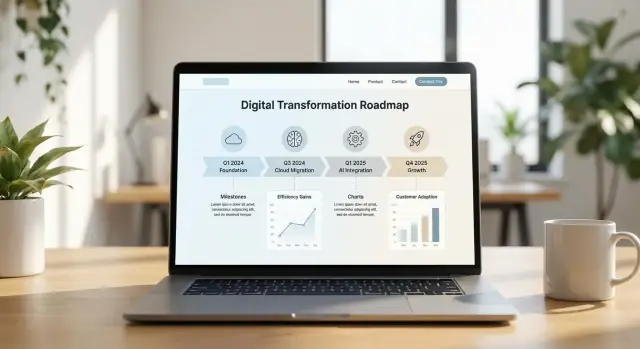
Clarify the Purpose and Audience
A roadmap website only works if it has a clear job to do. Before you write a single page, decide what you want visitors to leave with: confidence, direction, answers, or a concrete next step. When the purpose is vague, the site turns into a dumping ground for slides and acronyms—and people stop checking it.
Define the goal (pick one primary)
Start by choosing the site’s main goal:
- Inform: explain what’s changing, why, and what to expect.
- Align: create a shared source of truth across teams and leadership.
- Drive adoption: move people to action (training, tool sign-ups, process changes).
You can support all three, but one should clearly dominate. That choice will shape your homepage, navigation, and what you measure.
Identify primary audiences and their “jobs to be done”
List your top audiences and what they need in plain terms:
- Executives: progress at a glance, risks, and decisions needed.
- Teams delivering the work: priorities, timelines, dependencies, and how to contribute.
- Partners/vendors: integration expectations, key dates, and contacts.
- Customers/end users: what changes for them, when, and where to get help.
If you try to write one page for everyone, it becomes useful to no one. It’s better to create tailored entry points (for example, “For leaders” and “For teams”) than to overload every page.
Define what success looks like
Decide upfront how you’ll know the site is working. Choose a small set of outcomes such as:
- Training sign-ups or completion rate
- Downloads of templates or playbooks
- Fewer repeated questions (reduced “same FAQs” in Slack or support)
- Higher attendance at program briefings
Set the tone and ownership
Use plain language, short sentences, and define terms the first time they appear. Assign an owner (often the transformation office + comms) and set an update rhythm (weekly for active milestones, monthly for broader summaries). Publish a visible “last updated” date so visitors know they can trust what they’re reading.
Write a Clear Transformation Summary
Your transformation summary is the “front door” of the roadmap website: it should explain why the program exists, what good looks like, and what people should expect next. Keep it plainspoken and specific so readers can quickly decide, “Does this affect me, and how?”
Start with a 2–3 sentence “why”
Begin with the problem and the outcome, not the tools. For example:
We’re updating our websites and internal systems because publishing and approvals take too long, analytics are inconsistent, and customers struggle to find key information. By the end of Q4, we aim to cut time-to-publish by 30%, improve task completion on top journeys by 15%, and standardize reporting across teams.
Define what will—and won’t—change
Reducing uncertainty is one of the fastest ways to lower resistance. Add a short, direct block like:
What will change: content publishing workflow, navigation for priority journeys, performance standards, and how requests are tracked.
What won’t change (for now): core brand identity, legal/compliance review requirements, and ownership of final approvals.
If there are open decisions, name them and set expectations (“Decision expected by May 15; interim process remains in place”).
Show current vs. future state (simple diagram)
A small visual makes the shift tangible—no design software required.
CURRENT STATE (Today)              FUTURE STATE (Target)
---------------------             ----------------------
3+ tools to update content   ->   1 publishing workflow
Ad hoc requests via email    ->   Tracked intake + SLA
Inconsistent analytics       ->   Standard dashboard + definitions
Slow pages on key templates  ->   Performance budget per template
Keep claims measurable and realistic
Avoid promises like “revolutionize” or “transform everything.” Use a few metrics with time bounds and clear scope:
- “Reduce average page load time on top 20 templates from 4.2s to under 3.0s by September.”
- “Migrate 60% of priority content by end of Q3 (remaining content stays on the current platform until phase 2).”
Add a mini glossary
A glossary prevents confusion and helps new stakeholders onboard quickly.
Glossary (quick definitions):
- Roadmap: a time-ordered plan of major deliverables and decision points.
- Workstream: a group of related activities (e.g., Content, Platform, Analytics).
- Milestone: a completed checkpoint (e.g., “New navigation live”).
- KPI: a metric used to track progress toward outcomes.
- Scope: what is included—and explicitly excluded—in this phase.
Map the Site Structure and Navigation
A transformation roadmap site succeeds or fails on how quickly people can find “what’s changing, when, and what it means for me.” Before you write copy, decide your site shape and the few page types you’ll support consistently.
Choose the core page types
For most programs, five to six page types cover 90% of needs:
- Overview: the plain-English summary, scope, benefits, and links to the rest of the site.
- Roadmap: the timeline view (quarters/months), major milestones, and dependencies.
- Workstreams: what each stream is delivering, who it affects, and key updates.
- Progress: metrics people check regularly (delivery status, adoption, service impact).
- Resources: templates, training, recordings, policy docs, and “how to get help.”
- Contact: the intake form, office hours, and escalation paths.
If you already have content scattered across tools, the goal isn’t to duplicate everything—it’s to provide a reliable front door that points to the right sources.
One long page vs. a small multi-page site
A single long page can work early on: it’s fast to publish and easy to share. Use it when the program is small, the roadmap is short, or you’re validating what stakeholders care about.
A multi-page site is better when you have multiple workstreams, frequent updates, or different audiences (leaders, managers, frontline teams). It also reduces scroll fatigue and makes ownership clearer.
Navigation that matches how people think
Use labels people would say out loud: “Roadmap,” “Progress,” “Resources,” “Get support.” Avoid internal project names.
For long pages, include:
- A sticky quick-jump menu (e.g., “This quarter,” “Next quarter,” “Impacted teams”).
- Search if you have more than a handful of resources.
Finally, make sure every page has one primary action (CTA). Examples: “Subscribe to updates,” “Request a change impact session,” or “Ask a question.” Keep secondary actions quieter so the next step is obvious.
Design the Roadmap Timeline and Milestones
A roadmap website works best when people can answer three questions in under a minute: Where are we now? What’s next? When will it matter to me? Your timeline and milestones are the fastest way to do that—if they’re consistent, scannable, and updated.
Pick a timeline view that matches how decisions are made
Choose one primary view and stick with it across the site:
- Quarters (Q1–Q4): best for executive updates and funding cycles
- Months: best for delivery teams and high-change periods
- Phases (Discover → Build → Rollout): best when dates are uncertain but sequencing is clear
If you offer multiple views, make one the default and keep the others as filters (not separate pages that drift out of sync).
Define milestones people can trust
Each milestone should read like a mini contract. Use a consistent milestone card (or row) with:
- Date range (not a single day unless it’s truly fixed)
- Owner (role or name) and a contact link to /contact or /about
- Expected outcome (what changes, for whom)
A simple format helps:
| Milestone | Timing | Owner | Outcome |
|---|---|---|---|
| Pilot launch | Apr–May | HR Ops | 200 users onboarded, feedback collected |
Show dependencies and risks—without turning it into a project plan
Stakeholders don’t need every task, but they do need clarity on what can block progress. Use light-touch cues:
- “Depends on:” 1–2 upstream items
- Risk flag: Low / Medium / High with a one-line reason
Link details to a separate page like /roadmap/risks if needed, so the timeline stays readable.
Make freshness visible
Add a clear “Last updated” stamp near the timeline header, plus your update cadence (for example: “Updated every 2 weeks”). If it isn’t updated, people will assume it isn’t real.
Provide a printable version for meetings
Create a meeting-friendly export (PDF or print stylesheet) with the same structure and terminology. A prominent “Download” link (for example: /roadmap/download) prevents screenshots and outdated decks from becoming the source of truth.
Describe Workstreams and Initiatives
A roadmap page becomes easier to understand when you group work into a small number of workstreams. Aim for 3–6 workstreams that match how your organization actually delivers change—common examples are Data, Applications, Operations, and People & Change.
Pick workstreams that answer “where is the work happening?”
Each workstream should be broad enough to stay stable over time, but specific enough that a stakeholder can quickly see what’s included. If you find yourself creating a workstream for every department, zoom out—your site should help people orient, not decode org charts.
Use a consistent card format for every workstream
On the roadmap page, present each workstream in the same structure:
- Objective: one sentence describing the outcome (e.g., “Improve decision-making with trusted, shared data”).
- Key initiatives: 3–7 initiatives written as plain-language deliverables.
- Owner: a role or named lead (e.g., “Head of Data Platform” or “Program Director”).
- Current status: use the same labels everywhere: Planned, In progress, Completed.
Keep initiative descriptions short. If an initiative needs a long explanation, link to a deeper page only when it genuinely helps someone take action (e.g., /roadmap/data or /program/change).
Separate quick wins from long-term initiatives
Within each workstream, clearly mark:
- Quick wins (next 30–90 days): items that build confidence and remove friction (e.g., “Single sign-on rollout for top 5 apps”).
- Long-term initiatives (6–18+ months): foundational work (e.g., “Migrate core reporting to a governed data platform”).
This split prevents confusion when some work shows results quickly while other work is intentionally slower.
Example snippet (what one workstream can look like)
Workstream: People & Change
Objective: Equip teams to adopt new tools and ways of working.
Initiatives: Training plan, champion network, updated SOPs.
Owner: Change Lead.
Status: In progress
Add Progress Metrics and KPIs People Trust
A roadmap website earns attention when it shows progress in a way that feels fair, understandable, and hard to “spin.” The goal isn’t to track everything—it’s to highlight a small set of outcomes that signal whether the transformation is working.
Pick a small set of outcome KPIs
Choose 5–10 KPIs that reflect results, not just activity. For example, “% of staff trained” is useful, but it’s stronger when paired with an outcome like “time to complete a customer request” or “error rate in a key process.” Mix a few measures across customer, employee, delivery, and risk.
Keep the KPI list stable. Frequent changes make people suspicious, even when the intent is good.
Define each KPI in plain language
For every KPI on the page, add a short “definition card” that includes:
- What it means (in plain words): one sentence, no jargon.
- How it’s calculated: a simple formula (e.g., “Median days from request submitted to completed”).
- Why it matters: what decision it helps the program make.
This is where trust is built: readers can tell whether a metric matches their lived experience.
Show baseline, target, and current value
Whenever possible, display three numbers side by side:
- Baseline: where you started (with the date)
- Target: where you aim to be (with the deadline)
- Current: the latest value (with the “as of” date)
If a KPI is still being established, say so explicitly and share the expected date for the first baseline.
Be transparent about data sources and updates
Add a short note under the KPI set: data source(s) (systems, surveys, audit logs) and update frequency (weekly, monthly, quarterly). If numbers are revised, explain why (late data, definition change) and keep a small change log.
Use a simple chart—and an accessible table
Include one clear progress chart (like a line chart with baseline → current → target). Then provide an accessibility-friendly table that mirrors the chart: KPI name, definition, baseline, target, current, last updated, and owner. Tables make it easier to scan, compare, and use with screen readers.
Show Ownership, Roles, and Governance
A roadmap website is more credible when people can see who owns the work, how decisions get made, and where to go with questions. This section prevents “mystery program” rumors and keeps teams from working off different assumptions.
Define the core roles (and what they actually do)
Keep the role list short and practical, with one sentence on accountability:
- Executive sponsor: sets direction, removes blockers, confirms funding and priorities.
- Program lead: runs the plan day to day, coordinates workstreams, manages dependencies.
- Workstream leads: own delivery for a domain (e.g., customer experience, data, operations), report progress and risks.
- Support roles (as needed): change/comms, training, IT/security, procurement, analytics.
Make “who do I contact?” obvious
Add a small “Contact” box people can scan in seconds:
- Questions about scope or priorities → Program lead
- Feedback on user impact or adoption → Change/comms lead
- Issues, risks, blockers → Workstream lead (or escalation to program lead)
- Security/privacy concerns → Security/IT contact
If you have internal directories, link them relatively (e.g., /team or /contacts) so the page stays easy to maintain.
Publish a simple decision model
Explain how changes are approved so teams know what requires sign-off:
- Content updates (copy, FAQs, minor dates): Program lead approves.
- Timeline or scope changes: Sponsor approves after input from workstream leads.
- Budget/vendor changes: Sponsor + procurement/finance checkpoint.
Share governance cadence and checkpoints
State the meeting rhythm and what each forum is for (one line each): weekly delivery check-in, biweekly risk review, monthly steering decision meeting, and milestone gates (e.g., “Pilot readiness” and “Go-live readiness”).
Add lightweight feedback
Include a small form or mail link so people can respond while the page is open:
- “Suggest an improvement” (free text)
- “Report an issue” (category + details)
Link to /feedback or a shared mailbox (e.g., /contact) and note expected response time.
Create FAQs and Change Communication Content
A roadmap website is as much a communication tool as it is a plan. A well-written FAQ section reduces repeat questions, prevents rumors, and gives people a safe place to check what’s changing, when, and what they need to do next.
What a good FAQ set should cover
Aim for 8–15 questions that reflect what stakeholders actually ask in meetings and inboxes. Keep answers short, dated when time-sensitive, and written in plain language. If you have different audiences (employees, managers, customers, partners), include a “How does this affect me?” question for each.
Example FAQs you can publish
1) What is this program, in one sentence? A coordinated set of changes to improve how we work and deliver services, including process updates, new tools, and retiring older systems.
2) What’s the timeline—when will I see changes? You’ll see updates in phases. Each phase has a planned start, pilot period, and rollout window. Dates may adjust; the roadmap page will show the latest.
3) How does this affect me? (Employees / individual contributors) Expect changes to some day-to-day steps and tools. You’ll receive training before your team’s rollout, plus a transition period where help is available.
4) How does this affect me? (Managers) You’ll get early visibility into your team’s rollout window, readiness tasks, and communications you can reuse. You may be asked to nominate champions and confirm completion of training.
5) How does this affect me? (Customers/clients) Service should remain available. If a change affects how you log in, submit requests, or access reports, you’ll get advance notice and clear instructions.
6) What training will be provided? Role-based training will be offered as short sessions and self-serve materials. Training is scheduled ahead of rollout so you’re not learning during a deadline.
7) What support will I have during the transition? There will be a defined support period after launch (for example, enhanced helpdesk coverage, office hours, and a dedicated escalation path for critical issues).
8) Will old tools still work? (Terminology: legacy, migration, deprecation) “Legacy” means the current tool/process. “Migration” is moving data and work to the new solution. “Deprecation” means the legacy option will be phased out and eventually turned off after the transition window.
9) What happens to my data—will anything be lost? Data migrations follow a plan: what moves, what doesn’t, and how it’s validated. If anything can’t be migrated, the FAQ should explain alternatives (archive, export, read-only access).
10) How will you communicate changes and updates? Expect regular updates on the roadmap site plus targeted messages before key milestones. Major changes will be summarized with “what changed, why, and what you need to do.”
11) What if the new process slows me down at first? A short adjustment period is normal. Use the support channels to report friction points; the team tracks issues and improves the rollout based on feedback.
12) Who do I contact with questions or concerns? List a single clear route (a form, mailbox, or helpdesk queue) and what to include (team, system, urgency). Link to your contact page if you have one.
Make change communication reusable
Alongside FAQs, publish a small “communication kit” section: a one-paragraph summary, a timeline blurb, and talking points managers can copy into team messages. Keep these aligned with your roadmap milestones so they don’t drift out of date.
Publish Resources, Templates, and Updates
A roadmap page builds confidence, but a transformation site becomes genuinely useful when it answers the daily question: “Where do I get the latest approved materials?” A well-organized resources area reduces repeat requests, prevents outdated documents circulating, and helps teams move faster with fewer meetings.
Build a simple resources library people can actually use
Start with a clear library that gathers the most-requested items in one place—guides, policies, templates, training recordings, slide decks, and decision notes.
Keep the layout predictable: a short intro, then categories and search. If your platform supports it, add a quick “Most used” area so the essentials are one click away.
Use filters that match how people look for things
Instead of a long scrolling list, add lightweight filters or categories so different audiences can self-serve. Common options:
- By team (e.g., Finance, HR, Operations)
- By phase (e.g., Discover, Pilot, Rollout)
- By topic (e.g., Data, Security, Process changes, Training)
If you can’t implement dynamic filters, you can still mimic the experience with separate pages or anchored sections.
Make freshness obvious: versioning + clear dates
Nothing undermines trust faster than an undated template. Every item should show:
- Version number (v1.3) or status (Draft / Approved)
- Last updated date
- Owner or accountable team (even just an email alias)
When you replace a file, avoid “silent swaps.” Add a short change note (one sentence) so users know what changed and whether they need to re-download.
Add a “What’s new” feed for quick scanning
Create a small “What’s new” section at the top of the resources area (or as its own page). Keep entries short: title, date, and one-line impact. Link each item to the updated resource or announcement.
Offer subscriptions for updates (when possible)
If your stack supports it, include an email subscribe option for release notes, training drops, or policy changes. Let people choose topics (not just “all updates”) to prevent notification fatigue.
Build for Accessibility, Performance, and Trust
A roadmap site only works if people can actually use it—on any device, with any ability level, and without worrying about how their data is handled. Treat accessibility, performance, and trust as product requirements, not “nice-to-haves.”
Accessibility: make it usable for everyone
Start with clean structure: clear headings, short paragraphs, descriptive labels, and terminology that matches what people see on the page.
Use readable fonts and spacing, and check color contrast (especially for status colors like “On track” vs “At risk”). Every interactive element should be reachable by keyboard, with visible focus states.
If you include icons, charts, or downloadable files, add alternatives: text summaries for charts, accessible PDFs, and meaningful descriptions where relevant.
Performance: fast pages earn attention
Your roadmap pages should load quickly on mobile connections.
Keep pages lightweight: avoid heavy animations, limit third-party scripts, and prefer simple components (tables, accordions, timeline blocks) over complex widgets.
If you publish frequent updates, avoid rebuilding the same content on multiple pages. A single “Updates” area (e.g., /updates) with clear filters often performs better than many duplicated posts.
Trust: be clear about data and tracking
Roadmap sites often include forms (feedback, intake, Q&A) and analytics. Explain what you collect and why.
Add a short privacy note near each form: what happens to submissions, who can see them, and how long data is kept. If you use analytics or session tracking, include a plain-language cookie/analytics explanation and link to /privacy.
If the roadmap includes sensitive items, clearly label what’s public vs internal, and avoid exposing personal names, vendor pricing, or security details.
Quick checklist before you publish
- Mobile-friendly layout with fast load times
- Headings, short paragraphs, clear labels, consistent terminology
- Contrast, keyboard navigation, readable fonts
- Privacy notes for forms and analytics where required
- A basic cookie/analytics explanation (if applicable) and links to /privacy and /accessibility
Launch Plan, Maintenance, and Continuous Improvement
A roadmap website only earns trust when it stays current. Plan the launch like a product release, then treat maintenance as part of the program—not an afterthought.
Choose a platform your team can run
Pick a CMS or site builder your team can maintain without waiting on developers for every change. The right choice is usually the one that matches your skills and approval needs: simple page editing, version history, role-based permissions, and easy publishing. If your organization already has a standard platform, use it to reduce friction.
If you need to stand up a roadmap site quickly (especially when requirements are still evolving), a build approach can work well too. For example, Koder.ai lets teams create web apps from a simple chat interface—useful when you want a custom roadmap website with pages like /roadmap, /updates, and /resources without starting from scratch. You can iterate in a “planning mode,” keep changes safe with snapshots/rollback, and export source code when you’re ready to move into a longer-term pipeline.
Set an editorial workflow (and stick to it)
Define a lightweight path from idea to publication:
- Draft (content owner writes)
- Review (subject-matter expert checks accuracy)
- Approve (program lead or comms approves messaging)
- Publish (web owner pushes live)
Document this on a single internal page so anyone can follow it. A clear workflow prevents “quiet edits” that confuse stakeholders.
Build a content calendar tied to milestones
Create a calendar aligned to roadmap milestones and governance meetings. Schedule routine updates (monthly progress summary, upcoming work, decisions made) and event-based updates (launches, policy changes, delays, new risks). This helps the site feel predictable and reliable.
Measure what people actually use
Track what people read so you can improve content based on behavior, not opinions. Focus on:
- Top pages (what matters most)
- On-site search terms (what people can’t find)
- Drop-offs (where readers leave)
Use the insights to simplify navigation, rewrite unclear sections, and add missing FAQs. If you have a KPI view, link to it from the pages people already visit (for example, from /roadmap or /updates).
Run a pre-launch checklist—and plan the first 90 days
Before launch, run a checklist: permissions, broken links, page ownership, accessibility checks, mobile view, and a “cold read” by someone outside the program.
Then plan the first 90 days of updates: weekly cadence at the start, a backlog of improvements, and a clear place to announce changes (for example, /updates and /faqs). Continuous improvement is how the website stays useful after the initial excitement fades.
If you’re experimenting with different layouts or stakeholder entry points, choose tooling that makes iteration cheap. In Koder.ai, teams often test navigation and page structures quickly, then keep what works—without losing progress thanks to built-in snapshots, and with the option to deploy/host with custom domains when the site becomes mission-critical.
FAQ
What should a digital transformation roadmap website do?
A roadmap website gives people one place to check what is changing, why it matters, and what they need to do. It should replace scattered slides, inbox updates, and conflicting timelines.
How do I choose the main goal for the site?
Choose one main goal first: inform people, align teams, or drive a specific action such as training sign-ups. You can support the others, but the homepage and measures should follow the primary goal.
Should one roadmap page serve every audience?
Create separate entry points for leaders, delivery teams, partners, and end users. Each group needs different detail, so avoid putting every timeline, risk, and instruction on one page.
Which pages should a roadmap website include?
Most sites need an overview, roadmap, workstreams, progress, resources, and contact page. A single long page works for a small program, but several pages help when updates happen often or several teams own the work.
What timeline format works best?
Use quarters for leadership planning, months for busy delivery periods, or phases when dates may change. Pick one default view, then use filters for other views so the information stays consistent.
What details should each milestone show?
Show a date range, owner, expected outcome, and any major dependency or risk. Write milestones as results people can recognize, such as a pilot launch or a new workflow going live.
How should we organize workstreams?
Group related work into three to six workstreams, such as Data, Applications, Operations, and People and Change. Give every workstream an objective, a short list of initiatives, an owner, and a status.
Which progress metrics should we publish?
Use five to ten measures that show results as well as activity. For each measure, show its plain-language definition, baseline, target, current value, data source, update date, and owner.
Who should own and approve roadmap updates?
Name the executive sponsor, program lead, workstream leads, and contacts for support, risks, and privacy concerns. Also explain who approves content, timeline changes, and budget or vendor decisions.
How do we keep the site useful after launch?
Use a small FAQ set based on real questions from meetings and support channels. Update it when dates, processes, training, support, or data migration plans change, and keep a visible last-updated date on the site.