

How to Create a Public Website for an Internal Tool
A practical guide to turn an internal tool into a public-facing website: structure, security, onboarding, docs, pricing, launch steps, and ongoing maintenance.
Start With Scope, Audience, and Outcomes
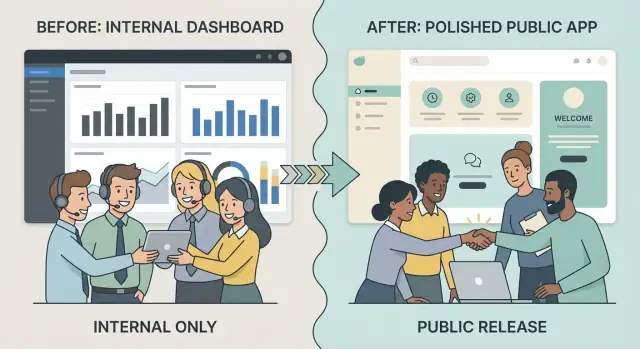
Turning an internal tool into a public website isn’t just “putting it on the internet.” The first step is deciding what you’re actually releasing, who it’s for, and what “good” looks like once outsiders can use it.
Define success before you define features
Be specific about why the tool is going public. Are you trying to reduce manual work for your team, create a new revenue stream, support partners, or make customers more self-sufficient? Each goal drives different decisions about onboarding, support, pricing, and how polished the experience must be.
Write success as measurable outcomes, such as:
- Number of activated accounts in 30/90 days
- Percentage of tasks completed without support
- Time-to-value (how quickly a new user gets a result)
- Retention (do they come back and keep using it?)
Pick your audience (and their jobs-to-do)
“External users” is too vague. Identify who you’re building for—customers, partners, vendors, or the general public—and what they’re trying to accomplish.
A partner managing multiple client accounts needs different flows than a single end-customer who logs in once a week. Treat these as distinct journeys, not minor variations.
What changes when colleagues become customers
Internal tools rely on tribal knowledge. Public products must be clear, forgiving, and predictable. Expect to rethink:
- Terminology and defaults (no internal acronyms)
- Error messages (actionable, not “ask IT”)
- Permissions and accountability (who did what, when)
- Support expectations (response times, escalation paths)
Marketing site, app shell, or both?
Decide whether you need a marketing website (to explain and persuade), an app shell (to sign up and use the tool), or both. This choice affects scope immediately—and prevents you from building a full product experience when you only needed a credible front door.
If speed is the constraint, it can help to prototype the marketing pages and the authenticated app shell in parallel. Teams increasingly do this with vibe-coding platforms like Koder.ai, where you can describe the flows in chat (including onboarding, roles, and pricing pages), generate a React front end with a Go/PostgreSQL backend, and still export source code later if you need a traditional engineering handoff.
Audit the Internal Tool Before You Build the Public Site
Before you design a marketing site or onboarding flow, get clear on what you’re actually shipping. Internal tools often “work” because everyone already knows the shortcuts, the context, and who to ask when something breaks. A public release removes that safety net.
Create a real inventory (not a vague overview)
List the tool’s current features and supporting pieces:
- Pages and workflows (including admin screens and one-off utilities)
- Data sources (databases, spreadsheets, third-party APIs)
- Background jobs, scheduled tasks, and integrations
- Dependencies on internal services, network access, or hardcoded configs
Surface internal-only assumptions
Write down every assumption the product makes about its users and environment, such as:
- VPN access or allowlisted IP ranges
- Shared logins, “everyone is an admin,” or no session timeouts
- Tribal knowledge: unwritten rules, naming conventions, and “known bugs” workarounds
- Manual steps performed by a teammate (imports, approvals, resets)
Triage: must keep, must fix, remove
For each feature, decide:
- Must keep: core value for new users
- Must fix: required for reliability, security, or clarity
- Remove: confusing, unused, or risky to expose publicly
This is also where you spot “internal convenience” features that shouldn’t become public promises.
Mine internal support for future FAQs
Collect the most common questions internal users ask—password resets, permission issues, unclear error messages, missing data, confusing terminology. These are early signals of where public users will get stuck, and they directly inform your onboarding, documentation, and in-app guidance.
Design Information Architecture for New Public Users
Internal tools often assume people already know the vocabulary, where everything lives, and what “good usage” looks like. A public site has to teach that context quickly, without overwhelming new visitors.
Choose the core public pages
Keep the first version tight: Home, Features, Pricing (even if it’s “Request access” for now), Docs, and Contact. These pages answer the basics: what it is, who it’s for, how it works, what it costs, and where to get help.
Map the journey from curiosity to value
Sketch the main path you want most users to take:
Visitor → signup → onboarding → first success → ongoing use → renewal/upgrade.
Each step needs a clear “next action.” For example, your Home page should drive to “Start free” or “Request a demo,” while Docs should drive to “Create your first project” (not a long reference index).
Decide what’s public vs. behind login
A simple rule: keep evaluation content public (use cases, feature overview, sample screenshots, security summary, pricing), and put execution content behind login (real data, workspace settings, billing portal).
If you publish docs, consider making “Getting Started” public and gating advanced admin configuration.
Create a sitemap and navigation rules
Limit top navigation to 5–7 items. Use one label per concept (“Docs,” not “Help Center / Guides / Reference” all at once). Put secondary items in the footer, and keep the same navigation across marketing pages so people don’t feel lost.
Make the UX Self-Serve, Not Team-Dependent
Internal tools often work because someone on the team can “show you where to click.” Public users won’t have that. Your goal is to make the product understandable, recoverable (when something goes wrong), and confidently usable without waiting for a human.
Translate the product into plain language
Replace internal jargon, team nicknames, and shorthand with labels that describe outcomes. A button like “Run ETL” becomes “Import data,” and a filter like “Region = NA” becomes “Region: North America.”
Add short help text where decisions are unfamiliar (“Choose a workspace to keep projects separate”). Use consistent terminology across navigation, headings, and actions so users don’t wonder if “Project,” “Job,” and “Run” are different things.
Make states and messages predictable
Design consistent empty states, errors, and loading messages. Empty states should answer: What is this area for? Why is it empty? What should I do next?
Error messages should be specific and actionable (“File type not supported. Upload .CSV or .XLSX.”), and loading states should set expectations (“Importing… usually takes 1–2 minutes”).
Guide setup without hand-holding
Add guided setup using checklists, lightweight tooltips, and “next step” prompts after key actions. The first successful outcome should be fast and obvious.
Cover accessibility basics
Check contrast, keyboard navigation, focus states, and readable typography. If people can’t navigate or read the UI, they can’t self-serve—no matter how good the features are.
Add Authentication, Teams, and Permissioning
Turning an internal tool into a public product usually fails first at “who can get in” and “what can they do.” Start by designing authentication and access control as product features, not just infrastructure.
Sign-up and sign-in flows
Keep the default path simple (email + password), then add options based on your audience:
- Email/password for most users
- Magic links for low-friction access (great for occasional users)
- SSO (SAML/OIDC) when selling to companies that require it
- Invitations so an existing customer can bring teammates in safely
Be explicit about the entry point: “Create a workspace” vs “Join a workspace,” and make it obvious what happens after an invite is accepted.
Teams: single account vs multi-tenant
Decide whether users belong to:
- A single account (one shared space; simpler, common for small tools)
- Multiple organizations/teams (multi-tenant; essential if consultants, agencies, or users need separate client workspaces)
Multi-tenant adds a “current organization” switcher, org-level billing, and clearer data boundaries.
Roles and permissions (with examples)
Define roles in plain language, then map them to actions:
- Admin: manage billing, integrations, team members, and security settings
- Member: create/edit core content, run workflows, invite others (optional)
- Viewer: read-only access for stakeholders and auditors
Avoid “custom roles” early; it’s better to ship 3 clear roles than 12 confusing ones.
Account basics you’ll need
Include a minimal account area: profile (name, avatar), password reset, email preferences/notifications, active sessions/devices, and a safe way to change email. These reduce support tickets immediately.
Security and Privacy Requirements for a Public Release
Moving from “behind the firewall” to the open internet changes the risk profile overnight. The goal isn’t perfection—it’s making the most likely failures unlikely, and making the impact small if something does go wrong.
Threat-model the risks you’re actually exposed to
Start by listing your highest-impact scenarios and how they could happen:
- Data exposure: misconfigured storage, overly broad permissions, admin-only views accidentally public, exported files left accessible.
- Abuse: spam signups, scraping, automated actions, API misuse, denial-of-service through expensive endpoints.
- Account takeover: weak passwords, password reuse, phishing, credential stuffing, missing session protections.
For each, write down: what data or action is at stake, who could exploit it, and the simplest control that reduces risk (permissions, input limits, extra verification, safer defaults).
Build guardrails: secure defaults, rate limits, and logging
Public signups and APIs need guardrails from day one:
- Secure defaults for new accounts: least-privilege roles, minimal access until verified, and conservative sharing settings.
- Rate limiting on login attempts, password resets, signup, and any “expensive” endpoints.
- Abuse detection: basic heuristics (burst traffic, repeated failures, unusual IP patterns).
- Logging and audit trails: authentication events, permission changes, admin actions, and data export events.
Keep logs useful for investigations, but avoid logging sensitive content (tokens, full payloads, secrets).
Clarify your privacy posture (before users ask)
Write down what you store and why:
- Data categories (account info, usage data, content users enter)
- Retention rules (how long you keep data after deletion or cancellation)
- Backups (frequency, encryption, access controls, and restore testing)
If you don’t need a piece of data, don’t collect it—less stored data reduces both risk and compliance overhead.
Publish basic security surfaces
Even a small product should have a few public-facing signals:
- A security.txt file with a contact method for vulnerability reports
- A simple disclosure process (what to include, expected response times)
- Basic status information if you have it (uptime/incident notes, even if minimal)
Documentation and In-App Help That Reduce Support Load
Good documentation isn’t a “nice to have” once you go public—it’s the difference between a product that scales and one that gets buried in support requests. Aim for clarity over completeness: help people succeed quickly, then let them go deeper if they need to.
Start with a quick-start that delivers a first win
Write a short Quick Start that gets new users to a first result in minutes. Keep it focused on one common goal (for example: “Create your first workspace and invite a teammate”). Include:
- What the user needs before starting (account, access, data)
- A small number of steps with expected outcomes
- A “What’s next?” section pointing to the most common follow-up tasks
Use a docs structure people can predict
Organize your docs so users don’t have to guess where information lives:
- Getting Started: setup, first run, key concepts
- How-To Guides: task-focused instructions (invite users, export data, change settings)
- Reference: fields, limits, roles, permissions, error messages
- FAQ: billing questions, troubleshooting, common “why is this happening?” topics
Add in-app help exactly where confusion happens
Reduce tickets by linking help from the screen the user is on. Examples:
- A “?” next to complex settings that opens a short explanation and a “Learn more” link
- Empty states that explain what to do next (and why)
- Error messages that suggest a fix and point to the relevant docs section
Make support and docs easy to find
Add a persistent footer (and/or help menu) with clear destinations such as /docs and /contact, plus a short line on typical response times and what information to include in a request.
Pricing, Packaging, and Upgrade Paths (If You Monetize)
If your internal tool is becoming a public product, pricing isn’t just a number—it’s a promise about who it’s for and what “success” looks like for a customer.
Choose how transparent you want to be
Start by deciding whether pricing is:
- Public (clear plans and amounts on the pricing page)
- Request-based ("Contact sales" with a short qualifying form)
- Free-to-start (free plan or trial that leads to paid upgrades)
Public pricing reduces friction and support questions. Request-based can work when deals vary widely or onboarding is hands-on.
Set plan limits that reflect real cost
Good packaging aligns with what costs you money and what customers understand. Common limit types include users/seats, projects/workspaces, usage (events, runs, API calls), and storage.
Avoid arbitrary limits. If your main cost driver is compute, don’t gate by “number of projects” unless it maps to compute in a predictable way.
Be explicit about what happens at the limit
Customers should never discover limits by breaking something. Spell out:
- Whether they can keep working but with restrictions (read-only, reduced quotas)
- Whether usage pauses until the next cycle
- Whether they can buy add-ons or must upgrade plans
Make upgrading a smooth, obvious path
Your /pricing page should have a single, clear call to action per plan (Start, Upgrade, Contact). Inside the product, include an Upgrade entry in billing settings, show current usage vs. limits, and confirm what changes immediately (access, invoices, proration) before the customer commits.
If you’re building on a platform with multiple tiers already (for example, Koder.ai offers free/pro/business/enterprise tiers), use that structure as a forcing function: decide which capabilities belong in each tier (SSO, custom domains, audit logs, higher limits) and reflect those choices consistently in-app and on the pricing page.
Branding and Content for People Who’ve Never Seen the Tool
Internal tools usually “make sense” because everyone shares context: the same org chart, the same acronyms, the same pain points. A public website has to replace that missing context fast—without reading like a spec.
Start with a tiny brand kit (so everything looks intentional)
You don’t need a full rebrand to look credible. Create a lightweight kit you can apply across the marketing site and the app:
- Product name and a one-sentence tagline
- 2–3 core colors (primary, accent, neutral)
- One typography choice for headings and body
- Icon style (outline vs. filled, corner radius, stroke weight)
This keeps pages consistent, reduces design debates, and makes future additions feel like part of the same product.
Rewrite “features” into outcomes (with examples)
Internal descriptions often sound like: “Manage queue states and apply routing rules.” Public copy should answer: “What does this help me accomplish?”
A useful structure is:
- Problem: what’s frustrating today?
- Outcome: what improves after using your tool?
- Example: a concrete scenario and who it’s for
Replace insider language with the customer’s words. If you must keep a term (like “workflow” or “policy”), define it in plain English once.
Add trust basics—carefully
Trust content is powerful, but only if it’s real. If you have genuine testimonials with permission, include a couple with name, role, and company.
If you don’t, use honest placeholders such as “Case study coming soon” and focus on verifiable signals:
- Clear contact method
- Transparent policies
- Simple product screenshots that match the actual UI
Draft the pages people expect
Even a small product needs a few foundational pages so visitors can answer basic questions quickly:
- About: who it’s for, why it exists, and your approach
- Terms: usage rules and liability basics
- Privacy: what you collect, why, and how users can request deletion
- Contact: support and sales paths (even if it’s just a form or email)
Keep these pages readable and consistent with your tone. Clarity beats cleverness when someone is deciding whether to trust you.
Analytics, Feedback, and Measuring Adoption
If your tool worked internally, it probably spread through word-of-mouth and shared context. Once it’s public, you lose that “someone will show them” effect. Analytics and feedback help you see where new users get stuck and what actually drives adoption.
Track the actions that matter
Set up event tracking for the small set of behaviors that indicate progress:
- Signup: account created (and whether it was via email/password, SSO, invite, etc.)
- Activation: the first moment a user gets value (for example: created a project, connected an integration, invited a teammate)
- Retention: returning to repeat the core workflow (daily/weekly depending on your product)
Keep names consistent and simple so reports stay readable. Also track drop-offs in key funnels (landing → signup → activation) so you can focus on the biggest leaks.
Build a feedback loop you’ll actually use
Analytics tells you what happened; feedback helps explain why. Add at least one low-friction channel:
- An in-app prompt after a milestone (for example: “Was this setup easy?”)
- A simple /contact form that routes to a shared inbox
- A lightweight feature-request flow (taggable, searchable, and easy to triage)
Make sure every message captures enough context (page/screen, account ID, optional screenshot) without forcing users to write an essay.
Define success metrics and a review cadence
Choose a few metrics you can act on, such as activation rate, time-to-first-value, weekly active teams, and support volume per active user. Then set a cadence—weekly early on, then biweekly or monthly—to review trends, decide one or two experiments, and follow up.
Keep privacy in mind
Collect only what you need to improve the product, and document it plainly. Avoid capturing sensitive content by default (like full text fields) and be intentional about user identifiers. If you’re tracking events, define what’s included, how long it’s retained, and who can access it—then keep that documentation up to date.
Performance, Reliability, and Scaling Beyond Internal Use
Internal tools often feel “fast enough” because usage is predictable and the team knows the workarounds. Once the site is public, expectations change: pages must load quickly, errors must be rare, and growth should not require emergency rewrites.
Speed: make the common paths snappy
Start with the parts every new user hits: the marketing pages, sign-up, login, and the first screen after onboarding.
- Keep image sizes reasonable, compress aggressively, and serve modern formats where possible.
- Use caching for static assets and API responses that don’t change per request.
- Reduce bundle size by removing unused dependencies and code-splitting large pages.
- Lazy load heavy components (charts, editors, dashboards) until they’re needed.
Reliability: notice issues before users do
Add basic observability early. Error monitoring should capture stack traces, user context (without sensitive data), and release versions. Pair it with uptime checks and clear alerting rules so you know when sign-in, core flows, or key endpoints start failing.
Scaling: handle growth without drama
Plan for spikes: use queueing and background jobs for slow tasks like exports, imports, email sending, and report generation. In the database, add indexes for frequent filters and lookups, and watch for “N+1” queries that get worse as data grows.
Safe releases: always have a way back
Create a rollback plan: versioned deployments, feature flags for risky changes, and a simple runbook for reverting. A safe release process (staging checks, canary rollouts, and post-release monitoring) turns launches into routine operations instead of high-stress events.
If you use a platform that supports snapshots and rollback (for example, Koder.ai), bake that into your release habit: snapshot before a risky change, validate the critical flows, and roll back quickly if onboarding or login breaks.
Migration Plan: Data, Environments, and URL Changes
A public launch isn’t just “turn it on.” You’re moving from a controlled internal setup to a system that must protect real customer data, survive mistakes, and keep working during change.
Decide what to do with existing users and data
Start by classifying what you already have:
- Internal users who will become customers (keep accounts, preserve history)
- Internal-only users (admins, support, finance) who need access but shouldn’t be treated like customers
- Test and demo data that must not leak into production
If you migrate accounts, communicate what will stay the same (login email, data history) and what will change (new terms, new permissions, possible billing requirements). If you don’t migrate, provide an export path so teams don’t feel trapped.
Separate environments (and keep test data safe)
Set up clear boundaries:
- Dev: fast iteration, fake or anonymized data
- Staging: production-like configuration, final verification, restricted access
- Prod: real users, monitoring, strict change control
Avoid copying production data into dev or staging. If you need realistic datasets, anonymize them and remove sensitive fields.
Plan URL changes and redirects
Public sites often require cleaner URLs, marketing pages, and a new domain. Map old paths to new ones and implement 301 redirects to prevent broken bookmarks, internal docs, and browser-saved links. Also plan for:
- API base URL changes (versioned if possible)
- Webhook endpoint updates
- Email templates and notifications that reference old URLs
Document “what changes” for internal teams
Write a short internal migration note: new login flow, who gets admin rights, where to file support requests, and which features are now restricted. This reduces confusion the day you go live.
Launch Checklist and First Public Announcement
A public launch is less about a single moment and more about removing unknowns. Before you tell anyone, make sure a first-time visitor can understand the product, sign up, and get help without waiting on your team.
A practical launch checklist
Confirm the basics are complete and easy to find:
- Core pages: homepage, product overview, pricing (even if it’s “free”), docs/help, status (even a simple statement), and a clear way to contact you.
- Legal: terms of service, privacy policy, and any cookie/consent notice you actually need.
- Operational readiness: error monitoring, uptime/health checks, backups, and an on-call plan for the first week.
- Support coverage: who answers tickets, where they come in, and how fast you’ll respond.
Set expectations with contact paths
Add visible routes for Support and Sales (or “Talk to us”). Next to each, state response times in plain language (for example: “Support replies within 1 business day”). This reduces frustration and prevents your inbox from turning into an untracked backlog.
A simple announcement plan
Keep it lightweight and coordinated:
- Email existing stakeholders or beta users with what changed and what to try first.
- A short blog post explaining the problem you solve, who it’s for, and how to get started.
- A few social posts over a week, each highlighting one concrete benefit.
If you want an extra distribution lever, consider a small “share and earn” incentive. For example, Koder.ai runs an earn credits program for content and a referral flow via referral links—mechanisms like these can help early products drive adoption without needing a full sales motion on day one.
Publish release notes from day one
Create a small “What’s new” section with dated entries. It builds trust, answers “is this actively maintained?”, and gives you a steady stream of announcement material without inventing new marketing every time.
Ongoing Maintenance, Support, and Product Roadmap
A public product isn’t “done” after launch. The difference between a tool people try once and a tool they rely on is what happens every week after release: support, fixes, and steady improvements.
Set a simple maintenance routine
Create a recurring cadence so work doesn’t pile up:
- Bug triage: review incoming issues daily or 2–3 times per week, tag severity, and set expected response times.
- Security updates: schedule regular patch windows and review access logs and alerts.
- Dependency checks: keep libraries and frameworks current to reduce breakage and future upgrade pain.
Keep the routine visible internally (a shared board or checklist) so anyone can see what’s being handled and what’s waiting.
Support that scales beyond the team
Build support around repeatable answers: a clear intake form, a small set of categories (billing, login, data, feature request), and templated replies. Track “top issues” weekly so you fix the root causes, not just the tickets.
Roadmap driven by evidence
Treat feedback as data. Combine qualitative notes (support tickets, short interviews) with metrics (activation rate, retention, time-to-value). Review monthly and decide what to ship, what to pause, and what to remove.
Changelog and next steps
A public changelog or updates page can build trust by showing momentum and transparency.
Make it easy for users to continue exploring with clear next steps: /blog, /docs, /pricing, /contact.
FAQ
What’s the first step when turning an internal tool into a public website?
Start by defining measurable outcomes (activation in 30/90 days, time-to-value, retention, support tickets per active user). Then choose a specific audience and their jobs-to-do. Those two decisions determine what you ship first, how much polish you need, and whether you’re building a marketing site, an app shell, or both.
How do I audit an internal tool before releasing it publicly?
Create a concrete inventory:
- Pages and workflows (including admin and one-off utilities)
- Data sources and third-party APIs
- Background jobs and integrations
- Dependencies on internal networks/configs
Then tag each feature as must keep, must fix, or remove so you don’t accidentally ship internal convenience features as public promises.
What internal-only assumptions usually break in a public release?
Look for assumptions that only work inside the company:
- VPN/IP allowlists
- Shared logins or “everyone is admin”
- Unwritten rules and naming conventions
- Manual back-office steps (imports, approvals, resets)
Anything in this list becomes a public-product requirement: clearer UX, real permissions, automation, and documented processes.
What pages should the public site include in the first version?
Keep v1 simple and predictable. A common starter set is Home, Features, Pricing (or “Request access”), Docs, and Contact.
Limit top navigation to 5–7 items, use one label per concept (for example, “Docs”), and decide early what stays public (evaluation content) vs. what requires login (execution content and real data).
How do I make the UX self-serve for people who don’t have internal context?
Translate the UI into plain language and make states predictable:
- Replace acronyms with outcome-based labels
- Add empty states that explain what this area is and what to do next
- Use actionable errors (what happened + how to fix it)
- Add lightweight guidance (checklists/tooltips) to get to the first win fast
This reduces “I need someone to show me” dependency and lowers support load.
What authentication, teams, and roles should I plan for?
Treat access control as a product feature:
- Start with email/password (then add magic links, SSO, invites based on audience)
- Decide single-account vs. multi-tenant organizations early
- Ship 3 clear roles (Admin/Member/Viewer) before considering custom roles
Also include account basics like password reset, session/device list, and a safe email-change flow to prevent avoidable tickets.
What are the minimum security steps for a public launch?
Begin with a simple threat model focused on your most likely, highest-impact risks:
- Data exposure (misconfig, overly broad permissions)
- Abuse (spam signups, scraping, expensive endpoints)
- Account takeover (credential stuffing, weak session controls)
Then implement day-one guardrails: least-privilege defaults, rate limits, audit logs, and careful logging that avoids secrets and sensitive payloads.
How should documentation and in-app help change when the tool goes public?
Write docs that optimize for fast success:
- A Quick Start that gets one common job done in minutes
- Predictable structure: Getting Started, How-To, Reference, FAQ
- In-app help linked from the exact screens where confusion happens
Make help easy to find with persistent links like /docs and /contact, and set expectations on response times.
What should I measure to know if the public website and product are working?
Track a small set of events tied to progress:
- Signup (and method: password, SSO, invite)
- Activation (the first real value moment)
- Retention (repeat use of the core workflow)
Pair analytics with a low-friction feedback loop (in-app prompt after milestones, /contact form, triageable feature requests). Collect only what you need and avoid capturing sensitive content by default.
What’s the safest way to handle migration and launch without breaking users?
Plan for real-world change:
- Separate dev/staging/prod and keep test data from leaking into prod
- Decide what happens to existing internal accounts and data (migrate, split, or export)
- Map old URLs to new ones and use 301 redirects to prevent broken links
Before announcing, confirm the basics: core pages, legal pages, monitoring, backups, and clear support paths (with stated response times).