

How to Create a Website for a Learning Product Landing Page
Learn how to create a website for a learning-focused product landing page: structure, copy, visuals, SEO, lead capture, and testing to improve sign-ups.
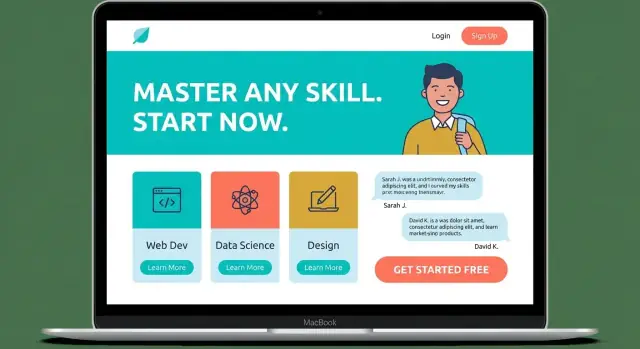
Set Goals, Audience, and the Learning Outcome
A learning product landing page works best when it has a single job: move the right learner toward a specific action. Before you write copy or pick a template, define what you’re offering, who it’s for, and what “success” means.
Define the product and the primary action
Start by naming the format and the next step you want visitors to take. “Join the cohort,” “start a free trial,” and “buy now” are different commitments—and your page should reflect that.
Decide on one primary action and treat everything else as secondary. If the main goal is purchase, don’t make newsletter signup equally prominent.
Identify the target learner (and their starting point)
Be specific about who should say “this is for me.” Consider:
- Role or situation: student, manager, career switcher, hobbyist
- Skill level: beginner, intermediate, advanced
- Constraints: time per week, budget, schedule, learning preferences
This clarity prevents vague messaging like “for anyone who wants to learn,” which usually converts poorly.
Clarify the learning outcome (the promise)
Describe the transformation in plain language: what will learners be able to do after they finish?
Good outcomes are measurable and practical:
- “Build a portfolio-ready UX case study”
- “Pass the B2 exam with confident speaking practice”
- “Automate monthly reporting in spreadsheets in under 30 minutes”
Avoid promises that only describe content (“12 modules”) without the result.
Pick 1–3 success metrics
Choose a few numbers that tell you whether the page is working. Common options include conversion rate (visitors who enroll), email signups (if you’re pre-launch or building a waitlist), and demo bookings (for higher-priced or B2B learning products).
Write these goals down now—you’ll use them later to decide what to test and what to keep.
Choose a Page Structure That Matches How People Decide
Your page structure should follow the way a potential learner makes a decision: “Is this for me?” → “Can I trust it?” → “What exactly do I get?” → “Is it worth the price?” → “What if I have doubts?” → “Okay, where do I enroll?” When your page mirrors that sequence, visitors don’t have to hunt for answers.
Start with a simple sitemap
Keep the site small and purposeful. For many learning products, a lightweight sitemap is enough:
- Landing page (the main decision page)
- Pricing (can be a section or its own page)
- FAQ
- About (who’s behind the course)
- Contact (optional)
- Optional blog (only if you’ll maintain it and it supports discovery)
Single-page vs. multi-page: choose based on objections
A single-page layout works well when the offer is straightforward and the main objections can be handled in one scroll. A multi-page setup can be better when you have multiple audiences, several plans, compliance requirements, or deeper credibility to explain (team, methodology, outcomes, case studies).
A practical rule: if people need lots of reassurance before buying, give key topics their own focused pages—while still keeping the landing page as the primary path to enrollment.
Map the journey and design navigation rules
Build your flow from awareness → proof → details → price → reassurance → call to action.
Navigation should support that flow, not compete with it. Use a minimal top navigation (or none), repeat the primary CTA at natural decision points, and avoid distracting links that send visitors off-track. If you include extra pages, make sure each one has a clear way back to the main enrollment action.
Craft a High-Clarity Hero Section
Your hero section has one job: help a visitor understand what they’ll get and what to do next—within a few seconds. Clarity beats cleverness here. A strong hero makes the rest of the page easier to read because people already know they’re in the right place.
Lead with an outcome-focused headline
Write a single sentence that describes the transformation or result, not the format or feature list.
- Outcome-focused: “Write your first data-driven marketing plan in 14 days.”
- Feature-focused (weaker): “A 14-day course with videos and worksheets.”
If your learning product serves multiple audiences, pick the primary one for the headline. Trying to include everyone usually makes the message vague.
Add a subheadline: who it’s for and how it works
Use the subheadline to answer two questions: “Is this for me?” and “What am I signing up for?” Keep it concrete.
Example pattern:
“Built for new managers who want to lead 1:1s confidently. Includes short lessons, guided practice, and templates you can use immediately.”
This is also where you can set expectations (time commitment, level, prerequisites) without burying it deeper on the page.
Choose one primary CTA—and make it unmistakable
Pick a single primary call to action that matches your funnel:
- “Start learning” (ready-to-buy)
- “Get the syllabus” (lead capture)
- “Start free trial” (subscription)
Place it above the fold, use a button label that describes the action, and keep surrounding text minimal so the choice feels easy.
Use a secondary CTA only if it reduces hesitation
A second option can help, but only if it supports the same decision.
Good secondary CTAs: “Watch preview” or “View curriculum.”
Avoid adding multiple competing actions (newsletter, social, blog) in the hero. If the hero is clear and focused, visitors will keep scrolling with confidence.
Explain Value: Problems, Benefits, and What Learners Get
People don’t buy a “course.” They buy a change: less stress, more confidence, a clearer path, and measurable results. This section should make that change obvious in under a minute of skimming.
Start with the learner’s real problems
Use a short, scannable block (think 4–6 lines, each with a clear heading) that mirrors what your audience is already feeling. For example:
- No time to learn: they can’t commit to long sessions and drop off after week one.
- Low confidence: they second-guess decisions and avoid practicing in public.
- Unclear career direction: they don’t know what to learn next or how to prove skill.
- Too many mistakes: they repeat the same errors because feedback is missing.
- Information overload: they’ve collected resources but can’t turn them into a plan.
Keep each problem specific and concrete. Avoid vague labels like “level up your skills.”
Translate features into benefits
A feature is what you built; a benefit is what the learner gets on Tuesday afternoon.
- Templates and checklists → less decision fatigue and faster progress.
- Practice projects → a portfolio-ready outcome, not just theory.
- Feedback (coach or peer review) → fewer repeated mistakes and quicker improvement.
- Short lessons + reminders → easier consistency and higher completion.
Be specific about the outcome
Spell out what “done” looks like with details:
- Duration: “4 weeks” or “6 hours total.”
- Format: video lessons, live workshops, self-paced, or blended.
- Skill outcomes: “write a 1-page plan,” “build a basic dashboard,” “present a confident 3-minute pitch.”
- What they’ll have at the end: a finished project, a certification, a repeatable workflow, or a ready-to-use set of assets.
If someone can’t explain what they get in one sentence after reading this section, tighten it.
Present Curriculum and Learning Experience
A landing page for a learning product should make the content feel tangible. People don’t just buy “knowledge”—they buy a clear path from where they are now to what they can do next. Your curriculum section is where you remove ambiguity and help visitors picture themselves progressing.
Show a clear learning path (not a content dump)
Present modules in a logical sequence, with a one-sentence outcome for each step. Instead of listing topics (“Module 3: Marketing”), describe progress (“Module 3: Write a simple campaign plan you can reuse”). Keep module names short and scannable, and make the progression obvious: fundamentals → practice → application → final project.
If the course is flexible, say so—but still offer a recommended track so learners know where to start.
Offer a concrete preview
Add one or two “sample lessons” with real titles and a short summary, or include a downloadable syllabus. If you use a preview video, keep it focused: what learners will build, how the course works, and what a typical lesson looks like.
Avoid teaser content that doesn’t teach anything; a small, useful excerpt builds confidence.
Describe how learning happens
People want to know what they’ll do, not just what they’ll watch. Briefly explain the methods you use, such as:
- Projects or exercises that produce real outputs
- Quizzes or check-ins to reinforce key ideas
- Live sessions, office hours, or community discussions (if included)
- Feedback: who gives it, how often, and on what (assignments, drafts, recordings)
Set time expectations and outcomes
Spell out the commitment in plain terms: hours per week, suggested pace, and total duration. Then tie it to a result: what learners will build by the end (a portfolio piece, a plan, a working prototype, a certification-ready skill). The goal is for visitors to think, “I can fit this into my schedule—and I’ll have something to show for it.”
Build Trust with Social Proof and Credibility
People rarely buy a learning product on copy alone. They want proof that real learners finished the course, applied it, and got measurable results. Your job is to make that proof easy to scan and hard to doubt.
Testimonials that feel real (and useful)
Aim for testimonials that include context and a before/after outcome. A quote like “Loved it!” is pleasant but doesn’t reduce risk.
Good testimonials usually answer three things: who the learner was, what they struggled with, and what changed after the course.
- “I was a junior marketer stuck writing vague emails. After week 2, my click rate increased from 1.8% to 3.1% using the template.”
- “I work full-time and could only study 30 minutes a day. The short lessons helped me finish and pass the assessment.”
Add a name, role, and (when appropriate) company or location. If you use initials for privacy, say why.
Learner work samples and mini case studies
Show what “success” looks like with concrete examples: a project screenshot, a short writing sample, a portfolio piece, or a summarized before/after. Keep it permission-based and clear about what was provided by the learner versus edited for privacy.
A simple case study format works well:
- Starting point (skill level, constraints)
- What they completed (modules/projects)
- Result (metric, outcome, or capability gained)
Instructor credibility without ego
List experience that connects directly to the promise of the course: relevant roles, years teaching, results you’ve helped learners achieve, and your teaching style (feedback-heavy, project-based, cohort-driven). Skip unrelated awards.
Trust elements that are verifiable
Use a few credibility signals—media mentions, community size, completion rates, partnerships—but only if you can back them up. Being specific (“12,400 learners since 2021”) builds more confidence than vague claims.
Design a Pricing Section That Removes Doubt
Pricing is where many visitors pause—not because they dislike your offer, but because they’re trying to reduce uncertainty. Your job is to make the decision feel clear, fair, and low-friction.
Keep the choice simple
If you can, offer one clear plan. A single price works well for focused courses, cohorts, or workshops because it avoids “Which one is right for me?” fatigue.
If you need tiers, keep it to 2–3 options with plain names (for example: Essentials, Plus, Premium). Avoid confusing add-ons at checkout; they create second thoughts.
Spell out what’s included (in practical terms)
Under each plan, list the items that change someone’s outcome—not marketing fluff. Examples that reduce uncertainty:
- Access length (lifetime, 12 months, cohort dates)
- Feedback level (none, peer review, instructor review, office hours)
- Community access (Discord/forum, cohort group, alumni access)
- Updates (included for a year, major revisions included, new modules)
- Bonuses (templates, practice files, quizzes, certificates—only if real)
Write inclusions in the same order across tiers so the differences are easy to compare.
Reduce risk with honest reassurance
If you offer a trial, guarantee, or refund, state the terms in one or two sentences near the price—before the visitor has to hunt for it.
Be precise and only promise what you can honor (for example: “7-day refund if you complete fewer than 20% of the material” or “Refunds available up to the day before the cohort starts”). Clear terms feel safer than vague “risk-free” claims.
Use a comparison table only when it helps
A comparison table is useful when tiers are genuinely different. Keep it readable on mobile:
- Limit to 6–10 rows (the most decision-relevant features)
- Use checkmarks and short labels, not paragraphs
- Highlight one “Most popular” option only if it truly fits most learners
End the section with a single, direct call to action under each plan (for example: “Enroll now” or “Start the cohort”) so visitors don’t have to scroll to act.
Handle Common Questions and Enrollment Friction
Even strong landing pages lose signups when people feel uncertain. This section’s job is to reduce “mental checkout” moments by answering the questions buyers hesitate to ask.
Write an FAQ that addresses real objections
Keep FAQs short, specific, and written in the same tone as the page. Focus on decision blockers, not trivia. Common themes:
- Time: “How many hours per week?” and “How long do I have access?”
- Level: “Is this beginner-friendly?” and “What if I’m returning after a long break?”
- Prerequisites: “Do I need prior knowledge or tools?”
- Support: “Can I ask questions?” “Is there feedback or office hours?”
- Access: “Is it self-paced?” “Can I watch on mobile?”
If you offer multiple formats (videos, templates, live sessions), answer how each is delivered and how learners use it.
Add “Who this is for / not for” to prevent mismatched signups
A clear fit statement builds confidence for the right people and reduces refunds for the wrong ones.
Who this is for should mention a goal, starting point, and motivation. Who this is not for should set boundaries kindly (for example: “Not ideal if you want a fully advanced certification track” or “Not a good match if you can’t commit at least 2 hours weekly”).
Explain onboarding: what happens after signup
Make the first steps feel easy:
- Confirmation and receipt
- Account or access instructions
- Where to start (a “Start Here” lesson/module)
- Recommended schedule or pacing suggestion
People enroll faster when they can picture the next 10 minutes.
Offer contact options without adding pressure
Include lightweight help paths: a simple form, support email, or chat—plus a note on typical response time. Place it near the FAQ so learners can get clarity without leaving the page or feeling “sold to.”
Create a Simple, Accessible Visual Design
A learning product landing page should feel calm, readable, and easy to scan. If visitors have to work to understand what they’re seeing, they’ll postpone the decision—and postponement usually means leaving.
Design for mobile first (then scale up)
Most visitors will arrive on a phone, so prioritize a single-column layout for the core sections (hero, outcomes, curriculum, pricing, FAQ). This keeps the reading flow predictable and prevents side-by-side elements from shrinking into tiny, hard-to-read blocks.
Keep your primary call-to-action visible without being pushy: a clear button in the hero, repeated after key sections, and (optionally) a simple sticky CTA bar on mobile.
Make readability your default
Choose typography that looks good at small sizes and holds up on different screens. Aim for generous line spacing and short line lengths so paragraphs don’t feel like walls of text.
Accessibility basics that also improve conversions:
- Strong contrast between text and background (especially for buttons)
- Clear focus states for keyboard users
- Large tap targets for mobile (buttons shouldn’t feel “fiddly”)
- Avoid using color alone to communicate meaning (e.g., error messages)
Use real product visuals, not decoration
Instead of abstract illustrations, use real screenshots of lessons, the course platform, worksheets, or a short clip showing what learners will actually experience. Place visuals next to the exact promise they support (e.g., a module overview beside the curriculum summary).
Keep it fast and distraction-free
Speed is part of design. Optimize images, use modern formats, and keep animations subtle. Heavy motion effects can make the page feel slower and can also reduce readability.
A simple rule: every visual element should either clarify the offer, reduce doubt, or guide the next step. If it does none of those, remove it.
Optimize for SEO Without Diluting the Landing Page
SEO for a learning product landing page is about attracting the right intent—people already looking to learn this topic—without turning your page into a long article. The goal is simple: match search queries, stay clear, and keep the primary call-to-action obvious.
Nail the on-page basics (without clutter)
Start with fundamentals that don’t affect readability:
- Title tag: include the course/topic + outcome (e.g., “Beginner X Course — Learn Y in Z Weeks”).
- H1: mirror the main promise learners care about; keep it human.
- Headings (H2/H3): use descriptive section titles (Curriculum, Who It’s For, Results, Pricing, FAQ).
- Alt text: if you use icons or screenshots, describe what they show in plain language.
Target intent-based keywords that fit buying mode
Prioritize phrases that signal readiness to learn, not casual browsing:
- “learn X course”
- “X training for beginners”
- “X certification prep”
- “X course online”
Use these naturally in the hero, one short benefits block, and the curriculum section. Avoid stuffing keywords into every paragraph; clarity converts better.
Add schema only when it matches what’s on the page
Structured data can help search engines understand your offer, but it must reflect real content:
- Course schema: when you clearly present the course name, provider, and a description.
- FAQ schema: only if you have a genuine FAQ section with concise Q&As.
Keep navigation focused
If you include any supporting navigation, keep it minimal and non-distracting (for example, one “Pricing” destination or one educational article). The landing page should still feel like a single path: problem → solution → proof → price → enroll.
Measure, Test, and Improve Conversions Over Time
A learning product landing page is never “done.” People’s objections shift, traffic sources change, and small wording tweaks can meaningfully affect enrollments. The goal is simple: measure what matters, run focused experiments, and keep a steady weekly cadence.
Track the actions that signal intent
Start with a few core signals instead of tracking everything:
- CTA clicks (primary button in hero, mid-page, and footer)
- Form completion (lead capture or checkout start → completed)
- Scroll depth (how many reach curriculum, pricing, and FAQs)
If you can, segment these by device (mobile vs. desktop). A pricing section that works on desktop can feel cramped on mobile.
Define conversions and review them weekly
Set up clear conversion events: “email signup,” “start checkout,” “purchase,” and any micro-step like “download syllabus.” Then create a simple dashboard you can check in 10 minutes each week.
A practical weekly view:
- Visitors → CTA clicks → form starts → form completes → purchases
- Top traffic sources and their conversion rates
- Drop-off points (where most people stop scrolling)
Run small A/B tests with one change at a time
Pick one hypothesis, one change, and run it long enough to avoid random noise.
Test ideas that often move the needle:
- Headline: outcome-focused vs. audience-focused
- CTA text: “Start learning” vs. “Get the syllabus”
- Pricing layout: monthly vs. one-time emphasized; guarantee placement
- Social proof placement: near hero vs. right above pricing
Build feedback loops to learn the “why”
Numbers show what happened; feedback explains why:
- Add a one-question survey after signup: “What made you join today?”
- Use an exit-intent question: “What’s missing for you to enroll?”
- Review support inbox themes weekly (refund worries, time commitment, prerequisites)
Fold the top objections back into your copy—especially near the pricing and enrollment sections.
Build and Iterate Faster (Without Sacrificing Clarity)
Once you have a clear landing page structure, the next bottleneck is often execution: creating the page, updating sections quickly, and shipping experiments without turning every copy change into a dev project.
If you want to move faster, a vibe-coding platform like Koder.ai can help you build and iterate on a learning product landing page through a chat interface—while still producing a real web app you can deploy, host, and evolve. This is especially useful when you’re running weekly conversion optimization: you can spin up variations, keep snapshots for rollback, and ship improvements without slowing down the testing cadence.
Keep the principle the same regardless of tooling: your page wins when it stays focused on one primary action, answers objections in the order people think, and makes the next step feel simple.
FAQ
What should be the single most important goal of a learning product landing page?
Start by choosing one primary action (e.g., “Enroll,” “Start free trial,” or “Join waitlist”). Write the page around that single commitment:
- Make the primary CTA the most visible button
- Treat everything else (newsletter, blog, socials) as secondary
- Repeat the same CTA at natural decision points (after outcomes, after pricing, after FAQ)
How do I define the right audience for my course landing page?
Define your target learner with role/situation, skill level, and constraints.
Examples of constraints worth stating directly on the page:
- Time per week and total duration
- Budget sensitivity (low-cost vs. premium coaching)
- Schedule needs (self-paced vs. live cohort)
- Learning preferences (projects, feedback, community)
The more specific the “this is for me” moment, the higher the conversion tends to be.
What makes a learning outcome compelling (and not just a list of modules)?
A strong learning outcome describes a measurable transformation, not just what’s inside.
Good outcomes usually include:
- A real-world capability (“Automate monthly reporting in under 30 minutes”)
- A clear deliverable (“Build a portfolio-ready case study”)
- A success condition (“Pass the B2 exam with confident speaking practice”)
If someone can’t repeat the promise in one sentence after skimming, the outcome is too vague.
What page structure converts best for online courses and learning products?
Use a decision-flow structure that matches how people buy:
- Is this for me? (audience + outcome)
- Can I trust it? (testimonials, examples, instructor)
- What do I get? (curriculum + experience)
- Is it worth it? (pricing + inclusions)
- What if I’m unsure? (FAQ, guarantee, contact)
- Where do I enroll? (clear CTA)
This reduces “scroll hunting” and keeps momentum toward the CTA.
Should I use a single-page landing page or a multi-page site?
Choose single-page when the offer is straightforward and most objections can be answered in one scroll.
Choose multi-page when you have:
- Multiple audiences or use cases
- Several pricing plans with meaningful differences
- Deeper credibility to explain (team, methodology, case studies)
- Compliance/policy requirements
A practical rule: if buyers need lots of reassurance, give key topics focused pages—but keep the landing page as the main path to enrollment.
What should my hero section include to improve conversions?
Aim for clarity in under a few seconds:
- Headline: outcome-focused (“Write your first data-driven marketing plan in 14 days”)
- Subheadline: who it’s for + how it works (format, level, time commitment)
- One primary CTA: label the action (“Start learning,” “Get the syllabus”)
- Optional secondary CTA only if it reduces hesitation (e.g., “Watch preview”)
Avoid adding competing actions in the hero (newsletter, blog, multiple buttons).
How do I explain value without sounding like marketing fluff?
Translate features into Tuesday-afternoon benefits.
Examples:
- Templates/checklists → less decision fatigue, faster progress
- Practice projects → portfolio-ready output, not just theory
- Feedback/coaching → fewer repeated mistakes, quicker improvement
- Short lessons + reminders → easier consistency, higher completion
Write benefits in the learner’s language, tied to real problems they recognize.
What’s the best way to present curriculum so it feels tangible?
Make the curriculum feel like a path, not a topic dump:
- Sequence modules from fundamentals → practice → application → final project
- Give each module a one-sentence outcome (“By the end of this, you can…”)
- Add a concrete preview: sample lesson titles, a short excerpt, or a downloadable syllabus
- Describe how learning happens (projects, quizzes, live sessions, feedback)
- State time expectations (hours/week, total duration) and what they’ll have at the end
The goal is for visitors to picture themselves progressing successfully.
What kinds of social proof work best for learning product landing pages?
Use proof that reduces risk and is easy to verify:
- Testimonials with context (who they were, what changed, measurable results when possible)
- Learner work samples or mini case studies (starting point → what they did → result)
- Instructor credibility tied directly to the promise (relevant roles, teaching experience)
- Specific trust signals you can back up (“12,400 learners since 2021”)
Avoid vague praise like “Loved it!” unless it’s paired with a concrete outcome.
How can I reduce hesitation in the pricing section?
Make pricing feel clear, fair, and low-friction:
- Keep choices simple (ideally 1 plan; otherwise 2–3 tiers)
- List inclusions in practical terms (access length, feedback level, community, updates)
- Put refund/guarantee terms near the price in 1–2 precise sentences
- Use a comparison table only if tiers are genuinely different (keep it mobile-readable)
End with a direct CTA under each plan so people can act immediately.