

How to Build a Legal Information Website: Step-by-Step Guide
Learn how to plan, design, and launch a legal information resource website: structure, sourcing, disclaimers, search, accessibility, SEO, and maintenance.
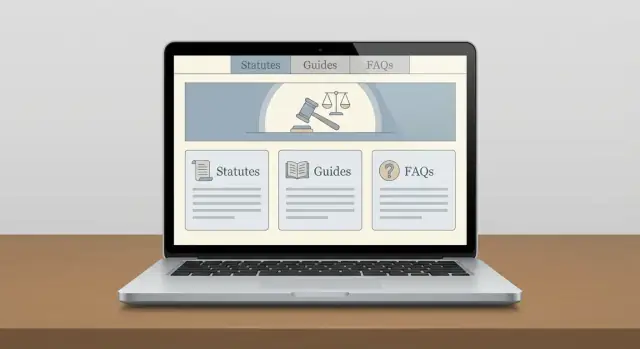
Set Goals, Audience, and Scope
A legal information website works when it’s clear who it serves, what questions it answers, and where it stops. Before you write a single page, make a few foundational decisions that will guide every later choice—from navigation to editorial standards.
Define the audience and their top questions
Start by picking your primary reader:
- General public: “What does this term mean?” “What are the usual steps?” “Where do I file?”
- Students: “How is this doctrine structured?” “What are key cases and statutes?”
- Professionals: “What’s changed recently?” “How do rules differ by jurisdiction?”
Write down the top 10–20 questions they ask in plain language. Those questions become your first content roadmap and your baseline for tone (simple explanations vs. deeper references).
Choose the scope (and make it explicit)
Scope has three dimensions:
- Jurisdictions: one country, multiple states/provinces, or a limited set (e.g., “EU + UK”).
- Topics: pick a manageable starting set (housing, employment, small business, family law), then expand.
- Formats: decide what you’ll publish—guides, FAQs, checklists, glossary entries, or downloadable templates.
Be specific on every page about what the content covers (and what it doesn’t), especially when rules vary widely.
Set success metrics you can actually measure
Choose a small set of metrics that match your purpose:
- Search traffic to core guides (awareness)
- Time on page and scroll depth (usefulness)
- Newsletter signups or “save this” actions (return visits)
Define targets for the first 90 days so you can judge progress without guessing.
Decide what the site will not do
Put boundaries in writing early:
- No legal advice
- No case-specific recommendations
- No promises of outcomes
Link to a clear explanation in your /terms (and mirror key points in page-level notices) so users understand the site’s role: education and orientation, not representation.
Plan Information Architecture and Taxonomy
People should be able to quickly narrow down what issue they have and where it applies. Your information architecture (site structure) and taxonomy (the labels you use) should make that path obvious and consistent.
Start with core categories people recognize
Build top-level categories around common life problems rather than legal theory. Typical starting points include family, employment, housing, immigration, consumer/debt, criminal, and small claims/courts. Keep the first level short (often 6–10 items) so navigation stays scannable.
If your audience is more specific (e.g., small business owners), create categories that match their tasks (e.g., “Hiring,” “Contracts,” “Taxes”) while still mapping back to legal areas internally.
Add jurisdiction filters—and be strict about consistency
Jurisdiction is not a “nice to have” for legal content. Decide early how you’ll represent it:
- Country → state/province → city/county (only if you truly need local rules)
- One naming format (e.g., “New York” not “NY” in some places and “N.Y.” in others)
- One rule for “nationwide” content (e.g., label it “Federal” or “General information”)
Use the same jurisdiction choices across navigation, on-page filters, and search facets so users don’t have to re-learn your system.
Make URLs predictable and readable
A clear URL structure helps both users and search engines understand context. Pick a pattern and stick to it.
Example:
/family/child-support/(general)/us/ca/family/child-support/(jurisdiction-specific)
Avoid mixing multiple patterns for the same concept (like sometimes putting jurisdiction at the end).
Define content types before you publish
Different questions need different formats. Plan a small set of content types such as guides/articles, step-by-step checklists, glossary terms, and downloadable forms (with clear context and limits). Each type should have a consistent layout and metadata (topic, jurisdiction, last reviewed date).
Use a controlled vocabulary for tags
Tags get messy fast (“tenant rights” vs. “renters’ rights”). Draft an approved tag list, set simple rules (singular/plural, capitalization), and regularly merge duplicates. This keeps browsing and search filters useful as your library grows.
Source Material and Editorial Standards
A legal information website is only as trustworthy as its inputs and editing rules. Before you publish, decide what counts as “authoritative,” how you cite it, and how you correct it when the law changes.
Pick sources you can defend
Start with primary and official sources wherever possible:
- Statutes and regulations from official government publishers
- Court websites and official dockets for opinions and filings
- Agency guidance, forms, and manuals hosted by the issuing agency
Use secondary sources (treatises, blogs, summaries) as context—not as proof—and make that distinction clear in your writing.
Set citation and dating rules
Create a simple, consistent citation style that non-lawyers can still follow.
At minimum, each page should:
- Link to the primary source (or official publisher) when available
- Include an “Effective as of” date and a “Last reviewed” date
- Note jurisdiction (country/state/court) near the top
If you quote or paraphrase, link directly to the relevant section or paragraph when you can.
Build an update schedule for time-sensitive content
Some pages age quickly (filing deadlines, fee amounts, form versions, procedural rules). Assign each content type a review cadence (e.g., monthly for deadlines, quarterly for agency guidance, annually for evergreen explainers) and track it in your content workflow.
Handle uncertainty and conflicts openly
Legal sources can conflict or be interpreted differently. Document an editorial policy for:
- Conflicting case law across courts
- Pending changes (bills, proposed rules)
- Ambiguous agency guidance
When uncertain, say so plainly and point readers to the underlying materials.
Decide on editorial notes and approvals
If you include editorial notes (plain-English explanations, “why this matters,” or examples), define who can write them and who approves them. Even a lightweight approval step—legal reviewer for accuracy, editor for clarity—prevents small mistakes from becoming site-wide misinformation.
Disclaimers, Terms, and User Expectations
A legal information website needs plain-language guardrails. Your goal is to help people learn—without implying you’re giving tailored legal advice or creating a professional relationship.
Write a clear, visible disclaimer
Use a short disclaimer near the top or bottom of pages that provide legal explanations:
- “Information only, not legal advice.”
- No attorney–client relationship. Reading or contacting you doesn’t make you someone’s lawyer.
- No guarantees. Laws change and outcomes depend on facts.
Keep it readable (one short paragraph is often enough), and link to your full terms for details.
Set limits users can understand
In your /terms, spell out the boundaries:
- You provide general legal information and educational materials.
- You don’t guarantee completeness, timeliness, or applicability to any specific situation.
- Users are responsible for verifying information and getting professional advice when needed.
If you publish templates (letters, checklists), add a note that they may not be valid in every jurisdiction and may require customization.
Add “last updated” dates and jurisdiction notes
Trust improves when readers can see how current the page is.
Include:
- A “Last updated” date on articles and key resource pages.
- A clear jurisdiction label (e.g., “Applies to: California, USA” or “General principles; verify local law”).
If a topic varies widely by location (family law, landlord–tenant, employment), place the jurisdiction note near the top so readers don’t miss it.
Plan safe contact wording (without inviting confidential details)
If you accept corrections, encourage helpful feedback while discouraging sensitive disclosures:
“Spotted an issue? Contact us with a link to the page and what seems incorrect. Please don’t include confidential facts or details about an active legal matter.”
Route those messages to a workflow that supports review and updates.
Link to key policy pages
At minimum, link prominently (footer is fine) to:
- /terms
- /privacy
- /contact
These pages align expectations, reduce risk, and make your site feel credible—without overpromising certainty.
Design Content Templates for Clarity
Good templates keep legal information consistent, scannable, and less intimidating—especially for readers who don’t know legal terminology.
Start with a small set of page templates
Create a handful of repeatable structures and use them everywhere:
- Guide page (deep explanation of one topic)
- FAQ page (short, direct answers)
- Glossary term (one definition with context)
- Resource list (curated links, forms, offices, and hotlines)
Each template should have a clear purpose so writers aren’t reinventing the page every time.
Use plain language and predictable structure
Write in short paragraphs, with clear headings that match what people search for (“How to…”, “What to do if…”, “How long does…”). Put the main answer early, then add detail. Define necessary legal terms once, and link to the glossary term page.
For guide pages, add two quick orientation blocks at the top:
- What this covers: a 2–4 bullet summary of what the reader will learn.
- Who this is for: the situation and jurisdiction assumptions (for example, “This guide is for tenants in California”).
Build in checklists and decision points
Legal topics often hinge on choices and deadlines. Use step-by-step checklists and “If/then” decision points to reduce confusion, such as:
- “If you received a court summons, do this first…”
- “If your deadline has passed, consider…”
Keep steps action-focused and concrete (documents to gather, where to file, what to ask).
Standardize examples (and label them clearly)
Examples help, but they must be unmistakably illustrative. Create a rule: whenever you show a sample timeline, letter, or scenario, label it as Example and add a short note like “This is a simplified example; your situation may differ.” Avoid implying guaranteed outcomes.
Once these templates are defined, store them in your editorial docs so every new page starts from a proven structure.
Navigation, Search, and Findability
Good legal information is only useful if people can locate it quickly—and feel confident they’re in the right place. Because users often arrive stressed (a deadline, a notice, a letter from court), navigation should reduce decision-making and prevent dead ends.
Build a clear hierarchy (and show it)
Start with a topic structure that matches how people think (e.g., “Housing,” “Family,” “Money & Debt”), then narrow by jurisdiction and situation. For complex hierarchies, breadcrumb navigation is essential:
Home → Housing → Evictions → Notice periods
Breadcrumbs reassure users, make backtracking easy, and help them understand where an article fits within the wider site.
Make search behave like a legal researcher’s shortcut
On-site search should be prominent and forgiving (typos, synonyms, plain-language queries). Add filters that map to how legal answers vary:
- Topic/category
- Jurisdiction (country/state/city where relevant)
- Date (or “Last updated”) for time-sensitive rules
If your content includes forms, agencies, or court procedures, consider “content type” filters (Guide, Checklist, Form, FAQ).
Reduce dead ends with “what now?” paths
Legal reading is rarely one-and-done. Add related content modules at the end and, where relevant, mid-article:
- “See also” for closely related concepts
- “Next steps” for the typical sequence (e.g., “Document the issue,” “Send a letter,” “File a request”)
This keeps users moving and makes your site feel coherent rather than a pile of pages.
Explain legal language at the point of need
Create a glossary page and add inline definitions for legal terms (tooltips or short callouts). This helps non-lawyers stay oriented without opening five tabs. If you have a “Definitions” section, link it consistently (e.g., /glossary).
Offer printable views for long resources
For long guides and checklists, provide a clean printable view (and printer-friendly formatting). People often need to bring a checklist to court, share it with family, or save it for later—printing should be a first-class option, not a broken browser feature.
Accessibility and Inclusive UX
Accessibility isn’t just a compliance checkbox—it directly affects whether people can find, read, and act on legal information under stress. Aim for an experience that works for screen readers, keyboards, mobile devices, and users who need larger text or higher contrast.
Start with WCAG fundamentals
Use sufficient color contrast for body text and links, and don’t rely on color alone to signal meaning (for example, errors should include text and an icon). Make sure every interactive element is reachable by keyboard, with visible focus states so users can see where they are on the page.
Structure content so it’s easy to navigate
Legal pages get long. Use a clear heading hierarchy (H1 → H2 → H3) so assistive technologies can skim. Keep paragraphs short and use descriptive link text—avoid “click here” and instead say what the link does (e.g., “Download the eviction notice checklist”).
For screen reader support, ensure form fields have labels, page regions are logical (header, main content, footer), and any icons or buttons have accessible names. If you include images such as charts, provide meaningful alt text; if the image is decorative, mark it as such.
Make forms friendly and low-friction
If you collect information (newsletter signups, contact requests, intake-style questionnaires), keep fields minimal and plain-language. Provide specific, helpful error messages (“Enter a 5-digit ZIP code”) and avoid legal jargon in prompts.
Test like a real user
Check pages on mobile, with text zoomed to 200%, and with keyboard-only navigation. Quick sanity checks with a screen reader (NVDA/VoiceOver) often reveal missing labels and confusing structure early—before those issues become expensive to fix.
Privacy, Security, and Risk Reduction
People visit a legal information website when they’re worried, stressed, or dealing with personal details. That makes privacy and security part of your credibility—not just a technical checkbox.
Collect less, reduce risk
Start by minimizing what you collect. If the site is informational, you often don’t need names, case details, or documents at all.
If you offer a “contact us” form, keep it simple (name/email/message) and avoid prompting for sensitive information (health status, immigration details, criminal history). If users might share sensitive details anyway, add a short note near the form: what you can and can’t help with, and what not to send.
Secure your forms and consent
All pages should load over HTTPS, especially any form pages. Add spam protection (rate limits, CAPTCHA, or honey-pot fields) and make consent language clear:
- Explain why you’re collecting the message and how you’ll use it.
- Set expectations for response times.
- Link to your /privacy directly under the submit button.
Be transparent about logging and analytics
Legal publishers often underestimate what their tools collect by default. Document what you log (IP addresses, user agents, form submissions, email delivery logs) and keep retention short.
If you use analytics, offer privacy-friendly settings: disable unnecessary tracking features, avoid session recording, and don’t collect precise location. Your privacy policy should match your tooling—no copy/paste promises that aren’t true.
Cookie and analytics notice (keep it simple)
Create a straightforward cookie/analytics notice aligned with how your site actually behaves. If you don’t use marketing cookies, say so. If you do, give users a real choice and honor it.
Incident response basics
Even small sites need a basic plan:
- Who is the internal point person and backup?
- What gets shut off first (forms, uploads, user accounts) if something looks wrong?
- How you’ll rotate passwords/API keys and notify vendors.
This doesn’t need to be long—but writing it down now saves time when it matters.
Choose a Tech Stack and CMS
Picking the right tech stack is less about shiny features and more about supporting predictable publishing, reliable uptime, and content you can trust. For a legal information website, your CMS should make it easy to store structured facts—not just write pages.
Define your technical needs
Start with the basics: hosting, SSL, automated backups, and a staging environment (a private copy of the site for testing changes). Staging matters because legal content updates often involve many small edits, and you want a safe place to review formatting, links, and citations before anything goes live.
Choose a CMS built for structured legal content
Look for a CMS that can model content with fields such as jurisdiction, court/agency, effective dates, last reviewed date, citations, and related topics. This structure helps you:
- filter and sort by jurisdiction or date
- show “last updated” information consistently
- keep citations visible and reusable across pages
- generate clean URLs and breadcrumbs automatically
A traditional CMS can work if it supports custom fields and editorial workflows. A headless CMS can be a good fit if you plan multiple front ends (web, newsletter, app), but it adds development complexity.
If you want to move faster than a classic build cycle, a vibe-coding platform like Koder.ai can help you prototype and ship a content-driven legal resource with a chat-based workflow—then export the source code if you later migrate to a different stack. It’s especially useful for quickly standing up structured page templates (guides, FAQs, glossary entries), search/filter UI, and an editorial staging environment without reinventing everything from scratch.
Plan for performance from day one
Fast mobile loading is a trust signal. Implement caching at the CDN/host level and lightweight page templates. Even if your content is text-heavy, performance can degrade from large PDFs, unoptimized icons, and third-party scripts.
Roles, permissions, and publishing safety
Set clear permissions: writers draft, legal reviewers approve, and only a small group can publish. Your CMS should support version history and easy comparisons between edits.
If you’re evaluating platforms, prioritize “safe publishing” features (approval steps, audit logs, and rollback). For example, Koder.ai includes snapshots and rollback to help you revert changes quickly if a release introduces a broken link, a formatting issue, or an incorrect jurisdiction label.
Deployment and rollback
Document a simple deploy process: how changes move from staging to production, who approves releases, and how to roll back quickly if something breaks (for example, restoring a previous version or reverting a deployment). This keeps updates calm and controlled—even under time pressure.
SEO for Legal Information (Without Overpromising)
SEO can help people find accurate legal information, but it shouldn’t push you into making claims your site can’t support. The goal is simple: match real user questions with clear, well-sourced answers, and be explicit about jurisdiction and limits.
Start with search intent (and real questions)
Do keyword research around how people actually ask for help—especially question-style queries such as “how to…,” “what are my rights…,” and “deadline to…”. These tend to map cleanly to helpful guides and FAQs.
Also watch for “intent modifiers” that signal urgency or scope, like “notice,” “statute of limitations,” “small claims,” or “appeal.” If you can’t answer a query without heavy caveats, consider reframing it (e.g., “How the deadline is calculated” rather than “You have 30 days”).
Solid on-page basics (no gimmicks)
Create SEO fundamentals on every guide:
- Descriptive page titles and meta descriptions that reflect the content and jurisdiction
- Clear headings (H1/H2/H3) that mirror the user’s questions
- Internal links to prerequisite topics and definitions (e.g., link “service of process” to your explainer)
Use schema carefully, and build fewer, stronger pages
Add schema where it fits—commonly FAQ or Article—without stuffing markup onto every page. Mark up only content that is visible and genuinely answers common questions.
Avoid thin pages. If you have multiple near-duplicates (e.g., “eviction notice,” “notice to quit,” “termination notice”), consolidate into one stronger guide with a sectioned structure.
Be explicit about location and jurisdiction
Optimize for local/jurisdiction intent with clear location signals in titles, intros, and headings (e.g., “California” vs. “United States”). If a topic varies widely, add a jurisdiction selector or a clear “Applies to” note—and never imply attorney-client advice.
Content Maintenance and Update Workflow
Legal information ages quickly. A clear maintenance process keeps your site credible, reduces user confusion, and helps you spot risky pages before they drift out of date.
Set a review cadence by topic
Not every page needs the same attention. Create a simple review calendar based on how often the underlying law or procedure changes:
- Monthly: high-churn areas (e.g., filing fees, government forms, benefit programs)
- Quarterly: common how-tos and procedural guides
- Semiannual/annual: stable explainers (definitions, general concepts)
Maintain a lightweight “topic register” that assigns each content area an owner and a next-review date.
Use an editorial workflow that fits your risk level
Even if you’re not a law firm, you should document who touches content and when. A practical workflow is:
draft → review → publish
If you have access to a qualified reviewer, make it draft → legal review (if applicable) → publish. The key is consistency: every page follows the same steps, and no “quick fixes” bypass review.
Track changes and show freshness
For sensitive updates (deadlines, eligibility rules, penalties), keep an internal edit history: what changed, why, and who approved it. On-page, add a visible “Last reviewed” date. When changes are substantial, include a short “What changed” note so returning users can trust the update.
Build a user feedback loop
Users will find outdated details faster than your team. Add a simple “Report an issue” link (for example, to /contact) and route submissions to your backlog. Treat reports as triage items: confirm the claim, update content, and record the fix.
Launch Checklist and Ongoing Improvement
Launching a legal information website isn’t just publishing pages—it’s confirming that users can safely find, trust, and act on what you provide. A short, structured pre-launch review reduces errors that can harm credibility (or create risk) on day one.
Pre-launch checklist (the essentials)
Start with a sweep focused on accuracy and user safety:
- Broken links and redirects: check internal navigation and any outbound links to courts, statutes, or agencies.
- Citations and sources: verify that citations point to the correct jurisdiction and version (and that quoted text matches the source).
- Disclaimers and expectations: confirm your header/footer disclaimer appears everywhere it should, and that key pages clearly state “not legal advice.” Link to /terms and /privacy.
- Forms and contact flows: test error messages, confirmation screens, and where submissions go. Ensure you aren’t collecting unnecessary sensitive data.
Test key user journeys (not just pages)
Pick 3–5 common scenarios and run them end-to-end. For example:
- Find topic (via navigation and search)
- Confirm jurisdiction (state/country/court level)
- Understand next steps (what to do, what to bring, where to file, when to get a lawyer)
Have at least one person who didn’t build the site test these flows and note confusion points.
Measure what matters after launch
Set up analytics goals that reflect usefulness, such as:
- On-site search usage and “no results” queries
- Top exit pages (where users give up)
- Subscription conversions or alerts sign-ups (if offered)
Soft launch, feedback, and an update log
Consider a soft launch to a limited audience (newsletter, partner orgs) and invite feedback with a simple form. If your content will change often, publish a public /updates page or change log so returning visitors can see what’s new and what’s been corrected.
FAQ
How do I decide who my legal information website is for?
Start by choosing one primary audience (general public, students, or professionals) and listing the top 10–20 questions they ask in plain language. Use that list to define your first content roadmap, reading level, and how much citation depth you need.
What should “scope” include for a legal information site?
Make it explicit across three dimensions:
- Jurisdictions: where the information applies (and where it doesn’t)
- Topics: a small starting set you can maintain confidently
- Formats: guides, FAQs, checklists, glossary terms, and/or templates
Add an “Applies to” note and scope statement on every page so readers don’t assume it’s universal.
What are practical success metrics to track in the first 90 days?
Pick a few metrics that match your purpose and can be measured consistently, such as:
- Search traffic to core guides (awareness)
- Time on page / scroll depth (usefulness)
- Newsletter signups or “save” actions (return visits)
Set 90-day targets so you can evaluate progress without guessing.
How do I define what my site will not do (to reduce legal risk)?
Write boundaries down early and repeat them in visible places:
- Information only (not legal advice)
- No case-specific recommendations
- No guarantees about outcomes
Link the short disclaimer to a fuller explanation in /terms, and avoid wording that implies representation or individualized guidance.
How should I structure the site’s categories and navigation?
Use problem-based categories people recognize (e.g., Housing, Family, Employment) rather than doctrine-based labels. Keep top-level navigation to about 6–10 items, then narrow with subtopics and “Next steps” pathways so users don’t hit dead ends.
How do I handle jurisdiction consistently across the site?
Decide one hierarchy and stick to it everywhere (navigation, filters, search facets), for example:
- Country → state/province → city/county (only if truly needed)
Use one naming convention (“New York” vs “NY”) and one label for non-local content (e.g., “Federal” or “General information”) so users don’t have to re-learn your system.
What’s a good URL structure for jurisdiction-specific legal content?
Choose one predictable pattern and apply it universally, such as:
/family/child-support/(general)/us/ca/family/child-support/(jurisdiction-specific)
Avoid mixing patterns (like placing jurisdictions at the end sometimes), and keep URLs readable so users can infer context from the path.
What sources should I use to keep legal content trustworthy?
Prefer primary and official sources:
- Statutes/regulations from official publishers
- Court sites and official dockets for opinions/filings
- Agency guidance, forms, and manuals from the issuing agency
Use secondary sources only for context, and cite/link to the underlying authority whenever possible.
What citation and “last updated” rules should every page follow?
At minimum, each page should include:
- A link to the primary source (or official publisher)
- Effective as of and Last reviewed dates
- A clear jurisdiction label near the top
For fast-changing pages (deadlines, fees, forms), assign a review cadence and track next-review dates in your workflow.
What should my disclaimer and user-expectations language say?
Keep it short, visible, and consistent:
- “Information only, not legal advice.”
- “No attorney–client relationship.”
- “No guarantees; laws change and outcomes depend on facts.”
Link to /terms for details, and ensure contact forms discourage sensitive disclosures (e.g., “Please don’t include confidential facts or details about an active legal matter.”).