

Create a Website for Online Courses: From Plan to Launch
Learn how to plan, build, and launch an online course website with the right structure, content hosting, payments, SEO, and student support.
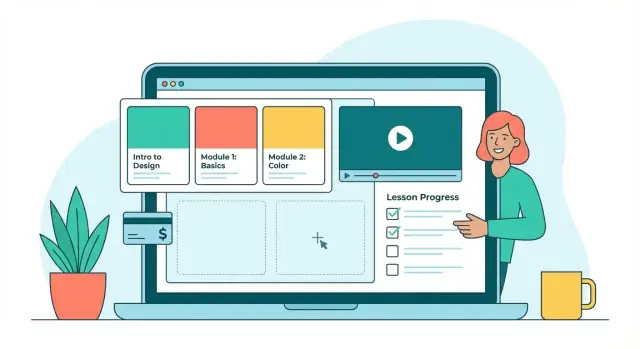
Clarify Your Goals, Audience, and Course Outcomes
Before you choose a platform or design a single page, get clear on why the site exists and who it serves. This step prevents a common trap: building an impressive online course website that attracts the wrong learners—or doesn’t support your business goals.
Define your learners and the problem you solve
Write a simple learner profile: who they are, what they already know, and what’s blocking them. A beginner-friendly course site feels very different from one aimed at working professionals seeking a credential.
Ask:
- What situation triggers someone to search for this course?
- What do they need to believe to click “Enroll”?
- What objections will they have (time, price, confidence, employer approval)?
Set outcomes students can understand
Each course should have a clear “after” state. Aim for outcomes you can demonstrate, not vague promises.
Example: instead of “Understand SEO,” use “Create a keyword list and optimize three pages for search.” These outcomes later become your landing page bullets, lesson structure, and even testimonials.
Decide what success means (for you and for students)
Pick 2–4 metrics you’ll actually track. Common ones include enrollments, checkout conversion rate, completion rate, refund rate, and revenue. If the course supports a service business, leads booked and email sign-ups may matter more than completion.
Prevent scope creep with a feature shortlist
Make two lists: must-have and nice-to-have. Must-haves typically include reliable video hosting for courses, a smooth course checkout and payments flow, and progress tracking (basic LMS website setup). Nice-to-haves might be community, certificates, or advanced quizzes.
This clarity makes every next decision faster—from course website design to whether you sell courses online via one-time payment or membership.
Choose a Course Format and Content Structure
Before you touch any website settings, decide how students will experience your course. Your format affects scheduling, content production, community needs, and what your site must support.
Pick a delivery format that matches the promise
Self-paced works best for skills people want on-demand. Students can start anytime, and your website should emphasize clear navigation and progress tracking.
Cohort-based is great for accountability and live feedback. You’ll need a calendar, session links, and a defined start/end date.
Blended combines self-paced lessons with periodic live workshops or office hours—often the best of both worlds if you can commit to recurring sessions.
Map the curriculum from outcomes to lessons
Start with 3–6 outcomes (what students can do by the end), then build a simple hierarchy:
- Modules (major milestones)
- Lessons (one concept or task at a time)
- Practice (quizzes, assignments, or projects)
A useful rule: one lesson should answer one question. If it answers three, split it.
Decide how access works
Your access model impacts pricing and support:
- Lifetime access (simplest, popular for self-paced)
- Timed access (reduces long-tail support)
- Drip content (prevents overwhelm, can improve completion)
- Subscription (fits ongoing libraries and updates)
Outline content types (and keep them consistent)
Mix formats to support different learners: short video demos, readable text summaries, downloads (templates, checklists), and occasional live sessions. Create a repeatable lesson pattern (e.g., video → steps → resource → assignment) so students always know what to expect.
Pick the Right Platform Approach (Builder, LMS, or Hybrid)
Choosing your platform is less about “best software” and more about the trade-offs you can live with: speed vs. flexibility, simplicity vs. control, and monthly fees vs. long-term ownership.
Option 1: All-in-one course platform
All-in-one platforms bundle your website, course delivery, payments, and basic email automation.
They’re great if you want to launch quickly with minimal setup. You typically get built-in features like student accounts, progress tracking, certificates, coupons, and a hosted course library.
Watch for limits around branding and ownership: can you use a custom domain, fully control the checkout, export your student list, or move your course content easily if you switch later?
Option 2: Website builder + integrations
A website builder (for example, a general CMS or site builder) paired with best-in-class tools can give you more control over design, SEO, and content marketing.
This approach works well when your site is more than a “course store”—for instance, if you also publish a blog, offer services, or need stronger landing pages. The downside is more moving parts: you’ll connect video hosting, email, checkout, and sometimes membership tools.
Operationally, confirm you can manage admin roles, approve instructors, and update lessons without breaking pages.
Option 3: Hybrid (site + LMS)
A hybrid setup keeps your main website on a builder (for branding and marketing) while delivering courses through an LMS subdirectory or subdomain.
It’s often a strong path for growth: multiple courses, bundles, cohorts, team licenses, and multi-instructor workflows—without rebuilding your entire website. If you’re unsure, this option preserves flexibility while still giving learners a focused classroom experience.
For a deeper checkout discussion, see /blog/course-checkout-and-payments.
When a custom build makes sense (without a long dev cycle)
If your requirements go beyond typical LMS limits—custom onboarding flows, unusual pricing logic, a highly branded classroom, or deeper integrations—you may prefer to build your own online learning platform.
A vibe-coding platform like Koder.ai can be a practical middle ground: you describe the product in chat, iterate in planning mode, and generate a React web app with a Go backend and PostgreSQL. You can also use snapshots and rollback while testing changes, export source code for ownership, and deploy/host with custom domains—useful if you want more control than an off-the-shelf builder but don’t want a slow, legacy development pipeline.
Plan Your Site Architecture and Core Pages
A clear site structure helps visitors understand what you teach, trust you, and find the right course quickly. Before you design anything, map the pages you need and how they connect.
Start with the “decision path”
Most students arrive with a simple question: Is this course for me, and is it worth the price? Your navigation should mirror that decision.
Keep the top menu short and predictable:
- Home (your promise + quick route to courses)
- Courses (catalog)
- Resources/Blog (proof of expertise + SEO)
- About (credibility)
- Contact (support + pre-sales questions)
If you have only one flagship course, you can replace Courses with a single Course link that goes to the course detail page.
Core pages to map (minimum viable)
Plan these pages first:
- Home: who it’s for, outcomes, featured courses, testimonials
- Courses: list of offers, filters (level/topic), clear pricing cues
- Course detail: outcomes, curriculum overview, instructor, FAQs, CTA to checkout
- About: your story, credentials, teaching approach
- Blog/Resources: free lessons, guides, downloadable lead magnets
- Contact: form + support email, expected response time
Trust and policy pages (don’t skip)
Create a small “footer cluster” of trust pages: FAQ, Refund Policy (if you offer one), Terms, and Privacy. Link them in the footer across the entire site so they’re always easy to find.
Build a simple sitemap—and keep it consistent
Draft a one-page sitemap and use it as your source of truth for both desktop and mobile menus. Consistency matters: labels and page order should match across devices so students don’t feel lost when switching from phone to laptop.
Design for Trust, Clarity, and Accessibility
Good design isn’t about looking “fancy”—it’s about helping visitors quickly answer three questions: Is this for me? Can I trust it? What do I do next? When your course site feels clear and predictable, people spend less energy navigating and more energy deciding to enroll.
Create a consistent visual style
Pick a small set of brand choices and use them everywhere: 1–2 primary colors, 1 accent color, and 1–2 fonts. Keep spacing consistent (the same padding and margin patterns across pages) so the site feels cohesive.
Use imagery sparingly and with purpose—show your teaching style, real course materials, and outcomes. If you use icons or illustrations, stick to one style so pages don’t feel stitched together.
Write benefit-first copy (especially above the fold)
Your hero section should say who the course is for and what they’ll be able to do after it. Aim for clarity over cleverness.
On course cards, lead with outcomes and constraints people care about:
- What you’ll learn (in plain language)
- Time estimate (e.g., “4 hours total”) and level (beginner/intermediate)
- What’s included (templates, quizzes, certificates)
Accessibility basics that also improve UX
Use clear heading structure (H2/H3), readable contrast, and descriptive link text (“View syllabus” instead of “Click here”). Add alt text for meaningful images, and ensure forms, menus, and modals work with keyboard navigation.
Mobile-first and fast-loading by default
Most visitors will check your site on a phone. Use single-column layouts, large tap targets, and short sections.
To keep pages fast: compress images, limit heavy animations, and avoid loading multiple video previews at once. Speed and clarity are trust signals—especially on course pages and checkout.
Create and Host Your Educational Content
Before you build pages and funnels, make sure your lessons are actually producible at a consistent quality. Students forgive simple visuals; they rarely forgive muddy audio, missing downloads, or “where do I find this?” confusion.
Decide where your media lives
You typically have three options for video and files:
- Built-in platform hosting (in a course builder or LMS): easiest to manage, fewer integrations, often good enough for most creators.
- Third-party video hosting: helpful if you want stronger privacy controls, player customization, analytics, or to keep videos separate from your site.
- CDN / cloud storage for large downloadable assets: useful for big ZIPs, datasets, or design files so downloads stay fast globally.
Pick one “default” path early. Mixing hosting methods per lesson can create inconsistent load times and more support requests.
Set production standards (and stick to them)
Create a small checklist that you can reuse for every module:
- Video length: aim for short, single-topic lessons (often 5–12 minutes) instead of long recordings.
- Audio quality: record in a quiet space; use the same mic settings across lessons so volume doesn’t jump.
- Slides and visuals: use one slide template (fonts, colors, spacing) so the course feels cohesive.
- Naming conventions: use consistent filenames like
Module-02_Lesson-03_Intro-to-X.mp4so uploading and updates are painless.
This is less about perfection and more about reducing friction when you update the course later.
Prepare downloadable assets that actually help
Downloads should support learning, not just pad the course. Common, high-value assets include PDFs, worksheets, code files, checklists, project briefs, and answer keys.
Keep file names student-friendly (e.g., Worksheet-Goal-Setting.pdf) and mirror your lesson titles so students can find the right asset quickly.
Add captions, transcripts, and a repeatable lesson wrap-up
Captions and transcripts improve accessibility, comprehension, and search inside your course. They also help students who learn on mute or in noisy environments.
End each lesson with a consistent mini-summary, such as:
- What you learned
- What to do next (one action)
- Common mistake to avoid
That simple structure makes your content feel guided and reduces drop-off between lessons.
Configure LMS Features: Enrollment, Progress, and Lessons
Your LMS settings determine whether your course feels smooth and self-serve—or confusing and support-heavy. Before you add extras, lock down three basics: who can access what, how learners move through lessons, and how you’ll manage updates.
Student accounts, enrollment, and access control
Start with the simplest path from checkout to learning:
- Accounts: decide if students must create an account at purchase, or if you’ll auto-create one and email a magic link/password reset.
- Enrollment rules: define whether enrollment is automatic after payment, manual approval (useful for cohorts), or code-based (great for corporate training).
- Access controls: set clear boundaries for each product—single course, bundle, or membership—and confirm what happens on refund, failed payment, or subscription cancellation.
A good rule: a student should always know what they own and where to start.
Progress tracking and learning features
Progress indicators reduce drop-off because students can “see” momentum.
Enable:
- Lesson completion (checkbox, watched percentage, or quiz-based completion)
- Module/course progress bars
- Completion certificates (only if it matches the outcome—don’t add it just because it’s available)
- Quizzes for comprehension checks, not trick questions; keep attempts and pass criteria simple and documented
If your platform supports it, show a compact “Next lesson” button everywhere to keep learners moving.
Lesson organization: prerequisites, drip, and gating
Structure prevents overwhelm and protects your course flow:
- Prerequisites: require key lessons before advanced modules (useful for compliance or skill-building)
- Drip schedules: release content by date or days after enrollment to pace learners and reduce binge-and-drop behavior
- Module gating: unlock a module after completing the prior one, especially for cohort-style programs
Instructor/admin workflows
Define who does what so the course stays current:
- A repeatable process for editing lessons, updating files, and replacing videos without breaking links
- A routine for student management: enrollment issues, progress questions, certificate re-issues, and refunds
- A basic support inbox and escalation path (even if it’s just one person)
These details are often the difference between a course that scales and one that constantly needs manual fixes.
Set Up Pricing, Payments, and Checkout
Pricing and checkout are where interest turns into revenue—so aim for clarity over cleverness. Your goal is to make it obvious what students get, what it costs, and how quickly they can start learning.
Choose a pricing model that matches your course
Start with the simplest model that fits your offer:
- One-time purchase: best for standalone courses with a clear end.
- Subscription/membership: works well for a course library, ongoing coaching, or regular new content.
- Bundles: combine related courses to raise average order value without forcing a subscription.
- Payment plans: reduce sticker shock on premium programs while keeping the full price intact.
If you offer multiple tiers, list them clearly on /pricing and link to it from your sales pages.
Design a checkout that feels effortless
A high-converting checkout is usually a boring one:
- Keep fields to a minimum (name, email, payment details).
- Show exact deliverables (what’s included, access length, bonuses).
- Include a clear order summary (price, any recurring terms, taxes, total).
- Avoid surprises: if it’s a subscription, say “billed monthly” right next to the price.
Taxes, VAT, and receipts: decide early
What you need depends on your region and where your customers live. At minimum, define:
- Whether your payment provider/platform can calculate and collect VAT/sales tax.
- If you must issue invoices or receipts, and what information they should include (business details, tax ID, course name).
If you’re unsure, set a default workflow and confirm requirements with an accountant before scaling ads.
Reduce failed payments and support requests
Even good checkouts fail sometimes. Prevent churn and confusion by setting up:
- Instant confirmation emails with access instructions and a support contact.
- Retry logic for failed subscription payments (if your platform supports it).
- A visible help link near the pay button (refund policy, contact, common issues).
Small details here can save hours of support and protect your revenue.
Build High-Converting Course and Landing Pages
Your course pages should do two jobs at once: explain the offer clearly and remove friction so the right students feel confident enrolling. The goal isn’t hype—it’s clarity.
Start with a repeatable sales page template
Create one “master” course sales page layout you can reuse. For each course, include:
- Outcomes: what students will be able to do by the end (specific, measurable).
- Who it’s for (and not for): saves refunds and support headaches.
- Curriculum overview: modules/lessons with a few concrete takeaways (don’t hide everything).
- Requirements: time, tools, skill level, and any materials.
- FAQs: access length, certificates, updates, support, refunds.
- Testimonials: place 2–4 near key decision points (after outcomes, near pricing).
If you need inspiration, build a single internal “page checklist” in your docs and link your team to it from your /courses page.
Add lead capture that matches intent
Not everyone is ready to buy today. Offer a low-effort next step:
- Newsletter signup for tips and updates
- Free lesson preview (best for skeptical buyers)
- Downloadable resource (worksheet, checklist, template)
Keep the form simple (usually just email) and make the benefit obvious.
Plan email flows that move people forward
Even a basic set of automated emails can improve conversions:
- Welcome series: set expectations, share your best resources, point to the course.
- Cart reminder (if applicable): one gentle reminder + one final “still interested?” note.
- Onboarding emails: how to start, how to get help, and how to stay on track.
Use social proof carefully (and credibly)
Prioritize proof that feels real: named quotes (with permission), short case studies, before/after examples, or portfolio outcomes. Avoid generic praise—specific wins build trust faster.
Drive Traffic with SEO and Educational Content Marketing
SEO is a steady way to attract the right learners—people already searching for help with the exact problem your course solves. Pair it with educational content marketing and your site can earn traffic long after launch.
Start with learner-intent keyword research
Instead of chasing broad terms like “online course,” focus on phrases tied to outcomes and pain points:
- Problem queries: “how to stop procrastinating as a student,” “reduce anxiety before exams”
- Comparison queries: “photoshop course for beginners vs intermediate”
- Outcome queries: “learn Excel for budgeting,” “prepare for PMP exam at home”
Map these to the right page type: blog posts for questions, and course pages for purchase-intent terms (e.g., “Excel budgeting course”).
Get the on-page SEO basics right
Every important page should clearly communicate what it’s about—both to people and search engines:
- Write a specific page title and meta description (what shows in search results)
- Use one clear H1, then logical H2/H3 headings
- Add internal links to guide visitors (e.g., from a guide to /courses/excel-budgeting)
- Use descriptive image alt text for any diagrams or screenshots
Also add “next step” links inside posts, such as “Ready to go deeper? See the full curriculum on /courses.”
Publish content that supports your courses
Create a small set of cornerstone guides that match your course promise, then publish supporting articles that answer narrower questions. Each guide should naturally link to the relevant course landing page and to your FAQs (e.g., /pricing or /refund-policy).
Technical checklist (keep it simple)
If your platform allows it, enable:
- Clean, readable URLs
- An XML sitemap
- Canonical tags to avoid duplicate content issues
Plan updates and a realistic cadence
Consistency beats volume. Start with 1 strong post per week or every two weeks, refresh top-performing posts quarterly, and update course pages whenever you change pricing, outcomes, or curriculum.
Measure Performance and Improve the Student Experience
Launching your online course website isn’t the finish line—it’s the start of a feedback loop. A few clear metrics will tell you where learners get excited, where they hesitate, and what to improve first.
Set up analytics that match your goals
Start with basic website and checkout tracking so you can see your funnel end-to-end. Even simple analytics can answer: “Where do people drop off?” and “Which page actually drives enrollments?”
Track:
- Page views and engagement on key pages (home, course page, checkout, thank-you)
- Conversion events (click “Enroll,” begin checkout, complete payment)
- Funnel steps (landing page → course page → checkout → purchase)
- Course enrollments by traffic source (search, email, social, partners)
Track learning metrics (not just sales)
Revenue is important, but learning progress predicts retention, refunds, reviews, and referrals. If your platform supports it, review:
- Lesson completion rates (overall and by module)
- Drop-off points (the exact lesson where many learners stop)
- Quiz performance to spot confusing topics (too easy can also mean “not valuable”)
When you find a drop-off lesson, don’t immediately add more content. First, check whether the lesson needs a clearer intro, a shorter video, better examples, or a quick recap.
Run small, low-risk experiments
Make one change at a time and measure for a set period (for example, 1–2 weeks). Good starter tests include:
- A clearer headline that states the outcome and who it’s for
- Different pricing presentation (one-time vs payment plan shown first)
- A simpler page layout (shorter hero section, stronger call-to-action)
Collect feedback where learners already are
Use light-touch feedback so it’s easy to respond:
- One-question surveys after key lessons (“What was unclear?”)
- Lesson ratings with an optional comment field
- Support tickets categorized by theme (access, billing, content confusion)
- Community questions as signals for new lessons or better onboarding
Treat patterns as priorities: if five people ask the same question, your course (or site) is silently asking it too.
Support, Community, Launch, and Ongoing Maintenance
A course website isn’t finished when you hit “publish.” Students judge the experience by how quickly they can get started, how easy it is to get help, and whether the platform stays reliable over time.
Build onboarding that prevents support tickets
Create a single “Start Here” flow that appears immediately after purchase and inside the student dashboard. Include:
- How to begin: which lesson to watch first and what to download.
- A recommended schedule: “30 minutes/day for 14 days” or weekly milestones.
- Where to ask questions: link to your help center (/help), community (/community), or contact page (/contact).
A short welcome email sequence (Day 0, Day 2, Day 7) can reinforce these steps and reduce refunds.
Offer clear support channels (and boundaries)
Pick channels you can consistently maintain:
- Email support for detailed issues (best default).
- Chat for pre-sales and quick questions (only if staffed).
- Help center/FAQ for repeat questions.
- Community space (forum, Discord, Circle-style) for peer support and accountability.
Set expectations upfront: list response times (e.g., “within 24–48 hours on business days”), office hours, and community guidelines (respectful behavior, no spam, no sharing paid materials).
Launch checklist to avoid preventable issues
Before opening traffic, run a tight QA pass:
- Click-test navigation and all checkout links
- Mobile review on at least one iPhone and Android device
- Complete a test purchase (coupon/low-price product) and confirm access
- Verify email deliverability (welcome email, receipt, password reset)
- Confirm backups and rollback options are enabled
If you’re building a custom platform, snapshots/rollback (for example, in Koder.ai) can make these pre-launch changes safer: you can test quickly, then revert instantly if something breaks.
Maintenance that protects revenue
Plan recurring upkeep: update lessons quarterly, apply security patches, and do a light SEO refresh every 2–3 months (update titles, add FAQs, improve internal links). Treat analytics and support logs as your roadmap—what students ask most is what your site should explain next.
FAQ
What are the first steps to creating an online course website?
Start by defining your learners, the problem you solve, and 3–6 measurable outcomes. Then choose a delivery format (self-paced, cohort, blended), pick a platform approach (all-in-one, builder + integrations, or hybrid), and map a minimum set of core pages: Home, Courses, Course detail, About, Blog/Resources, Contact, plus Terms/Privacy/Refund.
Launch only after you’ve test-purchased your own course and verified emails, access, and mobile usability.
How do I choose between self-paced, cohort-based, and blended courses?
Choose self-paced if your promise is “learn on-demand” and you want evergreen sales with simple support.
Choose cohort-based if your promise relies on accountability, deadlines, and live feedback (you’ll need calendars, session links, and a defined start/end).
Choose blended if you can commit to recurring live sessions but still want scalable self-serve lessons.
How do I write course outcomes that actually help with marketing and curriculum?
Treat outcomes as the “after” state students can demonstrate. Use action-based language and make them specific.
- Weak: “Understand SEO”
- Strong: “Create a keyword list and optimize three pages for search”
These outcomes should directly shape your sales page bullets, module plan, and what testimonials will later mention.
What’s a simple way to structure my course content into modules and lessons?
Use one clear hierarchy:
- Modules = major milestones
- Lessons = one concept or task
- Practice = quiz, assignment, or project
A practical rule: if a lesson answers three questions, split it. Consistency matters—use the same lesson pattern (e.g., video → steps → resource → assignment) so students always know what to do next.
Which LMS features should I prioritize before adding “nice-to-haves”?
Start with a must-have list that supports a smooth path from payment to learning:
- Reliable video/file hosting
- Checkout + payments
- Student accounts + access control
- Progress tracking (basic completion + “next lesson”)
Add nice-to-haves only when they serve the outcomes (community, certificates, advanced quizzes) and you can support them long-term.
Should I use an all-in-one course platform, a website builder, or a hybrid setup?
Pick the approach that fits your trade-offs:
- All-in-one platform: fastest launch; less flexibility; check exportability, branding limits, and checkout control.
- Website builder + integrations: best for SEO/content marketing and custom pages; more moving parts.
- Hybrid (site + LMS): strong long-term flexibility for multiple courses, bundles, and multi-instructor workflows.
If you expect to grow beyond one course, hybrid often reduces future rebuild risk.
What pages do I need for a minimum viable online course website?
Keep navigation aligned with the “decision path” (Is this for me? Is it worth it?). Minimum pages:
- Home
- Courses (or one flagship Course page)
- Course detail page
- About
- Blog/Resources
- Contact
In the footer, always include trust pages: FAQ, Refund Policy, Terms, Privacy. Link them site-wide so they’re easy to find at checkout time.
How can I improve course checkout conversions without being “salesy”?
Aim for clarity and low friction:
- Minimal fields (name, email, payment details)
- Clear deliverables and access length
- Transparent pricing terms (especially subscriptions)
- Order summary (taxes/total) before payment
Add confirmation emails with access instructions and a support link. If you sell subscriptions, enable retry logic for failed payments to reduce churn.
Where should I host course videos and downloads, and how do I keep quality consistent?
Pick one “default” hosting path to avoid inconsistent load times and support issues:
- Built-in hosting (simplest)
- Third-party video hosting (more privacy/player control/analytics)
- CDN/cloud storage for large downloads
Set reusable production standards (5–12 minute lessons, consistent audio, consistent slide template, and predictable file naming) so updates don’t become a mess later.
What should I measure after launch to improve enrollments and student completion?
Track both business and learning signals:
- Funnel events: landing → course page → checkout → purchase
- Checkout conversion rate and failed payments
- Refund rate
- Lesson/module completion and drop-off points
When you spot a drop-off lesson, fix clarity first (shorter video, better examples, clearer intro/recap) before adding more content. Run small tests (headline, layout, pricing display) one at a time for 1–2 weeks.