

How to Create a Website for a SaaS Education Hub
Learn how to plan, design, and launch a SaaS education hub website: structure, content, UX, SEO, tooling, analytics, and governance for growth.
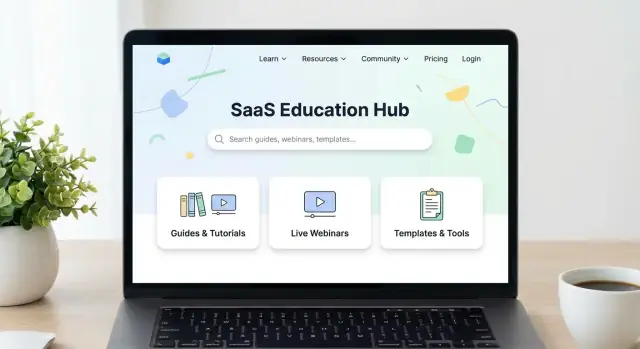
Define the Goal and the Audience
A SaaS education hub is more than “a bunch of articles.” It’s a coordinated place where people learn what your product does, adopt it quickly, and succeed with it over time. That definition matters because it determines what you publish, how you organize it, and what you measure.
What “education” means for your product
Most SaaS education hubs serve three jobs at once:
- Learn: help prospects and new users understand concepts, outcomes, and how your approach differs.
- Adopt: guide customers to their first win (setup, key workflows, best practices).
- Succeed: deepen usage with advanced guides, playbooks, and troubleshooting so customers keep getting value.
If you’re building a knowledge base website and a resource center design in one, be explicit about which job is primary. Otherwise, the hub becomes hard to navigate and hard to maintain.
Clarify the outcomes you want
Pick 1–2 primary outcomes, then treat everything else as secondary:
- Activation: more users reach key “aha” moments faster.
- Retention: customers keep using the product and expand usage.
- Support deflection: fewer tickets for repeat questions, without frustrating users.
- Lead nurture: prospects move from “curious” to “ready to try.”
This is the foundation of your SaaS content strategy and will shape your information architecture and prioritization.
Set success metrics you can actually track
Choose metrics tied to user behavior, not just pageviews:
- Search success rate (did on-site search lead to a click and a helpful page?)
- Time-to-answer (how quickly people reach a solution)
- Task completion signals (e.g., setup finished, feature enabled)
- Signups or activations from hub content (for top-of-funnel education)
Decide the audience mix
List your primary audiences and their intent:
- Prospects: evaluating value, use cases, and proof.
- Customers: “How do I…?” and “What’s the best way to…?”
- Partners: implementation, permissions, and shared workflows.
A clear audience mix prevents you from writing one-size-fits-none content and keeps your documentation site focused.
Choose Use Cases and Learning Paths
An effective SaaS education hub starts by focusing on what visitors are trying to accomplish, not what you want to publish. When you design around real “jobs,” your knowledge base website becomes intuitive—and your content strategy stays focused.
Start with core user jobs
Pick 3–5 jobs that cover most visits to your help center or resource center. Common examples:
- Evaluate: understand what the product does, how it compares, and whether it fits their workflow.
- Onboard: set up the account, connect integrations, and reach the first success milestone.
- Solve an issue: fix errors, permissions problems, billing questions, or “why isn’t this working?” moments.
- Level up skills: learn advanced features, best practices, and new workflows.
Map each job to the right content formats
Different jobs need different answers. Map them deliberately:
- Quick answers: FAQ entries, short “How do I…” articles, troubleshooting checklists.
- Step-by-step guides: onboarding sequences, setup tutorials, integration walkthroughs.
- Videos and webinars: product tours, feature deep-dives, live Q&A for evaluators and power users.
This keeps your resource center design balanced: fast help for urgent needs, deeper learning for growth.
Find the “top questions” before you write
Use existing signals to choose topics with proven demand:
- Support tickets and chat transcripts (highest volume, highest urgency)
- Sales calls and objections (evaluation blockers)
- In-app feedback, error logs, and feature prompts (friction points)
Create 2–3 simple personas
Personas don’t need to be complex—just actionable:
- Ops Manager (high urgency, medium skill): needs setup, permissions, reliability.
- Admin/IT (medium urgency, high skill): wants integrations, security, SSO, data flow.
- End User (high urgency, low skill): wants quick fixes and “what do I click?” guidance.
With jobs, formats, top questions, and personas aligned, your learning paths become clear—and your education hub stays relevant as the product evolves.
Decide the Hub Model and Sitemap
Before you design pages or write content, decide what “hub” you’re actually building. Most SaaS companies end up with multiple education formats over time—if you don’t set boundaries early, you’ll publish the same answer in three places and confuse everyone.
Pick the hub types you need (now vs. later)
Common models include:
- Help Center (Knowledge Base): task-focused “how do I…?” answers, troubleshooting, and product policies.
- Academy: structured courses, certifications, and onboarding tracks.
- Resource Library: ebooks, templates, webinars, case studies—marketing-friendly, less product-specific.
- Community: peer-to-peer Q&A, feature discussions, and tips.
- Glossary: definitions that support SEO and help users understand your domain.
You don’t need all of these on day one. Choose what matches your product complexity and customer journey.
Decide what lives where (to avoid duplicates)
Create clear “rules of residence.” For example:
- If it’s a step-by-step product action, it belongs in the Help Center.
- If it’s a multi-step learning journey, it belongs in the Academy.
- If it’s thought leadership or downloadable, it belongs in the Resource Library.
- If it’s a definition, it belongs in the Glossary—and other pages can link to it.
When you must cover the same topic in two places, publish one “source” page and link to it rather than rewriting.
Draft a simple sitemap (5–7 top-level categories)
Keep your top navigation tight. A typical education hub sitemap might be:
- Getting Started
- Core Features
- Integrations
- Billing & Account
- Troubleshooting
- Security & Compliance
- Academy (optional)
Lock URL patterns and naming conventions early
Agree on consistent, readable URLs before content scales:
- /help/getting-started/
- /help/integrations/slack/
- /academy/courses/fundamentals/
- /resources/webinars/
- /glossary/customer-retention/
Use one naming style (sentence case titles, consistent product terms) and avoid renaming categories later—it breaks links and search habits.
Build Information Architecture That Scales
A SaaS education hub fails when people can’t predict where an answer lives. Scalable information architecture isn’t about organizing by internal teams (“Product,” “Support,” “Marketing”); it’s about mirroring how customers describe their problems.
Start by collecting real phrases from support tickets, sales calls, in-app searches, and community posts, then turn those into categories.
Create categories in the user’s language
Use 5–9 top-level categories that map to customer intent, not your org chart. For a knowledge base website, categories like “Getting started,” “Integrations,” “Billing,” and “Troubleshooting” often work better than feature names.
A quick test: if a new user can’t place an article in 3 seconds, your category label is too internal.
Use topic clusters for depth (without clutter)
Build topic clusters: a parent page that explains the topic end-to-end, plus child articles that answer specific questions. This supports customer education and improves help center SEO by keeping related content together.
Example structure:
- Parent: “Single Sign-On (SSO)”
- Children: “Set up SAML,” “Common errors,” “SCIM provisioning,” “SSO for multiple workspaces”
Plan cross-links that guide momentum
Cross-links are your “navigation for humans.” Add consistent modules:
- Prerequisites: what users must do first
- Next steps: the logical follow-up action
- Related articles: alternatives and deeper reads
This reduces pogo-sticking and turns a documentation site into a guided learning path.
Build a content matrix to prevent gaps
Before publishing at scale, create a simple content matrix: topic × funnel stage × format (e.g., overview page, tutorial, video, checklist). It keeps your SaaS content strategy balanced and prevents over-investing in one format while leaving key topics uncovered.
Design UX Patterns for Fast Answers
A SaaS education hub succeeds when people can solve a problem in under a minute—without learning your site first. UX patterns should reduce scanning time, minimize clicks, and make the next step obvious.
Prioritize finding over browsing
Put search front and center on every hub page (not just the homepage). Make it forgiving: autocomplete, typo tolerance, and “did you mean” suggestions.
Keep navigation short and predictable. Instead of deep menus, use clear category pages with filters (product area, role, plan, platform, difficulty). Filters should be sticky on desktop and easy to reset on mobile.
Use repeatable templates for key page types
Consistency is speed. Create a small set of templates and apply them everywhere:
- Category page: short intro, top tasks, popular articles, filterable list
- Article page: problem statement, steps, expected result, related links
- Course/learning path: outcomes, time estimate, modules, progress tracking
- Webinar/event page: who it’s for, agenda, recording, resources, CTA
This makes scanning predictable and reduces “where am I?” friction.
Add UX basics that remove tiny annoyances
On content-heavy pages, small elements do a lot of work:
- Breadcrumbs so users can backtrack quickly
- Table of contents for long articles and guides
- Anchors with shareable section links (great for support and success teams)
- Copy-to-clipboard for commands, IDs, URLs, and code snippets
Also add “Was this helpful?” feedback plus a clear next step: “Search again,” “Contact support,” or “Start the onboarding guide.”
Plan accessibility from the start
Readable typography and spacing help everyone. Use strong color contrast, meaningful headings (H2/H3), visible focus states, and full keyboard navigation. Ensure components like filters, accordions, and TOCs are usable with screen readers.
When these patterns are baked into the hub, your content works harder—because people can actually find and use it.
Select the Tech Stack and CMS
Your SaaS education hub will only stay useful if publishing is easy, updates are safe, and content is measurable. The “best” tech stack is the one your team can actually run every week.
Pick a platform approach
Most education hubs fit into one of these models:
- Traditional CMS (great for a resource center with blog-style pages): editors publish in a visual interface, marketing can move fast.
- Docs platform (great for product documentation and structured how-tos): strong navigation, built-in search, and versioning.
- Headless CMS (great when you want custom design and multiple outputs): content lives in one place, your site/app pulls it wherever needed.
- Mixed model (common for SaaS): CMS for guides and webinars, docs platform for documentation, shared navigation and search.
A simple rule: if your content is mostly “read and understand,” a CMS may be enough. If it’s “follow exact steps and keep them accurate over time,” prioritize a docs-focused setup.
If you’re building the hub alongside product experiences (like onboarding checklists, embedded guides, or a searchable help widget), a faster build loop can matter as much as the CMS choice. Teams sometimes use a vibe-coding platform like Koder.ai to prototype and ship the hub UI and supporting services quickly—then iterate on templates, search UX, and integrations without waiting for a full traditional dev cycle. (Koder.ai can generate React frontends, Go backends, and PostgreSQL-backed features via chat, and supports source code export if you want to take over maintenance later.)
Requirements to confirm before you commit
Write requirements down early so you don’t choose tools based on demos alone:
- Roles and permissions: who can draft, approve, and publish? Can legal or security review specific sections?
- Workflow and governance: drafts, reviews, scheduled publishing, and audit trails.
- Versioning: ability to track changes and roll back mistakes; if needed, support product versions.
- Localization: translation workflow, language switcher, and how URLs work across locales.
- Analytics: page-level performance, search queries, “no results” reports, and conversion tracking.
- Performance and reliability: fast load times, uptime, and easy hosting.
Plan the integrations that make the hub “connected”
A SaaS education hub should reduce support tickets and increase activation, so connect it to the systems your team already uses:
- Product/app: in-app help links, contextual tooltips, or a “Help” widget that opens the right article.
- Support tools: surface articles in your ticketing/chat tool so agents can share answers quickly.
- CRM and marketing automation: track who engages with onboarding content and trigger follow-ups.
- Webinar hosting: embed registrations, recordings, and event reminders from your webinar platform.
Lightweight decision checklist
Use this before final selection:
- Can non-technical editors publish and update content in under 10 minutes?
- Does it support approvals, version history, and role-based access?
- Can we localize without duplicating work?
- Is search strong (or easy to plug in)?
- Are integrations straightforward with our app, support tool, and CRM?
- Do costs scale predictably as content and traffic grow? (If you offer plans, link readers to /pricing.)
Set Content Standards and Governance
A SaaS education hub feels “easy” to users when every page sounds consistent, looks familiar, and stays accurate as the product changes. That doesn’t happen by accident—it’s the result of clear standards and a lightweight governance system.
Create writing guidelines people will actually follow
Start with a one-page style guide that answers the common questions writers stall on:
- Voice and tone: friendly and direct, but not casual; decide whether to write as “we/you” or neutral.
- Tense and phrasing: prefer present tense (“Click Save”), avoid ambiguous wording (“simply”).
- Terminology: one approved name per feature, plan, or role (with a short glossary).
- Screenshots and examples: when to include them, how to annotate, and how to keep sample data safe.
If you already have brand guidelines, link to them and add only what’s specific to documentation and tutorials.
Standardize the structure of every article
Consistency reduces cognitive load. A reliable template also makes writing faster.
A practical default structure:
- Problem / goal: what the reader will accomplish.
- Steps: numbered actions with clear UI labels.
- Expected result: what “success” looks like.
- Troubleshooting: common errors, permissions issues, and where to look next.
Keep exceptions rare (for example: release notes, API docs, long-form guides).
Define the review workflow (and make it visible)
Use a simple pipeline: Draft → SME review → Publish → Scheduled update.
Make responsibilities explicit:
- Writers own clarity and formatting.
- Subject-matter experts (SMEs) own technical accuracy.
- A publisher/editor owns final checks (links, SEO fields, accessibility, and taxonomy).
Add governance: owners and an update cadence
Assign an owner per category (Billing, Integrations, Admin, etc.) and set an update rhythm—monthly for fast-changing areas, quarterly for stable topics.
Add “Last reviewed” metadata on pages and a small backlog of flagged items (support tickets, product changes, broken steps). Governance isn’t bureaucracy—it’s how your education hub stays trustworthy.
If you’re iterating quickly, make governance compatible with speed: snapshots, rollback, and clear approvals. For example, teams using Koder.ai often rely on its snapshots and rollback to safely test navigation changes or template updates without risking the entire hub experience.
Make It Findable: SEO and On-Site Search
A SaaS education hub only works when people can quickly find the right answer—whether they arrive from Google or use your site search. Treat “findability” as product work, not a final polish step.
SEO basics that compound over time
Start with keyword themes, not one-off keywords. Map themes to your main content types:
- Getting started (setup, first steps, onboarding)
- How to (feature workflows, best practices)
- Troubleshooting (errors, fixes, edge cases)
- Concepts (definitions, security, billing, roles)
Create clean URLs that match intent and remain stable, e.g. /help/integrations/slack instead of /help?id=123. Use consistent, descriptive page titles and meta descriptions that promise a clear outcome (“Connect Slack in 5 minutes”) rather than generic marketing copy.
Build internal linking into your writing flow: every article should point to one “next step” and one “related concept.” This helps readers and improves crawlability. Example: a setup guide links to the troubleshooting page for common errors, and to the glossary definition of key terms.
Structured data (useful, not spammy)
Add structured data only when it matches the page:
- FAQ schema for genuine question/answer sections
- HowTo schema for step-by-step instructions
Keep it accurate and limited to what’s visible on the page. Over-marking everything as FAQ can backfire.
Make on-site search feel smart
On-site search is often the fastest path to a solution. Improve it with:
- Synonyms (e.g., “workspace” = “account,” “SSO” = “single sign-on”)
- Tags aligned to your product vocabulary (features, roles, platforms)
- A helpful “no results” state that suggests popular articles, spelling fixes, and a way to contact support
Glossary strategy for consistency
Create a glossary for your core terms and link to it from across the hub (e.g., /glossary/seat, /glossary/workspace). Use one agreed definition per term, and reference it everywhere—this reduces confusion, improves search matching, and makes new content faster to write.
Connect the Hub to Growth and Onboarding
An education hub shouldn’t sit apart from the rest of your SaaS experience. The best hubs help people succeed quickly and naturally move them toward the next commitment—without turning every page into a sales pitch.
Use gating strategically (not by default)
Gate resources when there’s a clear value exchange: a deep template pack, a live workshop, an industry report, or a certification path. Keep core “how do I…?” education open—setup guides, fundamentals, and troubleshooting—so new users can solve problems immediately.
A simple rule: if someone needs it to evaluate or use the product, keep it ungated. If it’s a bonus that’s valuable even outside your product, consider gating.
Make “next step” CTAs obvious
Every page should help the reader take one clear next action based on intent:
- Evaluating: /pricing or Book a demo
- Ready to try: Start trial or Create account
- Learning over time: Sign up for updates
- Problem-solving: Learn the next step (link to the next lesson or checklist)
Place one primary CTA near the top (especially on cornerstone guides) and a softer CTA near the end once the reader has gotten value.
Tie education directly into onboarding
Connect learning to activation. Link prominently to a “Getting Started” path and practical checklists that map to your onboarding milestones (first project, first integration, first teammate invited).
Good patterns include:
- A “Start here” card on key pages linking to /getting-started
- Checklists embedded in tutorials (downloadable or interactive)
- Clear “You’re ready for…” transitions to the next lesson
Add contextual pathways back to product and content
When a guide mentions a feature, link to the exact in-app area (or a product page) so readers can apply what they learned immediately.
Also use thoughtful cross-links to related explainers and deeper articles in /blog—especially for strategy topics that support adoption (setup best practices, onboarding frameworks, common mistakes).
Done well, your hub becomes part of the customer journey: learn → apply → succeed → upgrade.
Measure What Works and Improve It
Publishing an education hub is only half the job. The other half is learning which pages actually help people complete a task—and which ones quietly send them back to support, to Google, or out of your product.
Pick a small set of core metrics
Start with metrics that explain intent and outcomes, not vanity traffic:
- On-site search queries: what people type, zero-result searches, and repeated searches (a sign the answer wasn’t clear).
- Article helpfulness: a simple “Was this helpful?” thumbs up/down is enough to spot winners and problem pages.
- Exit rate: pages where users commonly leave the hub can signal missing next steps, unclear guidance, or outdated content.
- Conversions: tie hub visits to actions like starting a trial, booking a demo, activating a feature, or completing onboarding.
Define what “good” looks like per page type. A troubleshooting article may naturally have a higher exit rate (people got the fix and left), while an onboarding guide should lead to another step.
Build feedback loops you can act on
Add lightweight feedback options that produce specific follow-ups:
- Thumbs up/down with an optional “What was missing?” prompt on downvotes.
- A “Report an issue” link for typos, broken steps, or outdated screenshots.
- Comments only if you can moderate and respond; otherwise, they become a support channel you didn’t plan for.
Route feedback to the right place (content owner, support lead, product docs) with clear tags like “outdated,” “unclear,” “bug,” or “missing topic.”
Segment dashboards by audience
Create separate views for prospects (pricing, comparisons, use cases) and customers (setup, integrations, troubleshooting). The same metric can mean different things: a prospect searching “SSO” may be evaluating, while a customer searching “SSO” may be stuck.
Run a monthly improvement cycle
Once a month, review:
- Top searches (especially zero results) to prioritize new pages.
- Top exits to add better next steps or clarify instructions.
- Stale pages (old screenshots, old UI, product changes) to update or retire.
Keep a simple backlog: what you’ll fix, who owns it, and when it ships. This turns your hub into a living product—not a one-time project.
Launch, Maintain, and Keep Content Current
A SaaS education hub is never “done.” A good launch sets expectations internally (who owns what) and externally (where people can reliably find answers), then makes updates a normal operating rhythm.
A practical launch checklist
Before you announce the new hub, run a short checklist that prevents the most common trust-killers:
- Redirects and broken links: confirm 301 redirects for any moved pages and crawl for 404s.
- Performance: check Core Web Vitals basics (image sizes, caching, page weight) so articles load quickly on mobile.
- Accessibility: verify headings are structured, color contrast is readable, and keyboard navigation works.
- Analytics and tracking: validate pageview and search tracking so you can measure adoption from day one.
Content migration without losing SEO
Migration is where most hubs accidentally “reset” their search equity. Plan it like a mini project:
- Map old URLs to new destinations (one-to-one wherever possible). Avoid dumping everything onto the homepage.
- Preserve titles, canonical tags, and metadata unless you have a clear reason to change them.
- Update screenshots and UI references during migration, not months later—stale visuals undermine confidence.
- Keep a redirect log so Support and Customer Success can troubleshoot quickly when a customer reports a dead link.
Maintenance routines that prevent drift
Set a lightweight cadence that keeps content accurate:
- Quarterly audits: review top-traffic articles, top internal searches, and pages with high exits.
- Version updates: add a “Last reviewed” date and tie reviews to product release notes.
- Retirement rules: merge duplicates, archive obsolete features, and redirect retired pages to the closest current answer.
A simple 90-day roadmap
Plan your first three months to build momentum:
- Days 1–30: fix launch issues, tighten redirects, and rewrite the 10 most visited articles.
- Days 31–60: add missing tutorials based on support tickets and failed searches.
- Days 61–90: publish new learning content in /blog and link it back into relevant hub guides to keep the hub fresh and discoverable.
If you want to accelerate this roadmap, consider tools that reduce the cost of iteration. For example, Koder.ai’s chat-based build flow can be useful for spinning up hub components (search UI, feedback widgets, admin dashboards), deploying quickly, and iterating safely with planning mode and rollback—while still keeping an escape hatch through source code export.
FAQ
What is the main purpose of a SaaS education hub?
Start by choosing 1–2 primary outcomes, then let those drive everything else:
- Activation: get users to an “aha” moment faster
- Retention: deepen usage with advanced guides and playbooks
- Support deflection: reduce repeat tickets with clear troubleshooting
- Lead nurture: help evaluators move toward a trial or demo
If you try to optimize for all four equally, navigation and prioritization get messy.
Which metrics should I track to know if the hub is working?
Treat the hub like a product and track behavioral metrics, not just traffic:
- Search success rate (search → click → helpful result)
- Time-to-answer (how fast users reach a solution)
- Task completion signals (setup complete, integration connected)
- Conversions from content (trial, demo, activation)
Define what “good” looks like per page type (onboarding vs. troubleshooting behave differently).
How do I decide which audiences my hub should serve?
List your primary audiences and align content to their intent:
- Prospects: value, use cases, comparisons, proof
- Customers: “How do I…?” setup, workflows, troubleshooting
- Partners: implementation details, permissions, shared processes
Keeping these separate prevents one-size-fits-none pages and makes your navigation more predictable.
How do I choose the right topics and learning paths?
Start with 3–5 “jobs” that explain most visits:
- Evaluate
- Onboard
- Solve an issue
- Level up skills
Then map each job to the right format (quick answers vs. step-by-step guides vs. webinars). This keeps your hub focused on what visitors are trying to accomplish.
Where can I find the “top questions” worth publishing first?
Use existing demand signals before you write anything:
- Support tickets and chat transcripts (high urgency)
- Sales calls and objections (evaluation blockers)
- In-app feedback, error logs, and feature prompts (friction points)
Turn the highest-volume items into “source” articles and link to them across the hub to avoid duplicate answers.
What hub model should I build: help center, academy, or resource library?
Most SaaS teams need only 1–2 models at launch:
- Help Center: step-by-step product actions and troubleshooting
- Academy: structured courses and onboarding tracks
- Resource Library: marketing-friendly assets (ebooks, webinars)
- Community: peer Q&A and tips
- Glossary: definitions that support SEO and consistency
Pick what matches your product complexity now, and add others later with clear boundaries.
How do I prevent duplicate content across the help center, academy, and resources?
Create simple “rules of residence,” for example:
- Step-by-step product action → Help Center
- Multi-step learning journey → Academy
- Downloadable/thought leadership → Resource Library
- Definition → Glossary
When overlap is unavoidable, keep one canonical “source” page and link to it rather than rewriting the same instructions.
What’s a practical sitemap for a SaaS education hub?
Keep the top navigation tight (usually 5–7 categories). A common baseline:
- Getting Started
- Core Features
- Integrations
- Billing & Account
- Troubleshooting
- Security & Compliance
Name categories in the user’s language (not internal team names), and lock URL patterns early so you don’t break links later.
Which UX patterns make a documentation or education hub easy to use?
Design for “find first, browse second”:
- Put search on every hub page (autocomplete, typo tolerance)
- Use repeatable templates (category page, article page, course page)
- Add scanning helpers (breadcrumbs, table of contents, shareable anchors)
- Include clear feedback/next steps (“Was this helpful?”, contact support)
The goal is solving a problem in under a minute without learning your site.
How do I choose a CMS or tech stack for an education hub?
Choose the platform your team can run weekly, not the one that demos best:
- CMS: great for “read and understand” content
- Docs platform: great for precise, versioned how-tos
- Headless: best for custom design and multiple outputs
- Mixed model: common in SaaS (CMS + docs, shared search/nav)
Confirm requirements like roles/approvals, versioning, localization, search quality, analytics, and integrations with your app and support tools.