

Cron + database pattern: background jobs without a queue
Learn the cron + database pattern to run scheduled background jobs with retries, locking, and idempotency - without standing up a full queue system.
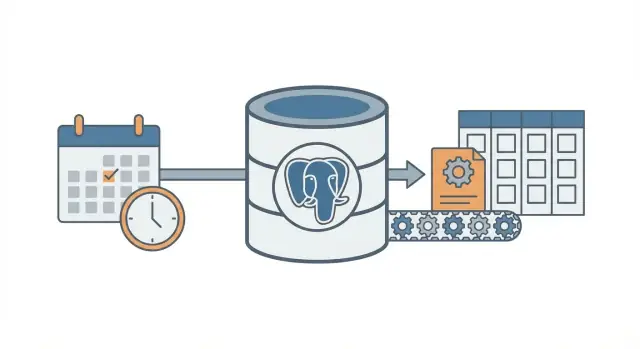
The problem: scheduled work without extra infrastructure
Most apps need work to happen later, or on a schedule: sending follow-up emails, running a nightly billing check, cleaning up old records, rebuilding a report, or refreshing a cache.
Early on, it’s tempting to add a full queue system because it feels like the “right” way to do background jobs. But queues add moving parts: another service to run, monitor, deploy, and debug. For a small team (or a solo founder), that extra weight can slow you down.
So the real question is: how do you run scheduled work reliably without standing up more infrastructure?
A common first attempt is simple: add a cron entry that hits an endpoint, and have that endpoint do the work. It works until it doesn’t. Once you have more than one server, a deploy at the wrong time, or a job that takes longer than expected, you start seeing confusing failures.
Scheduled work usually breaks in a few predictable ways:
- Double runs: two servers both run the same task, so invoices get generated twice or emails send twice.
- Lost runs: a cron call fails during a deploy and nobody notices until users complain.
- Silent failures: the job errors once, then never runs again because there’s no retry plan.
- Partial work: the job crashes halfway through and leaves data in a weird state.
- No audit trail: you can’t answer “when did this last run?” or “what happened last night?”
The cron + database pattern is a middle path. You still use cron to “wake up” on a schedule, but you store job intent and job state in your database so the system can coordinate, retry, and record what happened.
It’s a good fit when you already have one database (often PostgreSQL), a small number of job types, and you want predictable behavior with minimal ops work. It’s also a natural choice for apps built quickly on modern stacks (for example, a React + Go + PostgreSQL setup).
It’s not a good fit when you need very high throughput, long-running jobs that must stream progress, strict ordering across many job types, or heavy fan-out (thousands of sub-tasks per minute). In those cases, a real queue and dedicated workers usually pay for themselves.
The core idea in plain language
The cron + database pattern runs background work on a schedule without running a full queue system. You still use cron (or any scheduler), but cron doesn’t decide what to run. It just wakes up a worker often (once a minute is common). The database decides which work is due and makes sure only one worker takes each job.
Think of it like a shared checklist on a whiteboard. Cron is the person who walks into the room every minute and says, “Anyone need to do something now?” The database is the whiteboard that shows what’s due, what’s already taken, and what’s done.
The pieces are straightforward:
- A single scheduler trigger runs frequently.
- A jobs table holds the “what” and the “when” (due time), plus status and attempt count.
- One or more workers poll the table, claim a job, and do the work.
- Claiming uses a database lock so two workers can’t grab the same row.
- The database stays the source of truth for what ran, what failed, and what should retry.
Example: you want to send invoice reminders every morning, refresh a cache every 10 minutes, and clean up old sessions nightly. Instead of three separate cron commands (each with its own overlap and failure modes), you store job entries in one place. Cron starts the same worker process. The worker asks Postgres, “What is due right now?” and Postgres answers by letting the worker safely claim exactly one job at a time.
This scales gradually. You can start with one worker on one server. Later, you can run five workers across multiple servers. The contract stays the same: the table is the contract.
The mindset shift is simple: cron is only the wake-up call. The database is the traffic cop that decides what’s allowed to run, records what happened, and gives you a clear history when something goes wrong.
Designing the jobs table (a practical schema)
This pattern works best when your database becomes the source of truth for what should run, when it should run, and what happened last time. The schema isn’t fancy, but small details (lock fields and the right indexes) make a big difference as load grows.
One table or two?
Two common approaches:
- One combined table when you only care about the latest state of each job (simple, fewer joins).
- Two tables when you want a clean separation between “what this job is” and “each time it ran” (better history, easier debugging).
If you expect to debug failures often, keep history. If you want the smallest possible setup, start with one table and add history later.
A practical schema (two-table version)
Here is a PostgreSQL-friendly layout. If you’re building in Go with PostgreSQL, these columns map cleanly to structs.
-- What should exist (the definition)
create table job_definitions (
  id            bigserial primary key,
  job_type      text not null,
  payload       jsonb not null default '{}'::jsonb,
  schedule      text,                      -- optional: cron-like text if you store it
  max_attempts  int not null default 5,
  created_at    timestamptz not null default now(),
  updated_at    timestamptz not null default now()
);

-- What should run (each run / attempt group)
create table job_runs (
  id            bigserial primary key,
  definition_id bigint references job_definitions(id),
  job_type      text not null,
  payload       jsonb not null default '{}'::jsonb,
  run_at        timestamptz not null,
  status        text not null,             -- queued | running | succeeded | failed | dead
  attempts      int not null default 0,
  max_attempts  int not null default 5,

  locked_by     text,
  locked_until  timestamptz,

  last_error    text,
  created_at    timestamptz not null default now(),
  updated_at    timestamptz not null default now()
);
A few details that save pain later:
- Keep job_type as a short string you can route on (like
send_invoice_emails). - Store payload as
jsonbso you can evolve it without migrations. - run_at is your “next due time”. Cron (or a scheduler script) sets it, workers consume it.
- locked_by and locked_until let workers claim jobs without stepping on each other.
- last_error should be short and human-readable. Put stack traces elsewhere if you need them.
Indexes you will want
Without indexes, workers end up scanning too much. Start with:
- An index to find due work fast:
(status, run_at) - An index to help detect expired locks:
(locked_until) - Optional: a partial index for active work only (for example, status in
queuedandfailed)
These keep the “find next runnable job” query quick even when the table grows.
Locking and claiming jobs safely
The goal is simple: many workers can run, but only one should grab a specific job. If two workers process the same row, you get double emails, double charges, or messy data.
A safe approach is to treat a job claim like a “lease”. The worker marks the job as locked for a short window. If the worker crashes, the lease expires and another worker can pick it up. That’s what locked_until is for.
Use a lease so crashes don’t block work forever
Without a lease, a worker could lock a job and never unlock it (process killed, server reboot, deploy gone wrong). With locked_until, the job becomes available again when time passes.
A typical rule is: a job can be claimed when locked_until is NULL or locked_until <= now().
Claim jobs with one atomic update
The key detail is to claim the job in a single statement (or one transaction). You want the database to be the referee.
Here’s a common PostgreSQL pattern: pick one due job, lock it, and return it to the worker. (This example uses a single jobs table; the same idea applies if you’re claiming from job_runs.)
WITH next_job AS (
  SELECT id
  FROM jobs
  WHERE status = 'queued'
    AND run_at <= now()
    AND (locked_until IS NULL OR locked_until <= now())
  ORDER BY run_at ASC
  LIMIT 1
  FOR UPDATE SKIP LOCKED
)
UPDATE jobs j
SET status = 'running',
    locked_until = now() + interval '2 minutes',
    locked_by = $1,
    attempts = attempts + 1,
    updated_at = now()
FROM next_job
WHERE j.id = next_job.id
RETURNING j.*;
Why it works:
FOR UPDATE SKIP LOCKEDlets multiple workers compete without blocking each other.- The lease is set at claim time, so other workers ignore it until it expires.
RETURNINGhands the row to the worker that won the race.
How long should the lease be, and how do you renew it?
Set the lease longer than a normal run, but short enough that a crash recovers quickly. If most jobs finish in 10 seconds, a 2 minute lease is plenty.
For long tasks, renew the lease while you work (a heartbeat). A simple approach: every 30 seconds, extend locked_until if you still own the job.
- Lease length: 5x to 20x your typical job time
- Heartbeat interval: 1/4 to 1/2 of the lease
- Renewal update should include
WHERE id = $job_id AND locked_by = $worker_id
That last condition matters. It prevents a worker from extending a lease on a job it no longer owns.
Retries and backoff that behave predictably
Retries are where this pattern either feels calm or turns into a noisy mess. The goal is simple: when a job fails, try again later in a way you can explain, measure, and stop.
Start by making job state explicit and finite: queued, running, succeeded, failed, dead. In practice, most teams use failed to mean “failed but will retry” and dead to mean “failed and we gave up”. That one distinction prevents infinite loops.
Attempt counting is the second guardrail. Store attempts (how many times you tried) and max_attempts (how many times you allow). When a worker catches an error, it should:
- increment
attempts - set state to
failedifattempts < max_attempts, otherwisedead - compute
run_atfor the next try (only forfailed)
Backoff is just the rule that decides the next run_at. Pick one, document it, and keep it consistent:
- Fixed delay: always wait 1 minute
- Exponential: 1m, 2m, 4m, 8m
- Exponential with a cap: exponential but never more than, say, 30m
- Add jitter: randomize a little so jobs don’t all retry at the same second
Jitter matters when a dependency goes down and comes back. Without it, hundreds of jobs can retry at once and fail again.
Store enough error detail to make failures visible and debuggable. You don’t need a full logging system, but you do need the basics:
last_error(short message, safe to show in an admin screen)error_codeorerror_type(helps grouping)failed_atandnext_run_at- optional
last_stack(only if you control size)
A concrete rule that works well: mark jobs dead after 10 attempts, and backoff exponentially with jitter. That keeps transient failures retrying, but stops broken jobs from burning CPU forever.
Idempotency: preventing duplicates even if a job repeats
Idempotency means your job can run twice and still produce the same final result. In this pattern, it matters because the same row might get picked up again after a crash, a timeout, or a retry. If your job is “send an invoice email”, running it twice isn’t harmless.
A practical way to think about it: split every job into (1) doing work and (2) applying an effect. You want the effect to happen once, even if the work is attempted multiple times.
Use an idempotency key tied to the business event
An idempotency key should come from what the job represents, not from the worker attempt. Good keys are stable and easy to explain, like invoice_id, user_id + day, or report_name + report_date. If two job attempts refer to the same real-world event, they should share the same key.
Example: “Generate daily sales report for 2026-01-14” can use sales_report:2026-01-14. “Charge invoice 812” can use invoice_charge:812.
Enforce “only once” with database constraints
The simplest guardrail is letting PostgreSQL reject duplicates. Store the idempotency key somewhere that can be indexed, then add a unique constraint.
-- Example: ensure one logical job/effect per business key
ALTER TABLE jobs
ADD COLUMN idempotency_key text;

CREATE UNIQUE INDEX jobs_idempotency_key_uniq
ON jobs (idempotency_key)
WHERE idempotency_key IS NOT NULL;
This prevents two rows with the same key from existing at the same time. If your design allows multiple rows (for history), put the uniqueness on an “effects” table instead, like sent_emails(idempotency_key) or payments(idempotency_key).
Common side effects to protect:
- Emails: create a
sent_emailsrow with a unique key before sending, or record a provider message id once sent. - Webhooks: store
delivered_webhooks(event_id)and skip if it exists. - Payments: always use the payment provider’s idempotency feature plus your own database unique key.
- File writes: write to a temp name, then rename, or store a “file_generated” record keyed by
(type, date).
If you’re building on a Postgres-backed stack (for example, a Go + PostgreSQL backend), these uniqueness checks are fast and easy to keep close to the data. The key idea is simple: retries are normal, duplicates are optional.
Step-by-step: build a minimal worker and scheduler
Pick one boring runtime and stick to it. The point of the cron + database pattern is fewer moving parts, so a small Go, Node, or Python process that talks to PostgreSQL is usually enough.
Build it in five small steps
-
Create the tables and indexes. Add a
jobstable (plus any lookup tables you want later), then indexrun_at, and add an index that helps your worker find available jobs fast (for example on(status, run_at)). -
Write a tiny enqueue function. Your app should insert a row with
run_atset to “now” or a future time. Keep the payload small and predictable (IDs and a job type, not huge blobs).
INSERT INTO jobs (type, payload, status, run_at, attempts, max_attempts)
VALUES ($1, $2::jsonb, 'queued', $3, 0, 10);
- Implement the claim loop. Run it in a transaction. Select a few due jobs, lock them so other workers skip them, and mark them as
runningin the same transaction.
WITH picked AS (
  SELECT id
  FROM jobs
  WHERE status = 'queued' AND run_at <= now()
  ORDER BY run_at
  FOR UPDATE SKIP LOCKED
  LIMIT 10
)
UPDATE jobs
SET status = 'running', started_at = now()
WHERE id IN (SELECT id FROM picked)
RETURNING *;
-
Process and finalize. For each claimed job, do the work, then update to
donewithfinished_at. If it fails, record an error message and move it back toqueuedwith a newrun_at(backoff). Keep finalization updates small and always run them, even if your process is shutting down. -
Add retry rules you can explain. Use a simple formula like
run_at = now() + (attempts^2) * interval '10 seconds', and stop aftermax_attemptsby settingstatus = 'dead'.
Add basic visibility
You don’t need a full dashboard on day one, but you do need enough to notice problems.
- Log one line per job: claimed, succeeded, failed, retried, dead.
- Create a simple admin query or view for “dead jobs” and “old running jobs”.
- Alert on counts (for example, more than N dead jobs in the last hour).
If you’re already on a Go + PostgreSQL stack, this maps cleanly to a single worker binary plus cron.
A realistic example you can copy
Imagine a small SaaS app with two bits of scheduled work:
- A nightly cleanup that removes expired sessions and old temporary files.
- A weekly “your activity report” email sent to each user every Monday morning.
Keep it simple: one PostgreSQL table to hold jobs, and one worker that runs every minute (triggered by cron). The worker claims due jobs, runs them, and records success or failure.
What gets enqueued, and when
You can enqueue jobs from a few places:
- Daily at 02:00: enqueue one
cleanup_nightlyjob for “today”. - On signup: enqueue a
send_weekly_reportjob for the user’s next Monday. - After an event (like “user clicked Export report”): enqueue a
send_weekly_reportjob that runs immediately for a specific date range.
The payload is just the minimum the worker needs. Keep it small so it’s easy to retry.
{
  "type": "send_weekly_report",
  "payload": {
    "user_id": 12345,
    "date_range": {
      "from": "2026-01-01",
      "to": "2026-01-07"
    }
  }
}
How idempotency prevents double sending
A worker can crash at the worst moment: right after it sends the email, but before it marks the job as “done”. When it restarts, it may pick the same job again.
To stop double-sends, give the work a natural dedupe key and store it where the database can enforce it. For weekly reports, a good key is (user_id, week_start_date). Before sending, the worker records “I am about to send report X”. If that record already exists, it skips sending.
This can be as simple as a sent_reports table with a unique constraint on (user_id, week_start_date), or a unique idempotency_key on the job itself.
What a failure looks like (and how it recovers)
Say your email provider times out. The job fails, so the worker:
- increments
attempts - saves the error message for debugging
- schedules the next try with backoff (for example: +1 min, +5 min, +30 min, +2 hours)
If it keeps failing past your limit (like 10 attempts), mark it as “dead” and stop retrying. The job either succeeds once, or it retries on a clear schedule, and idempotency makes retry safe.
Common mistakes and traps
The cron + database pattern is simple, but small mistakes can turn it into duplicates, stuck work, or surprise load. Most issues show up after the first crash, deploy, or traffic spike.
Mistakes that cause duplicates or stuck jobs
Most real-world incidents come from a few traps:
- Running the same job from multiple cron entries without a lease. If two servers tick at the same minute, both can claim the same work unless your claim step is atomic and sets a lock (or lease) in the same database transaction.
- Skipping
locked_until. If a worker crashes after claiming a job, that row can stay “in progress” forever. A lease timestamp lets another worker safely pick it up later. - Retrying instantly on failure. When an API is down, instant retries create spikes, burn rate limits, and keep failing in a tight loop. Always schedule the next attempt into the future.
- Treating “at least once” like “exactly once”. A job can run twice (timeouts, worker restarts, network issues). If running twice is harmful, make the side effects safe to repeat.
- Storing huge payloads in the job row. Large JSON blobs bloat the table, slow indexes, and make locking heavier. Store a reference (like
user_id,invoice_id, or a file key) and fetch the rest when you run.
Example: you send a weekly invoice email. If the worker times out after sending but before marking the job done, the same job may be retried and send a duplicate email. That’s normal for this pattern unless you add a guardrail (for example, record a unique “email sent” event keyed by invoice id).
Less obvious gotchas
Avoid mixing scheduling and execution in the same long transaction. If you hold a transaction open while doing network calls, you keep locks longer than needed and block other workers.
Watch for clock differences between machines. Use database time (NOW() in PostgreSQL) as the source of truth for run_at and locked_until, not the app server clock.
Set a clear maximum runtime. If a job can take 30 minutes, make the lease longer than that, and renew it if needed. Otherwise another worker may pick it up mid-run.
Keep your job table healthy. If completed jobs pile up forever, queries slow down and lock contention rises. Pick a simple retention rule (archive or delete old rows) before the table becomes huge.
Quick checklist and next steps
Quick checklist
Before you ship this pattern, check the basics. A small omission here usually turns into stuck jobs, surprise duplicates, or a worker that hammers the database.
- Your jobs table has the essentials:
run_at,status,attempts,locked_until, andmax_attempts(pluslast_erroror similar so you can see what happened). - Each job can safely run twice without harm. If you’re not sure, add an idempotency key or a uniqueness rule around the side effect (for example, one invoice per
invoice_id). - There’s a clear place to observe failures and decide what to do: view failed jobs, re-run a job, or mark it as dead when it should stop retrying.
- Your lease (lock) timeout is sane for the work. It should be long enough for normal runs, but short enough that crashed workers don’t block progress for hours.
- Retry backoff is predictable. It should slow down repeated failures, and it should stop after
max_attempts.
If these are true, the cron + database pattern is usually stable enough for real workloads.
Next steps
Once the checklist looks good, focus on day-to-day operation.
- Add two small admin actions: “retry now” (sets
run_at = now()and clears the lock) and “cancel” (moves to a terminal status). These save time during incidents. - Make the worker log one line per job: job type, job id, attempt number, and result. Add an alert on growing failure counts.
- Load test with a realistic spike: many jobs scheduled for the same minute. If claiming jobs gets slow, add the right index (often on
status, run_at).
If you want to build this kind of setup quickly, Koder.ai (koder.ai) can help you get from schema to a deployed Go + PostgreSQL app with less manual wiring, while you focus on the locking, retries, and idempotency rules.
If you later outgrow this setup, you’ll still have learned the job lifecycle clearly, and those same ideas map well to a full queue system.
FAQ
When should I use cron with a database for background jobs?
Use this pattern when you already have a database, only a modest number of job types, and want scheduled work without operating a separate queue. It fits tasks like email reminders, cleanup, reports, and cache refreshes.
What does cron do in this setup?
Cron should only start the worker on a regular interval, often once per minute. The database decides which jobs are due, records their state, and lets one worker claim each job.
What fields should a jobs table include?
Store the job type, a small JSON payload, the due time, status, attempt count, retry limit, lock owner, lock expiry, and a short error message. Those fields give workers enough information to run and recover jobs safely.
How do multiple workers avoid running the same job?
Claim jobs in one database transaction with row locking, such as PostgreSQL FOR UPDATE SKIP LOCKED. Update the row to running and set its lease before the worker starts the actual task.
Why do background jobs need a lease timeout?
A lease is a temporary lock recorded with locked_until. If a worker crashes, the lease expires and another worker can take the job instead of leaving it stuck forever.
How should failed jobs retry?
Retry later with a clear backoff rule, such as 1 minute, 2 minutes, 4 minutes, then a capped delay with a little randomness. After the allowed number of attempts, mark the job dead so it stops consuming worker time.
What is idempotency, and why does it matter?
Make the side effect safe to repeat. For example, use a stable idempotency key such as an invoice ID or a user ID plus report date, then enforce uniqueness in PostgreSQL or at the external provider.
Does this pattern guarantee exactly-once processing?
No. A worker can crash after sending an email or calling a payment provider but before it saves success. Design for at-least-once processing, then use idempotency to prevent duplicate effects.
Should a worker hold a database transaction while it does the job?
Keep database transactions short. Claim the job, commit, perform network calls outside the transaction, then save success or failure in a separate update. Long transactions hold locks and slow other workers.
How do I monitor cron and database jobs?
Track dead jobs and old running jobs, log each claim and result, and alert when failures rise. Add simple admin actions to retry a job now, cancel it, or inspect its latest error.