

Daphne Koller ML product lessons: research to deployment
Daphne Koller ML product lessons on turning research into deployable systems: scope ML features, pick metrics, set expectations, and ship safely.
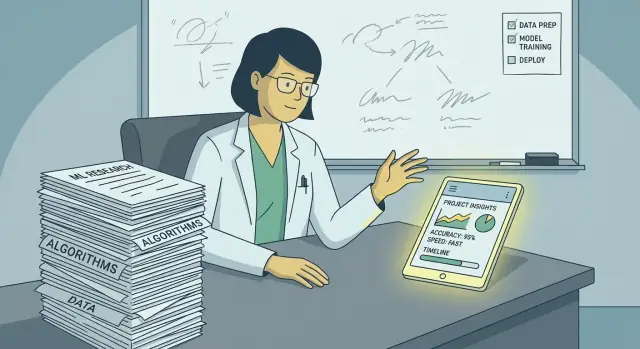
Why research results often do not survive product reality
A great ML paper can still turn into a disappointing product. Papers are built to prove a point under controlled conditions. Products are built to help people finish a task on a messy day, with messy data, and very little patience.
A useful takeaway from Daphne Koller ML product lessons (as a lens, not a biography) is the shift in incentives: research rewards novelty and clean gains, while product rewards usefulness and trust. If your model is impressive but the feature is hard to understand, slow, or unpredictable, users won’t care about the benchmark.
What users notice is basic and immediate. They feel latency. They notice when the same input gives different answers. They remember one bad error more than ten good results. And if the feature touches money, health, or anything public-facing, they quickly decide whether it’s safe to rely on.
Most “paper wins” fail in the real world for the same handful of reasons: the goal is fuzzy (so the team optimizes what’s easy to measure), data shifts (new users, new topics, new edge cases), ownership is unclear (so quality issues linger), or the feature is shipped as “AI magic” with no way to predict, verify, or correct outputs.
A simple example: a summarization model might look strong in offline tests, but the product fails if it drops one critical detail, uses the wrong tone, or takes 12 seconds to respond. Users don’t compare it to a baseline. They compare it to their own time and risk.
Teams also lose time when they treat the model as the product. In practice, the model is one component in a system: input handling, guardrails, UI, feedback, logging, and a fallback path when the model is unsure.
You can see this clearly in user-facing AI builders like Koder.ai. Generating an app from chat can look amazing in a demo, but real users care about whether the result runs, whether edits behave predictably, and whether they can roll back when something breaks. That’s product reality: less about “best model,” more about a dependable experience.
Paper metrics vs product outcomes: what changes in practice
Research typically tries to prove a point: a model beats a baseline on a clean dataset under a fixed test. A product tries to help a user finish a task in messy conditions, with real stakes and limited patience. That mismatch is where many promising ideas break.
One of the most practical Daphne Koller ML product lessons is to treat “accuracy” as a starting signal, not the finish line. In a paper, a small metric gain can matter. In a product, that same gain might be invisible, or it might bring new costs: slower responses, confusing edge cases, or a rise in support tickets.
Prototype, pilot, production: the ground rules change
A prototype answers “can it work at all?” You can hand-pick data, run the model once, and demo the best cases. A pilot asks “does it help real users?” Now you need real inputs, real time limits, and a clear success measure. Production asks “can we keep it working?” That includes reliability, safety, cost, and what happens on bad days.
A quick way to remember the shift:
- Prototype: small data sample, simple metric, lots of manual checking
- Pilot: real user flows, structured error analysis, feedback loops
- Production: monitoring, fallbacks, cost limits, and a retraining plan
The hidden work that papers do not cover
Product outcomes depend on everything around the model. Data pipelines break. Inputs drift when users change behavior. Labels get stale. You also need a way to notice problems early, and a way to help users recover when the AI is wrong.
That “hidden work” usually includes tracking input quality, logging failures, reviewing weird cases, and deciding when to retrain. It also includes support scripts and clear UI messages, because users judge the whole experience, not the model in isolation.
Before you build, define what “good enough” means and write it down in plain language: which users, which tasks, acceptable error types, and the threshold where you ship or stop. “Reduce manual review time by 20% without increasing high-risk mistakes” is more useful than “Improve F1 score.”
How to scope an ML feature without guessing
Start with the user’s job, not the model. A good scope begins with one question: what are people trying to get done, and what slows them down today? If you can’t describe the exact moment in the workflow where the feature helps, you’re still in “paper mode,” not product mode.
A helpful framing from Daphne Koller ML product lessons is to define the feature by its role for the user. Is it taking work off their plate (automation), helping them do the work better (assist), or offering a recommendation they can accept or ignore (decision support)? That choice shapes the UI, the metric, the acceptable error rate, and how you handle mistakes.
Before you build anything, write the UI promise in one sentence. The sentence should still be true on the feature’s worst day. “Drafts a first pass you can edit” is safer than “Writes the final answer.” If you need lots of conditions to make the promise true, the scope is too big.
Constraints are the real scope. Make them explicit.
A simple scoping template
Don’t move forward until these five lines are clear:
- User job: the specific task and when it happens
- Feature role: automation, assist, or decision support
- One-sentence promise: what the UI guarantees
- Constraints: latency, cost per request, privacy, and where data can live
- Failure tolerance: what happens when it’s wrong or uncertain
Example: suppose you’re adding an “AI schema helper” in a vibe-coding tool like Koder.ai. The user job is “I need a database table quickly so I can keep building.” If you scope it as assist, the promise can be “Suggests a table schema you can review and apply.” That immediately implies guardrails: show the diff before applying changes, allow rollback, and prefer fast responses over complex reasoning.
Ship the first version around the smallest action that creates value. Decide what you won’t support yet (languages, data types, very long inputs, high traffic) and make that visible in the UI. That’s how you avoid putting users in charge of your model’s failure modes.
Choosing metrics that match real user value
A good ML metric is not the same as a good product metric. The fastest way to see the gap is to ask: if this number goes up, does a real user notice and feel the difference? If not, it’s probably a lab metric.
From Daphne Koller ML product lessons, a reliable habit is to pick one primary success metric tied to user value and measurable after launch. Everything else should support it, not compete with it.
A simple metric stack
Start with one primary metric, then add a small set of guardrails:
- Primary success metric: the outcome users want (task completion rate, time to a correct answer, % of sessions that end with “this helped”)
- Guardrail metrics: what prevents you from “winning” in a way that hurts users (harmful suggestion rate, complaint rate, high-impact error rate)
- Cost and latency: response time and cost per request, because slow or expensive AI becomes unusable fast
Guardrails should focus on errors users actually feel. A small drop in accuracy can be fine on low-risk cases, but one confident wrong answer in a high-stakes moment breaks trust.
Offline metrics (accuracy, F1, BLEU, ROUGE) are still useful, but treat them as screening tools. Online metrics (conversion, retention, support tickets, refunds, rework time) tell you whether the feature belongs in the product.
To connect the two, define a decision threshold that maps model output to an action, then measure the action. If the model suggests replies, track how often users accept them, edit heavily, or reject them.
Don’t skip the baseline. You need something to beat: a rule-based system, a template library, or the current human workflow. If the AI only matches the baseline but adds confusion, it’s a net loss.
Example: you ship an AI summary for customer chats. Offline, summaries score well on ROUGE. Online, agents spend longer correcting summaries on complex cases. A better primary metric is “average handle time on chats with AI summary,” paired with guardrails like “% of summaries with critical omissions” (audited weekly) and “user-reported wrong summary” rate.
Step by step: turning an ML idea into a deployable system
A research result turns into a product when you can ship it, measure it, and support it. The practical version is usually smaller and more constrained than the paper version.
1) Define the MVP slice
Start with the smallest input you can accept and the simplest output that still helps.
Instead of “summarize any document,” start with “summarize support tickets under 1,000 words into 3 bullet points.” Fewer formats means fewer surprises.
2) Decide what data you need
Write down what you already have, what you can log safely, and what you must collect on purpose. Many ideas stall here.
If you don’t have enough real examples, plan a lightweight collection phase: let users rate outputs, or mark “helpful” vs “not helpful” with a short reason. Make sure what you collect matches what you want to improve.
3) Pick an evaluation method early
Choose the cheapest evaluation that will catch the biggest failures. A holdout set, quick human review with clear rules, or an A/B test with a guardrail metric can all work. Don’t rely on one number; pair a quality signal with a safety or error signal.
4) Plan the release like an experiment
Release in stages: internal use, a small user group, then wider rollout. Keep a tight feedback loop: log failures, review a sample weekly, and ship small fixes.
If your tooling supports snapshots and rollback, use them. Being able to revert quickly changes how safely you can iterate.
5) Iterate with clear stop rules
Decide upfront what “good enough to expand” means and what triggers a pause. For example: “We expand rollout when helpfulness is above 70% and severe errors are below 1% for two weeks.” That prevents endless debate and avoids promises you can’t keep.
Setting expectations in user-facing AI apps
Users don’t judge your model by its best answers. They judge it by the few moments it’s confidently wrong, especially when the app feels official. Expectation-setting is part of the product, not a disclaimer.
Speak in ranges, not absolutes. Instead of “this is accurate,” say “usually correct for X” and “less reliable for Y.” If you can, show confidence in plain language (high, medium, low) and tie each level to what the user should do next.
Be clear about what the system is for and not for. A short boundary near the output prevents misuse: “Great for drafting and summarizing. Not for legal advice or final decisions.”
Uncertainty cues work best when they’re visible and actionable. Users are more forgiving when they can see why the AI responded a certain way, or when the app admits it needs a check.
Practical uncertainty cues that users understand
Pick one or two cues and use them consistently:
- A brief reason (what inputs it used)
- Citations or source snippets when the answer depends on documents
- A simple label like “Needs review” when confidence is low
- Two options when the input is ambiguous
Design for fallback from day one. When the AI is unsure, the product should still let the user finish the task: a manual form, a human review step, or a simpler rule-based flow.
Example: a support reply assistant shouldn’t auto-send. It should generate a draft and highlight risky parts (refunds, policy promises) as “Needs review.” If confidence is low, it should ask one follow-up question rather than guessing.
Common traps that lead to overpromising and churn
Users don’t churn because a model is imperfect. They churn when the app sounds confident and then fails in ways that break trust. A lot of Daphne Koller ML product lessons land here: the work isn’t just training a model, it’s designing a system that behaves safely under real use.
Common traps include overfitting to a benchmark (product data looks nothing like the dataset), shipping without monitoring or rollback (small updates become days of user pain), ignoring everyday edge cases (short queries, messy inputs, mixed languages), assuming one model fits every segment (new users vs power users behave differently), and promising “human-level” performance (users remember confident mistakes).
These failures often come from skipping “non-ML” product decisions: what the model is allowed to do, when it should refuse, what happens when confidence is low, and how people can correct it. If you don’t define those boundaries, marketing and UI will define them for you.
A simple scenario: you add an AI auto-reply feature to customer support. Offline tests look great, but real tickets include angry messages, partial order numbers, and long threads. Without monitoring, you miss that replies get shorter and more generic after a model change. Without rollback, the team debates for two days while agents disable the feature manually. Users see confident replies that miss key details, and they stop trusting every AI suggestion, including the good ones.
The fix is rarely “train harder.” It’s being precise about scope, choosing metrics that reflect user harm (confident wrong answers are worse than safe refusals), and building operational safety (alerts, staged releases, snapshots, rollback).
Example scenario: shipping an AI feature people can trust
Customer support triage is a realistic place to apply Daphne Koller ML product lessons. The goal isn’t to “solve support with AI.” It’s to reduce the time it takes a human to route a ticket to the right place.
Define a small, honest promise
Promise one narrow thing: when a new ticket arrives, the system suggests a category (billing, bug, feature request) and a priority (low, normal, urgent). A human agent confirms or edits it before it affects routing.
That wording matters. “Suggest” and “agent confirms” sets the right expectation and prevents early mistakes from becoming customer-facing outages.
Pick metrics that match the job
Offline accuracy helps, but it’s not the scoreboard. Track outcomes that reflect real work: time-to-first-response, reassign rate, agent override rate, and user satisfaction (CSAT). Also watch “silent failure” signals, like longer handling time for tickets the model labeled urgent.
Design for failure, not perfection
Instead of one answer, show the top 3 category suggestions with a simple confidence label (high, medium, low). When confidence is low, default to “needs review” and require an explicit human choice.
Give agents a quick reason code when they override (wrong product area, missing context, customer is angry). Those reasons become training data and highlight systematic gaps.
Roll out without surprises
Start small and expand only after the metrics move the right way. Launch to one team with the old workflow as fallback. Review a weekly sample to find repeat errors. Adjust labels and UI copy before retraining. Add alerts when override rate spikes after a model update.
If you build this feature on a platform like Koder.ai, treat prompts, rules, and UI copy as part of the product. Trust comes from the full system, not just the model.
Quick checklist before you ship
Before you release a user-facing ML feature, write down the simplest version of what you’re promising. Most Daphne Koller ML product lessons boil down to being specific about value, honest about limits, and ready for reality.
Check these items before launch:
- User promise (one sentence): What will the feature do, and when? Keep it testable.
- Baseline and target improvement: What happens today without ML, and what number would be meaningfully better?
- When the model is wrong or unsure: Define fail behavior (confidence hint, clarifying question, rules fallback, or hide the feature). Define what counts as unsafe output and how it gets blocked.
- Weekly success signal: Pick 1-2 measures you can review quickly each week (opt-in usage, repeat usage, completion rate, save rate, complaint rate, undo rate).
- Monitoring, rollback, ownership: Know who owns quality, who gets alerted, and how you revert changes quickly.
If you do only one extra thing, run a small release with real users, collect the top 20 failures, and label them. Those failures usually tell you whether to adjust the scope, the UI, or the promise, not just the model.
Next steps: a practical plan to move from ideas to shipping
Start with a one-page spec you can read in two minutes. Keep it in plain language and focus on a promise a user can trust.
Write down four things: the user promise, the inputs (and what it must not use), the outputs (including how it signals uncertainty or refusal), and the limits (expected failure modes and what you won’t support yet).
Pick metrics and guardrails before you build. One metric should reflect user value (task completion, fewer edits, time saved). One should protect the user (hallucination rate on a realistic test set, policy violation rate, unsafe action attempts blocked). If you only track accuracy, you’ll miss what causes churn.
Then choose an MVP rollout that matches the risk: offline evaluation on a messy test set, shadow mode, a limited beta with an easy feedback button, and a gradual rollout with a kill switch.
Once it’s live, monitoring is part of the feature. Track key metrics daily and alert on spikes in bad behavior. Version prompts and models, keep snapshots of working states, and make rollback routine.
If you want to prototype faster, a chat-based build flow can help you validate the product shape early. On Koder.ai, for example, you can generate a small app around the feature, add basic tracking for your chosen metrics, and iterate on the user promise while you test. The speed helps, but the discipline stays the same: ship only what your metrics and guardrails can support.
A final test: can you explain the feature’s behavior to a user in one paragraph, including when it might be wrong? If you can’t, it isn’t ready to ship, no matter how good the demo looks.
FAQ
Why can a strong ML paper fail as a product?
Start with one user task and one narrow promise. Build the smallest version that helps with that task, then test it with real inputs before you broaden the scope.
What is the difference between an ML metric and a product metric?
A research metric shows how a model performs on a fixed test. A product metric shows whether people finish work faster, make fewer mistakes, or return to use the feature.
How do I choose metrics for an ML feature?
Choose a result users can feel, such as task completion rate or time saved. Pair it with a harm measure, such as critical omissions, complaints, or unsafe suggestions.
Should an AI feature automate work or assist users?
Frame the feature as automation, assistance, or decision support. Assistance usually gives early teams more room to learn because users can review and correct the output.
How should I describe an AI feature to users?
Write a promise that remains true when the model performs poorly. For example, say it drafts text for review instead of claiming it produces a final answer.
What should happen when the model is unsure?
Show a clear review step, ask for missing information, or send the user to a manual flow. Do not force a confident answer when the system lacks enough context.
What is a safe way to roll out a new AI feature?
Run the feature with internal users or a small group first. Keep the existing workflow available, collect examples of errors, and expand only when the results meet your stated targets.
Why does an ML product need monitoring after launch?
Track failures, review unusual inputs, and watch for shifts in user behavior or output quality. Assign one person or team to respond when a metric worsens.
Why are rollback and snapshots important for AI apps?
Use snapshots or versioned releases so the team can restore a known working version quickly. A rollback plan limits user impact while you investigate the problem.
What baseline should I compare an AI feature against?
Compare the feature with the current process, such as templates, rules, or manual work. If AI adds edits, delays, or confusion without a meaningful gain, keep improving the smaller workflow first.