

Dennis Ritchie and C: Small Language, Big System Impact
How Dennis Ritchie’s C shaped Unix and still powers kernels, embedded devices, and fast software—plus what to know about portability, performance, and safety.
Why C Still Matters
C is one of those technologies most people never touch directly, yet almost everyone depends on. If you use a phone, a laptop, a router, a car, a smartwatch, or even a coffee machine with a display, there’s a good chance C is involved somewhere in the stack—making the device start up, talk to hardware, or run fast enough to feel “instant.”
For builders, C remains a practical tool because it offers a rare mix of control and portability. It can run very close to the machine (so you can manage memory and hardware directly), but it can also be moved across different CPUs and operating systems with relatively little rewriting. That combination is difficult to replace.
The three places C still dominates
C’s biggest footprint shows up in three areas:
- Operating systems: kernels, core libraries, drivers, and low-level utilities that everything else relies on.
- Embedded devices: small systems with tight limits on memory, power, and storage, where predictable behavior matters.
- Performance hotspots: the speed-critical parts of larger programs—code paths where a few milliseconds or a few watts add up.
Even when an app is written in higher-level languages, parts of its foundation (or its performance-sensitive modules) often trace back to C.
What you’ll learn in this article
This piece connects the dots between Dennis Ritchie, the original goals behind C, and the reasons it still shows up in modern products. We’ll cover:
- a brief, readable slice of the history (including Unix’s influence),
- the design choices that make C small yet powerful,
- where C fits today—both its strengths and its safety challenges.
Scope note
This is about C specifically, not “all low-level languages.” C++ and Rust may appear for comparison, but the focus is on what C is, why it was designed the way it was, and why teams continue to choose it for real systems.
Dennis Ritchie in Brief
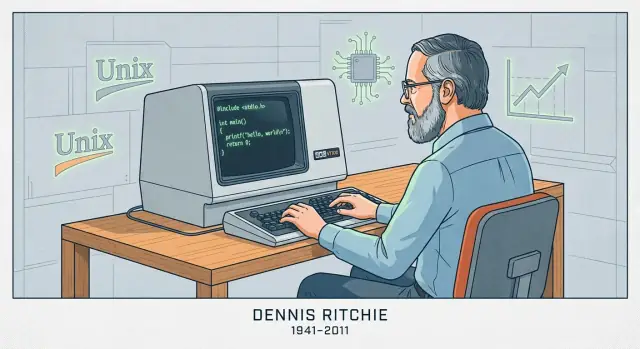
Dennis Ritchie (1941–2011) was an American computer scientist best known for his work at AT&T’s Bell Labs, a research organization that played a central role in early computing and telecommunications.
Bell Labs, Unix, and a New Kind of System Software
At Bell Labs in the late 1960s and 1970s, Ritchie worked with Ken Thompson and others on operating system research that led to Unix. Thompson created an early version of Unix; Ritchie became a key co-creator as the system evolved into something that could be maintained, improved, and shared widely in academia and industry.
Creating C to Build Real Systems
Ritchie also created the C programming language, building on ideas from earlier languages used at Bell Labs. C was designed to be practical for writing system software: it gives programmers direct control over memory and data representation, while still being more readable and portable than writing everything in assembly.
That combination mattered because Unix was eventually rewritten in C. This wasn’t a rewrite for style—it made Unix far easier to move to new hardware and to extend over time. The result was a powerful feedback loop: Unix provided a serious, demanding use case for C, and C made Unix easier to adopt beyond a single machine.
Why the Unix + C Pairing Became Influential
Together, Unix and C helped define “systems programming” as we know it: building operating systems, core libraries, and tools in a language that’s close to the machine but not tied to one processor. Their influence shows up in later operating systems, developer tooling, and the conventions many engineers still learn today—less because of mythology, and more because the approach worked at scale.
How C Was Designed: Small, Portable, Close to the Machine
Early operating systems were mostly written in assembly language. That gave engineers full control over the hardware, but it also meant every change was slow, error-prone, and tightly tied to one specific processor. Even small features could require pages of low-level code, and moving the system to a different machine often meant rewriting large chunks from scratch.
From BCPL to B to C (the short version)
Dennis Ritchie didn’t invent C in a vacuum. It grew out of earlier, simpler systems languages used at Bell Labs.
- BCPL offered a compact style for writing tools and system software.
- B (created by Ken Thompson) adapted BCPL ideas for early Unix work, but it lacked the data types and structure needed for larger, more demanding systems.
- C kept the “small language” spirit, while adding the features that made Unix practical to build and maintain on real hardware.
The design goal: a thin layer above the machine
C was built to map cleanly to what computers actually do: bytes in memory, arithmetic on registers, and jumps through code. That’s why simple data types, explicit memory access, and operators that match CPU instructions are central to the language. You can write code that’s high-level enough to manage a big codebase, but still direct enough to control layout in memory and performance.
What “portable” means in plain terms
“Portable” means you can move the same C source code to a different computer and, with minimal changes, compile it there and get the same behavior. Instead of rewriting the operating system for each new processor, teams could keep most of the code and only swap out the small hardware-specific parts. That mix—mostly shared code, small machine-dependent edges—was the breakthrough that helped Unix spread.
The Core Ideas That Make C Fast
C’s speed isn’t magic—it’s largely a result of how directly it maps to what the computer actually does, and how little “extra work” is inserted between your code and the CPU.
What compilation produces
C is typically compiled. That means you write human-readable source code, then a compiler translates it into machine code: the raw instructions your processor executes.
In practice, a compiler produces an executable (or object files later linked into one). The key point is that the final result is not interpreted line-by-line at runtime—it’s already in the form the CPU understands, which reduces overhead.
Predictable control, low overhead
C gives you simple building blocks: functions, loops, integers, arrays, and pointers. Because the language is small and explicit, the compiler can often generate straightforward machine code.
There’s usually no mandatory runtime doing background work like tracking every object, inserting hidden checks, or managing complex metadata. When you write a loop, you generally get a loop. When you access an array element, you generally get a direct memory access. This predictability is a big reason C performs well in tight, performance-sensitive parts of software.
Manual memory management: control with consequences
C uses manual memory management, meaning your program explicitly requests memory (for example, with malloc) and explicitly releases it (with free). This exists because systems-level software often needs fine-grained control over when memory is allocated, how much, and for how long—with minimal hidden overhead.
The trade-off is straightforward: more control can mean more speed and efficiency, but it also means more responsibility. If you forget to free memory, free it twice, or use memory after it’s freed, bugs can be severe—and sometimes security-critical.
C in Operating Systems: Kernels, Drivers, and Core Libraries
Operating systems sit at the boundary between software and hardware. The kernel has to manage memory, schedule the CPU, handle interrupts, talk to devices, and provide system calls that everything else relies on. Those jobs aren’t abstract—they’re about reading and writing specific memory locations, working with CPU registers, and reacting to events that arrive at inconvenient times.
Why kernels and drivers need low-level access
Device drivers and kernels need a language that can express “do exactly this” without hidden work. In practice that means:
- Precise control over memory layout (structures that match hardware-defined formats)
- Direct pointer manipulation when mapping device memory or building page tables
- Ability to interact with interrupts and concurrency primitives
- Predictable calling conventions and minimal runtime requirements
C fits this well because its core model is close to the machine: bytes, addresses, and simple control flow. There’s no mandatory runtime, garbage collector, or object system that the kernel must host before it can even boot.
C as a default choice for kernels and core libraries
Unix and early systems work popularized the approach Dennis Ritchie helped shape: implement large parts of the OS in a portable language, but keep the “hardware edge” thin. Many modern kernels still follow that pattern. Even when assembly is required (boot code, context switches), C usually carries the bulk of the implementation.
C also dominates core system libraries—components like standard C libraries, fundamental networking code, and low-level runtime pieces that higher-level languages often depend on. If you’ve used Linux, BSD, macOS, Windows, or an RTOS, you’ve almost certainly relied on C code whether you realized it or not.
Why teams keep trusting C here
C’s appeal in OS work is less about nostalgia and more about engineering economics:
- Stable toolchains: compilers, linkers, debuggers, and profilers are mature and well understood
- Portability: the same C codebase can be brought up on new CPUs and boards with manageable effort
- Clear hardware mental model: it’s easier to reason about what the compiler will generate and how the code will behave under tight constraints
Other languages exist—but C remains the baseline
Rust, C++, and other languages are used in parts of operating systems, and they can bring real advantages. Still, C remains the common denominator: the language many kernels are written in, the one most low-level interfaces assume, and the baseline that other systems languages must interoperate with.
C in Embedded Devices: Small Footprint, Predictable Control
“Embedded” usually means computers you don’t think of as computers: microcontrollers inside thermostats, smart speakers, routers, cars, medical devices, factory sensors, and countless appliances. These systems often run a single purpose for years, quietly, with tight limits on cost, power, and memory.
The constraints embedded teams live with
Many embedded targets have kilobytes (not gigabytes) of RAM and limited flash storage for code. Some run on batteries and must sleep most of the time. Others have real-time deadlines—if a motor-control loop is late by a few milliseconds, hardware can misbehave.
Those constraints shape every decision: how big the program is, how often it wakes up, and whether its timing is predictable.
Why C fits so well
C tends to produce small binaries with minimal runtime overhead. There’s no required virtual machine, and you can often avoid dynamic allocation entirely. That matters when you’re trying to fit firmware into a fixed flash size or guarantee that the device won’t “pause” unexpectedly.
Just as important, C makes it straightforward to talk to hardware. Embedded chips expose peripherals—GPIO pins, timers, UART/SPI/I2C buses—through memory-mapped registers. C’s model maps naturally onto this: you can read and write specific addresses, control individual bits, and do it with very little abstraction getting in the way.
Common patterns you’ll see in real projects
A lot of embedded C is either:
- Bare-metal: no operating system, just startup code, a main loop, and interrupt handlers.
- RTOS-based: a small real-time OS where C tasks coordinate with queues, semaphores, and timers.
Either way, you’ll see code built around hardware registers (often marked volatile), fixed-size buffers, and careful timing. That “close to the machine” style is exactly why C remains a default choice for firmware that must be small, power-aware, and dependable under deadlines.
C in Performance-Critical Software: Where Speed Pays Off
“Performance-critical” is any situation where time and resources are part of the product: milliseconds affect user experience, CPU cycles affect server cost, and memory use affects whether a program fits at all. In those places, C is still a default option because it lets teams control how data is laid out in memory, how work is scheduled, and what the compiler is allowed to optimize.
Where C speed matters in the real world
You’ll often find C at the core of systems where work happens at high volume or under tight latency budgets:
- Databases and storage engines (indexing, caching, compression, query execution)
- Codecs for audio/video and image processing (encode/decode loops that run billions of times)
- Networking (packet processing, proxies, TLS primitives, event loops)
- Game engines (frame budgets, physics, asset streaming)
- HPC “pieces” (numerical kernels, vectorized routines, custom memory allocators)
These domains aren’t “fast” everywhere. They usually have specific inner loops that dominate runtime.
The “hot path”: optimize the 5% that costs 95%
Teams rarely rewrite an entire product in C just to make it faster. Instead they profile, find the hot path (the small portion of code where most time is spent), and optimize that.
C helps because hot paths are often limited by low-level details: memory access patterns, cache behavior, branch prediction, and allocation overhead. When you can tune data structures, avoid unnecessary copies, and control allocation, speedups can be dramatic—without touching the rest of the application.
Working with higher-level languages: extensions and FFI
Modern products are frequently “mixed-language”: Python, Java, JavaScript, or Rust for most of the code, and C for the critical core.
Common integration approaches include:
- Native extensions (e.g., Python C extensions, Node-API addons)
- FFI (Foreign Function Interface) where a language calls compiled C functions through a stable ABI
- C libraries as shared dependencies used by many runtimes (one fast implementation, many callers)
This model keeps development practical: you get rapid iteration in a high-level language, and predictable performance where it counts. The trade-off is care around boundaries—data conversions, ownership rules, and error handling—because crossing the FFI line should be efficient and safe.
Portability and Standards: What Makes C Travel Well
One reason C spread so quickly is that it travels: the same core language can be implemented on wildly different machines, from tiny microcontrollers to supercomputers. That portability isn’t magic—it’s the result of shared standards and a culture of writing to them.
How standards made “C” mean the same thing everywhere
Early C implementations varied by vendor, which made code harder to share. The big shift came with ANSI C (often called C89/C90) and later ISO C (newer revisions like C99, C11, C17, and C23). You don’t need to memorize version numbers; the important point is that a standard is a public agreement about what the language and standard library do.
What a C standard actually gives you
A standard provides:
- Consistent rules for the language (types, operators, control flow)
- A standard library with predictable behavior (I/O, strings, math, memory allocation)
- A baseline that compiler authors can implement and teams can rely on
This is why code written with the standard in mind can often be moved between compilers and platforms with surprisingly few changes.
Where portability breaks in real life
Portability problems usually come from relying on things the standard doesn’t guarantee, including:
- Undefined behavior: code that the compiler is allowed to handle in any way (including “seems fine” until one build breaks). Classic examples include reading past array bounds or using an uninitialized value.
- Assumptions about sizes:
intisn’t promised to be 32-bit, and pointer sizes vary. If your program silently assumes exact sizes, it may fail when you switch targets. - Platform-specific APIs: calling OS-specific functions can be necessary, but it limits where the code can run.
Practical tip: write “standard-first,” then tune
A good default is to prefer the standard library and keep non-portable code behind small, clearly named wrappers.
Also, compile with flags that push you toward portable, well-defined C. Common choices include:
- Selecting a standard mode (for example:
-std=c11) - Enabling warnings (
-Wall -Wextra) and treating them seriously
That combination—standard-first code plus strict builds—does more for portability than any “clever” trick.
The Hard Part: Pointers, Memory, and Common Bug Classes
C’s power is also its sharp edge: it lets you work close to memory. That’s a big reason C is fast and flexible—and also why beginners (and tired experts) can make mistakes that other languages prevent.
Pointers, explained with “addresses to boxes”
Imagine your program’s memory as a long street of numbered mailboxes. A variable is a box that holds something (like an integer). A pointer is not the thing—it’s the address written on a slip of paper telling you which box to open.
That’s useful: you can pass around the address instead of copying what’s inside the box, and you can point to arrays, buffers, structs, or even functions. But if the address is wrong, you open the wrong box.
Common risks you’ll hear about
- Buffer overflows: writing past the end of a buffer (like stuffing extra letters into mailbox #10 and spilling into #11). This can crash a program or be exploited.
- Use-after-free: freeing a block of memory, then later using a pointer that still “remembers” its old address—even though that mailbox has been reassigned.
- Integer overflows: arithmetic that wraps around (e.g., a size calculation becomes smaller than intended), which can lead to allocating too little memory and then overflowing a buffer.
Why these bugs matter
These issues show up as crashes, silent data corruption, and security vulnerabilities. In systems code—where C is often used—those failures can affect everything above it.
A balanced view
C isn’t “unsafe by default.” It’s permissive: the compiler assumes you mean what you write. That’s great for performance and low-level control, but it also means C is easy to misuse unless you pair it with careful habits, reviews, and good tooling.
Making C Safer in Practice
C gives you direct control, but it rarely forgives mistakes. The good news is that “safe C” is less about magical tricks and more about disciplined habits, clear interfaces, and letting tools do the boring checking.
Defensive techniques that scale
Start by designing APIs that make incorrect usage difficult. Prefer functions that take buffer sizes alongside pointers, return explicit status codes, and document who owns allocated memory.
Bounds checking should be routine, not exceptional. If a function writes into a buffer, it should validate lengths up front and fail fast. For memory ownership, keep it simple: one allocator, one corresponding free path, and a clear rule about whether callers or callees release resources.
Tooling: catch bugs before users do
Modern compilers can warn about risky patterns—treat warnings as errors in CI. Add runtime checks during development with sanitizers (address, undefined behavior, leak) to uncover out-of-bounds writes, use-after-free, integer overflow, and other C-specific hazards.
Static analysis and linters help find issues that might not show up in tests. Fuzzing is especially effective for parsers and protocol handlers: it generates unexpected inputs that often reveal buffer and state-machine bugs.
Review and testing practices
Code review should explicitly look for common C failure modes: off-by-one indexing, missing NUL terminators, signed/unsigned mix-ups, unchecked return values, and error paths that leak memory.
Testing matters more when the language won’t protect you. Unit tests are good; integration tests are better; and regression tests for previously found bugs are best.
Safer subsets and guidelines
If your project has strict reliability or safety needs, consider adopting a restricted “subset” of C and a written set of rules (for example, limiting pointer arithmetic, banning certain library calls, or requiring wrappers). The key is consistency: choose guidelines your team can enforce with tooling and reviews, not ideals that stay on a slide.
C vs Other Languages: Why Teams Still Choose It
C sits at an unusual intersection: it’s small enough to understand end-to-end, yet close enough to hardware and OS boundaries to be the “glue” that everything else depends on. That combination is why teams keep reaching for it—even when newer languages look nicer on paper.
C vs C++: different goals, messy compatibility, practical mixing
C++ was built to add stronger abstraction mechanisms (classes, templates, RAII) while staying source-compatible with a lot of C. But “compatible” is not “identical.” C++ has different rules for things like implicit conversions, overload resolution, and even what counts as a valid declaration in edge cases.
In real products, it’s common to mix them:
- Low-level modules stay in C for stable ABIs and straightforward calling conventions.
- Higher layers use C++ for structure and safer resource management.
The bridge is typically a C API boundary. C++ code exports functions with extern "C" to avoid name mangling, and both sides agree on plain data structures. This lets teams modernize incrementally without rewriting everything.
C vs Rust (high level): safety wins, but constraints matter
Rust’s big promise is memory safety without a garbage collector, backed by strong tooling and a package ecosystem. For many greenfield systems projects, it can reduce whole classes of bugs (use-after-free, data races).
But adoption isn’t free. Teams may be constrained by:
- Existing C libraries, drivers, or vendor SDKs
- Compilers and debuggers validated for specific targets
- Certification regimes where tooling maturity and evidence matter
- Engineers who must maintain the code for a decade
Rust can interoperate with C, but the boundary adds complexity, and not every embedded target or build environment is equally well-supported.
Why teams keep C: legacy, certification, toolchains, simplicity
A lot of the world’s foundational code is in C, and rewriting it is risky and expensive. C also fits environments where you need predictable binaries, minimal runtime assumptions, and wide compiler availability—from tiny microcontrollers to mainstream CPUs.
Choose based on constraints, not trends
If you need maximum reach, stable interfaces, and proven toolchains, C remains a rational choice. If your constraints allow it and safety is the top priority, a newer language may be worth it. The best decision usually starts with the target hardware, tooling, and long-term maintenance plan—not what’s popular this year.
What the Future Looks Like (and How to Learn C Today)
C isn’t “going away,” but its center of gravity is becoming clearer. It will keep thriving where direct control over memory, timing, and binaries matters—and it will keep losing ground where safety and iteration speed matter more than squeezing out the last microsecond.
Where C stays strong
C is likely to remain a default choice for:
- Kernels and low-level OS work (schedulers, memory managers, filesystems), where you need predictable performance and minimal runtime assumptions.
- Drivers and hardware-facing code, where you’re mapping registers, handling interrupts, and working within strict constraints.
- Embedded systems with tight RAM/flash budgets and real-time requirements.
- Core libraries and runtimes (compression, crypto primitives, language VMs, multimedia codecs), where stable ABIs and widespread portability are valuable.
These areas evolve slowly, have enormous legacy codebases, and reward engineers who can reason about bytes, calling conventions, and failure modes.
Where C may shrink (and why)
For new application development, many teams prefer languages with stronger safety guarantees and richer ecosystems. Memory safety bugs (use-after-free, buffer overflows) are expensive, and modern products often prioritize fast delivery, concurrency, and secure defaults. Even in systems programming, some new components are moving to safer languages—while C remains the “bedrock” they still interface with.
One modern workflow note: C in the bigger product
Even when the low-level core is C, teams usually still need surrounding software: a web dashboard, an API service, a device management portal, internal tools, or a small mobile app for diagnostics. That higher layer is often where iteration speed matters most.
If you want to move quickly on those layers without rebuilding a whole pipeline, Koder.ai can help: it’s a vibe-coding platform where you can create web apps (React), backends (Go + PostgreSQL), and mobile apps (Flutter) through chat—useful for spinning up an admin UI, log viewer, or fleet-management service that integrates with a C-based system. Planning mode and source-code export make it practical to prototype, then take the codebase wherever you need.
How to learn C today (a practical path)
Start with the fundamentals, but learn them the way professionals use C:
- Syntax + data model: integers, arrays, structs, pointer basics, and how they map to memory.
- Build tools: compiling and linking, header organization, and a simple Makefile (later, CMake).
- Debugging: step through code with gdb/lldb; learn to read backtraces.
- Safety habits: compile with warnings, use AddressSanitizer/UBSan, and write small tests.
If you want more systems-focused articles and learning paths, browse /blog.
FAQ
Why does C still matter in modern computing?
C still matters because it combines low-level control (memory, data layout, hardware access) with broad portability. That mix makes it a practical choice for code that must boot machines, run under tight constraints, or deliver predictable performance.
Where is C most commonly used today?
C still dominates in:
- Operating systems (kernels, drivers, core libraries)
- Embedded firmware (microcontrollers, RTOSes, device control)
- Performance hotspots inside larger products (codecs, databases, networking, game engines)
Even when most of an application is written in a higher-level language, critical foundations often rely on C.
What did Dennis Ritchie design C for, and why did it matter for Unix?
Dennis Ritchie created C at Bell Labs to make writing system software practical: close to the machine, but more portable and maintainable than assembly. A major proof point was rewriting Unix in C, which made Unix easier to move to new hardware and extend over time.
What does “C is portable” actually mean?
In plain terms, portability means you can compile the same C source on different CPUs/operating systems and get consistent behavior with minimal changes. Typically you keep most code shared and isolate hardware/OS-specific parts behind small modules or wrappers.
Why is C often faster (or more predictable) than higher-level languages?
C tends to be fast because it maps closely to machine operations and usually has little mandatory runtime overhead. Compilers often generate straightforward code for loops, arithmetic, and memory access, which helps in tight inner loops where microseconds matter.
What is manual memory management in C, and why do teams still use it?
Many C programs use manual memory management:
- Allocate explicitly (e.g.,
malloc) - Release explicitly (e.g.,
free)
This enables precise control over when memory is used and how much, which is valuable in kernels, embedded systems, and hot paths. The trade-off is that mistakes can cause crashes or security issues.
Why are operating systems and drivers so often written in C?
Kernels and drivers need:
- Exact control over memory layout (hardware-defined structures)
- Direct use of pointers for memory-mapped I/O and page tables
- Minimal runtime assumptions (no required VM/GC before the system can boot)
C fits because it offers low-level access with stable toolchains and predictable binaries.
Why is C a default choice for embedded devices?
Embedded targets often have tiny RAM/flash budgets, strict power limits, and sometimes real-time deadlines. C helps because it can produce small binaries, avoid heavy runtime overhead, and interact directly with peripherals via memory-mapped registers and interrupts.
How do teams use C for performance without writing the whole product in C?
A common approach is to keep most of the product in a higher-level language and put only the hot path in C. Typical integration options include:
- Native extensions
- FFI calls into a compiled C library
- Shared C dependencies used by multiple runtimes
The key is to keep boundaries efficient and define clear ownership/error-handling rules.
How can you make C code safer in real projects?
Practical “safer C” usually means combining discipline with tooling:
- Compile with strict warnings (e.g.,
-Wall -Wextra) and fix them - Use sanitizers during testing (ASan/UBSan/LSan)
- Add bounds checks and pass buffer sizes with pointers
- Define clear ownership rules (who allocates/frees)
- Use static analysis and fuzzing for parsers/protocols
This won’t eliminate all risk, but it can dramatically reduce common bug classes.