

Developer Empathy Leadership: Communication and Docs That Scale
Developer empathy leadership helps teams move faster by improving communication, documentation, and teaching. Use this playbook to keep AI code clear.
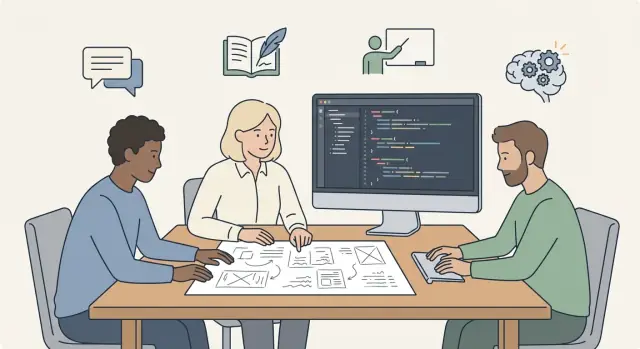
Small teams feel fast because the “why” travels with the work. As the team grows, that context starts to leak, and speed drops - not from lack of talent, but from missed handoffs and unclear decisions.
Why teams slow down as they grow
A small team moves fast because everyone shares the same mental picture. People overhear decisions, remember why a shortcut was taken, and can ask the person next to them. When the team grows, that shared picture breaks.
More people means more questions. Not because people are less skilled, but because the work now has more handoffs. Each handoff sheds context, and missing context turns into delays, rework, and endless “quick” pings.
Speed usually starts to drag when decisions live in people’s heads, code is technically correct but the intent is unclear, and the same question gets answered in five different places. Reviews become style debates instead of understanding checks, and everyone context-switches to unblock others.
Unclear code and unclear communication create the same bottleneck: nobody can confidently move forward without interrupting someone. A confusing function forces a meeting. A vague message causes a wrong implementation. A missing doc makes onboarding feel like guessing.
Developer empathy leadership shows up here in a very practical way. Developer empathy is simple: reduce confusion for the next person. The “next person” might be a new hire, a teammate in another time zone, or you in three months.
The goal isn’t speed through pressure. It’s speed through clarity. When intent is easy to find, work becomes parallel instead of sequential. People stop waiting for answers and start making safe decisions on their own.
Developer empathy as an engineering tool
Developer empathy is practical. In developer empathy leadership, you treat clarity like a feature: you shape PRs, docs, and meetings so the next person can understand the work without extra help.
Empathy isn’t the same as being nice. Being nice can still leave people confused. Being clear means you say what you changed, why you changed it, what you did not change, and how someone can verify it.
When teams grow, hidden work multiplies. A vague PR description turns into three chat pings. An undocumented decision becomes tribal knowledge. A confusing error message becomes an interruption during someone else’s focus time. Empathy reduces this invisible tax by removing guesswork before it starts.
One question makes it real: what would a new teammate need to know to make a safe change here next week?
High-impact habits that scale include writing PR descriptions that state intent, risk, and test steps; making decisions explicit (owner, deadline, what “done” means); turning repeated questions into a short doc; and choosing names in code that explain purpose, not just type.
Predictable delivery is often a communication outcome. When intent is documented and decisions are visible, work is easier to estimate, reviews are faster, and surprises show up earlier.
Communication patterns that scale past 5 people
Once a team grows past five people, the biggest slowdowns are rarely technical. They come from vague tickets, unclear ownership, and decisions made in a chat thread that no one can find a week later.
A good default is developer empathy leadership: write and speak as if the next person reading your message is busy, new to the area, and trying to do the right thing.
When you send a message or open a ticket, use a simple structure that removes guesswork:
- Intent: what you want to happen
- Context: why it matters, with one or two key facts
- Decision: what you chose (or what you need input on)
- Next action: who does what by when
That structure prevents the common failure mode of “everyone agrees” without anyone knowing what was agreed to. It also makes handoffs easier when someone is out.
Write down decisions while they’re fresh. A short note like “Decision: keep the API response shape unchanged to avoid breaking mobile” saves hours later. If a decision changes, add one line explaining why.
Meetings need lightweight hygiene, not perfection. A 15 minute sync can work if it produces a clear outcome: an agenda ahead of time, one written decision at the end (even “no decision”), action items with an owner, and open questions captured for follow-up.
Example: a teammate asks, “Can we refactor auth?” Instead of a long debate, reply with intent (reduce login bugs), context (two recent incidents), the decision needed (scope: quick fix vs full rewrite), and the next action (one person writes a proposal by tomorrow). Now the team can move without confusion.
Documentation that people actually use
Treat docs like an internal product. Your users are your teammates, future teammates, and you in three months. Good docs start with a clear audience and a clear job: “help a new engineer run the service locally” is better than “setup notes.” This is documentation culture in practice, because you write for the reader’s stress level, not your own comfort.
Keep doc types few and predictable:
- How-to: step-by-step for a task
- Reference: facts you look up
- Decision record: why you chose something
- Onboarding: what to do in week one, and where to ask questions
Docs stay alive when ownership is simple. Pick a DRI (one person or one team) per area, and make updates part of normal change review. A practical rule: if a pull request changes behavior, it also updates the relevant doc, and that doc change is reviewed like code.
Start by documenting what hurts. Don’t aim for “complete.” Aim for fewer interruptions and fewer repeat mistakes. The highest return topics are sharp edges that break builds or deployments, repeat questions that show up every week, tricky local setup failures, non-obvious conventions, and anything that can cause data loss or security issues.
Example: if your team uses a chat-driven tool like Koder.ai to ship a React front end and a Go service quickly, capture the prompts and decisions that set the architecture, plus a few rules that keep it consistent. That short note prevents five different styles from appearing a month later.
Education as the multiplier for new and senior devs
When a team grows, knowledge stops traveling by osmosis. Developer education at scale becomes the fastest way to keep standards consistent without turning senior engineers into full-time support.
Short internal lessons usually beat long training days. A 15 minute session that solves one real pain point (how you name endpoints, how you review PRs, how you debug a production issue) gets used the same afternoon.
Formats that tend to work include quick demos with a few minutes of Q&A in a regular team meeting, weekly office hours, small workshops built around one repo change, short recorded walkthroughs of a recent PR, and pairing rotations focused on one skill.
Incidents are also a learning goldmine if you remove blame. After an outage or a messy release, write a short recap: what happened, what signals you missed, what you changed, and what to watch next time.
A shared glossary reduces quiet misunderstandings. Define terms like “done,” “rollback,” “snapshot,” “hotfix,” and “breaking change” in one place, and keep it alive.
Example: if “rollback” means “redeploy the last tagged release” to one engineer and “revert the commit” to another, education saves you a 2 AM surprise.
What engineering leaders can learn from Sarah Drasner
Sarah Drasner’s public work and teaching style highlight a simple idea teams forget: empathy is a scaling tool. When you explain things clearly, you reduce hidden work. When you give kind feedback, you keep people asking questions instead of going quiet. That’s engineering leadership communication in action, not a “soft skill” on the side.
A few patterns stand out: strong examples, visual explanations, and language that respects the reader’s time. Great teaching doesn’t just tell people what to do. It shows a realistic path, calls out common mistakes, and names tradeoffs.
Turn those principles into team habits:
- Include one concrete example per concept (input, output, and a short “why”).
- Treat PR comments like coaching: point to the goal, then offer a specific next step.
- Prefer shared vocabulary over clever wording.
- Capture decisions where people work (a short note in the repo beats “I’ll remember later”).
- Make “show me” normal: diagrams, screenshots, or small snippets when text gets fuzzy.
What to avoid is the opposite: hero knowledge, relying on memory, and jargon that hides uncertainty. If only one person can explain a system, the system is already a risk.
Example: a senior dev reviews a PR that adds caching. Instead of “This is wrong,” try: “Goal is to avoid stale reads. Can we add a test that shows the expected TTL behavior, and a short doc note with one example request?” The code improves, the author learns, and the next person has a trail to follow.
The new problem: AI-generated code that humans struggle to read
AI can write code that runs and still be a bad teammate. The risk isn’t only bugs. It’s code that’s correct today, but expensive to change next week because nobody can explain what it’s trying to do.
This is where developer empathy leadership becomes very concrete: you’re not just shipping features, you’re protecting future readers. If the team can’t understand intent, tradeoffs, and boundaries, velocity becomes a short-term illusion.
What “hard to read” looks like in AI output
You’ll see familiar patterns across languages and frameworks:
- Very long functions that mix validation, business rules, and formatting
- Naming that shifts style mid-file (camelCase, snake_case, abbreviations)
- Magic constants and unclear defaults with no explanation
- Repeated blocks that should be helpers, but are slightly different each time
- Missing rationale: the code shows what, but not why
None of these are unique to AI. The difference is how quickly they appear when code is produced in bulk.
The standard: readable first, clever last
Set an explicit bar: the code must be understandable without the original prompt, chat history, or the person who generated it. Reviewers should be able to answer three questions from the diff itself: What does this do? What does it not do? Why was this approach chosen?
A simple example: an AI-generated React component might handle fetching, caching, error states, and rendering all in one file. It works, but future changes (new filter rules, different empty states) become risky. Splitting it into a small hook, a pure view component, and a short comment on the tradeoff turns “mystery code” into shared understanding.
Tools like Koder.ai can speed up generation, but the leadership job stays the same: optimize for human reading, then let the machines help with the typing.
Playbook: keep AI-assisted code understandable, step by step
AI can write a lot of code quickly. The part that slows teams down later is when nobody can explain what it does, why it exists, or how to change it safely. This playbook treats clarity as a feature of the code.
A simple workflow
Agree on a readability bar the whole team can picture. Keep it small and visible: naming rules, size limits, and when comments are required (for non-obvious intent, not obvious syntax).
Then make “intent” mandatory for anything AI-assisted. Require a short summary with every change: what problem it solves, what it does not solve, and how to verify it. Generate tests and edge cases before refactors, then keep those tests as the safety net.
Protect reviewers from “AI dump” pull requests. Keep changes small enough that a human can hold the idea in their head. One PR should tell one story: one behavior change, one bug fix, or one refactor goal. If a change introduces a new flow, add a doc stub as part of done.
Finish with a fast human-read check: ask a teammate to explain the change back in 60 seconds. If they can’t, the fix is usually simple: rename, split functions, delete clever abstractions, or add one paragraph of intent.
Common traps and how to avoid them
When teams add AI to the workflow, the speed boost is real, but predictable mistakes can quietly erase it.
If a teammate can’t explain the change after a quick read, the team hasn’t really shipped it yet. The traps show up as architecture drifting without a plan, diffs too large to review, inconsistent words across code and docs, docs written weeks later, and comments used as a crutch instead of clearer code.
A small example: you ask an AI assistant (in Koder.ai or anywhere) to “add user notifications.” Without constraints, it may invent new services, naming, and a large refactor. With a few written constraints and staged diffs, you get the feature and keep the mental model everyone relies on.
Quick checklist for clarity before merge
Speed is nice, but clarity is what keeps a team moving next week.
The 5-minute clarity check
Before you hit merge, scan the change like you’re new to the codebase and slightly rushed.
- Two-minute entry point: A new teammate can answer “where do I start?” quickly.
- Intent summary matches reality: 2-3 sentences for what it does and doesn’t do.
- Names match the domain: Use product words (invoice, subscription, trial), not vague internal slang.
- One basic test plus one edge case: Tests double as documentation.
- Tradeoff is recorded: If you accepted a limitation, write down why.
If you’re using a vibe-coding tool like Koder.ai, this checklist matters even more. AI-generated code can be correct and still read like a puzzle.
A realistic scenario: fast delivery, slow understanding
A six-person team ships a “saved filters” feature in two days. They used an AI assistant heavily, and the demo looks great. The PR is huge though: new API endpoints, state logic, and UI changes landed together, with few comments beyond “generated with AI, works on my machine.”
A week later, a customer reports that filters sometimes disappear. The on-call engineer finds three similar functions with slightly different names, plus a helper that silently retries requests. Nothing says why it was added. Tests pass, but logs are thin. Debugging turns into guesswork.
Now picture a new hire joining on Monday. They search the docs for “saved filters” and find a single line in a changelog. No user flow notes, no data model note, no “what can go wrong” section. Reading the code feels like reading a polished answer, not a shared team decision.
Small changes would have prevented most of this: a short PR summary that explains intent, splitting the work so each PR tells one story, and a one-page decision note that captures tradeoffs (for example, why retries exist, and what errors should surface).
A simpler workflow:
- Keep PRs small: one behavior change per PR.
- Add a short PR summary: what, why, risk, tests, rollout.
- Write a brief decision note for non-obvious choices.
- Update one “How it works” doc with the data flow and failure modes.
- Do a 10 minute read-through before merge: can someone explain it back?
Next steps: build a clarity habit (and keep it)
Pick one place where confusion is costing you the most. Start with onboarding for the next hire, a flaky module everyone tiptoes around, or the top repeat questions in chat.
Turn that choice into a small rhythm. A cadence beats a big one-time push because it creates a shared expectation that clarity is part of the job. For example: a weekly office hour where answers become short notes, a monthly workshop on one concrete topic, and a quarterly refresh of the one page everyone depends on (setup, release, debugging, or “how this module works”).
Make “understandable code” a normal review requirement, especially when AI helped write it. Add a small clarity standard to your PR template: what changed, why it changed, and how to verify it.
If your team uses Koder.ai (koder.ai), planning mode can help you agree on intent before code appears. Snapshots and rollback keep experiments safe, and source code export makes it easier for humans to review and own what ships.
Track one simple signal: how long it takes a new teammate (or you in two weeks) to explain the change confidently. If that time shrinks, the habit is working.
FAQ
Why do teams slow down when they grow, even with strong engineers?
Small teams share context by default: you overhear decisions, ask quick questions, and remember the “why.” As the team grows, work crosses more handoffs and time zones, so context leaks.
Fix it by making intent portable: write down decisions, keep PRs small, and use a consistent message/ticket structure so people can move without interrupting others.
What does “developer empathy” actually mean in day-to-day engineering?
Empathy here means reducing confusion for the next person who touches the work (including future you).
A practical rule: before you ship, ask “Could someone safely change this next week without asking me?” If the answer is no, add intent, naming clarity, or a short note.
What should a good PR description include to reduce back-and-forth?
Use a short, repeatable template:
- What changed (1–2 sentences)
- Why it changed (the goal)
- Risk/impact (what might break)
- How to test (exact steps)
- What you did not change (boundaries)
This turns reviews from style debates into understanding checks and prevents follow-up pings.
How do we make decisions visible so they don’t live in someone’s head?
Write one line that captures:
- The decision
- The reason
- The constraint it protects
Example pattern: “Decision: keep the API response shape unchanged to avoid breaking mobile.” If it changes later, add one line explaining what new info caused the change.
How can we keep meetings from turning into confusion generators?
Aim for lightweight hygiene, not more meetings.
- Share an agenda before the meeting
- End with one written outcome (even “no decision”)
- List action items with an owner and a date
- Capture open questions for follow-up
If a meeting doesn’t produce a clear next step, it usually creates more chat later.
What documentation do we actually need (and how do we keep it usable)?
Keep doc types few so people know where to look:
- How-to: step-by-step tasks
- Reference: facts you look up
- Decision record: why you chose something
- Onboarding: week-one path and where to ask questions
Start with what hurts most: flaky setup, deploy steps, sharp edges, and repeat questions.
How do we keep docs from going stale as the code changes?
Pick a clear DRI (one person or one team) per area and make doc updates part of normal change review.
A simple rule: if a PR changes behavior, it updates the relevant doc in the same PR. Treat the doc diff like code: review it, not “later.”
What’s the fastest way to scale education without burning out senior devs?
Prefer small, frequent learning over big training days.
Good formats:
- 15-minute “one pain point” lessons in a regular meeting
- Short recorded walkthroughs of a recent PR
- Office hours for questions that turn into notes
- Pairing rotations focused on one skill
After incidents, write a short recap (what happened, what you changed, what to watch) without blame.
How can we tell when AI-generated code will slow us down later?
Look for signs the code is correct but not readable:
- Very long functions mixing concerns
- Inconsistent naming styles in the same file
- Magic constants and unclear defaults
- Copy-pasted blocks with slight differences
- No explanation of intent or tradeoffs
Set the bar: reviewers should understand what it does, what it doesn’t do, and why this approach was chosen—from the diff alone.
What’s a practical workflow to keep AI-assisted changes understandable and safe?
Use a quick “clarity before merge” check:
- A clear entry point (where a new reader starts)
- 2–3 sentence intent summary matches the diff
- Domain names, not vague internal slang
- One basic test plus one edge case
- Any non-obvious tradeoff is recorded
If you’re using Koder.ai, use planning mode to agree on intent before generating code, keep changes small to avoid “AI dump” PRs, and rely on snapshots/rollback to make experiments safe. Source code export helps humans review and truly own what ships.