

Discord’s Social Layer: From Gaming Chats to Communities
How Discord turned servers, roles, and voice chat into the default community infrastructure for gamers—and why the model now powers groups far beyond games.
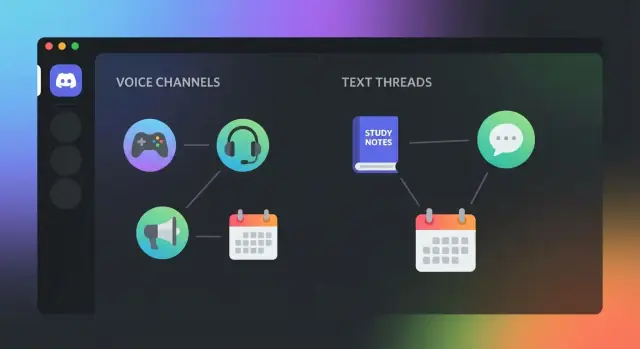
Why Discord became the go-to social layer
When people call Discord a “social layer,” they’re describing the part of the internet where a group actually lives: where members talk in real time, make plans, share quick updates, and feel like they belong to something more than a comment thread.
Unlike many social platforms that revolve around broadcasting to an audience, Discord is built around gathering: small-to-large groups that can stay connected all day, whether they’re actively chatting or just hanging out.
From gaming tool to community default
Discord earned its reputation in gaming because it solved a practical need: reliable, low-friction communication while playing. Voice had to work, chat had to be fast, and people needed a shared place that wasn’t tied to one specific game.
Once that “home base” idea clicked, the model traveled. Study groups, creator fan communities, open-source projects, local clubs, and workplace-adjacent groups adopted the same setup for the same reason: coordination feels natural and immediate.
The building blocks you’ll see throughout this post
Discord’s social layer is made from a few repeatable pieces:
- Servers and channels to separate topics and keep noise under control
- Roles and permissions to organize members and delegate responsibility
- Voice and presence so the community feels “alive” even between messages
- Bots and integrations that turn conversations into lightweight systems
- Moderation and safety tools to keep real-time spaces healthy
What this post will (and won’t) do
This is a practical explanation of why Discord works as community infrastructure—not hype and not a feature checklist. We’ll focus on concepts you can reuse, whether you’re building a gaming clan, a hobby group, or a professional community, without assuming you’re technical or trying to “game” an algorithm.
The problem Discord solved for gaming communities
Gaming groups didn’t need another social network—they needed a reliable way to coordinate while playing, with as little setup as possible.
What gamers actually needed
Most multiplayer games create constant micro-decisions: “Are we queueing now?”, “Who’s on healer?”, “Swap to this map?”, “Can someone explain the mechanic?” Text chat is too slow for those moments, and switching tools mid-match breaks focus.
Discord’s core value was simple: low-friction voice that works in the background, plus lightweight groups that are easy to join and stay in.
Why the older options kept failing
Before Discord, communities stitched together a mix of tools, each with a different weakness:
- Forums were great for guides and announcements, but bad for real-time coordination.
- In-game chat was locked to a single title and often unreliable, with limited moderation and history.
- Skype-style group calls didn’t scale well as groups grew, and managing who to add/remove became a chore.
- TeamSpeak-style setups could be excellent, but they usually required more admin work (hosting, configuration, permissions), which many casual groups couldn’t maintain.
The result: coordination lived in one place, strategy in another, and friendships somewhere else entirely.
Always-on servers changed expectations
Discord made the “group” persistent. Instead of spinning up a call for a single match, you had a server that stayed available whether you were online or not.
That persistence mattered because it turned communication into an ambient layer:
- You could drop into voice for five minutes, then leave without “ending” the space.
- Conversations and decisions had continuity—people could catch up later.
- New members didn’t need a full onboarding; they joined the server and immediately saw where to go.
From sessions to persistent communities
Gaming used to revolve around sessions: a lobby, a match, a post-game chat, then everyone disappears. Discord helped groups behave more like clubs than parties—ongoing membership, shared norms, and a stable home base that outlived any single game.
Servers and channels: infrastructure, not just chat
Discord looks like a chat app, but its core unit—the server—functions more like a mini “internet community” with its own boundaries and structure.
Servers as containers for belonging
A server is a container for identity, culture, rules, and membership. It defines who’s “in,” what norms apply, and what the community is about—whether that’s a game clan, a study group, or a customer community. The server name, onboarding flow, welcome channels, and role system (covered later) all reinforce that you’re entering a specific space, not just joining another group chat.
Because servers are persistent, they also hold context over time: recurring events, shared references, and a sense of continuity. That persistence is what makes a server feel like a “place,” not a temporary conversation.
Channels as information architecture
Channels turn that place into something navigable. Instead of dumping everything into one stream, communities can design an information architecture:
- Topics: #general, #lore, #builds, #clips
- Teams and projects: #raid-team-a, #mods, #contributors
- Announcements: #news, #patch-notes (often read-only)
- Support: #help, #bug-reports, #faq
This structure reduces noise and helps newcomers learn “where things go,” which is crucial once a community grows past a few friends.
Voice channels vs. calls: why “rooms” matter
Voice channels behave less like scheduled calls and more like drop-in rooms. People can join and leave without ringing everyone, see who’s around, and hang out with lightweight presence—similar to walking into a room where friends are already talking. That “always available, never demanding” dynamic is a big reason Discord feels social even when no one is actively posting.
Threads and forum-style channels bridge chat and knowledge
Fast chat is great for momentum, but it can bury answers. Threads let a side conversation live under a specific message, keeping the main channel readable. Forum-style channels go further by organizing discussions into searchable posts—ideal for guides, support questions, or recurring topics—so the community can accumulate knowledge instead of endlessly repeating it.
Roles and permissions: scalable community design
Discord servers don’t scale because everyone is friendly; they scale because roles turn “a big chat” into a system with clear boundaries. A role isn’t just a label—it’s a permission package that decides who can see channels, who can post, who can manage content, and who can moderate.
Roles as permission design
At a practical level, roles answer four questions:
- Visibility: which channels you can see (and which stay hidden)
- Participation: where you can post, react, or join voice
- Responsibility: who can pin messages, manage events, or update server info
- Safety: who can timeout, delete messages, or handle reports
This is how a community stops being one noisy room and becomes a set of rooms with different purposes.
Subgroups without splitting the community
Role-based structure lets you create sub-communities without forcing people into separate servers. Gaming examples are obvious—raids, classes, regions, rank tiers—but the same pattern works for hobby groups and creator communities: projects, teams, study cohorts, or local meetups.
The key benefit is that members can opt into what they care about while still sharing a common home. Roles create “soft walls”: you can tailor access and notifications without isolating people completely.
Onboarding patterns that actually work
Most Discord chaos starts on day one: new members don’t know where to go, what’s allowed, or how to participate. Servers that grow well typically use a simple onboarding path:
- A rules channel that’s hard to miss
- A welcome/intro channel for quick hellos
- Self-assign roles (often via reactions or a bot) so people can choose interests, regions, or pings
This reduces repetitive questions, prevents accidental rule-breaking, and helps members find relevant channels immediately.
How structure reduces chaos as communities grow
As a server grows, “everyone can do everything” becomes a liability. Roles let you keep conversations readable (posting permissions), keep operations consistent (staff tools), and protect members (moderation abilities) without making the space feel locked down.
Well-designed roles don’t add bureaucracy—they create clarity. And clarity is what keeps real-time communities usable when the member count stops being small.
Real-time voice and presence: the community glue
Text is great for updates and receipts, but voice changes how a community feels. On Discord, seeing someone “in a voice channel” creates a gentle sense of presence—like a door being open—without requiring constant posting. That lightweight togetherness is a big reason communities stick.
Presence beats performance
Voice lowers the pressure to be witty or perfectly phrased. A quick “you free?” or a laugh in the background communicates mood and momentum in a way text can’t. For gaming groups, that means faster coordination; for friends, it means casual hanging out that doesn’t need an agenda.
Drop-in rooms that match real life
Discord voice channels work like rooms you can walk into and out of. People can join for five minutes to ask a question, then leave without the awkwardness of “ending a call.” Communities often create a few predictable spaces—like “Party Up,” “Chill,” or “Study Room”—so members know where to go without scrolling.
Screen share turns talk into a shared experience
Screen share and streaming add a “watch together” layer: a teammate reviewing a build, a guild leader walking through a raid plan, friends streaming a new game, or a co-working channel where everyone quietly works with occasional check-ins. It’s not just communication—it’s doing things together.
Avoiding voice fatigue
Voice can become draining if every room is always-on. Simple norms keep it sustainable:
- Create purpose-based rooms (coordination vs. social vs. quiet co-work)
- Set light schedules for recurring events (so voice isn’t the default 24/7)
- Normalize “mute is fine” and “drop in, drop out” behavior
- Keep at least one text channel for summaries and decisions
Done well, voice becomes the community’s heartbeat: easy to join, easy to leave, and hard to replace with text alone.
Bots and integrations: turning chat into a system
Discord servers often start as a place to talk, but they don’t stay “just chat” for long. Once a community grows, people need consistent onboarding, predictable rules, event coordination, and lightweight ways to get things done. Bots and integrations fill that gap by automating repeatable work and connecting Discord to the tools your community already uses.
Bots as automation (the practical stuff)
The most common bot jobs are the ones moderators and organizers would otherwise do manually, dozens of times a day:
- Moderation: filtering spam, rate-limiting, auto-muting, logging incidents, and alerting mods
- Onboarding: welcome messages, quick-start guides, verification steps, and “read the rules” gates
- Reminders and scheduling: nudges for weekly events, raid times, study sessions, or office hours
- Roles and utilities: self-assign roles, reaction roles, region/time-zone roles, and simple commands like polls
When these are set up well, the server feels more organized without needing more staff.
Integrations that connect your community to real workflows
Integrations are what turn Discord into a hub rather than a destination. Examples include:
- Calendars for upcoming events and automatic announcements
- Forms for applications, bug reports, or feedback that land in the right channel
- Game services that sync stats, match results, or server status updates
The key is reducing copy-paste and making it easy for members to participate without chasing links.
If you outgrow off-the-shelf bots, it’s increasingly common to build a small “community ops” web app (dashboards, onboarding forms, moderation queues) and connect it back to Discord via a bot. Platforms like Koder.ai are useful here: you can describe the workflow in chat and generate a React-based web interface plus a Go/PostgreSQL backend, then iterate quickly as your server’s needs evolve.
Risks to watch: too much automation, too many permissions
Automation can backfire. Over-automation makes a community feel impersonal, and “permission sprawl” (bots with broad access) increases the blast radius of mistakes or compromises. There’s also the risk of relying on third-party bots that go offline, change pricing, or lose support.
A simple bot safety checklist
Before adding any bot, run through this:
- Least privileges: only grant the permissions the bot truly needs
- Auditability: enable logging; know what actions the bot can take and where it reports
- Ownership and backups: document config, keep a list of installed bots, and have a fallback plan
- Dependency risk: prefer well-maintained bots and avoid “one-person side projects” for critical functions
Used thoughtfully, bots and integrations don’t replace community leadership—they make it scalable.
Moderation and safety: keeping real-time spaces healthy
Real-time chat and voice feel welcoming—until they don’t. Because Discord communities move quickly, small issues (a spam burst, a heated argument, an off-topic pile‑on) can escalate in minutes. Healthy servers treat moderation less like “policing” and more like maintaining a shared space people actually want to return to.
The core problems moderators handle
Most day-to-day work falls into a few buckets: spam and scams, harassment and hate speech, coordinated “raids” that flood channels, and off-topic drift that drowns out the server’s purpose. The trick is recognizing that each problem needs a different response—what stops a raid (tight gates and rate limits) won’t necessarily improve a tense debate (clear rules and calm intervention).
Tools and practices that scale
Discord’s built-in features are designed for speed and consistency:
- Clear rules and channel topics set expectations before conflict starts
- Reporting and modmail-style workflows help members raise issues without public drama
- Dedicated mod roles and permissions keep power limited to what’s needed (e.g., delete messages without full admin access)
- Slow mode and timeouts reduce pile-ons and give conversations room to cool down
- Channel gating (verification, role requirements, or read-only “start here” channels) filters drive-by disruption without shutting the door on genuine newcomers
Culture beats tools
The strongest safety feature is a culture people understand. Post rules where new members will see them, explain the “why,” and enforce them consistently. When moderation is predictable, members self-correct—and moderators do less work.
Staying open while staying safe
Newcomers should be able to join, learn the norms, and participate quickly. A good pattern is a lightweight onboarding flow: a welcome channel, one or two “safe” starter channels, and gradual access as someone engages normally. That keeps the community friendly without making it easy to exploit.
From conversation to operations: community workflows
Discord isn’t just where people talk—it’s where communities run. When you treat a server as community infrastructure, you’re designing repeatable processes inside shared spaces, so the group can make decisions, help members, and ship outcomes without everything depending on a few always-online moderators.
What “community infrastructure” really means
Community infrastructure is the combination of:
- Shared spaces (channels with clear purpose)
- Repeatable processes (how announcements happen, how help is requested, how feedback is gathered)
- Ownership and visibility (who’s responsible, and where the result lives)
The goal is simple: reduce chaos and make the community usable even when you’re not there.
Common workflows that Discord supports well
Announcements and change logs. A read-only #announcements channel (often with follow-up discussion in a separate channel) turns updates into a predictable ritual instead of a message that disappears into chatter.
Support queues. Communities often create a dedicated #help channel (or a few topic-specific ones) with rules like “one question per message” or templates in the channel topic. Some add lightweight intake—members post a problem, helpers reply, and the thread is resolved and searchable later.
Feedback and decision-making. A #feedback channel with tags, reactions, or threads makes it clear what’s under discussion and what’s been accepted. Pair it with a “What we’re working on” post to close the loop.
Event planning. A #events channel for upcoming items, a planning channel for organizers, and voice channels for the actual meetup turns “we should do something” into a calendar people can rely on.
Knowledge management: designing for retrieval
Discord’s strength is real-time conversation, but healthy communities build “memory” on top of it:
- Pinned messages for canonical links, rules, and answers
- Channel topics that explain what belongs there (and what doesn’t)
- Searchable history so repeated questions don’t reset the community every week
- Lightweight FAQs in a dedicated channel (or a short index that points to the right places)
This is how a server becomes a reference space—not just a hangout.
Avoiding the “endless chat” trap
Endless chat happens when everything shares one timeline. The fix is intentional structure: separate channels for different jobs, move deep discussions into threads, and summarize outcomes back into the channel where future members will look. When people can find answers and decisions, conversation turns into operations—and the community scales without burning out its core team.
Beyond gaming: why the model travels
Discord started with gamers, but the underlying idea is broader: give a group a shared “place” where conversation, voice, and coordination happen in real time—without needing everyone to be friends on a personal social network.
Why non-gaming groups adopted it
Many communities face the same needs as game squads: people join and leave, topics branch, and coordination matters. That’s why you now see Discord-style setups for classes, fandoms, clubs, open-source projects, and distributed teams. A server makes it easy to welcome newcomers, separate noisy chatter from important updates, and keep the group’s history searchable.
It also supports “ambient belonging”: even when you’re not actively posting, you can drop into a voice room, see who’s around, or catch up quickly—useful for groups that meet irregularly.
Features that translate outside gaming
Discord works well beyond gaming when groups need structure and lightweight operations:
- Roles and permissions help run a club (organizers, members, guests), manage a classroom (instructors, TAs, students), or separate public areas from private staff spaces
- Events and scheduling fit study sessions, watch parties, workshops, and community meetups
- Voice rooms are great for co-working, office hours, “open mic” hangouts, or quick ad‑hoc calls that don’t require calendar friction
Where Discord can be a poor fit
Discord isn’t ideal when you need strict compliance and archiving requirements (for example, regulated industries with formal retention policies), highly controlled access patterns, or a polished publishing surface. If your primary goal is permanent, curated content—like documentation, announcements, or long-form discussion—a forum, knowledge base, or newsletter-style channel may serve better.
Practical beyond-gaming use cases
Examples that fit the model without stretching it:
- A language-learning group with voice practice rooms and weekly events
- A fandom community separating spoilers, fan art, and meetup planning
- An open-source project using roles for maintainers and support channels for users
- A remote club or volunteer group coordinating shifts, updates, and quick check-ins
Monetization and sustainability for community owners
A Discord server can feel free to run—until it isn’t. As communities grow, so do expectations: faster support, more events, better moderation, and “always-on” spaces that don’t burn out the people maintaining them.
Common funding models (and what members actually buy)
Most servers that monetize succeed by packaging clarity, not just exclusivity. Typical approaches include paid memberships, supporter roles, perks, and gated channels—think office hours, learning tracks, behind-the-scenes updates, job boards, or small-group voice sessions.
The key is that perks should increase value for supporters without making everyone else feel like second-class members. “Exclusive” works best when it means extra, not access to basic belonging.
The trust trade-off: revenue vs. accessibility
Monetization introduces a new question: “Are we here for each other, or are we customers?” If the answer becomes unclear, trust erodes quickly.
Two practical ways to keep balance:
- Keep core community spaces open, and charge for premium experiences (mentorship, workshops, templates, early access)
- Separate “supporter” status from “power” by avoiding moderation privileges or special enforcement rules for paying members
The real costs: time is the biggest line item
Even when software is cheap, operations aren’t. Common ongoing costs include moderator hours, bot subscriptions, server boosts, event tools, and occasional professional help (design, legal policies, or safety consulting).
If revenue exists, it should first reduce unpaid labor: fund moderator stipends, cover tooling, and create predictable schedules.
Principles for sustainable value
Sustainable servers are explicit about boundaries:
- Clear benefits: say what supporters get, and deliver it consistently
- Fair rules: the code of conduct applies to everyone, including sponsors
- Transparent boundaries: explain where money goes and what it will not buy
Monetization works best when it reinforces the community’s purpose—helping it run longer, healthier, and with fewer hidden costs.
How Discord differs from feeds, forums, and group chats
Discord is easiest to understand with a “rooms” mental model: you join a server (a place) and move between channels (rooms) depending on what you need right now—announcements, support, off-topic, voice hangouts, event planning.
Discord vs. social feeds
Feeds optimize for broadcasting and discovery: you post once, many people react, and the algorithm decides who sees it. Discord optimizes for coordination. Messages are chronological, presence is visible, and participation feels like “being there” rather than consuming posts.
That makes Discord stronger for teams, raids, study groups, and creator communities that need quick decisions. But it’s weaker for passive reach: there’s no built-in distribution engine, and “what happened last week?” is harder to reconstruct.
Discord vs. forums
Forums are built for durable knowledge: a well-titled thread can stay useful for years and is easy to search and link. Discord is built for flow. Even with threads and pins, the default behavior is real-time conversation, which means information decays quickly.
If your community produces lots of repeat questions, you’ll often outgrow “answering in chat” and want a place for stable docs.
Discord vs. group chats
Group chats are usually one room with one social context. Discord is many rooms with different norms, plus identity that scales (roles, nicknames, and permissions). This supports larger communities without forcing everyone into the same conversation.
Practical tradeoffs and a hybrid stack
Discord’s strengths: low barrier to joining, fast coordination, strong sense of identity, and voice/presence that keeps momentum.
Its pain points: notification overload, weak discoverability, and fast-moving conversations that bury important context.
Many communities solve this with a hybrid stack: Discord for real-time, a newsletter for updates, and a docs hub for answers—then link them clearly (for example, a “Start here” post pointing to /blog and membership details at /pricing).
What’s next: the future of community infrastructure
Discord proved that “community” works best when it’s not just conversation—it’s organized, persistent, and alive in real time. The next wave builds on that foundation: more structure without more complexity.
Where Discord-style infrastructure is heading
Expect richer organization (native wikis, lightweight project boards, better search that understands context), and discovery that doesn’t feel like shouting into an endless directory. At the same time, safer defaults will matter more: clearer permission templates, better anti-spam that doesn’t punish newcomers, and more transparent identity signals (without turning communities into surveillance).
A quiet shift is also underway: communities want their knowledge to outlive any single platform. That means more exportable archives, interoperable event calendars, and tools that treat channels as “systems of record,” not just scrollback.
What communities should design for
Great servers will optimize for:
- Portability of knowledge: pin less, document more; make answers findable
- Resilient governance: roles that reflect real responsibility, not status
- Clear onboarding: fewer choices upfront, clearer paths to belonging
A practical “start here” checklist for scaling a server
Create a simple spine that can grow:
- One welcome path: a single #start-here with rules, what to do next, and how to get help
- Three core zones: announcements, discussion, support—add new channels only when a need repeats
- Role tiers: member, trusted, moderator (plus optional interest roles)
- A knowledge home: a channel or doc for FAQs, guides, and “how we do things here”
Wrap-up
Real-time interaction keeps communities warm; structure keeps them functional. The future belongs to spaces that combine both—fast conversations anchored by clear organization, predictable safety, and knowledge that doesn’t vanish when the chat moves on.
FAQ
What does it mean when people call Discord a “social layer”?
Discord is a “social layer” when it functions as the always-on place where a group coordinates, hangs out, and builds shared context—more like a club or set of rooms than a public audience channel.
Practically, it’s the mix of persistent servers, real-time chat, drop-in voice, and structure (channels/roles) that makes the group feel like it “lives” there.
What problem did Discord solve for gaming communities specifically?
Gaming needed reliable, low-friction communication while playing: quick voice coordination, fast text, and a shared home base that wasn’t tied to a single game.
Discord made voice dependable and made the group persistent, so coordination, friendships, and planning didn’t have to live across multiple tools.
Why are Discord servers more than just group chats?
A server is a persistent container for membership, norms, roles, and history—closer to “a place” than “a conversation.”
If you want the community to have continuity (onboarding, recurring events, shared references), design around the server as the durable home base, not a one-off chat thread.
How should I structure channels so the server doesn’t become noisy?
Channels are your information architecture: they separate concerns so growth doesn’t turn into noise.
A practical approach:
- Start with a small core (e.g., announcements, general discussion, help).
- Add a new channel only when a need repeats.
- Use channel topics/pins to clarify what belongs where.
Why do voice channels feel different from group calls?
Voice channels act like rooms you can drop into and leave without “calling” anyone. Presence (seeing who’s in a room) makes the space feel alive, even when text is quiet.
This “always available, never demanding” dynamic reduces coordination friction and supports casual hanging out.
How do roles and permissions help a community scale?
Roles bundle permissions and responsibilities so a growing server stays usable and safe.
At minimum, roles should answer:
- Who can see what (visibility)
- Where people can post/join voice (participation)
- Who can manage and moderate (responsibility/safety)
This turns “one big room” into a system.
What’s a simple onboarding flow that works for most Discord servers?
Keep onboarding short and obvious:
- A #start-here or rules channel that’s hard to miss
- A welcome/intro channel for quick context
- Self-assign roles (interests, regions, pings) so people find relevant spaces fast
The goal is fewer repeated questions and fewer accidental rule breaks.
What are the most useful bot and integration use cases?
Use bots for repeatable work that humans shouldn’t do manually all day:
- Moderation (anti-spam, rate limits, logging)
- Onboarding (verification, welcome, rule gates)
- Scheduling/reminders (events, sessions)
- Utilities (role assignment, polls)
Keep automation “invisible” and helpful—avoid turning the server into a wall of bot messages.
How do I keep bots from becoming a security or reliability problem?
Main risks are over-automation and permission sprawl.
A quick safety checklist:
- Grant least privileges (only what the bot needs).
- Enable audit/log channels and review them.
- Document bot configs and keep a list of dependencies.
- Prefer well-maintained bots for critical workflows.
This reduces the blast radius if something breaks or gets compromised.
When is Discord a bad fit, and what should I use alongside it?
Discord is a poor fit when you need strict compliance/retention, highly curated publishing, or long-lived knowledge as the primary output.
Many communities use a hybrid stack:
- Discord for real-time coordination
- Docs/knowledge base for durable answers
- Newsletter or announcements elsewhere for “broadcast” updates
Use Discord as the operating layer, not the permanent archive.