

Donald Chamberlin and SQL: Making Databases Easy to Query
How Donald Chamberlin helped invent SQL at IBM, why its English-like syntax mattered, and how SQL became the standard way to query databases.
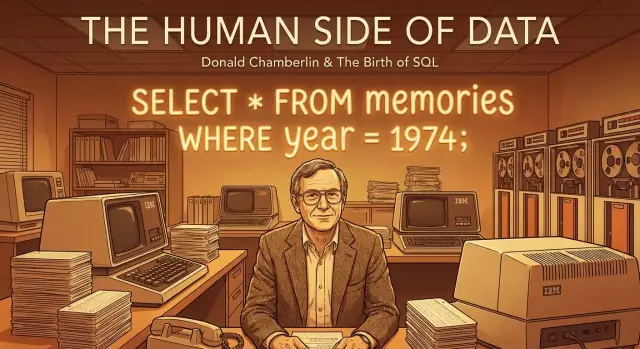
Why Donald Chamberlin and SQL Still Matter
Donald D. Chamberlin isn’t a household name, but his work quietly shaped how most software teams handle data. As a researcher at IBM, Chamberlin co-created SQL (originally spelled SEQUEL), the language that made it practical for everyday developers—and even non-specialists—to ask questions of large databases.
Before SQL, getting answers from stored data often meant writing custom programs or using tools that were powerful but awkward. Chamberlin helped push a different idea: instead of telling the computer how to find the data step by step, you should be able to describe what you want in a form that reads close to plain English.
A simple idea with huge consequences
At the heart of SQL is a surprisingly human-friendly approach:
- You name the data you want (
SELECT) - You say where it lives (
FROM) - You describe the conditions (
WHERE)
That structure sounds obvious now, but it was a major shift. It turned “querying a database” from a specialist task into something that could be taught, shared, reviewed, and improved—like any other part of software development.
What this article will (and won’t) do
This is a practical history of how SQL came to be and why it spread so widely.
You won’t need advanced math, formal logic, or deep database theory to follow along. We’ll focus on the real-world problems SQL solved, why its design was approachable, and how it became a default skill across the software industry—from backend engineering to analytics, product work, and operations.
If you’ve ever filtered a list, grouped results, or joined two sets of information, you’ve already been thinking in the direction SQL made mainstream. Chamberlin’s lasting contribution was turning that way of thinking into a language people could actually use.
What Data Work Looked Like Before SQL
Before SQL, most organizations didn’t “query a database.” They worked with data stored in files—often one file per application—managed by the program that created it. Payroll had its own files, inventory had its own files, and customer records might be split across several systems.
That file-based approach worked until businesses wanted answers that crossed boundaries: “Which customers bought product X and also have overdue invoices?” Getting that kind of view meant stitching together data that wasn’t designed to be combined.
From shared data to scattered files
In many early systems, data formats were tightly coupled to the application. A change in one place—like adding a new field for a customer phone number—could require rewriting programs, converting files, and updating documentation. Even when “database systems” started to appear, many still exposed low-level access methods that felt like programming rather than asking questions.
Why early data access was so hard
If you wanted information, you usually had two options:
- Request a custom program from specialists who understood the file structures.
- Rely on rigid reports that were scheduled (daily, weekly) and designed for a narrow purpose.
Neither option supported easy exploration. A small change in wording—adding a date range, grouping by region, excluding returns—could turn into a new development task. The result was a bottleneck: people with questions had to wait for people who could write code.
The missing piece: a common language
What organizations lacked was a shared way to express data questions—something precise enough for machines, but readable enough for humans. Business users think in terms of “customers,” “orders,” and “totals.” Systems, meanwhile, were built around file layouts and procedural steps.
This gap created the demand for a query language that could translate intent into action: a consistent, reusable way to say what you want from data without writing a new program every time. That need set the stage for SQL’s breakthrough.
The Relational Idea That Set the Stage
Before SQL could exist, the database world needed a clearer way to think about data. The relational model provided that: a simple, consistent framework where information is stored in tables (relations), made up of rows and columns.
A cleaner goal: consistency over custom wiring
The core promise of the relational model was straightforward: stop building one-off, hard-to-maintain data structures for every application. Instead, store data in a standard form and let different programs ask different questions without rewriting how the data is organized each time.
This shift mattered because it separated two things that had often been tangled together:
- How data is stored (tables with well-defined columns)
- How data is used (queries that can change from day to day)
When those concerns are separated, data becomes easier to share, safer to update, and less dependent on the quirks of a particular application.
Edgar F. Codd’s influence—without the hero story
Edgar F. Codd, working at IBM, helped formalize this idea and explain why it was better than navigating records through fixed paths. You don’t need the full academic background to appreciate the impact: he gave the industry a model that could be reasoned about, tested, and improved.
Why it practically demanded a new kind of query language
Once data lives in tables, the natural next question is: how do regular people ask for what they need? Not by pointing to storage locations, but by describing the result.
That “describe what you want” approach—select these columns, filter these rows, connect these tables—set the stage for a human-friendly query language. SQL was built to take advantage of that model, turning relational theory into everyday work.
IBM System R and the Search for a Better Query Language
IBM System R wasn’t a commercial product at first—it was a research project designed to answer a practical question: could Edgar F. Codd’s relational model work in the real world, at real scale, with real business data?
At the time, many database systems were navigated through physical access paths and record-by-record logic. Relational databases promised something different: store data in tables, describe relationships cleanly, and let the system figure out how to retrieve the results. But that promise depended on two things working together: a relational engine that performed well and a query language that ordinary developers (and even some non-developers) could use.
What System R was trying to prove
System R, developed at IBM’s San Jose Research Laboratory in the 1970s, aimed to build a prototype relational database management system and stress-test the relational idea.
Just as important, it explored techniques that are now foundational—especially query optimization. If users were going to write high-level requests (“get me these records matching these conditions”), the system needed to translate those requests into efficient operations automatically.
Chamberlin’s role and the team context
Donald Chamberlin, working within IBM’s research environment, was focused on the missing piece: a practical language for asking questions of relational data. Along with collaborators (notably Raymond Boyce), he worked on shaping a query language that matched how people naturally describe data needs.
This wasn’t language design in a vacuum. System R provided the feedback loop: if a language feature couldn’t be implemented efficiently, it wouldn’t survive. If a feature made common tasks easier, it gained momentum.
What made the language requirements unusual
Codd had described the relational model using formal math (relational algebra and relational calculus). Those ideas were powerful, but too academic for most day-to-day work. System R needed a language that was:
- Declarative (say what you want, not how to fetch it)
- Readable enough to teach and share
- Implementable with strong performance
That search—grounded in a working relational prototype—set the stage for SEQUEL and then SQL.
From SEQUEL to SQL: The Human-Friendly Design
Donald Chamberlin and his colleagues originally called their new language SEQUEL, short for Structured English Query Language. The name was a clue to the core idea: instead of writing procedural code to navigate data step by step, you would state what you want in a form that felt close to everyday English.
SEQUEL was later shortened to SQL (often explained as partly practical—shorter, easier to print and say, and also tied to naming and trademark considerations). But the “structured English” ambition stayed.
A language that reads like a request
The design goal was to make database work feel like making a clear request:
- SELECT the information you want
- FROM the place it lives
- WHERE the conditions are true
That structure gave people a consistent mental model. You didn’t have to learn a vendor’s special navigation rules; you learned a readable pattern for asking questions.
A tiny example: filter, sort, summarize
Imagine a simple business question: “Which customers in California have spent the most this year?” SQL lets you express that intent directly:
SELECT customer_id, SUM(amount) AS total_spent
FROM orders
WHERE state = 'CA' AND order_date >= '2025-01-01'
GROUP BY customer_id
ORDER BY total_spent DESC;
Even if you’re new to databases, you can often guess what this does:
- Filter to California orders this year
- Summarize spending per customer
- Sort so the biggest totals appear first
That readability—paired with precise rules—helped SQL travel far beyond IBM System R and into the wider software world.
How SQL Expresses Questions in Simple Parts
One reason SQL stuck is that it lets you express a question the way you’d say it out loud: “Pick these things, from this place, with these conditions.” You don’t have to describe how to find the answer step by step; you describe what you want.
The building blocks (in plain English)
SELECT = pick the columns you want to see.
FROM = from which table (or dataset) those facts should come.
WHERE = filter the rows to only the ones that match your criteria.
JOIN = link related tables together (like matching customer_id in orders to the same customer_id in customers).
GROUP BY = summarize by categories, so you can talk about totals “per customer,” “per month,” or “per product.”
A tiny example you can read like a sentence
SELECT customer_name, COUNT(*) AS order_count
FROM orders
JOIN customers ON orders.customer_id = customers.customer_id
WHERE orders.status = 'Shipped'
GROUP BY customer_name;
Read it as: “Pick each customer’s name and the number of orders, from orders linked to customers, keep only shipped orders, and summarize by customer.”
Stay non-technical: think in questions, not punctuation
If SQL ever feels intimidating, step back and restate your goal in one line. Then map the words:
- What do I want to see? → SELECT
- Where does it live? → FROM
- What should I exclude? → WHERE
- What needs to be matched up? → JOIN
- What do I want per category? → GROUP BY
That question-first habit is the real “human-friendly” design behind SQL.
Why SQL Made Databases More Accessible
SQL didn’t just introduce a new way to talk to data—it reduced who needed to be “a database person” to get answers. Before SQL, asking a database a question often meant writing procedural code, understanding storage details, or filing a request to a specialist team. Chamberlin’s work helped flip that: you could describe what you wanted, and the database figured out how to retrieve it.
Lowering the barrier for more roles
SQL’s biggest accessibility win is that it’s readable enough to be shared across analysts, developers, and product teams. Even a beginner can understand the intent of a query like:
SELECT product, SUM(revenue)
FROM sales
WHERE sale_date >= '2025-01-01'
GROUP BY product;
You don’t need to know index structures or file layouts to see what’s being asked: total revenue by product, for a date range.
A shared language that improved collaboration
Because SQL is declarative and widely taught, it became a common reference point during planning and debugging. A product manager can sanity-check the question (“Are we counting refunds?”). An analyst can adjust the definitions. An engineer can optimize performance or move the logic into an application or pipeline.
Just as importantly, SQL makes the “question” itself reviewable. It can be versioned, commented on, tested, and improved—like code.
The limits: accessibility isn’t the same as correctness
SQL makes asking easier, but it doesn’t guarantee reliable answers. You still need:
- Clean, well-modeled data (duplicates, missing values, and inconsistent IDs will mislead any query)
- Clear definitions (what counts as an “active user,” which timezone applies, how revenue is recognized)
SQL opened the door to self-service data work, but good results still depend on good data and shared meaning.
How SQL Became the Industry Default
SQL didn’t win because it was the only query language—it won because it was practical for a growing industry that needed shared habits. Once teams saw that SQL let them ask clear questions of data without writing custom code for every report, it started showing up in more products, more training, and more job descriptions.
Adoption snowballed through tools, not just databases
As database vendors added SQL support, other software followed. Reporting tools, business intelligence dashboards, and later application frameworks all benefited from having one common way to fetch and shape data.
That created a positive loop:
- more SQL-speaking databases meant more SQL-speaking tools
- more tools meant more people learning SQL
- more learners meant more companies expecting SQL
Even when databases differed internally, having a familiar SQL “surface” reduced the effort to switch systems or integrate multiple systems.
Portability: the quiet superpower
Portability doesn’t mean “run anywhere with zero changes.” It means that the core ideas—SELECT, WHERE, JOIN, GROUP BY—stay recognizable across products. A query written for one system often needs only small adjustments for another. That lowered vendor lock-in and made migrations less intimidating.
Standardization, explained simply
Over time, SQL became standardized: a shared set of rules and definitions that vendors largely agree to support. Think of it like grammar for a language. Different regions may have accents and slang, but basic grammar lets you communicate.
For people and organizations, that standardization had huge effects:
- Skills transfer between jobs and industries
- Training materials stay relevant longer
- Software teams can hire more easily
The end result: SQL became the default “common tongue” for working with relational data.
SQL’s Ripple Effects Across Software
SQL didn’t just change how people query data—it changed how software is built. Once there was a common way to ask questions of a database, whole categories of products could assume “SQL is available” and focus on higher-level features.
SQL as the default connective tissue
You see SQL in business applications (CRM, ERP, finance systems), in reporting dashboards, and behind web services that fetch and update records. Even when users never type a query, many apps still generate SQL under the hood to filter orders, calculate totals, or assemble a customer profile.
That ubiquity created a powerful pattern: if your software can speak SQL, it can work with many different database systems with less custom integration.
An ecosystem built around a common language
A shared query language made it practical to build tools that sit “around” databases:
- BI and analytics tools that let non-technical teams explore data and produce charts, often by translating clicks into SQL.
- ETL/ELT pipelines that move and transform data between systems, frequently using SQL for joins, aggregations, and data cleanup.
- Admin and developer tools for monitoring, tuning, migrations, and schema changes.
- Training and hiring: courses, certifications, and interview loops treat SQL as a baseline skill.
The key point is that these tools aren’t tied to a single vendor’s interface—they rely on SQL concepts that transfer.
A modern parallel: SQL as a stable “contract” for AI-assisted building
One reason SQL still matters in 2025 is that it acts like a durable contract between intent and execution. Even when you build apps with higher-level tools—or with AI—you still need a database layer that is explicit, testable, and auditable.
For example, on Koder.ai (a vibe-coding platform for creating web, backend, and mobile apps through chat), teams often end up grounding “what the app should do” in clear relational tables and SQL queries. Under the hood, that typically means a Go backend with PostgreSQL, where SQL remains the shared language for joins, filtering, and aggregates—while the platform helps accelerate scaffolding, iteration, and deployment.
Critiques and Misconceptions About SQL
SQL has lasted for decades, which means it has also had decades to collect complaints. Many criticisms are valid in a narrow context, but they’re often repeated without the practical nuance that working teams rely on.
“SQL is too complex”
SQL looks simple when you see SELECT ... FROM ... WHERE ..., and then suddenly it feels huge: joins, grouping, window functions, common table expressions, transactions, permissions, performance tuning. That jump can be frustrating.
A useful way to frame it is that SQL is small at the center and large at the edges. The core ideas—filter rows, pick columns, combine tables, aggregate—are learnable quickly. The complexity tends to show up when you’re trying to be precise about real-world data (missing values, duplicates, time zones, messy identifiers) or when you’re pushing for speed at scale.
“SQL is full of weird edge cases”
Some “weirdness” is actually SQL being honest about data. For example, NULL represents “unknown,” not “zero” and not an empty string, so comparisons behave differently than many people expect. Another common surprise is that the same query can return rows in a different order unless you explicitly sort—because a table is not a spreadsheet.
These aren’t reasons to avoid SQL; they’re reminders that databases optimize for correctness and clarity over implicit assumptions.
“SQL is inconsistent because every database has its own version”
This criticism mixes up two things:
- SQL the standard: the official specification that defines the language’s foundation.
- SQL dialects: what you actually use in a specific product (PostgreSQL, MySQL, SQL Server, Oracle, SQLite, etc.).
Vendors add features to compete and to serve their users—extra functions, different date handling, proprietary extensions, specialized indexing, procedural languages. That’s why a query that works in one system may need small edits in another.
Practical advice: learn the core, then pick a “home” database
Start by mastering portable basics: SELECT, WHERE, JOIN, GROUP BY, HAVING, ORDER BY, and basic INSERT/UPDATE/DELETE. Once those feel natural, choose the database you’re most likely to use and learn its specific strengths (and quirks).
If you’re learning on your own, it also helps to keep a personal cheat sheet of differences you encounter. That turns “dialects are annoying” into “I know what to look up,” which is a much more realistic skill for day-to-day work.
A Beginner-Friendly Way to Learn SQL Today
Learning SQL is less about memorizing syntax and more about building a habit: ask a clear question, then translate it into a query.
A simple learning path that actually sticks
Start with one small table (think: customers or orders) and practice reading data before trying to “do” anything.
- Small-table queries: filter and sort with
WHEREandORDER BY. Get comfortable selecting only the columns you need. - Joins: once single-table queries feel easy, connect two tables (for example,
orders+customers) usingJOIN. - Aggregates: then learn
GROUP BYto answer “how many?” and “how much?” questions—counts, sums, averages, and monthly totals.
This progression mirrors how SQL was designed: express a question in parts, then let the database figure out the best way to execute it.
Safe habits from day one
If you’re practicing on a shared database—or you’re new enough to click the wrong thing—protect yourself with a few rules:
- Start with
SELECTonly. Treat it as “read mode.” - Limit results while exploring: add
LIMIT 50(or the equivalent in your database) so you don’t pull millions of rows by accident. - Avoid destructive commands (
DELETE,UPDATE,DROP) until you fully understandWHEREclauses and have a safe sandbox. - When you do edit data, preview first: run the
SELECTversion of theWHEREcondition to verify which rows would change.
Practice with real questions
Good SQL practice looks like real work:
- “Sales by month this year”
- “Top 10 customers by revenue”
- “Which products are frequently bought together?”
Pick one question, write the query, then check whether the result matches common sense. That feedback loop is how SQL becomes intuitive.
If you’re learning SQL while also building something real, it can help to work in an environment where schema, queries, and application code stay close together. For instance, if you prototype a small PostgreSQL-backed app in Koder.ai, you can iterate on tables and queries quickly, snapshot changes, and export source code when you’re ready to take it further—without losing sight of the actual SQL logic.
Donald Chamberlin’s Legacy and SQL’s Staying Power
Donald Chamberlin’s lasting contribution wasn’t only inventing a syntax—it was building a readable bridge between people and data. SQL let someone describe what they wanted (customers in California, sales by month, products with low inventory) without spelling out how a computer should fetch it step by step. That shift turned database querying from a specialist craft into a shared language teams could discuss, review, and improve.
A language that outlived its first era
SQL endures because it sits at a useful middle ground: expressive enough for complex questions, structured enough to be optimized and standardized. Even as new data tools arrive—dashboards, “no-code” interfaces, and AI assistants—SQL remains the dependable layer underneath. Many modern systems still translate clicks, filters, and prompts into SQL-like operations, because databases can validate it, secure it, and run it efficiently.
Why newer interfaces didn’t replace it
Interfaces change, but organizations still need:
- A clear, auditable way to define metrics and logic
- Portability across tools and vendors through standards and shared concepts
- A common baseline skill that analysts, engineers, and product teams can all understand
SQL checks those boxes. It’s not perfect, but it’s teachable—and that teachability is part of the invention.
The takeaway
Chamberlin’s real legacy is the idea that the best tools make powerful systems approachable. When a language is readable, it invites more people into the conversation—and that’s how technology spreads from labs into everyday work.
FAQ
Who was Donald Chamberlin, and what did he contribute to SQL?
Donald D. Chamberlin was an IBM researcher who co-created SQL (originally called SEQUEL) as part of the System R project. His key contribution was helping shape a declarative, readable language so people could ask databases for results without writing step-by-step programs.
Why did SQL matter compared to how organizations worked with data before it existed?
SQL mattered because it made data access shareable and repeatable. Instead of requesting a new custom program or relying on fixed reports, teams could write and review queries like any other piece of work, speeding up exploration and reducing bottlenecks.
What does it mean that SQL is “declarative”?
A declarative language tells the database what result you want, not the procedure to get it. In practice that means you describe columns, tables, filters, and groupings, and the database chooses an efficient execution plan (often via query optimization).
What are the core building blocks of a SQL query (SELECT/FROM/WHERE)?
The basic mental model is:
SELECT: what you want to see (columns or expressions)FROM: where it comes from (tables/views)WHERE: which rows qualify (filters)
Once that’s clear, you can add JOIN to connect tables, GROUP BY to summarize, and ORDER BY to sort.
When should I use a JOIN, and what problem does it solve?
A JOIN combines rows from two (or more) tables based on a matching condition—often a shared identifier like customer_id. Use joins when the information you need is split across tables (for example, orders in one table and customer names in another).
What’s the practical purpose of GROUP BY?
GROUP BY lets you produce “per category” results (totals per customer, counts per month, revenue per product). A practical workflow is:
- Write a
SELECT ... FROM ... WHERE ...that returns the right rows. - Add aggregates like
COUNT(),SUM(),AVG(). - Group by the columns that define the categories you want.
What was IBM System R, and why is it important to SQL’s history?
System R was IBM’s 1970s research prototype built to prove relational databases could work at real scale. It also pushed crucial ideas like query optimization, which made a high-level language like SQL practical because the system could translate requests into efficient operations.
How did SQL become the industry default instead of just an IBM research language?
SQL spread because it became a common interface across many databases and tools. That created a reinforcing loop:
- more SQL-supporting databases → more SQL-based tools
- more tools → more people learning SQL
- more learners → more companies expecting SQL skills
Even with differences between products, the core concepts stayed recognizable.
How can I deal with SQL dialect differences between databases?
SQL dialects are real, but the highest-leverage approach is:
- Learn portable fundamentals:
SELECT,WHERE,JOIN,GROUP BY,ORDER BY, and basic inserts/updates. - Pick one “home” database (PostgreSQL, MySQL, SQL Server, etc.) and learn its specifics.
- Keep a small cheat sheet of differences you actually hit in your work.
That turns incompatibilities into manageable lookups instead of constant frustration.
What’s a beginner-friendly way to learn SQL without breaking things?
Start safely and build in layers:
- Practice with
SELECTonly at first. - Add
LIMIT(or your DB’s equivalent) while exploring. - Before any
UPDATE/DELETE, run the sameWHEREas aSELECTto preview affected rows. - Use real questions (top customers, sales by month) and sanity-check results.
The goal is to translate clear questions into queries, not memorize syntax in isolation.