

Doug Cutting’s Lucene and Hadoop: From Search to Big Data
How Doug Cutting’s Lucene and Hadoop turned search and distributed data processing into widely adopted open-source building blocks for modern data teams.
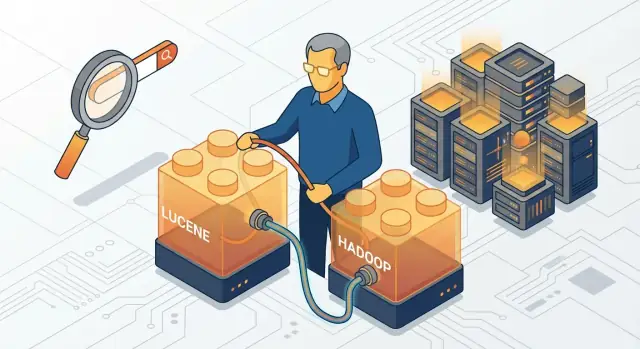
Why Lucene and Hadoop Still Matter
Lucene and Hadoop tell a surprisingly practical story: once you can index information for fast search, the next challenge is processing more data than one machine can handle. Together, they helped turn “search” and “distributed computing” from niche, expensive capabilities into everyday building blocks that teams could adopt with ordinary hardware.
This article is a working history, not a deep dive into scoring formulas or distributed systems theory. The goal is to connect the problems people faced, the simple ideas that unlocked progress, and why those ideas still show up in modern tools.
Two projects, two very human problems
Apache Lucene made it straightforward for developers to add high-quality search to applications: indexing text, querying it quickly, and iterating without inventing everything from scratch.
Apache Hadoop tackled a different pain: organizations were collecting logs, clickstreams, and datasets too large to fit comfortably on a single server. Hadoop offered a way to store that data across many machines (HDFS) and run batch processing jobs over it (MapReduce) without hand-crafting a distributed system from the ground up.
Why they mattered to everyday builders
Before these projects, many teams had a hard choice: buy costly proprietary systems or accept slow, manual workflows. Lucene and Hadoop lowered the barrier.
- Lucene helped application teams ship features like site search, document discovery, and relevance tuning without becoming search PhDs.
- Hadoop helped data teams run “big jobs” (log processing, analytics, ETL) without owning a supercomputer.
What you’ll learn in this post
You’ll see what problems existed before Lucene and Hadoop, why Doug Cutting’s work resonated with builders, and how the ideas connected—from indexing documents to coordinating clusters.
By the end, you should understand the lasting impact: even if your stack uses Elasticsearch, Spark, cloud object storage, or managed services, many of the core concepts trace back to what Lucene and Hadoop made mainstream.
Doug Cutting’s Role in Open Source
Doug Cutting is one of the rare engineers whose work shaped two different “default” tools for modern data teams: Apache Lucene for search, and Apache Hadoop for distributed data processing. While both projects became much bigger than any one person, Cutting’s early technical decisions and his commitment to open collaboration set the direction.
Builder of practical building blocks
Cutting’s consistent theme was accessibility. Lucene made high-quality search feel like a library you could embed in your own application, instead of a specialized system only large companies could afford to build. Later, Hadoop aimed to make large-scale storage and computation possible on clusters of ordinary machines, not just expensive proprietary hardware.
That motivation matters: it wasn’t “big data for big data’s sake,” but a push to make powerful capabilities available to smaller teams with limited budgets.
Apache-style collaboration
Both Lucene and Hadoop grew under the Apache Software Foundation, where decisions are made in public and authority is earned through contribution. That model encouraged a steady flow of improvements: bug fixes, performance work, documentation, and real-world feedback from companies and universities.
What was Cutting, and what was the community?
Cutting’s personal contribution was strongest at the beginning: the initial architecture, early implementations, and the credibility to attract other contributors. As adoption expanded, the community (and later, many companies) drove major additions: new features, integrations, scaling work, and operational tooling.
A useful way to think about it: Cutting helped create the “first working version” and the culture around it; the open-source community turned those ideas into long-lasting infrastructure.
The Search Problem Before Lucene
Before Lucene, building “search” into a product often meant building a mini research project. Many teams either bought expensive proprietary software or stitched together homegrown solutions that were hard to tune, hard to scale, and easy to get wrong.
Why search was costly and difficult
Search isn’t just finding where a word appears. It’s about speed, ranking, and handling messy real-world text. If you wanted users to type “running shoes” and get useful results in milliseconds, you needed specialized data structures and algorithms—plus careful engineering to keep indexing, updates, and queries reliable.
“Index” and “relevance,” in plain language
An index is like the back-of-the-book index, but for all your documents: instead of scanning every page, you look up a term and jump straight to the places it appears. Without an index, search becomes slow because you’re effectively rereading everything for every query.
Relevance is how you decide what to show first. If 10,000 documents match “shoes,” relevance answers: which 10 should appear on the first page? It often depends on signals like term frequency, where a term appears (title vs. body), and how rare the term is across the whole collection.
The web made the problem urgent
As websites and online catalogs exploded in size, “good enough” search stopped being good enough. Users expected fast results, typo tolerance, and sensible ranking. Companies that couldn’t deliver lost engagement and sales.
Why a reusable library mattered
A reusable library meant teams didn’t have to reinvent indexing and ranking from scratch. It lowered the cost of building competent search, made best practices shareable, and let developers focus on their product’s unique needs rather than re-solving the same core problem.
What Lucene Made Easy
Lucene made “search” feel like a feature you could add to a product, not a research project you had to invent from scratch. At its core, it’s a library that helps software turn messy text into something you can search quickly and consistently.
A search library in plain terms
Lucene focuses on four practical jobs:
- Indexing: It reads content (like product descriptions or documents) and builds an index—similar to the index at the back of a book—so searches don’t have to scan everything line by line.
- Querying: It provides a query language and tools to interpret what a user means when they type keywords, phrases, or filters.
- Scoring: It ranks results by relevance. Two pages might match the same keyword, but Lucene can score one higher because the term appears in the title, appears more often, or appears in a more important field.
- Updating: It supports adding new content and refreshing what’s searchable without rebuilding everything from zero.
Simple examples that map to real products
Lucene was (and still is) a good fit for everyday search needs:
- Product catalogs: Search “waterproof hiking boots” and get items ranked by relevance, with boosts for brand, category, or reviews.
- Internal documents: Search across PDFs, wiki pages, or knowledge-base articles, with phrase search like "return policy".
- Logs and troubleshooting notes: Search error messages, request IDs, and service names to quickly find related incidents.
Why it was so attractive to teams
Lucene’s appeal wasn’t magic—it was practicality:
- Fast enough for interactive search because the index structure is built for retrieval.
- Flexible: you can define fields (title, body, tags), analyzers (how text is tokenized), and tuning knobs for ranking.
- Embeddable: it’s a library you can integrate directly into an application, which made it easier for teams to ship search without waiting on a separate “search system” to appear.
A foundation for a wider ecosystem
Lucene didn’t just solve one company’s problem; it became a dependable base layer that many search applications and services built on. Many later search tools borrowed Lucene’s approach to indexing and relevance—or used Lucene directly as the engine underneath.
Why Distributed Data Processing Became Necessary
Search logs, clickstreams, email archives, sensor readings, and web pages all share a simple trait: they grow faster than the servers you bought last year. Once teams started keeping “everything,” datasets stopped fitting comfortably on a single machine—not just in storage, but in the time it took to process them.
When “just buy a bigger server” stopped working
The first response was scaling up: more CPU, more RAM, bigger disks. That works… until it doesn’t.
High-end servers get expensive quickly, and the price jump isn’t linear. You also start betting your whole pipeline on one box. If it fails, everything fails. And even if it doesn’t fail, there are physical limits: disks can only spin so fast, memory ceilings are real, and some workloads simply won’t finish in time when the data keeps doubling.
Scaling out: many machines, one job
Scaling out flips the approach. Instead of one powerful computer, you use many ordinary ones and split the work.
A useful mental model is a library moving day: one person can carry the heaviest boxes, but ten people carrying smaller boxes finish sooner—and if one person gets tired, the rest still make progress. Distributed data processing applies the same idea to storage and computation.
Commodity hardware needs fault tolerance
Using lots of low-cost machines introduces a new assumption: something is always breaking. Disks die, networks hiccup, nodes reboot.
So the goal became a system that expects failure and keeps going—by storing multiple copies of data, tracking which pieces of a job are done, and automatically re-running the parts that were interrupted. That pressure—more data than a single machine, plus the reality of frequent failure at scale—set the stage for Hadoop’s approach to distributed processing.
Hadoop in Plain Terms: HDFS and MapReduce
Hadoop is easiest to understand as two simple promises: store very large data across many ordinary machines and process that data in parallel. Those promises show up as two core pieces: HDFS for storage and MapReduce for processing.
HDFS: one big file system made from many disks
HDFS (Hadoop Distributed File System) takes files that are too big for one computer and splits them into fixed-size blocks (think “chunks”). Those blocks are then spread across multiple machines in a cluster.
To keep data safe when a machine fails, HDFS also stores copies of each block on different machines. If one computer goes down, the system can still read the file from another copy—without you manually hunting for backups.
The practical result: a directory in HDFS behaves like a normal folder, but behind the scenes it’s stitched together from lots of disks.
MapReduce: divide the work, then combine the answers
MapReduce is a programming model for batch processing. It has two named phases:
- Map: each machine processes its local blocks and emits intermediate results (often simple key–value pairs).
- Reduce: the system groups all matching keys together and combines them into final results.
A classic example is counting words across terabytes of logs: mappers count words within their chunks; reducers add up the totals per word.
What this enabled
Put together, HDFS + MapReduce made it practical to run large batch jobs—log analysis, indexing pipelines, clickstream aggregation, data cleanup—on datasets far beyond a single server. Instead of buying one massive machine, teams could scale by adding more commodity boxes and letting Hadoop coordinate storage, retries, and parallel execution.
From Search to Clusters: How the Ideas Connected
Lucene and Hadoop can look like separate chapters—one about search, the other about “big data.” But they share a common mindset: build practical tools that real teams can run, extend, and trust, rather than publishing a clever prototype and moving on.
The “Lucene mindset”: shipping something people can use
Lucene focused on doing a few hard things exceptionally well—indexing, querying, and ranking—packaged as a library developers could embed anywhere. That choice taught an important lesson: adoption follows usefulness. If a tool is easy to integrate, debuggable, and well-documented, it spreads beyond its original use case.
Hadoop applied that same philosophy to distributed data processing. Instead of requiring specialized hardware or niche systems, it aimed to run on common machines and solve an everyday pain: storing and processing data that no longer fits comfortably on one server.
“Move computation to data,” explained plainly
If your data is huge, copying it across the network to one powerful machine is like trying to carry every book in a library to a single desk just to find quotes. Hadoop’s approach is to bring the work to where the data already sits: send small pieces of code to many machines, have each one process its local slice, then combine the results.
This idea mirrors search indexing: you organize data where it lives (the index) so queries don’t have to scan everything repeatedly.
Open source as an adoption engine
Both projects benefited from open collaboration: users could report issues, submit fixes, and share operational know-how. Key drivers of adoption were unglamorous but decisive—clear documentation, portability across environments, and Apache governance that made companies comfortable investing time and talent without fearing vendor lock-in.
Early Use Cases That Drove Adoption
Hadoop didn’t spread because teams woke up wanting “big data.” It spread because a few painfully common jobs were getting too expensive and too unreliable on single machines and traditional databases.
The first problems Hadoop was good at
Log processing was an early hit. Web servers, apps, and network devices generate huge volumes of append-only records. Teams needed daily (or hourly) rollups: errors by endpoint, latency percentiles, traffic by region, top referrers. Hadoop let them dump raw logs into HDFS and run scheduled jobs to summarize them.
Clickstream analysis followed naturally. Product teams wanted to understand user journeys—what people clicked before converting, where they dropped off, how cohorts behaved over time. This data is messy and high-volume, and the value often comes from large aggregations rather than individual lookups.
ETL (extract, transform, load) became a core use case. Organizations had data scattered across databases, files, and vendor exports. Hadoop offered a central place to land raw data, transform it at scale, and then load curated outputs into data warehouses or downstream systems.
What “batch” means—and why it fit
Most of these workflows were batch: you collect data over a window (say, the last hour or day), then process it as a job that may take minutes or hours. Batch is best when the question is about trends and totals, not immediate per-user responses.
In practice, that meant Hadoop powered overnight reports, periodic dashboards, and large backfills (“recompute last year with the new logic”). It wasn’t built for interactive, sub-second exploration.
Outcomes teams cared about
A big draw was cheaper processing: scale out with commodity hardware rather than scaling up on a single expensive machine.
Another was reliability through redundancy. HDFS stores multiple copies of data blocks across machines, so a node failure doesn’t automatically mean losing data or restarting from scratch.
The tradeoffs (worth acknowledging)
Hadoop’s early stack could be slow for interactive queries, especially compared with databases designed for fast reads.
It also introduced operational complexity: managing clusters, job scheduling, data formats, and troubleshooting failures across many machines. Adoption often succeeded when teams had a clear batch workload and the discipline to standardize pipelines—rather than trying to make Hadoop do everything.
How Lucene and Hadoop Complement Each Other
Lucene and Hadoop solve different problems, which is exactly why they fit together so well.
Clear roles: index vs. store/process
Lucene is about fast retrieval: it builds an index so you can search text and structured fields quickly (think “find the 200 most relevant events for this query, right now”).
Hadoop is about working with big files across many machines: it stores large datasets reliably in HDFS and processes them in parallel (historically with MapReduce) so you can transform, aggregate, and enrich data that’s too large for one server.
Put simply: Hadoop prepares and crunches the data; Lucene makes the results easy to explore.
A practical example pipeline
Imagine you have months of raw application logs.
- Ingest to HDFS: store compressed log files in HDFS.
- Process in Hadoop: run jobs that parse lines, clean bad records, extract fields (user ID, endpoint, latency), and compute daily aggregates or detect anomalies.
- Export a “search-ready” dataset: write the refined output (e.g., JSON records) to a location your indexing job can read.
- Index with Lucene (or a Lucene-based system): build an index over key fields and text so analysts can search by error message, filter by service, and sort by time.
Now you get the best of both: heavy-duty batch processing on large raw data, plus interactive search for investigation and reporting.
Why the combination was powerful
Analytics often answers “what happened overall?” while search helps with “show me the specific evidence.” Hadoop made it feasible to compute derived datasets from massive inputs; Lucene made those datasets discoverable—turning piles of files into something people could actually navigate.
Don’t force the pairing
This duo isn’t mandatory. If your data fits comfortably in a single database, or if managed search and managed analytics already meet your needs, wiring Hadoop + Lucene together can add operational overhead. Use the combination when you truly need both: large-scale processing and fast, flexible discovery.
Hadoop’s Ripple Effect on Data Platforms
Hadoop didn’t just offer a new way to process big files; it pushed many organizations to think in terms of a shared data platform. Instead of building a separate system for every analytics project, teams could land raw data once, keep it cheaply, and let multiple groups reuse it for different questions over time.
From “one-off pipelines” to a shared foundation
Once HDFS-style storage and batch processing became familiar, a pattern emerged: centralize data, then layer capabilities on top. That shift encouraged clearer separation between:
- Storage (durable, shared, scalable)
- Compute (jobs that can be scheduled and repeated)
- Access (different tools for different users)
This was a conceptual change as much as a technical one. It set expectations that data infrastructure should be reusable, governed, and accessible across teams.
Ecosystem growth: SQL, scheduling, and ingestion
A community momentum followed: people wanted easier ways to query data, load it reliably, and run recurring workflows. At a high level, that drove the rise of:
- SQL-on-Hadoop-style querying, so analysts could use familiar language instead of writing custom programs
- Scheduling and workflow orchestration, to turn ad-hoc scripts into managed, repeatable pipelines
- Ingestion tools, to bring logs, events, and database extracts into shared storage with less manual glue
Why standards started to matter
As more tools plugged into the same platform idea, standards became the glue. Common file formats and shared storage patterns made data easier to exchange across engines and teams. Instead of rewriting every pipeline for every tool, organizations could agree on a few “default” formats and directory conventions—and the platform became more than the sum of its parts.
What Changed After Hadoop’s Peak
Hadoop’s peak years were defined by big, batch-oriented jobs: copy data into HDFS, run MapReduce overnight, then publish results. That model didn’t disappear, but it stopped being the default as expectations shifted toward “answer now” and “update continuously.”
More streaming, faster engines, and cloud storage
Teams began moving from pure batch processing to streaming and near-real-time pipelines. Instead of waiting for a daily MapReduce run, systems started processing events as they arrived (clicks, logs, transactions) and updating dashboards or alerts quickly.
At the same time, newer compute engines made interactive analysis practical. Frameworks designed for in-memory processing and optimized query execution often beat classic MapReduce for iterative work, exploratory analytics, and SQL-style queries.
Storage also changed. Many organizations replaced “HDFS as the center of the universe” with cloud object storage as a cheaper, simpler shared data layer. Compute became more disposable: spin it up when needed, shut it down when done.
Hadoop’s legacy: patterns that stayed
Some Hadoop-branded components declined, but the ideas spread everywhere: distributed storage, moving computation closer to data, fault tolerance on commodity hardware, and a shared “data lake” mindset. Even when the tools changed, the architecture patterns became normal.
Why Lucene still matters
Lucene didn’t have the same boom-and-bust cycle because it’s a core library embedded in modern search stacks. Elasticsearch, Solr, and other search solutions still rely on Lucene for indexing, scoring, and query parsing—capabilities that remain central to search, observability, and product discovery.
A balanced view
Hadoop as a bundled platform is less common now, but its fundamentals shaped modern data engineering. Lucene, meanwhile, continues to power search-heavy applications, even when wrapped in newer services and APIs.
Practical Takeaways for Modern Teams
You don’t need to be building “big data” systems to benefit from the ideas behind Lucene and Hadoop. The useful part is knowing which problem you’re solving: finding things fast (search) or processing lots of data efficiently (batch/distributed compute).
A simple decision guide
If users (or internal tools) need to type a query and get relevant results back quickly—by keywords, phrases, filters, and ranking—you’re in search indexing territory. That’s where Lucene-style indexing shines.
If your goal is to crunch large volumes of data to produce aggregates, features, exports, reports, or transformations—often on a schedule—you’re in batch processing territory. That’s the problem space Hadoop helped normalize.
A quick heuristic:
- Choose search indexing when you care about interactive query speed, relevance scoring, faceting, highlighting, and “search experience.”
- Choose batch processing when you care about throughput, scanning big datasets end-to-end, and producing new datasets or summaries.
Evaluation questions that prevent wrong turns
Before picking tools (or buying a platform), pressure-test your requirements:
- Latency: Do results need to arrive in milliseconds (search) or is minutes/hours acceptable (batch jobs)?
- Data size & growth: Are you indexing tens of thousands, millions, or billions of records? How fast does it grow?
- Update pattern: Mostly reads, or constant updates and deletes? Do you need near-real-time freshness?
- Query shape: Free-text with ranking and synonyms, or SQL-style aggregations and joins?
- Team skills: Do you have people comfortable with operating clusters, tuning storage, and handling failures?
- Ops load: What happens at 2 a.m. when a node dies—who fixes it, and how quickly?
If you’re exploring options, it can help to map your needs to common patterns and trade-offs; browsing related articles on /blog may spark a clearer shortlist. If you’re evaluating managed versus self-hosted approaches, comparing operational responsibilities alongside cost on /pricing is often more revealing than raw feature lists.
Where Koder.ai fits for modern builders
A practical lesson from the Lucene/Hadoop era is that teams win when they can turn these “infrastructure ideas” into working products quickly. If you’re prototyping an internal log explorer, a document search app, or a small analytics dashboard, a vibe-coding platform like Koder.ai can help you get to a usable end-to-end app faster: React on the frontend, a Go backend with PostgreSQL, and an interface where you iterate by chat.
That’s especially useful when you’re still validating requirements (fields, filters, retention, and UX). Features like planning mode, snapshots, and rollback can make early experimentation less risky—before you commit to heavier operational choices like running clusters or tuning a search stack.
The lasting takeaway
Lucene and Hadoop became mainstream not because they were magical, but because they packaged reusable primitives—indexing and distributed processing—into building blocks teams could adopt, extend, and share through open source.
FAQ
What problem does Lucene solve in plain terms?
Lucene is a search library that builds an index so you can retrieve matching documents quickly without scanning all content every time. It also provides practical pieces you’ll need in real products: analyzers (how text is tokenized), query parsing, and relevance scoring.
Why was Hadoop necessary if teams already had databases and big servers?
Hadoop addresses the point where “just buy a bigger server” stops working. It lets you store large datasets across many machines and run batch processing over them in parallel, with built-in handling for machine failures (retries and redundancy).
What is an “index,” and why does it make search fast?
An index is a data structure that maps terms (or other tokens) to the documents/fields where they appear—similar to a back-of-the-book index.
Practically: indexing is work you do once up front so that user queries can return results in milliseconds instead of rereading everything.
What does “relevance” mean, and what usually affects it?
Relevance is how a search engine decides which matching results should appear first.
Common signals include:
- how often a term appears
- where it appears (title vs. body)
- how rare the term is across the whole collection
If you’re building product search, plan time for relevance tuning (field boosts, analyzers, synonyms) rather than treating it as an afterthought.
How does HDFS store big files reliably?
HDFS (Hadoop Distributed File System) splits large files into fixed-size blocks and distributes them across a cluster. It also replicates blocks onto multiple machines so data remains available even if a node fails.
Operationally, you treat it like a file system, while Hadoop handles placement and redundancy in the background.
What is MapReduce best used for?
MapReduce is a batch programming model with two phases:
- Map: process local data chunks and emit intermediate key–value results
- Reduce: group by key and combine into final outputs
Use it when your job is naturally “scan everything, compute summaries, write results,” like log rollups or large backfills.
What does “move computation to data” actually mean?
“Move computation to data” means sending small pieces of code to the machines that already hold the data, instead of copying huge datasets over the network to one place.
This reduces network bottlenecks and scales better as data grows—especially for large batch workloads.
How do Lucene and Hadoop complement each other in a real pipeline?
A common pattern is:
- Land raw logs/events in distributed storage (historically HDFS)
- Run batch jobs to parse/clean/enrich and produce “search-ready” records
- Index the refined output with Lucene (or a Lucene-based system)
That separation keeps heavy processing and interactive discovery from fighting each other.
What were Hadoop’s earliest “killer use cases”?
Early wins were high-volume, append-heavy data where the value comes from aggregates:
- log processing (errors, latency percentiles, traffic rollups)
- clickstream analysis (funnels, cohorts)
- ETL (landing raw data, transforming at scale, exporting curated datasets)
These are usually batch workflows where minutes/hours latency is acceptable.
How should a modern team decide between search indexing and distributed batch processing?
Start with requirements, then map to the simplest tool that meets them:
- Choose search indexing when you need interactive queries, ranking, filters/facets, and text analysis.
- Choose batch/distributed processing when you need throughput over large datasets (transforms, aggregates, exports).
Pressure-test latency, data size/growth, update patterns, and operational load. If you want related comparisons, browse /blog; if you’re weighing managed vs. self-hosted tradeoffs, /pricing can help clarify the ops responsibilities you’re taking on.