

Dropshipping Store Builders: What to Use and What to Avoid
Compare dropshipping store builders, learn what to use and what to avoid, and follow a practical checklist for costs, speed, apps, SEO, and scaling.
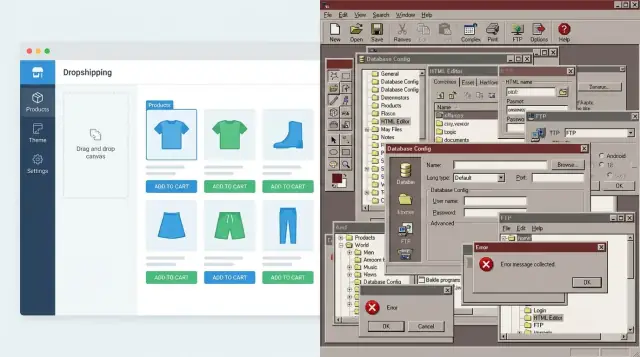
How to choose a dropshipping store builder (fast guide)
Choosing a dropshipping store builder isn’t just a “what looks nicest” decision. It affects how quickly you can launch, how smoothly checkout works, how much you’ll pay in platform and app fees, and how many things can break when you’re trying to fulfill orders.
1) Clarify your main goal
Most store owners fall into one of these three goals:
- Launch fast: You want a working store in days, not weeks. Prioritize templates, built-in payments, and simple product import.
- Customize deeply: You want control over design, content structure, or unique workflows. Expect more setup time and ongoing maintenance.
- Minimize monthly costs: You’re willing to trade convenience for lower recurring fees. Watch hidden costs (paid extensions, developer help, hosting upgrades).
Being honest here prevents a common mismatch: choosing a “powerful” platform that slows you down, or choosing a “simple” platform that blocks you later.
2) Define constraints before comparing tools
Start with real-world constraints, not feature wishlists:
- Budget: monthly platform fees + app subscriptions + transaction fees + themes.
- Technical skill/time: can you troubleshoot plugins, hosting, and updates?
- Country/payment access: your available payment gateways for ecommerce may limit platforms.
- Product types: bulky items, restricted categories, subscriptions, pre-orders, or complex variants can change requirements.
If your payment provider options are limited, narrow your choices immediately—nothing hurts more than building a store you can’t properly get paid on.
3) Why the builder choice affects speed, conversion, and margins
Your builder impacts:
- Speed: setup time, product import, and how many integrations you need.
- Conversion rate: theme quality, mobile checkout, and trust signals.
- Margins: ecommerce platform fees, transaction costs, and paid add-ons for basics.
A “cheap” platform can become expensive once you add paid apps for essentials like reviews, bundles, upsells, or advanced shipping rules.
4) Set expectations: tools won’t fix weak fundamentals
Even the best ecommerce platform for dropshipping can’t rescue a weak offer. If the product is undifferentiated, shipping times are unclear, pricing is off, or ads target the wrong audience, switching builders won’t solve it.
What the builder should do is make testing and iteration easier—without fragile setups or surprise costs.
5) The decision framework we’ll use
We’ll compare store builder types (hosted vs self-hosted vs marketplace vs headless), then narrow options by workflow needs (suppliers, orders, returns), payments/taxes, and growth plans. We’ll also cover what to avoid—especially app bloat, surprise fees, and setups that hurt site speed and checkout conversion.
Store builder types: hosted, self-hosted, marketplace, headless
Choosing a dropshipping store builder starts with one decision: how much you want to manage yourself. The four types below can all work—but they lead to very different day-to-day workloads, costs, and failure points.
Hosted platforms (SaaS)
Hosted builders (like Shopify, BigCommerce, Wix, Squarespace Commerce) are usually the fastest path to a real store. You pay a monthly fee, and the platform handles hosting, security patches, and core updates.
Ideal when you want predictable performance and fewer technical surprises. The trade-off is less control over the underlying system and higher costs as you add apps, themes, and higher-tier plans.
Self-hosted platforms
Self-hosted options (most commonly WooCommerce on WordPress) give you more control over your site, plugins, and server setup. That can mean more flexibility—especially if you have a specific design, SEO, or checkout requirement.
But you’re also responsible for maintenance: hosting quality, backups, updates, security hardening, and troubleshooting plugin conflicts. If you don’t have reliable help (or don’t want to become the “tech person”), the time cost can outweigh the savings.
Marketplaces vs your own store
Selling on a marketplace (Amazon, eBay, Etsy) can be a quick way to test demand because you’re borrowing existing traffic. However, marketplaces typically limit branding, control over the customer relationship, and access to customer data.
Your own store is better for building a brand, collecting emails, running retargeting ads, and improving repeat purchase rate—things that matter once you want to grow beyond one-off sales.
Headless setups
Headless means your storefront is custom-built (often for speed and design freedom) while the backend platform handles products, orders, and payments.
It makes sense when you have strong technical resources and clear needs (unique UX, multi-storefront, advanced localization). For most new dropshipping stores, it’s overkill: higher upfront cost, more moving parts, and more things to maintain.
A practical middle path—if you want “custom” without a full dev pipeline—is using a build platform that can generate production-ready apps quickly. For example, Koder.ai lets you create web apps through a chat interface, then export source code and deploy/host with custom domains. This can be useful when you’ve outgrown templates and want a tailored workflow (e.g., custom order routing, supplier dashboards, internal tools) without committing to a long build cycle.
Rule of thumb for first-time stores
If this is your first store, start hosted. Validate products, suppliers, and ads before investing in custom builds. Move to self-hosted or headless only when you can clearly name the limitation you’re paying to solve—and you have the budget and time to maintain it.
What to use: must-have features for dropshipping builders
A good dropshipping store builder isn’t the one with the most features—it’s the one that keeps operating costs predictable and checkout smooth. Use the points below as a practical dropshipping website builder checklist.
1) Total cost of ownership (not just the monthly plan)
Look past the headline subscription price and add up the real ecommerce platform fees:
- Subscription + any premium sales channels
- Theme costs (one-time or recurring)
- App stack (product importers, reviews, bundles, tracking)
- Transaction fees (platform fees on top of your payment gateway)
- Hosting and maintenance (especially on self-hosted options)
If you’re evaluating Shopify vs WooCommerce for dropshipping, this is where differences show up quickly: WooCommerce can start cheaper, but paid plugins, hosting, and upkeep can close the gap.
2) Checkout quality (mobile-first, wallet support, fewer steps)
Checkout is where most stores win or lose revenue. Prioritize:
- Fast, mobile-first checkout
- Wallets like Apple Pay / Google Pay and local methods where you sell
- Clear shipping and delivery estimates
- Built-in conversion helpers (discount codes, abandoned checkout recovery)
If a platform makes checkout customization hard, that’s often fine—until it blocks essential payment options or forces extra steps.
3) App/integration ecosystem that matches your workflow
The “best ecommerce platform for dropshipping” is usually the one with reliable dropshipping apps and integrations for:
- Suppliers and product sync (inventory, variants, pricing rules)
- Email/SMS marketing and automation
- Reviews/UGC, analytics, and ad tracking
4) Performance basics you can sustain
Site speed for online stores matters for ads, SEO, and conversions. Choose a builder with:
- Strong uptime history
- Image optimization tools and modern formats
- Clean, lightweight themes and caching/CDN support
5) Support and documentation for non-technical owners
You’ll need answers fast when orders fail to sync or payments get flagged. Favor platforms with clear guides, responsive support, and active communities—especially if you don’t have a developer on call.
Popular options and who they fit best
There isn’t one best platform for everyone. The right choice depends on what you’re trying to optimize first: speed to launch, monthly cost, or how much control you want over content and checkout.
Shopify-style hosted builders (best for speed)
Hosted platforms are typically the fastest path to a working store. They’re a strong fit if your bottleneck is time:
- You want to validate products quickly and start testing ads this week.
- You prefer app-based integrations for suppliers, product importing, and order syncing.
- You don’t want to manage hosting, caching, backups, or plugin conflicts.
Trade-off: you’ll likely pay more in recurring fees, and customization can be limited to what themes and apps allow.
WooCommerce-style self-hosted (best for flexibility + content SEO)
Self-hosted setups (typically WordPress + WooCommerce) shine when your bottleneck is control—especially if you’re building a content-driven brand.
They’re a strong fit if you:
- Want richer on-site content (guides, comparisons, long-form SEO pages) tightly integrated with your store.
- Need deeper customization of product pages, checkout logic, or data ownership.
- Prefer choosing your own hosting and optimizing site speed on your terms.
Trade-off: you (or a developer) are responsible for updates, performance, and keeping extensions compatible.
All-in-one website builders (fine for small catalogs)
All-in-one website builders can work when you’re starting with a small catalog and simple fulfillment.
They’re “good enough” if:
- You’re selling a limited number of products and don’t need complex variants.
- Your dropshipping workflow is mostly manual (or you only need one lightweight integration).
- You care more about a polished brochure-style site plus checkout than heavy ecommerce automation.
Trade-off: app ecosystems and advanced ecommerce features can be thinner, which you may feel once orders ramp up.
Decision tip: choose based on your bottleneck
If you need momentum: go hosted. If you need flexibility and content-led growth: go self-hosted. If you’re keeping the store small and simple: an all-in-one builder can be a practical starting point—just confirm it won’t block the workflows you’ll rely on next month.
What to avoid: common traps that waste time and money
Choosing a dropshipping store builder is less about shiny demos and more about avoiding the traps that quietly inflate costs or limit growth.
1) Hidden fees that compound
A platform can look affordable until you add up the “extras”: transaction fees on top of payment processing, required paid apps for basics (reviews, abandoned cart, multi-currency), and premium themes.
Before committing, price your real setup: theme + essential apps + payment fees + any per-order charges. If you can’t predict month-one and month-six costs within a reasonable range, that’s a red flag.
2) Lock-in that blocks future moves
Lock-in isn’t just “can I switch later?” It’s whether you can export products, customers, orders, and pages in a usable format. Be cautious with proprietary page builders and platforms with limited APIs—migrations become manual, expensive, and risky.
A simple check: ask for an export sample (CSV/JSON) and confirm you can move SEO assets like URLs and redirects.
3) Slow stores caused by bloat
Heavy themes, too many scripts (popups, trackers, sliders), and weak hosting turn traffic into bounce rates. Dropshipping margins are thin—paying for ads that land on a sluggish site hurts.
Prefer lean themes, limit third-party widgets, and treat every app as “guilty until proven valuable.”
4) Weak checkout that kills conversion
Avoid builders with limited payment options, forced redirects, clunky mobile checkout, or unexpected “create account” steps. Your checkout should feel native, fast, and familiar.
5) Misleading “free” plans
Some “free” tiers block real ecommerce basics: custom domain, checkout, shipping rules, tax settings, or integrations. If you can’t run a complete test order end-to-end, it’s not a real ecommerce plan.
Supplier, product, and order workflow requirements
A dropshipping store builder isn’t just a place to list products. It’s the control center that keeps supplier data, inventory, and customer orders from drifting out of sync. Before you pick a platform, map the workflow you’ll run every day.
Integrations: what “works with suppliers” should really mean
Look beyond a logo list. A good integration should handle:
- Catalog imports that preserve variants (size/color), SKUs, barcodes, and images without manual cleanup.
- Sync frequency you can control (near-real-time is ideal for fast-moving items), plus clear timestamps so you know what’s current.
- Visible error handling: failed syncs should generate alerts, explain what broke (missing SKU, changed variant), and offer a retry—without wiping your edits.
Order routing: keep fulfillment predictable
Your builder should support both auto and manual routing, so you can automate routine orders but pause edge cases.
Key requirements:
- Split shipments when items ship from different suppliers/warehouses, with separate tracking numbers per package.
- Tracking updates that flow back to the customer automatically (and don’t overwrite each other when there are multiple packages).
- Address validation and order notes that pass through to the supplier, so custom instructions aren’t lost.
Inventory rules that prevent overselling
Overselling creates refunds, chargebacks, and support tickets. Your platform should offer:
- Oversell protection (stop selling at zero, or apply a safety buffer).
- Backorder settings that are intentional: either disable, or clearly label expected ship dates.
- Variant mapping so “Blue / Medium” always maps to the correct supplier variant—even if the supplier renames it.
Returns/RMA: decide the policy, then require support
At minimum, you want a way to create RMAs, attach reasons/photos, track status, and link the return to the original order and supplier. Bonus points for partial refunds and restocking rules.
Data ownership: your exit plan
Even if you never plan to switch platforms, make sure you can export customers, orders, products, and transaction history cleanly (CSV and/or API). If exporting turns into a messy, incomplete dump, you’re locked in—and you’ll feel it later.
Payments, taxes, and compliance checks to run early
Payments and tax settings are where “simple” store builders can get expensive—fast. Before you commit, confirm how the platform handles fees, supported methods, taxes, and risk controls.
Understand the real fee stack (not just the plan price)
Most builders have multiple layers of cost:
- Transaction fees (charged by the platform) on each order—sometimes waived only if you use their in-house payments.
- Payment gateway fees (charged by Stripe, PayPal, etc.) per transaction.
- Currency conversion fees when you charge in one currency but settle in another (or when customers pay in their local currency).
Ask for a concrete example like: “A $50 order, paid with a card in EUR, settled to my USD bank account.” If the builder can’t show the math, assume surprises.
Prioritize payment methods that remove friction
At minimum, you want:
- Cards (Visa/Mastercard/AmEx where relevant)
- Apple Pay / Google Pay (often improves mobile conversion)
- Local methods for your target countries (e.g., iDEAL, Bancontact, Sofort/Pay Now, PIX)
Also check: supported payout countries, payout schedule, reserves/holds for new accounts, and whether high-risk categories trigger extra review.
Taxes/VAT: know what’s automated vs what’s on you
Platforms vary from “we calculate some taxes” to “you configure everything.” Confirm:
- Whether the builder can calculate VAT/sales tax at checkout for your markets.
- What you must configure: tax registrations, tax-inclusive pricing, tax-exempt products, and shipping tax rules.
- Whether invoices/receipts support required tax fields.
If you plan to sell cross-border, make sure tax rules won’t require custom code or paid add-ons just to stay accurate.
Fraud prevention and chargebacks
Dropshipping can attract fraud because fulfillment is delayed. Look for:
- Signals: AVS/CVV checks, IP geolocation mismatch, device fingerprinting, velocity checks.
- Rules: automatic holds for high-risk orders (high value, new customer, mismatch country).
- Manual review tools: marking orders as “review,” exporting evidence, and easy refunds/partial refunds.
Chargebacks are operational, not theoretical—ensure your platform makes it easy to respond with order data and shipping/fulfillment proof.
Test checklist: run real end-to-end orders before launch
Do this while you can still switch platforms:
- Place test orders with each key payment method (card + wallet + one local method).
- Confirm the tax calculation matches your settings.
- Verify order confirmation emails, invoice/receipt content, and refund flow.
- Ensure orders sync to your supplier/app, including variant, address, and phone.
- Run a refund and confirm fees, timing, and inventory/order status updates.
If any step requires workarounds or paid plugins you didn’t budget for, treat it as a red flag—not a “later” task.
SEO, performance, and conversion essentials
Traffic is only useful if your store can be found, loads quickly, and makes buying feel effortless. Treat SEO, speed, and conversion tools as non-negotiables.
Core SEO setup (what you should be able to control)
Look for clean, readable URLs (and the ability to edit them), plus full control over page titles and meta descriptions for products, collections, and blog posts. Basic schema support matters too—at minimum, Product and Breadcrumb schema.
Just as important: redirects. You’ll change product names, discontinue items, and reorganize collections. Your builder should make 301 redirects easy, otherwise you’ll leak SEO value and send shoppers to dead ends.
Content that supports product discovery
Dropshipping stores win long-term when they can publish helpful content. A built-in blog is ideal, but the real requirement is the ability to:
- Create collections that are more than “grids” (intro text, FAQs, internal links)
- Add internal links between guides, collections, and products
- Manage redirects when you consolidate or replace pages
This content layer is how you rank for informational queries and guide buyers toward the right items.
Speed and mobile UX (conversion multipliers)
Site speed isn’t just about Google—it’s checkout completion. Prioritize image compression, lazy loading, and the ability to keep third-party app scripts minimal.
On mobile, check for: simple navigation, usable filters/sorting, a sticky add-to-cart, and accessible design (readable text, tap-friendly buttons).
Analytics you can trust
At minimum, you should be able to install GA4 and ad pixels cleanly. If you plan to scale ads, ask whether server-side tracking options exist (or can be added later) to reduce attribution gaps caused by browser privacy changes.
Themes, apps, and maintenance: keep it lean
A clean theme plus a small set of reliable apps will usually outperform a “feature-packed” store that’s slow, expensive, and fragile.
Pick a theme like you’re picking infrastructure
Choose a theme with strong mobile performance, clear product pages, and flexible sections (so you can edit without extra apps). Avoid themes that rely on heavy animations, multiple font files, or complex page builders unless you truly need them.
Your baseline stack (minimal but complete)
Start with essentials that directly support sales and support:
- Email/SMS for abandoned cart and post-purchase flows
- Reviews (with photo reviews if possible)
- Helpdesk/live chat (keep it lightweight)
- Analytics (platform analytics + one extra tool if needed)
- Simple upsells (cart/checkout or post-purchase)
If a tool doesn’t clearly improve conversion, retention, or support efficiency, delay it.
Avoid app overload (it’s not just the monthly cost)
Each app adds:
- Another subscription fee (often with usage tiers)
- Extra scripts that can slow pages
- Another vendor that can break after updates
- More complexity when debugging checkout or tracking issues
Once you have traction, adopt a “one in, one out” rule: if you add a new app, remove or replace an existing one that overlaps.
Maintenance hygiene that prevents painful surprises
- Turn on 2FA everywhere (store admin, email, ad accounts, app logins)
- Use staff roles: give the minimum permissions needed
- Set a backups/exports schedule (orders, customers, products, theme files)
Make changes safely: staging and testing
Before installing apps or editing your theme, create a simple staging/test process: duplicate your theme, test key flows (add to cart, checkout, confirmation email), then publish during low-traffic hours.
Scaling later: features you’ll want in 6–12 months
Early on, almost any builder can handle “launch and sell.” The difference shows up after a few months—when you’re juggling more products, more suppliers, and higher customer expectations.
Scalability signals to look for
A scaling-ready setup supports:
- Multi-currency and local pricing (not just a currency switcher). Ideally you can set rounding rules, per-market pricing, and show duties/taxes where required.
- Multi-language with SEO support, including translated URLs and metadata.
- Markets/domains management: run different countries from one admin, map multiple domains/subfolders, and control what products ship where.
If these features require a patchwork of apps that all touch checkout, taxes, and emails, scaling usually gets expensive and fragile.
Catalog growth without chaos
As your catalog grows, manual edits become a hidden tax. Useful capabilities include:
- Bulk editing beyond titles and prices (variants, tags, shipping profiles, supplier notes).
- Product rules and automation (auto-tagging, auto-collections, pricing rules, margin floors, “hide when out of stock”).
- Collections and merchandising tools to pin bestsellers, create bundles/sets, and schedule promos.
Operations: fulfillment and customer workflows
Scaling dropshipping is mostly operations. Your builder should make it easy to enforce supplier expectations:
- Clear fulfillment SLAs: track processing time, flag late orders, and segment suppliers by reliability.
- Tracking and notification control: branded tracking emails/SMS, partial shipments, resend notifications, and “where is my order?” deflection.
- Customer support workflows: fast order lookup, self-serve status pages, and integrations to helpdesks (with order context, not just a name/email).
If you can’t quickly answer “what shipped, from where, and when,” you’ll feel it in chargebacks and refunds.
Team access and accountability
Once you hire help (VA, support agent, marketer), look for:
- Granular permissions (support can refund but not change payouts; marketing can edit pages but not taxes).
- Audit logs so you can see who changed what.
- Collaboration basics like staff accounts, notes, and approval flows for key changes.
Replatform or optimize?
Optimize your current setup if your pain is mostly themes, speed, content, or app bloat—those are fixable.
Consider a replatform when the platform blocks revenue-critical moves: you can’t sell in key markets, checkout is too limited, total app/platform fees are rising faster than revenue, or your order workflow can’t scale without manual workarounds. If you’re thinking about switching, validate with a small pilot (one market, one supplier group) before migrating everything.
Decision checklist and recommended next steps
You don’t need a perfect platform—you need a clear winner for your products, budget, and workflow. The fastest way to decide is to test 2–3 builders the same way, then pick the one that passes both the “real order” test and the cost check.
Step-by-step decision checklist (use the same test on every builder)
- Shortlist 2–3 builders
Choose only platforms you’re willing to use for at least 6 months. If you already know you need a certain supplier integration, keep only builders that support it.
- Build the same sample store on each (90 minutes max)
Create:
- 10 products (include variants for at least 2 items)
- One collection/category
- One content page (Shipping & Returns or FAQ)
- One blog post (a simple buyer guide)
While building, note what’s slow or confusing: editing product pages, changing theme sections, adding policies, and configuring shipping.
- Run a “real order” test end-to-end
Do at least one full checkout with a real payment method (or the platform’s test mode), then verify:
- Taxes are applied the way you expect
- Shipping rates make sense for your target countries
- Order confirmation email arrives and looks credible
- You can issue a refund cleanly and the customer emails update correctly
- Calculate costs with realistic volume and app needs
Estimate monthly cost at your expected first milestone (e.g., 100 orders/month), including:
- Platform plan
- Transaction fees (if any)
- Payment gateway fees
- Apps (reviews, email, bundles, currency, upsells)
- A theme or developer help (only if truly required)
A builder that looks cheap can become expensive once you add the apps you need to operate.
Recommended next steps
- Put your cost assumptions into a simple spreadsheet and compare builders side-by-side.
- If you want a pricing structure you can map to your order volume, start here: /pricing.
- For deeper guides (platform comparisons, checkout setup, SEO basics), browse: /blog.
If you decide you need a more custom workflow than themes and plugins can reliably support—like bespoke supplier routing, internal ops dashboards, or a tailored storefront experience—consider building it with Koder.ai, then exporting the source code for full control.
Pick the builder that makes your test store easiest to launch and your test order easiest to manage. That’s the one that will save you the most time when real customers arrive.
FAQ
What’s the fastest way to choose the right dropshipping store builder?
Start with your bottleneck:
- If you need momentum and fewer technical surprises, choose a hosted (SaaS) builder.
- If you need deep control (especially content/SEO), consider self-hosted.
- If you have a dev team and a very specific UX/performance need, headless can fit—but it’s usually overkill early.
The best choice is the one that makes your first end-to-end test order painless.
Should a first-time dropshipper start with a hosted platform or self-hosted?
Hosted platforms are usually the safest default because they handle hosting, security, and core updates for you. That reduces the number of things that can break while you’re trying to validate products and ads.
Self-hosted can be great later, but only if you’re ready to manage hosting quality, backups, updates, and plugin conflicts (or pay someone who is).
How do I calculate the real monthly cost of a store builder?
Add up total cost of ownership, not just the plan price:
- Platform subscription
- Theme (one-time or recurring)
- App stack (importing, reviews, email/SMS, bundles, tracking)
- Transaction fees (platform + payment processor)
- Hosting/maintenance (especially self-hosted)
If you can’t estimate month-one and month-six costs within a reasonable range, treat that platform as risky.
What checkout features matter most for dropshipping conversion?
Checkout quality is often the biggest revenue lever. Prioritize:
- Fast, mobile-first checkout
- Wallets (Apple Pay / Google Pay) and local payment methods
- Clear delivery estimates and shipping costs
- Easy refunds and clean confirmation emails
A “pretty storefront” won’t matter if checkout is slow, clunky, or missing the payment methods your customers expect.
What should I look for in supplier and product-sync integrations?
Don’t trust the integration list alone—test what the integration actually does:
- Imports variants/SKUs/images cleanly (without manual cleanup)
- Syncs inventory/pricing reliably and shows timestamps
- Surfaces errors (failed sync alerts, clear reasons, easy retry)
- Doesn’t wipe your manual edits on product pages
If sync failures are invisible, you’ll discover issues only after customers complain.
What order-fulfillment workflows should a dropshipping builder support?
At minimum, your platform should support:
- Split shipments (multiple suppliers/warehouses) with separate tracking numbers
- Tracking updates that don’t overwrite each other
- Manual holds for edge cases (fraud checks, address issues)
- Address validation and order notes that pass through to fulfillment
If you can’t answer “what shipped, from where, and when” quickly, support load and chargebacks rise fast.
How do I avoid choosing a platform that won’t support my payments?
Run payment checks before you build too much:
- Confirm your target payment gateways work in your country
- Verify supported payout countries, payout timing, and possible reserves/holds
- Test at least one card payment + one wallet + one local method (if relevant)
If payments are limited, narrow your platform list immediately—nothing else matters if you can’t get paid reliably.
What fees should I watch for besides the monthly plan?
Do a concrete fee example and get the full stack:
- Platform transaction fee (if any)
- Payment gateway fee
- Currency conversion fees (if charging in one currency and settling in another)
Ask for an example like “a $50 order paid in EUR, settled to my USD bank account.” If the math isn’t clear, assume hidden costs.
Why do dropshipping stores get slow, and how can I prevent it?
The most common causes are theme and app bloat:
- Heavy themes with lots of scripts and animations
- Too many popups, trackers, and widgets
- Apps that add large client-side scripts on every page
Use a lean theme, install only essential apps, and treat each new app as “guilty until it proves value” in conversion or operations.
What’s the best way to compare builders before committing?
Run the same test on 2–3 builders:
- Build a small sample store (10 products, one collection, one policy page, one blog post).
- Place a test order end-to-end (taxes, shipping, confirmation email, supplier sync).
- Issue a refund and confirm the customer communication and status updates.
- Price your setup at a realistic volume (e.g., 100 orders/month) including apps.
Pick the builder that makes the test order easiest to manage—not the one with the flashiest demo.