

Enterprise Readiness Checklist: Scaling Software Reliably Like VMware
Use this enterprise readiness checklist to scale your product for bigger customers, with practical reliability lessons inspired by Diane Greene and VMware.
What breaks when you start selling to enterprises
Selling to small teams is mostly about features and speed. Selling to enterprises changes the definition of “good.” One outage, one confusing permission bug, or one missing audit trail can undo months of trust.
Reliability, in plain terms, means three things: the app stays up, data stays safe, and behavior stays predictable. That last part matters more than it sounds. Enterprise users plan work around your system. They expect the same result today, next week, and after the next update.
What usually breaks first isn’t a single server. It’s the gap between what you built for a handful of users and what big customers assume is already there. They bring more traffic, more roles, more integrations, and more scrutiny from security and compliance.
The early stress points are predictable. Uptime expectations jump from “mostly fine” to “must be boringly stable,” with clear incident handling. Data safety becomes a board-level concern: backups, recovery, access logs, and ownership. Permissions get complicated fast: departments, contractors, and least-privilege access. Change becomes risky: releases need rollbacks and a way to prevent surprise behavior. Support stops being “helpful” and becomes part of the product, with response times and escalation paths.
A startup customer might accept a two-hour outage and a quick apology. An enterprise customer may need a root cause summary, proof it won’t repeat, and a plan to prevent similar failures.
An enterprise readiness checklist isn’t about “perfect software.” It’s about scaling without breaking trust, by upgrading product design, team habits, and day-to-day operations together.
Diane Greene and the VMware mindset in one page
Diane Greene co-founded VMware at a moment when enterprise IT faced a painful tradeoff: move fast and risk outages, or stay stable and accept slow change. VMware mattered because it made servers behave like dependable building blocks. That unlocked consolidation, safer upgrades, and faster recovery, without asking every app team to rewrite everything.
The core enterprise promise is simple: stability first, features second. Enterprises do want new capabilities, but they want them on top of a system that keeps running during patching, scaling, and routine mistakes. When a product becomes business-critical, “we’ll fix it next week” turns into lost revenue, missed deadlines, and compliance headaches.
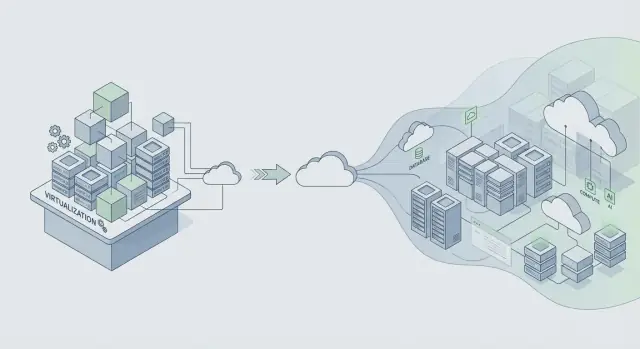
Virtualization was a practical reliability tool, not just a cost saver. It created isolation boundaries. One workload could crash without taking down the whole machine. It also made infrastructure more repeatable: if you can snapshot, clone, and move a workload, you can test changes and recover faster when something goes wrong.
That mindset still applies: design for change without downtime. Assume components will fail, requirements will shift, and upgrades will happen under real load. Then build habits that make change safe.
A quick way to describe the VMware mindset is to isolate failure so one problem doesn’t spread, treat upgrades as routine, make rollback fast, and prefer predictable behavior over clever tricks. Trust is built through boring reliability, day after day.
If you’re building on modern platforms (or generating apps with tools like Koder.ai), the lesson holds: ship features only in ways you can deploy, monitor, and undo without breaking customer operations.
From VMware to cloud platforms: what stayed the same
VMware grew up in a packaged software world where “a release” was a big event. Cloud platforms flipped the rhythm: smaller changes shipped more often. That can be safer, but only when you control change.
The constant: change is the top reliability risk
Whether you ship a boxed installer or push a cloud deploy, most outages start the same way: a change lands, a hidden assumption breaks, and the blast radius is larger than expected. Faster releases don’t remove risk. They multiply it when you lack guardrails.
Teams that scale reliably assume every release could fail, and they build the system to fail safely.
A simple example: a “harmless” database index change looks fine in staging, but in production it increases write latency, queues requests, and makes timeouts look like random network errors. Frequent releases give you more chances to introduce that kind of surprise.
Shared infrastructure changed the failure modes
Cloud-era apps often serve many customers on shared systems. Multi-tenant setups bring new problems that still map to the same principle: isolate faults.
Noisy neighbor issues (one customer’s spike slows others) and shared failures (a bad deploy hits everyone) are the modern version of “one bug takes down the cluster.” The controls are familiar, just applied continuously: gradual rollouts, per-tenant controls, resource boundaries (quotas, rate limits, timeouts), and designs that handle partial failure.
Observability is the other constant. You can’t protect reliability if you can’t see what’s happening. Good logs, metrics, and traces help you spot regressions quickly, especially during rollouts.
Rollback also isn’t a rare emergency move anymore. It’s a normal tool. Many teams pair rollbacks with snapshots and safer deploy steps. Platforms like Koder.ai include snapshots and rollback, which can help teams undo risky changes quickly, but the bigger point is cultural: rollback should be practiced, not improvised.
Set reliability targets before you scale
If you wait to define reliability until an enterprise deal is on the table, you end up arguing from feelings: “It seems fine.” Bigger customers want clear promises they can repeat internally, like “the app stays up” and “pages load fast enough during peak hours.”
Start with a small set of targets written in simple language. Two most teams can agree on quickly are availability (how often the service is usable) and response time (how fast key actions feel). Keep targets tied to what users do, not to a single server metric.
An error budget makes these targets usable day to day. It’s the amount of failure you can “spend” in a time period while still meeting your promise. When you’re within budget, you can take more delivery risk. When you burn through it, reliability work takes priority over new features.
To keep targets honest, track a few signals that map to real impact: latency on main actions, errors (failed requests, crashes, broken flows), saturation (CPU, memory, database connections, queues), and availability across the critical path end to end.
Once targets are set, they should change decisions. If a release spikes errors, don’t debate. Pause, fix, or roll back.
If you’re using a vibe-coding platform like Koder.ai to ship faster, targets matter even more. Speed is only helpful when it’s bounded by reliability promises you can keep.
Architecture habits that protect reliability at scale
The reliability jump from “works for our team” to “works for a Fortune 500” is mostly architecture. The key mindset shift is simple: assume parts of your system will fail on a normal day, not just during a major outage.
Design for failure by making dependencies optional when they can be. If your billing provider, email service, or analytics pipeline is slow, your core app should still load, log in, and let people do the main job.
Isolation boundaries are your best friend. Separate the critical path (login, core workflows, writes to the main database) from nice-to-have features (recommendations, activity feeds, exports). When optional parts break, they should fail closed without dragging down the core.
A few habits prevent cascading failures in practice:
- Put strict timeouts on every network call.
- Retry only operations that are safe to repeat, and add jitter to avoid retry storms.
- Use circuit breakers so one failing dependency can’t consume all your workers or database connections.
- Control load with queues and backpressure so spikes become slowdowns, not outages.
- Prefer graceful degradation: return partial results with a clear message instead of a 500.
Data safety is where “we can fix it later” turns into downtime. Plan backups, schema changes, and recovery like you’ll actually need them, because you will. Run recovery drills the same way you run fire drills.
Example: a team ships a React app with a Go API and PostgreSQL. A new enterprise customer imports 5 million records. Without boundaries, the import competes with normal traffic and everything slows down. With the right guardrails, the import runs through a queue, writes in batches, uses timeouts and safe retries, and can be paused without affecting day-to-day users. If you’re building on a platform like Koder.ai, treat generated code the same way: add these guardrails before real customers depend on it.
Operations: the part most products add too late
Incidents aren’t proof you failed. They’re a normal cost of running real software for real customers, especially as usage grows and deployments happen more often. The difference is whether your team reacts calmly and fixes the cause, or scrambles and repeats the same outage next month.
Early on, many products rely on a few people who “just know” what to do. Enterprises won’t accept that. They want predictable response, clear communication, and evidence you learn from failures.
On-call readiness (before you need it)
On-call is less about heroics and more about removing guesswork at 2 a.m. A simple setup covers most of what big customers care about:
- Name a primary owner for each service.
- Keep short runbooks for the top failure modes.
- Define escalation: who to call, when, and how fast.
- Run at least one planned drill.
- Maintain one place to check current status and recent changes.
Monitoring that matters
If alerts fire all day, people mute them, and the one real incident gets missed. Tie alerts to user impact: sign-in failing, error rates rising, latency crossing a clear threshold, or background jobs backing up.
After an incident, do a review that focuses on fixes, not blame. Capture what happened, what signals were missing, and what guardrails would have reduced the blast radius. Turn that into one or two concrete changes, assign an owner, and set a due date.
These operational basics are what separate a “working app” from a service customers can trust.
Step by step: harden your app for bigger customers
Bigger customers rarely ask for new features first. They ask, “Can we trust this in production, every day?” The fastest way to answer is to follow a hardening plan and produce proof, not promises.
A practical 5-step hardening plan
-
List what you already meet vs. what’s missing. Write down the enterprise expectations you can honestly support today (uptime targets, access control, audit logs, data retention, data residency, SSO, support hours). Mark each as ready, partial, or not yet. This turns vague pressure into a short backlog.
-
Add release safety before you ship more. Enterprises care less about how often you deploy and more about whether you can deploy without incidents. Use a staging environment that mirrors production. Use feature flags for risky changes, canary releases for gradual rollout, and a rollback plan you can execute quickly. If you build on a platform that supports snapshots and rollback (Koder.ai does), practice restoring a previous version so it’s muscle memory.
-
Prove data protection, then prove it again. Backups aren’t a checkbox. Schedule automated backups, define retention, and run restore tests on a calendar. Add audit trails for key actions (admin changes, data exports, permission edits) so customers can investigate issues and meet compliance needs.
-
Document support and incident response in plain language. Write a one-page promise: how to report an incident, expected response times, who communicates updates, and how you do post-incident reports.
-
Run a readiness review with a realistic load test plan. Pick one enterprise-like scenario and test it end to end: peak traffic, slow database, a failed node, and a rollback. Example: a new customer imports 5 million records on Monday morning while 2,000 users log in and run reports. Measure what breaks, fix the top bottleneck, and repeat.
Do these five steps and sales conversations get easier because you can show your work.
A realistic scaling story: one new enterprise customer
A mid-market SaaS app has a few hundred customers and a small team. Then it signs its first regulated customer: a regional bank. The contract includes strict uptime expectations, tight access controls, and a promise to answer security questions fast. Nothing about the product’s main features changes, but the rules around running it do.
In the first 30 days, the team makes “invisible” upgrades that customers still feel. Monitoring shifts from “are we up?” to “what is broken, where, and for whom?” They add dashboards per service and alerts tied to user impact, not CPU noise. Access controls get formal: stronger authentication for admin actions, reviewed roles, and logged, time-limited production access. Auditability becomes a product requirement, with consistent logs for login failures, permission changes, data exports, and config edits.
Two weeks later, a release goes wrong. A database migration runs longer than expected and starts timing out requests for a subset of users. What keeps it from becoming a multi-day incident is basic discipline: a clear rollback plan, a single incident lead, and a communication script.
They pause the rollout, switch traffic away from the slow path, and roll back to the last known good version. If your platform supports snapshots and rollback (Koder.ai does), this can be much faster, but you still need a practiced procedure. During recovery, they send short updates every 30 minutes: what’s impacted, what’s being done, and the next check-in time.
A month later, “success” looks boring in the best way. Alerts are fewer but more meaningful. Recovery is faster because ownership is clear: one person on call, one person coordinating, and one person communicating. The bank stops asking “are you in control?” and starts asking “when can we expand rollout?”
Common traps that hurt reliability as you grow
Growth changes the rules. More users, more data, and bigger customers mean small gaps turn into outages, noisy incidents, or long support threads. Many of these problems feel “fine” until the week you sign your first large contract.
The traps that show up most often:
- Shipping quickly with no safe undo button. If you can’t roll back in minutes, every deploy becomes a high-risk event. That slows you down and raises stress.
- Making reliability “the engineers’ job.” Outages are also a support and communication problem. If support doesn’t have clear status updates, the technical fix arrives too late to protect trust.
- Alert noise that trains people to ignore alarms. If everything pages, nothing is urgent. Response slows on the one alert that matters.
- Assuming backups mean you can restore. Backups show data was saved, not that you can recover quickly. If you haven’t practiced restores, you don’t know your real recovery time.
- One-off enterprise features that weaken the core. Custom behavior, hidden flags, and special-case deployments pile up. Each exception increases the testing surface and makes incidents harder to diagnose.
A simple example: a team adds a custom integration for one big customer and deploys it as a hotfix late Friday. There’s no fast rollback, alerts are already noisy, and the on-call person is guessing. The bug is small, but recovery drags for hours because the restore path was never tested.
If your enterprise readiness checklist has only technical items, expand it. Include rollback, restore drills, and a communication plan that support can run without engineering in the room.
Enterprise readiness checklist (quick checks)
When bigger customers ask “Are you ready for enterprise?”, they’re usually asking one thing: can we trust this in production? Use this as a quick self-audit before you promise anything in a sales call.
- Reliability and incidents are defined (not implied). You have clear uptime and performance targets, monitoring with alerts, and an incident process people actually follow.
- Security basics are enforced by default. Access follows least privilege, admin actions are logged, and keys and secrets have an owner and rotation plan.
- Data can be recovered on purpose, not by luck. Backups run automatically, restore is tested on a schedule, and you can explain migrations and retention in plain language.
- Releases are controlled and reversible. You can do staged releases, roll back quickly, and have a simple approval process (even if it’s just a change note and a second set of eyes).
- Support promises match reality. You have a support workflow (intake, severity, response times) and a clear owner for escalations.
Before you show a demo, collect proof you can point to without hand-waving: monitoring screenshots that show error rate and latency, a redacted audit log example (“who did what, when”), a short restore drill note (what you restored and how long it took), and a one-page release and rollback note.
If you build apps on a platform like Koder.ai, treat these checks the same way. Targets, evidence, and repeatable habits matter more than the tools you used.
Next steps: turn readiness into a repeatable habit
Enterprise readiness isn’t a one-time push before a big deal. Treat it like a routine that keeps your product calm under pressure, even as teams, traffic, and customer expectations grow.
Turn your checklist into a short action plan. Pick the top 3 gaps that create the most risk, make them visible, and assign owners with dates you’ll actually hit. Define “done” in plain terms (for example, “alert triggers in 5 minutes” or “restore tested end to end”). Keep a small lane in your backlog for enterprise blockers so urgent work doesn’t get buried. When you close a gap, write down what changed so new teammates can repeat it.
Create one internal readiness doc you reuse for every large prospect. Keep it short, and update it after each serious customer conversation. A simple format works well: reliability targets, security basics, data handling, deployment and rollback, and who’s on call.
Make reliability reviews a monthly habit tied to real events, not opinions. Use incidents and near misses as your agenda: what failed, how you detected it, how you recovered, and what will stop a repeat.
If you build with Koder.ai, bake readiness into how you ship. Use Planning Mode early to map enterprise requirements before you commit to builds, and rely on snapshots and rollback during releases so fixes stay low-stress as your process matures. If you want a single place to centralize that workflow, koder.ai is designed around building and iterating through chat while keeping practical controls like source export, deployment, and rollback in reach.
FAQ
When should we start preparing for enterprise customers?
Start before the deal is signed. Pick 2–3 measurable targets (availability, latency for key actions, and acceptable error rate), then build the basics to keep those targets: monitoring tied to user impact, a rollback path you can execute quickly, and tested restores.
If you wait until procurement asks, you’ll be forced into vague promises you can’t prove.
Why do enterprise customers care so much about “boring” reliability?
Because enterprises optimize for predictable operations, not just features. A small team may tolerate a short outage and a quick fix; an enterprise often needs:
- Clear impact statement (who/what broke)
- Root cause summary
- Proof of prevention (specific changes)
- Audit trails and timelines
Trust is lost when behavior is surprising, even if the bug is small.
What reliability targets should we set first?
Use a short list of user-facing promises:
- Availability: the service is usable end to end (not “one server is up”).
- Latency: key actions stay under a threshold at normal and peak load.
- Error rate: failed requests or broken flows stay below a limit.
Then create an error budget for a time window. When you burn it, you pause risky shipping and fix reliability first.
What’s the fastest way to make releases safer?
Treat change as the main risk:
- Use a production-like staging environment.
- Roll out gradually (canary or phased rollout).
- Hide risky changes behind feature flags.
- Keep migrations reversible when possible.
- Practice rollback so it’s routine, not a panic move.
If your platform supports snapshots and rollback (for example, Koder.ai does), use them—but still rehearse the human procedure.
Aren’t backups enough for enterprise data safety?
Backups only prove data was copied somewhere. Enterprises will ask whether you can restore on purpose and how long it takes.
Minimum practical steps:
- Automated backups with clear retention.
- Regular restore tests (calendar-based).
- Documented recovery time and recovery point targets.
- A plan for schema changes and long-running migrations.
A backup you’ve never restored from is an assumption, not a capability.
What usually goes wrong with permissions when you scale?
Start simple and strict:
- Default to least privilege.
- Separate roles for admins vs normal users.
- Require stronger auth for sensitive admin actions.
- Log permission changes and privileged access.
Expect complexity: departments, contractors, temporary access, and “who can export data?” become common questions quickly.
What should we include in an audit trail for enterprise readiness?
Log actions that answer “who did what, when, and from where” for sensitive events:
- Logins and failed logins
- Permission/role changes
- Data exports and bulk downloads
- Admin configuration edits
- Support or engineer access to production (time-limited)
Keep logs tamper-resistant, with retention that matches customer expectations.
How do we set up monitoring and on-call without drowning in alerts?
Aim for fewer alerts, higher signal:
- Alert on user-impact symptoms (sign-in failures, elevated error rate, latency thresholds, job queue backlog).
- Include runbooks for the top failure modes.
- Define on-call ownership and escalation.
- After incidents, write 1–2 concrete fixes with owners and due dates.
Noisy alerts train teams to ignore the one page that matters.
What changes when you go multi-tenant or add big customers to shared infrastructure?
Isolation and load controls:
- Per-tenant rate limits/quotas to reduce noisy-neighbor impact.
- Timeouts and circuit breakers so one dependency can’t consume all workers.
- Queues and backpressure so spikes become controlled slowdowns.
- Gradual rollouts so a bad deploy doesn’t hit everyone at once.
The goal is to keep one customer’s problem from becoming every customer’s outage.
What’s a realistic load test for “enterprise readiness”?
Run one realistic scenario end to end:
- Peak logins + heavy reporting
- A slow database or stuck migration
- A failed node/service dependency
- A rollback to the last known good version
Measure what breaks (latency, timeouts, queue depth), fix the biggest bottleneck, and repeat. A common test is a large import running while normal traffic continues, with the import isolated via batching and queues.