

Eric Yuan’s Zoom Playbook: Reliability, UX, and Adoption
A practical look at how Zoom grew under Eric Yuan by prioritizing reliability, simple UX, and bottom-up adoption—and what teams can learn today.
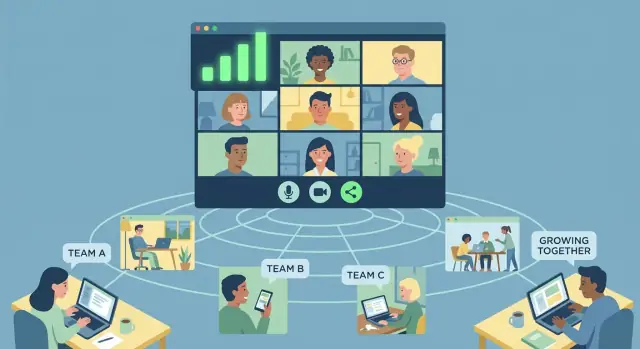
Why Zoom’s rise matters for enterprise collaboration
Enterprise collaboration is one of the most contested software categories because it sits at the center of how work gets done. Email, chat, calendars, docs, and meeting tools all compete for daily habits—and once a company standardizes on a stack, switching costs climb quickly.
Zoom’s rise is a useful case study because it wasn’t powered by a single clever feature or a massive enterprise sales machine from day one. It won mindshare by becoming the default choice in the moments that mattered: when someone needed a meeting to work immediately across devices, networks, and participant types.
The three pillars this story highlights
Zoom’s trajectory under Eric Yuan can be understood through three reinforcing pillars:
- Reliability: meetings that connect fast, stay stable, and degrade gracefully when conditions are bad.
- UX focus: an experience where the first minute—joining, audio, video, sharing—feels effortless.
- Bottom-up adoption: growth driven by end users and teams, creating pull inside organizations before formal enterprise rollouts.
What you’ll take away from this section (and the rest of the article)
This isn’t a biography or an “inside story” account. It’s a practical read on patterns you can apply if you build, run, or buy collaboration products:
- Product lessons on simplifying critical paths and reducing meeting friction.
- Engineering lessons on treating reliability as a core user-facing feature.
- Go-to-market lessons on designing trial, sharing, and expansion so adoption can spread naturally.
Zoom matters not because it “won” forever, but because it shows how collaboration tools become enterprise standards: one successful meeting at a time.
Eric Yuan’s product thesis: remove friction from meetings
Eric Yuan’s background in building and supporting video conferencing products gave him a close view of a simple customer complaint: meetings were harder than they needed to be. People weren’t asking for more features; they wanted the basics to work without fuss—especially at the exact moment a meeting starts.
That focus shaped a clear product thesis: reduce friction before, during, and after joining a call. If users can reliably join on time, be heard and seen, and stay connected, everything else (advanced controls, integrations, admin tooling) can follow.
What “enterprise-ready” meant to real buyers
At the time, “enterprise-ready” wasn’t just a security checklist. It meant two different things depending on who you asked:
- For end users: joining a meeting should feel effortless—minimal steps, predictable behavior, and no “sorry, can you hear me?” opening routine.
- For IT and procurement: the product must fit into existing environments, support large-scale usage, and be manageable without constant firefighting.
A friction-first thesis bridges both groups. When end users succeed instantly, support tickets drop. When meetings run smoothly, usage grows in a way that makes formal rollout worth the investment.
A thesis that drives everyday trade-offs
A clear thesis is useful because it forces consistent decisions across teams:
- Product: prioritize join flow, audio/video defaults, and clarity over feature depth that adds complexity.
- Design: optimize the first minute of the experience; remove choices that confuse first-time users.
- Engineering: treat reliability issues as product issues, not “technical debt” to revisit later.
- Go-to-market: make it easy to try and share, because the fastest proof is a meeting that just works.
The core idea is simple: if meetings feel effortless, adoption becomes natural—and “enterprise-ready” becomes something users experience, not just something vendors claim.
Reliability as the first feature users judge
People don’t experience “reliability” as an uptime percentage. They experience it as a meeting that starts on time, sounds clear, and doesn’t fall apart mid-sentence.
From a user’s point of view, reliability is straightforward:
- Join success: the link works, the app opens quickly, and you’re in the room without troubleshooting.
- Audio quality: voices are intelligible, with minimal echo, lag, or robotic artifacts.
- Stability: video doesn’t freeze, screen sharing doesn’t crash, and the call doesn’t randomly drop.
Why meetings are high-stakes moments
Meetings compress social and professional risk into a few minutes. If you’re pitching a client, interviewing for a job, or presenting to leadership, you don’t get a “retry.” A tool can build trust in one smooth session—and lose it even faster with one embarrassing failure.
That’s why reliability becomes the first feature users judge. Not because they’re picky, but because the cost of failure is immediate: wasted time, awkwardness, and lost credibility.
The failure modes users actually notice
Many reliability problems aren’t subtle. Users remember:
- Dropouts right when a decision is being made
- Echo or feedback loops that derail the conversation
- Confusing setup (permissions, devices, drivers) that forces everyone to wait
- “Can you hear me?” spirals that turn the first five minutes into support
A team might tolerate missing advanced features. They rarely tolerate a tool that makes them feel unprepared.
Reliability drives internal word-of-mouth
Inside companies, collaboration tools spread through stories, not spec sheets: “That meeting worked perfectly,” or “It failed again.” When reliability is consistently high, employees confidently invite others, host larger calls, and recommend the tool across departments. That informal endorsement is the fastest path from individual use to company-wide adoption.
How reliability is built: engineering habits that compound
Reliability isn’t one heroic fix—it’s the result of small engineering habits that stack up until users stop thinking about the product. For Zoom, the fastest way to win trust was to make “it just works” feel boringly consistent, especially at the start of a meeting.
Reliability levers that users feel
The biggest reliability moments are concentrated in the join flow. If joining takes too long or fails once, people blame the tool—not the Wi‑Fi.
A few practical levers compound quickly:
- Join flow hardening: reduce steps, cache known settings, and handle edge cases (permissions, camera/mic access) with clear prompts.
- Network adaptation: detect jitter and packet loss early, then degrade gracefully (e.g., adjust bitrate/resolution, prioritize audio).
- Fallbacks that save the meeting: quick switch to dial-in audio, reconnect loops that don’t “kick” the user, and safe defaults when devices misbehave.
Observability: measure what “working” means
Reliability improves when you can see failures as they happen—and when you measure success the same way users experience it.
Useful signals include:
- Join success rate (and time-to-join)
- Audio/video latency and packet loss during real sessions
- Crash-free sessions (not just crash-free app launches)
- Reconnection frequency and “rage quit” exits in the first minutes
Instrumentation should tell a story: where the join broke, what the network looked like, and what fallback kicked in.
Incident response that protects trust
Incidents happen; the habit is responding well.
Teams that compound reliability tend to:
- Mitigate fast: roll back risky changes, throttle problematic features, and prioritize restoring join success.
- Communicate clearly: a status page and plain-language updates reduce support load and anxiety.
- Close the loop: blameless reviews, specific fixes, and regression tests so the same failure doesn’t return.
Over time, these practices translate directly into user trust: fewer “will it work?” moments, more willingness to run important meetings on your platform.
UX focus: make the first 60 seconds effortless
A meeting product’s “great UX” isn’t about flashy features—it’s about removing steps and decisions at the exact moment people are least patient. In the first minute, users want one outcome: join the conversation with the right audio and video, without thinking.
What “great UX” means in meetings
For meetings, great UX usually looks like:
- Fewer clicks to join
- Fewer prompts that force a choice (“computer audio or call in?”) before context is clear
- Clear recovery paths when something goes wrong (muted mic, wrong speaker, weak connection)
The goal is to make the default path the correct path for most people, most of the time.
UX moments that make or break trust
Small interaction points decide whether a tool feels effortless or stressful.
Invite links: A single, reliable link that opens the right experience (app, web fallback) reduces friction. If a link triggers multiple confusing options, users start the meeting already annoyed.
Waiting rooms and admit flows: Waiting should feel intentional and explained (“The host will let you in”). Unclear states create anxiety: “Did it work?”
Audio selection: The best flow detects likely devices and offers a simple test. If users have to hunt for speaker settings while others wait, the product feels hard—even if it’s powerful.
Screen share: Sharing should be obvious, fast, and safe (clear window choices, indicators for what’s being shared). People hesitate when the UI risks oversharing.
Consistency across devices
Teams switch between desktop, web, and mobile constantly. Consistent labels, button placement, and defaults build confidence: users don’t re-learn how to mute, share, or chat each time.
Accessibility basics that matter
Captions, keyboard navigation, and readable controls aren’t extras—they reduce friction for everyone. High-contrast buttons, clear focus states, and predictable shortcuts make joining and participating faster, especially under pressure.
Bottom-up adoption: the engine behind enterprise rollout
Bottom-up adoption means the buying decision starts with individuals and small teams. People try a tool to solve an immediate problem (“I need this meeting to work”), invite others, and only later does IT step in to standardize, secure, and negotiate enterprise terms.
Why collaboration tools spread this way
Collaboration products naturally create internal network effects: the more colleagues who use the same tool, the easier it is to schedule, join, and run meetings without friction. Each successful invite is both a user action and a lightweight “sales motion.” Over time, usage concentrates into a default, and the organization begins treating the tool as infrastructure.
That dynamic is especially strong for meeting software because value is experienced in minutes, not weeks. If the first call is smooth, the user trusts it. If it’s unreliable, the experiment ends immediately.
Tactics that fuel bottom-up rollout
Zoom’s playbook aligns the product with how humans actually adopt tools inside companies:
- Easy invites: sharing a link should be the fastest path from intention to meeting. Minimal decisions, minimal copy/paste, minimal setup.
- Simple onboarding: joining should work even if the attendee has never used the product before. The host shouldn’t have to “teach” the tool.
- Low-friction account creation: allow meaningful use before forcing registration, and keep sign-up fast when it becomes necessary.
The goal is not just “more sign-ups,” but more successful meetings, because success creates the next invite.
Risks to manage as usage scales
Bottom-up growth can create enterprise headaches if it’s not paired with clear controls:
- Shadow IT: teams adopt without security review.
- Sprawl: multiple accounts, uneven licensing, duplicated spend.
- Inconsistent settings: different security and recording policies across departments.
The handoff moment—when IT formalizes what teams already chose—is where bottom-up adoption turns into an enterprise rollout, and where product choices around admin, governance, and visibility start to matter.
Pricing and packaging that encourage trial without confusion
Zoom’s pricing story is less about clever discounting and more about lowering the cost to evaluate. For collaboration tools, evaluation isn’t theoretical—teams need to know if it works with their real calendar invites, real Wi‑Fi, real laptops, and real meeting dynamics.
Freemium and trials reduce evaluation cost
A free tier or time‑boxed trial removes procurement friction and lets one person validate value without asking permission. That matters because the first user is often not IT; it’s a team lead trying to fix a weekly meeting that keeps failing.
The key is keeping the free experience representative. If the product is heavily gated, people can’t learn whether it’s actually better. If it’s too generous without limits, there’s no reason to upgrade.
You can see the same pattern in modern build-and-ship platforms like Koder.ai: a free tier makes it easy to test whether “chat-to-app” development fits your workflow, while higher tiers unlock the controls teams need (governance, deployment/hosting options, and scale). The principle is identical—reduce evaluation friction without making the upgrade feel arbitrary.
“Try it in a real meeting” beats long demos
Many teams don’t want a 45‑minute sales demo and a checklist. They want to send an invite and see what happens:
- Did everyone join quickly?
- Was audio stable?
- Could someone share a screen without troubleshooting?
That immediate proof is hard to match with slides. A self-serve trial turns evaluation into lived experience, which speeds up adoption and creates internal advocates.
Packaging basics: simple, obvious upgrade triggers
Confusing packaging stalls momentum. The cleanest plans focus on a few upgrade triggers that map to real organizational needs:
- Capacity & time limits: longer meetings, larger audiences, webinars
- Admin & control: centralized management, role-based permissions, analytics
- Security & compliance: SSO/SAML, retention policies, audit logs, regulated features
When those triggers are explicit, teams can start small and upgrade the moment they hit a real boundary—without feeling tricked.
If you want a clear benchmark for plan clarity, keep your pricing page scannable and comparison-driven (for example, a simple grid on /pricing).
From team tool to enterprise standard: crossing the IT threshold
Bottom-up adoption usually follows a predictable path: a few teammates start using the tool to solve a local problem, it becomes the default for a department, and only then does the organization pursue an enterprise agreement. The product’s job is to make each step feel like a natural continuation—not a painful “replatforming.”
The moment IT gets involved
IT and security teams don’t care that a meeting link is easy to share if they can’t govern what happens next. To cross the IT threshold, collaboration tools need enterprise basics that reduce risk and operational work: admin controls, SSO/SAML integration, user and group management, policy management (recording, chat retention, external sharing), audit logs, and clear roles for owners and admins.
The key is framing these capabilities as safeguards that protect end users’ momentum, not as gates that slow them down.
Add control without breaking simplicity
The trap is turning an intuitive team tool into an enterprise console that leaks complexity into the everyday experience. The winning pattern is “simple by default, configurable by policy.” End users should still join meetings in seconds, while admins set guardrails centrally—approved domains, enforced waiting rooms, default recording behavior, and standardized meeting options.
Change management that doesn’t feel like a project
Enterprise rollout succeeds when settings are predictable and training is practical. Provide short enablement materials, ready-made templates (recurring meeting settings, webinar formats), and a small set of recommended defaults.
Consistency matters: when the join flow, audio behavior, and meeting controls behave the same way across teams, adoption spreads faster—and support tickets drop.
If you can keep the “team tool” feeling while meeting IT’s governance needs, the enterprise deal becomes a formality, not a rescue mission.
Competing in collaboration: what really drives enterprise choices
Enterprise collaboration isn’t a single “best product” contest. It’s a category decision shaped by how tools like Zoom, Microsoft Teams, Cisco Webex, and Google Meet fit into the way a company already works—and how painful change will be.
The real decision factors (beyond feature checklists)
Default distribution often wins the first round. If a suite is already licensed company-wide, it becomes the path of least resistance for IT and procurement. That doesn’t mean employees will love it; it means the tool gets its shot at becoming the default.
UX and reliability perception decide whether people stick. Collaboration tools are used under pressure—five minutes before a customer call, on unstable Wi‑Fi, with someone joining from a phone. When joining a meeting feels effortless and audio is consistently clear, users build trust quickly. When it isn’t, they remember.
Ecosystem fit matters because meetings aren’t isolated. Enterprises lean toward tools that connect smoothly to existing workflows and compliance requirements.
Why switching is hard—and why meetings are the wedge
Switching costs are less about training and more about coordination: everyone must move together. A company can’t “partially” standardize meetings without creating confusion about links, rooms, and etiquette.
That’s why meetings are a wedge product. If a tool becomes the default meeting link, it earns recurring exposure across departments and external partners. From there, expanding into chat, rooms, webinars, and phone becomes a natural next step—if the core meeting experience keeps performing.
Interoperability is table stakes
Enterprises expect integrations that reduce friction, not add it:
- Calendar scheduling and join-from-invite (Google Calendar, Outlook)
- Chat and file-sharing handoffs (Slack, Teams, enterprise storage)
- Room systems and hardware compatibility for conference rooms
In practice, enterprise choice is the intersection of: “Can we deploy it easily?” “Will employees actually use it?” and “Will it connect to everything we already run?”
Trade-offs Zoom’s story highlights for product teams
Zoom’s rise is a reminder that collaboration products don’t win by collecting features; they win by making the main job feel effortless and dependable. That forces uncomfortable trade-offs—especially when customers range from a two-person startup to a regulated enterprise.
Feature breadth vs. clarity
Every new capability (breakouts, whiteboards, apps, transcription, rooms, webinars) adds surface area. The risk isn’t just more code—it’s more choices users must parse under pressure.
Complexity creeps in through settings overload, permission sprawl (who can record, share, admit, chat), and UI clutter that competes with the core action: join, see, hear, share.
Speed vs. governance
Product teams want fast onboarding and low friction; IT wants controls, auditability, and standardization. If you push too hard on speed, admins feel blindsided. If you push too hard on governance, end users feel blocked and adoption stalls.
A practical pattern is to keep defaults simple for end users while making governance progressively reveal for admins—strong controls available, but not forced into the first-run experience.
How to prioritize without guesswork
When everything is “important,” prioritize by:
- Top workflows: the 3–5 most frequent jobs (join meeting, schedule, share screen, manage participants).
- Top failure points: what breaks trust fastest (audio drops, join failures, lag, echo).
- Top adoption blockers: what prevents repeat use (confusing invites, client installs, account friction, unclear host controls).
A lightweight roadmap decision framework
For each candidate feature, score 1–5 on:
- Impact on core workflow (does it improve the most common meeting?)
- Reliability risk (does it add failure modes?)
- Clarity cost (does it add settings/UI complexity?)
- Adoption pull (will users request it unprompted?)
Build what scores high on impact and adoption, and low on reliability and clarity cost—or redesign until it does.
What to measure: reliability, UX, and adoption metrics that matter
If reliability, UX, and bottom-up adoption are the pillars, your metrics should map cleanly to each one. The goal isn’t to track everything—it’s to track what predicts whether users will trust the product, feel it’s effortless, and bring others along.
Reliability: “Did it work?”
Start with a small set of metrics that describe meeting success in plain terms:
- Join success rate: percent of join attempts that reach an active, connected state.
- Crash-free sessions (by device/OS/app version): reliability is often platform-specific.
- Audio/video quality: packet loss, jitter, disconnect rate, reconnection time.
Treat these like release gates. If join success or crash-free rates dip, nothing else matters.
UX: “How fast did I get value?”
UX metrics should reflect the first minute—because that’s where people decide whether a tool feels “easy.”
- Time-to-join (tap/click to connected): segment by new vs. returning users.
- Time-to-first-audio and time-to-first-video: separate “connected” from “useful.”
- Friction events: permission prompts, device selection changes, “can’t hear you” flows.
A helpful lens is: how many steps did the user need, and how often did they backtrack?
Adoption: “Did it spread inside the company?”
Adoption metrics should show whether usage is expanding beyond a single enthusiastic team:
- Invites sent per active user and invite acceptance rate.
- Repeat hosting rate: percent of hosts who run another meeting within 7/30 days.
- Meeting minutes per active user (or per account) to capture depth, not just logins.
- Cross-team meeting growth: increase in meetings that include multiple departments/domains.
Combine telemetry with real feedback
Telemetry tells you what happened; qualitative feedback tells you why. Pair dashboards with lightweight prompts (“What stopped you from joining?”), support-tag analysis, and short interviews after failed meetings. Then link comments to session-level data so “bad audio” becomes a measurable pattern, not an anecdote.
Actionable takeaways: a repeatable playbook for collaboration products
Zoom’s story is less about “video” and more about removing friction until sharing and joining feel automatic. Here’s a practical playbook you can apply to any collaboration product.
The 6-step playbook
-
Define your reliability promise in plain language. Pick one user-visible standard (e.g., “meetings start in under 10 seconds” or “audio never drops”) and treat it like a contract.
-
Make the first minute idiot-proof. The fastest growth lever is reducing setup and decision-making: clear buttons, minimal choices, and a single obvious path to “start” or “join.”
-
Instrument the real moments of failure. Track join success, time-to-first-audio, crash-free sessions, reconnect rate, and customer-reported incidents—then tie them to releases.
-
Build for the weakest link. Assume bad Wi‑Fi, old laptops, noisy rooms, and locked-down corporate devices. Degrade gracefully and communicate what’s happening.
-
Design sharing as the growth loop. Links should be short, predictable, and permission-light. Every invite is marketing; every join is onboarding.
-
Let teams pull you into the enterprise—then earn IT’s trust. Self-serve adoption wins attention; enterprise standards (security controls, admin, compliance) win renewal and expansion.
What to do next week (quick wins)
Audit the top 3 drop-off points: install, first meeting, first invite.
Add one reliability dashboard that anyone can read: join rate, start-time, and incident count.
Simplify the primary call-to-action on your home screen so a new user can succeed without training.
If you want to move faster on internal tooling, consider generating the first version of that dashboard with Koder.ai—for example, a React front end with a Go + PostgreSQL backend—then iterate with snapshots and rollback as you refine metrics and access control.
What to build next quarter (systems work)
Create an incident process (on-call, postmortems, regression tests) focused on user-impacting reliability.
Invest in compatibility and admin features that remove blockers for larger rollouts.
Align pricing and packaging around trial: fewer plans, clearer limits, and an easy upgrade path.
If you want a deeper guide to product-led growth that survives enterprise scrutiny, see /blog/product-led-growth-for-enterprise-saas.
Takeaway: sustainable collaboration growth follows a simple chain—trust (reliability) + simplicity (UX) + easy sharing (invites) drives adoption.
FAQ
Why does Zoom’s rise matter for enterprise collaboration?
Zoom’s rise is useful because it highlights a repeatable pattern in collaboration tools: a product becomes a standard through consistent successful meetings, not feature checklists.
The post breaks this into three pillars:
- Reliability users can feel (join works, audio stays clear)
- UX that makes the first minute effortless
- Bottom-up adoption that creates internal pull before IT formalizes it
What was Eric Yuan’s core product thesis according to the article?
It’s the idea that meetings should be easier by default, especially at the exact moment they start.
Practically, it means prioritizing:
- Fast, predictable join flow
- Correct audio/video defaults
- Clear recovery when something fails (device, permissions, network)
Advanced features can come later, but the basics must be boringly dependable first.
Why is reliability the first feature users judge in meeting software?
Because users judge meeting tools in high-stakes moments, and reliability shows up as lived experience—not an uptime number.
Users remember things like:
- Join failures or long time-to-join
- Echo/feedback and unintelligible audio
- Random drops during key moments
- Screenshare crashes
One bad meeting can erase trust faster than any feature can earn it back.
How do you actually build reliability into a video meeting product?
Focus on engineering habits that improve the moments users feel most—especially joining.
Useful levers include:
- Join flow hardening: fewer steps, cached settings, clear permission prompts
- Network adaptation: detect jitter/packet loss and prioritize audio; degrade gracefully
- Fail-safes: dial-in fallback, resilient reconnect, safe defaults when devices misbehave
The goal is that “it just works” becomes predictable under bad conditions, not only ideal ones.
Which metrics best capture meeting reliability and user trust?
Instrument what “working” means from a user perspective, then review it like a product KPI.
A tight reliability set:
- Join success rate and time-to-join
- Crash-free sessions (not just app launches)
- In-session packet loss/jitter/latency
- Reconnection rate and early-session exits
Use session-level data so you can tie complaints (e.g., “bad audio”) to measurable patterns.
What does “great UX” mean specifically for meeting products?
Make the default path the correct path for most people, most of the time.
The first minute should optimize for:
- Minimal clicks to join
- Fewer confusing prompts before context is clear
- Fast recovery when something goes wrong (wrong speaker, muted mic, weak connection)
Consistency across desktop/web/mobile matters because teams switch devices constantly and shouldn’t have to re-learn basics like mute/share/chat.
What is bottom-up adoption, and why is it so powerful for collaboration tools?
Collaboration tools spread through invites and repeat usage: one person tries it, invites others, and success becomes word-of-mouth.
To enable that loop:
- Make inviting as easy as sharing a link
- Let new attendees join without needing training
- Keep account creation low-friction (allow meaningful use before forcing registration)
The real growth metric is not sign-ups—it’s more successful meetings that lead to the next invite.
What risks come with bottom-up adoption, and how should teams manage them?
Bottom-up growth can create security and cost problems unless you plan for the “handoff” to IT.
Common risks:
- Shadow IT (no security review)
- Account/licensing sprawl and duplicated spend
- Inconsistent policies (recording, external sharing, retention)
Design for “simple by default, configurable by policy” so IT can add guardrails without breaking the everyday join experience.
What does it take to cross the “IT threshold” and become an enterprise standard?
You need enterprise controls that reduce risk and operational overhead without making the product feel heavy.
Common requirements:
- SSO/SAML, user/group management
- Central policies (recording, external sharing, chat retention)
- Audit logs, roles/permissions, admin analytics
The key is positioning these as safeguards that preserve momentum, not gates that slow down end users.
How should pricing and packaging support trial and enterprise expansion?
Aim to reduce the cost to evaluate while keeping upgrade triggers obvious.
Good patterns:
- Freemium/trials that allow a real meeting test (calendar, Wi‑Fi, devices)
- Plans anchored on clear needs:
- Capacity/time limits (longer meetings, larger audiences)
- Admin/control (central management, analytics)
- Security/compliance (SSO/SAML, retention, audit)
If pricing is hard to scan, teams stall; keep the comparison clear (for example, a simple grid on /pricing).