

Error budgets for tiny teams: realistic SLOs and rituals
Learn error budgets for tiny teams: set realistic SLOs for early products, decide which incidents matter, and run a simple weekly reliability ritual.
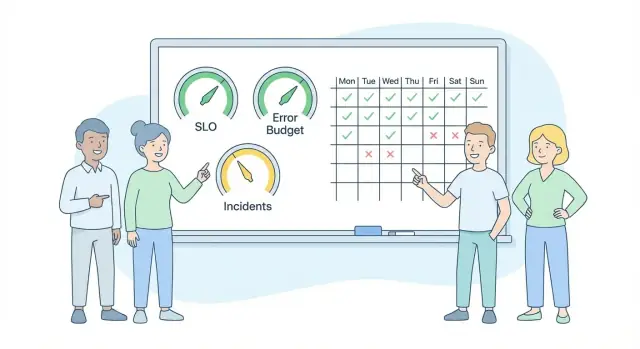
Why tiny teams need error budgets early
Tiny teams ship fast because they have to. The risk usually isn’t one dramatic outage. It’s the same small failure repeating: a flaky signup, a checkout that sometimes fails, a deploy that occasionally breaks one screen. Each one steals hours, chips away at trust, and turns releases into a coin flip.
Error budgets give tiny teams a simple way to move quickly without pretending reliability will “just happen.”
An SLO (service level objective) is a clear promise about the user experience, expressed as a number over a time window. Example: “Successful checkouts are at least 99.5% over the last 7 days.” The error budget is the allowed amount of “bad” inside that promise. If your SLO is 99.5%, your weekly budget is 0.5% failed checkouts.
This isn’t about perfection or uptime theater. It’s not heavy process, endless meetings, or a spreadsheet nobody updates. It’s a way to agree on what “good enough” means, notice when you’re drifting, and make a calm decision about what to do next.
Start small: pick 1 to 3 user-facing SLOs tied to your most important journeys, measure them using signals you already have (errors, latency, failed payments), and do a short weekly review where you look at budget burn and choose one follow-up action. The habit matters more than the tooling.
SLOs, SLIs, and error budgets in plain English
Think of reliability like a diet plan. You don’t need perfect days. You need a target, a way to measure it, and an allowance for real life.
An SLI (service level indicator) is the number you watch, like “% of requests that succeed” or “p95 page load time under 2 seconds.” An SLO is the target for that number, like “99.9% of requests succeed.” The error budget is how much you can miss the SLO and still be on track.
Example: if your SLO is 99.9% availability, your budget is 0.1% downtime. Over a week (10,080 minutes), 0.1% is about 10 minutes. That doesn’t mean you should try to “use” 10 minutes. It means when you spend it, you’re consciously trading reliability for speed, experiments, or feature work.
That’s the value: it turns reliability into a decision tool, not a reporting exercise. If you’ve burned most of the budget by Wednesday, you pause risky changes and fix what’s breaking. If you’re barely spending any, you can ship more confidently.
Not everything needs the same SLO. A public customer-facing app might need 99.9%. An internal admin tool can often be looser because fewer people notice and the impact is smaller.
Choose what to protect: the few journeys users notice
Don’t start by measuring everything. Start by protecting the moments where a user decides your product is working or not.
Pick 1 to 3 user journeys that carry the most trust. If those are solid, most other issues feel smaller. Good candidates are the first touch (signup or login), the money moment (checkout or upgrade), and the core action (publish, create, send, upload, or a critical API call).
Write down what “success” means in plain terms. Avoid technical wording like “200 OK” unless your users are developers.
A few examples you can adapt:
- Signup: user submits the form and lands in the app within X seconds, without seeing an error.
- Checkout: payment completes, the confirmation screen shows, and the user isn’t charged twice.
- Publish / Run job / API call: the action finishes and the user sees the expected result.
Choose a measurement window that matches how fast you change things. A 7-day window works when you ship daily and want quick feedback. A 28-day window is calmer if releases are less frequent or your data is noisy.
Early products have constraints: traffic can be low (one bad deploy skews your numbers), flows change quickly, and telemetry is often thin. That’s fine. Start with simple counts (attempts vs successes). Tighten definitions after the journey itself stops changing.
Set realistic SLOs for an early product
Start with what you ship today, not what you wish you had. For a week or two, capture a baseline for each key journey: how often it succeeds and how often it fails. Use real traffic if you have it. If you don’t, use your own tests plus support tickets and logs. You’re building a rough picture of “normal.”
Your first SLO should be something you can hit most weeks while still shipping. If your baseline success rate is 98.5%, don’t set 99.9% and hope. Set 98% or 98.5%, then tighten later.
Latency is tempting, but it can distract early. Many teams get more value from a success-rate SLO first (requests complete without errors). Add latency when users clearly feel it and you have stable enough data to make the numbers meaningful.
A helpful format is one line per journey: who, what, target, and time window.
- New users signing up: 98.5% of signup attempts succeed over a rolling 7 days.
- Paying users checking out: 99.0% of payments succeed over a rolling 30 days.
- Active users loading the main page: 99.0% of page loads succeed over a rolling 7 days.
Keep the window longer for money and trust moments (billing, auth). Keep it shorter for everyday flows. When you can meet the SLO easily, raise it a little and keep going.
Decide what incidents matter and what to ignore
Tiny teams lose a lot of reliability time when every hiccup becomes a fire drill. The goal is simple: user-visible pain spends the budget; everything else gets handled as normal work.
A small set of incident types is enough: full outage, partial outage (one key flow breaks), degraded performance (it works but feels slow), bad deploy (a release causes failures), and data issues (wrong, missing, duplicated).
A severity scale that fits on a sticky note
Keep the scale small and use it every time.
- Sev1: Many users blocked from a core journey, or data is at risk. Drop everything.
- Sev2: Some users blocked, or a core journey is unreliable. Fix today or schedule the next workday.
- Sev3: Minor breakage or internal inconvenience. Log it and move on.
Decide what counts against the budget. Treat user-visible failures as spend: broken signup or checkout, timeouts users feel, 5xx spikes that stop journeys. Planned maintenance shouldn’t count if you communicated it and the app behaved as expected during that window.
One rule ends most debates: if a real external user would notice and be unable to complete a protected journey, it counts. Otherwise, it doesn’t.
That rule also covers common gray areas: a third-party outage counts only if it breaks your user journey, low-traffic hours still count if users are impacted, and internal-only testers don’t count unless dogfooding is your primary usage.
Track budget burn with lightweight signals
The goal isn’t perfect measurement. It’s a shared, repeatable signal that tells you when reliability is getting expensive.
For each SLO, choose one source of truth and stick with it: a monitoring dashboard, app logs, a synthetic check that hits one endpoint, or a single metric like successful checkouts per minute. If you later change the measurement method, write down the date and treat it like a reset so you don’t compare apples to oranges.
Alerts should reflect budget burn, not every hiccup. A brief spike might be annoying, but it shouldn’t wake anyone up if it barely touches a monthly budget. One simple pattern works well: alert on “fast burn” (you’re on track to burn a month’s budget in a day) and a softer alert on “slow burn” (on track to burn it in a week).
Keep a tiny reliability log so you don’t rely on memory. One line per incident is enough: date and duration, user impact, likely cause, what you changed, and a follow-up owner with a due date.
Example: a two-person team ships a new API for a mobile app. Their SLO is “99.5% successful requests,” measured from one counter. A bad deploy drops success to 97% for 20 minutes. A fast-burn alert triggers, they roll back, and the follow-up is “add a canary check before deploys.”
A weekly reliability ritual: 20 minutes, same time, same notes
You don’t need a big process. You need a small habit that keeps reliability visible without stealing build time. A 20-minute check-in works because it turns everything into one question: are we spending reliability faster than we planned?
Use the same calendar slot every week. Keep one shared note that you append to (don’t rewrite it). Consistency beats detail.
A simple agenda that fits:
- Budget glance: remaining budget for each SLO and the biggest cause of burn.
- New incidents: one line each (what happened, when, user impact).
- Follow-ups: pick 1 to 3 actions you’ll actually finish.
- Commitments: assign an owner and a due date, then stop on time.
Between follow-ups and commitments, decide your release rule for the week and keep it boring:
- Normal: ship as planned.
- Cautious: ship, but avoid risky changes in the affected area.
- Freeze: pause changes in one area until the top issue is fixed.
If your signup flow had two short outages and burned most of its budget, you might freeze only signup-related changes while still shipping unrelated work.
Turn the budget into roadmap decisions without drama
An error budget only matters if it changes what you do next week. The point isn’t perfect uptime. It’s a clear way to decide: do we ship features, or do we pay down reliability debt?
A policy you can say out loud:
- If the budget is healthy, keep shipping and fix the single worst reliability issue you already know about.
- If the budget is burning fast, pause non-essential feature work and spend the week reducing the main failure mode.
- If the budget is exhausted, treat reliability work as the roadmap until you’re back in bounds.
That isn’t punishment. It’s a public trade so users don’t pay for it later.
When you slow down, avoid vague tasks like “improve stability.” Pick changes that alter the next outcome: add a guardrail (timeouts, input validation, rate limits), improve a test that would’ve caught the bug, make rollback easy, fix the top error source, or add one alert tied to a user journey.
Keep reporting separate from blame. Reward fast incident write-ups, even when the details are messy. The only truly bad incident report is the one that shows up late, when nobody remembers what changed.
Common traps tiny teams fall into
A frequent trap is setting a gold-plated SLO on day one (99.99% sounds great) and then quietly ignoring it when reality hits. Your starter SLO should be reachable with your current people and tools, or it becomes background noise.
Another mistake is measuring the wrong thing. Teams watch five services and a database graph, but miss the journey users actually feel: signup, checkout, or “save changes.” If you can’t explain the SLO in one sentence from the user’s point of view, it’s probably too internal.
Alert fatigue burns out the only person who can fix production. If every small spike pages someone, pages become “normal” and real fires get missed. Page on user impact. Route everything else to a daily check.
A quieter killer is inconsistent counting. One week you count a two-minute slowdown as an incident, the next week you don’t. Then the budget becomes a debate instead of a signal. Write down the rules once and keep them consistent.
Guardrails that help:
- Start with one SLO per key user journey, not per component.
- Set an SLO you can meet most weeks, then tighten later.
- Page only on user impact.
- Use a simple incident definition and apply it the same way every time.
- Make postmortems about “what allowed this to happen,” not “who caused it.”
If a deploy breaks login for 3 minutes, count it every time, even if it’s fixed fast. Consistency is what makes the budget useful.
Quick checklist you can run in 10 minutes
Set a 10-minute timer, open a shared doc, and answer these five questions:
- What are the 1 to 3 user journeys you can’t afford to break?
- For each journey, can you write one SLO sentence with a time window?
- Do you agree on what counts as an incident, and who records it within 24 hours?
- Did you look at the last 7 days and pick 1 to 3 follow-ups based on impact (not annoyance)?
- If the budget is low, do you have a simple release rule?
If you can’t measure something yet, start with a proxy you can see quickly: failed payments, 500 errors, or support tickets tagged “checkout.” Replace proxies later when tracking improves.
Example: a two-person team sees three “can’t reset password” messages this week. If password reset is a protected journey, that’s an incident. They write one short note (what happened, how many users, what they did) and pick one follow-up: add an alert on reset failures or add a retry.
Example: a two-person startup team using an error budget for one feature
Maya and Jon run a two-person startup and ship every Friday. They move fast, but their first paying users care about one thing: can they create a project and invite a teammate without it breaking?
Last week they had one real outage: “Create project” failed for 22 minutes after a bad migration. They also had three “slow but not dead” periods where the screen spun for 8 to 12 seconds. Users complained, but the team argued about whether slow counts as “down.”
They pick one journey and make it measurable:
- Journey SLO: Create project succeeds in under 3 seconds, 99% of the time, per week.
- Incident definition: If success rate drops below 97% for 10+ minutes, or p95 latency goes above 5 seconds for 15+ minutes, it’s an incident and they write a short note.
On Monday they run the 20-minute ritual. Same time, same doc. They answer four questions: what happened, how much budget burned, what repeated, and what single change would prevent the repeat.
The trade-off becomes obvious: the outage plus slow periods burned most of the weekly budget. So next week’s “one big feature” becomes “add a DB index, make migrations safer, and alert on create-project failures.”
The outcome isn’t perfect reliability. It’s fewer repeat problems, clearer yes/no decisions, and fewer late-night scrambles because they agreed ahead of time what “bad enough” means.
Next steps: start small and keep the loop tight
Pick one user journey and make a simple reliability promise on it. Error budgets work best when they’re boring and repeatable, not perfect.
Start with one SLO and one weekly ritual. If it still feels easy after a month, add a second SLO. If it feels heavy, shrink it.
Keep the math simple (weekly or monthly). Keep the target realistic for where you are right now. Write a one-page reliability note that answers: the SLO and how you measure it, what counts as an incident, who’s on point this week, when the check-in happens, and what you do by default when the budget burns too fast.
If you’re building on a platform like Koder.ai (koder.ai), it can help to pair fast iteration with safety habits, especially snapshots and rollback, so “revert to last good state” stays a normal, practiced move.
Keep the loop tight: one SLO, one note, one short weekly check-in. The goal isn’t to eliminate incidents. It’s to notice early, decide calmly, and protect the few things users actually feel.
FAQ
What is an SLO, in plain terms?
An SLO is a reliability promise about a user experience, measured over a time window (like 7 or 30 days).
Example: “99.5% of checkouts succeed over the last 7 days.”
What is an error budget, and why should a tiny team care?
An error budget is the allowed amount of “bad” within your SLO.
If your SLO is 99.5% success, your budget is 0.5% failures in that window. When you burn the budget too fast, you slow risky changes and fix the causes.
Which user journeys should we protect first with SLOs?
Start with 1–3 journeys users notice immediately:
- Signup/login
- Checkout/upgrade
- The core action (publish, upload, create, send, run)
If those are reliable, most other issues feel smaller and are easier to prioritize later.
How do we set a realistic SLO when our product is still early?
Pick a baseline you can actually meet most weeks.
- Measure current success rate for 1–2 weeks (even roughly).
- Set the first SLO at or slightly below that baseline.
- Tighten it gradually once you’re consistently hitting it.
If you’re at 98.5% today, starting at 98–98.5% is more useful than declaring 99.9% and ignoring it.
What can we measure if our monitoring is weak or traffic is low?
Use simple counting: attempts vs. successes.
Good starter data sources:
- App logs (success/failure events)
- A single counter/metric (e.g., “successful checkouts”)
- Support tickets tagged by journey
- A basic synthetic check (one request that mimics the journey)
Don’t wait for perfect observability; start with a proxy you trust and keep it consistent.
What should count as an incident (and spend the budget)?
Count it if an external user would notice and fail to complete a protected journey.
Common “counts against budget” examples:
- Broken signup or checkout
- Timeouts users experience
- 5xx spikes that stop the journey
- Data problems users see (missing/duplicated charges, wrong results)
Don’t count internal-only inconvenience unless internal use is the main product usage.
How should we set alerts without waking someone up for every hiccup?
A simple rule: page on budget burn, not on every blip.
Two useful alert types:
- Fast burn: you’re on track to burn a month’s budget in a day
- Slow burn: you’re on track to burn it in about a week
This reduces alert fatigue and focuses attention on issues that will change what you ship next.
What should a weekly reliability ritual look like for a small team?
Keep it to 20 minutes, same time, same doc:
- Remaining budget per SLO + biggest burn cause
- New incidents (one line each: what/when/impact)
- Pick 1–3 follow-ups you will finish
- Assign an owner and a due date
End with a release mode for the week: Normal, Cautious, or Freeze (only that area).
How do we turn an error budget into roadmap decisions?
Use a default policy that’s easy to say out loud:
- Budget healthy: keep shipping; fix the single worst known reliability issue
- Budget burning fast: pause non-essential feature work in the affected area; remove the main failure mode
- Budget exhausted: reliability work is the roadmap until you’re back in bounds
The goal is a calm trade-off, not blame.
How can we ship fast while staying safe (snapshots, rollback, deploy habits)?
A few practical guardrails help:
- Use snapshots before risky changes.
- Practice rollback so it’s normal, not scary.
- Keep changes small and reversible.
If you’re building on a platform like Koder.ai, make “revert to last good state” a routine move, and treat repeated rollbacks as a signal to invest in tests or safer deploy checks.