

Event Websites for Weddings & Parties: RSVP, Maps, Schedules
Learn how to build an event website for weddings or parties with RSVP, maps, and schedules—plus FAQs, guest updates, and mobile-friendly tips.
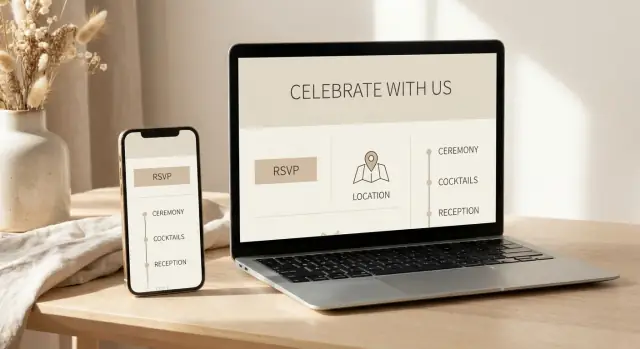
Why an Event Website Makes Planning Easier
An event website is a simple, shareable place where all the key details for your wedding or party live—date, location, schedule, RSVP, and updates. Instead of sending the same answers in ten different texts, you point guests to one link that stays current.
What guests expect (and why it matters)
Most guests aren’t looking for a “perfect” site—they want clarity. A good event website quickly answers:
- Where is it? The exact venue address, plus parking or entrance notes.
- When should I arrive? Start time, end time (if you have it), and any “arrive by” guidance.
- What do you need from me? An online RSVP with clear instructions.
- Has anything changed? Quick updates without hunting through chat threads.
When these basics are easy to find on a mobile-friendly page, guests feel more confident—and you get fewer last-minute calls.
Less back-and-forth, fewer missed details
Group chats and email chains are helpful until important info gets buried. A single source of truth helps prevent:
- Guests showing up at the wrong time (ceremony vs. reception timing)
- Confusion over which venue to use (especially with hotels and shuttles)
- Missed RSVP deadlines or incomplete responses
It also makes it easier for co-hosts, family members, or planners to share consistent information.
Single-page vs. multi-page: which one should you use?
A single-page site works best for smaller events with one venue and a straightforward timeline—think “invite details + RSVP + map.”
A multi-page site is better when you have multiple events (welcome drinks, ceremony, brunch), travel notes, or lots of FAQs. Separating information into pages keeps the main details fast to scan while still covering everything guests need.
Core Pages to Include (and What to Skip)
A good event website is less about “more pages” and more about “fewer dead ends.” Guests should be able to answer three questions quickly: what’s happening, where to go, and what you need from them.
The basic pages (the ones that do the heavy lifting)
Home (or Welcome)
Keep this page scannable: event name, date, city/venue name, and a clear call to action (“RSVP here”). This is also the right place for a short note on what kind of event it is (wedding, birthday, anniversary, engagement party) so guests understand the vibe.
RSVP
Your online RSVP page is the engine of guest list management. Link to it prominently from the Home page and keep it uncluttered. If guests can’t find it in five seconds, they’ll text you instead.
Schedule
An event schedule page prevents a lot of “what time should I arrive?” questions. Even if you only have two items (ceremony + reception, or dinner + after-party), it’s worth having a dedicated page.
Travel / Map
Include the venue address, directions and parking notes, and any ride-share or public transit tips. A clear wedding website map (or party map) section is especially helpful for out-of-town guests and anyone driving at night.
FAQs
This page reduces repetitive messages. Put the most common questions here (timing, dress code, plus-ones, kids, parking, food restrictions) and update it as new questions pop up.
Contact
Give one clear way to reach the right person (you, a partner, or a planner). If you don’t want calls, don’t list a phone number—use email or a simple form.
Nice-to-have pages (useful, but only if they stay tidy)
Registry / Gifts
Great for weddings, optional for parties. Keep it simple: a short note and a couple of links.
Dress code
If attire matters, a dedicated page can be clearer than burying it in FAQs. A few examples (“cocktail,” “garden formal,” “theme colors optional”) help more than long explanations.
Photos
A gallery page can be a fun place to share engagement photos or throwback pictures. After the event, it can also point guests to where you’ll share albums.
After-party
Include this only if it’s relevant to many guests. If it’s invite-only, keep it private (see below).
What to skip (or keep off the main navigation)
Avoid pages that create obligations or confusion:
- Long “Our Story” timelines most guests won’t read
- Multiple schedule sections that contradict each other
- Extra “info” pages that repeat the same details
If something changes often (like shuttle timing), don’t scatter it across three pages—keep one source of truth.
What to keep private
Some details don’t belong on an open link:
- Home addresses and getting-ready locations
- Last names (especially for larger weddings)
- Room blocks with booking codes
- Invite-only details (after-party location, private brunch)
If your platform allows it, password-protect these pages or hide them from the main menu.
A simple structure that works for weddings and parties
A clean top navigation usually looks like:
Home • RSVP • Schedule • Travel/Map • FAQs • Contact
Then place “nice-to-have” pages (Registry, Dress Code, Photos) as secondary links or buttons so guests see the essentials first.
RSVP Setup: What to Ask and How to Avoid Confusion
A good online RSVP should feel effortless for guests and give you clean, usable data. The trick is keeping the form short while still capturing what you actually need to make decisions.
RSVP fields that are worth collecting
Start with the basics:
- Guest name(s): pre-fill from your guest list if possible, or ask for “Full name as on invitation.”
- Attendance: a clear Yes / No for each person.
- Meal choice: only if catering needs it—and only for people attending.
- Plus-ones: if allowed, don’t make guests guess. Use a specific prompt like “You may bring one guest” and collect the plus-one’s name.
If you need extras (allergies, dietary needs, song requests), add them as optional fields and label them clearly as optional.
How to phrase questions so guests don’t get stuck
Use plain, specific wording and avoid “wedding-insider” shorthand.
Instead of: “Will you attend?”
Try: “Can you make it to the reception on Saturday, May 18?”
For meal choices, include what the guest will recognize:
- “Chicken (roasted lemon herb)”
- “Vegetarian (mushroom risotto)”
If children are invited, say so directly: “Kids are included in your RSVP.” If they aren’t, use a polite line like: “We’re keeping the celebration adults-only.”
Handling multiple events (without creating chaos)
If you have a ceremony, reception, brunch, and/or after-party, list each one separately with its own Yes/No. Keep the order chronological and match the invitation wording.
A simple pattern:
- “Ceremony: Yes / No”
- “Reception: Yes / No”
- “Sunday Brunch: Yes / No (limited seating)”
Confirmation messages: set expectations right away
After submission, show a confirmation that reduces follow-up texts:
- “You’re all set—thanks!”
- A recap: who RSVPed, which events, meal selections
- What happens next: “You’ll receive an email confirmation shortly. Need to change your RSVP? Reply to the confirmation email by June 1.”
That one screen can prevent a surprising amount of confusion later.
Schedules That Guests Can Actually Follow
A schedule page should answer one thing quickly: “Where do I need to be next, and when?” If guests have to zoom, scroll forever, or decode vague labels, they’ll rely on texts—and you’ll spend the day repeating yourself.
Build a clean timeline
For each item, include start time, end time (or “ends around”), and location. If you don’t know an end time, use a friendly estimate so people can plan rides and childcare.
A simple format works best:
- 4:00–4:30 PM — Ceremony (Garden Pavilion)
- 4:30–5:30 PM — Photos + Cocktail Hour (Terrace Bar)
- 6:00–9:30 PM — Reception + Dinner (Grand Hall)
Multiple venues or multiple days
If your event spans more than one place (or more than one day), group the schedule by day first, then list items in order. Keep venue names consistent so guests recognize them.
Example structure:
- Friday — Welcome (Hotel Lounge)
- Saturday — Wedding Day (Ceremony venue → Reception venue)
- Sunday — Brunch (Café Patio)
If there are optional events, label them clearly: “Optional”, “Everyone welcome”, or “Family only.”
Add buffer time and helpful notes
Small notes prevent big confusion. Add short, practical guidance right under the relevant item:
- Arrive 15 minutes early (seating closes at start time)
- Security/check-in required (bring ID)
- Shuttle leaves at 5:15 PM sharp (next shuttle 5:45 PM)
Make it skimmable on mobile
Use short labels, plenty of whitespace, and consistent time formatting (e.g., always “4:00 PM,” not “4pm”). Keep notes to one line when possible, and avoid paragraphs inside the timeline. If you must include details, tuck them behind clear headings like Transportation or Dress code so the main timeline stays clean.
Maps and Directions: Help Guests Arrive Stress-Free
Nothing creates day-of chaos faster than guests circling the block, texting “Where are you?” or showing up at the wrong entrance. Your event website can prevent most of that with a clear, scannable directions section.
Make directions one-tap
If you can, embed a map right on the page. If not, add a prominent “Get directions” link that opens in a guest’s preferred maps app.
Keep it simple: one venue, one tap. If your event has multiple locations (ceremony, reception, after-party), give each its own mini block with a map link so guests don’t accidentally navigate to the wrong spot.
Share the exact location (and the right entrance)
Don’t assume the venue name is enough—many places have multiple buildings or similarly named properties.
Include:
- Venue name + full street address (with postal/ZIP code)
- Which entrance to use (e.g., “Enter via the Garden Gate on Oak St.”)
- Where to go once inside (e.g., “Second floor ballroom; take the elevator near the lobby bar”)
If the pin in common map apps lands on a back alley or staff entrance, call that out directly and provide a corrected note.
Parking, drop-off, and accessibility notes
A few lines here save a lot of frustration:
- Parking: on-site vs. nearby garages, cost, validation, and how quickly lots fill up
- Ride-share drop-off: the best curb/door to use, plus any restrictions for busy streets
- Accessibility: step-free entrance, elevator location, accessible parking, and distance from drop-off to the entrance
If there’s a shuttle, include pickup points and a link to the schedule page (or a brief summary if it’s only one route).
Transit options and realistic travel times
When public transportation is a good option, mention the nearest stop and a reasonable walk time (for example, “7–10 minutes on sidewalks”). For out-of-town guests, add a quick estimate from common starting points like the main hotel or airport—keep it broad so it stays accurate.
Done well, your directions section becomes a calm, confident “You’ve got this” for every guest—especially the ones arriving in formalwear and a hurry.
FAQ Section: Answer Questions Before They’re Asked
A good FAQ page saves you from repeating the same answers in twenty different text threads. It also reduces guest anxiety: people are more likely to show up on time and prepared when the “small details” are easy to find.
What belongs in an event FAQ
Focus on questions that affect planning, comfort, and timing. The most useful FAQs usually cover:
- Dress code (and what it means in plain language)
- Kids and plus-ones
- Weather and backup plans
- Timing details (arrival window, ceremony start, when food is served)
- Gifts (or “no gifts,” if that’s your preference)
- Parking, entrances, and accessibility notes
If something causes confusion once, it belongs in the FAQ.
How to write answers that are polite and specific
Guests don’t need long explanations—they need clear instructions with a friendly tone.
Instead of: “Please be on time.”
Try: “Please arrive between 4:15–4:40 PM so you have time to park and find a seat. The ceremony begins at 5:00 PM sharp.”
Instead of: “No kids.”
Try: “We love your little ones, but this will be an adults-only celebration. Thank you for arranging childcare.”
Specific times, locations, and boundaries prevent awkward follow-up questions.
Where to place FAQs so guests actually read them
Don’t hide FAQs at the bottom of the site. Link them in the main navigation as “FAQ” or “Questions,” and add a short “Most asked” block near your RSVP or schedule pages.
If you’re sending email or text updates, include a line like: “More answers here: /faq” so people learn to check the site first.
Example FAQ questions (by event type)
Weddings: “Is the ceremony indoors or outdoors?” “Can I take photos?” “Is there a shuttle?” “What time should I arrive?” “Are there reserved seats?”
Birthdays/parties: “Is it a surprise?” “What’s the vibe/dress code?” “Can I bring a friend?” “Is there food for dietary needs?”
Reunions: “Which day should I come if I can’t attend everything?” “Are kids welcome?” “Where are people staying?” “What’s the plan if it rains?”
Keep the FAQ updated as new questions pop up—your future self will thank you.
Privacy and Guest Data: Keep Details Under Control
An event site often collects more personal information than you realize—names, plus-ones, dietary needs, and sometimes travel plans. A few simple choices can keep your wedding event website or party website helpful without oversharing.
Decide what should be public vs. invite-only
If your site includes anything that could identify where people will be (or where you live), treat it as private. Password-protect the whole site, or keep sensitive pages invite-only.
Common candidates for protection:
- The full guest list or any “who’s coming” view
- Accommodation details tied to a small group
- Day-of timing that makes your location predictable
Don’t post private details publicly
Avoid publishing home addresses, personal phone numbers, or full names in a way that’s searchable. For directions, use a venue name and general area, then provide exact details only to invited guests. If you’re sharing parking instructions, keep it practical (where to enter, which lot) without adding unnecessary personal context.
Store only what you need (and explain why)
For online RSVP and guest list management, collect the minimum that helps you plan:
- Names (first name is often enough for display)
- Attendance (“yes/no”) and meal choice if relevant
- Allergies/accessibility needs (optional, but clearly useful)
If you’re exporting data to a spreadsheet or sharing it with vendors, limit access to the latest version and delete old copies. Guests appreciate knowing their information won’t float around forever.
Make corrections easy
Add one clear contact method for updates: a dedicated email address or a simple form (“Fix my RSVP details”). Mention it near your RSVP confirmation so guests can quickly correct typos, plus-one changes, or special needs without back-and-forth.
Mobile-Friendly Design and Accessibility Basics
Most guests will open your event site from a phone—often while juggling travel, bags, or a group chat. A mobile-first layout isn’t a “nice to have”; it’s what makes your RSVP, schedule, and directions usable when it matters.
Design for thumbs (not cursors)
Start with a single-column layout that fits small screens without zooming. Keep the most important actions visible near the top.
Make your key buttons large and unmistakable:
- RSVP (so guests can respond in one tap)
- Directions (so they can start navigation quickly)
- Schedule (so they can check timing while on the move)
Aim for generous spacing between buttons and links—mis-taps are a common reason people give up and text you instead.
Readable, accessible text
Choose a simple font and use a size that’s comfortable on mobile (generally 16px+ for body text). Keep paragraphs short, and avoid placing important details in script fonts.
For accessibility, use high-contrast text (dark text on a light background or vice versa). If you’re using color to communicate meaning (like “Ceremony” vs. “Reception”), pair it with labels so it still works for guests with color-vision differences.
Forms that don’t frustrate
Your RSVP form should be easy to complete on a phone: large input fields, clear labels, and minimal typing. If you use dropdowns, keep the options short and recognizable.
Test before you share
Open the site on multiple devices (iPhone/Android, plus a laptop) and try the full flow: RSVP → confirmation → directions. Then share a simple URL that’s easy to type and easy to remember (and avoid long, messy query strings).
Content and Design Tips That Look Polished
A polished wedding event website (or party website) doesn’t need fancy graphics—it needs clear information, consistent formatting, and an RSVP that’s impossible to miss. Small choices here make guests feel confident they’re reading the “official” details.
Use photos intentionally (and keep pages fast)
Photos add warmth, but they shouldn’t slow down your online RSVP or make the event schedule page hard to load.
Place one strong hero photo near the top of the homepage, then use a few smaller images on supporting pages (like “Details”). Keep galleries short—think highlights, not a full album.
If you’re adding engagement or party photos:
- Put 1–2 near the header for personality, then stop.
- Avoid auto-playing videos or large slideshows.
- If a page feels slow on your phone, it will feel slow for guests too.
Keep text consistent so details don’t drift
Most guest confusion comes from tiny inconsistencies—especially around names, dates, and timing.
Pick a single style and stick to it:
- Names: “Ava & Jordan” vs. “Jordan and Ava” (choose one and use it everywhere)
- Dates: “Sat, June 14, 2026” (same format on every page)
- Time zones: include them if guests are traveling (e.g., “4:30 PM ET”)
- Location wording: match your wedding website map and directions exactly (venue name, address, entrance notes)
A quick trick: copy the final venue address from your maps app once, paste it everywhere, and don’t retype it.
Common design mistakes (and how to avoid them)
Too much copy is the #1 reason guests miss key info. Keep paragraphs short and move extra details into your event FAQs.
Also watch for:
- Tiny fonts (if it’s hard for you to read, it’s too small)
- Low contrast text (light gray on white looks “minimal,” but reads poorly)
- Hidden RSVP (make “RSVP” a top navigation item and repeat it on the homepage)
A simple pre-send checklist
Before you text or email the link:
- RSVP button is visible on the homepage and in the menu
- Dates, start times, and time zones match across all pages
- Addresses match exactly (including directions and parking notes)
- Schedule items are scannable (bold times, short descriptions)
- You’ve tested the site on your phone and one other device
These tweaks take minutes, but they’re what make a wedding website checklist feel “done,” not “almost done.”
Sending Updates Without Confusing Everyone
Even a well-planned wedding or party gets last-minute tweaks: a shifted start time, a rain plan, a different entrance, or parking changes. The goal isn’t to message more—it’s to update one source of truth and point everyone to it.
Announce updates the same way every time
If guests don’t know where to look, they’ll rely on hearsay. Pick a simple, repeatable pattern:
- Event website banner for the headline (“Ceremony now starts at 4:30 PM”).
- A short email or text with a single link back to the site.
- Group chat only for urgent reminders (and still include the link).
A banner is especially useful because it’s hard to miss, and it doesn’t require guests to search through old messages.
Best channels (and when to use each)
Site banner: Best for everyone, including guests you don’t have phone numbers for. Keep it brief and visible.
Email/text link: Best for making sure people actually notice the change. Use one message per update, not a thread.
Group chat: Best for the inner circle (wedding party, family, close friends). Don’t rely on it as the only channel—some guests won’t be included.
What to update first (so the change makes sense)
When something changes, update pages in the order guests experience the event:
- Schedule (the new timing is the anchor)
- Directions and parking (especially if entrances or drop-off points change)
- FAQ (explain the “why” in one calm sentence: weather, venue request, transit)
That sequence prevents confusion like “I saw the new time, but where do I go now?”
Add a “Last updated” note to build trust
People ignore information that feels stale. Add a small line near the top of the relevant page:
Last updated: Saturday, May 18 at 2:10 PM
It reassures guests they’re looking at the latest details and reduces the number of texts you’ll get asking, “Is this still correct?” Keep the note short—no need to document every edit, just the most recent change.
Headcount, Reminders, and Practical Planning Workflow
A good event website isn’t just a pretty link—it’s your control center for turning “maybe” into an accurate headcount you can hand to the venue.
What to track (so you’re not guessing later)
Before RSVPs start rolling in, decide what you’ll actually need to know. The most useful numbers are:
- Total RSVP counts (yes / no / pending)
- Meal totals (per entrée choice, dietary notes)
- Plus-ones (named guest vs. “+1,” and whether they’re invited to every part)
- Attendance by event (ceremony, reception, after-party, brunch)
Tracking attendance by event matters more than people expect—someone might skip the ceremony but join the reception, and your seating, shuttles, and catering depend on those details.
Set a clear “final headcount” deadline
Pick a deadline that works backward from vendor needs. If your caterer needs numbers 10 days out, set your RSVP deadline 2–3 weeks before that.
Then plan reminders:
- One friendly nudge about 10–14 days before the deadline
- A final reminder 48–72 hours before it closes
Keep reminder wording consistent with your website labels (“Reception RSVP,” “Meal Choice,” etc.) so guests aren’t trying to interpret what you mean.
Share final numbers without messy spreadsheets
Once RSVPs are mostly in, do a quick cleanup pass: confirm missing meal choices, resolve unnamed plus-ones, and check duplicates. Then export or summarize for:
- Caterer (final headcount + meal totals)
- Venue coordinator (guest count, arrival timing, special access needs)
- Planner/DJ (timeline + attendance by event)
If you’re choosing a platform or deciding which tier includes exports, compare options on /pricing.
A fast way to build (or rebuild) an event site when time is tight
If you’re late in the planning process—or you just don’t want to wrestle with templates—vibe-coding tools can help you ship a clean, mobile-friendly event site quickly.
For example, Koder.ai lets you create simple web apps from a chat-style prompt (pages like RSVP, schedule, travel/map, and FAQs), then iterate quickly as details change. It’s also useful if you want practical features like source code export, deployment/hosting, custom domains, and snapshots/rollback so you can confidently update the site without breaking what already works.
For more templates and planning tips (like reminder wording and RSVP checklists), continue on /blog.
FAQ
What is an event website, and why does it make planning easier?
An event website is a single, shareable “source of truth” for your date, locations, schedule, RSVP, and updates. Instead of repeating details in texts and group chats, guests can check one link that stays current—especially helpful for day-of directions and timing changes.
Should I build a single-page or multi-page event website?
Use a single-page site if your event is small, has one venue, and a simple timeline (details + RSVP + map). Choose a multi-page site if you have multiple events (welcome drinks, ceremony, brunch), travel notes, or lots of FAQs—separate pages keep the essentials fast to scan without burying important info.
What core pages should every wedding or party website include?
A clean baseline that works for most weddings and parties is:
- Home/Welcome
- RSVP
- Schedule
- Travel/Map
- FAQs
- Contact
This setup answers what’s happening, where to go, and what you need from guests—without dead-end pages.
What RSVP questions should I ask so I get usable headcount data?
Collect only what you’ll actually use:
- Guest name(s)
- Attendance Yes/No for each person
- Meal choice (only if catering needs it)
- Plus-one details (only when allowed, and request a name)
Add extras like allergies or song requests as optional fields so the form stays quick on mobile.
How do I phrase RSVP and FAQ wording so guests don’t get confused?
Be specific and remove guesswork:
- Reference the exact event: “Can you make it to the reception on Saturday, May 18?”
- Show recognizable meal labels (e.g., “Vegetarian (mushroom risotto)”)
- State boundaries clearly: “Adults-only celebration” or “Kids are included in your RSVP”
Plain language reduces follow-up texts and incomplete responses.
How should I handle RSVPs when there are multiple events (brunch, after-party, etc.)?
List each event separately with its own Yes/No, in chronological order, matching your invitation wording. If something is limited or invite-only, label it directly (e.g., “Sunday Brunch: Yes/No (limited seating)”) so guests understand what applies to them.
What makes an event schedule guests can actually follow?
Use a scannable timeline with start time, end time (or estimate), and location for each item. Add short notes only where they prevent confusion, like:
- “Arrive 15 minutes early”
- “Security/check-in required (bring ID)”
- “Shuttle leaves at 5:15 PM sharp”
Keep formatting consistent so it’s easy to read on a phone.
What should I include in the Travel/Map section to prevent day-of chaos?
Give each location its own clear block with:
- Venue name + full address (with ZIP/postal code)
- The correct entrance and where to go inside
- Parking, ride-share drop-off, and accessibility notes
If map pins often land in the wrong place, call it out and provide the corrected instruction so guests don’t navigate to a back entrance.
What information should I keep private on an event website?
Keep sensitive details off an open link, such as:
- Home addresses and getting-ready locations
- Full last names (especially for large events)
- Room block codes
- Invite-only event locations
If your platform supports it, password-protect the whole site or hide private pages from the main navigation.
How do I send updates without confusing guests or starting message chaos?
Use one repeatable system:
- Update the website first (banner + correct page details)
- Send one short email/text that links back to the updated page
- Use group chats only for urgent reminders (still include the link)
Adding a brief “Last updated” line on key pages helps guests trust they’re viewing the latest info.