

Export source code from a vibe-coding platform cleanly
Learn how to export source code from a vibe-coding platform and take clean ownership: run locally, set up CI, manage secrets, and prep a handoff-ready repo.
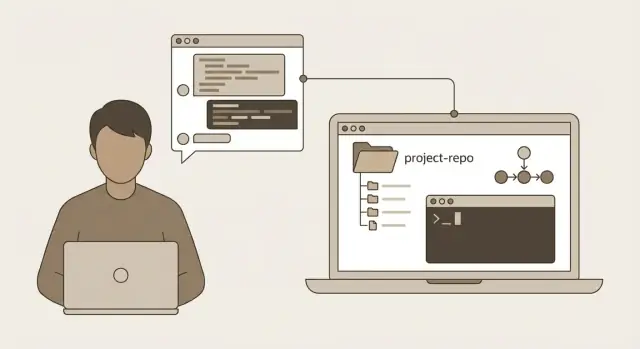
What it means to take ownership after export
Owning the code is more than receiving a zip file from a platform. It means you can build, run, change, and ship the app without needing the original workspace, special buttons, or hidden settings. A project you truly own behaves like any normal repo: a new teammate can clone it, start it on a laptop, and deploy it through a standard pipeline.
Most lock-in anxiety comes from the same few gaps:
- Configuration that only exists in a platform UI
- Build steps that happen "somewhere else"
- Dependencies that are assumed but not written down
Another common surprise is when the app runs fine on the hosted version, but fails locally because environment variables, database setup, or secrets were never made explicit.
A clean export from a vibe-coding platform should lead to four outcomes:
- You can run the exported app locally with predictable steps.
- You can deploy it from your own repo using CI, not manual clicks.
- Secrets are handled safely (no keys in Git, no guessing).
- The repo is handoff-ready, so a new person can onboard quickly and trust what they see.
This matters even if you never plan to leave the platform. A solid ownership posture is insurance: it reduces risk, makes audits easier, and keeps negotiations simpler if you hire an agency, raise funding, or change teams.
If you used Koder.ai, your export may include common stacks like a React web app, a Go backend, PostgreSQL, or a Flutter mobile app. The stack matters less than the principle: everything needed to run should be visible in the repository, not trapped in a hosted environment.
Imagine a founder handing an app to a contractor. "Here's the repo" should be enough. The contractor shouldn't need access to the original platform project to find the API base URL, create the database schema, or learn how to build the frontend.
What you should expect in an exported project
After export, you should have a normal repository you can open in an editor, run on your laptop, and hand to another team without needing the original platform.
With Koder.ai projects, exports often map to familiar structures: a React web app, a Go backend, and (if you built one) a Flutter mobile app. Folder names vary, but the repo should make it obvious where each part lives and how they connect.
The project shape: folders, entry points, and what runs what
Start by locating the entry points and the intended workflow. You want the first file that boots each app, plus the scripts that show how you're meant to develop and run it.
Typical signs:
- Web: a
package.jsonplus asrc/folder (often withmain.tsxor similar) - Backend:
go.modand acmd/folder ormain.go - Mobile: Flutter's
pubspec.yamlandlib/main.dart - A top-level
READMEorMakefilethat describes how to run everything - A
docker-compose.ymlif the export is meant to run as a set of services
Dependencies, configuration, and database pieces
Dependencies should be pinned. For JavaScript, that means a lockfile (package-lock.json, yarn.lock, or pnpm-lock.yaml). For Go, it means go.mod and go.sum. Missing pins don't make the project impossible to run, but they do make repeatable builds harder.
Configuration should be separate from code. Look for examples like .env.example or config.example.yaml. You should not see real secrets (API keys, production passwords) committed in the export. If you do, treat it as a leak and rotate them.
For database work, find a migrations folder (migrations/, db/migrations/) or SQL files with timestamps. In a Go + PostgreSQL app, you may also see a small migration runner or a script that applies migrations.
A fast sanity check: locate the build and run commands first (npm run dev, go run, make, and similar). If a script depends on a platform-only command, replace it with standard tooling before you call the repo independent.
Step by step: export, commit, and run locally
Treat the export like a release artifact. Before running anything, do a quick "is it all here?" pass. Missing pieces are easier to catch now than after you start changing things.
A practical completeness check is to look for the "roots" of each part: a package.json for a React web app, a go.mod for a Go backend, and migration/seed files for PostgreSQL.
A clean first commit (so history starts readable)
Create a fresh Git repository from the exported folder, then commit exactly what you received before fixing anything. That gives you a clean baseline and makes later changes easy to review.
git init
# Optional: set default branch name
# git branch -M main

git add -A
git commit -m "Initial export"
Now run locally in small, verifiable steps. Install dependencies, create local configuration, start the database first, then the backend, then the frontend. As you do it, write down every command you actually use. Those notes become your README.
Here's a simple command sequence you can adapt to your exported structure:
# Frontend
cd web
npm install
npm run dev

# Backend
cd ../server
go mod download
go run ./cmd/server
Confirm the database really works (not just "server started")
A server can boot while the app is still broken. Confirm it can read and write data.
Pick quick checks that match the product:
- Open a page that clearly depends on data (a list, profile, dashboard).
- Create a record (signup, create item, add note), refresh, and confirm it persisted.
- Trigger one update and one delete if the UI supports it.
- Watch logs for migration errors or "relation does not exist".
Once you have a working local run, turn your scratch note into a real README.md with copy-paste steps: where to run commands from, the order to start services, and which environment variables are required.
Turn the export into a handoff-ready repo
An export might run, but still feel "generated" instead of owned. A handoff-ready repo makes it obvious where things live, how to run the project, and how to keep it consistent.
Start with a clear top-level layout. Names matter less than consistency.
apps/for user-facing frontends (web, mobile)services/for backend APIs, workers, and jobsshared/for shared types and utilitiesinfra/for deployment templates, scripts, and environment examplesdocs/for architecture notes and runbooks
Then add a small set of files that reduce guesswork:
README.mdwith prerequisites and exact commandsCONTRIBUTING.mdwith a few rules (branches, PRs, no secrets).gitignoreto keep local env files and build outputs out of Git
Keep the README practical. If the repo includes multiple parts (React frontend, Go API, PostgreSQL), spell out the order to start them and where config lives (for example, "copy .env.example to .env").
Do a fresh-machine check: clone into a new folder and follow your own README. If you exported from Koder.ai, treat the export as the first commit of a new independent project, and only then invite others in.
Local development setup that new people can follow
A good local setup answers one question fast: can a new person run the app in under 15 minutes without guessing.
Pick a default local approach and be explicit. Native installs are quick for people who already have the right tools. Containers are more consistent across machines but add overhead. If you support both, label one as the default and the other as optional.
A simple pattern that works well: one README page, one sample env file, and one bootstrap command.
A minimal, safe env setup
Commit an example file with fake values so people know what to set without leaking secrets.
# .env.example (example values only)
APP_ENV=local
PORT=8080
DATABASE_URL=postgres://app_user:app_pass@localhost:5432/app_db?sslmode=disable
JWT_SECRET=change-me
API_BASE_URL=http://localhost:8080
In the README, explain where the real file lives (for example, "copy to .env") and which variables are required vs optional.
One command to bootstrap
Add a small script that runs the boring steps in the right order. Keep it readable.
#!/usr/bin/env bash
set -euo pipefail

cp -n .env.example .env || true

# Backend deps
cd backend
go mod download

# Database: create, migrate, seed
./scripts/db_create.sh
./scripts/db_migrate.sh
./scripts/db_seed.sh

# Frontend deps
cd ../web
npm install
For the database plan, document three things: how to create the DB, how migrations run, and how to get seed data for a realistic first run.
Finally, add a quick health check so people can confirm the app works before clicking around. A tiny endpoint like GET /health returning "ok" (and verifying database connectivity) is often enough.
Secrets and configuration without leaking anything
When you export a project, the code may be yours, but the secrets must stay private. Assume the repo will be shared with new teammates.
Start by listing what the app needs to run. Don't guess. Skim the code for config reads (environment variables, config files) and check any integrations you enabled.
A basic secrets inventory usually includes database credentials, third-party API keys, auth settings (OAuth or JWT), storage credentials, and app-specific secrets like encryption keys or webhook signing secrets.
Decide where each secret lives in each environment. A good default rule is:
- Local: developer-owned
.env(not committed) - CI: the CI provider's secret store
- Production: a dedicated secret manager or hosting environment variables
If you exported from a vibe-coding platform like Koder.ai, assume anything shown in chat, logs, or settings panels could have been copied around. Move secrets out of the repository immediately.
A practical approach is to commit a safe template (like .env.example), keep real values out of Git (add .env to .gitignore), and inject production secrets at deploy time.
If there's any chance secrets were exposed during export, rotate them. Prioritize database passwords, OAuth client secrets, and webhook signing keys.
Add a couple of guardrails so this doesn't happen again: a pre-commit check for obvious secret patterns, a secret scan in CI, strict config loading that fails fast when required variables are missing, and separate credentials per environment.
A short SECRETS.md helps with handoffs. Keep it simple: required variables, where they're stored per environment, and who can rotate them.
Set up CI so the repo stays healthy
Once you take ownership, CI is your safety net. Keep the first version small. Every push should prove the project still builds, basic checks pass, and tests (if you have them) still run.
CI should answer one question quickly: "Is this change safe to merge?" For most repos, that means install dependencies, build, lint, and run unit tests.
Split jobs by app part so failures are obvious:
- Web: install, lint/typecheck, build, run tests
- Backend: build, run unit tests, run linters/format checks
- Optional mobile (Flutter): analyze, test, build
- Optional database check: apply migrations in a throwaway environment
Use caching, but don't let cache hide problems. When caches miss, CI should still work, just slower.
Prefer a single command per step (make test, npm run test, and similar) so the same command works locally and in CI. It reduces confusion and keeps logs shorter.
Example shape (adjust names to your repo):
jobs:
  web:
    steps:
      - run: npm ci
      - run: npm run lint
      - run: npm run build
  api:
    steps:
      - run: go test ./...
      - run: go build ./...
After the basics are stable, add a simple release flow: tag releases, build artifacts, and store them as CI artifacts. Even if you still deploy from a platform today, repeatable artifacts make it much easier to change hosts later.
Common mistakes and how to avoid them
Exporting code is only half the job. The other half is making sure the project behaves the same way outside the platform.
Mistake 1: Expecting it to run with zero setup
Exports often depend on environment variables, migrations, seed data, and build steps that were handled for you. A blank screen or a database error on first run is normal.
Do one baseline run before changing anything: install deps, set env vars, run migrations, start services in order. Fix only what's needed to match the expected setup.
Mistake 2: Leaking secrets into Git
The most common accident is committing real API keys or passwords, usually through a copied .env file or a tool-generated config.
Commit templates only. Keep real values in your local environment or a secret store.
Mistake 3: Changing dependencies too early
Upgrading packages or reorganizing folders right away makes it hard to tell whether problems came from the export or your changes.
Get a working run first, then make improvements in small, separate commits.
Mistake 4: Not pinning versions
"Works on my machine" often comes from unpinned tool versions (Node, Go, Flutter, even package managers).
Pin runtime versions in a clear place (a file or the README), keep lockfiles (package-lock, go.sum, pubspec.lock), and verify setup on a second machine or a fresh container.
Mistake 5: Skipping docs, then paying for it later
Handoffs fail because nobody remembers the one weird step needed to start the app. Write it down while it's fresh: required env vars, how to run migrations, where logs go, and how to reset local state.
A realistic example: from platform project to independent repo
A three-person team builds a customer portal in Koder.ai: a React web app, a Go API, and a PostgreSQL database. When it's time to hand it to an outside dev team, they want the export to feel like a normal repo someone can run on day one.
Day 1: they export, create a fresh Git repo, and run locally. The frontend starts, but the API fails because environment variables are missing. They don't guess. They read the code, identify the exact keys used, and create an .env.example with placeholders. Real values stay in a password manager and local .env files.
They also notice ports and CORS settings were fine on the platform but need local defaults. They set predictable defaults (for example, API on 8080 and web on 3000) so new machines behave the same.
Day 2: they add migrations and a small seed script that creates a demo user and a few rows. Then they write a short README that covers prerequisites, commands to run, and how to verify it works (a health endpoint for the API and a sample login for the UI).
Day 3: they add a basic CI workflow that runs tests, linting, and builds for both services on every pull request. For staging, they document a simple plan: build containers, set secrets in the environment, run migrations on deploy, and keep a rollback option.
A good handoff usually includes a repo that runs locally from a fresh clone, .env.example plus notes on where secrets live, migrations and seed data, CI checks that fail fast, and a short deploy note for staging and rollback.
Quick checks and next steps
Before you call the export done, prove the project can live outside the platform. If another developer can run it without guessing, you're in good shape.
Use this final checklist:
- The repo is readable: clear README, sensible folder names, and one way to start the app.
- A local run works from scratch: clone, install, configure, run, and see the app without manual edits.
- Tests run (even a smoke test or health check is better than nothing).
- CI runs on every push: lint, tests, and a build that fails fast.
- Secrets are separated: no keys in the repo, and a sample config file shows required variables.
- Docs cover the basics: how to run, how to deploy, and where to change common settings.
After the technical check, make ownership explicit. Decide who owns dependency updates, infrastructure changes (databases, queues, DNS), and releases. If nobody owns those, the repo slowly rots even if the app works today.
Plan a short stabilization window before major feature work. Two to five working days is often enough to fix export rough edges, tighten the README, and remove "works on my machine" issues.
If you're using Koder.ai (koder.ai), exports plus features like snapshots and rollback make it easier to iterate while you tighten the repo. Once the repo is stable, keep Git as the source of truth and treat future exports as checkpoints, not the main history.
Define the next handoff milestone in plain language: "Any developer can run it in 30 minutes." Then test it by asking someone new to follow the README on a fresh machine. Their questions become your final to-do list.
FAQ
What does “taking ownership” actually mean after I export the code?
Treat ownership as independence: you can build, run, change, and deploy the app from a normal repo without needing the original platform project, special UI settings, or hidden build steps.
A good test is: can a new teammate clone the repo and get it running using only the README?
What should I check first to see if an export is complete?
Start with a quick completeness check:
- Find each app “root” (
package.json,go.mod,pubspec.yaml). - Confirm there’s a lockfile (
package-lock.json,yarn.lock,pnpm-lock.yaml,go.sum). - Look for database migrations (
migrations/or similar). - Check for a runnable workflow (README, Makefile, scripts, or
docker-compose.yml).
If anything required to run is only described in a UI or chat, write it down and move it into the repo.
What’s the safest way to get an exported project running locally?
Do it in small, verifiable steps:
- Initialize Git and commit the raw export (baseline).
- Set up local config using
.env.example→.env. - Start the database.
- Run migrations.
- Start the backend.
- Start the frontend.
Don’t refactor immediately—first prove it runs as-is, then improve it in separate commits.
Why does an app run fine on the platform but fail on my laptop?
Because the hosted environment often had things you never made explicit:
- Missing environment variables (API base URL, JWT secret, storage keys).
- Database not created, migrations not applied, or seed data missing.
- Different ports/CORS settings that were preconfigured in hosting.
- Implicit build steps that were handled “somewhere else.”
Fix this by making the setup visible: .env.example, migration scripts, and a README with exact commands.
How do I confirm the database part actually works after export?
A server “starting” isn’t enough—verify real data flow:
- Load a page that clearly depends on database reads.
- Create a record, refresh, and confirm it persisted.
- Do one update and one delete if possible.
- Watch logs for migration issues like “relation does not exist.”
If you can’t reliably reproduce data changes locally, your setup or migrations are incomplete.
How should I handle secrets so I don’t leak API keys in Git?
Default approach:
- Commit
.env.examplewith fake values. - Add
.envto.gitignore. - Store real secrets in a password manager or a secret store.
If you find real keys in the repo, assume they’re compromised and rotate them. Prioritize database credentials, OAuth client secrets, and webhook signing secrets.
What’s the minimum CI setup I should add once I own the repo?
Keep the first CI simple and consistent with local commands:
- Build and lint/typecheck the web app.
- Run
go test ./...and build the backend. - Optionally apply migrations in an ephemeral database.
Make CI call the same scripts you expect developers to run (for example make test or npm run build). That reduces “works locally but not in CI.”
Do I really need a README and bootstrap script if the app already runs?
Yes—if you want a predictable handoff. A good default is:
- A single top-level
README.mdwith copy-paste commands. - A
.env.exampledescribing required vs optional variables. - One bootstrap command/script to install deps and prepare the DB.
Aim for a new developer being able to run the app in 15–30 minutes without guessing.
How should I organize an exported repo (web + API + database) so it’s easy to maintain?
Common structure is:
apps/for frontends (web, mobile).services/for APIs and workers.shared/for shared types/utilities.infra/for deployment templates and environment examples.
The exact names don’t matter as much as making it obvious what runs where, and how the pieces connect.
What’s a good “next steps” plan after exporting from Koder.ai?
A practical sequence:
- Export and commit the baseline.
- Make it run locally with explicit config, migrations, and a clear README.
- Add CI to keep builds and tests from silently breaking.
- Add a simple deploy note (how to set secrets, run migrations, rollback).
Once stable, treat Git as the source of truth and any future platform exports as checkpoints, not the primary history.