

Variant analytics for fashion stores: SKUs, swaps, reports
Learn variant analytics for fashion stores: plan SKUs, manage size and color variants, and keep reports accurate even with frequent exchanges.
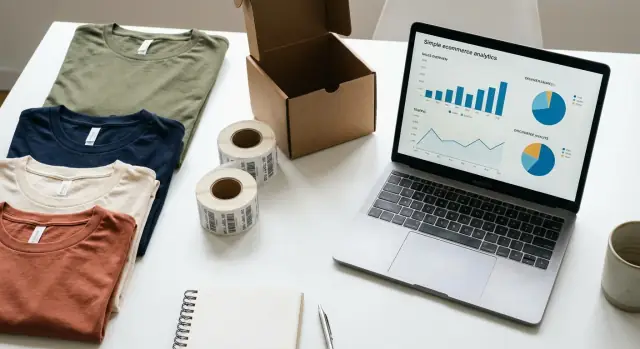
Why variants can quietly break your reporting
A fashion store rarely sells “one product”. It sells a T-shirt in multiple sizes and colors, often with different costs, stock levels, and demand. If those variants are not modeled consistently, your analytics will look fine on the surface while quietly drifting away from reality.
The distortion usually shows up in three places: sales (what is actually selling), conversion (what shoppers really want), and inventory (what you truly need to restock). A single naming slip like “Navy” vs “Blue Navy”, or a reused SKU for a new season, can split one real item into multiple “different” items in reports. The opposite also happens: two different variants get merged because they share an identifier.
Here are the most common pain points that create misleading numbers:
- Mixed identifiers: product names, variant IDs, and SKUs don’t match one another across your store, ads, and analytics.
- Messy product naming: size or color is sometimes in the title, sometimes in options, sometimes in both.
- Exchanges treated like new sales: a size swap triggers a new purchase event, inflating revenue and conversion.
- Inventory and sales disagree: stock is tracked per variant, but reporting is viewed at product level without a clean rollup.
“Accurate reporting” means you can answer simple questions with confidence, for any time period: Which products drive revenue, which size and color variants drive returns, which customers exchange most often, and whether performance changed because demand changed (not because your identifiers changed).
The tradeoff is real: you’ll add a bit of structure upfront (stable SKUs, clean variant attributes, and clear exchange logic). In return, your dashboards stop surprising you, and decisions like reordering, discounting, and sizing adjustments get much easier. This is the foundation of variant analytics for fashion stores.
Products, variants, and SKUs: the simple model
A clean catalog starts with three layers that each have one job. When you keep them separate, your filters, ads, and reports stop fighting each other.
Product is the shopper-facing idea: “Classic Tee.” It owns the name, photos, description, brand, and category.
Variant is the purchasable option inside that product: “Classic Tee, Black, Size M.” Variants are for choices that don’t change what the item is, only which version the customer wants.
SKU is the internal identifier for inventory and operations. It should point to exactly one variant, so stock, fulfillment, and returns can be counted without guesswork.
Variant vs separate product: a practical rule
Use variants for options that keep the item essentially the same (size and color variants are the standard). Create a separate product when the customer would reasonably compare it as a different item, or when the attributes affect pricing, margins, or care instructions.
A simple rule set that stays consistent:
- Variant: size, color, width/length
- New product: different fit (regular vs oversized), different fabric (cotton vs linen), different bundle (2-pack vs single)
- Maybe new product: big price jump, different target use (running tee vs everyday tee)
- Never mix: two sizing systems in one product (alpha sizes and numeric sizes) unless you have a clear mapping
Why this structure protects reporting
Your filters and onsite search depend on consistent variant attributes. Ads often group performance by product, then split by variant. Dashboards commonly roll up revenue at the product level and conversion at the variant level. If you turn “Oversized Fit” into a size option instead of a separate product, your data gets smeared: one product page now hides two different items, and your best-sellers look confusing.
If you care about variant analytics for fashion stores, the goal is simple: one product for one customer intent, and one SKU for one sellable unit.
SKU strategy that stays stable over time
A good SKU strategy is boring on purpose. If your SKUs change often, your reports split the same item into multiple “products,” and trend lines stop making sense. For variant analytics for fashion stores, the goal is simple: one stable identifier per sellable unit, year after year.
Start by separating what must never change from what can change. The base style code should be permanent. It should survive product renames, new photos, and new marketing copy. Seasonal details (like “SS26”) can exist, but keep them out of the core SKU if you want long-term comparisons.
A practical SKU format encodes the three things customers actually buy:
- Style (permanent): ST1234
- Color (controlled code, not a name): BLK, IVY, RED
- Size (controlled code): XS, S, M, L, XL
- Optional: fit or length where it truly creates a different product: REG, TALL
- Optional: drop or season as a separate field, not inside the SKU
That yields SKUs like ST1234-BLK-M. Keep the codes short, fixed-length where you can, and avoid spaces and special characters. “Black” vs “Jet Black” should not become two different codes unless it is truly a different color customers can choose.
Plan early for edge cases. One-size items still need a size token (OS) so your system stays consistent. Limited drops and re-stocks should keep the same SKU when the customer-perceived product is the same. If a dye lot produces a visibly new shade, treat it as a new color code, even if marketing reuses the old name.
When you rename products, do not change SKUs. Change the display name, keep the permanent style code, and store the old name as metadata for internal search. If suppliers change their codes, record the supplier code separately and map it to your internal style code. Your reporting should follow your internal SKU, not your vendor’s labels.
Keeping size and color variants clean and searchable
Clean variant data is what makes search, filters, and reporting trustworthy. Most stores don’t “break analytics” with one big mistake. They break it with small inconsistencies like three names for the same color or sizes that mean different things across products.
Start by treating color and size as controlled values, not free text. If one person adds “Navy” and another adds “Midnight,” you now have two buckets in filters and two lines in reports, even if customers see the same shade.
For colors, pick one naming convention and stick to it. Use plain names customers understand, and keep synonyms out of the variant value. If you need extra detail (like “heather” or “washed”), decide whether that belongs in color or as a separate attribute, but don’t mix it randomly.
Sizes need the same discipline, especially if you sell across regions. “M” is not the same as “EU 48,” and numeric sizes can be brand-specific. Store the displayed size (what the customer picks) and the normalized size system (how you compare across products) so you can filter and report consistently.
Fit is the classic trap: adding “slim/regular/oversized” as separate variants can explode your variant count. When possible, keep fit as its own attribute used for filtering and on-page info, while size and color stay as the core variant axes.
Here’s a simple ruleset that keeps variant analytics for fashion stores consistent:
- Maintain a single approved list for colors and sizes, owned by one person or team.
- Require a size system tag (US/EU/UK/alpha/numeric) for every size value.
- Don’t add new color names without checking for an existing match.
- Keep fit as a separate attribute unless it affects fulfillment (different pattern, different SKU).
- Write down how to add new colors and sizes, and review changes weekly.
A concrete example: if “Navy” is the only allowed value, then “Dark Blue” becomes display copy, not a variant. Filters stay clean, and sales by color stays accurate.
Analytics setup: the identifiers and events that matter
If you want variant analytics for fashion stores to stay trustworthy, treat identifiers like accounting keys. Names can change, photos can be swapped, and “Blue, size M” can be written five ways. Your reporting IDs must not drift.
Start by deciding which IDs are your source of truth, and make them available everywhere (storefront, checkout, customer service, and your analytics pipeline). Keep these stable even if you rename the product for marketing.
The IDs to standardize
A simple set covers most fashion stores:
- product_id: the style (the parent product)
- variant_id: the specific size/color combo (the sellable unit)
- sku: your internal code used in ops and inventory
- order_id: the order container
- customer_id: the shopper (logged-in ID or a consistent anonymous ID)
On every commerce event, variant_id and sku are usually non-negotiable. If you only send product_id, all sizes and colors collapse into one bucket, and you lose the ability to spot fit issues.
The events that keep the story intact
Keep the event set small, but complete enough to cover “before and after” changes:
- view_item (variant-level)
- add_to_cart (variant-level)
- begin_checkout (variant-level)
- purchase (with order_id and line items)
- post_purchase_adjustment (refunds and exchanges)
Separate display fields from reporting fields. For example, send item_name and variant_name for readability, but do not use them as join keys. Use IDs for joins, and treat names as labels.
Finally, plan attribution for changes. When a size exchange happens, avoid logging a second “purchase” that doubles revenue and units. Instead, record the exchange as a post_purchase_adjustment tied to the original order_id, with clear “from_variant_id” and “to_variant_id” so revenue stays with the order, while unit and fit reporting can shift to the final kept variant.
Step-by-step: set it up so reports stay consistent
If you want variant analytics for fashion stores that stays readable month after month, start by fixing the “names” your systems use. The goal is simple: every event, order, return, and exchange points to the same stable identifiers.
1) Freeze the catalog rules first
Before you track anything, decide what cannot change later. Keep a stable internal product ID, a stable variant ID, and a SKU format you will never reuse. Treat size and color as variant attributes (not as part of the product name), and decide one approved spelling for every color (for example, “Navy” not “navy” and “Navy Blue”).
2) Define event payloads once, then stick to them
Write down what gets sent for each customer action. For every “view item”, “add to cart”, “begin checkout”, “purchase”, “return”, and “exchange”, include the same minimum set: product_id, variant_id, sku, size, color, quantity, price, and currency. If one tool only stores SKU, make sure SKU maps 1:1 to a variant.
Here’s a simple setup flow that keeps reporting consistent:
- Set the ID and SKU rules in your catalog and lock the attribute list (size, color).
- Make a single event spec and share it with whoever touches the storefront, backend, and analytics.
- Test with 2-3 products that cover edge cases (multi-color, extended sizes, limited drops).
- Run a fake exchange: buy Size M, exchange to Size S, then check revenue, units, and returns.
- Build a small “data quality” view: missing IDs, unknown colors, duplicate SKUs, and events with blank size.
3) Test the exchange path like it’s a product feature
Use one realistic order and follow it all the way through: purchase, shipment, exchange request, refund or price difference, and the replacement item. Your dashboards should show one purchase, one return (if that’s how you model exchanges), and one replacement sale, all tied back to clear variant IDs. If you see doubled revenue, “(not set)” sizes, or two different SKUs for the same variant, fix the rules before launch.
Finally, keep a short internal checklist for adding new products. It prevents “just this once” exceptions that later turn into messy reports.
How to handle frequent size exchanges without double counting
Size exchanges are normal in apparel, but they can make sales look bigger than they are if your analytics treats the exchange as a brand-new purchase. The key is to separate what happened operationally from what you want to measure.
Start by using clear terms (and matching event names) so everyone reads reports the same way:
- Return: customer sends an item back and gets a refund.
- Exchange: customer swaps to a different variant (often size) and may pay or receive a small difference.
- Replacement: you send the same variant again because of damage, loss, or a warehouse mistake.
Pick the reporting view you will trust
You usually need two views side by side, especially for variant analytics for fashion stores.
- Gross revenue and gross units: what you shipped and charged before refunds and credits.
- Net revenue and units kept: what customers ended up keeping after returns and exchanges.
If you only report gross, frequent exchanges will inflate “units sold”. If you only report net, you can miss operational load (extra shipping, restocking, support time).
Record exchanges as a modification, not a second purchase
An exchange should not fire the same “purchase” event again. Keep the original order as the source of truth, then record two linked actions:
-
Exchange initiated (ties back to the original order_id and line_item_id).
-
Exchange completed with the variant that was kept.
If there is a price difference, track it as an adjustment (positive or negative), not a new order. That keeps revenue accurate and stops conversion rate from jumping.
For sizing insights, store two variant identifiers on the same line item:
- original_variant_id (or original SKU): what they first bought.
- final_kept_variant_id (or final SKU): what they kept after swaps.
Example: A customer buys a black blazer in M, then exchanges for L. Your report should show 1 purchase, 1 unit kept (black blazer L), and an exchange from M to L.
To report exchange rate without double counting, calculate it per product and per size using initiated exchanges divided by original purchases, then separately show “net units kept by final size” to see where customers land.
A realistic example: one order, two sizes, one clean report
A customer buys the same shirt in size M. Two days later they exchange it for size L and keep it. This is where variant analytics for fashion stores can go wrong if you only track “returns” and “new purchases.”
If exchanges are tracked poorly, reports often show: one unit sold (M), one unit returned (M), and another unit sold (L). Revenue can look inflated for a day or two, conversion can look higher than reality (because it looks like two purchases), and “best-selling size” might wrongly rank M even though the customer ended up with L.
A cleaner approach is to keep one stable product identifier and one stable line-item identifier, then record the swap as an exchange event that changes the variant but not the original purchase intent.
Here’s what clean tracking looks like in practice:
- Purchase: 1 unit, shirt style ID stays the same, variant = M, line_item_id = X
- Exchange initiated: exchange event references line_item_id = X, from variant M to variant L
- Exchange completed: fulfillment updates show the customer now owns variant L
Now your reporting stays sane. Revenue stays tied to the original order (no fake “second sale”). Units sold stay at 1 for the order. And “kept units by size” credits L, which makes size demand planning much more accurate. Your return rate also becomes clearer: this order had an exchange, not a return.
Mini-case: the customer exchanges the same style from black (M) to white (M). With the same exchange event approach, color performance becomes trustworthy too: you can report “requested color” vs “kept color” without counting two separate purchases.
Common mistakes (and how to avoid them)
The fastest way to ruin variant reporting is to change identifiers after launch. If an SKU or variant_id gets reused or edited, your “last month vs this month” charts stop meaning what you think they mean. Rule of thumb: names can change, IDs should not.
Another common trap is using the product name as the identifier in analytics. “Classic Tee - Black” feels unique until you rename it to “Everyday Tee - Black” for a new drop. Use a stable product_id and variant_id, and treat the title as display text only.
Color data gets messy when you let people type whatever. “Charcoal,” “Graphite,” and “Dark Gray” might be the same shade, but analytics will split performance across three colors. Pick a small controlled set of color values, then map marketing names to those values.
Exchanges can also inflate revenue and AOV if you track them like new purchases. A size swap should usually be tied back to the original order: one net sale, plus an exchange action. If you do log a separate transaction for the replacement shipment, mark it as an exchange so revenue dashboards can exclude it.
Here are five mistakes that show up most often in event tracking, and the clean fix:
- add_to_cart events missing variant_id (always send product_id + variant_id + sku)
- purchases sending only product_id (include variant details and quantity)
- reusing SKUs for “similar” items (create a new SKU when anything that affects fulfillment changes)
- too many near-duplicate variants (limit options to what you stock and can explain)
- letting attributes drift over time (keep size labels consistent: S/M/L, or 36/38/40, not both)
If you’re building your store with a tool like Koder.ai, treat these identifiers as part of the build spec, not an afterthought. It’s easier to get right before customers start swapping sizes every week.
Quick checklist before you launch (and after each drop)
If you want variant analytics for fashion stores to stay trustworthy, do this once before launch, then repeat it after every new collection or restock. Small mistakes multiply fast when size swaps are common.
Use this quick checklist:
- Lock down your identifiers. Every sellable variant needs a unique SKU, plus a stable
variant_idthat never changes even if you rename the product or update photos. Treatproduct_idas the style, andvariant_idas the exact size-color combo. - Control size and color inputs. Sizes and colors should come from a fixed list (for example: XS, S, M, L, XL; Black, White, Navy). No free typing in admin tools, bulk upload sheets, or internal forms, or you will end up with "Navy", "navy", and "Nvy" as separate values.
- Make events impossible to misread. Every ecommerce event you track (view, add to cart, purchase, return, exchange) should always carry
product_id+variant_id+ SKU. If one is missing, reports will drift, especially when you compare ads, email, and onsite behavior. - Record exchanges as exchanges. A size swap is not a new purchase. Store it as a linked action tied to the original order line, with one outbound (replacement) and one inbound (returned) movement. This prevents double-counting revenue and overstating conversion.
- Build dashboards with two lenses. Keep both gross and net views: gross answers "what did we sell and ship", net answers "what did we keep after returns and exchanges". You will need both for buying decisions and marketing performance.
After launch, set a recurring monthly check. Look for duplicate SKUs, missing IDs in event payloads, and any new unexpected attribute values (like a new size label). Fixing these early is cheap.
If you are building your store flows in a tool like Koder.ai, bake these rules into the data model and event templates upfront so every new product drop follows the same structure by default.
Next steps: build, test, and keep the data tidy
If you want variant analytics you can trust, treat your catalog and tracking rules like a small product of their own. A little upfront discipline saves months of “why don’t these numbers match?” later.
Start by writing a one-page set of rules for how your store names and identifies things. Keep it boring and strict: one SKU format, a fixed color naming list (no “oat” vs “oatmeal”), and a size list that matches how you actually sell (numeric vs alpha, tall/petite, etc.). This becomes the reference your team uses when new drops are added.
Next, decide which reports must be dependable first. Don’t try to perfect everything at once. Pick a short set (for example: best sellers by variant, size curve, exchange rate, and customer value over time), then confirm your events and identifiers fully support those views.
Before you scale, do a small test drop and validate the full path end-to-end: product view to add-to-cart to purchase to return/exchange. Make sure the “variant purchased” does not get overwritten by the “variant kept,” and that exchanges don’t inflate revenue or unit counts.
If you’re building the store from scratch, Koder.ai can help you prototype the catalog model, checkout flow, and tracking events in planning mode before you deploy. It’s a practical way to spot data issues early, like missing variant IDs in checkout events or inconsistent size labels.
A simple operating cadence keeps the data clean:
- Review exchanges monthly by style, size, and reason code
- Fix the root cause (size chart, product copy, photos, fit notes) before it becomes “normal”
- Lock your naming lists and SKU rules so new products don’t create new categories by accident
- Re-test tracking after each drop, theme change, or checkout update
- Keep a short change log so reporting shifts have an explanation
Done well, your analytics won’t just describe what happened. They’ll tell you what to change next.
FAQ
Should size and color be variants or separate products?
Use one product for one customer intent and treat size and color as variants. Create a separate product when the fit, fabric, bundle, care needs, or use case changes enough that shoppers would compare it as a different item.
What makes a good SKU for fashion variants?
Give every sellable size and color combination its own SKU, such as ST1234-BLK-M. Keep that SKU permanent for the same item, even if you rename the product, replace photos, or restock it later.
Can I reuse a SKU for a new season?
No. Use a new SKU whenever a change affects fulfillment or identifies a different sellable unit. Reusing an old SKU mixes stock, returns, and sales history for two items.
How do I stop color names from splitting my reports?
Use a fixed approved list for colors and sizes instead of free text. For example, keep "Navy" as the reporting value and put marketing wording such as "deep midnight blue" in product copy.
How should I track a size exchange?
Record the swap as an exchange linked to the original order and line item. Track the original variant, the replacement variant, and any price difference as an adjustment, rather than logging a second normal purchase.
Do I need both gross and net sales reports?
Keep both views. Gross revenue and units show what you charged and shipped, while net revenue and units kept show what customers kept after refunds and exchanges. Together they separate demand from operational work.
Which data should every ecommerce event include?
At minimum, send product_id, variant_id, SKU, size, color, quantity, price, and currency with product views, cart actions, checkout, purchases, returns, and exchanges. Use IDs to connect records and use names only as readable labels.
What should a report show when a customer swaps M for L?
Keep the original purchase on size M, record an exchange from M to L, and credit the final kept unit to L. Revenue stays tied to the original order, so the exchange does not create a fake extra sale.
How often should I check variant data quality?
Run a monthly check for duplicate SKUs, missing variant IDs, blank sizes, and unexpected color or size values. Also test the full purchase and exchange flow after every collection drop, theme change, or checkout update.
What reports should a fashion store build first?
Start with best sellers by variant, kept units by size, exchange rate by style and size, and returns by color or fit. These reports usually reveal stock needs, sizing problems, and confusing product details quickly.