

Flutter vibe coding pitfalls: 12 fixes for smoother releases
Avoid late surprises in mobile projects with Flutter vibe coding pitfalls explained, plus fixes for navigation, APIs, forms, permissions, and release builds.
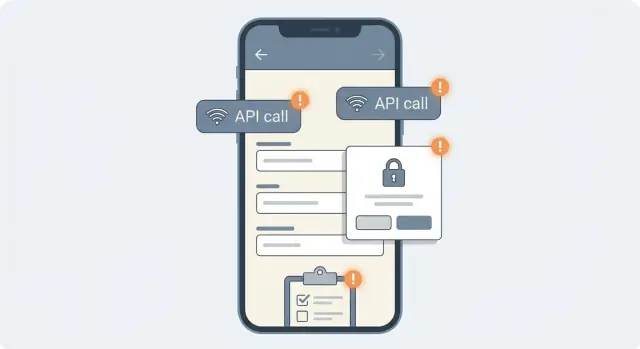
Why Flutter projects break late when built by chat
Vibe coding can get you to a clickable Flutter demo fast. A tool like Koder.ai can generate screens, flows, and even backend wiring from a simple chat. What it can’t change is how strict mobile apps are about navigation, state, permissions, and release builds. Phones still run on real hardware, real OS rules, and real store requirements.
A lot of problems show up late because you only notice them when you leave the happy path. The simulator might not match a low-end Android device. A debug build can hide timing issues. And a feature that looks fine on one screen can break when you navigate back, lose network, or rotate the device.
Late surprises usually fall into a few buckets, and each one has a very recognizable symptom:
- Navigation and state issues: screens reset, back exits the app, data disappears after returning
- API inconsistencies: one screen uses a different base URL, headers, or token, so it “works here” but fails elsewhere
- Form validation gaps: signups accept bad input, payments fail silently, errors never show where users expect
- Permission traps: camera or notifications work on one OS but not the other, or the app gets rejected for missing usage text
- Release-only changes: crashes only in release, missing assets, broken deep links, slow startup
A quick mental model helps. A demo is “it runs once.” A shippable app is “it keeps working in messy real life.” “Done” usually means all of these are true:
- It works on at least one Android phone and one iPhone, not just an emulator
- It handles offline and slow network with clear messages and retry
- It keeps state correctly when you background the app and come back
- Permissions and OS prompts match what the app actually does
- A release build run succeeds with real keys, real signing, and real logging
A simple setup that prevents most late surprises (step by step)
Most “it worked yesterday” moments happen because the project has no shared rules. With vibe coding you can generate a lot quickly, but you still need a small frame so the pieces fit together. This setup keeps speed while reducing late-breaking issues.
A 30-minute foundation
-
Pick a simple structure and stick to it. Decide what counts as a screen, where navigation lives, and who owns state. A practical default: screens stay thin, state is owned by a feature-level controller, and data access goes through one data layer (repository or service).
-
Lock a few conventions early. Agree on folder names, file naming, and how errors are shown. Decide on one pattern for async loading (loading, success, error) so screens behave consistently.
-
Make every feature ship with a mini test plan. Before you accept a chat-generated feature, write three checks: the happy path plus two edge cases. Example: “login works”, “wrong password message shows”, “offline shows retry”. This catches issues that only appear on real devices.
-
Add logging and crash reporting placeholders now. Even if you don’t turn them on yet, create one logging entry point (so you can swap providers later) and one place where uncaught errors get recorded. When a beta user reports a crash, you’ll want a trail.
-
Keep a living “ready to ship” note. One short page you review before every release prevents last-minute panic.
If you build with Koder.ai, ask it to generate the initial folder structure, a shared error model, and a single logging wrapper first. Then generate features inside that frame instead of letting each screen invent its own approach.
Definition of ready to ship (keep it short)
Use a checklist you can actually follow:
- The app starts and recovers from a failed API call without freezing
- Core flows work with bad input (empty fields, invalid email, slow network)
- Permissions are requested only when needed and handled when denied
- Release mode build succeeds (not just debug) and key screens are smoke-tested
- One person can install and use it on a real device without guidance
This isn’t bureaucracy. It’s a small agreement that keeps chat-generated code from drifting into “one-off screen” behavior.
Navigation and state pitfalls that show up on real devices
Navigation bugs often hide in a happy-path demo. A real device adds back gestures, rotation, app resume, and slower networks, and suddenly you see errors like “setState() called after dispose()” or “Looking up a deactivated widget’s ancestor is unsafe.” These issues are common in chat-built flows because the app grows screen by screen, not as one plan.
The bugs you feel on a phone
A classic problem is navigating with a context that is no longer valid. It happens when you call Navigator.of(context) after an async request, but the user already left the screen, or the OS rebuilt the widget after rotation.
Another is “works on one screen” back behavior. Android’s back button, iOS back swipe, and system back gestures can behave differently, especially when you mix dialogs, nested navigators (tabs), and custom route transitions.
Deep links add another twist. The app can open directly into a detail screen, but your code still assumes the user came from home. Then “back” takes them to a blank page, or closes the app when users expect to see a list.
Fixes that prevent late surprises
Pick one navigation approach and stick to it. The biggest problems come from mixing patterns: some screens use named routes, others push widgets directly, others manage stacks manually. Decide how routes are created and write down a few rules so each new screen follows the same model.
Make async navigation safe. After any awaited call that can outlive the screen (login, payment, upload), confirm the screen is still alive before updating state or navigating.
Guardrails that pay off quickly:
- After
await, useif (!context.mounted) return;beforesetStateor navigation - Cancel timers, streams, and listeners in
dispose() - Avoid storing
BuildContextfor later use (pass data, not context) - Don’t push routes from background callbacks unless you handle “user left” cases
- Decide when to use
push,pushReplacement, andpopfor each flow (login, onboarding, checkout)
For state, watch for values that reset on rebuild (rotation, theme change, keyboard open/close). If a form, selected tab, or scroll position matters, store it somewhere that survives rebuilds, not just in local variables.
Before a flow is “done,” run a quick real-device pass:
- Android back from every screen, including dialogs and bottom sheets
- iOS back swipe on key screens (list to detail, settings to profile)
- Rotate during loading, then press back
- Background the app mid-request, then resume
- Open from a notification or deep link and verify back behavior
If you build Flutter apps via Koder.ai or any chat-driven workflow, do these checks early while navigation rules are still easy to enforce.
API client consistency: stop “works on one screen” bugs
A common late-breaker is when each screen talks to the backend in a slightly different way. Vibe coding makes this easy to do by accident: you ask for a “quick login call” on one screen, then “fetch profile” on another, and you end up with two or three HTTP setups that don’t match.
One screen works because it uses the right base URL and headers. Another fails because it points at staging, forgets a header, or sends a token in a different format. The bug looks random, but it’s usually just inconsistency.
The pitfalls that cause “works on one screen”
These show up again and again:
- Multiple HTTP clients with different base URLs, timeouts, or default headers
- Inconsistent auth refresh logic, causing 401 loops or silent logouts
- Different parsing and error handling per screen, so the same backend error becomes three different messages
- Mixed JSON parsing styles (dynamic maps in one place, typed models in another), causing runtime crashes on certain responses
Fix: one client, one contract, one way to fail
Create a single API client and make every feature use it. That client should own base URL, headers, auth token storage, refresh flow, retries (if any), and request logging.
Keep refresh logic in one place so you can reason about it. If a request gets a 401, refresh once, then replay the request once. If refresh fails, force logout and show a clear message.
Typed models help more than people expect. Define a model for success and a model for error responses so you’re not guessing what the server sent. Map errors into a small set of app-level outcomes (unauthorized, validation error, server error, no network) so every screen behaves the same.
For logging, record method, path, status code, and a request ID. Never log tokens, cookies, or full payloads that may contain passwords or card data. If you need body logs, redact fields like “password” and “authorization.”
Example: a signup screen succeeds, but “edit profile” fails with a 401 loop. Signup used Authorization: Bearer <token>, while profile sent token=<token> as a query param. With one shared client, that mismatch can’t happen, and debugging becomes as simple as matching a request ID to one code path.
Form validation pitfalls that cause failed signups and payments
Many real-world failures happen inside forms. Forms often look fine in a demo but break under real user input. The result is expensive: signups that never complete, address fields that block checkout, payments that fail with vague errors.
The most common issue is mismatch between app rules and backend rules. The UI might allow a 3-character password, accept a phone number with spaces, or treat an optional field as required, then the server rejects it. Users only see “Something went wrong,” try again, and eventually quit.
Treat validation as a small contract shared across the app. If you’re generating screens via chat (including in Koder.ai), be explicit: ask for the exact backend constraints (min and max length, allowed characters, required fields, and normalization like trimming spaces). Show errors in plain language right next to the field, not only in a toast.
Another pitfall is keyboard differences between iOS and Android. Autocorrect adds spaces, some keyboards change quotes or dashes, numeric keyboards may not include characters you assumed (like a plus sign), and copy-paste brings invisible characters. Normalize input before validation (trim, collapse repeated spaces, remove non-breaking spaces) and avoid overly strict regex that punishes normal typing.
Async validation also creates late surprises. Example: you check “is this email already used?” on blur, but the user taps Submit before the request returns. The screen navigates, then the error comes back and appears on a page the user already left.
What prevents this in practice:
- Keep one source of truth for form state, tracking
isSubmittingandpendingChecks - Disable Submit until the form is valid and no async checks are pending
- Cancel or ignore stale async responses using a request ID or “latest value wins” check
- Show one clear error per field, plus a short summary for server errors
To test quickly, go beyond the happy path. Try a small set of brutal inputs:
- Empty submit for every required field
- Borderline values (min length, max length, one character over)
- Copy-paste with leading and trailing spaces
- International phone numbers and non-US addresses
- Slow network (async checks returning late)
If these pass, signups and payments are far less likely to break right before release.
Platform permissions: the common Android and iOS traps
Permissions are a top cause of “it worked yesterday” bugs. In chat-built projects, a feature gets added quickly and the platform rules get missed. The app runs in a simulator, then fails on a real phone, or only fails after the user taps “Don’t Allow.”
Where teams usually get stuck
One trap is missing platform declarations. On iOS, you must include clear usage text explaining why you need camera, location, photos, and so on. If it’s missing or vague, iOS can block the prompt or App Store review can reject the build. On Android, missing manifest entries or using the wrong permission for the OS version can make calls fail silently.
Another trap is treating permission as a one-time decision. Users can deny, revoke later in Settings, or choose “Don’t ask again” on Android. If your UI waits forever for a result, you get a frozen screen or a button that does nothing.
OS versions behave differently too. Notifications are a classic example: Android 13+ requires runtime permission, older Android versions don’t. Photos and storage access changed on both platforms: iOS has “limited photos,” and Android has newer “media” permissions instead of broad storage. Background location is its own category on both platforms and often needs extra steps and a clearer explanation.
Handle permissions like a small state machine, not a single yes/no check:
- Request only when the user triggers the feature (not on app launch)
- If denied, show a short explanation and offer “Try again”
- If permanently denied, explain how to enable it in Settings and provide a safe fallback
- Treat “limited” (iOS photos) as a valid state, not an error
Then test the main permission surfaces on real devices. A quick checklist catches most surprises:
- Camera: open camera, take photo, cancel, retry
- Photos/storage: pick an image, handle “limited photos” on iOS
- Notifications: Android 13+ prompt, then verify a real notification arrives
- Location: while-in-use vs background, plus “precise” vs “approximate” on iOS
- Settings changes: deny first, then enable later and confirm the app recovers
Example: you add “upload profile photo” in a chat session and it works on your phone. A new user denies photo access once, and onboarding can’t continue. The fix isn’t more UI polish. It’s treating “denied” as a normal outcome and offering a fallback (skip photo, or continue without it), while only asking again when the user tries the feature.
If you’re generating Flutter code with a platform like Koder.ai, include permissions in the acceptance checklist for every feature. It’s faster to add correct declarations and states immediately than to chase a store rejection or a stuck onboarding screen later.
Release build pitfalls: what changes when you ship
A Flutter app can look perfect in debug and still fall apart in release. Release builds remove debug helpers, shrink code, and enforce stricter rules around resources and configuration. Many issues only appear after you flip that switch.
Debug works, release crashes
In release, Flutter and the platform toolchain are more aggressive about removing code and assets that seem unused. This can break reflection-based code, “magic” JSON parsing, dynamic icon names, or fonts that were never declared properly.
A common pattern: the app launches, then crashes after the first API call because a config file or key was loaded from a debug-only path. Another: a screen that uses a dynamic route name works in debug, but fails in release because the route is never referenced directly.
Run a release build early and often, then watch the first seconds: startup behavior, first network request, first navigation. If you only test with hot reload, you miss cold-start behavior.
Flavors and environment variables that don’t exist in release
Teams often test against a dev API, then assume production settings will “just work.” But release builds might not include your env file, might use a different applicationId/bundleId, or might not have the right config for push notifications.
Quick checks that prevent most surprises:
- Build and install a release build on a real device (not just an emulator)
- Verify signing and the correct package name for each flavor
- Confirm base URL, API keys, and analytics flags are the production ones
- Test login, logout, and token refresh from a clean install
- Confirm deep links and push notifications open the right screen
The “late tasks” that become blockers
App size, icons, splash screens, and versioning often get postponed. Then you discover your release is huge, your icon is blurry, the splash is cropped, or the version/build number is wrong for the store.
Do these earlier than you think: set up proper app icons for Android and iOS, confirm the splash looks right on small and large screens, and decide versioning rules (who bumps what, and when).
Before you submit, test bad conditions on purpose: airplane mode, slow network, and a cold start after the app has been fully killed. If the first screen depends on a network call, it should show a clear loading state and retry, not a blank page.
If you’re generating Flutter apps with a chat-driven tool like Koder.ai, add “release build run” to your normal loop, not the final day. It’s the fastest way to catch real-world issues while the changes are still small.
12 common vibe coding mistakes (and how to avoid them)
Chat-built Flutter projects often break late because changes feel small in a chat, but they touch many moving parts in a real app. These mistakes most often turn a clean demo into a messy release.
-
Adding features without updating the state and data flow plan. If a new screen needs the same data, decide where that data lives before you paste code.
-
Accepting generated code that doesn’t match your chosen patterns. If your app uses one routing style or one state approach, don’t accept a new screen that introduces a second one.
-
Creating “one-off” API calls per screen. Put requests behind a single client/service so you don’t end up with five slightly different headers, base URLs, and error rules.
-
Handling errors only where you noticed them. Set a consistent rule for timeouts, offline mode, and server errors so each screen doesn’t guess.
-
Treating warnings as noise. Analyzer hints, deprecations, and “this will be removed” messages are early alerts.
-
Assuming the simulator equals a real phone. Camera, notifications, background resume, and slow networks behave differently on real devices.
-
Hardcoding strings, colors, and spacing in new widgets. Small inconsistencies pile up, and the app starts to feel stitched together.
-
Letting form validation vary by screen. If one form trims spaces and another doesn’t, you’ll get “works for me” failures.
-
Forgetting platform permissions until the feature is “done.” A feature needing photos, location, or files isn’t done until it works with permissions denied and granted.
-
Relying on debug-only behavior. Some logs, assertions, and relaxed network settings vanish in release builds.
-
Skipping cleanup after quick experiments. Old flags, unused endpoints, and dead UI branches cause surprises weeks later.
-
No ownership of “final say” decisions. Vibe coding is fast, but someone still needs to decide naming, structure, and “this is how we do it.”
A practical way to keep speed without chaos is a tiny review after every meaningful change, including changes generated in tools like Koder.ai:
- Confirm the new code follows your routing and state pattern
- Check API calls go through the same client and error handling
- Run the analyzer and fix new warnings immediately
- Test the happy path and one failure path (offline, invalid input, permission denied)
- Do one quick real-device run before stacking more features on top
Example scenario: from demo to store-ready without rewriting everything
A small team builds a simple Flutter app by chatting with a vibe-coding tool: login, a profile form (name, phone, birthday), and a list of items fetched from an API. In a demo, everything looks fine. Then real-device testing starts, and the usual problems show up all at once.
The first issue appears right after login. The app pushes the home screen, but the back button returns to the login page, and sometimes the UI flashes the old screen. The cause is often mixed navigation styles: some screens use push, others replace, and auth state is checked in two places.
Next comes the API list. It loads on one screen, but another screen gets 401 errors. Token refresh exists, but only one API client uses it. One screen uses a raw HTTP call, another uses a helper. In debug, slower timing and cached data can hide the inconsistency.
Then the profile form fails in a very human way: the app accepts a phone format the server rejects, or it allows an empty birthday while the backend requires it. Users hit Save, see a generic error, and stop.
A permission surprise lands late: iOS notification permission pops up on first launch, right on top of onboarding. Many users tap “Don’t Allow” just to get past it, and later miss important updates.
Finally, the release build breaks even though debug works. Common causes are missing production config, a different API base URL, or build settings that strip something needed at runtime. The app installs, then fails silently or behaves differently.
Here’s how the team fixes it in one sprint without rewriting:
- Freeze scope, export the current code, and work from a clean snapshot so changes are easy to roll back
- Make one source of truth for auth state (and one navigation rule: replace login with home on success)
- Standardize on a single API client with interceptors for headers, refresh, and consistent error mapping
- Align form rules with the server (same required fields, same formats, clear field-level messages)
- Move permission prompts to the moment they’re needed, and verify a full release build on real devices
Tools like Koder.ai help here because you can iterate in planning mode, apply fixes as small patches, and keep risk low by testing snapshots before committing to the next change.
Quick checks and next steps before you ship
The fastest way to avoid late surprises is to do the same short checks for every feature, even when you built it quickly by chat. Most problems aren’t “big bugs.” They’re small inconsistencies that only show up when screens connect, the network is slow, or the OS says “no.”
Before you call any feature “done,” do a two-minute pass across the usual trouble spots:
- Can you reach the screen from a cold start, and can you go back without odd loops?
- Is state owned in one place (not recreated on every rebuild), and does it survive navigation?
- Does the API call use the same client, base URL, headers, and timeout as the rest of the app?
- Do forms validate before submit, show clear messages, and block double taps while loading?
- If it needs permissions, did you test both “Allow” and “Don’t allow” flows?
Then run a release-focused check. Plenty of apps feel perfect in debug and fail in release due to signing, stricter settings, or missing permission text:
- Build and run a release build, then test the main flows end to end
- Test on two real devices (one older, one newer) with different screen sizes
- Confirm version, build number, and signing configs are correct
- Verify platform permission declarations (Android manifest, iOS Info.plist)
- When filing a bug, capture steps to reproduce, device and OS version, logs, and network state (Wi-Fi vs cellular)
Patch vs refactor: patch if the issue is isolated (one screen, one API call, one validation rule). Refactor if you see repeats (three screens using three different clients, duplicated state logic, or navigation routes that disagree).
If you’re using Koder.ai for a chat-driven build, its planning mode is useful before big changes (like switching state management or routing). Snapshots and rollback are also worth using before risky edits, so you can revert quickly, ship a smaller fix, and improve structure in the next iteration.
FAQ
What’s the fastest way to stop late-breaking bugs in a chat-built Flutter app?
Start with a small shared frame before generating lots of screens:
- One navigation approach (and rules for
push,replace, and back behavior) - One state pattern (who owns state, where it lives)
- One API client (base URL, headers, refresh, error mapping)
- A mini test plan per feature (happy path + 2 edge cases)
This keeps chat-generated code from turning into disconnected “one-off” screens.
Why does everything look fine in a demo, then break later?
Because a demo proves “it runs once,” while a real app must survive messy conditions:
- Back gestures/buttons, rotation, background/resume
- Slow or flaky networks, offline mode
- Permission denial and OS-specific behavior
- Release-only changes (code shrinking, missing assets/config)
These problems often don’t show up until multiple screens connect and you test on real devices.
Which real-device tests catch the most issues quickly?
Do a quick real-device pass early, not at the end:
- Install on at least one Android phone and one iPhone
- Rotate during loading, then press back
- Background the app mid-request, then resume
- Toggle airplane mode and retry flows
- Try one older/slower device if possible
Emulators are useful, but they won’t catch many timing, permission, and hardware-related issues.
How do I prevent “setState() called after dispose()” errors?
It usually happens after an await when the user leaves the screen (or the OS rebuilds it), and your code still calls setState or navigation.
Practical fixes:
- After
await, checkif (!context.mounted) return; - Cancel timers/streams/listeners in
dispose() - Avoid storing
BuildContextfor later
This prevents “late callbacks” from touching a dead widget.
Why does the back button/gesture behave differently across screens?
Pick one routing pattern and write down simple rules so every new screen follows them. Common pain points:
- Mixing named routes, direct widget pushes, and nested navigators
- Inconsistent
pushvspushReplacementin auth flows - Deep links opening a detail screen without a “home” behind it
Make a rule for each major flow (login/onboarding/checkout) and test back behavior on both platforms.
How do I stop “works on one screen” API bugs?
Because chat-generated features often create their own HTTP setup. One screen might use a different base URL, headers, timeout, or token format.
Fix it by enforcing:
- One API client for the whole app
- One place for auth token storage and refresh
- One error mapping (unauthorized, validation, server, offline)
Then every screen “fails the same way,” which makes bugs obvious and repeatable.
What’s a safe default approach for token refresh to avoid 401 loops?
Keep refresh logic in one place and keep it simple:
- On 401: refresh once
- Replay the original request once
- If refresh fails: force logout and show a clear message
Also log method/path/status and a request ID, but never log tokens or sensitive payload fields.
How can I avoid form validation failures that show up only with real users?
Align UI validation with backend rules and normalize input before validating.
Practical defaults:
- Trim spaces and remove invisible characters before checks
- Show field-level errors next to the field (not only a toast)
- Track
isSubmittingand block double-taps - For async checks (like “email already used”), ignore stale responses with a request ID
Then test “brutal” inputs: empty submit, min/max length, copy-paste with spaces, slow network.
What are the most common permission mistakes that cause rejections or stuck screens?
Treat permission as a small state machine, not a one-time yes/no.
Do this:
- Request only when the user triggers the feature (not on app launch)
- Handle denied and permanently denied states with clear next steps
- Support iOS “limited photos” as a valid state
- Test Android 13+ notification permission specifically
Also make sure required platform declarations are present (iOS usage text, Android manifest entries) before calling the feature “done.”
Why does the app work in debug but crash or behave differently in release?
Release builds remove debug helpers and can strip code/assets/config you accidentally relied on.
A practical routine:
- Build and install a release build early (not just debug)
- Verify correct signing, bundleId/applicationId, and production base URL
- Cold-start test: kill the app and reopen
- Smoke-test first navigation, first API call, deep links, and push opens
If release breaks, suspect missing assets/config, wrong environment settings, or code that depended on debug-only behavior.