

Fortinet ASIC Appliances: Hardware Economics + Software Value
Learn how Fortinet’s ASIC-based appliances can lower unit costs and power use while subscriptions and support add recurring value across the device lifecycle.
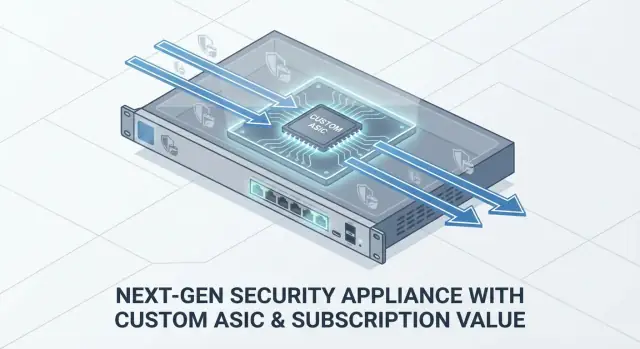
What This Post Means by “ASIC-Driven Security”
When people say “ASIC-driven security” in the Fortinet context, they’re talking about a security appliance (like an NGFW) that relies on purpose-built chips—Fortinet’s FortiASIC—to handle the heavy lifting of networking and security processing.
Instead of asking general-purpose CPUs to do everything, these chips accelerate specific tasks such as packet forwarding, encryption, inspection, and session handling. The practical goal is straightforward: deliver predictable throughput and better firewall performance per watt at a given price point.
Why the “ASIC” part matters
Hardware decisions show up in real budgets. A Fortinet ASIC appliance isn’t priced like a generic server, because you’re buying a tuned combination of:
- Custom silicon that can shift work off the CPU
- A fixed hardware platform designed for sustained traffic loads
- Integration work that reduces operational friction in deployment
That bundle affects not only performance, but also security appliance economics—what you pay up front and what you avoid paying later (power, rack space, and “oops we under-sized it” replacements).
Why the “recurring services” part matters
The other half of the model is ongoing value: subscriptions and support. Most buyers aren’t just purchasing a box; they’re buying continuing updates and coverage—typically FortiGuard services (threat intelligence, filtering, updates) and FortiCare support (hardware replacement options, software updates, assistance).
Who this is for—and what you’ll get out of it
This post is written for IT managers, finance teams, and procurement who need to explain (or defend) why a hardware plus subscription model can still be a rational choice.
You’ll learn the main cost drivers, what subscriptions actually provide, how to think about network security TCO, and practical buying tips to avoid surprises during renewal and lifecycle planning. For quick decision points, jump to /blog/a-buyers-checklist-for-evaluating-asic-based-appliances.
ASICs Explained for Non-Engineers
An ASIC (Application-Specific Integrated Circuit) is a computer chip built to do a small set of jobs extremely well. Think of it as a tool made for one trade, instead of a general-purpose multitool.
A typical security appliance also has general CPUs (and sometimes other acceleration components). CPUs are flexible: they can run many different features, change behavior through software updates, and handle “odd” workloads. The trade-off is that they often need more cycles—and more power—to push the same volume of traffic when advanced inspection is turned on.
How ASICs differ from general CPUs
- CPU: Great at many tasks, easy to reprogram, but can get expensive (in power and throughput) when you ask it to do heavy, repetitive packet work at high speeds.
- ASIC (e.g., FortiASIC/FortiSPU concepts): Less flexible, but optimized for specific operations that happen on nearly every packet.
Why security tasks can be specialized
Security gateways spend a lot of time doing repeatable, math-heavy work. Many of those steps map well to fixed-function hardware:
- Traffic forwarding and routing: Moving packets from one interface to another quickly and predictably.
- Encryption/decryption (VPN): Crypto math is repetitive; hardware pipelines can accelerate it.
- Inspection patterns: Certain parsing and session-handling functions can be implemented efficiently in silicon.
This specialization is why vendors talk about “performance per watt” and consistent throughput under security features—ASICs are designed to handle common packet-path work without constantly waking up general CPU cores.
What buyers should—and shouldn’t—expect
Do expect:
- High throughput on the specific flows the chip is optimized for.
- More consistent performance when multiple features are enabled (depending on the model and configuration).
- Better efficiency (often less heat/power for a given target throughput).
Don’t expect:
- Unlimited flexibility. New or niche features may still rely on CPU processing.
- That every published throughput number applies to your mix of apps, TLS versions, logging, and policies.
The practical takeaway: ASICs can make the “fast path” fast, but you still want to validate real-world traffic patterns—not just headline specs.
Hardware Economics: Where the Appliance Cost Really Comes From
A security appliance price tag isn’t a simple “chip cost + margin.” It’s a stack of ordinary manufacturing realities, plus a few design choices that matter a lot in networking gear.
The bill of materials (BOM) is bigger than the CPU/ASIC
Even when a vendor highlights custom silicon (like FortiASIC), the silicon is only one part of the BOM. A typical firewall appliance also includes:
- High-speed network ports (copper, SFP/SFP+, sometimes QSFP) and the PHYs/transceivers behind them
- Switching and interface components that move packets between ports and internal buses
- DRAM and flash storage sized for firmware, logging, and inspection features
- Power supply, fans/thermal design, and heatsinks that can run 24/7
- A chassis/enclosure built for rack mounting, grounding, EMI shielding, and serviceability
Those “non-glamorous” parts often drive cost more than people expect—especially as port speeds rise (10/25/40/100G) and as thermal and power requirements increase.
Manufacturing, testing, and scale matter
Network appliances are not assembled like consumer electronics. Vendors pay for controlled supply chains, factory testing (burn-in, port validation, failover checks), compliance certifications, and ongoing hardware revisions.
Scale changes the math: a platform shipped in large volumes can amortize engineering, tooling, and certification costs across many units, often lowering cost per device. Smaller runs or niche models can look “expensive” simply because fewer units carry the same fixed costs.
Why specialized silicon can improve throughput per dollar
Purpose-built silicon can move common security workloads (packet forwarding, encryption, pattern matching) more efficiently than general-purpose CPUs. When that design hits a high-volume segment, you may see better throughput per dollar—and sometimes smaller power and cooling requirements—than an equivalently performing CPU-only box.
Still, remember the appliance isn’t priced on silicon alone: ports, memory, power, and mechanical design remain major line items no matter what’s inside.
Performance per Watt and Practical Deployment Benefits
When a firewall is sized only by “Gbps on the spec sheet,” it’s easy to miss a real operational limiter: watts. Power draw affects your monthly bill, the heat your closet has to exhaust, and whether a small branch can even host the device without upgrades.
Why efficiency matters in real deployments
A more efficient appliance usually means:
- Lower ongoing costs: fewer watts consumed 24/7 adds up, especially across many branches.
- Less heat to manage: less heat output can reduce the need for extra cooling (or prevent throttling in warm closets).
- Better rack density: in data centers, the practical limit is often power and cooling per rack, not physical space.
- More placement options: quieter, cooler units are easier to deploy in offices, retail backrooms, or shared comms rooms.
For distributed environments, these factors can matter as much as raw throughput because they determine where you can deploy—and how much it costs to keep deployed.
How ASIC offload translates into lower heat
In an ASIC-driven design, heavy, repetitive packet-processing work can be handled by purpose-built silicon rather than general-purpose CPU cores. Practically, that often means the CPU spends less time “pegged” during busy periods, which can reduce:
- CPU load spikes during inspection and high connection counts
- Thermal stress that increases fan speeds and noise
- Performance variability that appears when a system is hot or near capacity
You don’t need to know the chip details to benefit—you’re looking for stable performance without turning power and cooling into hidden project costs.
Questions to ask vendors (and to verify)
Ask for typical, not just maximum, operating ranges:
- Typical watts at common utilization (for example, 30–50% and 70–80%)
- Heat output and cooling requirements (BTU/hr or equivalent)
- Noise levels (dBA) and whether fan profiles change under load
- Any constraints for branch closets (ambient temperature range, airflow clearance)
If possible, request real telemetry from a pilot unit—power, temperature, and fan speed over a normal week—so the “performance per watt” claim matches your environment.
Recurring Software Value: What Subscriptions Actually Provide
Buying an ASIC-based appliance gets you a fast, purpose-built box. Subscriptions are what keep that box current and useful against new threats, new apps, and new requirements. In practice, you’re paying for freshness—data, updates, and expertise that change daily.
The main things you get
Threat intelligence and dynamic security data (often via FortiGuard services). This includes:
- New and updated malware/IPS signatures
- URL and domain reputation, web filtering categories
- Botnet and C2 reputation feeds
- App control signatures to recognize new applications and behaviors
Regular software updates. Firmware and content updates address vulnerabilities, improve detection, and add compatibility. Even if you don’t upgrade every month, having the option matters when a critical CVE hits.
Add-on security capabilities. Depending on your bundle, subscriptions can unlock features like sandboxing, advanced threat protection, CASB-style controls, or enhanced DNS security. The hardware may be able to do it, but the subscription enables the continuously updated intelligence behind it.
“Must-have” vs optional: decide based on risk and compliance
A simple way to separate needs:
- Must-have for most environments: IPS, antivirus/anti-malware, URL filtering/reputation, and timely security updates.
- Often required by policy or auditors: web filtering categories, reporting, and support SLAs (for incident response expectations).
- Optional (but valuable) for higher-risk orgs: sandboxing/advanced threat services, ZTNA/SASE add-ons, or specialized OT/ICS protections—especially if you handle sensitive data or have strict uptime needs.
Why recurring value is tied to freshness
Attackers don’t stand still. A firewall’s inspection engines are only as effective as the latest signatures, reputations, and detection models they reference. That’s why the “subscription” portion of the hardware plus subscription model isn’t just a license—it’s the ongoing stream of updates that keeps your NGFW buying guide assumptions true six months from now.
Bundles, Renewals, and How Value Is Packaged
Buying an ASIC-based appliance rarely means “just the box.” Most quotes bundle three things: the hardware, a security services package (threat intel and filtering), and a support entitlement. The bundle is how vendors turn a one-time purchase into a predictable operating cost—and it’s also where two “similar” quotes can be miles apart.
Common bundle patterns (what’s usually inside)
Fortinet-style bundles often map to:
- Hardware (the appliance itself)
- Security services (typically FortiGuard subscriptions, such as IPS, AV, web/DNS filtering, app control, and sometimes sandboxing)
- Support (FortiCare levels, which affect replacement speed, access to support, and software updates)
You’ll see these packaged as “UTP,” “Enterprise,” or similar sets, sold for 1, 3, or 5 years. The key point: two bundles can both be called “protection,” but include different services or support tiers.
Renewals and why timing matters for budgets
Renewals are usually the moment where finance and security priorities collide. A renewal isn’t just “keeping signatures current”—it’s often the condition for continuing:
- threat updates and cloud intelligence feeds
- software/firmware upgrades
- vendor support and RMA replacement terms
Because approvals can take time, treat renewals like you would other fixed commitments: align them to your fiscal calendar, and avoid surprise expirations that turn an operational issue into a business outage risk.
What to compare across quotes (so you’re not fooled by totals)
When reviewing multiple proposals, compare like-for-like on these items:
- Term length (1/3/5 years) and whether pricing assumes multi-year discounts
- Exactly which services are included (name the bundle and list services, not just “security subscription”)
- Support tier (response expectations and replacement speed)
- Co-term options (can you align end dates across multiple devices to reduce admin overhead?)
- Renewal rules (can you renew services without replacing hardware, and what happens if you lapse?)
If you want fewer budgeting surprises, ask for a quote that shows hardware as CapEx and subscriptions/support as OpEx, with renewal dates clearly spelled out.
Total Cost of Ownership: A Simple Model You Can Use
Total cost of ownership (TCO) is the only number that lets you compare an ASIC-based firewall appliance to any other option without getting distracted by one-time discounts or “free” bundles. You don’t need a finance team—just a consistent way to count costs.
The core cost buckets
Use these categories and don’t skip the small ones (they add up over a 3–5 year lifecycle):
- Hardware: appliance purchase price, spares, rack accessories.
- Licenses / subscriptions: security services (e.g., FortiGuard services), feature tiers, logging add-ons.
- Support: vendor support plan (e.g., FortiCare support), RMA coverage, SLA level.
- Power + cooling: electricity, plus a rough multiplier for cooling if you track it.
- Staff time: deployment, policy management, troubleshooting, upgrades, renewals management.
Capacity planning: pay now vs pay later
Sizing affects TCO more than most line items.
- Oversizing (buying a much bigger unit than needed) can reduce upgrade risk, but you prepay for unused capacity and may lock in higher subscription/support tiers.
- Frequent upgrades (buy smaller now) lowers year-one spend, but you’ll pay more in migration time, possible downtime risk, and often higher “rush” procurement costs.
A practical middle ground: size for today’s measured traffic plus a clear growth buffer, and reserve budget for a planned refresh rather than an emergency one.
A copy-and-paste worksheet
Fill this in with your quotes and internal estimates:
Time horizon (years): ____

A) Hardware (one-time):                $____
B) Subscriptions per year:             $____  x ____ years = $____
C) Support per year:                   $____  x ____ years = $____
D) Power+cooling per year:             $____  x ____ years = $____
E) Staff hours per year: ____ hrs x $____/hr x ____ years = $____
F) Planned refresh/migration (one-time): $____

TCO = A + B + C + D + E + F
Cost per Gbps (or per site) = TCO / ____
Once you have TCO, you can compare appliances on what matters: outcomes per dollar, not just purchase price.
If you find yourself rebuilding the same worksheet in spreadsheets for every refresh cycle, it can be worth turning it into a small internal tool (for example, a lightweight web app that standardizes assumptions and stores quotes). Platforms like Koder.ai are designed for this kind of “vibe-coding” workflow—teams can describe what they need in a chat interface and generate a simple React + Go + PostgreSQL app with exportable source code, instead of pushing a full custom dev project through a long pipeline.
Sizing and Throughput: Avoiding the “Spec Sheet Trap”
A common buying mistake is treating the biggest throughput number on a datasheet as the number you’ll get in production. For security appliances, “speed” is always conditional: it changes based on which protections you turn on, how much traffic is encrypted, and how complex your network paths are.
Why real security can be slower than the headline
Most vendors publish multiple throughput figures (firewall, IPS, NGFW, threat protection). These aren’t marketing gimmicks—they reflect real work the box must do.
Features that often reduce real-world throughput include:
- Deep inspection (IPS, anti-malware, application control): more packets are analyzed, not just forwarded.
- TLS/SSL inspection: decrypting and re-encrypting traffic is CPU/ASIC-intensive and can become the limiting factor.
- Logging and reporting: especially if you enable verbose logs or forward logs off-box.
Fortinet’s FortiASIC approach can help keep performance steadier under load, but you still need to size for the feature set you’ll actually run, not the one you hope to run “later.”
Choosing headroom: growth, encryption, and remote access
Plan capacity around what changes fastest:
- More users and devices (including guests and IoT)
- More sites (SD-WAN branches, cloud connections)
- More encryption (TLS everywhere, VPN usage)
- More remote access (VPN concurrency spikes during incidents)
A practical rule: buy enough headroom so routine peak traffic doesn’t push the appliance near its limits. When a box runs hot, you’re forced to disable protections to keep the business online—exactly the wrong trade.
Aligning sizing with risk tolerance and service expectations
Your “right size” depends on what failure looks like for you.
If uptime and consistent security controls are non-negotiable, size so you can keep full inspection enabled even during peak periods and incidents. If you can tolerate temporary feature reductions, you might size closer to average load—but be explicit about that decision and document which controls would be relaxed first.
When comparing models, ask for sizing guidance using your mix of traffic (internet, east-west, VPN, inspected vs. not) and validate assumptions with a pilot or a realistic traffic snapshot.
Lifecycle Planning: From Purchase to Refresh
Buying an ASIC-based firewall appliance isn’t a one-time event. The value you get over time depends on how you plan the full lifecycle—especially renewals, updates, and the moment you decide to refresh.
The typical lifecycle (and what to expect)
Most organizations move through a predictable sequence:
- Deploy: rack it, connect it, configure policies, and validate performance.
- Update: apply firmware and security updates on a schedule (not “when there’s time”).
- Renew: keep security services and support active before expiration dates.
- Refresh: replace or upgrade when requirements change or hardware approaches end-of-life.
- Retire: wipe configs/keys, document the decommission, and handle disposal responsibly.
A useful mindset: hardware provides the platform; subscriptions and support keep it current and safe to operate.
Why renewals and updates matter for day-to-day stability
Support contracts and security services are sometimes treated like an add-on, but they directly affect operational stability:
- Security intelligence and protections (for example, threat signatures and detection updates) reduce exposure to new attacks.
- Firmware updates fix bugs, improve compatibility, and sometimes unlock performance or feature improvements.
- Vendor support becomes critical during outages, odd interoperability issues, or urgent patching windows.
If you allow contracts to lapse, you don’t just lose “extras”—you may lose the steady stream of updates and the ability to get timely help when something breaks.
Document from day one (so renewals don’t become emergencies)
Lifecycle problems are often paperwork problems. Capture a small set of details when the appliance is first purchased and deployed, then keep them current:
- Serial numbers and license IDs (plus where they’re stored)
- Contract start/end dates and renewal terms
- Business owner (who approves spend) and technical owner (who operates it)
- Configuration backups and change history (what changed, when, and why)
- Dependency map: upstream ISP handoff, downstream switches, VPN peers, critical apps
This documentation turns renewals into routine maintenance instead of a last-minute scramble when services expire.
Planning your refresh before you “need” it
Start refresh planning when you see any of these signals: sustained throughput nearing limits, more encrypted traffic than expected, new branch sites, or policy growth that makes management harder.
Aim to evaluate replacements well ahead of end-of-support dates. That gives you time to test migration, schedule downtime, and avoid paying for emergency shipping or rushed professional services.
Trade-Offs and Risks to Plan Around
ASIC-based security appliances can feel like the best of both worlds: predictable hardware, high throughput, and a tightly integrated software stack. That integration is also where most of the trade-offs live.
Vendor lock-in vs. a smoother, integrated experience
When a vendor designs both the appliance hardware and the accelerated datapath, you often get simpler sizing, fewer tuning knobs, and better “it just works” behavior under load.
The cost is flexibility. You’re buying into a specific way of doing inspection, logging, and feature delivery. If your strategy is “standardize on commodity x86 and swap vendors without rethinking operations,” ASIC appliances can make that harder—especially once you’ve built playbooks, reporting, and staff skills around one ecosystem.
Subscription dependence and lapse risk
Many of the protections people expect from an NGFW are subscription-backed (threat intel, IPS signatures, URL filtering categories, sandboxing, etc.). If a subscription lapses, you may keep basic routing and firewalling, but lose important coverage—sometimes quietly.
Mitigation ideas that don’t require heroics:
- Set renewal alerts 90/60/30 days out, with named owners in both IT and procurement.
- Track “security-impacting” expirations separately from “nice-to-have” add-ons.
- Confirm what the appliance does—and does not do—when each service expires.
Feature gating and surprise renewal costs
Another risk is assuming a capability is “in the box” because the hardware can handle it. In practice, advanced features may be gated behind specific bundles, tiers, or per-unit licensing. Renewals can also jump if the initial purchase included promotional pricing, multi-year discounts, or bundles that don’t renew the way you expect.
To reduce surprises:
- Ask for a line-item quote that separates hardware, support, and each security service.
- Require a written “renewal price assumptions” section (term, uplift caps, what counts as coterm).
- Document the minimum feature set you need to be secure, and map it to the exact subscriptions required.
Staged evaluations and clear exit criteria
Before committing broadly, run a staged rollout: pilot one site, validate real traffic, confirm logging volume, and test your must-have features. Define exit criteria up front (performance thresholds, reporting needs, integration requirements) so you can switch course early if the fit isn’t right.
A Buyer’s Checklist for Evaluating ASIC-Based Appliances
Buying an ASIC-based security appliance (like Fortinet’s FortiASIC-powered models) is less about chasing the biggest numbers and more about matching real workloads, real risk, and real renewal obligations.
1) Define what you’re protecting (and how it’s used)
Start with a plain-language inventory:
- Workloads: branch internet breakout, data center segmentation, campus edge, OT/IoT, VPN hub
- Users and sites: headcount today, expected growth, remote users, number of locations
- Apps and traffic mix: SaaS, video, VoIP, east-west traffic, encrypted traffic percentage
- Compliance needs: logging retention, reporting, change control, audit trails
- Uptime requirements: maintenance windows, HA expectations, and what “down” costs per hour
2) Ask stakeholders the right questions
Treat this as a shared purchase, not a security-only decision:
- Finance: “Is this a capex-only decision, or are renewals part of the budget plan for 3–5 years?”
- Security: “Which protections must be always-on (IPS, web filtering, sandboxing, DNS) versus situational?”
- Network ops: “What’s our tolerance for policy complexity, and who owns troubleshooting at 2 a.m.?”
- Leadership: “What risk are we reducing, and how will we measure it after deployment?”
3) Validate the appliance in conditions you actually run
A good ASIC platform should stay consistent under load, but verify:
- performance with the security features you’ll enable, not just basic firewalling
- expected VPN and SSL/TLS inspection usage
- HA failover behavior and logging/reporting overhead
4) Next steps: pilot, compare, and calendar renewals
Run a short pilot with success criteria, build a simple comparison matrix (features, throughput with services on, power, support), and create a renewal calendar on day one.
If you need a budgeting baseline, see /pricing. For related guidance, browse /blog.
FAQ
What does ASIC-driven security mean?
It means the appliance uses purpose-built chips to handle repeatable network and security work, such as packet forwarding, VPN encryption, and session processing. That can keep performance steadier while using less power than a CPU-only design for similar workloads.
How is an ASIC different from a regular CPU?
An ASIC focuses on a limited set of jobs, while a CPU handles many different jobs. Fortinet appliances use both: the ASIC handles common packet-path work, and the CPU handles features that need more flexibility.
Will an ASIC firewall always be faster?
Not by itself. You still need to check throughput with IPS, malware scanning, application control, TLS inspection, VPN traffic, and logging enabled. The largest firewall-throughput figure usually does not match a production setup.
What should I include in firewall total cost of ownership?
Compare the appliance price, subscriptions, support, power and cooling, staff time, and eventual refresh costs over three to five years. A lower purchase price can cost more later if it lacks the capacity or services you need.
What do FortiGuard and FortiCare subscriptions provide?
They commonly provide current threat signatures, malware and IPS updates, URL and domain reputation data, application identification, firmware access, and support. The exact services depend on the bundle and support tier.
What happens if a Fortinet subscription expires?
Basic firewalling may continue, but subscription-backed protections and vendor support can stop or become limited. Confirm the behavior for each service before you buy, then set renewal alerts well before expiration.
How should I size an ASIC-based firewall?
Start with measured peak traffic and account for the protections you plan to run from day one. Add room for user growth, more encrypted traffic, VPN spikes, and new sites, then validate the estimate with a pilot when possible.
Why does performance per watt matter for a firewall?
Ask for typical power use at normal utilization, heat output, noise under load, ambient-temperature limits, and required airflow clearance. These details matter in branch closets and dense racks.
What should I compare in firewall quotes?
Compare the exact subscription services, support level, term length, renewal dates, replacement terms, and any multi-year discount assumptions. Two quotes with similar totals may include very different protection and support.
When should I plan a firewall refresh?
Begin planning when sustained traffic approaches capacity, encrypted traffic grows, policies become harder to manage, or the device nears end of support. Early planning gives your team time to test migration and avoid an emergency replacement.