

Why Framework Updates Can Cost More Than a Full Rewrite
Framework updates can look cheaper than rewrites, but hidden work adds up: dependencies, regressions, refactors, and lost velocity. Learn when to update vs rewrite.
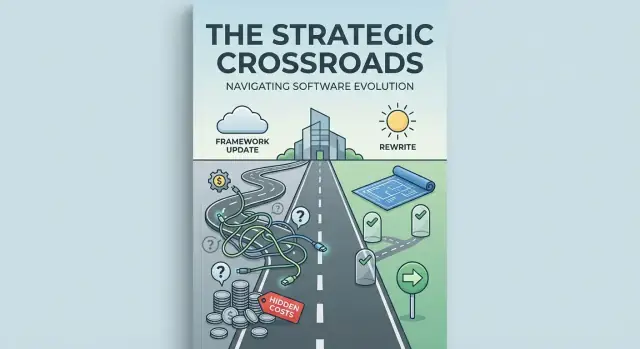
Update vs. Rewrite: What We Mean (and Why It Matters)
“Just upgrade the framework” often sounds like the safer, cheaper option because it implies continuity: same product, same architecture, same team knowledge—just a newer version. It also feels easier to justify to stakeholders than a rewrite, which can sound like starting over.
That intuition is where many estimates go wrong. Framework upgrade costs are rarely driven by the number of files touched. They’re driven by risk, unknowns, and hidden coupling between your code, your dependencies, and the framework’s older behavior.
What counts as an update?
An update keeps the core system intact and aims to move your app onto a newer framework version.
- Minor update: typically backward-compatible; you mainly handle deprecations, small dependency-management changes, and configuration tweaks.
- Major update: often includes breaking API changes, new architectural defaults, and required migrations that trigger wider refactoring.
Even when you’re “only” updating, you may end up doing extensive legacy maintenance—touching authentication, routing, state management, build tooling, and observability just to get back to a stable baseline.
What counts as a rewrite?
A rewrite intentionally rebuilds significant portions of the system on a clean baseline. You may keep the same features and data model, but you’re not constrained to preserve old internal design decisions.
This is closer to software modernization than the endless “rewrite vs. refactor” debate—because the real question is about scope control and certainty.
Why definitions matter for cost
If you treat a major upgrade like a minor patch, you’ll miss the hidden costs: dependency chain conflicts, expanded regression testing, and “surprise” refactors caused by breaking changes.
In the rest of this post, we’ll look at the real cost drivers—technical debt, the dependency domino effect, testing and regression risk, team velocity impacts, and a practical strategy for deciding when an update is worth it versus when a rewrite is the cheaper, clearer path.
Why Teams Fall Behind on Framework Versions
Framework versions rarely drift because teams “don’t care.” They drift because upgrade work competes with features customers can see.
The usual reasons upgrades get postponed
Most teams delay updates for a mix of practical and emotional reasons:
- Fear of breaking changes: “If we touch it, production might break.”
- Time pressure: Roadmaps reward shipping features, not removing risk.
- Unclear payoff: The benefits (stability, security, performance) feel indirect.
- Ownership gaps: No one “owns” the framework layer, so it sits in the backlog.
Each delay is reasonable on its own. The problem is what happens next.
Small deferrals compound into big jumps
Skipping one version often means you skip the tooling and guidance that make upgrades easier (deprecation warnings, codemods, migration guides tuned for incremental steps). After a few cycles, you’re no longer “doing an upgrade”—you’re bridging multiple architectural eras at once.
That’s the difference between:
- Behind by one version: Usually manageable—targeted changes, clear docs, limited ripple effects.
- Behind by five years: Often a multi-month program—several incompatible changes stacked together, old assumptions baked into the codebase, and fewer straightforward upgrade paths.
The hidden business impact: hiring, security, and tooling
Outdated frameworks don’t just affect code. They affect your team’s ability to operate:
- Hiring and retention: Engineers may be less excited to join (or stay) when they’ll spend months learning workarounds for old constraints.
- Security posture: Older versions stop receiving patches, pushing you toward emergency upgrades or compensating controls.
- Tooling stagnation: Modern testing tools, build systems, and IDE integrations often assume newer versions—meaning you lose productivity gains while maintenance costs rise.
Falling behind starts as a scheduling choice and ends as a compounding tax on delivery speed.
The Dependency Domino Effect (Where Time Disappears)
Framework updates rarely stay “inside the framework.” What looks like a version bump often turns into a chain reaction across everything that helps your app build, run, and ship.
The upgrade is really a stack upgrade
A modern framework sits on top of a stack of moving parts: runtime versions (Node, Java, .NET), build tools, bundlers, test runners, linters, and CI scripts. Once the framework requires a newer runtime, you may also need to update:
- Build tooling (e.g., switching configs, new plugins, different defaults)
- CI images and caches (new Node versions, lockfile handling, container updates)
- Linting and formatting rules (updated parser versions, deprecated rules)
None of these changes are “the feature,” but each one consumes engineering time and increases the chance of surprises.
Third-party dependencies become gatekeepers
Even if your own code is ready, dependencies can block you. Common patterns:
- A critical library doesn’t support the new framework version yet.
- The dependency supports it, but only after a major upgrade with breaking API changes.
- The project is unmaintained, forcing you to replace it entirely.
Replacing a dependency is rarely a drop-in swap. It often means rewriting integration points, revalidating behavior, and updating documentation for the team.
Polyfills, bundlers, and config: the hidden time sinks
Upgrades frequently remove older browser support, change how polyfills are loaded, or alter bundler expectations. Small configuration diffs (Babel/TypeScript settings, module resolution, CSS tooling, asset handling) can take hours to debug because failures show up as vague build errors.
Compatibility matrices create cascading tasks
Most teams end up juggling a compatibility matrix: framework version X requires runtime Y, which requires bundler Z, which requires plugin A, which conflicts with library B. Each constraint forces another change, and the work expands until the whole toolchain aligns. That’s where “a quick update” quietly turns into weeks.
Breaking Changes and Widespread Refactoring
Framework upgrades get expensive when they’re not “just a version bump.” The real budget killer is breaking changes: APIs removed or renamed, defaults that quietly change, and behavior differences that show up only in specific flows.
A minor routing edge case that worked for years can start returning different status codes. A component lifecycle method can fire in a new order. Suddenly the upgrade isn’t about updating dependencies—it’s about restoring correctness.
Breaking changes aren’t always loud
Some breaking changes are obvious (your build fails). Others are subtle: stricter validation, different serialization formats, new security defaults, or timing changes that create race conditions. These burn time because you discover them late—often after partial testing—then have to chase them across multiple screens and services.
“Death by a thousand cuts” refactoring
Upgrades frequently require small refactors scattered everywhere: changing import paths, updating method signatures, swapping out deprecated helpers, or rewriting a few lines in dozens (or hundreds) of files. Individually, each edit looks trivial. Collectively, it becomes a long, interrupt-driven project where engineers spend more time navigating the codebase than making meaningful progress.
Deprecations can force redesigns
Deprecations often push teams to adopt new patterns rather than direct replacements. A framework may nudge (or force) a new approach to routing, state management, dependency injection, or data fetching.
That’s not refactoring—it’s re-architecture in disguise, because old conventions no longer fit the framework’s “happy path.”
Custom wrappers and shared components amplify cost
If your app has internal abstractions—custom UI components, utility wrappers around HTTP, auth, forms, or state—framework changes ripple outward. You don’t just update the framework; you update everything built on top of it, then re-verify every consumer.
Shared libraries used across multiple apps multiply the work again, turning one upgrade into several coordinated migrations.
Regression Risk and the True Cost of Testing
Framework upgrades rarely fail because the code “won’t compile.” They fail because something subtle breaks in production: a validation rule stops firing, a loading state never clears, or a permissions check changes behavior.
Testing is the safety net—and it’s also where upgrade budgets quietly explode.
Tests are the real safety net (and many projects don’t have one)
Teams often discover too late that their automated coverage is thin, outdated, or focused on the wrong things. If most confidence comes from “click around and see,” then every framework change becomes a high-stress guessing game.
When automated tests are missing, the upgrade’s risk shifts to people: more manual QA time, more bug triage, more stakeholder anxiety, and more delays while the team hunts regressions that could have been caught earlier.
What “updating tests” really means
Even projects with tests can face a large testing rewrite during an upgrade. Common work includes:
- Updating test frameworks and tooling (for example, Jest/Vitest config changes, Cypress/Playwright version bumps, new browser drivers, updated CI images)
- Rewriting brittle tests that depend on internal framework behavior (render timing, lifecycle hooks, router internals, or deprecated APIs)
- Fixing flaky tests that start failing due to new async behavior or stricter scheduling
- Replacing fragile selectors and snapshot tests with more resilient assertions
- Improving coverage where the upgrade exposes gaps—often around authentication, edge-case forms, caching, and error handling
That’s real engineering time, and it competes directly with feature delivery.
Manual QA and hidden coordination costs
Low automated coverage increases manual regression testing: repeated checklists across devices, roles, and workflows. QA needs more time to retest “unchanged” features, and product teams must clarify expected behavior when the upgrade changes defaults.
There’s also coordination overhead: aligning release windows, communicating risk to stakeholders, collecting acceptance criteria, tracking what must be reverified, and scheduling UAT. When testing confidence is low, upgrades become slower—not because the code is hard, but because proving it still works is hard.
Technical Debt: Upgrades Make You Pay It Back
Technical debt is what happens when you take a shortcut to ship faster—then keep paying “interest” later. The shortcut might be a quick workaround, a missing test, a vague comment instead of documentation, or a copy‑paste fix you meant to clean up “next sprint.” It works until the day you need to change something underneath it.
Why upgrades surface old shortcuts
Framework updates are great at shining a light on the parts of your codebase that relied on accidental behavior. Maybe the old version tolerated a weird lifecycle timing, a loosely typed value, or a CSS rule that only worked because of a bundler quirk. When the framework tightens rules, changes defaults, or removes deprecated APIs, those hidden assumptions break.
Upgrades also force you to revisit “hacks” that were never meant to be permanent: monkey patches, custom forks of a library, direct DOM access in a component framework, or a hand-rolled auth flow that ignores a newer security model.
“Keep behavior identical” is harder than it sounds
When you upgrade, the goal is often to keep everything working exactly the same—but the framework is changing the rules. That means you’re not just building; you’re preserving. You spend time proving that every corner case behaves the same, including behavior no one can fully explain anymore.
A rewrite can sometimes be simpler because you’re re‑implementing the intent, not defending every historical accident.
Common debt that gets expensive during upgrades
- Legacy patterns that the framework no longer supports (or actively warns against)
- Copy‑pasted code where one tiny difference causes inconsistent bugs
- Unused features that still “participate” in the build and break it (old routes, dead components, forgotten config)
- Undocumented behavior depended on by tests, customer workflows, or integrations
Upgrades don’t just change dependencies—they change what your past decisions cost today.
Team Velocity Drops During Long Upgrades
A long-running framework upgrade rarely feels like a single project. It turns into a permanent background task that keeps stealing attention from product work. Even if the total engineering hours look “reasonable” on paper, the real cost shows up as lost velocity: fewer features shipped per sprint, slower bug turnaround, and more context-switching.
Partial upgrades create a mixed codebase
Teams often upgrade incrementally to reduce risk—smart in theory, painful in practice. You end up with a codebase where some areas follow the new framework patterns and others are stuck on the old ones.
That mixed state slows everyone down because engineers can’t rely on one consistent set of conventions. The most common symptom is “two ways to do the same thing.” For example, you might have both legacy routing and the new router, old state management next to a new approach, or two testing setups living side by side.
Every change becomes a small decision tree:
- Which pattern should this file use?
- Do we refactor nearby code or keep it consistent with the old style?
- Will this choice create more migration work later?
Those questions add minutes to every task, and minutes compound into days.
Reviews, onboarding, and docs get heavier
Mixed patterns also make code review more expensive. Reviewers must check correctness and migration alignment: “Is this new code moving us forward, or entrenching the old approach?” Discussions get longer, style debates increase, and approvals slow down.
Onboarding takes a hit too. New team members can’t learn “the framework way,” because there isn’t one—there’s the old way and the new way, plus transitional rules. Internal docs need constant updates, and they’re often out of sync with the current migration stage.
Workflow changes add friction beyond code
Framework upgrades often change the daily developer workflow: new build tooling, different lint rules, updated CI steps, altered local setup, new debugging conventions, and replacement libraries. Each change may be small, but together they create a steady drip of interruptions.
Measure cost as lost velocity
Instead of asking “How many engineer-weeks will the upgrade take?”, track the opportunity cost: if your team normally ships 10 points of product work per sprint and the upgrade era drops that to 6, you’re effectively paying a 40% “tax” until the migration is done. That tax is often larger than the visible upgrade tickets.
Why Rewrites Can Be Cheaper: Clear Scope, Clean Baseline
A framework update often sounds “smaller” than a rewrite, but it can be harder to scope. You’re trying to make the existing system behave the same way under a new set of rules—while discovering surprises buried in years of shortcuts, workarounds, and undocumented behavior.
A rewrite can be cheaper when it’s defined around clear goals and known outcomes. Instead of “make everything work again,” the scope becomes: support these user journeys, meet these performance targets, integrate with these systems, and retire these legacy endpoints.
That clarity makes planning, estimation, and trade-offs much more concrete.
Scope around intent, not history
With a rewrite, you’re not obligated to preserve every historical quirk. Teams can decide what the product should do today, then implement exactly that.
This unlocks very real savings:
- Remove dead code that nobody calls but everyone is afraid to delete
- Simplify flows that grew over time (multiple “temporary” branches, duplicated validation, inconsistent permissions)
- Standardize patterns (error handling, logging, API contracts) instead of patching edge cases across the old codebase
Build the new while the old stays stable
A common cost reducer is a parallel-run strategy: keep the existing system stable while building the replacement behind the scenes.
Practically, that can look like delivering the new app in slices—one feature or workflow at a time—while routing traffic gradually (by user group, by endpoint, or by internal staff first). The business continues operating, and engineering gets a safer rollout path.
Rewrites still have risk—just more visible
Rewrites aren’t “free wins.” You can underestimate complexity, miss edge cases, or recreate old bugs.
The difference is that rewrite risks tend to surface earlier and more explicitly: missing requirements show up as missing features; integration gaps show up as failing contracts. That transparency makes it easier to manage risk deliberately—rather than paying for it later as mysterious upgrade regressions.
A Practical Decision Checklist: Update or Rewrite?
The fastest way to stop debating is to score the work. You’re not choosing “old vs. new,” you’re choosing the option with the clearest path to shipping safely.
Quick checklist (answer honestly)
- Version gap: How many major versions behind are you? One or two majors is often manageable; a multi-year gap usually hides compounding changes.
- Test coverage: Do you have reliable unit/integration tests, plus a few end-to-end flows that catch breakage?
- Dependency health: Are key libraries still maintained, or are you pinned to abandoned packages and custom forks?
- Architecture/modularity: Can you upgrade one area at a time, or is everything tightly coupled?
- Custom workarounds: How much “glue code” exists to bypass framework limitations?
- Team skill set: Does the team have recent experience with the target version or a similar stack?
- Timeline and constraints: Is there a fixed deadline (security, compliance, vendor support), or flexibility to rebuild deliberately?
- Release strategy: Can you deliver incrementally, or will it be a single big cutover?
Signals that favor an update
An update tends to win when you have good tests, a small version gap, and clean boundaries (modules/services) that let you upgrade in slices. It’s also a strong choice when dependencies are healthy and the team can keep delivering features alongside the migration.
Signals that favor a rewrite
A rewrite often becomes cheaper when there are no meaningful tests, the codebase has heavy coupling, the version gap is large, and the app relies on many workarounds or outdated dependencies. In these cases, “upgrading” can turn into months of detective work and refactoring without a clear finish line.
Don’t commit without a short discovery phase
Before locking in a plan, run a 1–2 week discovery: upgrade a representative feature, inventory dependencies, and estimate effort with evidence. The goal isn’t perfection—it’s reducing uncertainty enough to choose an approach you can deliver with confidence.
How to Reduce Risk: Spikes, Incremental Delivery, and Rollouts
Big upgrades feel risky because uncertainty compounds: unknown dependency conflicts, unclear refactor scope, and testing effort that only reveals itself late. You can shrink that uncertainty by treating upgrades like product work—measurable slices, early validation, and controlled releases.
Start with a small spike (to price the unknowns)
Before you commit to a multi-month plan, run a time-boxed spike (often 3–10 days):
- Upgrade one representative module (the “worst” or most dependency-heavy part).
- Or build a thin rewrite slice: one end-to-end user flow in the new stack that still talks to the existing system.
The goal isn’t perfection—it’s to surface blockers early (library gaps, build issues, runtime behavior changes) and turn vague risk into a list of concrete tasks.
If you want to accelerate this discovery phase, tools like Koder.ai can help you prototype an upgrade path or a rewrite slice quickly from a chat-driven workflow—useful for pressure-testing assumptions, generating a parallel implementation, and creating a clear task list before you commit the whole team. Because Koder.ai supports web apps (React), backends (Go + PostgreSQL), and mobile (Flutter), it can also be a practical way to prototype a “new baseline” while the legacy system stays stable.
Estimate by workstreams, not a single number
Upgrades fail when everything is lumped into “migration.” Split the plan into workstreams you can track separately:
- Dependencies (version bumps, replacements, license checks)
- Refactors (API changes, deprecated patterns)
- Tests (fixing brittle tests, adding missing coverage)
- Tooling (build pipeline, linting, formatting, CI runners)
- Rollout (release strategy, monitoring, rollback path)
This makes estimates more credible and highlights where you’re underinvested (often tests and rollout).
Deliver incrementally with safer rollouts
Instead of a “big switch,” use controlled delivery techniques:
- Feature flags to ship code paths safely and turn them on gradually
- Strangler approach to route a small part of traffic or functionality to the new implementation while the old one still runs
- Canary releases to expose a small percentage of users first, watching error rates and performance
Plan observability upfront: what metrics define “safe,” and what triggers rollback.
Communicate trade-offs to non-technical stakeholders
Explain the upgrade in terms of outcomes and risk controls: what improves (security support, faster delivery), what might slow down (temporary velocity dip), and what you’re doing to manage it (spike results, phased rollout, clear go/no-go checkpoints).
Share timelines as ranges with assumptions, and keep a simple status view by workstream so progress stays visible.
Preventing the Next Expensive Upgrade
The cheapest upgrade is the one you never let become “big.” Most of the pain comes from years of drift: dependencies get stale, patterns diverge, and the upgrade turns into a multi-month excavation. The goal is to turn upgrades into routine maintenance—small, predictable, and low-risk.
Set a cadence (and fund it)
Treat framework and dependency updates like oil changes, not engine rebuilds. Put a recurring line item on the roadmap—every quarter is a practical starting point for many teams.
A simple rule: reserve a small slice of capacity (often 5–15%) each quarter for version bumps, deprecations, and cleanup. This is less about perfection and more about preventing multi-year gaps that force high-stakes migrations.
Practice dependency hygiene
Dependencies tend to rot quietly. A little hygiene keeps your app closer to “current,” so the next framework update doesn’t trigger a chain reaction.
- Run lightweight dependency audits on a schedule (monthly or quarterly)
- Use lockfiles consistently to make builds reproducible and upgrades reviewable
- Turn on automated alerts for vulnerable or outdated packages, and triage them quickly
Also consider creating an “approved dependencies” shortlist for new features. Fewer, better-supported libraries reduces future upgrade friction.
Invest in tests where they pay off
You don’t need perfect coverage to make upgrades safer—you need confidence on critical paths. Build and maintain tests around the flows that would be expensive to break: sign-up, checkout, billing, permissions, and key integrations.
Keep this ongoing. If you only add tests right before an upgrade, you’ll be writing them under pressure, while already chasing breaking changes.
Make modernization part of daily work
Standardize patterns, remove dead code, and document key decisions as you go. Small refactors attached to real product work are easier to justify and reduce the “unknown unknowns” that explode upgrade estimates.
If you want a second opinion on whether to update, refactor, or rewrite—and how to stage it safely—we can help you assess options and build a practical plan. Reach out at /contact.
FAQ
What’s the difference between a framework update and a rewrite?
An update keeps the existing system’s core architecture and behavior intact while moving to a newer framework version. The cost is usually dominated by risk and hidden coupling: dependency conflicts, behavior changes, and the work needed to restore a stable baseline (auth, routing, build tooling, observability), not the raw number of files changed.
Why do major framework upgrades cost more than they look on paper?
Major upgrades often include breaking API changes, new defaults, and required migrations that ripple through your stack.
Even if the app “builds,” subtle behavior changes can force broad refactoring and expanded regression testing to prove nothing important broke.
Why do teams fall behind on framework versions in the first place?
Teams usually delay because feature roadmaps reward visible output, while upgrades feel indirect.
Common blockers include:
- Fear of breaking production behavior
- Unclear ROI (stability/security/performance feels “invisible”)
- No clear owner for the framework layer
- Time pressure and competing priorities
What is the “dependency domino effect” during upgrades?
Once the framework requires a newer runtime, everything around it may need to move too: Node/Java/.NET versions, bundlers, CI images, linters, and test runners.
That’s why an “upgrade” often becomes a toolchain alignment project, with time lost to configuration and compatibility debugging.
How do third-party libraries block framework upgrades?
Dependencies can become gatekeepers when:
- A critical library doesn’t support the target framework version
- Support exists only via a breaking major bump
- The library is unmaintained, forcing a replacement
Swapping dependencies usually means updating integration code, re-validating behavior, and retraining the team on new APIs.
Why do breaking changes sometimes show up late and cost more?
Some breaking changes are loud (build errors). Others are subtle and show up as regressions: stricter validation, different serialization, timing changes, or new security defaults.
Practical mitigation:
- Upgrade in a branch with a clear rollback plan
- Add targeted tests around auth, routing, forms, and permissions
- Use canary/feature flags to catch issues early
Why does testing become the biggest cost during framework upgrades?
Testing effort expands because upgrades often require:
- Updating test tooling (configs, runners, CI images)
- Rewriting brittle tests coupled to framework internals
- Fixing new flakiness from async/scheduling changes
- Adding coverage where the upgrade exposes gaps
If automated coverage is thin, manual QA and coordination (UAT, acceptance criteria, retesting) become the real budget sink.
How does technical debt amplify upgrade costs?
Upgrades force you to confront assumptions and workarounds that relied on old behavior: monkey patches, undocumented edge cases, custom forks, or legacy patterns the framework no longer supports.
When the framework changes the rules, you pay down that debt to restore correctness—often by refactoring code you haven’t safely touched in years.
How do upgrades reduce team velocity even if the work seems manageable?
Long upgrades create a mixed codebase (old and new patterns), which adds friction to every task:
- More decision overhead (“which pattern do we use here?”)
- Slower code reviews (correctness + migration alignment)
- Heavier onboarding and constantly changing docs
- Workflow churn from tooling changes
A useful way to quantify cost is the velocity tax (e.g., dropping from 10 points to 6 per sprint during migration).
How can we decide whether to update or rewrite—and reduce risk before committing?
Choose an update when you have good tests, a small version gap, healthy dependencies, and modular boundaries that let you migrate in slices.
A rewrite can be cheaper when the gap is large, coupling is heavy, dependencies are outdated/unmaintained, and there’s little test coverage—because “preserve everything” turns into months of detective work.
Before committing, run a 1–2 week discovery (spike one representative module or one thin rewrite slice) to turn unknowns into a concrete task list.