

From Fast AI Prototypes to Revenue-Generating Products
A realistic, step-by-step story of turning fast AI-built prototypes into a reliable product that customers pay for—covering scope, tech, pricing, and launch.
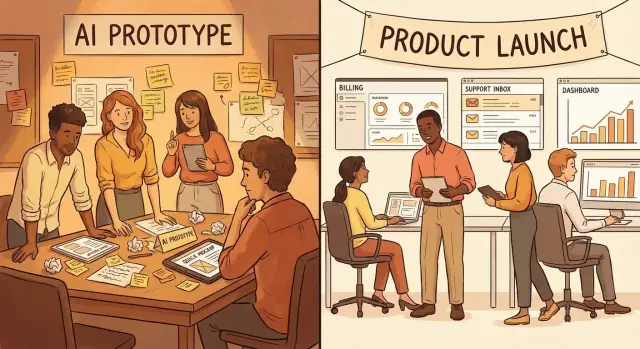
The prototype that felt like a product (but wasn’t)
The first version looked convincing enough to fool smart people.
A customer success lead at a mid-sized SaaS company asked if we could “auto-summarize support tickets and suggest the next reply.” Their team was drowning in backlog, and they wanted something they could pilot within weeks, not quarters.
So we built fast: a simple web page, a copy‑paste box for ticket text, a “Generate” button, and a neat summary plus a draft response. Under the hood it stitched together a hosted LLM, a lightweight prompt template, and a basic database table to save outputs. No user accounts. No permissions. No monitoring. Just enough to produce an impressive result in a live demo.
If you’ve used a vibe‑coding workflow (for example, building via a chat interface in Koder.ai), this phase will feel familiar: you can get to a convincing UI and a working end‑to‑end flow quickly, without first committing to months of architecture decisions. That speed is a superpower—until it hides the work you’ll eventually owe.
The early signals were real (and misleading)
The demos landed. People leaned in. They forwarded screenshots internally. One director said, “This is basically a product already.” Another asked if we could present it to their VP the next day.
But the follow‑up questions were telling:
- “How much would this cost?” (answered with “we’re still figuring it out”)
- “Can it use our knowledge base?” (answered with “not yet”)
- “Can you guarantee it won’t hallucinate?” (answered with “we’ll add guardrails”)
Excitement is a signal, but it’s not a purchase order.
The hidden gap: demo value vs. day‑to‑day reliability
In a controlled demo, the model behaved. In real usage, it didn’t always.
Some tickets were too long. Some included sensitive data. Some required an exact policy citation, not a plausible‑sounding answer. Occasionally the output was great—but inconsistent enough that a team couldn’t build a workflow around it.
That’s the gap: a prototype can show “what’s possible,” while a product has to deliver “what’s dependable.”
For this story, assume a small team (two engineers and a founder), a tight runway, and a clear constraint: we needed to learn what customers would pay for before we overbuilt. The next steps weren’t about adding more AI tricks—they were about deciding what to make reliable, for whom, and at what cost.
Speed wins the demo, then reality shows up
The demo version usually looks like magic because it was built like magic.
In a week (sometimes a weekend), teams stitch together an experience using:
- AI-generated UI layouts and components that look polished without a design system
- Prompt-built flows (“when the user uploads a PDF, summarize and draft a reply”) that skip hard logic
- AI-written onboarding copy, empty-state text, and tooltips that sound confident even when the product isn’t
- Pre-filled sample data and happy-path scripts that make the journey feel smooth
- A few glued-together APIs and a spreadsheet “database” that behaves nicely during a screen share
Platforms like Koder.ai make that speed even more accessible: you can iterate on the UI (React), backend behavior (Go + PostgreSQL), and even deployment/hosting from a single chat-driven workflow. The trap is thinking “fast to first demo” equals “ready for real teams.”
What the demo didn’t need (until it did)
The prototype often works because it avoids everything that makes real usage messy. The missing pieces are rarely glamorous, but they’re the difference between “cool” and “reliable”:
- Analytics to answer basic questions (Who activated? Where did they drop off?)
- Edge cases: weird file formats, long documents, duplicate records, timeouts, rate limits
- Permissions: roles, shared workspaces, audit trails, and “who can see what”
- Error states: clear messages, retries, fallbacks, and safe failure when the model output is wrong
The first real-user moment
Reality tends to show up quietly: a buyer forwards the tool to an operations teammate, and suddenly the flow breaks. The teammate uploads a 120-page PDF, the summary truncates, the “export” button silently fails, and no one knows whether the data saved. The demo script didn’t include “what happens when it doesn’t work.”
Redefining “success” beyond your laptop
A product-ready definition of success is less about whether the feature runs locally and more about whether it holds up in the wild:
- A new user reaches first value in minutes, without a founder guiding them
- Failures are visible, recoverable, and logged (for both user and team)
- The system behaves consistently across accounts, permissions, and real data
- You can measure outcomes (activation, retention, and the job-to-be-done getting done)
The demo earns attention. The next step is earning trust.
Narrowing scope to one buyer and one job-to-be-done
The turning point wasn’t a new model or a better demo. It was deciding who we were actually building for.
Our prototype impressed lots of people, but “impressed” isn’t a buyer. We picked one target user: the person who both feels the pain daily and controls (or strongly influences) budget. In our case, that was the operations lead at a small support-heavy business—not the CEO who loved the vision, and not the analyst who enjoyed tinkering.
Choose one buyer, not a crowd
We wrote down three candidates, then forced a decision by asking:
- Who loses time/money every week because this problem exists?
- Who gets blamed when the workflow breaks?
- Who can approve a recurring tool without a six-month committee?
Picking one buyer made the next step easier: choosing one job-to-be-done.
One painful job-to-be-done
Instead of “AI that helps with support,” we narrowed to: “Turn messy inbound requests into ready-to-send replies in under 60 seconds.”
That clarity let us cut “cool features” that didn’t drive buying decisions: multi-language rewrites, tone sliders, a dashboard of analytics, and half a dozen integrations. They were fun. They weren’t why someone would pay.
The statement and the promise
Problem statement: “Support leads waste hours triaging and drafting replies, and quality drops when the queue spikes.”
One-sentence product promise: “Draft accurate, on-brand replies from incoming messages in under a minute, so your team clears the queue without adding headcount.”
Monthly payment checklist
Before building anything else, we used this checklist. For a buyer to pay monthly, these must be true:
- The outcome is measurable (time saved, backlog reduced, fewer escalations)
- Setup is easy enough to try in one day
- It fits an existing workflow (email/helpdesk) with minimal switching
- The buyer trusts it (clear boundaries, review step, audit trail if needed)
- There’s a clear “first win” in the first week
- Pricing is simpler than the internal cost of doing nothing
- The product solves the same painful job repeatedly (not a one-off project)
Customer proof: from compliments to commitments
A prototype can get you a lot of “wow.” What you need next is proof that someone will change behavior for it: allocate budget, carve out time, and accept the friction of trying something new.
Run 10–15 short conversations (and listen for friction)
Keep them 20–30 minutes, focused on one workflow. You’re not pitching features—you’re mapping what must be true for them to adopt.
In each call, listen for:
- The triggering moment (“We miss this report every Friday…”) and how often it happens
- The cost of the problem (lost revenue, time, risk, customer churn)
- Current alternatives (spreadsheets, agencies, internal scripts, “we just deal with it”)
- The decision path (who signs, who uses, who blocks)
- The “no” reasons (security, accuracy, approvals, integration, brand risk)
Take notes verbatim. The goal is patterns, not opinions.
Compliments vs commitment
A compliment is: “This is cool,” “I’d totally use this,” “You should sell this.”
Commitment sounds like:
- Budget: “I have $X this quarter for this.”
- Timeline: “If it works, we need it live by March 1.”
- Alternatives: “We’re evaluating Vendor A and an internal build.”
- Ownership: “I’ll introduce you to our ops lead and security reviewer.”
If those elements never appear, you likely have curiosity—not demand.
A lightweight commitment ladder
Use a simple sequence that asks for increasingly real behavior:
- Intro call (qualify the job-to-be-done and decision path)
- Pilot (single team, defined outcome, 2–4 weeks)
- Paid trial (even a small fee; proves budget and seriousness)
- Annual/quarterly subscription (clear renewal criteria)
Tie each step to one measurable result (time saved, errors reduced, leads qualified), not a feature checklist.
Capture exact phrases for copy and onboarding
When a buyer says, “I’m tired of chasing CSVs from three tools,” write that down. Those lines become your homepage headline, email subject lines, and the first screen of onboarding. The best copy is usually already in your customers’ mouths.
Drawing the rebuild line: prototype code vs product code
A prototype’s job is to prove a point: “This works and someone wants it.” Product code has a different job: keep working when real customers use it in messy, unpredictable ways.
The fastest way to get stuck between the two is to treat everything you built as equally “shippable.” Instead, draw a clear rebuild line.
Define what stays vs what gets replaced
Keep the parts that are domain truth—the prompts that customers love, the workflow that matches how they actually work, the UI copy that reduces confusion. Those are hard-won insights.
Replace the parts that are speed hacks—the glue scripts, the one-off data files, the “just for the demo” admin shortcuts, and anything you’re afraid to touch because it might break.
A simple test: if you can’t explain how it fails, it’s probably below the rebuild line.
Add the basic architecture decisions early
You don’t need a perfect system design, but you do need a few non-negotiables:
- Data storage: what’s stored, where, and how you back it up
- Authentication & roles: even “single user” apps become “a team” quickly
- Hosting & deployments: a repeatable way to ship changes without heroics
- Logging & monitoring: enough visibility to answer “what happened?” in minutes, not days
If you’re building in an environment like Koder.ai, this is also where “speed with guardrails” matters: keep fast iteration, but insist on repeatable deploys, a real database, and an exportable codebase so you’re not trapped in a demo-only stack.
Plan for failure (because AI will fail)
Production users don’t care why something failed; they care what they can do next. Make failures safe and predictable:
- Timeouts and clear error messages (no spinning forever)
- Retries with backoff for flaky APIs
- Rate limits to prevent surprise bills and accidental abuse
- Fallbacks: smaller model, cached result, partial output, or “export what we have”
Reduce technical debt without stopping shipping
You don’t have to freeze features for a month to “clean things up.” Keep shipping, but convert debt into a visible queue.
A practical rhythm: every sprint, rebuild one risky prototype component (below the line) while still delivering one customer-facing improvement (above the line). Customers feel progress, and your product gradually becomes sturdier instead of scarier.
Building the boring foundations customers rely on
A prototype can feel magical because it’s optimized for “show me.” A product has to survive “use it every day,” including the messy parts: different users, different permissions, failures, and accountability. These foundations aren’t exciting, but they’re what customers quietly judge you on.
Must-have product behaviors (the stuff buyers assume exists)
Start by implementing the basics that make the software behave like something a company can adopt:
- Accounts and authentication: real sign-in, password reset (or SSO later), and a clear way to manage who belongs to which account.
- Roles and permissions: at minimum, an admin role and a standard user role. Buyers want to control access without asking you.
- Billing hooks: even if pricing is still evolving, add the plumbing—plans, usage tracking, webhooks, invoices/receipts—so you’re not rewriting core flows when you start charging.
- Audit trail: record key events (logins, data changes, exports, “who ran what”). When something goes wrong, customers want answers—fast.
Observability: know what’s breaking before customers do
Add a thin layer of visibility that tells you what users are experiencing.
Set up error tracking (so crashes become tickets, not rumors), basic metrics (requests, latency, queue depth, token/compute costs), and a simple dashboard that shows health at a glance. The goal isn’t perfection—it’s reducing “we have no idea what happened” moments.
Repeatable environments: staging vs production
A reliable release process requires separation.
Create staging (safe place to test with production-like data shapes) and production (locked down, monitored). Add basic CI so every change runs a small checklist automatically: build, lint, core tests, and deploy steps you can trust.
Minimum quality gates: a few non-negotiables
You don’t need a giant test suite to start, but you do need confidence in the money paths.
Prioritize tests for core flows (sign-up, onboarding, primary task, billing), and cover security basics: encrypted secrets, least-privilege access, rate limiting for public endpoints, and dependency scanning. These are the “boring” decisions that keep customers from churning later.
Pricing that matches value (and doesn’t scare you)
Pricing is where a prototype’s “wow” meets a buyer’s budget. If you wait until the product feels finished, you’ll accidentally design for applause instead of a purchase.
The first pricing conversation (and what went wrong)
Our first real pricing call sounded confident right up until the buyer asked, “So… how do you charge?” We replied with a number we’d pulled from other SaaS tools: $49 per user per month.
The buyer paused, then said, “We wouldn’t even run this per-user. Only two people touch the tool, but the value is in the hours saved across the team.” They weren’t objecting to paying—they were objecting to the unit.
We’d anchored on what was easy to quote, not what was easy for them to justify internally.
Pick 1–2 models to test (not five)
Instead of inventing a complex menu, test one or two pricing models that map to how value is created:
- Per seat when each user gets distinct, ongoing value (collaboration, role-based access).
- Usage-based when value scales with volume (documents processed, minutes analyzed, tickets resolved).
You can still package these into tiers, but keep the metric consistent.
Define a value metric buyers can defend
A clear value metric makes pricing feel fair. Examples:
- “Per 1,000 documents processed”
- “Per 10 hours of analysis generated”
Whatever you pick, make sure customers can predict it and finance can approve it.
Put it on a simple pricing page
Create a lightweight /pricing page that states:
- What’s included per tier
- The value metric (in one line)
- A clear CTA to talk before buying
If pricing still feels scary to publish, that’s a signal to narrow the offer—not to hide it. When someone’s ready, make the next step obvious: /contact.
Onboarding: turning interest into first value fast
A prototype can impress in a demo because you’re driving. A product has to win when the customer is alone, distracted, and skeptical. Onboarding is where “interesting” becomes “useful”—or where the tab gets closed.
Design the first 5 minutes
Treat the first session like a guided path, not a blank canvas. Aim for three beats:
-
Setup steps that are unavoidable (account, permissions, one integration).
-
Sample data so the UI isn’t empty. If your product needs documents, provide a realistic example library. If it needs a dataset, preload a small one.
-
A clear success moment: a generated report, a saved workflow, a shared link—something the buyer can point to and say, “That’s the thing.”
Keep setup steps short and sequential. If there are optional parts (advanced settings, multiple integrations), hide them behind “Do this later.”
Guidance inside the product (not in a PDF)
People don’t read onboarding emails; they click around. Use lightweight, in-context guidance:
- A simple checklist (“Connect X”, “Upload Y”, “Run your first Z”)
- Tooltips only where confusion is likely (not everywhere)
- A clear Next best action button that adapts to their state (e.g., “Import your first file” → “Run analysis” → “Share results”)
The goal is to reduce “What should I do now?” to zero.
Reduce time-to-value by removing decisions
Every choice slows someone down. Replace choices with defaults:
- Auto-create a first project/workspace
- Pick safe model settings automatically
- Detect file types and choose the right pipeline
- Provide opinionated templates (“Sales call summary”, “Support ticket triage”) instead of a blank prompt box
If you must ask a question, ask one that changes outcomes.
Define activation metrics you can trust
Activation is the first sign the product is delivering value—not just being explored. Choose 1–2 measurable signals you can track reliably, such as:
- Time-to-first-output (median minutes from signup to first generated result)
- First completed workflow (e.g., “connected source + ran analysis + saved output”)
- Repeat usage in 7 days (a practical proxy for “this helped”)
Instrument these events early so you can improve onboarding with evidence, not anecdotes.
Beta to launch: shipping with confidence, not perfection
Beta is where your product stops being “a cool demo” and starts being something people rely on. The goal isn’t to eliminate every rough edge—it’s to make the experience predictable, safe, and worth paying for.
A simple release plan that keeps you honest
Avoid the fuzzy “we’ll launch soon” phase. Use a clear path with criteria for each step:
- Private beta (free, limited): 3–8 users you can talk to weekly. Success looks like repeat usage and clear patterns in what breaks.
- Paid pilot (small, controlled revenue): 1–3 customers paying for a defined outcome. Success looks like: they’d be upset if you turned it off.
- Public launch (scalable): onboarding, billing, and support are stable enough that you can add customers without heroics.
Write down what must be true to move forward (e.g., “median response time under 10 seconds,” “<2 critical bugs per week,” “onboarding completed without a call”).
What you promise in pilots (SLA-light) and what you refuse
Pilots go smoother when expectations are explicit. Keep it lightweight, but written:
SLA-light (examples):
- Support hours (e.g., “Mon–Fri, replies within 1 business day”)
- Incident handling (what counts as “critical,” and how quickly you’ll respond)
- Data boundaries (where data is stored, retention window, how deletion works)
Refusals (say them early):
- “No custom model training during pilot”
- “No on-prem deployment yet”
- “No ‘unlimited’ requests—work is prioritized through a shared queue”
This protects your team from scope creep and protects the customer from vague promises.
A tight feedback loop that drives the next build
During beta, your job is to turn noise into decisions:
- Weekly check-ins (15–30 minutes): what they tried, what failed, what they wanted next
- Feature requests: capture with context (“what job,” “how often,” “what happens if it’s missing”)
- Bug triage: one place to report issues, and a predictable cadence for fixes
Keep the loop visible: “Here’s what we heard, here’s what we’re doing, here’s what we’re not doing.”
Trust-building updates: changelog or simple emails
A public changelog (even a basic /changelog page) or a weekly update email does two things: it proves momentum and reduces anxiety. Include:
- What shipped
- What’s next
- Known issues (plain language)
Customers don’t need perfection. They need clarity, follow-through, and the sense that the product is becoming more reliable every week.
Support and operations: the work that keeps revenue
A prototype can survive on Slack DMs and quick fixes. A paid product can’t. Once customers rely on you, support becomes part of what they’re buying: predictability, responsiveness, and the confidence that problems won’t linger.
Set up the minimum viable support system
Start simple, but make it real. “We’ll just reply when we see it” turns into missed messages and churn.
- Shared inbox: Use a single, team-visible inbox (not a founder’s personal email) so nothing gets lost.
- Response templates: Create short templates for common requests (login issues, billing questions, “how do I…?”). Keep them human, not robotic.
- Escalation path: Decide who handles what. For example: support triages → engineering investigates → product decides if it’s a bug or a feature request.
Also pick a home for answers. Even a small product benefits from a lightweight knowledge base that support can link to. Put your first 10–15 articles in /help and keep expanding based on real tickets.
Define what “good support” means
Customers don’t need 24/7 support from an early-stage team, but they do need clarity.
Define:
- Hours: e.g., weekdays, local business hours
- Channels: email only at first, then chat if volume warrants it
- Response targets: e.g., “first reply within 1 business day”
Write this down internally and in customer-facing expectations. Consistency matters more than heroics.
Track recurring issues—and fix the root causes
Support isn’t just a cost center; it’s your most honest product feedback loop.
Log every ticket with a simple tag (billing, onboarding, data quality, latency, “how-to”). Review the top 5 issues weekly and decide:
- Is this a bug to fix?
- A missing UI hint or better default?
- A docs gap that can prevent the question entirely?
The goal is to shrink ticket volume while improving customer trust—because stable operations are what keep revenue from leaking out.
From first payment to repeatable revenue
The first payment feels like the finish line. It isn’t. It’s the start of a different game: keeping a customer, earning renewals, and building a system where revenue doesn’t depend on heroics.
What the first renewals taught us
We watched the first few renewal cycles like hawks.
Renewal #1 expanded because the customer found a second team with the same job-to-be-done. The product didn’t get “more AI.” It got easier to roll out: shared templates, role-based access, and a simple admin view. Expansion came from reducing internal friction.
Renewal #2 churned, and the reason wasn’t model quality. Their champion left, and the replacement couldn’t prove ROI quickly. We didn’t have lightweight usage reporting or a clear success moment to point to.
Renewal #3 held steady because we had a weekly cadence: a short outcomes email, a saved report they could forward, and one agreed metric that mattered to them. It wasn’t fancy, but it made value visible.
Metrics that make revenue predictable (in plain terms)
A few numbers helped us move from vibes to clarity:
- Activation: how many new accounts reach the first meaningful result (the “aha”). If activation is low, onboarding—not pricing—is usually the problem.
- Retention: how many customers still use (and pay for) the product after a month/quarter. Retention is your truth serum.
- Conversion: how many trials or pilots become paying customers. This tells you whether your promise matches reality.
- Payback period: how long it takes to earn back what you spend to acquire a customer (sales time, ads, onboarding). Shorter payback means you can grow safely.
How revenue changed roadmap decisions
Before revenue, we built what sounded impressive in demos. After revenue, the roadmap shifted to what protected renewals: reliability, permissions, reporting, integrations, and fewer “big bang” features.
Copy-and-use checklist
- Define one activation event and track it weekly
- Review churn and expansion reasons after every renewal
- Add one feature per quarter that makes value easier to prove
- Build a repeatable renewal routine (report + check-in)
- Don’t scale acquisition until payback is clearly positive
- Write down your renewal risks and ship fixes before new bets
FAQ
What’s the real difference between an AI prototype and a product?
A prototype proves possibility (the workflow can produce impressive output in a controlled setting). A product proves dependability (it works with real data, real users, real constraints, every day).
A quick gut-check: if you can’t clearly explain how it fails (timeouts, long inputs, permission issues, bad data), you’re likely still in prototype territory.
What are the strongest signals that a demo is “working” (and the signals that are misleading)?
Look for questions that expose operational reality:
- “How much does this cost, and what’s the pricing unit?”
- “Can it use our knowledge base or policies?”
- “What happens when it’s wrong—can we review, override, or audit?”
- “Who can access outputs, and how is data handled?”
If the conversation stays at “this is cool,” you have interest—not adoption.
How do I narrow scope to one buyer and one job-to-be-done?
Pick the person who:
- Feels the pain weekly (not just excited by the vision)
- Gets blamed when the workflow breaks
- Can approve spend without a long committee
Then define one job-to-be-done with a measurable promise (e.g., “draft ready-to-send replies in under 60 seconds”). Everything else becomes “later.”
How do I convert compliments into real customer commitments?
Use a commitment ladder that asks for progressively real behavior:
- 20–30 minute workflow call (map decision path and blockers)
- Pilot (2–4 weeks, single team, defined outcome)
- Paid trial (even small—proves budget and seriousness)
- Subscription with renewal criteria
Commitment sounds like budget, timeline, named stakeholders, and alternatives they’re considering.
What should I keep from the prototype, and what should I rebuild?
Keep “domain truth,” replace “speed hacks.”
Keep: prompts that users love, workflow steps that match reality, UI copy that reduces confusion.
Replace: glue scripts, demo-only admin shortcuts, fragile storage, anything you’re afraid to touch.
A practical rule: if it breaks in a way you can’t detect and diagnose quickly, it belongs below the rebuild line.
What “boring foundations” make an AI app feel product-ready?
Start with the basics buyers assume exist:
- Accounts + authentication (even if simple)
- Roles/permissions (at least admin vs user)
- Logging/monitoring (so “what happened?” takes minutes, not days)
- Safe failure modes (timeouts, retries, fallbacks, clear error states)
- Audit trail for key events (who ran what, exports, data changes)
These aren’t “nice-to-haves” once teams rely on the tool.
How do I handle hallucinations and reliability without overbuilding?
Treat failure as a normal state and design for it:
- Require a review step for customer-facing replies
- Constrain outputs (templates, required citations, allowed tone)
- Add retrieval with clear source display when policy accuracy matters
- Use rate limits and cost controls to prevent surprise bills
- Provide fallbacks (smaller model, partial output, cached results)
Your goal is predictable behavior—not perfect answers.
How should I price an AI product when per-user pricing doesn’t fit?
Pick 1–2 pricing models that match how value is created:
- Per seat if each user gets ongoing value (collaboration, roles)
- Usage-based if value scales with volume (tickets processed, documents summarized)
Define a metric finance can predict and defend, then publish a simple /pricing page with tiers and a clear next step (often “talk to sales” early on).
What should onboarding optimize for in the first 5 minutes?
Design the first session to deliver a visible win quickly:
- Minimal setup (account + one required integration)
- Sample data so the UI isn’t empty
- A single “success moment” they can share internally
Track 1–2 activation metrics early, such as time-to-first-output and first completed workflow, so onboarding improvements are evidence-driven.
What’s a simple path from beta to launch without shipping too early?
Use clear stages with written “exit criteria”:
- Private beta: small set of users you can talk to weekly; measure repeat usage and what breaks
- Paid pilot: 1–3 customers paying for a defined outcome; success is “they’d be upset if it turned off”
- Public launch: onboarding, billing, and support are stable enough to add customers without heroics
Keep expectations explicit in pilots (support hours, incident handling, data boundaries) and state refusals early (no on-prem, no unlimited requests, etc.).