

From Intent to App: When AI Builds UI, State, and APIs
A story of a mobile app idea becoming a working product as AI generates UI, manages state, and connects backend services end to end.
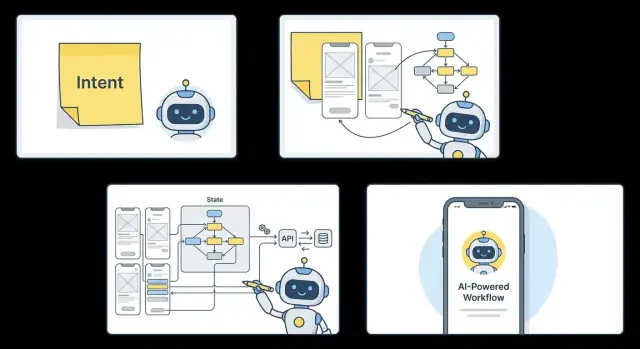
The Intent: One Sentence That Starts Everything
A founder leans back after another end-of-quarter scramble and says: “Help field reps log visits and set follow-ups fast, so nothing slips without adding admin work.”
That single sentence holds a real user problem: notes get captured late (or never), follow-ups get missed, and revenue quietly leaks through the cracks.
This is the promise of an AI-assisted build: you start with intent, and you get to a working mobile app faster—without hand-wiring every screen, state update, and API call from scratch. Not “magic,” not instant perfection, but a shorter path from idea to something you can actually run on a phone and put in someone’s hands.
This section (and the story that follows) isn’t a technical tutorial. It’s a narrative with practical takeaways: what to say, what to decide early, and what to leave open until you’ve tested the flow with real users.
What “intent” really means
In plain terms, intent is the outcome you want, for a specific audience, within clear constraints.
- Outcome: What changes for the user? (“visits logged,” “follow-ups completed”)
- Audience: Who is it for, exactly? (“field reps,” not “sales”)
- Constraints: What must be true? (“no extra admin work,” maybe also “works on older phones,” “fits a $200/month tool budget,” or “audit-friendly activity logs”)
Good intent is not a feature list. It’s not “build me a mobile CRM.” It’s the sentence that tells everyone—humans and AI alike—what success looks like.
The end goal: a shippable MVP
When you’re clear on intent, you can aim for an MVP that’s more than clickable screens. The target is a shippable app with real flows and real data: users can sign in, see today’s accounts, log a visit, attach notes/photos, set a next step, and handle the common exceptions.
Everything that comes next—requirements, information architecture, UI, state, backend integration, and iteration—should serve that one sentence.
Meet the Team and the Constraints
Maya is the PM and accidental founder of this project. She’s not trying to reinvent mobile apps—she’s trying to ship one before a quarterly deadline makes the opportunity vanish.
The “team” is small enough to fit on one calendar invite: Maya, one designer who can spare a few hours a week, and a single engineer who’s already maintaining two other apps. There’s no time to write a 40-page spec, debate frameworks, or run a month of workshops. Still, the expectations are real: leadership wants something usable, not a demo.
What they actually have on day one
Maya’s starting artifacts are humble:
- A phone note with a one-paragraph description of the app
- A rough sketch of three screens, drawn during a meeting
- A short list of must-have features: sign in, view a list, tap into details, and submit a simple update
There’s also one crucial sentence in her notes: “If a user can’t finish the main task in under two minutes on a phone, we haven’t built the right thing.”
What “done” means (for the first release)
For this MVP, “done” is a single user journey that works end-to-end:
- A user logs in.
- They see their personalized list.
- They open one item.
- They complete one action (log, confirm, request, or update).
- They see feedback that it worked.
No fancy dashboards. No hidden menus. No “we’ll polish it later” screens that block the flow.
The constraints that shape every choice
The app has to connect to an existing backend—APIs that weren’t designed for mobile and have uneven documentation. Budget is tight, so every new screen has to justify itself.
Some guardrails are non-negotiable: audit logs, clear consent where needed, and no sensitive data stored casually on the device.
And here’s the tension: Maya has ten good ideas and maybe ten working days. Every hour spent debating options is an hour not spent getting the core journey into someone’s hands.
From Intent to Requirements Without a Spec Marathon
The goal isn’t to write a perfect spec. It’s to get to testable clarity fast—what problem we’re solving, for whom, and how we’ll know it worked.
The first AI interaction: crisp intent, measurable outcomes
You start with one messy sentence:
“I want an app that helps our field reps log visits and follow up.”
Then you ask the AI to tighten it:
Prompt: “Rewrite this as a problem statement and add 3 success metrics. Keep it short.”
AI output (edited):
Problem statement: Field reps lose follow-ups because visit notes and next steps are captured late (or not at all), leading to missed revenue and inconsistent customer experience.
Success metrics:
- 80% of visits logged within 10 minutes
- 30% increase in follow-ups completed within 48 hours
- Reduction in ‘no next step’ visits from 40% to under 10%
Now we have a target the team can aim at, not just a feature wish.
If you’re using a vibe-coding workflow (for example, in Koder.ai, where you describe the product in chat and generate a working app iteratively), this is the moment that pays dividends: a tight intent + metrics becomes the “source of truth” for everything the system generates next.
Roles, top tasks, and user stories
Next, extract roles and tasks:
User roles:
- Primary: Field Rep
- Secondary: Sales Manager
- Admin (light): Ops
Top tasks:
- Primary: Log a visit, attach notes/photos, set a next step
- Secondary: Review team activity, spot stalled accounts
Turn those into a few user stories with acceptance criteria:
- As a rep, I can log a visit in under 60 seconds so I don’t delay.
- Acceptance: customer selected, timestamp saved, notes required OR next step required.
- As a rep, I can schedule a follow-up so nothing slips.
- Acceptance: due date + reminder; appears in “Today” list.
What’s out of scope (on purpose)
To protect the first release:
- No custom dashboards
- No complex territory planning
- No deep CRM write-back (read-only import only)
The north star flow
Anchor every decision to one flow:
Open app → “Log Visit” → pick customer → add note/photo → choose next step + due date → save → follow-ups appear in “Today.”
If a request doesn’t support this flow, it waits for the next release.
AI Turns the Flow Into an Information Architecture
Once the “north star” flow is clear, AI can translate it into an information architecture (IA) that everyone can read—without jumping into wireframes or engineering diagrams.
Start with 3–7 core screens
For most MVPs, you want a small set of screens that fully supports the primary job-to-be-done. AI will usually propose (and you can tweak) a concise list like:
- Welcome / onboarding (only if you truly need setup)
- Home (the starting point, not a dumping ground)
- Search / browse (how people find the thing)
- Detail (where decisions happen)
- Create / log (the conversion step)
- Profile / settings (account, preferences)
That list becomes the skeleton. Anything outside it is either a later release or a “secondary flow.”
Map navigation in plain language
Instead of debating patterns abstractly, the IA calls out navigation as a sentence you can validate:
- “Users land on Home after login.”
- “A tab bar gives access to Home, Search, and Profile.”
- “Details open in a stack so Back returns to where you were.”
If onboarding exists, the IA defines where it starts and where it ends (“Onboarding finishes at Home”).
Define hierarchy and empty states per screen
Each screen gets a lightweight outline:
- Primary content (what’s on top)
- Primary action (the one button that matters)
- Secondary actions (de-emphasized)
- Empty state (what users see with no data) and what they can do next
Empty states are often where apps feel broken, so draft them intentionally (for example: “No visits logged today yet” plus a clear next step).
Where roles and personalization change the UI
The IA flags conditional views early: “Managers see an extra tab,” or “Only Ops can edit account details.” This prevents surprises later when permissions and state are implemented.
A reviewable “flow doc”
The output is typically a one-page flow plus per-screen bullets—something a non-technical stakeholder can approve quickly: what screens exist, how you move between them, and what happens when data is missing.
UI Emerges: Screens, Components, and Copy Drafts
Once the flow is agreed, AI can produce first-pass wireframes by treating each step as a “screen contract”: what the user needs to see, what they can do next, and what information must be collected or displayed.
From flow to wireframes
The output usually starts rough—greyscale blocks with labels—but it’s already structured around content needs. If a step requires comparison, you’ll get a grid or card layout. If it’s about progression, you’ll see a clear primary action and a lightweight summary.
Component choices aren’t random. They’re task-driven:
- Lists for browsing many items quickly (search results, history)
- Cards for scannable chunks with metadata (accounts, visits, follow-ups)
- Forms for commitment moments (log a visit, schedule a follow-up)
AI tends to make these decisions based on the verbs in the intent: browse, choose, edit, confirm.
Design constraints that keep it usable
Even at this stage, good generators apply basic constraints so the screens don’t look “AI-ish”:
- Accessibility basics: tappable targets, color contrast, readable type sizes
- Platform conventions: navigation patterns, back behavior, native input controls
- Readability: short line lengths, clear headings, predictable spacing
Copy drafts appear alongside the UI. Instead of “Submit,” buttons become “Save visit” or “Schedule follow-up,” reflecting the user’s job-to-be-done.
The human review moment
This is where a product owner, designer, or marketer steps in—not to redraw everything, but to adjust tone and clarity:
- Align microcopy with brand voice
- Remove ambiguity (“Continue” → “Choose follow-up date”)
- Tighten empty states and error messages so they feel helpful
What you get at the end
You don’t just end with pictures. The handoff is typically either a clickable prototype (tap-through screens for feedback) or generated screen code that the team can iterate on in the build-test loop.
If you’re building in Koder.ai, this stage usually becomes concrete quickly: the UI is generated as part of a working app (web in React, backend in Go with PostgreSQL, and mobile in Flutter), and you can review the real screens in one place while keeping the flow doc as your guardrail.
State Comes Next: The App’s Memory and Rules
After the UI is sketched, the next question is simple: what does the app need to remember, and what should it react to? That “memory” is state. It’s why a screen can greet you by name, keep a counter, restore a half-written form, or show results sorted the way you like.
The core state objects
AI typically starts by defining a small set of state objects that travel through the whole app:
- User: profile details, preferences, roles (e.g., manager vs. rep).
- Session: auth token, expiry, “isLoggedIn,” and refresh rules.
- Items: the domain data (accounts, visits, follow-ups), plus pagination info.
- Filters: search query, selected tags, sort order, date ranges.
- Drafts: unsent notes, incomplete forms, “saved for later.”
The key is consistency: the same objects (and names) power every screen that touches them, instead of each screen inventing its own mini-model.
Rules: validation and form behavior
Forms aren’t just inputs—they’re rules made visible. AI can generate validation patterns that repeat across screens:
- Required fields show helper text before you submit (“Next step is required”).
- Errors are specific (“Due date can’t be in the past”), and clear once fixed.
- Inputs have sane defaults (today prefilled, date pickers constrained).
Loading, success, and failure—every time
For each async action (sign in, fetch items, save a visit), the app cycles through familiar states:
- Loading: disable the submit button and show “Saving…”
- Success: confirm with a toast and update the list immediately.
- Failure: keep the user’s input, show a friendly error, and offer “Try again.”
When these patterns are consistent across screens, the app feels predictable—and far less fragile—when real users start tapping in unexpected ways.
Backend Integration: Wiring Real Data Into the Experience
A flow is only real when it reads and writes real data. Once the screens and state rules exist, AI can translate what the user does into what the backend must support—then generate the wiring so the app stops being a prototype and starts being a product.
Backend needs inferred from the flow
From a typical user journey, the backend requirements usually fall into a few concrete buckets:
- Auth & identity: sign up, sign in, session refresh, roles
- Data CRUD: create, fetch, update, delete the core records (visits, follow-ups)
- Search & filtering: query by keyword, status, date ranges
- Notifications: push tokens, preference settings, triggers (e.g., “follow-up due today”)
AI can pull these directly from UI intent. A “Save” button implies a mutation. A list screen implies a paginated fetch. A filter chip implies query parameters.
Mapping UI actions to API calls
Instead of building endpoints in isolation, the mapping is derived from screen interactions:
- Tap Log Visit →
POST /visits - Open list screen →
GET /accounts?cursor=... - Edit details →
PATCH /visits/:id - Mark follow-up done →
PATCH /followups/:id
If you already have a backend, the AI adapts to it: REST endpoints, GraphQL operations, Firebase/Firestore collections, or a custom internal API. If you don’t, it can generate a thin service layer that matches the UI needs (and nothing extra).
Schemas are inferred—then confirmed
AI will propose models from the UI copy and state:
Visit { id, accountId, notes, nextStep, dueAt, createdAt }
But a human still confirms the truth: which fields are required, what’s nullable, what needs indexing, and how permissions work. That quick review prevents “almost right” data models from hardening into the product.
Errors, retries, and real-world reliability
Integration isn’t complete without failure paths treated as first-class:
- timeouts and offline handling
- retries with backoff for safe requests
- clear user messages (and silent logging for diagnostics)
- conflict handling (e.g., stale updates)
This is where AI accelerates the boring parts—consistent request wrappers, typed models, and predictable error states—while the team focuses on correctness and business rules.
The Build-Test Loop: Fast Feedback Without Chaos
The first “real” test isn’t a simulator screenshot—it’s a build on an actual phone, in someone’s hand, on imperfect Wi‑Fi. That’s where the early cracks show up fast.
What breaks first on a real device (and why)
It’s usually not the headline feature. It’s the seams:
- Keyboard and layout quirks: a button drops below the fold when the keyboard appears.
- Slow or flaky network: loading spinners that never stop, or screens that assume data arrives instantly.
- Permissions and OS behavior: notifications, camera, or storage prompts that interrupt the flow.
This is useful failure. It tells you what your app actually depends on.
AI-assisted debugging: tracing the failure back to the source
When something breaks, AI is most helpful as a cross-layer detective. Instead of chasing the issue separately in UI, state, and APIs, you can ask it to trace the path end-to-end:
- Mismatched fields: UI expects
profile.photoUrl, backend returnsavatar_url. - Missing states: you handle “success” and “error,” but not “empty,” “offline,” or “partial data.”
- Slow calls: the UI blocks on a heavy endpoint when it could load progressively.
Because the AI has the flow, the screen map, and the data contracts in context, it can propose a single fix that touches all the right places—rename a field, add a fallback state, and adjust the endpoint response.
Instrument the loop with analytics tied to success
Every test build should answer: “Are we getting closer to the metric?” Add a small set of events that match your success criteria, for example:
signup_started→signup_completedfirst_action_completed(your activation moment)error_shownwith a reason code (timeout, validation, permission)
Now feedback isn’t just opinions—it’s a measurable funnel.
One cadence, one scope: iterate without thrash
A simple rhythm keeps things stable: daily build + 20-minute review. Each cycle picks one or two fixes, and updates UI, state, and endpoints together. That prevents “half-fixed” features—where the screen looks right, but the app still can’t recover from real-world timing, missing data, or interrupted permissions.
Real-World Details: Offline, Permissions, and Edge Cases
Once the happy path works, the app has to survive real life: tunnels, low battery mode, missing permissions, and unpredictable data. This is where AI helps by turning “don’t break” into concrete behaviors the team can review.
Offline behavior: useful without pretending
Start by labeling each action as offline-safe or connection-required. For example, browsing previously loaded accounts, editing drafts, and viewing cached history can work offline. Searching the full dataset, syncing changes, and loading personalized recommendations usually need a connection.
A good default is: read from cache, write to an outbox. The UI should clearly show when a change is “Saved locally” versus “Synced,” and offer a simple “Try again” when connectivity returns.
Permissions: ask late, fall back early
Permissions should be requested at the moment they make sense:
- Camera: ask when the user taps “Add photo.” If denied, offer “Upload from library” or “Enter manually.”
- Location: ask when enabling “Nearby accounts.” If denied, allow city/ZIP input.
- Notifications: ask after the user opts into reminders, not on first launch. If denied, show in-app reminders where possible.
The key is graceful alternatives, not dead ends.
Edge cases: the unglamorous quality multiplier
AI can enumerate edge cases quickly, but the team still chooses the product stance:
- Empty results: explain why and suggest a next step (change filters, broaden search).
- Duplicates: detect and merge when safe; otherwise warn before creating a second record.
- Time zones: store timestamps in UTC, display in local time, and be explicit about date boundaries.
- Slow networks: show skeleton states, timeouts with retries, and avoid spinning forever.
Safety checks: security and accessibility
Security basics: store tokens in the platform’s secure storage, use least-privilege scopes, and ship with safe defaults (no verbose logs, no “remember me” without encryption).
Accessibility checks: verify contrast, minimum tap targets, dynamic text support, and meaningful screen reader labels—especially for icon-only buttons and custom components.
Shipping the MVP: From Build to Store Submission
Shipping is where a promising prototype either becomes a real product—or quietly stalls. Once AI has generated the UI, state rules, and API wiring, the goal is to turn that working build into something reviewers (and customers) can install confidently.
Release steps that keep you out of trouble
Start by treating “release” as a small checklist, not a heroic sprint.
- Build signing: create production signing keys/certificates, store them securely, and ensure CI can access them without leaking secrets.
- Environment config: separate dev/staging/prod endpoints and keys. Confirm analytics, error reporting, and payments (if any) point to production.
- Versioning: bump build numbers and marketing versions consistently. Tie each release to a changelog entry so you can trace what shipped.
App Store assets (without making risky promises)
Even if the MVP is simple, metadata matters because it sets expectations.
- Screenshots: capture the core flow end-to-end (on the most common device sizes). If AI helped generate screens, double-check typography, empty states, and final copy.
- Description: explain the primary job-to-be-done in plain language. Avoid claims you can’t verify.
- Privacy notes: document what data you collect and why. Be specific, but don’t imply policy compliance you haven’t formally validated.
Rollout, monitoring, and rollback
Plan the launch like an experiment.
Use internal testing first, then a staged release (or phased rollout) to limit blast radius. Monitor crash rate, onboarding completion, and key action conversion.
Define rollback triggers ahead of time—e.g., crash-free sessions drop below a threshold, sign-in failures spike, or your primary funnel step rate drops sharply.
If your build system supports snapshots and quick rollback (for example, Koder.ai includes snapshots/rollback alongside deployment and hosting), you can treat “undo” as a normal part of shipping—not a panic move.
If you want help turning your MVP checklist into a repeatable release pipeline, see /pricing or reach out via /contact.
What This Changes: Roles, Ownership, and the Next Release
When AI can draft screens, wire state, and sketch API integrations, the work doesn’t disappear—it shifts. Teams spend less time translating intent into boilerplate, and more time deciding what’s worth building, for whom, and to what standard.
What AI tends to handle well
AI is especially strong at producing cohesive output across layers once the flow is clear.
- UI consistency: repeating patterns (headers, lists, empty states) stay visually aligned, and copy drafts are “good enough” to review quickly.
- State patterns: predictable behaviors—loading, success, error, retry—show up across screens with fewer gaps.
- Integration scaffolding: request/response models, endpoint wrappers, and placeholder error handling appear early, which makes real-data wiring faster.
What humans still own
AI can propose; people decide.
- Product judgment: what to cut, what to delay, what to refine.
- Prioritization: choosing the smallest set of features that proves value.
- User empathy: edge cases that only show up in real life—confusing terminology, trust issues, and moments where users hesitate.
- QA sign-off: verifying behavior on devices, under weak networks, with real accounts and real expectations.
Keeping the result maintainable
Speed only helps if the code remains legible.
- Use clear naming conventions for screens, events, and API methods.
- Keep modular components (inputs, cards, error banners) reusable rather than duplicated.
- Maintain documented endpoints (purpose, parameters, sample responses) close to the integration layer.
If you’re generating the first version in a platform like Koder.ai, one practical maintainability unlock is source code export: you can move from “fast generation” to “team-owned codebase” without rewriting from scratch.
The next release mindset
With an MVP shipped, the next iterations usually focus on performance (startup time, list rendering), personalization (saved preferences, smarter defaults), and deeper automation (test generation, analytics instrumentation).
For more examples and related reading, browse /blog.
FAQ
What does “intent” mean in the context of building an AI-assisted mobile app?
Intent is a single sentence that clarifies:
- the outcome (what changes for the user)
- the audience (who it’s for)
- the constraints (what must be true)
It’s not a feature list; it’s the definition of success that keeps UI, state, and APIs aligned.
How do I write a strong intent statement for my MVP?
A good intent statement is specific and testable. Use this structure:
- Help [audience]
- do [job/outcome]
- so that [measurable impact]
- without [key constraint/cost]
Example: “Help small clinic managers confirm appointments automatically so no-shows drop without adding admin work.”
What makes an MVP “shippable” versus just a prototype?
“Shippable” means the app completes one core journey with real data:
- login works
- core list/detail/action flow works end-to-end
- success and failure states are handled
- backend integration is real (not mocked)
If users can’t complete the main task quickly on a phone, it’s not ready.
How can AI help turn a messy idea into requirements without writing a long spec?
Ask the AI to rewrite your idea into:
- a problem statement (what’s broken and why it matters)
- 3 success metrics (time-to-action, completion rate, error rate, etc.)
Then edit the output with your domain reality—especially the numbers—so you’re measuring outcomes, not activity.
What’s the fastest way to define roles, tasks, and user stories for an MVP?
Focus on:
- roles (primary vs. secondary users)
- top tasks (the few actions that create value)
- a handful of user stories with acceptance criteria
Keep acceptance criteria observable (e.g., “saved timestamp,” “next step required OR note required”) so engineering and QA can validate quickly.
What should I deliberately keep out of scope for the first release?
Cut anything that doesn’t support the north-star flow. Common MVP exclusions include:
- custom dashboards
- complex planning features
- deep integrations or write-back to systems of record
Write an explicit “out of scope” list so stakeholders know what’s intentionally delayed.
How do I turn a “north star flow” into a simple information architecture?
Start with 3–7 core screens that fully support the primary job:
- a starting screen (often Home)
- a way to find items (search/browse)
- a detail screen (decision point)
- a create/confirm/update screen (conversion)
- profile/settings (only what’s needed)
Define navigation in plain language (tabs vs. stack) and include empty states so the app doesn’t feel broken with no data.
What app “state” should I define early, and why does it matter?
State is what the app must remember and react to. Common MVP state objects:
- User (profile, roles)
- Session (token, expiry, refresh rules)
- Domain items (plus pagination)
- Filters (query, sort, tags)
- Drafts (unsent edits/actions)
Also standardize async states: loading → success → failure, and keep user input on failure.
How do I map UI actions to backend endpoints when integrating real data?
Work backwards from screens:
- list screen implies
GET /items(often paginated) - save/confirm button implies
POSTorPATCH - delete gesture implies
DELETE - filter chips imply query parameters
Have AI propose schemas, but you should confirm required fields, permissions, and naming mismatches (e.g., photoUrl vs. avatar_url) before they harden into the product.
How should an MVP handle offline usage and permissions without over-engineering?
Decide per action whether it’s offline-safe or connection-required. A practical default:
- read from cache where possible
- write to an outbox for queued changes
For permissions, ask at the moment of need (camera when tapping “Add photo,” notifications after opting into reminders) and provide a fallback (manual entry, in-app reminders) instead of dead ends.