

Why “Good Enough” AI Code Helps You Learn and Ship Faster
A practical reflection on how “good enough” AI code helps you learn faster, ship sooner, and improve quality through reviews, tests, and iterative refactors.
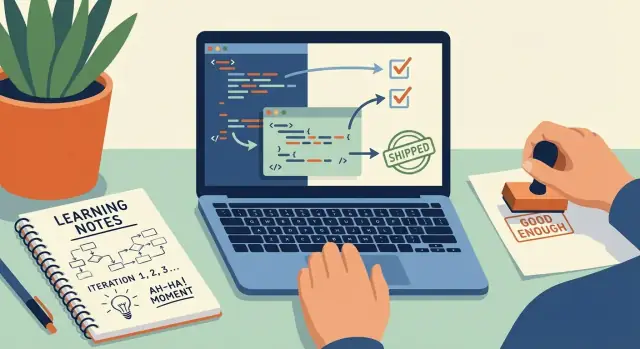
What “Good Enough” Means (and What It Doesn’t)
“Good enough” code is not a euphemism for sloppy work. It’s a bar you set on purpose: high enough to be correct and safe for the context, but not so high that you stall learning and shipping.
A practical definition
For most product code (especially early versions), “good enough” usually means:
- Correct enough: it does what you say it does for the inputs you expect, and fails in a predictable way for inputs you don’t.
- Safe enough: it doesn’t expose secrets, create obvious security holes, or corrupt data.
- Maintainable enough: someone (including future you) can read it, change it, and debug it without dread.
That’s the goal: code that works, won’t hurt users, and won’t trap you.
What this post is (and isn’t) arguing
This isn’t about lowering standards. It’s about choosing the right standards at the right time.
If you’re learning or building an MVP, you often get more value from a smaller, workable version you can observe in reality than from a polished version that never ships. “Good enough” is how you buy feedback, clarity, and momentum.
AI code is a draft; you’re the editor
AI-generated code is best treated as a first pass: a sketch that saves keystrokes and suggests structure. Your job is to check assumptions, tighten the edges, and make it fit your codebase.
A simple rule: if you can’t explain what it does, it’s not “good enough” yet—no matter how confident it sounds.
Where perfection is worth it
Some areas demand much closer to perfection: security-sensitive features, payments and billing, privacy and compliance, safety-critical systems, and irreversible data operations. In those zones, the “good enough” bar moves up sharply—and shipping slower is often the correct tradeoff.
Why Shipping Faster Often Teaches More Than Polishing
Momentum isn’t a motivational poster idea—it’s a learning strategy. When you ship small things quickly, you create short feedback loops: write something, run it, watch it fail (or succeed), fix it, and repeat. Those repeats are reps, and reps are what turn abstract concepts into instincts.
Momentum creates faster feedback loops
Polishing can feel productive because it’s controllable: refactor a bit, rename a variable, tweak the UI, reorganize files. But learning accelerates when reality pushes back—when real users click the wrong button, an edge case breaks your happy path, or deployment behaves differently than your local machine.
Shipping faster forces those moments to happen sooner. You get clearer answers to the questions that matter:
- Did this solve the user’s problem?
- What assumptions were wrong?
- Where does it break under real data?
Building beats consuming (most of the time)
Tutorials build familiarity, but they rarely build judgment. Building and shipping forces you to make tradeoffs: what to skip, what to simplify, what to test, what to document, and what can wait. That decision-making is the craft.
If you spend three evenings “learning” a framework but never deploy anything, you may know the vocabulary—yet still feel stuck when faced with a blank project.
AI reduces blank-page time
This is where AI-generated code helps: it compresses the time between idea and a first working draft. Instead of staring at an empty folder, you can get a basic route, component, script, or data model in minutes.
If you’re using a vibe-coding workflow—where you describe what you want and iterate from a runnable draft—tools like Koder.ai can make that loop tighter by turning a chat prompt into a working web/server/mobile slice (with options like snapshots and rollback when experiments go sideways). The point isn’t magic output; it’s faster iteration with clearer checkpoints.
The hidden cost of waiting for “perfect”
Waiting to ship until everything feels “right” has a price:
- You delay real feedback, so you keep guessing longer than necessary.
- You over-invest in details that users may not care about.
- You lose energy and context while polishing in isolation.
“Good enough” doesn’t mean sloppy—it means you move forward once the next step will teach you more than the next polish pass.
How “Good Enough” AI Code Accelerates Learning
“Good enough” AI code is useful because it makes your knowledge visible. When you paste a generated snippet into your project, you quickly find what you don’t understand yet: which API method returns a list vs. a cursor, what shape the JSON payload really has, or why a “simple” edge case (empty input, time zones, retries) breaks the happy path.
Imperfection exposes the real requirements
AI drafts tend to assume ideal data and clean boundaries. The first time it fails, you’re forced to answer practical questions you can’t dodge:
- What are the valid inputs and outputs?
- Which errors can happen, and how should we handle them?
- What happens when data is missing, delayed, duplicated, or out of order?
Those questions are the fastest route from “I copied code” to “I understand the system.”
Debugging builds skill faster than reading
Stepping through AI output teaches the parts of development that matter most day-to-day: reading stack traces, checking types and data shapes, adding logs, writing a small test that reproduces the bug, and confirming the fix.
Because the code is close-but-not-perfect, you get frequent, bite-sized debugging reps—without needing to invent practice exercises.
Multiple drafts train judgment
Ask for two or three alternative implementations and compare them. Even if one is flawed, seeing different approaches helps you learn tradeoffs (performance vs. clarity, abstraction vs. duplication, strict validation vs. permissive parsing).
Treat the model like a sparring partner: it throws ideas. You decide what ships.
Where AI-Generated Code Usually Breaks
AI-generated code is great at producing plausible structure quickly. The problems usually show up in the “last 20%” where real systems are messy: real inputs, real dependencies, and real edge cases.
Common failure modes
A few breakpoints show up repeatedly:
- Wrong assumptions about your data or environment. It may assume a field is always present, a date format is consistent, or a service never returns partial results.
- Outdated or invented APIs. Models can mix versions, copy patterns from older docs, or fabricate parameters.
- Missing error handling. Happy-path code is common; retries, timeouts, null checks, rate limits, and fallback behavior are often absent.
- Edge-case gaps. Empty arrays, Unicode, time zones, large files, concurrency, and permission issues are frequently under-tested.
Why the code sounds confident even when it’s wrong
The model is optimized to produce a coherent answer, not to “feel uncertainty.” It predicts what looks like correct code based on patterns, so the explanation can be smooth even when details don’t match your exact stack, versions, or constraints.
Fast ways to validate without overthinking
Treat the output as a draft and verify behavior quickly:
- Run it immediately (even with stubbed data) to surface obvious crashes.
- Lint/format it to catch imports, unused variables, and suspicious patterns.
- Try tiny test inputs first (one record, empty input, invalid input), then scale up.
Most importantly: trust observed behavior over the explanation. If the code passes your checks, great. If it fails, you’ve learned exactly what to fix—and that feedback loop is the value.
A Practical Bar for “Good Enough” Before You Ship
“Good enough” isn’t sloppy—it’s a deliberate threshold. The goal is to ship something that works, can be understood later, and won’t surprise users in obvious ways. Think of it as “done for now”: you’re buying real-world feedback and learning, not declaring the code perfect.
A quick acceptance checklist
Before you ship AI-generated code (or any code), make sure it clears a simple bar:
- It runs end-to-end for the main path (the thing users actually came for).
- It’s readable: names make sense, functions aren’t doing five jobs at once, and the flow is easy to follow.
- It handles errors: failures don’t crash silently, and the user gets a reasonable message or fallback.
- It logs key events (or returns useful error info): enough to debug the next issue without guessing.
- It has a couple of small tests: even 2–5 tests covering the happy path and one failure case can prevent regressions.
If one of these fails, you’re not “being perfectionist”—you’re avoiding predictable pain.
“Done for now” vs. “done forever”
“Done forever” is the standard you apply to core security, billing, or critical data integrity. Everything else can be “done for now,” as long as you capture what you’re postponing.
Time-box the improvement loop
Give yourself 30–60 minutes to clean up an AI draft: simplify structure, add minimal tests, improve error handling, and remove dead code. When the time box ends, ship (or schedule the next pass).
Document the shortcuts
Leave brief notes where you cut corners:
TODO: add rate limitingNOTE: assumes input is validated upstreamFIXME: replace temp parsing with schema validation
This turns “we’ll fix it later” into a plan—and makes future you faster.
Prompting to Get Better Drafts (Without Over-Optimizing)
Better prompts don’t mean longer prompts. They mean clearer constraints, sharper examples, and tighter feedback loops. The goal isn’t to “prompt engineer” a perfect solution—it’s to get a draft you can run, judge, and improve quickly.
Prompting patterns that raise quality
Start by telling the model what must be true:
- Constraints: language, framework versions, performance limits, style rules, and what you’re not willing to change.
- Examples: a tiny input/output pair, a sample JSON shape, or an existing function signature you want to keep.
- Edge cases: empty inputs, nulls, duplicates, timeouts, retries, and error messages you expect.
- “Ask me questions first”: especially when requirements are fuzzy. A good prompt can be: “Before writing code, ask 3–5 questions to confirm assumptions.”
Also, ask for alternatives and tradeoffs, not just “the best” answer. For example: “Give two approaches: one simple and one scalable. Explain pros/cons and failure modes.” This forces comparison instead of acceptance.
A tight loop: generate → run → critique → regenerate
Keep the cycle short:
- Generate a minimal solution (not the whole app).
- Run it immediately (even if it’s ugly).
- Critique with specifics: where it fails, what’s unclear, what’s missing.
- Regenerate with corrections and constraints.
When you feel tempted to request a giant rewrite, request small, testable units instead: “Write a function that validates the payload and returns structured errors.” Then: “Now write 5 unit tests for that function.” Smaller pieces are easier to verify, replace, and learn from.
Review and Testing: Turning Drafts into Reliable Code
AI can get you to a working draft quickly—but reliability is what lets you ship without crossing your fingers. The goal isn’t to “perfect” the code; it’s to add just enough review and testing to trust it.
A lightweight review habit: explain it back
Before you run anything, read the AI-generated code and explain it back in your own words:
- What inputs does it expect?
- What does it return or change?
- Where can it fail (missing data, network issues, edge cases)?
If you can’t explain it, you can’t maintain it. This step turns the draft into learning, not just output.
Let tools catch the easy mistakes early
Use automated checks as your first line of defense, not your last:
- Formatters keep style consistent, so review focuses on logic.
- Linters flag suspicious patterns (unused variables, unreachable code).
- Type checks (where available) catch “wrong shape” data problems that AI code often introduces.
These tools don’t replace judgment, but they reduce the number of silly bugs that waste time.
Test the risky parts first
You don’t need a huge test suite to start. Add small tests around the most failure-prone areas:
- parsing and validation
- boundary conditions (empty lists, nulls, timeouts)
- critical business rules (money, permissions, data deletion)
A few focused tests can make a “good enough” solution safe enough to ship.
Keep changes small—avoid AI mega-commits
Resist pasting an entire generated rewrite into one giant commit. Keep changes small and frequent so you can:
- review diffs quickly
- pinpoint what caused a bug
- revert safely when an approach doesn’t work
Small iterations turn AI drafts into dependable code without slowing you down.
Managing Technical Debt Without Shame
Technical debt isn’t a moral failing. It’s a tradeoff you make when you prioritize learning and shipping over perfect structure. The key is intentional debt: you knowingly ship something imperfect with a plan to improve it, rather than hoping you’ll “clean it up someday.”
What intentional debt looks like
Intentional debt has three traits:
- You can explain why the shortcut exists (time, uncertainty, missing requirements).
- You can point to the risk it creates (bugs, slow changes, confusing code).
- You have a next step for paying it down.
This is especially relevant with AI-generated code: the draft might work, but the structure may not match how you’ll grow the feature.
Writing TODOs that actually get done
Vague TODOs are where debt goes to hide. Make them actionable by capturing what, why, and when.
Good TODOs:
// TODO(week-2): Extract pricing rules into a separate module; current logic is duplicated in checkout and invoice.// TODO(before scaling): Replace in-memory cache with Redis to avoid cross-instance inconsistency.// TODO(after user feedback): Add validation errors to UI; support tickets show users don’t understand failures.
If you can’t name a “when,” choose a trigger.
Refactor triggers: when debt becomes too expensive
You don’t refactor because code is “ugly.” You refactor when it starts charging interest. Common triggers:
- Repeated bugs in the same area (a symptom of unclear logic or missing tests)
- Slow feature changes (every tweak requires touching many files)
- Unclear code (new contributors—or future you—can’t confidently modify it)
A simple refactor cadence
Keep it lightweight and predictable:
- After shipping: do a quick cleanup pass (rename variables, remove dead code, add a couple of tests).
- After feedback: refactor based on real usage (error handling, edge cases, performance hot spots).
- Before scaling: pay down structural debt (separate modules, improve boundaries, upgrade storage/caching).
Shame makes debt invisible. Visibility makes it manageable—and keeps “good enough” working in your favor.
When Perfection (or Near-Perfection) Is Required
“Good enough” is a great default for prototypes and internal tools. But some areas punish small mistakes—especially when AI-generated code gives you something that looks correct but fails under real pressure.
The high-stakes zones
Treat the following as “near-perfect required,” not “ship and see”:
- Authentication and authorization: a tiny logic bug can turn into account takeovers or data leaks.
- Payments and billing: incorrect totals, double charges, and refund edge cases cost money and trust.
- PII and sensitive data (emails, addresses, health data, IDs): mishandling can trigger compliance issues and real harm.
- Safety-critical behavior: anything that could endanger users (medical advice, physical devices, security tooling).
What to add before you ship
You don’t need a giant process—but you do need a few deliberate checks:
- Mini threat modeling: write down what could go wrong (abuse, spoofing, data exposure), who might try it, and your top 3 mitigations.
- Dependency and supply-chain checks: use well-known packages, pin versions, and scan for known vulnerabilities.
- Rate limits and abuse controls: protect endpoints from brute force and runaway costs.
Prefer proven building blocks over custom code
If AI drafts a homegrown auth system or payment flow, treat that as a red flag. Use established libraries, hosted providers, and official SDKs—even if it feels slower. This is also where bringing in an expert for a short review can be cheaper than a week of cleanup.
Don’t ship blind
For anything above, add structured logging, monitoring, and alerts so failures show up early. Fast iteration still works—just with guardrails and visibility.
A Repeatable Workflow: Draft, Ship, Learn, Improve
The fastest way to turn AI help into real skill is to treat it like a loop, not a one-time “generate and pray.” You’re not trying to produce perfect code on the first pass—you’re trying to produce something you can run, observe, and improve.
The loop
- Define the smallest goal. One sentence: “The user can upload a file and see a confirmation.” Avoid bundling extra features.
- Generate a draft. Ask for the minimal version plus assumptions (inputs, outputs, error cases).
- Run it immediately. Execute it. Click the UI. Hit the endpoint. Try to break it.
- Fix what fails first. Tackle errors in order: crashes → wrong results → confusing UX. Keep fixes small.
- Ship a thin slice. Deploy the smallest useful version behind a feature flag, to a small audience, or to yourself.
- Learn and iterate. Pick the next smallest improvement based on what you observed.
If you’re building in an environment like Koder.ai—where you can generate a working slice, deploy/host it, and roll back via snapshots when an experiment fails—you can keep this loop especially tight, without turning every attempt into a risky “big bang” change.
Keep a learning log
Maintain a short note (in your repo or a doc) of mistakes and patterns: “Forgot input validation,” “Off-by-one bug,” “Confused async calls,” “Tests were missing for edge cases.” Over time, this becomes your personal checklist—and your prompts get sharper because you know what to ask for.
Let users set priorities
Real feedback cuts through speculation. If users don’t care about your elegant refactor but keep hitting the same confusing button, you’ve learned what matters. Each release turns “I think” into “I know.”
Review your own history
Every few weeks, scan past AI-assisted commits. You’ll spot recurring issues, see how your review comments evolved, and notice where you now catch problems earlier. That’s progress you can measure.
Confidence and Craft: Avoiding the “AI Crutch” Trap
Using AI to draft code can trigger an uncomfortable thought: “Am I cheating?” A better frame is assisted practice. You’re still doing the real work—choosing what to build, deciding tradeoffs, integrating with your system, and owning the outcome. In many ways, it’s closer to learning with a tutor than copying answers.
The line between help and dependency
The risk isn’t that AI writes code. The risk is shipping code you don’t understand—especially on critical paths like authentication, payments, data deletion, and anything security-related.
If the code can cost money, leak data, lock users out, or corrupt records, you should be able to explain (in plain English) what it does and how it fails.
Build skill by “taking back” small pieces
You don’t need to rewrite everything manually to grow. Instead, reclaim small parts over time:
- Rewrite one function from scratch after the AI draft works.
- Replace a generated loop with a clearer version you’d be proud to maintain.
- Add comments that describe intent and edge cases (then verify the code matches).
This turns AI output into a stepping stone, not a permanent substitute.
Pair AI with docs, examples, and real debugging
Confidence comes from verification, not vibes. When AI suggests an approach, cross-check it with:
- Official docs for the framework/library you’re using
- A small, runnable example (even a throwaway script)
- Actual debugging: logs, breakpoints, error messages, and tests
If you can reproduce a bug, fix it, and explain why the fix works, you’re not being carried—you’re learning. Over time, you’ll prompt less for “the answer” and more for options, pitfalls, and review.
Closing Thoughts: Choose Progress, Then Earn Quality
“Good enough” AI-generated code is valuable for one main reason: speed creates feedback, and feedback creates skill. When you ship a small, working slice sooner, you get real signals—user behavior, performance, edge cases, confusing UX, maintainability pain. Those signals teach you more than a week of polishing code in a vacuum.
That doesn’t mean “anything goes.” The “good enough” bar is: it works for the stated use case, is understandable by a human on your team, and has basic checks that prevent obvious breakage. You’re allowed to iterate the internals later—after you’ve learned what actually matters.
The safety exceptions
Some areas aren’t “learn by shipping” territory. If your change touches payments, authentication, permissions, sensitive data, or safety-critical behavior, raise the bar: deeper review, stronger tests, and slower rollout. “Good enough” still applies, but the definition becomes stricter because the cost of being wrong is higher.
A simple next step for your next task
Pick one small feature you’ve been postponing. Use AI to draft a first pass, then do this before you ship:
-
Write down one sentence: “This change is successful if…”
-
Add two quick tests (or a manual checklist) for the most likely failure.
-
Ship behind a flag or to a small audience.
-
Record what surprised you, then schedule a short refactor.
If you want more ideas on iteration and review habits, browse /blog. If you’re evaluating tools to support your workflow, see /pricing.
FAQ
What does “good enough” code actually mean?
“Good enough” is a deliberate quality bar: the code is correct enough for expected inputs, safe enough not to create obvious security/data risks, and maintainable enough that you (or a teammate) can read and change it later.
It’s not “sloppy”; it’s “done for now” with clear intent.
Is “good enough” a valid standard for production code?
Not always. The bar depends on the stakes.
- For MVPs, prototypes, and learning projects, “good enough” often beats polishing because it gets you feedback sooner.
- For high-risk areas (auth, payments, PII, destructive operations), “good enough” must be much closer to “near-perfect,” with stronger review and testing.
How should I think about AI-generated code in my workflow?
Treat AI output as a draft, not an authority.
A practical rule: if you can’t explain what the code does, what it expects as input, and how it fails, it’s not ready to ship—regardless of how confident the AI sounds.
Where does AI-generated code usually fail?
Most breakages show up in the “last 20%” where reality is messy:
- Wrong assumptions about your data, environment, or versions
- Outdated or invented APIs
- Missing error handling (timeouts, retries, nulls)
- Edge cases (empty inputs, Unicode, time zones, concurrency)
Plan to validate these quickly rather than assuming the draft is correct.
What’s the fastest way to validate AI code without overthinking?
Use a fast, observable validation loop:
- Run it immediately, even with stubbed data
- Lint/format/type-check to catch obvious issues
- Try tiny inputs first (empty, invalid, minimal), then scale
- Add 2–5 targeted tests (happy path + one or two failure cases)
Trust what you can reproduce over what the explanation claims.
How do I know when to ship versus keep polishing?
Ship when the next step will teach you more than the next polish pass.
Common signals you’re over-polishing:
- You’re refactoring naming and file structure without new evidence
- You’re optimizing performance before measuring anything
- You’re adding features “just in case” rather than for a real user need
Time-box cleanup (e.g., 30–60 minutes), then ship or schedule the next pass.
What’s a practical “good enough before shipping” checklist?
Use a simple acceptance checklist:
- Runs end-to-end for the main user path
- Readable enough to debug later (clear names, simple flow)
- Handles errors in a predictable, user-safe way
- Logs/returns enough info to diagnose failures
- Has a few small tests that prevent easy regressions
If one of these fails, you’re not being perfectionist—you’re preventing predictable pain.
How can I prompt for better AI drafts without “prompt engineering” forever?
Improve prompts by adding constraints and examples, not by making them longer:
- Specify versions, libraries, and what cannot change
- Provide a tiny input/output example or existing function signature
- List expected edge cases and error behavior
- Ask for 2 approaches with pros/cons and failure modes
You’ll get drafts that are easier to verify and integrate.
When is “good enough” not good enough?
Raise the bar sharply for:
- Authentication/authorization and permissions
- Payments, billing, refunds
- PII/sensitive data and compliance-related features
- Safety-critical or irreversible operations (e.g., data deletion)
In these areas, prefer proven libraries/SDKs, do deeper review, and add monitoring/alerts before rollout.
How do I manage technical debt from AI-assisted shipping without shame?
Make debt intentional and visible:
- Write actionable TODOs (what/why/when or a trigger)
- Refactor when you see “interest” (repeated bugs, slow changes, unclear code)
- Keep changes small to make reviews and reversions safe
A short post-ship cleanup pass plus refactors driven by real feedback is often the most efficient cadence.