

Hitachi: Industrial Tech Meets Enterprise Software at Scale
Explore how Hitachi blends industrial systems with enterprise software to turn operational data into safer, more efficient outcomes across the physical economy.
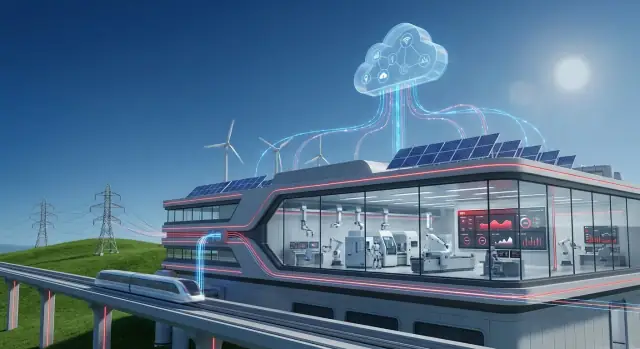
What it means when data meets the physical economy
The “physical economy” is the part of business that moves atoms, not just information. It’s the power plant balancing supply and demand, the rail network keeping trains on schedule, the factory turning raw materials into finished goods, and the water utility maintaining pressure and quality across a city.
In these environments, software isn’t only measuring clicks or conversions—it’s influencing real equipment, real people, and real costs. A late maintenance decision can become a breakdown. A minor process drift can turn into scrap, downtime, or a safety incident.
That’s why data matters differently here: it has to be timely, trustworthy, and tied to what’s happening on the ground.
Why data is different when you operate assets
When your “product” is availability, throughput, and reliability, data becomes a practical tool:
- To see what’s actually happening (vibration, temperature, energy use, cycle times)
- To predict what’s likely to happen next (early signs of failure, bottlenecks forming)
- To choose the best action (dispatch a crew, slow a line, reroute power, reorder parts)
But there are real trade-offs. You can’t pause a factory to “update later.” Sensors can be noisy. Connectivity isn’t guaranteed. And decisions often need to be explainable to operators, engineers, and regulators.
OT + IT: two worlds that need to cooperate
This is where OT and IT convergence starts to matter.
- OT (Operational Technology) is the world of machines: control systems, PLCs, SCADA, instrumentation, and the safety and reliability practices that keep operations stable.
- IT (Information Technology) is the world of business systems: ERP, asset registers, service management, analytics, identity and access, and enterprise cybersecurity.
When OT and IT work together, operational signals can trigger business workflows—like creating a work order, checking inventory, scheduling crews, and tracking outcomes.
What to expect from this guide
You’ll learn where value typically shows up (uptime, maintenance, energy efficiency), what it takes architecturally (edge-to-cloud patterns), and what to watch out for (security, governance, and change management). The goal is a clear, realistic picture of how industrial data becomes better decisions—not just more dashboards.
Hitachi in context: industry roots plus software capabilities
Hitachi sits at an intersection that’s increasingly important for modern organizations: the systems that run physical operations (trains, power networks, factories, water plants) and the software that plans, measures, and improves how those operations perform.
That background matters because industrial environments tend to reward proven engineering, long asset lifecycles, and steady incremental improvements—not quick platform swaps.
What “industrial technology” includes
When people say “industrial technology” in this context, they’re usually talking about the stack that keeps real-world processes stable and safe:
- Equipment and assets: motors, drives, rolling stock, transformers, pumps, turbines, and other long-lived machines.
- Controls and automation: sensors, PLC/SCADA-style control, safety systems, and the instrumentation that tells operators what’s happening.
- Engineering and operations practices: maintenance routines, reliability methods, commissioning, and the standards that govern uptime and safety.
This side of the house is about physics, constraints, and operating conditions—heat, vibration, load, wear, and the realities of field work.
What “enterprise software” includes
“Enterprise software” is the set of systems that turns operations into coordinated decisions and auditable actions across teams:
- Planning and finance (ERP): budgets, purchasing, inventory, and cost visibility.
- Asset and maintenance management (EAM/CMMS): work orders, parts, inspections, and lifecycle history.
- Analytics and reporting: dashboards, KPIs, and performance trends.
- Workflow and collaboration: approvals, incident tracking, and cross-functional coordination.
Hitachi’s story is relevant because it reflects a broader shift: industrial companies want operational data to flow into business workflows without losing context or control. The goal isn’t “more data” for its own sake—it’s tighter alignment between what’s happening on the ground and how the organization plans, maintains, and improves its assets over time.
From machines to insight: the operational data journey
Industrial sites are full of signals that describe what’s happening right now: temperatures drifting, vibration rising, power quality fluctuating, throughput slowing, alarms chattering. Factories, rail systems, mines, and utilities generate these signals continuously because physical equipment must be monitored to stay safe, efficient, and compliant.
The challenge isn’t getting more data—it’s turning raw readings into decisions people trust.
Where the data actually comes from
Most operations pull from a mix of real-time control systems and business records:
- Sensors and meters on pumps, turbines, motors, lines, and substations (pressure, flow, current, vibration, etc.)
- PLC and SCADA systems that control and supervise processes, often storing data in an historian
- Maintenance logs and work orders from EAM/CMMS tools (what failed, what was replaced, how long it took)
- ERP data like production orders, inventory, procurement, and cost centers—useful for connecting performance to money
On their own, each source tells a partial story. Together, they can explain why performance changes and what to do next.
What goes wrong on the way to “insight”
Operational data is messy for predictable reasons. Sensors get replaced, tags get renamed, and networks drop packets. Common issues include:
- Missing or duplicated values (gaps during outages, repeated samples after reconnects)
- Inconsistent tags and units ("Temp_1" vs "TMP-01", °C vs °F, kW vs MW)
- Time synchronization problems across devices and systems (a five-minute clock drift can break cause-and-effect analysis)
If you’ve ever wondered why dashboards disagree, it’s often because timestamps, naming, or units don’t line up.
Why context beats volume
A reading becomes meaningful only when you can answer: what asset is this, where is it, and what state was it in?
“Vibration = 8 mm/s” is far more actionable when it’s tied to Pump P-204, in Line 3, running at 80% load, after a bearing change last month, during a specific product run.
This context—asset hierarchy, location, operating mode, and maintenance history—is what allows analytics to separate normal variation from early warning signs.
The operational data journey is essentially a move from signals → clean time series → contextualized events → decisions, so teams can shift from reacting to alarms to managing performance deliberately.
OT–IT convergence: bridging two worlds without breaking either
Operational technology (OT) is the stuff that runs a physical operation: machines, sensors, control systems, and the procedures that keep a plant, rail network, or power substation working safely.
Information technology (IT) is the stuff that runs the business: ERP, finance, HR, procurement, customer systems, and the networks and apps employees use every day.
OT–IT convergence is simply getting these two worlds to share the right data at the right time—without putting production, safety, or compliance at risk.
Where the friction usually shows up
Most problems aren’t technical first; they’re operational.
- Ownership and incentives: OT teams are measured on uptime and safety. IT teams are measured on standardization, cost control, and cybersecurity.
- Change control: In OT, a “small update” can shut down a line. In IT, frequent patching is normal.
- Uptime requirements: OT systems may run for years with minimal downtime; maintenance windows are rare and tightly planned.
- Different vocabularies: OT talks in alarms, PLCs, and setpoints; IT talks in tickets, APIs, and identity management.
What integration actually needs
To make convergence practical, you typically need a few building blocks:
- Connectors and protocols that can read OT signals safely (often via gateways) and map them into IT-friendly formats.
- APIs to move data into enterprise apps (maintenance, inventory, finance) and back again.
- Event streams for “something just happened” moments—like a vibration spike triggering a work order.
- Master data alignment so everyone agrees on what an “asset,” “site,” or “work order” means across systems.
A safer path: start small, prove value, then scale
A practical approach is to pick one high-value use case (for example, predictive maintenance on a critical asset), connect a limited data set, and agree on clear success metrics.
Once the workflow is stable—data quality, alerts, approvals, and security—expand to more assets, then more sites. This keeps OT comfortable with reliability and change control while giving IT the standards and visibility it needs to scale.
Edge-to-cloud architecture in plain language
Industrial systems generate valuable signals—temperatures, vibration, energy use, throughput—but they don’t all belong in the same place. “Edge-to-cloud” simply means splitting the work between computers near the equipment (edge) and centralized platforms (cloud or data center), based on what the operation needs.
Why some processing stays near the equipment
Certain decisions must happen in milliseconds or seconds. If a motor is overheating or a safety interlock triggers, you can’t wait for a round trip to a distant server.
Edge processing helps with:
- Low latency control and alerting: fast responses for alarms, quality checks, and local optimization.
- Reliability during network issues: the plant keeps running even if connectivity drops.
- Bandwidth savings: filter and compress high-frequency sensor streams before sending summaries upstream.
What moves to centralized platforms
Centralized platforms are best when the value depends on combining data across lines, plants, or regions.
Typical “cloud-side” work includes:
- Cross-site analytics: comparing performance between facilities, identifying best practices.
- Fleet-level models: improving predictive maintenance by learning from many similar assets.
- Reporting and compliance: standardized dashboards for executives, auditors, and sustainability teams.
A simple reference flow (collect → clean → analyze → act)
- Collect: sensors/PLCs/SCADA send data to an edge gateway.
- Clean: the edge normalizes units, timestamps, and tags; it can remove obvious noise.
- Analyze: quick rules or models run locally; heavier analysis runs centrally where more compute and history exist.
- Act: actions return as alerts, work orders, or setpoint recommendations—often integrated into maintenance and enterprise tools (for example, via /blog/ot-it-convergence).
Governance basics: who can access what data—and why
Architecture is also about trust. Good governance defines:
- Roles and permissions: operators see live process data; reliability engineers see asset health; executives see KPIs.
- Data ownership: who approves sharing data across sites or with vendors.
- Auditability: logs of who accessed data and what changed.
When edge and cloud are designed together, you get speed on the shop floor and consistency at the enterprise level—without forcing every decision to live in one place.
Asset performance + enterprise workflows: where value shows up
Industrial software creates the most visible business value when it connects how assets behave with how the organization responds. It’s not just about knowing a pump is degrading—it’s about making sure the right work gets planned, approved, executed, and learned from.
APM vs. EAM (and why both matter)
Asset Performance Management (APM) focuses on reliability outcomes: monitoring condition, detecting anomalies, understanding risk, and recommending actions that reduce failures. It answers, “What is likely to fail, when, and what should we do about it?”
Enterprise Asset Management (EAM) is the system of record for asset and maintenance operations: asset hierarchies, work orders, labor, permits, inventory, and compliance history. It answers, “How do we plan, track, and control the work and costs?”
Used together, APM can prioritize the right interventions, while EAM ensures those interventions happen with proper controls—supporting reliability and tighter cost control.
Predictive maintenance that shows up on the balance sheet
Predictive maintenance becomes meaningful when it drives measurable outcomes such as:
- Reduced unplanned downtime (fewer line stops, fewer emergency callouts)
- Lower spare parts spend (less “just in case” stocking, fewer rush orders)
- Safer operations (earlier detection reduces catastrophic failures and risky reactive work)
- Better asset utilization (maintenance aligned to condition, not guesswork)
What you need for success
Programs that work typically start with fundamentals:
- A clear list of failure modes for critical assets (what actually breaks and how)
- Baselines for performance and maintenance history (so improvement is provable)
- Defined work processes that connect alerts to action (triage, approval, scheduling, closeout)
- Ownership: who reviews insights, who decides, and who executes
Avoid the “AI-only” trap
Analytics without follow-through becomes a dashboard nobody trusts. If a model flags bearing wear but no one creates a work order, reserves parts, or captures findings after repair, the system can’t learn—and the business won’t feel the benefit.
Digital twins and simulation for real-world decision-making
A digital twin is best understood as a practical, working model of a real asset or process—built to answer “what if?” questions before you change the real thing. It’s not a 3D animation for presentations (though it can include visuals). It’s a decision tool that combines how something is designed to behave with how it is actually behaving.
What you can simulate (and why it matters)
Once a twin reflects reality closely enough, teams can test options safely:
- Throughput and bottlenecks: “If we change line speed or batch size, where does congestion move?”
- Energy use: “What’s the energy impact of running pumps differently, shifting schedules, or changing setpoints?”
- Wear and remaining life: “How does operating at higher load affect bearing wear or maintenance intervals?”
- Constraints and trade-offs: “Can we hit output targets without exceeding temperature limits, vibration thresholds, or safety margins?”
This is where simulation becomes valuable: you can compare scenarios and choose the one that best fits production goals, cost, risk, and compliance.
What a twin needs to be credible
Useful twins blend two data types:
- Engineering data: design specs, control logic, equipment curves, CAD/BIM models, maintenance manuals, and process constraints.
- Live operations data: sensor readings, PLC/SCADA tags, historian trends, work orders, environmental conditions, and operator inputs.
Industrial software programs (including edge-to-cloud setups) help keep these sources synchronized so the twin reflects day-to-day operations rather than “as designed” assumptions.
Limitations to plan for
Digital twins aren’t “set and forget.” Common issues include:
- Model drift: the real world changes—components age, process conditions shift—so predictions get less accurate.
- Sensor gaps and quality: missing tags, poor calibration, or inconsistent sampling can weaken the twin.
- Ongoing maintenance: updating parameters, validating outputs, and managing version control require ownership and a routine.
A good approach is to start with a narrowly defined decision (one line, one asset class, one KPI), prove value, then expand.
Security, safety, and reliability in connected industry
Connecting factories, rail systems, energy assets, and buildings creates value—but it also changes the risk profile. When software touches physical operations, security is no longer only about protecting data; it’s about keeping systems stable, keeping people safe, and keeping service running.
Why industrial cybersecurity is different from office IT
In office IT, a breach is often measured in lost information or downtime for knowledge workers. In operational technology (OT), interruptions can stop production lines, damage equipment, or create unsafe conditions.
OT environments also tend to run older systems for long lifecycles, can’t always reboot on demand, and must prioritize predictable behavior over rapid change.
Core controls that actually reduce risk
Start with fundamentals that fit industrial realities:
- Network segmentation: Separate business networks from operational networks, then segment critical zones (e.g., safety systems, controllers, historian/data platforms). Limit pathways between zones and document “allowed” traffic.
- Identity and access: Use named accounts, role-based access, and multi-factor authentication where practical—especially for remote access. Tighten vendor access with time-bound approvals.
- Patch strategy: Treat patching as an engineering change. Test updates, schedule maintenance windows, and use compensating controls (segmentation, allowlists) when patching isn’t possible.
- Monitoring and detection: Collect logs from edge devices, gateways, servers, and key network points. Focus on unusual behavior (new connections, unexpected commands), not just malware signatures.
Safety and regulatory expectations
Industrial programs should align security actions with operational safety and compliance needs: clear change control, traceability of who did what, and evidence that critical systems remain within safe operating limits.
Incident readiness: plan for recovery, not just prevention
Assume something will fail—whether it’s a cyber event, misconfiguration, or hardware fault. Maintain offline backups, rehearse restore procedures, define recovery priorities, and assign clear responsibilities across IT, OT, and operations leadership.
Reliability improves when everyone knows what to do before an incident happens.
Sustainability outcomes driven by operational intelligence
Sustainability in heavy industry isn’t mainly a branding exercise—it’s an operations problem. When you can see what machines, plants, fleets, and supply networks are actually doing (in near real time), you can target the specific sources of energy waste, unplanned downtime, scrap, and rework that drive both cost and emissions.
How better operations data reduces waste and emissions
Operational intelligence turns “we think this line is inefficient” into evidence: which assets are over-consuming power, which process steps run out of spec, and which shutdowns force restart cycles that burn extra fuel.
Even small improvements—shorter warm-up times, fewer idling hours, tighter setpoint control—add up across thousands of operating hours.
Practical levers that create results
Three levers show up repeatedly:
- Optimization: Adjust scheduling, setpoints, and throughput based on constraints (equipment health, energy price, demand) to avoid wasteful running.
- Condition-based maintenance: Use vibration, temperature, power draw, and alarms to service assets when indicators change—preventing failures that cause energy-heavy stop/start events and excess scrap.
- Reporting: Automate collection of energy, material, and operational KPIs so teams spend less time compiling spreadsheets and more time fixing root causes.
Measurement vs. attribution vs. reduction
It helps to separate three concepts:
- Measurement: capturing accurate data (metering, sensor integrity, consistent timestamps).
- Attribution: linking consumption and emissions to a process, product, line, or site (so you know where to act).
- Reduction: implementing changes that sustainably lower energy use or emissions (and holding the gains).
Transparent metrics matter. Use clear baselines, document assumptions, and support claims with audit-ready evidence. That discipline helps avoid overclaiming impact—and makes real progress easier to scale across sites.
How to evaluate and implement an industrial software program
Choosing industrial software isn’t just a feature comparison—it’s a commitment to how work gets done across operations, maintenance, engineering, and IT.
A practical evaluation starts by aligning on the decisions you want the system to improve (for example: fewer unplanned outages, faster work orders, better energy performance) and the sites where you’ll prove it first.
Evaluation criteria that matter
Use a scorecard that reflects both the plant floor and enterprise needs:
- Integration fit: Can it connect to your existing PLC/SCADA, historians, CMMS/EAM, ERP, and data platforms without fragile custom work?
- Scalability: Will the same approach work for one line, one site, and then dozens—without performance drops or a redesign?
- Vendor support: Look for proven deployment services, clear SLAs, upgrade paths, and a partner ecosystem for your industry.
- Total cost of ownership: Licensing is only part of it—include connectivity, edge hardware, implementation, cybersecurity, training, and ongoing administration.
A phased rollout plan (with measurable wins)
Avoid “big bang” deployments. A phased approach reduces risk and builds credibility:
- Pilot (4–12 weeks): Pick one asset class or process bottleneck. Define success metrics upfront (e.g., % reduction in downtime, maintenance response time, energy per unit).
- Scale to a site: Standardize data tags, naming conventions, and workflows. Document what changed and why.
- Replicate across sites: Create templates (dashboards, alerts, work-order triggers) and a governance model so each site doesn’t reinvent the wheel.
In practice, teams often underestimate how many “small” internal tools they’ll need during rollout—triage queues, exception reviews, work-order enrichment forms, approval workflows, and simple portals that connect OT signals to IT systems. Platforms like Koder.ai can help here by letting teams quickly build and iterate on these supporting web apps via chat, then integrate them with existing APIs—without waiting for a full custom development cycle.
Change management: the part that decides adoption
Industrial software succeeds when frontline teams trust it. Budget time for role-based training, updated procedures (who acknowledges alerts, who approves work orders), and incentives that reward data-driven behavior—not just firefighting.
If you’re mapping options, it can help to review a vendor’s packaged use cases under /solutions, understand commercial models on /pricing, and talk through your environment via /contact.
What’s next for industrial tech and enterprise software
Industrial tech is moving from “connected equipment” to “connected outcomes.” The direction is clear: more automation on the shop floor, more operational data available to business teams, and faster feedback loops between planning and execution.
Instead of waiting for weekly reports, organizations will expect near-real-time visibility into production, energy use, quality, and asset health—and then act on it with minimal manual handoffs.
The market trend: automation + safer data sharing
Automation will expand beyond control systems into decision workflows: scheduling, maintenance planning, inventory replenishment, and exception management.
At the same time, data sharing is getting broader—but also more selective. Companies want to share the right data with the right partners (OEMs, contractors, utilities, logistics providers) without exposing sensitive process details.
That pushes vendors and operators to treat data as a product: well-defined, permissioned, and traceable. Success will hinge on governance that feels practical for operations, not just compliance-driven for IT.
Interoperability will decide speed (and cost)
As organizations mix legacy equipment with new sensors and software, interoperability becomes the difference between scaling and stalling. Open standards and well-supported APIs reduce lock-in, shorten integration timelines, and let teams upgrade one part of the stack without rewriting everything else.
In plain terms: if you can’t easily connect assets, historians, ERP/EAM, and analytics tools, you’ll spend your budget on plumbing instead of performance.
Likely next steps: copilots and autonomous optimization
Expect “AI copilots” designed for specific industrial roles—maintenance planners, reliability engineers, control room operators, and field technicians. These tools won’t replace expertise; they’ll summarize alarms, recommend actions, draft work orders, and help teams explain why a change is suggested.
This is also where “vibe-coding” platforms like Koder.ai fit naturally: they can accelerate the creation of internal copilots and workflow apps (for example, an incident summarizer or a maintenance-planning assistant) while still allowing teams to export source code, deploy, and iterate with snapshots and rollback.
Next, more sites will adopt autonomous optimization in bounded areas: automatically tuning setpoints within safe limits, balancing throughput vs. energy cost, and adjusting maintenance windows based on real condition data.
A simple internal checklist to start the conversation
- Which decisions do we want to make faster (maintenance, quality, energy, scheduling)?
- What data is missing—or trapped in silos—to support those decisions?
- Which systems must interoperate first (OT sources, EAM/ERP, analytics, reporting)?
- What “open standard” or API requirements should we enforce in new purchases?
- Where can we pilot safely (one line, one site, one asset class) and measure ROI?
- Who owns security, access, and change management across OT and IT?
FAQ
What does “the physical economy” mean in this guide?
It refers to industries where software influences real-world operations—power grids, rail networks, factories, and utilities—so data quality and timing affect uptime, safety, and cost, not just reporting.
In these settings, data must be trusted, time-aligned, and connected to the real asset and operating conditions to support decisions that can’t wait.
Why is industrial data different from typical business analytics data?
Because operations can’t simply “update later.” Sensors can be noisy, networks can drop, and a bad or late decision can create scrap, downtime, or safety risk.
Industrial teams also need decisions to be explainable to operators, engineers, and regulators—not just statistically accurate.
What’s the difference between OT and IT, and why does their convergence matter?
OT (Operational Technology) runs the process: PLCs, SCADA, instrumentation, and safety practices that keep equipment stable.
IT (Information Technology) runs the business: ERP, EAM/CMMS, analytics, identity/access, and enterprise cybersecurity.
Convergence is making them share the right data safely so operational signals can trigger business workflows (work orders, inventory checks, scheduling).
What are the most common reasons industrial dashboards don’t match each other?
Common issues include:
- Missing/duplicated values from outages and reconnects
- Inconsistent tags and units (naming drift, °C vs °F, kW vs MW)
- Time sync problems (clock drift breaks cause-and-effect)
Fixing these basics often resolves “disagreeing dashboards” more than adding new BI tools.
Why does context matter more than collecting more sensor data?
Volume doesn’t tell you what to do unless you know:
- Which asset the reading belongs to
- Where it is in the system hierarchy
- What state/load/mode it was in
- What recently changed (maintenance, product run, environment)
Example: “8 mm/s vibration” is far more actionable when tied to a specific pump, line, operating load, and recent repair history.
What does the “signals → decisions” journey look like in practice?
A practical flow is:
- Collect signals at or near the equipment
- Clean/normalize timestamps, units, and tags (often at the edge)
- Analyze locally for fast needs, centrally for fleet learning
- Act via alerts, recommendations, or workflows (e.g., creating a work order)
The goal is decisions and follow-through, not more dashboards.
When should processing happen at the edge vs. in the cloud?
Use edge when you need:
- Low-latency responses (seconds or less)
- Resilience during connectivity loss
- Bandwidth savings through filtering/compression
Use centralized platforms (cloud/data center) when you need:
- Cross-site comparisons and benchmarking
- Fleet-level models trained on many similar assets
- Standardized reporting for compliance and executives
What’s the difference between APM and EAM/CMMS, and why do you need both?
APM (Asset Performance Management) focuses on risk and reliability outcomes: detecting degradation, predicting failures, and recommending interventions.
EAM/CMMS is the system of record for executing and auditing maintenance: asset hierarchies, work orders, labor, parts, permits, and history.
Together, APM prioritizes what to do, and EAM ensures it gets planned, controlled, and completed.
What is a digital twin, and what makes one useful (or not)?
A digital twin is a working model used to test “what if?” decisions—throughput, energy, wear, and constraints—before changing the real system.
To be credible, it needs both:
- Engineering data (design specs, curves, logic, constraints)
- Live operations data (tags, historian trends, work orders, environment)
Plan for ongoing maintenance (model drift, sensor gaps, validation routines).
What cybersecurity practices matter most in connected industrial environments?
Start with controls that fit operational realities:
- Network segmentation between business and operational zones
- Role-based access and stronger remote/vendor access controls
- Patch strategy as change control (test, schedule windows, use compensating controls)
- Monitoring focused on abnormal behavior (unexpected connections/commands)
Also prepare for recovery: offline backups, practiced restores, defined priorities, and clear OT/IT responsibilities.