

How AI Is Changing How Developers Work With Frameworks
See how AI assistants change how developers learn, navigate docs, generate code, refactor, test, and upgrade frameworks—plus risks and best practices.
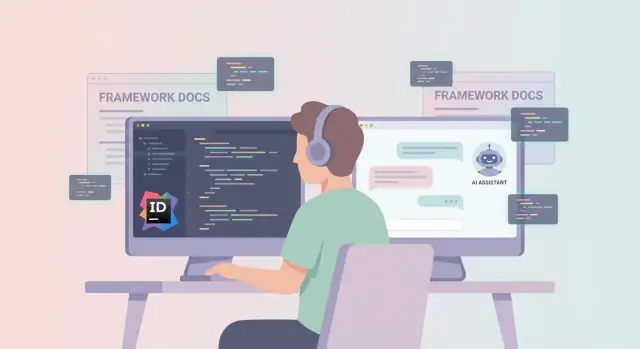
What “Interacting With Frameworks” Means in Practice
“Interacting with a framework” is everything you do to translate an idea into the framework’s way of building software. It’s not just writing code that compiles—it’s learning the framework’s vocabulary, choosing the “right” patterns, and using the tooling that shapes your day-to-day work.
The real interaction surface
In practice, developers interact with frameworks through:
- Docs and examples: reading guides, scanning reference pages, copying snippets, and comparing versions.
- APIs and abstractions: figuring out what to import, which hooks/classes/services exist, and how they fit together.
- Patterns and conventions: “the framework way” (routing, state, DI, data fetching, validation, background jobs, etc.).
- Tooling: generators, CLIs, linters, dev servers, inspectors, and error overlays.
AI changes this interaction because it adds a conversational layer between you and all of those surfaces. Instead of moving linearly (search → read → adapt → retry), you can ask for options, trade-offs, and context in the same place you’re writing code.
Not only faster—different decisions
Speed is the obvious win, but the bigger shift is how decisions get made. AI can propose a pattern (say, “use a controller + service” or “use hooks + context”), justify it against your constraints, and generate an initial shape that matches the framework’s conventions. That reduces the blank-page problem and shortens the path to a working prototype.
In practice, this is also where “vibe-coding” workflows are emerging: instead of assembling boilerplate by hand, you describe the outcome and iterate. Platforms like Koder.ai lean into this model by letting you build web, backend, and mobile apps directly from chat—while still producing real, exportable source code.
Scope: it’s not just web frameworks
This applies across web (React, Next.js, Rails), mobile (SwiftUI, Flutter), backend (Spring, Django), and UI/component frameworks. Anywhere there are conventions, lifecycle rules, and “approved” ways to do things, AI can help you navigate them.
Expectations: benefits, trade-offs, and skill shifts
Benefits include quicker API discovery, more consistent boilerplate, and better explanations of unfamiliar concepts. Trade-offs include misplaced confidence (AI can sound right while being wrong), subtle framework misuse, and security/privacy concerns when sharing code.
The skill shift is toward reviewing, testing, and guiding: you still own the architecture, the constraints, and the final call.
From Searching Docs to Asking Questions
Framework work used to mean a lot of tab-hopping: docs, GitHub issues, Stack Overflow, blog posts, and maybe a colleague’s memory. AI assistants shift that workflow toward natural-language questions—more like talking to a senior teammate than running a search query.
Asking the question you actually mean
Instead of guessing the right keywords, you can ask directly:
- “How do I validate a request in Framework X?”
- “Where does routing happen, and how do I add a middleware step?”
- “What’s the recommended way to handle authentication for API routes?”
A good assistant can answer with a short explanation, point to the relevant concepts (e.g., “request pipeline,” “controllers,” “route groups”), and often provide a small code snippet that matches your use case.
The catch: AI answers can be outdated
Frameworks change quickly. If the model was trained before a breaking release, it may suggest deprecated APIs, old folder structures, or configuration options that no longer exist.
Treat AI output as a starting hypothesis, not an authority. Verify by:
- Cross-checking with the current official docs
- Running the snippet locally and watching for warnings/deprecations
- Confirming edge-case behavior (validation error formats, middleware order, etc.)
Prompting tips that improve accuracy
You’ll get better answers when you provide context up front:
- Framework + version: “Laravel 11”, “Next.js 14”, “Django 5.0”
- Environment: Node version, Python version, runtime (serverless vs. long-running)
- Constraints: “TypeScript only,” “no new dependencies,” “must keep existing route structure”
- Goal and input/output: what the request looks like, what response you need
A simple upgrade is to ask: “Give me the official-docs approach for version X, and mention any breaking changes if my project is older.”
Scaffolding and Boilerplate: Faster Starts, New Risks
AI assistants are increasingly used as “instant scaffolding” tools: you describe the task, and they generate starter code that normally takes an hour of copy-pasting, wiring files together, and hunting for the right options. For framework-heavy work, that first 20%—getting the structure correct—is often the biggest speed bump.
What “starter code” looks like with AI
Instead of generating an entire project, many developers ask for focused boilerplate that drops into an existing codebase:
- Route handlers / endpoints (e.g., a REST or JSON route with auth, pagination, and error responses)
- Controllers / service layers with a suggested separation of concerns
- Form validation (schemas, error messages, server/client validation boundaries)
- State management setup (store configuration, slices/modules, persistence, async fetching)
This kind of scaffolding is valuable because it encodes lots of tiny framework decisions—folder placement, naming conventions, middleware order, and “the one correct way” to register things—without you having to remember them.
If you want to push this further, the newer class of end-to-end chat platforms can generate connected slices (UI + API + DB) rather than isolated snippets. For example, Koder.ai is designed to create React-based web apps, Go backends, and PostgreSQL schemas from a single conversational workflow—and still lets teams export source code and iterate with snapshots/rollback.
Templates can teach best practices—or repeat bad patterns
Generated boilerplate can be a shortcut to good architecture when it matches your team’s conventions and the framework’s current recommendations. It can also quietly introduce problems:
- Using deprecated APIs or old patterns the model learned from older examples
- Adding unnecessary complexity (extra abstractions, premature layering)
- Missing your project’s standards (logging, error formats, i18n, accessibility, lint rules)
- Accidentally embedding unsafe defaults (over-broad CORS, weak input validation, naive auth checks)
The key risk is that scaffolding often looks right at a glance. Framework code can compile and work locally while being subtly wrong for production.
A simple checklist before you ship generated boilerplate
- Run it: execute the path end-to-end (not just “it builds”).
- Lint and format: make sure it passes your project checks unchanged.
- Read for intent: explain, in your own words, what each file and dependency does.
- Verify framework alignment: confirm the APIs match your framework version.
- Test a failure case: invalid input, missing auth, empty states, network errors.
Used this way, AI scaffolding becomes less “copy code and pray” and more “generate a draft you can confidently own.”
Discovering Framework APIs With Conversational Guidance
Frameworks are big enough that “knowing the framework” often means knowing how to find what you need quickly. AI chat shifts API discovery from “open docs, search, skim” to a conversational loop: describe what you’re building, get candidate APIs, and iterate until the shape fits.
API discovery, in plain terms
Think of API discovery as locating the right thing in the framework—hook, method, component, middleware, or configuration switch—to achieve a goal. Instead of guessing names (“Is it useSomething or useSomethingElse?”), you can describe intent: “I need to run a side effect when a route changes,” or “I need server-side validation errors to show inline on a form.” A good assistant will map that intent to framework primitives and point out trade-offs.
Prompts that consistently work
One of the most effective patterns is to force breadth before depth:
- “Give me 3 options for solving this in <framework>, and when to use each.”
This prevents the assistant from locking onto the first plausible answer, and it helps you learn the framework’s “official” way versus common alternatives.
You can also ask for precision without a wall of code:
- “Show the minimal example (10–20 lines) that demonstrates the pattern.”
Ask for minimal examples plus official references
AI-generated snippets are most useful when they’re paired with a source you can verify. Request both:
- a minimal working example
- links to the official reference (e.g., “link the exact docs page for the hook/component you used”)
That way, chat gives you momentum, and the docs give you correctness and edge cases.
Caution: naming collisions and deprecated APIs
Framework ecosystems are full of near-identical names (core vs. community packages, old vs. new routers, “compat” layers). AI can also suggest deprecated APIs if its training data includes older versions.
When you get an answer, double-check:
- the framework version you’re on
- whether the API is deprecated or replaced
- whether similarly named APIs exist in different packages
Treat the chat as a fast guide to the right neighborhood—then confirm the exact address in the official docs.
Mapping Product Requirements to Framework Patterns
Product requirements are usually written in user language (“make the table fast”, “don’t lose edits”, “retry failures”), while frameworks speak in patterns (“cursor pagination”, “optimistic updates”, “idempotent jobs”). AI is useful in the translation step: you can describe the intent and constraints, and ask for framework-native options that match.
Start from intent, then request patterns
A good prompt names the goal, the constraints, and what “good” looks like:
- “We need server-side pagination for a list of 200k records. Users can filter and sort. Keep URLs shareable.”
- “We want an optimistic UI update when liking a post, but we must prevent double-likes and handle offline.”
- “We run background job retries for sending receipts. Retries must not create duplicates and should back off.”
From there, ask the assistant to map to your stack: “In Rails/Sidekiq”, “in Next.js + Prisma”, “in Django + Celery”, “in Laravel queues”, etc. Strong answers don’t just name features—they outline the shape of the implementation: where state lives, how requests are structured, and which framework primitives to use.
Ask explicitly for trade-offs
Framework patterns always carry costs. Make trade-offs part of the output:
- Server-side pagination: offset vs cursor pagination; impact on performance at high offsets; how sorting interacts with cursors; how to keep filters in the query string.
- Optimistic UI: faster feel vs reconciliation complexity; how to roll back on errors; how to avoid inconsistent caches; what happens across tabs/devices.
- Background job retries: reliability vs operational complexity; idempotency keys; dead-letter queues; exponential backoff; visibility into failures.
A simple follow-up like “Compare two approaches and recommend one for a team of 3 maintaining this for a year” often produces more realistic guidance.
Developers still choose the pattern
AI can propose patterns and outline implementation paths, but it can’t own the product risk. You still decide:
- Which failure modes are acceptable (stale data? duplicate emails? temporary inconsistency?)
- What you can support operationally (queues, monitoring, migrations)
- Which parts deserve tests and instrumentation before launch
Treat the assistant’s output as a set of options with reasoning, then select the pattern that matches your users, your constraints, and your team’s tolerance for complexity.
Refactoring With Framework Awareness
Refactoring inside a framework isn’t just “cleaning up code.” It’s changing code that’s wired into lifecycle hooks, state management, routing, caching, and dependency injection. AI assistants can be genuinely helpful here—especially when you ask them to stay framework-aware and to optimize for behavioral safety, not just aesthetics.
What AI is good at during refactors
A strong use case is having AI propose structural refactors that reduce complexity without changing what users see. For example:
- Splitting oversized components into smaller ones (and keeping props/state boundaries clear)
- Extracting services/helpers (e.g., data access, formatting, feature flags) to reduce duplication
- Consolidating repeated framework patterns (like duplicated hooks, middleware, or form logic)
The key is to make AI explain why a change fits the framework conventions—e.g., “this logic should move to a service because it’s shared across routes and shouldn’t run inside a component lifecycle.”
Keep changes small and reversible
Refactoring with AI works best when you enforce small, reviewable diffs. Instead of “refactor this module,” ask for incremental steps that you can merge one at a time.
A practical prompting pattern:
- Ask for a refactor plan first (what to change, why, risk level).
- Approve one step.
- Request the code change for that step only.
- Repeat.
This keeps you in control and makes it easier to roll back if a subtle framework behavior breaks.
Watch for subtle framework behavior changes
The biggest refactor risk is accidental changes in timing and state. AI can miss these unless you explicitly demand caution. Call out areas where behavior often shifts:
- Lifecycle and effects: moving logic can change when it runs (and how often)
- State ownership: extracting components can accidentally reset state or change memoization
- Caching and data fetching: relocating calls may bypass caches, change invalidation rules, or alter request timing
When you ask for a refactor, include a rule like: “Preserve lifecycle semantics and caching behavior; if uncertain, highlight the risk and propose a safer alternative.”
Used this way, AI becomes a refactoring partner that suggests cleaner structures while you remain the guardian of framework-specific correctness.
Testing and Debugging: More Coverage, Better Explanations
Frameworks often encourage a specific testing stack—Jest + Testing Library for React, Vitest for Vite apps, Cypress/Playwright for UI, Rails/RSpec, Django/pytest, and so on. AI can help you move faster within those conventions by generating tests that look like the community expects, while also explaining why a failure is happening in framework terms (lifecycle, routing, hooks, middleware, dependency injection).
Generating tests that match the framework’s testing tools
A useful workflow is to ask for tests at multiple layers:
- Unit tests for pure functions, validators, services, reducers, or view-model logic.
- Integration tests that exercise framework wiring: routes, controllers, DI containers, database boundaries, server handlers.
- UI tests that mimic real user behavior (navigation, forms, async loading), using the framework’s recommended patterns.
Instead of “write tests,” ask for framework-specific output: “Use React Testing Library queries,” “Use Playwright’s locators,” “Mock this Next.js server action,” or “Use pytest fixtures for the request client.” That alignment matters because the wrong testing style can create brittle tests that fight the framework.
Prompts that force edge cases (not only happy paths)
AI tends to generate cheerful, passing tests unless you explicitly demand the hard parts. A prompt that consistently improves coverage:
“Create tests for edge cases and error paths, not just the happy path.”
Add concrete edges: invalid inputs, empty responses, timeouts, unauthorized users, missing feature flags, and concurrency/race conditions. For UI flows, ask for tests that cover loading states, optimistic updates, and error banners.
Verify selectors, mocks, and reliability
Generated tests are only as good as their assumptions. Before trusting them, sanity-check three common failure points:
- Selectors/queries: Prefer stable queries (role/label/text) over fragile CSS selectors. Confirm the selected element actually exists in the rendered DOM and represents user intent.
- Mocks: Ensure you’re mocking at the right boundary. Over-mocking internal framework utilities can make tests pass while the app is broken. Confirm the mock matches real return shapes and error behavior.
- Async timing: Watch for flakiness—missing
await, racing network mocks, or assertions that run before UI settles. Ask AI to add waits that match the testing tool’s best practice, not arbitrary sleeps.
Keep tests readable and focused
A practical guideline: one behavior per test, minimal setup, explicit assertions. If AI generates long, story-like tests, ask it to refactor into smaller cases, extract helpers/fixtures, and rename tests to describe intent (“shows validation error when email is invalid”). Readable tests become documentation for the framework patterns your team relies on.
Debugging Framework Issues With AI as a Pair
Framework bugs often feel “bigger” than they are because symptoms surface far away from the real mistake. An AI assistant can act like a steady pair partner: it helps you interpret framework-specific stack traces, highlight suspicious frames, and suggest where to look first.
Use AI to make stack traces actionable
Paste the full stack trace (not just the last line) and ask the AI to translate it into plain steps: what the framework was doing, which layer failed (routing, DI, ORM, rendering), and which file or configuration is most likely involved.
A useful prompt pattern is:
“Here’s the stack trace and a short description of what I expected. Point out the first relevant application frame, likely misconfigurations, and what framework feature this error is tied to.”
Ask for hypotheses you can confirm
Instead of asking “what’s wrong?”, ask for testable theories:
“List 5 likely causes and how to confirm each (specific log to enable, breakpoint to set, or config value to check). Also tell me what evidence would rule each out.”
This shifts the AI from guessing a single root cause to offering a ranked investigation plan.
Pair AI with logs, breakpoints, and minimal repro
AI works best with concrete signals:
- Add relevant logs around framework boundaries (request lifecycle, middleware, hooks, interceptors).
- Set breakpoints where your code hands control to the framework (controller entry, query execution, template render).
- Create a minimal reproduction: a small route/component/test that fails consistently.
Feed back what you observe: “Cause #2 seems unlikely because X,” or “Breakpoint shows Y is null.” The AI can refine the plan as your evidence changes.
Common pitfalls to watch
AI can be confidently wrong—especially with framework edge cases:
- Hallucinated root causes: Treat suggestions as hypotheses until verified.
- Missing environment details: Many issues depend on versions, build mode, OS, Node/JDK/Python version, env vars, and deployment setup. Provide these up front.
- Overlooking diffs: A “works on my machine” bug often comes down to config files, feature flags, or dependency lockfiles.
Used this way, AI doesn’t replace debugging skills—it tightens the feedback loop.
Framework Upgrades and Migrations: AI as a Guide
Framework upgrades are rarely “just bump the version.” Even minor releases can introduce deprecations, new defaults, renamed APIs, or subtle behavior changes. AI can speed up the planning phase by turning scattered release notes into a migration plan you can actually execute.
Turn changelogs into an actionable checklist
A good use of an assistant is summarizing what changed from vX to vY and translating it into tasks for your codebase: dependency updates, config changes, and deprecated APIs to remove.
Try a prompt like:
“We’re upgrading Framework X from vX to vY. What breaks? Provide a checklist and code examples. Include dependency updates, config changes, and deprecations.”
Ask it to include “high-confidence vs. needs verification” labels so you know what to double-check.
Focus the AI on your repo’s reality
Changelogs are generic; your app isn’t. Feed the assistant a few representative snippets (routing, auth, data fetching, build config), and ask for a migration map: which files are likely impacted, what search terms to use, and what automated refactors are safe.
A compact workflow:
- Ask for a checklist based on the official release notes.
- Ask for a “grep plan” (function names, config keys) to locate impacted code.
- Ask for minimal, testable code edits for one area at a time.
Use code examples—but verify against official guides
AI-generated examples are best treated as a draft. Always compare them to official migration documentation and release notes before committing, and run your full test suite.
Here’s the kind of output that’s useful: small, local changes rather than sweeping rewrites.
- import { oldApi } from "framework";
+ import { newApi } from "framework";

- const result = oldApi(input, { legacy: true });
+ const result = newApi({ input, mode: "standard" });
Don’t forget indirect breakage
Upgrades often fail due to “hidden” issues: transitive dependency bumps, stricter type checks, build tool config defaults, or removed polyfills. Ask the assistant to enumerate likely secondary updates (lockfile changes, runtime requirements, lint rules, CI config), then confirm each item by checking the framework’s migration guide and running tests locally and in CI.
Security, Privacy, and Safe Defaults When AI Writes Code
AI code assistants can accelerate framework work, but they can also reproduce common footguns if you accept output uncritically. The safest mindset: treat AI as a fast draft generator, not a security authority.
The framework mistakes AI can help you catch
Used well, AI can flag risky patterns that show up repeatedly across frameworks:
- Authentication vs. authorization gaps: building a login flow but forgetting per-route permission checks, missing role checks in controllers, or trusting client-sent “isAdmin” fields.
- Injection risks: raw SQL string concatenation, unsafe query builders, or passing unvalidated input into template rendering. Even in “safe by default” ORMs, AI might generate escape hatches.
- Insecure defaults: permissive CORS, cookies without
HttpOnly/Secure/SameSite, disabled CSRF protection, debug mode enabled in production, overly broad API keys.
A helpful workflow is to ask the assistant to review its own patch: “List security concerns in this change and propose framework-native fixes.” That prompt often surfaces missing middleware, misconfigured headers, and places where validation should be centralized.
Safe practices to insist on
When AI generates framework code, anchor it in a few non-negotiables:
- Validate at boundaries (request DTOs/schemas), and reject unknown fields when possible.
- Escape/encode output according to context (HTML, SQL, shell, URL). Prefer framework helpers over custom escaping.
- Handle secrets properly: environment variables or a secrets manager—never hard-coded keys, and avoid logging tokens/PII.
- Least privilege: narrow scopes, minimal permissions, explicit allowlists.
Privacy and review: don’t rely on AI alone
Avoid pasting production secrets, customer data, or private keys into prompts. Use your organization’s approved tooling and redaction policies.
If you’re using an app-building assistant that can deploy and host your project, also consider where workloads run and how data residency is handled. For example, Koder.ai runs on AWS globally and can deploy applications in different regions to help teams align with data privacy and cross-border data transfer requirements.
Finally, keep humans and tools in the loop: run SAST/DAST, dependency scanning, and framework linters; add security-focused tests; and require code review for auth, data access, and configuration changes. AI can speed up secure defaults—but it can’t replace verification.
Best Practices: Keeping Developers in Control
AI assistants are most valuable when they amplify your judgment—not when they replace it. Treat the model like a fast, opinionated teammate: great at drafting and explaining, but not accountable for correctness.
Where AI helps most
AI tends to shine in learning and prototyping (summarizing unfamiliar framework concepts, drafting an example controller/service), repetitive tasks (CRUD wiring, form validation, small refactors), and code explanations (translating “why this hook runs twice” into plain language). It’s also strong at generating test scaffolding and suggesting edge cases you may not think to cover.
Where to be careful
Be extra cautious when the work touches core architecture (app boundaries, module structure, dependency injection strategy), complex concurrency (queues, async jobs, locks, transactions), and critical security paths (auth, authorization, crypto, multi-tenant data access). In these areas, a plausible-looking answer can be subtly wrong, and failure modes are expensive.
A practical prompting checklist
When you ask for help, include:
- Context: the relevant file(s), current behavior, and the error message or failing test
- Constraints: performance limits, deployment environment, coding standards, and “must not change” APIs
- Exact versions: framework, runtime, key libraries (small version differences matter)
- Expected behavior: inputs/outputs, edge cases, acceptance criteria
Ask the assistant to propose two options, explain trade-offs, and call out assumptions. If it can’t clearly identify where an API exists, treat the suggestion as a hypothesis.
A simple control-first workflow
- Verify in official docs (or your internal patterns) before adopting new APIs.
- Run locally and reproduce the behavior the assistant describes.
- Add or update tests to lock in the expected outcome.
- Review diffs deliberately: look for hidden behavior changes, logging/telemetry leaks, and error-handling gaps.
If you keep this loop tight, AI becomes a speed multiplier while you stay the decision-maker.
As a final note: if you’re sharing what you learn, some platforms support creator and referral programs. Koder.ai, for example, offers an earn-credits program for publishing content about the platform and a referral link system—useful if you’re already documenting AI-assisted framework workflows for your team or audience.
FAQ
What does “interacting with a framework” actually include?
It’s the full set of things you do to translate an idea into the framework’s preferred way of working: learning its terminology, picking conventions (routing, data fetching, DI, validation), and using its tooling (CLI, generators, dev server, inspectors). It’s not just “writing code”—it’s navigating the framework’s rules and defaults.
How does using AI differ from searching docs and Stack Overflow?
Search is linear (find a page, skim, adapt, retry). Conversational AI is iterative: you describe intent and constraints, get options with trade-offs, and refine in place while coding. The big change is decision-making—AI can propose a framework-native shape (patterns, file placement, naming) and explain why it fits.
What context should I include in prompts to get accurate framework help?
Always include:
- Framework and version (e.g., “Next.js 14”, “Django 5.0”).
- Runtime/environment (Node/Python/JDK version, serverless vs long-running).
- Constraints (“TypeScript only”, “no new deps”, “keep existing routes”).
- Input/output examples and acceptance criteria.
Then ask: “Use the official-docs approach for version X and note breaking changes if my project is older.”
How do I avoid outdated or deprecated AI suggestions?
Treat it as a hypothesis and verify quickly:
- Cross-check against current official docs.
- Run the snippet and watch for deprecations/warnings.
- Confirm edge cases (middleware order, validation formats, auth behavior).
If you can’t find the API in the docs for your version, assume it may be outdated or from a different package.
What’s the best way to use AI for scaffolding and boilerplate without creating mess?
Use it for drop-in scaffolding that matches your existing project:
- Route handlers/endpoints with auth, pagination, and error shapes.
- Controllers/services with clear separation of concerns.
- Validation schemas and boundary rules.
- State management setup (store/modules, async fetching).
After generation, run/lint/test and make sure it matches your team conventions (logging, error format, i18n, accessibility).
Can AI-generated framework code be subtly wrong even if it runs?
Yes—especially around “looks right, works locally” pitfalls:
- Deprecated patterns that still compile.
- Unsafe defaults (permissive CORS, missing CSRF, weak cookie flags).
- Misplaced boundaries (doing server work in UI lifecycle hooks, bypassing caches).
- Unnecessary abstractions that increase maintenance cost.
Countermeasure: require the assistant to explain why each piece exists and how it aligns with your framework version.
How can I use AI to discover the right framework APIs faster?
Ask for breadth before depth:
- “Give me 3 options in <framework> and when to use each.”
- “Show the minimal example (10–20 lines).”
- “List similarly named APIs/packages and which one is correct for version X.”
Then request a relative link to the official docs page so you can validate the exact API and edge cases.
How does AI help translate product requirements into framework patterns?
Describe the requirement in user terms plus constraints, then request framework patterns:
- “We need pagination for 200k records; filters/sort; shareable URLs—what are the patterns in <stack>?”
- “We want optimistic updates but must prevent duplicates—what’s the recommended approach?”
Always ask for trade-offs (e.g., offset vs cursor pagination; rollback strategy; idempotency keys for retries) and choose based on your failure-mode tolerance.
What’s a safe workflow for refactoring framework code with AI?
Keep diffs small and enforce behavioral safety:
- Ask for a refactor plan first (steps, risks, why it fits framework conventions).
- Approve one step, then generate only that change.
- Explicitly require: “Preserve lifecycle semantics, caching behavior, and middleware order; if uncertain, call out risk.”
This reduces the chance of subtle timing/state changes that are common in framework refactors.
How can AI improve my testing and debugging in a framework-heavy project?
Use AI to draft tests in the framework’s preferred style and to expand coverage beyond happy paths:
- Unit tests for pure logic (validators/services).
- Integration tests for wiring (routes/controllers/DI/ORM).
- UI tests for real flows (loading, errors, optimistic updates).
Sanity-check generated tests for:
- Stable selectors (role/label over CSS).
- Correct mocking boundaries (don’t over-mock framework internals).
- Reliable async handling (proper
await, tool-native waits, no arbitrary sleeps).