

How AI Infers the Right Tech Stack from Real Constraints
Learn how AI recommends technology stacks by weighing constraints like scale, speed to market, budget, and team skills—plus examples and limits.
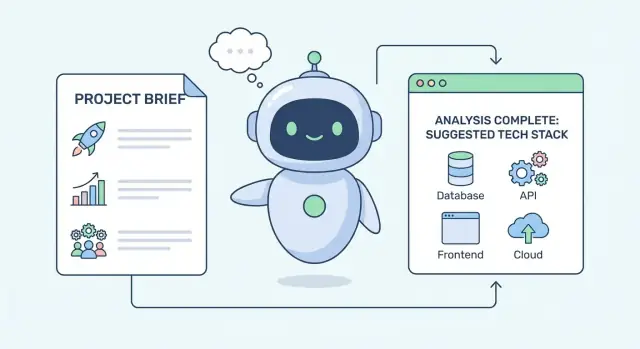
What It Means for AI to “Infer” a Tech Stack
A tech stack is simply the set of building blocks you choose to create and run a product. In plain terms, it usually includes:
- Frontend: what users see and interact with (web or mobile UI)
- Backend: server-side logic and APIs
- Database: where data is stored and queried
- Hosting/deployment: where the app runs (cloud, on‑prem, managed platforms)
- Tooling: monitoring, CI/CD, authentication, analytics, testing, and more
“Inference” isn’t mind-reading
When an AI “infers” a tech stack, it’s not guessing your favorite framework. It’s doing structured reasoning: it takes what you tell it about your situation, maps that to common engineering patterns, and proposes stack options that tend to work under similar conditions.
Think of it like a decision assistant that translates constraints into technical implications. For example, “we need to launch in 6 weeks” often implies choosing mature frameworks, managed services, and fewer custom components.
The core constraints AI looks at
Most stack recommendations start with a small set of practical constraints:
- Scale and performance: expected users, traffic spikes, latency targets, data volume
- Speed to market: deadlines, MVP vs. long-term platform, iteration cadence
- Team skill and hiring: what your developers already know and what’s easy to recruit for
- Budget: build vs. buy, cloud spend, licensing, operational headcount
- Compliance and security: data residency, audit requirements, encryption, access controls
Setting expectations
AI recommendations are best viewed as shortlists with trade-offs, not final answers. Strong outputs explain why a stack fits (and where it doesn’t), offer viable alternatives, and highlight risks to validate with your team—because humans still own the decision and accountability.
The Inputs AI Uses to Make Stack Suggestions
AI doesn’t “guess” a tech stack from a single prompt. It works more like an interviewer: it gathers signals, weighs them, and then produces a small set of plausible options—each one optimized for different priorities.
Product and user-facing requirements
The strongest inputs are what the product must do and what users will feel when using it. Typical signals include:
- Product goals (MVP validation vs. long-term platform)
- Key features (real-time collaboration, search, payments, file processing)
- Expected user volume and growth curve
- Latency and responsiveness needs (e.g., “must feel instant”)
- Data sensitivity and compliance expectations (PII, HIPAA, SOC 2)
These details steer choices like “server-rendered web app vs. SPA,” “relational vs. document database,” or “queue-based processing vs. synchronous APIs.”
Context and constraints around the build
Recommendations improve when you provide the situation around the project, not just the feature list:
- Existing systems to integrate with (ERP/CRM, identity provider, data warehouse)
- Preferred vendors or cloud commitments (AWS/GCP/Azure, specific managed services)
- Deployment environment (Kubernetes, serverless, on-prem)
- Timeline and release sequencing (single launch vs. phased rollout)
A hard constraint (e.g., “must run on-prem”) can eliminate otherwise strong candidates.
Team signals that affect maintainability
Stack decisions succeed or fail based on who will build and operate them. Useful team inputs include current languages, similar past projects, ops maturity (monitoring/on-call), and hiring realities in your market.
What the output should look like
A good AI response isn’t one “perfect stack.” It’s 2–4 candidates, each with:
- Why it fits the constraints
- Key trade-offs and risks
- What to validate next (benchmarks, security review, spike)
If you want a template for sharing these inputs, see /blog/requirements-for-tech-stack-selection.
From Constraints to Requirements: The Translation Step
Before an AI can recommend a technology stack, it has to translate what you say you want into what you actually need to build. Most project briefs start with fuzzy goals—“fast,” “scalable,” “cheap,” “secure,” “easy to maintain.” Those are useful signals, but they aren’t requirements yet.
Turn vague goals into measurable targets
AI typically converts adjectives into numbers, thresholds, and operating assumptions. For example:
- “Fast app” → 95th percentile response time (e.g., \u003c300ms for key actions), page-load budget, and acceptable peak latency
- “We need to ship quickly” → release cadence (weekly vs. monthly), time-to-first-version, and tolerance for technical debt
- “Scalable” → expected users, peak requests per second, growth rate, and data volume over 6–18 months
Once targets exist, the stack conversation becomes less about opinions and more about trade-offs.
Separate hard constraints from preferences
A big part of the translation step is classifying inputs:
- Hard constraints (must-have): compliance needs, data residency, existing vendor contracts, required integrations, uptime targets
- Preferences (nice-to-have): “use microservices,” “use a trendy framework,” “avoid vendor lock-in” (unless it’s contractual)
Recommendations are only as good as this sorting. A “must” will narrow options; a “preference” will influence ranking.
Ask what’s missing (and why it matters)
Good AI will flag missing details and ask short, high-impact questions, such as:
- What are your busiest workflows and peak traffic windows?
- What’s the budget for ops (people + tooling), not just cloud spend?
- What skills are already on the team, and what can you realistically hire?
- What data is sensitive, and what audits (if any) apply?
Build a one-page constraint profile
The output of this step is a compact “constraint profile”: measurable targets, must-haves, and open questions. That profile guides later decisions—from database choice to deployment—without locking you into a single tool too early.
How Scale and Speed Requirements Shape the Stack
When AI recommends a tech stack, “scale” and “speed” are often the first filters. These requirements quickly rule out options that might work for a prototype but struggle under real traffic.
What “scale” actually means in stack terms
AI typically breaks scale into concrete dimensions:
- Users and request volume: average vs. peak requests per second, plus growth expectations
- Data size: how fast data accumulates (logs, events, files) and how long it must be kept
- Read vs. write ratio: browse-heavy products need different optimizations than write-heavy ones (e.g., event capture)
- Peak patterns: “steady all day” is easier than “10× spikes on Fridays” or campaign-driven surges
These inputs narrow choices about how much you can rely on a single database, whether you need caching early, and whether autoscaling is a requirement rather than a nice-to-have.
Speed requirements: latency, throughput, and real-time features
Performance isn’t one number. AI separates:
- Latency (how fast one request feels), which influences CDNs, caching, and API design
- Throughput (how many requests/jobs per minute), which influences load balancing and horizontal scaling
- Background jobs (email, video processing, imports), which pushes the stack toward queues + workers
- Real-time (chat, presence, live dashboards), which often adds WebSockets and a pub/sub component
If low latency is critical, AI leans toward simpler request paths, aggressive caching, and managed edge delivery. If throughput and background work dominate, it prioritizes job queues and worker scaling.
Reliability targets tighten the options
Uptime expectations and recovery needs matter as much as speed. Higher reliability targets usually shift recommendations toward:
- Managed services (databases, queues) to reduce operational risk
- Redundancy across zones/regions
- Clear backup/restore and incident-response workflows
Higher scale + stricter speed + stronger reliability goals push the stack toward caching, asynchronous processing, and managed infrastructure earlier in the product’s life.
How Team Skill and Time-to-Market Drive Recommendations
Stack recommendations often sound like they’re optimizing for “best technology.” In practice, the strongest signal is usually: what your team can build, ship, and support without stalling.
Familiarity beats theoretical “best”
If your developers already know a framework well, the AI will typically favor it—even if an alternative benchmarks slightly better. Familiar tools reduce design debates, speed up code reviews, and lower the risk of subtle mistakes.
For example, a team with deep React experience will often get React-based recommendations (Next.js, Remix) rather than a “hotter” frontend. The same logic applies on the backend: a Node/TypeScript team may be guided toward NestJS or Express instead of a language switch that adds months of relearning.
Time-to-market pushes toward proven defaults
When launch speed is a priority, AI tends to recommend:
- Mature frameworks with strong conventions (fewer architecture decisions)
- Templates/starters that cover auth, routing, and deployment
- Managed services that remove setup and maintenance steps
This is why “boring” choices appear frequently: they have predictable paths to production, good documentation, and many solved problems. The aim isn’t elegance—it’s shipping with fewer unknowns.
This is also where “vibe-coding” tools can be genuinely useful: for example, Koder.ai lets teams move from requirements to working web/server/mobile scaffolding through a chat interface, while keeping a conventional stack underneath (React for web, Go + PostgreSQL for backend/data, Flutter for mobile). Used well, it complements the decision process—accelerating prototypes and first releases—without replacing the need to validate the stack against your constraints.
Operational load: self-hosted vs. managed
AI also infers your operational capacity. If you have no dedicated DevOps or limited on-call readiness, recommendations shift toward managed platforms (managed Postgres, hosted Redis, managed queues) and simpler deployments.
A lean team can rarely afford to babysit clusters, rotate secrets manually, and build monitoring from scratch. When constraints suggest that risk, AI will push for services with built-in backups, dashboards, and alerting.
Hiring and onboarding matter
Stack choices impact your future team. AI typically weighs language popularity, learning curve, and community support because they affect hiring and ramp-up time. A widely adopted stack (TypeScript, Python, Java, React) often wins when you expect growth, contractor help, or frequent onboarding.
If you want to go deeper on how recommendations turn into concrete layer-by-layer choices, see /blog/mapping-constraints-to-stack-layers.
Decision Logic: Weighing Trade-Offs and Priorities
Stack recommendations aren’t “best practices” copied from a template. They’re usually the result of scoring options against your stated constraints, then picking the combination that satisfies what matters most right now—even if it’s not perfect.
Turning trade-offs into ranked choices
Most decisions in a tech stack are trade-offs:
- Flexibility vs. simplicity: a highly customizable setup can support unusual workflows, but it often increases maintenance and onboarding time
- Cost vs. control: managed services reduce ops work and risk, but can limit tuning options and increase vendor dependence
- Speed vs. safety: shipping fast may mean fewer moving parts and less optimization, while “safety” favors stricter tooling, testing, and proven components
AI typically frames these as scores rather than debates. If you say “launch in 6 weeks with a small team,” simplicity and speed get heavier weight than long-term flexibility.
Weighted constraints: what matters most today
A practical model is a weighted checklist: time-to-market, team skill, budget, compliance, expected traffic, latency needs, data sensitivity, and hiring reality. Each candidate stack component (framework, database, hosting) gets points for how well it matches.
This is why the same product idea can yield different answers: the weights change when your priorities change.
Multiple tracks: MVP stack vs. scale-up stack
Good recommendations often include two paths:
- MVP track: minimize complexity and operational burden; choose mainstream tooling the team can ship with immediately
- Scale-up track: plan a migration-friendly route (e.g., add caching, split services, introduce a message queue) once usage proves the need
“Good enough” with explicit assumptions
AI can justify “good enough” decisions by stating assumptions: expected user volume, acceptable downtime, which features are non-negotiable, and what can be deferred. The key is transparency—if an assumption is wrong, you know exactly which parts of the stack to revisit.
Mapping Constraints to Stack Layers (Frontend to Data)
A useful way to understand stack recommendations is to see them as a “layer-by-layer” mapping exercise. Instead of naming tools at random, the model typically turns each constraint (speed, team skill, compliance, timeline) into requirements for the frontend, backend, and data layer—and only then suggests specific technologies.
Frontend: web vs. mobile (and what the UI must do)
AI usually starts by clarifying where users interact: browser, iOS/Android, or both.
If SEO and fast page loads matter (marketing sites, marketplaces, content products), web choices tilt toward frameworks that support server rendering and good performance budgets.
If offline mode is central (field work, travel, unstable networks), the recommendation shifts toward mobile apps (or a carefully designed PWA) with local storage and sync.
If the UI is real-time (collaboration, trading dashboards, live ops), the constraint becomes “push updates efficiently,” which influences state management, WebSockets, and event handling.
Backend: monolith vs. microservices, APIs, and background work
For early-stage products, AI often prefers a modular monolith: one deployable unit, clear internal boundaries, and a straightforward API (REST or GraphQL). The constraint here is time-to-market and fewer moving parts.
Microservices tend to appear when constraints demand independent scaling, strict isolation, or many teams shipping in parallel.
Background processing is another key mapping step. If you have emails, video processing, report generation, billing retries, or integrations, AI will typically add a job queue + worker pattern so the user-facing API stays responsive.
Data layer: pick the simplest database that fits, then add “specialists”
Relational databases are usually suggested when you need transactions, reporting, and consistent business rules.
Document or key-value stores show up when the constraint is flexible schemas, very high write throughput, or fast lookups.
Search (e.g., for filtering, ranking, typo tolerance) is often a separate requirement; AI will recommend adding a search engine only when “database queries” stop meeting UX needs.
Integrations: don’t reinvent basics
When constraints include payments, authentication, analytics, messaging, or notifications, recommendations usually favor established services and libraries rather than building them from scratch—because reliability, compliance, and maintenance cost matter as much as features.
Database, Caching, and Messaging: Typical AI Reasoning
When an AI recommends a database or adds caching and queues, it’s usually reacting to three types of constraints: how consistent the data must be, how spiky the traffic is, and how quickly the team needs to ship without creating operational overhead.
Relational database vs. alternatives
A relational database (like Postgres or MySQL) is often the default recommendation when you need clear relationships (users → orders → invoices), strong consistency, and safe multi-step updates (e.g., “charge card, then create subscription, then send receipt”). AI models tend to pick relational systems when requirements mention:
- reporting and ad-hoc queries for finance/ops
- migrations and evolving schemas
- transactions and “no double charge” style guarantees
Alternatives get suggested when the constraints shift. A document database might be proposed for rapidly changing, nested data (content blocks, product catalogs) where strict joins are less important. A wide-column or key-value store may appear when the main need is ultra-low-latency reads/writes at very large scale with simpler access patterns.
Caching and queues: when they matter
Caching (often Redis or a managed cache) is recommended when repeated reads would otherwise hammer the database: popular product pages, session data, rate limiting, feature flags. If the constraint is “traffic spikes” or “p95 latency must be low,” adding cache can reduce database load dramatically.
Queues and background jobs are suggested when work doesn’t need to finish inside the user request: sending emails, generating PDFs, syncing to third-party systems, resizing images. This improves reliability and keeps the app responsive during bursts.
Storage for files and events
For user-uploaded files and generated assets, AI typically chooses object storage (e.g., S3-style) because it’s cheaper, scalable, and keeps the database lean. If the system needs to track streams of events (clicks, updates, IoT signals), an event stream (Kafka/PubSub-style) may be proposed to handle high-throughput, ordered processing.
Data safety: constraints that force “boring but safe” picks
If the constraints mention compliance, auditability, or recovery time objectives, recommendations usually include automated backups, tested restores, migration tooling, and stricter access control (least-privilege roles, secrets management). The more “we can’t lose data” shows up, the more the AI will favor managed services and predictable, well-supported patterns.
Deployment, Security, and Operations Constraints
A stack recommendation isn’t just “which language and database.” AI also infers how you’ll run the product: where it’s hosted, how updates ship, how incidents are handled, and what guardrails you need around data.
Cloud and hosting: managed vs. containers vs. serverless
When constraints emphasize speed and a small team, AI will often favor managed platforms (PaaS) because they reduce operational work: automatic patching, easier rollbacks, and built-in scaling. If you need more control (custom networking, specialized runtimes, multiple services with internal communication), containers (often with Kubernetes or a simpler orchestrator) become more likely.
Serverless is commonly suggested when traffic is spiky or unpredictable and you want to pay mostly when code runs. But good recommendations also flag the trade-offs: debugging can be harder, cold starts may matter for user-facing latency, and costs can jump if a “cheap” function starts running constantly.
Security and compliance constraints
If you mention PII, audit logs, or data residency, AI typically recommends:
- Strong identity access controls (least-privilege roles, MFA)
- Encryption in transit and at rest
- Centralized audit logging for sensitive actions
- Region-locked storage and backups when data must stay in a location
This isn’t legal advice—it’s a practical way to reduce risk and make reviews smoother.
Observability: what “ready for scale” really means
“Ready for scale” usually translates to: structured logs, basic metrics (latency, error rate, saturation), and alerting tied to user impact. AI may recommend a standard trio—logging + metrics + tracing—so you can answer: What broke? Who is affected? What changed?
Cost: predictable spend vs. pay-per-use
AI will weigh whether you prefer predictable monthly costs (reserved capacity, managed databases sized ahead) or pay-per-use (serverless, autoscaling). Good recommendations explicitly call out “surprise bill” risks: noisy logs, unbounded background jobs, and data egress, along with simple limits and budgets to keep costs controlled.
Three Example Scenarios and Suggested Stacks
AI stack recommendations are usually framed as “best fit given these constraints,” not as a single correct answer. Below are three common scenarios, shown as Option A / Option B with explicit assumptions.
Example 1: Small team, tight deadline, moderate scale
Assumptions: 2–5 engineers, need to ship in 6–10 weeks, traffic is steady but not huge (say 10k–200k users/month), limited ops capacity.
Option A (speed-first, fewer moving parts):
A typical suggestion is React/Next.js (frontend), Node.js (NestJS) or Python (FastAPI) (backend), PostgreSQL (database), and a managed platform like Vercel + managed Postgres. Authentication and email are often “buy” choices (Auth0/Clerk, SendGrid) to reduce build time.
If your primary constraint is time and you want to avoid stitching together multiple starters, a platform like Koder.ai can help you stand up a React frontend plus a Go + PostgreSQL backend quickly from a chat-driven spec, with options to export source code and deploy/host—useful for MVPs where you still want an ownership path.
Option B (team-aligned, longer runway):
If the team is already strong in a single ecosystem, recommendations often include standardizing: Rails + Postgres or Django + Postgres, plus a minimal queue (managed Redis) only if background jobs are clearly needed.
Example 2: High-traffic, low-latency product
Assumptions: spiky traffic, strict response times, read-heavy workloads, global users.
Option A (performance with proven defaults):
AI tends to add layers: CDN (Cloudflare/Fastly), edge caching for static content, Redis for hot reads and rate-limits, and a queue like SQS/RabbitMQ for async work. Backend might shift toward Go/Java for predictable latency, while keeping PostgreSQL plus read replicas.
Option B (keep stack, optimize the edges):
If hiring/time argues against a language switch, the recommendation often becomes: keep the current backend, but invest in caching strategy, queue-based processing, and database indexing before rewriting.
Example 3: Regulated or sensitive data
Assumptions: compliance requirements (HIPAA/SOC 2/GDPR-like), audits, strict access control, audit logs.
Option A (mature managed services):
Common picks are AWS/Azure with KMS encryption, private networking, IAM roles, centralized logging, and managed databases with audit features.
Option B (self-host for control):
When data residency or vendor rules require it, AI may propose Kubernetes + PostgreSQL with stricter operational controls—usually with a warning that this increases ongoing ops cost.
Limits, Risks, and How to Validate AI Recommendations
AI can propose a tech stack that sounds coherent, but it’s still guessing from partial signals. Treat the output as a structured hypothesis—not an answer key.
Common limits to expect
First, the input is often incomplete. If you don’t specify data volume, peak concurrency, compliance needs, latency targets, or integration constraints, the recommendation will fill gaps with assumptions.
Second, ecosystems change quickly. A model may suggest a tool that was “best practice” recently but is now deprecated, acquired, priced differently, or no longer supported by your cloud provider.
Third, some context is hard to encode: internal politics, existing vendor contracts, on-call maturity, a team’s real experience level, or the cost of migrating later.
The popularity-bias risk (and how to counter it)
Many AI suggestions skew toward widely discussed tools. Popular isn’t wrong—but it can hide better fits, especially for regulated industries, constrained budgets, or unusual workloads.
Counter this by stating constraints in plain language:
- “We cannot hire specialized ops staff this year.”
- “Data must stay in-region and be auditable.”
- “We need predictable costs more than maximum performance.”
Clear constraints force the recommendation to justify trade-offs instead of defaulting to familiar names.
Validation steps that reduce expensive mistakes
Before committing, run lightweight checks that match your real risks:
- Build a small prototype for the riskiest path (e.g., auth, payments, realtime updates).
- Load test early with realistic traffic patterns, not just synthetic benchmarks.
- Estimate costs (compute, storage, egress, managed services) at today’s scale and your 6–12 month target.
- Do a security review: threat model, data handling, IAM boundaries, secrets management, and compliance requirements.
Use AI safely: keep a written rationale
Ask the AI to produce a short “decision record”: goals, constraints, chosen components, alternatives rejected, and what would trigger a change. Keeping that rationale makes future debates faster—and upgrades less painful.
If you’re using a build accelerator (including chat-driven platforms like Koder.ai), apply the same discipline: capture assumptions up front, validate early with a thin slice of the product, and use safeguards like snapshots/rollback and source code export so speed doesn’t come at the cost of control.
FAQ
What does it mean when AI “infers” a tech stack?
AI isn’t reading your mind—it’s mapping your stated constraints (timeline, scale, team skills, compliance, budget) to common engineering patterns and then proposing stacks that tend to work under similar conditions. The useful part is the reasoning and trade-offs, not the exact tool names.
What information should I give an AI to get a good stack recommendation?
Provide inputs that change architecture decisions:
- Timeline (MVP in weeks vs platform over months)
- Expected users/traffic (average and peak)
- Latency goals (what must feel “instant”)
- Data sensitivity/compliance (PII, HIPAA, SOC 2, residency)
- Team strengths and ops capacity (on-call, DevOps support)
- Integrations (payments, identity provider, data warehouse)
- Hosting constraints (must be on-prem, cloud preference)
If you share only features, the AI will fill gaps with assumptions.
How does AI turn vague goals like “fast” or “scalable” into requirements?
Translate adjectives into measurable targets:
- “Fast” → p95 response time target, page-load budget
- “Scalable” → peak requests/second, growth assumptions, data volume over 6–18 months
- “Ship quickly” → release cadence, time-to-first-version, tolerance for technical debt
Once targets exist, recommendations become defensible trade-offs instead of opinions.
What’s the difference between hard constraints and preferences in stack selection?
Hard constraints eliminate options; preferences just influence ranking.
- Hard constraints: data residency, required audits, existing vendor contracts, required integrations, uptime/RTO/RPO targets
- Preferences: “microservices,” “avoid vendor lock-in,” “use framework X” (unless contractual)
If you mix these, you’ll get recommendations that look plausible but don’t actually fit your must-haves.
Why do AI recommendations often favor “boring” or familiar technologies?
Speed-to-market and maintainability dominate early decisions. AI typically favors what your team already knows because it reduces:
- design churn and architecture debates
- review and debugging time
- onboarding friction
A slightly “better” framework on paper often loses to the one the team can ship and operate reliably.
How does AI decide between a monolith and microservices?
Early-stage products usually benefit from fewer moving parts:
- Modular monolith: simpler deployment, faster iteration, easier debugging
- Microservices: more operational overhead, pays off when you need independent scaling, strict isolation, or many teams shipping in parallel
If your constraints emphasize a small team and tight timeline, AI should lean monolith-first and call out when microservices would become justified later.
How does AI choose between PostgreSQL and NoSQL databases?
Most recommendations default to a relational database (often Postgres/MySQL) when you need transactions, reporting, and consistent business rules. Alternatives appear when constraints shift:
- Document DB: rapidly changing nested schemas, fewer joins
- Key-value/wide-column: extremely high throughput with simple access patterns
A good output explains what data guarantees you need (e.g., “no double charge”) and chooses the simplest database that meets them.
When should caching and message queues be part of the stack?
AI adds these layers when your constraints imply they’re necessary:
- Caching (often Redis): repeated reads, traffic spikes, low p95 latency goals, rate limiting, session storage
- Queues/workers: tasks that shouldn’t block user requests (emails, PDF/video processing, retries, imports, third-party sync)
If your product has bursty load or heavy background work, queues and caches often deliver bigger wins than rewriting the backend language.
How does AI decide between managed services, containers, and serverless?
It’s largely an ops-capacity and control trade-off:
- Managed/PaaS: faster to ship, fewer backups/patching/on-call burdens, easier scaling
- Containers/Kubernetes: more control and portability, but higher setup and operational cost
- Serverless: good for spiky workloads and pay-per-use, but watch cold starts, debugging complexity, and surprise bills
Your team’s ability to run the system is as important as building it.
How can I validate an AI-recommended stack before committing?
Use lightweight validation that targets your biggest risks:
- Build a small prototype for the riskiest workflows (auth, payments, realtime)
- Load test with realistic peak patterns
- Estimate costs at today’s scale and at 6–12 months (compute, storage, egress, logs)
- Do a security review (threat model, IAM boundaries, secrets, audit logs)
Ask for a short decision record: assumptions, chosen components, alternatives, and what would trigger a change.